

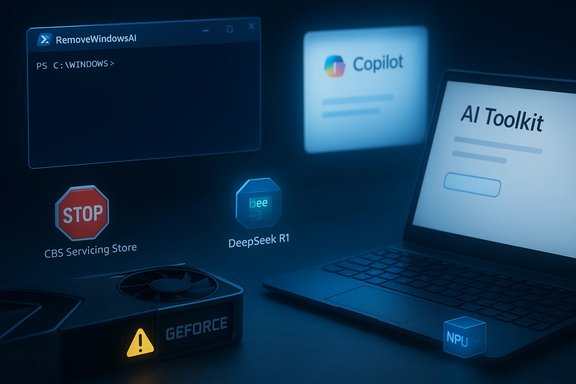
A new, noisy moment in the life of Windows 11 has produced three very different headlines this week: a community-made PowerShell project promises to excise nearly every AI surface from the OS; a January cumulative update (KB5074109) is once again blamed for crippling GeForce GPUs and causing black‑screen crashes; and Microsoft has expanded its on‑device ambitions by shipping distilled DeepSeek R1 models to Copilot+ PCs. Each story speaks to the same fault line—how tightly Microsoft should bind AI to the Windows experience, and how resilient the platform is when that binding meets drivers, servicing systems, and user expectations.
Windows 11’s evolution into what Microsoft and partners call the “AI PC” has been rapid and pervasive. Copilot, Recall, AI Actions, image-generation features in Paint and Notepad’s rewrite hooks are now shipped as parts of the platform, sometimes as discrete Appx/MSIX packages, sometimes as servicing artifacts in Windows’ Component‑Based Servicing (CBS) inventory, and increasingly as code optimized for local NPUs on Copilot+ hardware. That architectural mix—UI-level toggles, packaged apps, servicing‑store entries, and on‑device models—creates multiple touchpoints for users who want to opt out, and for system integrators who must keep devices stable under frequent updates.
The three developments summarized here are connected not by technology alone but by the operational friction that comes when OS-level AI, driver ecosystems and third‑party tooling collide: community tooling that surgically edits servicing metadata, a security update that appears to regress GPU behavior on certain hardware, and Microsoft’s own push to place smaller, distilled models on NPUs inside Copilot+ PCs. The choices made by users, admins, and Microsoft in response will determine whether this phase of Windows 11 feels like progress or like platform drift.
RemoveWindowsAI answers a real user need—durable opt‑outs—that Microsoft’s per‑feature toggles do not fully satisfy. But the same mechanism that makes the tool durable (editing CBS, blocking reinstall) is also the mechanism that can make the OS fragile. The KB5074109 GPU problems are the other face of the same coin: when lower‑level platform changes meet a heterogeneous driver ecosystem, regressions can be severe and visible. Meanwhile, Microsoft’s on‑device model work with distilled DeepSeek R1 models shows why this matters: the potential benefits (lower latency, better privacy, new local features) are real, but they demand far stronger coordination among hardware vendors, driver authors and OS servicing flows than the platform has routinely required.
The sensible path forward is pragmatic: Microsoft should continue pushing on-device AI while investing more heavily in durable and auditable enterprise opt‑outs and clearer servicing guarantees. Users and admins, in turn, should favor staged rollouts, strong backups, and tested policies over one‑click fixes. For those who must remove AI from their devices, the community tools exist—but they must be used with full awareness of the recovery, support and upgrade risks they introduce.
Source: PCMag https://www.pcmag.com/news/sick-of-...vertelemetry=1&renderwebcomponents=1&wcseo=1]
 Background / Overview
Windows 11’s evolution into what Microsoft and partners call the “AI PC” has been rapid and pervasive. Copilot, Recall, AI Actions, image-generation features in Paint and Notepad’s rewrite hooks are now shipped as parts of the platform, sometimes as discrete Appx/MSIX packages, sometimes as servicing artifacts in Windows’ Component‑Based Servicing (CBS) inventory, and increasingly as code optimized for local NPUs on Copilot+ hardware. That architectural mix—UI-level toggles, packaged apps, servicing‑store entries, and on‑device models—creates multiple touchpoints for users who want to opt out, and for system integrators who must keep devices stable under frequent updates.The three developments summarized here are connected not by technology alone but by the operational friction that comes when OS-level AI, driver ecosystems and third‑party tooling collide: community tooling that surgically edits servicing metadata, a security update that appears to regress GPU behavior on certain hardware, and Microsoft’s own push to place smaller, distilled models on NPUs inside Copilot+ PCs. The choices made by users, admins, and Microsoft in response will determine whether this phase of Windows 11 feels like progress or like platform drift.
RemoveWindowsAI: the community “nuke” for Windows 11 AI
What it is and what it promises
A GitHub project published under the handle zoicware—branded RemoveWindowsAI—offers a PowerShell script and optional GUI that aim to remove a long list of AI surfaces from modern Windows 11 builds. The repository and companion site show the script targets registry and Group Policy keys, uninstalls Appx/MSIX packages (user and provisioned), removes scheduled tasks and local Recall indices, and—most controversially—attempts to purge or neutralize items in the Component‑Based Servicing (CBS) store and install a custom blocker so Windows Update will not re‑provision removed AI packages. The project includes a “backup” mode and a revert command, along with guidance for manual steps that cannot be fully automated. Community hands‑on reviews and press writeups reproduce that description: the tool will hide or remove visible Copilot/Recall UI and unprovision many first‑party Appx packages on targeted stable builds, but outcomes vary by OEM customizations, servicing state, and Insider vs. stable channels. That variability is central to both the toolger.How the script works (technical anatomy)
RemoveWindowsAI orchestrates multiple layers of change. Think of its actions in tiers:- Registry and policy edits (least invasive): flip keys and CSPs to hide Copilot and other UI nudges—these mirror supported admin toggles but are only part of the task.
- Appx/MSIX package removal: calls Remove‑AppxPackage and Remove‑AppxProvisionedPackage to uninstall per‑user packages and strip provisioned manifests so new user profiles don’t get the AI apps. This changes provisioning behavior and can affect OEM customizations.
- Scheduled tasks and local data deletion: removes Recall’s scheduled tasks and snapshot indices, effectively erasing local timeline data (destructive unless backed up).
- CBS surgery and blocker package (most invasive): edits the servicing store and optionally installs a custom Windows Update package designed to block re‑provisioning. This is the durability technique that makes the removals persistent—but it is also the step that most clearly diverges a device’s servicing inventory from Microsoft’s expected state and creates upgrade fragility.
Strengths: why power users are drawn to it
- Scope and convenience: the script automates months of community “debloat” recipes into a single toolchain, saving time for power users and testers.
- Open source and auditable: the code is public, licensed MIT, and has a simple enough surface for advanced users to inspect.
- Revert and backup modes: the repository provides a backup mode intended to enable restores, which reduces—but does not eliminate—risk.
Risks and the operational downside
- Servicing divergence and upgrade fragility: editing CBS and installing blocker updates diverges a machine’s servicing inventory from the expected baseline and can break feature updates, cumulative patches, or future servicing workflows. This is the single largest operational risk.
- Potential for data loss: removing Recall snapshot indices or scheduled tasks will permanently delete locally stored timeline data unless the user has separately backed it up.
- False‑positive antivirus flags and security concerns: deep system edits often trip heuristics in third‑party AV; the project warns users about false positives and recommends VM testing. Malicious actors could copy the approach to do harm, and the script’s pattern of operating with elevated privileges increases the damage potential if an attacker tampers with it.
- Unsupported configuration and helpdesk burden: machines modified at the servicing level may be out of scope for vendor or Microsoft support, complicating remediation in enterprise fleets. Enterprise policy and security auditing may be disrupted.
What reviewers recommend instead (safer alternatives)
- Prefer supported enterprise controls, Group Policy and MDM toggles where possible. These are reversible, auditable and supported by Microsoft’s update model.
- Use tested debloat utilities that limit themselves to user‑level app removals and privacy tweaks rather than servicing metadata surgery.
- If experimentation is required, run the script in a VM or non‑production lab image first; take full system backups or image snapshots and validate restore procedures. Always use the tool’s backup mode if you plan any reversion.
Windows 11 update KB5074109 and GeForce performance problems
The immediate issue
The January cumulative update for Windows 11—published as KB5074109 (builds 26100.7623 and 26200.7623 depending on SKU)—is reported by users in gaming and professional communities to cause severe GPU problems, ranging from FPS drops in games (15–20 FPS in heavy titles) to intermittent black screens and hangs that disproportionately affect NVIDIA GeForce cards. The patch bundles security fixes and some platform changes (including NPU‑related improvements), but soon after rollout, forums and social channels documented a spike of GPU‑related failures. Multiple community threads and troubleshooting reports note that uninstalling the update restores normal operation for affected machines, and some users have resorted to blocking the update while Microsoft and Nvidia investigate. Microsoft’s support forums include posts and a troubleshooting thread that describe installation errors, black screens, and even OpenGL deadlocks tied to specific driver combinations.Independent corroboration and scope
- Game and tech outlets documented widespread reports and tested cases of FPS loss and black screens tied to the KB5074109 rollout. The most visible writeups highlight a disproportionate number of complaints from NVIDIA users.
- Microsoft Q&A threads include community posts diagnosing an OpenGL/GPU deadlock in professional Quadro drivers on certain OpenGL workloads; the reported remedy in those threads was to remove the update and pause Windows Update until a fix is available.
Likely causes and why this matters
Large cumulative updates touch kernel scheduling, GPU/memory paths, servicing stacks and certificate logic; when a single update touches the same surface area that GPU drivers also assume, regressions can emerge. GPU drivers are particularly sensitive to subtle kernel or graphics‑stack changes, and the diversity of Windows hardware and third‑party drivers makes universal correctness difficult on day one. The result is predictable: some configurations will fail, and the most visible failures show up in gaming or professional graphics workloads where latency and throughput are carefully optimized.Practical mitigation steps (ranked, actionable)
- Create a full system backup or disk image before removing updates.
- If you experience black screens or large FPS drops after KB5074109, uninstall the update from Control Panel → Programs → View installed updates, then reboot.
- Pause Windows Update to prevent immediate reinstallation (Settings → Update & Security → Pause updates) until an official fix arrives.
- Update your NVIDIA drivers to the latest stable production release (not just optional drivers); if problems persist, roll back to a previously stable driver and report the issue to NVIDIA and Microsoft with system logs.
- In managed environments, stage the update using pilot rings and monitor telemetry before fleet rollout. Use Group Policy / WSUS or your update management tools to delay or approve the update selectively.
DeepSeek R1 distilled models on Copilot+ PCs: Microsoft’s on‑device push
What Microsoft announced
Microsoft has published distilled, NPU‑optimized variants of DeepSeek’s R1 model for Copilot+ PCs via Azure AI Foundry and the AI Toolkit. The initial offering includes a 1.5B distilled model (DeepSeek‑R1‑Distill‑Qwen‑1.5B) with 7B and 14B distilled variants arriving soon. Microsoft’s Windows Developer Blog highlights optimizations—ONNX QdQ quantized models, QuaRot and other techniques—to make these models run efficiently on Copilot+ NPUs while keeping heavier memory tasks on CPU. Reported performance figures include time‑to‑first‑token under ~70 ms for short prompts on the smallest distilled model and throughput ranges in the tens of tokens/second depending on model size and prompt length. Developers can access the models via the AI Toolkit extension for VS Code or through Azure AI Foundry. Tech outlets covered the same announcement and contextualized it against DeepSeek’s market entry and the controversy around training provenance, but the technical facts Microsoft published—distilled model sizes, ONNX optimization and NPU targeting—are present in Microsoft’s developer posts.Why distilled models matter for Windows
Distillation compresses knowledge from a large model into a much smaller architecture that runs efficiently on constrained hardware. For Windows, distilled models that run on NPUs mean:- Faster local inference and lower latency for interactive features like Copilot and Recall-style retrieval augmentation.
- Better privacy options since some inference can happen locally without round trips to cloud services.
- A new complexity vector where OS servicing, NPU runtimes, drivers and app integrations must all remain coordinated during updates and hardware refreshes.
Open questions and cautions
- Claims about comparative model performance: stories claiming R1 is “ahead” of other large models are sensational and not universally verifiable—comparing models requires controlled benchmarks, identical prompt sets and consistent evaluation metrics; public claims should be treated cautiously. Microsoft’s announcement focuses on engineering and deployment, not head‑to‑head superiority. Flagged as unverifiable without controlled benchmark data.
- Training provenance and safety: DeepSeek’s broader claims about cost‑efficient training and related controversy drew scrutiny in industry coverage; Microsoft reports red‑teaming and safety evaluations for R1 on Azure AI Foundry, but external scrutiny of training datasets and lineage remains a topic of trust and policy discussion.
Cross‑cutting analysis: what these three stories reveal about Windows 11 today
Platform complexity is the problem statement
Windows 11’s AI push spans UI, packaged apps, servicing metadata and on‑device models. That means a single user request—“remove AI from my PC”—is actually a tangled series of operations across layers that were never designed to be atomically toggled by end users. Community tools like RemoveWindowsAI succeed because they embrace that complexity, but they also surface the fragility beneath the surface: servicing inventories, OEM provisioning, and update flows are brittle when manipulated outside vendor‑supported channels.Updates and drivers remain the weakest link in day‑one rollouts
KB5074109 shows how a security/quality update can regress driver interactions in field configurations. GPU drivers are especially sensitive, and the larger the OS surface you change (GPU scheduling, NPU hooks, component store behavior), the higher the chance of regressions on real‑world hardware. Controlled rollout, better telemetry from vendor partners and clearer rollback paths are essential.On‑device models shift where responsibility lives
Microsoft shipping distilled DeepSeek R1 models to Copilot+ PCs illustrates the tradeoff: on‑device models improve latency and privacy but also increase the coordination burden between silicon vendors, driver stacks, OS servicing and application ecosystems. That coordination problem underlies both the attractiveness of community tooling (which restores end‑user control) and the fragility seen when updates touch low‑level subsystems (which can break drivers).Practical recommendations — For home users, power users, and IT administrators
Home users and enthusiasts
- If you dislike the new Windows 11 AI surfaces, prefer toggling features in Settings or uninstalling the visible Appx apps first. For experimental tools like RemoveWindowsAI, run them only in a virtual machine or disposable test device first, and use the tool’s backup/revert mode.
- Before applying major Windows updates (especially in January 2026’s rollout window), create a full disk image and set System Restore points so you can revert quickly if problems arise. If you use an NVIDIA GPU and can’t afford risk, pause updates until confirmed fixes arrive.
Power users and system integrators
- Test RemoveWindowsAI and similar tools in an image lab that mirrors your deployment. If you choose to use it, document changes, include them in change control logs, and ensure you have a reliable recovery plan. Avoid using CB S‑level modifications on production endpoints without rigorous validation.
- Stage KB5074109 and similar cumulative updates in pilot rings. Monitor GPU-related telemetry specifically and coordinate with hardware vendors for driver validation before broad deployment. Use WSUS/Windows Update for Business to control rollout.
IT administrators and enterprise risk teams
- Treat servicing‑store edits as a last resort. Work with Microsoft to request supported opt‑out policies or feature‑disabling CSPs for fleet management; ask for formal exceptions in documented change control if absolute removal is required.
- Keep a record of hardware profiles and driver versions so you can quickly identify regressions tied to specific silicon or driver stacks. Consider blocking KB5074109 on sensitive GPU workloads until vendor patches are available.
Conclusion
The week’s headlines—community tools promising to “burn down” AI features, a problematic cumulative update blamed for GeForce failures, and Microsoft’s move to deliver distilled DeepSeek R1 models to Copilot+ NPUs—are all manifestations of a single strategic tension: the tradeoff between innovation (embedding powerful AI in the OS and on devices) and control (stability, predictable servicing, and transparent opt‑outs).RemoveWindowsAI answers a real user need—durable opt‑outs—that Microsoft’s per‑feature toggles do not fully satisfy. But the same mechanism that makes the tool durable (editing CBS, blocking reinstall) is also the mechanism that can make the OS fragile. The KB5074109 GPU problems are the other face of the same coin: when lower‑level platform changes meet a heterogeneous driver ecosystem, regressions can be severe and visible. Meanwhile, Microsoft’s on‑device model work with distilled DeepSeek R1 models shows why this matters: the potential benefits (lower latency, better privacy, new local features) are real, but they demand far stronger coordination among hardware vendors, driver authors and OS servicing flows than the platform has routinely required.
The sensible path forward is pragmatic: Microsoft should continue pushing on-device AI while investing more heavily in durable and auditable enterprise opt‑outs and clearer servicing guarantees. Users and admins, in turn, should favor staged rollouts, strong backups, and tested policies over one‑click fixes. For those who must remove AI from their devices, the community tools exist—but they must be used with full awareness of the recovery, support and upgrade risks they introduce.
Source: PCMag https://www.pcmag.com/news/sick-of-...vertelemetry=1&renderwebcomponents=1&wcseo=1]
