

Bill Gates’ admonition to “concentrate on keeping it simple” feels less like nostalgia and more like a warning shot as Windows 11 wrestles with an AI-first identity that many users—and increasingly Microsoft itself—say has gone too far.
The narrative is familiar by now: an industry titan leans into a transformational technology, stakes a major product strategy on it, and then discovers that adoption and engineering at scale are far messier than marketing copy. For Microsoft, that transformation has been branded as Copilot and scattered across Windows 11 as a catalog of AI features—some genuinely useful, others intrusive by design. The result has been a sharp backlash from power users, enterprise admins, and a vocal slice of the broader Windows community that complains of performance regressions, buggy updates, and promotional surfaces masquerading as features. Multiple community analyses and internal signals now describe a clear pivot: Microsoft is dialing back aggressive AI rollouts and shifting engineering focus back to fundamentals like update reliability, performance, and battery behavior.
This article examines that pivot, the technical roots of the problem, why Bill Gates’ decades-old advice matters more than ever, and what Microsoft must do to restore trust without abandoning AI entirely.
The tension is straightforward: AI features promise new workflows and productivity gains, but they also raise expectations that the underlying system will coordinate, prioritize, and recover gracefully when things go wrong. When that coordination fails, the new features don't just disappoint—they damage trust.
The community reaction was swift. Longtime users framed the changes as bloat, while enterprise administrators flagged manageability concerns. A pattern emerged: where AI felt like an enhancement, it improved workflows; where it felt forced, it raised help-desk tickets and eroded confidence. Those dynamics helped push Microsoft to reprioritize its roadmap.
The technical takeaway is blunt: adding system-level features that interact with many components magnifies the consequences of edge-case behavior. When a new UI flow or background agent touches the scheduler, power management, or driver hooks, the risk of regression jumps. That’s the precise failure mode that led engineers and community veterans to call for a “back to basics” cycle.
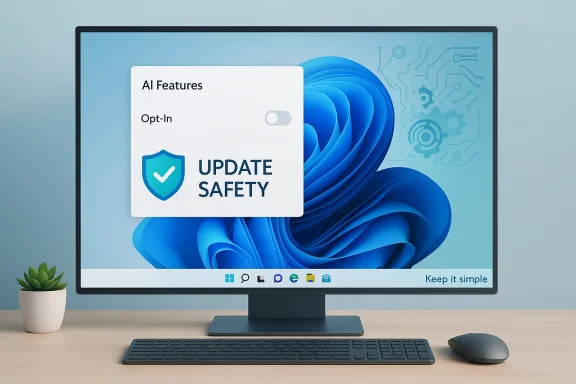
Community analyses, forum threads, and aggregated user feedback show a consistent set of asks: make AI opt‑in, provide a single master control for assistant features, improve update safety, and reduce in-OS promotional surfaces. Those recommendations are not anti-innovation; they are a pragmatic framework to ensure AI does not undermine reliability.
Tactical fixes for Microsoft include improving staged rollouts, expanding hardware‑in‑the‑loop validation, and hardening WinRE and rollback logic so failed updates are recoverable without manual intervention.
The good news is that Microsoft appears to recognize the problem and has signaled a turnaround: more engineering focus on system fundamentals, greater caution with AI feature rollouts, and explicit commitments to reliability and manageability. That pivot is the right move—but it must be sustained and measurable. Restoring trust is less about revising a marketing message and more about delivering repeatable, clear improvements to performance, update safety, and recovery resilience.
If Microsoft can re-anchor Windows around predictable quality, make AI clearly optional and auditable, and align platform incentives with user control, it can still have both: a modern desktop that embraces AI’s potential without sacrificing the simplicity and dependability that made Windows ubiquitous in the first place.
Source: Tom's Guide https://www.tomsguide.com/computing...orward-and-windows-11s-ai-push-is-a-betrayal/
 Background
The narrative is familiar by now: an industry titan leans into a transformational technology, stakes a major product strategy on it, and then discovers that adoption and engineering at scale are far messier than marketing copy. For Microsoft, that transformation has been branded as Copilot and scattered across Windows 11 as a catalog of AI features—some genuinely useful, others intrusive by design. The result has been a sharp backlash from power users, enterprise admins, and a vocal slice of the broader Windows community that complains of performance regressions, buggy updates, and promotional surfaces masquerading as features. Multiple community analyses and internal signals now describe a clear pivot: Microsoft is dialing back aggressive AI rollouts and shifting engineering focus back to fundamentals like update reliability, performance, and battery behavior.This article examines that pivot, the technical roots of the problem, why Bill Gates’ decades-old advice matters more than ever, and what Microsoft must do to restore trust without abandoning AI entirely.
Overview: Gates' “keep it simple” and why it matters
When Bill Gates talked about software, his point was not mere elegance for its own sake; it was a pragmatic blueprint for reliability. Simple, well-understood constructs are easier to test, maintain, and secure. That argument scales: an OS is, at its core, a plumbing layer that must be predictable across millions of hardware permutations. Add complexity—especially dynamic complexity introduced by large, opaque AI models—and you increase the attack surface for bugs, regressions, and user confusion.The tension is straightforward: AI features promise new workflows and productivity gains, but they also raise expectations that the underlying system will coordinate, prioritize, and recover gracefully when things go wrong. When that coordination fails, the new features don't just disappoint—they damage trust.
The AI push inside Windows 11: what went wrong
Copilot and the proliferation of assistant surfaces
Microsoft’s Copilot strategy was intended to bake AI into everyday workflows: apps, system search, context menus, and even core utilities. In practice, that meant a proliferation of assistant surfaces—some optional, some persistent—across the OS. For many users this became noise rather than help: repeated prompts to sign in, AI suggestions in places where simple controls once sufficed, and an increasing perception that Windows was becoming a platform for promoting Microsoft’s services rather than serving the user’s immediate task.The community reaction was swift. Longtime users framed the changes as bloat, while enterprise administrators flagged manageability concerns. A pattern emerged: where AI felt like an enhancement, it improved workflows; where it felt forced, it raised help-desk tickets and eroded confidence. Those dynamics helped push Microsoft to reprioritize its roadmap.
Feature-first engineering versus operational reality
Shipping ambitious features requires extensive cross-stack testing—firmware, device drivers, recovery environments, and the update pipeline itself. The problem Microsoft ran into wasn’t solely that Copilot existed; it was that Copilot and other AI-first surfaces were introduced while significant foundational issues persisted. Hardware heterogeneity, firmware quirks, and driver contracts made Windows uniquely vulnerable to regressions from cumulative updates. In several reported cases, attempts to push AI features contributed to stability issues or triggered interactions that were difficult to reproduce in pre-release rings.The technical takeaway is blunt: adding system-level features that interact with many components magnifies the consequences of edge-case behavior. When a new UI flow or background agent touches the scheduler, power management, or driver hooks, the risk of regression jumps. That’s the precise failure mode that led engineers and community veterans to call for a “back to basics” cycle.
The user community and enterprise reaction
Trust, telemetry, and the social contract
Operating systems are social contracts: users expect a predictable baseline and the ability to control their environment. When that contract feels violated—through forced sign-ins, pervasive assistant prompts, or unexplained performance regressions—users react by demanding control, opting out, or delaying upgrades. Enterprises, which value predictability over novelty, become even more conservative; stalled enterprise adoption has long-term consequences for platform health.Community analyses, forum threads, and aggregated user feedback show a consistent set of asks: make AI opt‑in, provide a single master control for assistant features, improve update safety, and reduce in-OS promotional surfaces. Those recommendations are not anti-innovation; they are a pragmatic framework to ensure AI does not undermine reliability.
The real-world impacts
The most immediate, measurable impacts are:- Increased help-desk volume tied to update regressions and compatibility breakages.
- Slower perceived performance on mid-range and older hardware.
- Battery-life regressions and modern-standby oddities after some updates.
- Erosion of confidence among IT procurement teams, who may delay migrations or require extended validation windows.
The technical anatomy of the problem
1. Update reliability and the rollback problem
Cumulative and feature updates are a central vector of frustration. Failure modes include partial updates that leave systems in inconsistent states, installation failures that trigger rollbacks, and rare cases where recovery environments are compromised. The diversity of OEM firmware, drivers, and third‑party security software compounds the testing challenge: automated tests and insider rings cannot cover every permutation, and that gap appears in the field.Tactical fixes for Microsoft include improving staged rollouts, expanding hardware‑in‑the‑loop validation, and hardening WinRE and rollback logic so failed updates are recoverable without manual intervention.
2. Scheduler, memory reclamation, and responsiveness
Users frequently notice lag when foreground tasks are starved by background processes or when the scheduler mishandles priority transitions. AI features can introduce background agents and new I/O patterns; if the scheduler and memory manager aren’t tuned to accommodate these flows, the result is a slower, less responsive system. Engineers have pointed to kernel scheduler tuning, improved background/foreground priority handling, and refined memory reclamation heuristics as high‑impact areas for improvement.3. Battery and power management
Laptop users are sensitive to battery regressions. Background sync, always‑on listening features, and additional system services tied to AI can each chip away at battery life. Fixes here are concrete: reduce unnecessary wakeups, integrate more tightly with hardware power states, and make scheduler decisions power-aware. These are engineering-heavy but measurable improvements that tangibly affect user perception.4. Recovery stack fragility
When a system update touches low-level drivers or secure boot chains, recovery mechanisms must remain resilient. There’s a narrow window where WinRE and input-handling must remain isolated from broader system changes. Strengthening that isolation and increasing testing against common OEM firmware profiles reduces catastrophic failures and the need for manual recovery.Microsoft’s response: course correction and what it looks like
Signals from leadership and product teams
Senior Windows leadership has publicly acknowledged community feedback and signaled reprioritization. The public messaging centers on restoring confidence through work on performance, reliability, and usability rather than on immediate feature rollouts. That shift is supported by internal guidance to focus engineers on core system health and the plumbing that underpins user experience.Tactical changes already visible
- Greater caution in rollout cadence for high‑impact features.
- Increased emphasis on staged deployments and rollbacks tied to telemetry.
- Discussions around making some Copilot surfaces opt‑in by default, consolidating AI toggles, and improving Group Policy / MDM controls for enterprise customers.
- A stronger QA posture that includes more hardware‑in‑the‑loop testing and coordinated validation with OEM partners.
Strategic implications: what a reset means for Microsoft and its partners
Short-term: stop the bleeding
A focused reliability push reduces the risk of losing users to inertia or to alternative platforms. For device OEMs and enterprise customers, shorter ticket backlogs and fewer regressions restore confidence and ease deployment. From a PR perspective, visible, measurable improvements in performance and update safety are more valuable than headline-grabbing feature announcements.Medium-term: reframe AI as an opt‑in, value-first proposition
If AI is to be the future of the desktop, it must be reframed as a set of trusted, auditable services that users deliberately enable. That means:- Defaulting features off when they affect system behavior or privacy boundaries.
- Offering a unified control panel for AI, telemetry, and recommendations.
- Making AI features demonstrably respectful of resource constraints and user preferences.
Long-term: settle the balance between platform and marketplace
Microsoft’s impetus for pushing AI into Windows is strategic: owning the underlying OS provides opportunities to build new services and revenue streams. But platform stewardship requires restraint. If the OS feels like a marketplace or an advertising surface, trust erodes. A sustainable strategy aligns platform incentives with user wellbeing: high reliability, clear opt‑in, and transparent telemetry.Concrete recommendations (an agenda for reliability)
Below is a pragmatic, prioritized checklist Microsoft should adopt and communicate publicly. Each item ties directly to user trust and measurable outcomes.- Restore update safety rails
- Expand staged rollouts with finer-grained telemetry segmentation.
- Make rollback procedures more robust and visible to admins.
- Improve recovery resilience
- Isolate WinRE and essential recovery drivers from feature updates.
- Publish clearer recovery steps for affected users and admins.
- Strengthen cross-stack QA
- Increase hardware‑in‑the‑loop testing across common OEM profiles.
- Institute a “regression tax” that forces feature gates for new UI or system agents.
- Make AI features opt‑in and auditable
- Provide one consolidated control for AI features, telemetry, and suggestions.
- Ensure defaults preserve performance and privacy unless the user explicitly opts in.
- Prioritize performance primitives
- Kernel scheduler tuning, better priority handling, and memory reclamation improvements can directly improve perceived responsiveness.
- Improve communication and transparency
- Publish incident reports for high‑impact regressions with timelines and affected configurations.
- Share mitigation steps and temporary update holds for managed environments.
The risks of not executing well
If Microsoft fails to deliver a sustained reliability push, the consequences are concrete:- Enterprises will delay or refuse Windows 11 upgrades, eroding long-term platform adoption.
- Power users and developers may increasingly migrate select workflows to Linux or isolated VMs.
- The brand reputation for Windows—long anchored in “it just works” for mainstream productivity—could erode, making future feature announcements less credible.
- Regulatory scrutiny could increase, especially where forced integrations or opaque telemetry practices raise privacy or consumer-protection concerns.
Where AI still makes sense on the desktop
This critique is not an argument against AI in principle. There are concrete, high-value scenarios where on-device or tightly controlled cloud-assisted AI substantially improves user productivity:- Accessibility features that use on-device models to provide real-time captioning or translation without requiring cloud round trips.
- Developer productivity boosters that analyze local code and suggest fixes while preserving privacy constraints.
- Context-sensitive help that surfaces local documentation and device-specific tips—if it’s lightweight and opt‑in.
- Gaming and multimedia enhancements that run on GPU-accelerated local models for tasks like upscaling or latency compensation.
A final, practical note for users and admins
While Microsoft executes a reliability-first agenda, users and administrators can take steps to protect themselves:- Treat feature updates as nontrivial projects—test in a controlled ring before broad deployment.
- Use MDM/Group Policy to enforce AI feature settings for managed devices.
- Keep device drivers and firmware up to date from OEMs, and maintain recovery media for critical systems.
- If you value a minimalist experience, use available controls to disable assistant surfaces and reduce background services.
Conclusion
Bill Gates’ counsel to “concentrate on keeping it simple” was never a plea for stagnation; it was a recipe for reliability at scale. Microsoft’s AI vision for Windows 11 offered a compelling future, but the execution timetable collided with the daily realities of OS engineering: heterogenous hardware, fragile recovery paths, and user expectations of predictable behavior.The good news is that Microsoft appears to recognize the problem and has signaled a turnaround: more engineering focus on system fundamentals, greater caution with AI feature rollouts, and explicit commitments to reliability and manageability. That pivot is the right move—but it must be sustained and measurable. Restoring trust is less about revising a marketing message and more about delivering repeatable, clear improvements to performance, update safety, and recovery resilience.
If Microsoft can re-anchor Windows around predictable quality, make AI clearly optional and auditable, and align platform incentives with user control, it can still have both: a modern desktop that embraces AI’s potential without sacrificing the simplicity and dependability that made Windows ubiquitous in the first place.
Source: Tom's Guide https://www.tomsguide.com/computing...orward-and-windows-11s-ai-push-is-a-betrayal/
