

Microsoft’s pause-and-rethink on Windows 11’s AI push marks a rare, but necessary, course correction: the company is reportedly scaling back new Copilot integrations, re-evaluating controversial features such as Recall, and shifting emphasis toward raw performance and reliability through 2026.
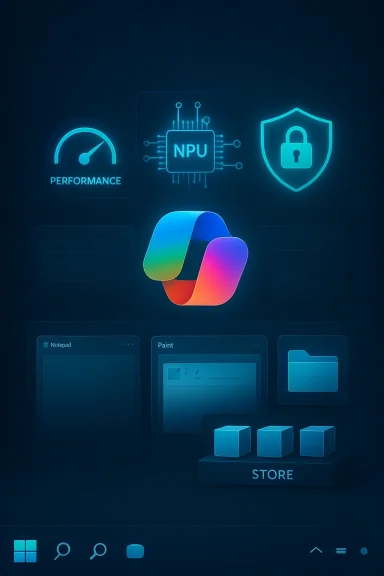
Microsoft launched a bold, system-wide effort to fold AI into Windows 11 over the past few years, moving beyond optional apps to deep, built-in experiences. That strategy produced a patchwork of Copilot integrations—some as full-featured assistants, others as small contextual prompts or buttons inside legacy apps like Notepad, Paint, and File Explorer. At the same time Microsoft introduced a new class of hardware—branded Copilot+ PCs—targeted at machines with dedicated Neural Processing Units (NPUs) designed to run advanced on-device models and features such as Windows Recall.
The result: an OS that, in the eyes of many users, began to feel increasingly opinionated. Enthusiasts and gamers in particular complained that Copilot and related services added background processes, UI clutter, and functionality that either duplicated existing tools or did so in a way that degraded performance. Privacy concerns—most visibly over Recall’s snapshotting and indexing of on-screen content—amplified the backlash and attracted regulatory attention. Over time the company adjusted, patched, and sometimes paused feature rollouts; now, according to recent reporting and visible product signs, Microsoft is taking a more structured approach to pruning and refinement.
On the trust side, features that observe or index user activity raise questions about data handling, encryption, and potential misuse. When complaints coalesce around both performance and privacy, product momentum stalls: users refuse or resist features, third parties build blocking tools, and even OEMs and enterprise admins start to view the additions as liabilities. That dynamic appears to be what pushed Microsoft to reassess.
Key privacy and security issues that emerged:
This reaction is instructive: when native controls feel insufficient, the community builds workarounds. That’s both a symptom and a message. If Microsoft wants widespread adoption of its AI features, it must offer first-class management controls, transparent data handling, and straightforward uninstallation or opt-out paths.
The right move now is surgical: trim low-value integrations, make controversial features optional or modular, harden privacy by default, and refocus engineering energy on performance and reliability. Keep the strategic AI investments that provide real value, but deliver them in ways that respect user choice, system predictability, and enterprise manageability.
For millions of Windows users the practical question is simple: will Microsoft follow through? If the company can back the rhetoric with clear, measurable changes—better defaults, stronger controls, and a leaner baseline—Windows 11 can regain the credibility it needs to carry AI forward without alienating the users who depend on it.
Source: TweakTown Microsoft is reevaluating its Windows 11 AI strategy, might even remove Copilot features
 Background
Microsoft launched a bold, system-wide effort to fold AI into Windows 11 over the past few years, moving beyond optional apps to deep, built-in experiences. That strategy produced a patchwork of Copilot integrations—some as full-featured assistants, others as small contextual prompts or buttons inside legacy apps like Notepad, Paint, and File Explorer. At the same time Microsoft introduced a new class of hardware—branded Copilot+ PCs—targeted at machines with dedicated Neural Processing Units (NPUs) designed to run advanced on-device models and features such as Windows Recall.The result: an OS that, in the eyes of many users, began to feel increasingly opinionated. Enthusiasts and gamers in particular complained that Copilot and related services added background processes, UI clutter, and functionality that either duplicated existing tools or did so in a way that degraded performance. Privacy concerns—most visibly over Recall’s snapshotting and indexing of on-screen content—amplified the backlash and attracted regulatory attention. Over time the company adjusted, patched, and sometimes paused feature rollouts; now, according to recent reporting and visible product signs, Microsoft is taking a more structured approach to pruning and refinement.
What Microsoft is reportedly changing
The most consequential elements of the reported shift are clear in intent even if details remain fluid:- Pause or removal of new Copilot integrations in low-value places (for example, Copilot buttons added to Notepad or Paint that users repeatedly described as gimmicky).
- A reassessment of Recall, the feature that periodically indexed on-screen content and made it searchable; Recall is being rethought or remixed rather than simply tossed, according to insiders.
- A renewed public commitment to improving Windows 11 performance and reliability through 2026, which signals that engineering priorities will emphasize system-level stability over aggressive feature addition.
- Continued investment in backend AI infrastructure, even as visible consumer-facing integrations are streamlined—meaning components like semantic search APIs, Windows ML, and agentic frameworks remain strategic.
Why this matters: product strategy and user trust
Putting AI into the OS is both an engineering and a trust problem. On the engineering side, integrating assistants and continual indexing requires additional background services, model runtimes, and storage that can increase CPU, memory, and I/O pressure—anathema to users who prize responsiveness and predictable latency, particularly on resource-limited machines and gaming rigs.On the trust side, features that observe or index user activity raise questions about data handling, encryption, and potential misuse. When complaints coalesce around both performance and privacy, product momentum stalls: users refuse or resist features, third parties build blocking tools, and even OEMs and enterprise admins start to view the additions as liabilities. That dynamic appears to be what pushed Microsoft to reassess.
The technical anatomy of Copilot in Windows 11
Understanding the technical footprint of Copilot helps explain both the benefits and the complaints.- Copilot has existed in several forms: a web-wrapped assistant, a native app, and an integrated UI surface offering actions and suggestions. Each form comes with a different resource profile and integration depth.
- Several new AI experiences rely on on-device acceleration: NPUs, Windows ML, and DirectML optimizations lessen reliance on cloud-only compute and lower latency. But those gains are only available on Copilot+ compatible hardware.
- Background indexing features (like Recall) create databases of screen captures, OCR’d text, and metadata to enable later search. That indexing demands continuous disk I/O, storage space, and a secure key management model for encryption.
- Windows’ extensibility and policy layers make it possible for admins to control or disable some features, but a truly clean uninstall of the entire Copilot footprint is non-trivial; service binaries, scheduled tasks, and integration bits can persist across updates.
Recall: the privacy lightning rod
Recall is the single feature that crystallized the privacy debate for Windows 11’s AI efforts. Designed to make everything you’ve seen on your PC searchable—screenshots, clips, and captured text—Recall promised a powerful productivity boost. But the mechanism that made it possible—periodic screen capture plus local indexing—triggered alarm bells.Key privacy and security issues that emerged:
- The original builds stored snapshots and indexes in places on disk that were trivially discoverable and, initially, insufficiently protected. That opened theoretical avenues for unauthorized access by local attackers or misconfigured backup tools.
- Default enablement during out-of-box setup created confusion. Even when optional, many users reported the feature being turned on by default or presented in a way that led to accidental opt-in.
- Regulators and privacy advocates flagged the feature as a potential “privacy nightmare,” prompting deeper scrutiny and requests for clearer guarantees about data residency and model training policies.
What removal or simplification would look like
If Microsoft proceeds to remove or substantially streamline AI features in Windows 11, the company has a range of technically feasible approaches, each with pros and cons:- Turn features off by default and move them to an opt-in Store app model.
- Pros: Minimizes on-disk footprint and avoids surprising users while preserving features for those who want them.
- Cons: Requires clear migration paths and sustained support for the Store apps.
- Provide a single, first-class toggle in Settings and Group Policy that disables all Copilot integrations and background services.
- Pros: Clean enterprise management; easy for power users.
- Cons: Complex interdependencies can make this difficult; some telemetry or shared libraries may remain.
- Extract nonessential AI bits from system apps into separate, optional components that can be uninstalled without collateral effect.
- Pros: Reduces bloat in core apps; preserves future extensibility.
- Cons: Requires careful refactoring and backward compatibility testing.
- Full removal of controversial components (for example, Recall’s indexing service) while keeping the AI infrastructure intact.
- Pros: Addresses the most serious privacy complaints quickly.
- Cons: Could disappoint users who relied on those features and would require clear migration and data deletion policies.
The trade-offs: performance vs. capability
Every organization that considers pruning features must weigh obvious trade-offs.- Removing Copilot buttons from apps reduces immediate surface area and potential performance impact. But it also eliminates convenience features that, when well-executed, can genuinely boost productivity.
- Disabling Recall reduces disk and CPU activity, and lowers privacy exposure. Conversely, it removes a search capability that some users find transformative when implemented with sensible controls.
- Moving features to optional Store apps helps keep the core OS lean, but it places the onus on Microsoft to maintain and update those apps outside of the regular OS lifecycle—an operational burden that can affect quality.
Enterprise and OEM implications
Enterprises, OEMs, and hardware partners will watch Microsoft’s course-correction closely.- Enterprises prize predictability: a stable, secure, and manageable OS trumps buzzword-driven features that complicate compliance, backup, or imaging workflows.
- OEMs that promoted Copilot+ features in hardware bundles must recalibrate marketing if user demand softens. NPUs remain a strategic investment, but their value proposition may shift toward targeted workloads rather than consumer-facing novelty features.
- Hardware partners need clarity about feature lifecycles. If Microsoft moves toward optional modules, OEM images can be leaner and compliance concerns reduced—but the vendor ecosystem may also lose a vector for showcasing AI differentiators.
Community reaction and the ecosystem of opt-outs
The backlash has already produced community-built remedies. Power users and sysadmins have published scripts and guides to remove or disable Copilot components, and some open-source projects create GUIs around toggles for users less comfortable with command-line tools.This reaction is instructive: when native controls feel insufficient, the community builds workarounds. That’s both a symptom and a message. If Microsoft wants widespread adoption of its AI features, it must offer first-class management controls, transparent data handling, and straightforward uninstallation or opt-out paths.
Recommended actions for users and administrators
Whether Microsoft removes features or simply changes defaults, users and admins can take practical steps now to regain control.- Review Settings and Privacy controls after each major update—look specifically for AI or Copilot entries.
- Use Windows Hello and strong sign-in policies to gate access to any searchable or indexed stores on your machine.
- For enterprises, deploy Group Policy or MDM profiles that explicitly control Copilot/Recall behavior and audit the results.
- Regularly inspect disk usage and background services to identify indexing or model runtimes that appear after updates.
- Consider third-party management tools only after validating their security posture; community scripts are useful but require scrutiny in locked-down environments.
- Keep firmware, TPM, and OS patches current: many protections for AI artifacts rely on hardware-backed key storage and hypervisor protections.
Risks Microsoft faces if it fails to follow through
If Microsoft announces recalibrations but fails to deliver clear, durable changes, several risks are immediate:- User trust erosion: native features that feel invasive or that degrade system performance erode the goodwill that is crucial for platform-wide initiatives.
- Regulatory pressure: privacy regulators in multiple jurisdictions are increasingly skeptical of features that collect or index personal content—especially when defaults are unclear.
- Fragmentation: an awkward middle ground—where features are present but disabled by default—could lead to fractured behavior across devices and complicate developer testing and app compatibility.
- Reputational damage among power users: the Windows enthusiast community is influential. If critics perceive the change as cosmetic, pressure will continue in forums, reviews, and OEM purchasing decisions.
Opportunities: what Microsoft can get right
The situation is not purely negative. Thoughtfully executed, this reassessment can produce long-term benefits.- Consolidating AI features into a few high-value, well-polished experiences would increase user satisfaction.
- Moving optional features into modular, updatable components (Store apps or optional packages) reduces baseline OS complexity.
- Strengthening privacy defaults and providing simpler, enterprise-friendly management will help Windows remain the platform of choice for regulated industries.
- Retaining and investing in backend AI infrastructure (semantic indexing APIs, Windows ML optimizations) will enable third parties to innovate while keeping Windows leaner by default.
How to judge whether this is a substantive change
Promises alone won’t suffice. Here are concrete indicators to watch for that will show Microsoft’s shift is meaningful:- Default settings: Copilot/Recall set to off by default in new OOBE and upgrades.
- Modularity: AI integrations moved into optional components that can be uninstalled without leaving orphaned services.
- Management hooks: Group Policy, MDM, and enterprise documentation updated with clear controls and auditability.
- Data handling transparency: precise descriptions of what is stored, where, and how long; default encryption and hardware-backed key protection for any persisted artifacts.
- Telemetry reduction: fewer forced, mandatory telemetry calls linked to AI features, or clearer opt-outs for telemetry tied to AI experiences.
- Patch cadence: a documented plan to prioritize performance fixes in the 2026 release cycle and to measure regressions publicly.
Conclusion
Microsoft’s reported reevaluation of Windows 11’s AI strategy is overdue but welcome. The company built a powerful set of capabilities—on-device acceleration, semantic search, and agentic frameworks—that deserve time and careful product design. What they did wrong was the distribution: an “AI everywhere” rollout that sometimes felt invasive, under-optimized, and hard to manage.The right move now is surgical: trim low-value integrations, make controversial features optional or modular, harden privacy by default, and refocus engineering energy on performance and reliability. Keep the strategic AI investments that provide real value, but deliver them in ways that respect user choice, system predictability, and enterprise manageability.
For millions of Windows users the practical question is simple: will Microsoft follow through? If the company can back the rhetoric with clear, measurable changes—better defaults, stronger controls, and a leaner baseline—Windows 11 can regain the credibility it needs to carry AI forward without alienating the users who depend on it.
Source: TweakTown Microsoft is reevaluating its Windows 11 AI strategy, might even remove Copilot features
