

Microsoft’s latest guidance on Windows 11 antivirus is less a headline-grabbing reversal than a confirmation of what many power users already suspected: for most people, Microsoft Defender is now strong enough to be the default choice. That does not mean third-party antivirus is obsolete, though, and Microsoft is careful to acknowledge that there are real scenarios where extra security software still makes sense. The bigger story is that Windows security has matured to the point where the question is no longer “Can I survive with built-in protection?” but “What extra value am I actually buying?”
The modern Windows security model is very different from the one many PC users remember from the era of sluggish scanners, constant pop-ups, and dramatic “full system cleanup” promises. In Windows 11, Microsoft’s own antivirus is built in, active by default, and continuously updated as part of the operating system’s broader security stack. Microsoft explicitly says Windows 11 includes built-in antivirus software that is integrated into the OS and updated continuously, which is a key reason the company believes most users do not need to shop for a separate product.
That shift matters because antivirus used to be a separate layer bolted onto the desktop experience. Today, Defender is embedded deeply enough that it benefits from Microsoft’s control over the platform, its telemetry, and its update pipeline. Microsoft says Defender’s security intelligence and platform updates are delivered through Windows Update, which means users are not waiting for a third-party vendor to ship a compatible build or a fresh definition package.
Independent test labs continue to support Microsoft’s claim that Defender is not merely “good for a free tool,” but competitive with paid consumer suites in many mainstream scenarios. AV-Comparatives’ 2025 consumer results placed Microsoft Defender among the products evaluated in its Real-World Protection and Malware Protection test series, while AV-Test’s Microsoft product history shows long runs of strong ratings over multiple years. That does not make Defender perfect, but it does make the old assumption—that a paid antivirus is automatically safer—much harder to defend.
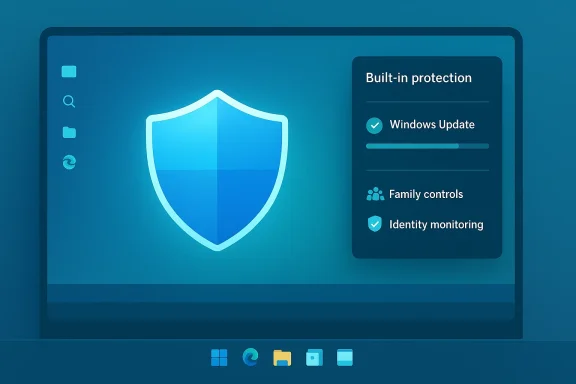
At the same time, Microsoft is not pretending that third-party antivirus has no purpose. The company’s guidance explicitly notes that extra security software may be worth considering if you manage multiple devices, share a PC with family members, or want services such as identity monitoring or parental controls. In other words, the value proposition has shifted from simple malware blocking to bundled protection services, management tools, and convenience features.
The real takeaway is that Microsoft is arguing for a more selective antivirus market. For many consumers, Windows 11 security is “usually sufficient” when paired with good update hygiene and safe browsing habits. For others, especially households or users with broader protection needs, a third-party package can still be worth the cost. That nuanced position is more honest than the old “one-size-fits-all” antivirus pitch, and it reflects how much the threat landscape and the Windows platform have both evolved.
This is a major difference from older antivirus products that demanded separate updaters, scheduled maintenance, and their own compatibility monitoring. Microsoft’s model is simpler and, in practice, often more reliable for mainstream users. The less effort security requires, the more likely it is that ordinary users will actually keep it active.
That framing also explains why many antivirus vendors now market themselves as broader “security suites.” The malware engine is only one part of the product; the rest is about password managers, VPNs, identity protection, and device management. Those features can be useful, but they are not the same as basic anti-malware defense.
That is a sensible standard. Most home users are far more likely to be compromised by phishing, reused passwords, or unsafe downloads than by a scenario requiring an expensive multi-engine security suite. The more Microsoft improves the default layer, the less room there is for third-party vendors to claim automatic superiority.
That is not the same thing as declaring Defender the outright winner in every category. But it does show that Microsoft’s built-in antivirus is no longer a weak link. It is a serious product being measured against other serious products.
The market has also learned that security software can become a source of its own problems. Heavy background services, aggressive browser integration, false positives, and subscription pressure all create friction. A lighter, platform-native solution is often easier to live with.
That advantage is difficult for competitors to match. Third-party vendors may offer more features or different detection approaches, but they cannot replicate Microsoft’s level of platform integration. In security, integration often translates into fewer user mistakes and fewer maintenance failures.
That is where third-party suites can justify themselves. The antivirus component may be only average, but the management layer can be the real selling point. For a family, convenience can be worth more than a few extra detection points in a lab test.
This is why consumer security marketing has changed so much. Vendors know that antivirus alone is no longer compelling enough to drive a subscription. They need to sell a larger protection story, and identity services are a natural fit.
The decision is therefore less about whether third-party antivirus is “better” in the abstract and more about whether a user wants specific add-on features. If the answer is no, Defender is likely enough. If the answer is yes, the market still has room.
That matters more in an age when people expect instant wake, silent updates, and all-day battery life. The best security product is often the one that stays out of the way unless needed.
That clutter is not just annoying. It can also desensitize users, making them more likely to click through warnings without reading them. Security tools should improve judgment, not train users to ignore alerts.
The lesson is simple: antivirus is a layer, not a strategy. Users who rely on it as a magic shield are missing the bigger picture.
That is exactly what most personal users need. They do not want to manage endpoint policies or threat dashboards. They want a PC that stays secure without becoming a second job.
This is why “Defender is enough” is mainly a consumer statement. In corporate environments, the evaluation criteria are broader, and a decision is often made on manageability rather than raw protection alone.
The result is a more segmented market. Home users get better defaults. Power users and families can still buy extras. Enterprises continue to optimize for control and scale.
That means vendors must sell outcomes, not just signatures. They need to explain why their broader suite improves the user’s life.
The risk is that these products become cluttered and over-engineered. The opportunity is that they solve adjacent problems that Microsoft’s default stack does not fully address.
This is the same reason browser competition is so hard. Defaults matter, and Microsoft owns the default here.
Microsoft’s guidance aligns with that reality. The company is pushing a layered model, not a single-product fantasy.
That is the broader message hidden inside Microsoft’s antivirus advice. The software is important, but the user is still part of the threat model.
For Windows users, the practical answer is refreshingly simple. If you want strong, low-maintenance protection on a personal Windows 11 PC, Defender is a sensible default. If you have specific needs that go beyond malware blocking, third-party software can still make sense—but only when it solves a real problem rather than creating a new one.
Source: HotHardware Do You Need a Third-Party Antivirus for Windows 11? Here's What Microsoft Says
 Overview
The modern Windows security model is very different from the one many PC users remember from the era of sluggish scanners, constant pop-ups, and dramatic “full system cleanup” promises. In Windows 11, Microsoft’s own antivirus is built in, active by default, and continuously updated as part of the operating system’s broader security stack. Microsoft explicitly says Windows 11 includes built-in antivirus software that is integrated into the OS and updated continuously, which is a key reason the company believes most users do not need to shop for a separate product.That shift matters because antivirus used to be a separate layer bolted onto the desktop experience. Today, Defender is embedded deeply enough that it benefits from Microsoft’s control over the platform, its telemetry, and its update pipeline. Microsoft says Defender’s security intelligence and platform updates are delivered through Windows Update, which means users are not waiting for a third-party vendor to ship a compatible build or a fresh definition package.
Independent test labs continue to support Microsoft’s claim that Defender is not merely “good for a free tool,” but competitive with paid consumer suites in many mainstream scenarios. AV-Comparatives’ 2025 consumer results placed Microsoft Defender among the products evaluated in its Real-World Protection and Malware Protection test series, while AV-Test’s Microsoft product history shows long runs of strong ratings over multiple years. That does not make Defender perfect, but it does make the old assumption—that a paid antivirus is automatically safer—much harder to defend.
At the same time, Microsoft is not pretending that third-party antivirus has no purpose. The company’s guidance explicitly notes that extra security software may be worth considering if you manage multiple devices, share a PC with family members, or want services such as identity monitoring or parental controls. In other words, the value proposition has shifted from simple malware blocking to bundled protection services, management tools, and convenience features.
The real takeaway is that Microsoft is arguing for a more selective antivirus market. For many consumers, Windows 11 security is “usually sufficient” when paired with good update hygiene and safe browsing habits. For others, especially households or users with broader protection needs, a third-party package can still be worth the cost. That nuanced position is more honest than the old “one-size-fits-all” antivirus pitch, and it reflects how much the threat landscape and the Windows platform have both evolved.
What Microsoft Is Actually Saying
Microsoft’s current message is not “never install third-party antivirus.” It is closer to “don’t assume you need it by default.” That distinction matters, because the company is effectively telling consumers that Windows 11 already includes the baseline protections most people need, provided they keep the system updated and leave default security features enabled.The built-in stack is the point
Defender is not just a standalone scanner sitting in the background. Microsoft describes it as part of the Windows security architecture, with updates arriving through the same channel that keeps the operating system current. That integration reduces friction, lowers maintenance overhead, and makes it less likely that users will fall behind on signatures or platform updates.This is a major difference from older antivirus products that demanded separate updaters, scheduled maintenance, and their own compatibility monitoring. Microsoft’s model is simpler and, in practice, often more reliable for mainstream users. The less effort security requires, the more likely it is that ordinary users will actually keep it active.
When Microsoft says extra software can help
Microsoft’s caveat is the interesting part. It says added tools may be useful for people who manage several devices, share devices with family members, or want extras like parental controls and identity monitoring. That means the company sees third-party antivirus less as a necessary malware shield and more as a service bundle for specific use cases.That framing also explains why many antivirus vendors now market themselves as broader “security suites.” The malware engine is only one part of the product; the rest is about password managers, VPNs, identity protection, and device management. Those features can be useful, but they are not the same as basic anti-malware defense.
A practical consumer message
Microsoft’s message is ultimately conservative. It does not promise that Defender is the best solution for every person in every environment. Instead, it says the default Windows security stack is usually sufficient for most users who practice safe computing and keep Windows updated.That is a sensible standard. Most home users are far more likely to be compromised by phishing, reused passwords, or unsafe downloads than by a scenario requiring an expensive multi-engine security suite. The more Microsoft improves the default layer, the less room there is for third-party vendors to claim automatic superiority.
- Defender is built in and active by default.
- Updates arrive through Windows Update.
- Most users can rely on default protections.
- Extra software is for specific feature needs, not universal necessity.
- Household management tools remain a legitimate reason to buy more.
Why Defender Has Earned More Trust
For years, Defender was treated as the “good enough” option rather than the best option. That reputation has changed because the product itself has changed, but also because the broader security market has become more mature and more standardized. Windows 11’s built-in protection no longer feels like a compromise for ordinary users.Independent testing still matters
The most important evidence here comes from third-party labs. AV-Comparatives’ 2025 consumer test series included Microsoft Defender among 19 home-user security products, and its annual summary highlighted the strongest performers across real-world protection, malware protection, and advanced threat categories. AV-Test’s Microsoft product page also shows long-term evaluation history with consistently strong scores across multiple test cycles.That is not the same thing as declaring Defender the outright winner in every category. But it does show that Microsoft’s built-in antivirus is no longer a weak link. It is a serious product being measured against other serious products.
Good enough is often the right standard
In consumer security, “good enough” can be a compliment. If the built-in option blocks the vast majority of common threats without adding clutter, extra fees, or performance penalties, then many users are better off staying with it. The old instinct to install a third-party suite immediately after buying a PC came from a different era.The market has also learned that security software can become a source of its own problems. Heavy background services, aggressive browser integration, false positives, and subscription pressure all create friction. A lighter, platform-native solution is often easier to live with.
Microsoft’s advantage is integration
One reason Defender performs well is that it is not fighting the operating system. It is part of the operating system. Microsoft controls the update cadence, security architecture, and remediation pathways, which reduces the chances of gaps caused by mismatched software layers.That advantage is difficult for competitors to match. Third-party vendors may offer more features or different detection approaches, but they cannot replicate Microsoft’s level of platform integration. In security, integration often translates into fewer user mistakes and fewer maintenance failures.
- Lab testing supports Defender’s credibility.
- Integration is a real security advantage.
- Lower friction improves real-world protection.
- Fewer background tools can mean fewer problems.
- The built-in choice is now genuinely competitive.
Where Third-Party Antivirus Still Makes Sense
The strongest argument for third-party antivirus is no longer raw malware detection alone. It is the bundle: identity monitoring, family controls, cross-device management, and in some cases specialized privacy or device hardening tools. Microsoft’s own guidance effectively concedes this by listing situations where extra software may be worthwhile.Households and shared PCs
A shared Windows 11 PC creates use cases that go beyond malware scanning. Parents may want content controls, device usage reporting, or separate profiles with easier supervision. Families may also want a single dashboard for multiple endpoints rather than a patchwork of settings buried in Windows Security.That is where third-party suites can justify themselves. The antivirus component may be only average, but the management layer can be the real selling point. For a family, convenience can be worth more than a few extra detection points in a lab test.
Identity and recovery services
Some security suites now bundle identity theft alerts, breach monitoring, password tools, and dark-web scanning. Those services are not strictly antivirus features, but they address the parts of personal security users worry about most. In many cases, the malware engine is just the entry point to a broader security subscription.This is why consumer security marketing has changed so much. Vendors know that antivirus alone is no longer compelling enough to drive a subscription. They need to sell a larger protection story, and identity services are a natural fit.
Different needs, different tradeoffs
Not all third-party antivirus products are equal, and not all of them impose the same performance cost. Some are light, some are heavy, and some bring more browser-level intrusion than many users want. That variability is one reason Microsoft’s default-first recommendation is persuasive: it avoids unnecessary complexity unless the user has a clear reason to add it.The decision is therefore less about whether third-party antivirus is “better” in the abstract and more about whether a user wants specific add-on features. If the answer is no, Defender is likely enough. If the answer is yes, the market still has room.
Quick decision guide
- Stick with Defender if you mainly want solid, low-maintenance protection.
- Consider third-party AV if you need family controls or identity monitoring.
- Avoid stacking multiple real-time antivirus engines at once.
- Prioritize software that fits your actual workflow, not the loudest marketing.
- Shared devices need management tools.
- Identity monitoring is a real differentiator.
- Subscription suites sell convenience as much as protection.
- Adding security software increases complexity.
- Feature fit matters more than brand prestige.
Performance, Complexity, and the Cost of “More Security”
One of the quiet reasons Microsoft’s argument resonates is that security software has a habit of creating the very burden it claims to eliminate. More layers can mean more processes, more pop-ups, more browser hooks, and more decisions for users who just want their PC to work. Microsoft explicitly warns that each added tool increases background activity and complexity.Background load is not free
Modern antivirus packages are far lighter than the bloated suites of the past, but they still consume system resources. Real-time scanning, cloud lookups, browser protection, and scheduled maintenance can all add up, especially on lower-end laptops or older desktops. Even when the impact is modest, it is rarely zero.That matters more in an age when people expect instant wake, silent updates, and all-day battery life. The best security product is often the one that stays out of the way unless needed.
More tools can mean more confusion
Users who install a third-party AV suite often end up with overlapping features: Windows Security notifications, vendor alerts, browser extensions, VPN prompts, and identity dashboards. The result can be a lot of noise for only a small gain in actual protection.That clutter is not just annoying. It can also desensitize users, making them more likely to click through warnings without reading them. Security tools should improve judgment, not train users to ignore alerts.
The false comfort problem
Another risk is psychological. Paying for a premium security suite can create the impression that one has solved cybersecurity entirely. In reality, most modern attacks bypass “good antivirus” through phishing, social engineering, or account compromise rather than obvious malware. That is why Microsoft’s broader advice emphasizes updates, safe clicking habits, strong passwords, and multi-factor authentication.The lesson is simple: antivirus is a layer, not a strategy. Users who rely on it as a magic shield are missing the bigger picture.
- Every added layer costs something.
- Alert fatigue is a real risk.
- Paid software can create false confidence.
- Security hygiene matters more than brand names.
- The quietest tool is often the best tool.
Enterprise Versus Consumer Reality
The consumer antivirus debate often gets blurry because enterprise security is a different world entirely. In businesses, the question is rarely whether Defender can detect malware. It is whether the organization can centralize control, enforce policy, integrate with identity systems, and respond quickly at scale. Those requirements change the conversation significantly.Home users want simplicity
For consumers, the winning formula is straightforward: strong default protection, automatic updates, and minimal intervention. Microsoft’s own consumer-facing guidance leans hard into this model, telling users that Defender is built in and that updates arrive automatically through Windows Update.That is exactly what most personal users need. They do not want to manage endpoint policies or threat dashboards. They want a PC that stays secure without becoming a second job.
Businesses want control
Enterprise deployments care about device inventory, incident response, threat hunting, and policy enforcement. Those needs can make third-party security platforms attractive, especially when they integrate with broader managed detection and response ecosystems. Microsoft’s own Defender for Endpoint documentation reflects that enterprise security is about update management and platform coordination as much as detection.This is why “Defender is enough” is mainly a consumer statement. In corporate environments, the evaluation criteria are broader, and a decision is often made on manageability rather than raw protection alone.
The line between consumer and business is blurring
Many consumers now behave a lot like small IT departments. They manage several devices, protect children’s accounts, synchronize passwords, and care about identity theft. That makes some business-like features attractive in the home. Third-party suites have been eager to fill that gap, and Microsoft is responding by improving the built-in stack while clarifying where external tools still add value.The result is a more segmented market. Home users get better defaults. Power users and families can still buy extras. Enterprises continue to optimize for control and scale.
Different models, different goals
- Consumers want automatic, low-friction protection.
- Families want supervision and account management.
- Businesses want centralized security operations.
- Power users may want specialized tools or workflows.
The Competitive Implications for Antivirus Vendors
Microsoft’s stance creates a difficult but not impossible environment for third-party vendors. If the operating system vendor itself is saying the built-in solution is usually sufficient, competitors have to justify their existence with more than fear, uncertainty, and doubt. They need tangible added value.The antivirus engine is no longer enough
Traditional endpoint protection vendors can no longer win by claiming simply to have “better antivirus.” Defender has become too credible for that argument to carry much weight with mainstream consumers. The competitive battleground has shifted to bundled services, business integration, and advanced threat response.That means vendors must sell outcomes, not just signatures. They need to explain why their broader suite improves the user’s life.
Feature creep and product repositioning
Many vendors already behave as security platforms rather than antivirus companies. They bundle VPNs, password managers, parental controls, identity monitoring, and device cleanup utilities. That repositioning is not accidental; it is the natural response to a market where the core antivirus function is increasingly commoditized.The risk is that these products become cluttered and over-engineered. The opportunity is that they solve adjacent problems that Microsoft’s default stack does not fully address.
Microsoft’s quiet moat
Microsoft has a structural advantage because Defender ships with Windows. That makes the product effectively free, easy to enable, and impossible for users to miss. For a huge segment of the market, that is enough. Any competitor must overcome not just technical parity, but also the inertia of “already installed.”This is the same reason browser competition is so hard. Defaults matter, and Microsoft owns the default here.
What Safe Computing Still Requires
The strongest antivirus in the world cannot fully protect a careless user. Microsoft’s own advice emphasizes safe habits, which is a useful reminder that cyber hygiene remains the most important layer of defense. That is not a cop-out; it is a recognition that most real-world compromise starts with behavior rather than software failure.The habits that actually move the needle
Users still need to avoid sketchy downloads, suspicious links, and fake login pages. Strong passwords and multi-factor authentication remain essential, and backups matter because ransomware and accidental deletion are still very real risks. These measures may be boring, but they are effective in a way that no antivirus upsell can fully replace.Microsoft’s guidance aligns with that reality. The company is pushing a layered model, not a single-product fantasy.
Security is a behavior stack
A secure Windows 11 PC is not just Defender running in the tray. It is Defender plus Windows Update, plus account hygiene, plus browser caution, plus backup discipline. Users who get those basics right are protected far better than users who install an expensive suite and ignore everything else.That is the broader message hidden inside Microsoft’s antivirus advice. The software is important, but the user is still part of the threat model.
Practical habits worth keeping
- Install updates promptly.
- Use multi-factor authentication everywhere possible.
- Back up important files regularly.
- Avoid unexpected attachments and links.
- Treat “too good to be true” offers as malicious until proven otherwise.
Strengths and Opportunities
Microsoft’s current position is strong because it matches what the market has been drifting toward for years: simpler, integrated, default-first security for most users. It also gives Microsoft a chance to keep improving Windows 11 without forcing consumers into a maze of add-on subscriptions. For third-party vendors, the opportunity is still there, but only if they deliver clear value beyond raw malware detection.- Defender is built in, free, and easy to keep updated.
- Windows 11 security benefits from deep OS integration.
- Independent tests continue to show Defender is competitive.
- Consumers get lower complexity and fewer subscriptions.
- Families can still justify add-on control features.
- Enterprise and consumer needs can be cleanly separated.
- Microsoft can improve security without fragmenting the user experience.
Risks and Concerns
The biggest concern is that users may interpret “Defender is enough” as “I do not need to think about security at all.” That would be a mistake. Another risk is that third-party vendors, under pressure, may respond by packing in more features than users need, increasing clutter and confusion rather than reducing it. Security tools can help, but they can also become a source of alert fatigue and false confidence.- Users may overestimate what antivirus alone can do.
- Phishing and account theft remain major threats.
- Extra security suites can add complexity and background load.
- Bundled features may overlap with Windows tools unnecessarily.
- False positives and noisy alerts can frustrate users.
- Paid subscriptions can encourage complacency.
- Feature-heavy products may obscure the core protection story.
Looking Ahead
The likely future of Windows security is not a dramatic replacement of third-party antivirus, but a continued shift in what “security software” means. Microsoft will keep improving the built-in baseline, while vendors differentiate on family tools, identity protection, and broader digital safety features. That means antivirus as a standalone category will keep shrinking, even if the security market itself remains large.For Windows users, the practical answer is refreshingly simple. If you want strong, low-maintenance protection on a personal Windows 11 PC, Defender is a sensible default. If you have specific needs that go beyond malware blocking, third-party software can still make sense—but only when it solves a real problem rather than creating a new one.
- Defender will likely remain the default choice for most users.
- Third-party vendors will lean harder into bundled services.
- Family and identity features will matter more than raw scan scores.
- Security posture will depend increasingly on user behavior.
- Microsoft’s integrated model will keep pressuring the paid AV market.
Source: HotHardware Do You Need a Third-Party Antivirus for Windows 11? Here's What Microsoft Says
