

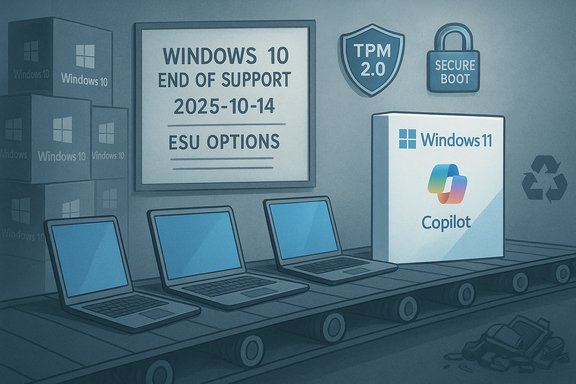
In the quiet churn between OEM order boards and corporate asset inventories, a tectonic shift has accelerated: hardware vendors are increasingly shipping new PCs with Windows 11 by default, and in some channels the option to buy machines pre‑loaded with Windows 10 has all but disappeared—an industry-level nudge designed to front‑run Microsoft’s October 14, 2025 end‑of‑support deadline. The result is a commercial squeeze that pits vendors and platform timelines against the messy realities of enterprise depreciation schedules, budget cycles and consumer resistance. This standoff is not theoretical; it is playing out now across procurement desks, system images, and refurbisher networks, and it raises immediate operational, security, environmental, and trust questions for IT leaders and everyday users alike.
Background / Overview
The technical facts that underpin this transition are straightforward: Microsoft set a formal end‑of‑support date for Windows 10—meaning no routine free security updates after October 14, 2025—and formally elevated a stricter baseline for Windows 11 that includes UEFI Secure Boot, a Trusted Platform Module (TPM) 2.0, and a limited set of supported processors and platform firmware configurations. Those hardware mandates instantly create a class of devices that are functionally useful but officially ineligible for the supported upgrade path to Windows 11. Microsoft’s own documentation lays out these minimum requirements and the upgrade pathway. At the same time, market telemetry shows a stubborn persistence of Windows 10 across the installed base even as OEMs and Microsoft scramble to seed Windows 11‑ready hardware. Independent trackers reported Windows 11 rising into the high‑20s and low‑30s percentage range for global desktop installs in mid‑2024 while Windows 10 still commanded a large majority of active devices on many metrics—underscoring the gap between vendor expectations and user behavior. This is the context for the industry’s present squeeze: vendors, led by major OEMs, are prioritizing Windows 11 SKUs and Copilot+ AI‑capable hardware in hopes of catalyzing a refresh cycle; procurement teams and consumers, often constrained by budgets, legacy applications and security concerns, are resisting or delaying migration; sustainability advocates warn of a large e‑waste surge if replacement is treated as the only option. Canalys quantified the potential scale, projecting that roughly 240 million PCs could be at risk of being retired prematurely because they can’t meet Windows 11 compatibility gates.Why OEMs are pulling the Windows 10 option (and what they stand to gain)
The vendor calculus: simplify SKUs, nudge sales, and align with Microsoft
OEMs operate razor‑thin margins on many mainstream consumer and commercial PCs. Reducing SKU complexity—fewer OS variants to image, test and support—cuts cost and speeds fulfillment. But there’s a strategic overlay: modern Windows 11 devices are being packaged as a vehicle for higher‑margin services (warranties, preinstalled enterprise images, migration services) and premium Copilot+ features that OEMs can monetize through bundled hardware and managed‑service offerings.Dell and other major hardware vendors have been explicit in investor communications that the addressable market for refresh is large: millions of devices are “upgrade‑ready but unupdated,” and hundreds of millions are technically blocked by the hardware gate. That framing justifies a go‑to‑market that leans into Copilot+ bundles and lifecycle services rather than maintaining parallel Windows 10 SKUs on new machines.
Tactical levers vendors use today
- Default configuration: ship machines with Windows 11 Home/Pro preinstalled and make Windows 10 a non‑prominent or unsupported option.
- Marketing and on‑device prompts: promote Copilot+ experiences, security messaging, and trade‑in offers during out‑of‑box setup.
- OEM firmware and driver focus: prioritize Windows 11 testing and driver updates, leaving older‑OS testing at lower priority.
- Services upsell: refresh programs, managed migration, and training bundles packaged around new hardware purchases.
Why many users and IT departments are resisting Windows 11
1) Compatibility and business continuity concerns
In enterprise environments, migration is not simply a matter of running an installer. The corporate desktop is an intersection of certified hardware, line‑of‑business applications, vendor‑certified drivers, imaging pipelines, Group Policy, and security tooling. Many organizations adhere to multi‑year depreciation cycles and tightly scheduled validation windows for vendor certifications; ripping those schedules forward to accommodate an OEM push is costly and risky.A second practical blocker is legacy application compatibility. Numerous industry verticals—healthcare, manufacturing, specialized instrumentation—depend on software certified for specific platform combinations. Until vendors certify those apps for Windows 11, IT teams are right to treat mass migration as a high‑risk project.
2) Perceived value vs disruption
For many users the incremental functionality in Windows 11 (cosmetic shell redesign, integrated Copilot features, window management improvements) does not justify the disruption of a full fleet migration. Reports and community sentiment indicate that some users find Windows 11’s UI changes less efficient for certain workflows and object to increased default surfacing of promoted content and service nudges. Where the product fails to sell itself, buyers naturally fall back to the known‑good option: keep what works.3) Privacy anxieties around always‑on AI features
Microsoft’s Copilot and Recall features—designed to offer a searchable “memory” of on‑device activity and other AI conveniences—sparked immediate pushback. Recall’s design stores snapshots locally and ties access to a secure identity, but privacy advocates, regulators and users expressed concern about the idea of continuous, system‑level indexing of screen content. Microsoft documented the opt‑in controls and the secure architectures for Recall; nevertheless, the perception of a “photographic memory” feature has been a significant centrifugal force away from upgrade among privacy‑conscious users.The technical gate: TPM 2.0, Secure Boot and the processor list
Security rationale—and the blunt outcome
Microsoft’s insistence on TPM 2.0, UEFI Secure Boot, and a bounded CPU compatibility list was justified by a security narrative: platform‑rooted protections dramatically reduce certain classes of firmware and credential theft attacks and are foundational for features like virtualization‑based security and BitLocker key protection. These are real gains for threat posture.But the policy is also blunt: many devices that are otherwise fully functional lack a discrete TPM 2.0 module or ship with firmware TPM features disabled in BIOS/UEFI settings. Some older processors, while capable of modern workloads, are not on Microsoft’s supported CPU lists. The net effect is a structural bifurcation: a large corpus of machines that still perform adequately but are not on the official upgrade path. Microsoft’s requirements and guidance are published and clear; they also happen to exert a hard, non‑software workaround cost on many users.
The cost options facing organizations
IT leaders have three blunt options, each with real tradeoffs:- Refresh now: replace incompatible or out‑of‑warranty devices with Windows 11‑capable hardware. This incurs CAPEX, logistics, and desktop migration costs but aligns with Microsoft’s recommended platform and unlocks on‑device AI scenarios.
- Pay for breathing room: enroll in Extended Security Updates (ESU). Microsoft offered a consumer ESU path (one‑year bridge with multiple enrollment choices including a reported ~$30 one‑time purchase covering up to 10 devices tied to a Microsoft account) and commercial ESU options for enterprises with escalating per‑device pricing. ESU buys time but is explicitly a temporary, security‑only measure and is priced to encourage migration.
- Hybrid approaches: maintain a mixed environment using virtualization, Windows 365 / Cloud PC, or targeted hardware replacements for high‑risk endpoints while keeping many devices on Windows 10 with compensating controls.
The environmental paradox: sustainability vs forced replacement
Sustainability advocates and industry analysts point to a paradox. On paper, modern OS security features can extend the useful life of software stacks—but on the ground, Microsoft’s hardware gates and OEM SKUs can shrink the lifespan of hardware by making devices less valuable on the second‑hand market. Canalys estimated roughly 240 million PCs could be relegated to e‑waste in the run‑up to Windows 10’s end of support if replacement becomes the dominant migration pathway, a figure that amplified concern among recyclers, refurbishers and ESG advisors. That projection is a directional alarm bell: premature replacement at that scale has measurable carbon, material and social justice consequences. There is also a circular‑economy angle: refurbishers can and do give older hardware second lives, but the market value of a device collapses when it is labeled “unsupported” by a major vendor. That reduces the incentive for donation and resale and increases the risk that devices will be discarded improperly rather than responsibly recycled or repurposed.The AI pivot that didn’t solve the adoption gap
Microsoft and OEMs banked on an AI‑led refresh cycle—Copilot+ PCs with Neural Processing Units (NPUs), on‑device inference, and bundled AI features were supposed to catalyze buyer interest in a new generation of devices. The platform guidelines for Copilot+ experiences set minimum NPU performance targets (widely reported as ~40+ TOPS for specific features), memory and storage baselines, and a hardware stack that can securely host on‑device models. Microsoft’s marketing framed this as a generational upgrade: security + new productivity paradigms = refresh.Reality has been less deterministic. For the average office worker or family user, on‑device AI features do not yet translate into routine productivity gains that offset the capital cost of a new machine. Meanwhile, privacy anxieties around features like Recall dampened enthusiasm rather than stoking it. The industry’s bet on AI as the lever to unlock a refresh cycle has therefore underperformed relative to expectations.
Risks and unintended consequences
- Security fragmentation: a long tail of unsupported Windows 10 devices increases exposed attack surface across consumers and SMBs, with knock‑on risks for supply‑chain and vendor ecosystems.
- Compliance exposure: regulated industries that must demonstrate patch currency may face compliance friction if endpoints remain on an unsupported platform without ESU.
- Vendor lock‑in and trust erosion: aggressive in‑OS nudges, advertising, and requirement framing can erode trust—there’s reputational risk if customers feel coerced into purchases.
- Environmental harm: large‑scale premature disposal worsens e‑waste streams and undermines ESG commitments, inviting regulatory scrutiny from governments concerned about circular economy obligations.
- Fragmented developer testing matrix: software vendors now must validate across a broader mix of device capabilities and security posture (TPM present/absent, Copilot+ capable/not), complicating engineering and QA.
Where the story is verifiable — and where estimates must be treated with caution
There are hard facts and model‑driven estimates in this transition.- Hard facts: Microsoft’s Windows 10 end‑of‑support date (October 14, 2025) and Windows 11 published minimum requirements are verifiable on Microsoft lifecycle and specification pages. Microsoft’s consumer ESU mechanics and the broad pricing characteristics were publicly communicated.
- Measured telemetry: independent traffic trackers such as StatCounter and platform surveys (Steam) provide month‑by‑month snapshots of the relative prevalence of Windows 10 vs Windows 11. Those sources show that Windows 10 maintained a material share through mid‑2024, with Windows 11 adoption climbing but not universally dominant on every metric. Treat changes by metric (desktop vs all devices vs regional slices) with nuance.
- Estimates and projections: large figures—“400 million incompatible PCs” or “240 million at risk of e‑waste”—come from analysis models (advocacy groups and channel analysts) and are useful to frame scale, but they are not audited device censuses. Use them as directional indicators and policy conversation starters rather than precise inventory counts. Canalys’s 240 million figure, for example, is a credible industry projection but depends on definitional and time‑window choices.
Practical playbook: short, medium and long‑term actions for IT teams and advanced users
Short term (0–90 days)- Run an inventory: use endpoint management tools and the PC Health Check to classify devices as Windows 11 eligible, upgrade‑blocked but modifiable (enable TPM/Secure Boot), or replacement‑required.
- Prioritize critical endpoints: identify finance, compliance‑sensitive and externally exposed machines that must be on a supported OS.
- Pilot ESU where justified: evaluate the economics of enrolling small cohorts into ESU as a bridge for complex migrations.
- Harden unsupported endpoints: where devices must remain on Windows 10 temporarily, apply compensating controls—network segmentation, EDR/antivirus, restricted access, and minimum privilege.
- Build validated images and driver stacks for Windows 11 where feasible; automate testing against vendor applications.
- Create a phased refresh plan tied to budget cycles and operational windows, reducing the risk of synchronized mass migrations.
- Evaluate virtualization/cloud desktop strategies (Windows 365, VDI, Linux containers) as an alternative to physical replacement for specific workloads.
- Reassess procurement standards to prioritize repairability, modularity, and support windows aligned with corporate ESG commitments.
- Engage OEMs and refurbishers to establish take‑back or certified refurbishment pipelines to reduce e‑waste impact.
- Consider application modernization where legacy dependencies prevent migration—lift and shift to cloud or containerize where possible.
The public policy and corporate governance angle
This transition has policy implications. Regulators and advocacy groups are watching the intersection of lifecycle policy, e‑waste, and digital equity. Governments that legislate minimum update windows, extend repairability requirements, or enforce circular‑economy obligations could materially change the commercial calculus for OEMs and OS vendors. Corporate boards and ESG officers should treat hardware refresh cycles as a sustainability and reputational risk, and factor reuse/refurbish targets into procurement strategy.Conclusion: a forced march that still needs a negotiated exit
The industry is attempting a managed transition—one that aligns OEM inventories, Microsoft’s platform lifecycle, and a marketing narrative about AI‑enabled productivity. But the friction between hardware baselines and real‑world economic, application and privacy realities has produced resistance that is both rational and durable. For IT leaders, the next 18 months are a choice between costly, rushed migrations versus layered, defensible strategies that balance security, continuity and sustainability. For policymakers and vendor partners, the moment is a test of whether an upgrade cadence can be reconciled with long device lifespans and circular economy goals.This standoff will not be resolved by marketing alone. It requires a pragmatic blend of clear timelines, affordable migration bridges, robust refurbishing infrastructure, and transparent privacy controls for the AI features that are increasingly used as the principal upgrade carrot. Only by negotiating those tradeoffs—rather than simply eliminating alternatives—can the industry avoid turning a manageable lifecycle event into an operational, environmental and trust crisis.
Source: WebProNews The Billion-PC Standoff: Why the Industry’s Forced March to Windows 11 Is Meeting Unprecedented Resistance
