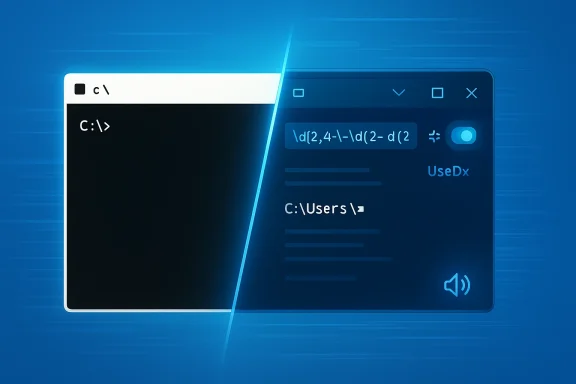
Windows 11 Canary build 29558.1000 is a small-looking release with outsized implications for the Windows command-line stack. Microsoft is using the optional 29500 build series to push a fresh set of platform changes into the Canary Channel, and the headline is not a flashy consumer feature but a deeper modernization of Console Host itself. The most interesting takeaway is that Microsoft is once again folding open-source Windows Terminal work back into the legacy console experience, which tells us the company still sees the command line as a living platform rather than a frozen compatibility layer. That matters for developers, power users, accessibility tooling, and anyone running scripts in PowerShell, WSL, or classic Command Prompt.
The new build lands at a moment when the Windows Insider Canary Channel has become the place where Microsoft experiments with architectural changes that may never reach mainstream Windows. Canary is not a preview track for a specific release; it is the lab where the platform team can test foundational changes, break assumptions, and observe what happens when the OS gets pushed in a new direction. That framing is important, because the changes in build 29558.1000 are not just feature tweaks. They point to a gradual unification of Windows command-line behavior across terminals, shells, accessibility frameworks, and rendering systems.
Microsoft’s own wording makes that plain: this release includes platform changes in moving to a new active development build. That kind of language usually signals a reset point rather than a normal quality update. In practice, it means the team is continuing to advance the internal versioning and system architecture behind the scenes, while selectively enabling a handful of visible improvements for Insiders.
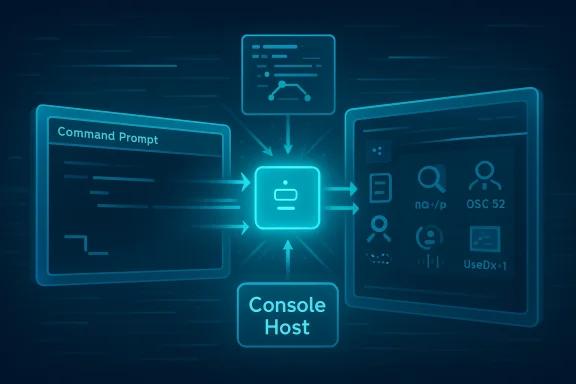
The most visible package is the Command Line (Console Host) improvements section. The Windows Console is tied to the open-source Windows Terminal project, and Microsoft says it is bringing those upstream updates back into Windows. That is a notable philosophical shift. Instead of keeping console innovation isolated in Terminal, the company is letting the broader Windows shell ecosystem benefit from improvements developed with community input and GitHub collaboration.
Historically, that is consistent with Microsoft’s longer-term console roadmap, which has described a transition from classic console APIs toward virtual terminal sequences and pseudoconsole behavior. The roadmap has also positioned Windows Terminal as a modern host that aligns Windows more closely with other command-line ecosystems. The new Canary build fits that story. It is not a simple UI polish release; it is another step in making Windows command-line infrastructure more consistent, more extensible, and more capable of modern terminal behaviors.
The biggest reason to care is that these changes affect both old and new workflows. A lot of Windows users now live in Windows Terminal, but a surprising amount of enterprise automation, deployment tooling, and support work still touches the traditional console layer. When Microsoft improves search, clipboard behavior, rendering, and accessibility in the console host, the benefits can flow into scripts, remote shells, and legacy admin tools without forcing everyone to migrate overnight. That is a big deal in enterprise environments where the command line is infrastructure, not preference.
There is also a strategic angle. Microsoft is signaling that open-source contribution is not a side project in the terminal space; it is now part of the product pipeline. Features first developed in the Windows Terminal ecosystem are being reabsorbed into Windows itself. That reduces fragmentation between “the terminal app” and “the console host,” while also making the platform more attractive to developers who expect modern terminal behavior as a baseline.
The build also matters because Microsoft explicitly warns that Canary features can be removed, changed, or never ship at all. That disclaimer is not boilerplate. It is a promise that the channel is used to test ideas, not only code. In other words, build 29558.1000 is as much a survey of direction as it is a software drop.
Among the improvements are changes that look small but matter operationally. Regular expression search in the Find dialog should be welcome to anyone who has spent time debugging logs inside a terminal buffer. Better paste reliability solves a class of frustrating content-loss problems. And bold font rendering in the original rendering engine sounds cosmetic until you remember how often command-line tools use color and emphasis to communicate meaning.
The performance improvement is especially interesting. Microsoft says scrolling text can see gains of up to around 10x in some scenarios. That is the kind of claim that suggests the team has been squeezing out inefficiencies in the render or scroll pipeline rather than merely optimizing a single path. If it holds up in broad testing, it could reduce latency in busy shells, improve log viewing, and make interactive sessions feel more responsive on lower-end hardware.
That caution is understandable. Rendering changes can affect everything from font shaping to window resizing to copy/paste behavior. For power users, even subtle differences can matter when a terminal is used for daily admin work. The right move is to test carefully, especially when the console is embedded in automation workflows or remote sessions. Performance improvements are only a win if they do not create subtle regressions elsewhere.
The mention of Sixel-based images is another sign of where Microsoft’s thinking is heading. Sixel support pushes the console further toward richer terminal ecosystems where graphics are no longer foreign. On a practical level, that can help with debugging, previewing, and niche terminal applications that already expect image-capable output. It also suggests Microsoft is willing to support more modern terminal capabilities even in the legacy host.
The updated pop-up dialogs are another subtle but valuable change. Microsoft says the F7 history window and the F2 and F4 line editing windows have been visually adjusted for better compatibility with screen readers, assistive technologies, and other terminal emulators. That is the kind of refinement that usually only becomes visible when someone depends on these tools every day. For those users, small details in focus behavior, labels, and dialog semantics can make the difference between a workable command-line session and a frustrating one.
Input handling also gets a practical update with snap-on-input behavior. Microsoft says it is now only enabled by default when VT processing is enabled, which should improve reliability in WSL and PowerShell. That sounds technical, but the real-world meaning is simple: better consistency when the console is dealing with modern terminal sequences. For users switching between legacy and VT-aware tools, that kind of guardrail can eliminate weird edge cases.
This is also one of those cases where Microsoft’s broader platform goals line up with user needs. If Windows is moving more command-line functionality toward modern terminal patterns, accessibility has to move with it. Otherwise, the platform would become faster and richer for some users while becoming harder to navigate for others. That would be a net loss.
The build also addresses a long-standing paste problem where certain characters could be dropped if the output code page could not represent them. That kind of bug is especially painful because it can silently corrupt commands, notes, or snippets without obvious user feedback. Fixing it should reduce one of the more annoying classes of console reliability complaints. In a command-line context, silent data loss is worse than a visible error.
Microsoft also mentions an Alt + Numpad clipboard text fix that avoids mistranslating Codepage 936 text when generating key events from clipboard content. That is a niche fix, but the fact that it appears in the release notes shows how much the console still has to juggle international text, legacy encodings, and modern Unicode expectations. The more Windows embraces global use cases, the more these edge cases matter.
The move also reflects a broader trend in Windows tooling: better search, not just more search. Microsoft has repeatedly emphasized richer interaction in command environments, and regex support is one more way to make terminal workflows less clunky. For power users, it saves time. For less technical users, it lowers the barrier to extracting meaning from dense output.
The Azure Virtual Desktop authentication fix is the clearest enterprise-specific item in the release. Microsoft says it fixed an authentication error that affected Insiders in the latest Canary flights. That is exactly the sort of issue that can block remote work or test environments even when the underlying service is healthy. If AVD is part of a company’s desktop strategy, this is not a cosmetic patch. It is a productivity fix.
The chkdsk update is another practical change. Microsoft says the tool now supports specifying volumes with spaces when the path is enclosed in quotes. That sounds small, but administrators routinely deal with odd volume names, removable media, and scripted storage maintenance. Better handling of quoted paths reduces friction in one of the oldest and most trusted Windows repair tools.
The other reason is that Canary often foreshadows where Microsoft’s platform assumptions are headed. If the console is becoming more Terminal-like and more UTF-8-aware, then administrative tooling may need to expect richer escape sequences, better clipboard interoperability, and different rendering characteristics. That is manageable, but only if teams observe it early.
Power users are the most obvious consumer beneficiaries. They are the people most likely to care about regex search, Sixel graphics, OSC 52 clipboard support, and snap-on-input behavior. They are also the ones most likely to spot regressions. In that sense, Canary remains a bargain: early access in exchange for tolerance of instability.
There is also a subtle education effect. By exposing more modern terminal behaviors in the console host, Microsoft helps normalize the idea that command-line tools can be richer than plain text. That can pull more users toward terminal-centric workflows without making the experience feel like a leap into an entirely separate product. It is gentle modernization, not forced migration.
The open-source angle matters here. When Microsoft says Console Host is receiving updates from the Terminal project, it implies the company is treating community contributions as upstream value rather than downstream novelty. That increases the odds that useful improvements can spread across the Windows command-line stack more quickly. It also makes the platform feel less siloed than the old Windows command prompt culture did.
The result is a more coherent story for developers. Whether they are writing tools for the old console, the newer Terminal, or both, the expectation is gradually becoming the same: support modern escape sequences, respect accessibility, handle Unicode correctly, and perform well under real workloads. That is a healthier target than the fragmented command-line world Windows users lived with for years.
This is good for consistency, but it is also a maintenance challenge. Every feature that crosses the boundary must preserve compatibility while improving behavior. That balancing act is probably why some changes remain behind registry keys or gradual rollout toggles.
Insiders should watch for three things in the coming flights. First, whether the new rendering path stays optional or becomes more broadly enabled. Second, whether the console-specific accessibility changes continue to expand. Third, whether more of the Terminal project’s experimental features start landing in the Windows Console baseline. Those are the kinds of signals that reveal the platform’s actual direction.
Source: Microsoft - Windows Insiders Blog Announcing Windows 11 Insider Preview Build for Canary Channel 29558.1000
 Overview
The new build lands at a moment when the Windows Insider Canary Channel has become the place where Microsoft experiments with architectural changes that may never reach mainstream Windows. Canary is not a preview track for a specific release; it is the lab where the platform team can test foundational changes, break assumptions, and observe what happens when the OS gets pushed in a new direction. That framing is important, because the changes in build 29558.1000 are not just feature tweaks. They point to a gradual unification of Windows command-line behavior across terminals, shells, accessibility frameworks, and rendering systems.Microsoft’s own wording makes that plain: this release includes platform changes in moving to a new active development build. That kind of language usually signals a reset point rather than a normal quality update. In practice, it means the team is continuing to advance the internal versioning and system architecture behind the scenes, while selectively enabling a handful of visible improvements for Insiders.
The most visible package is the Command Line (Console Host) improvements section. The Windows Console is tied to the open-source Windows Terminal project, and Microsoft says it is bringing those upstream updates back into Windows. That is a notable philosophical shift. Instead of keeping console innovation isolated in Terminal, the company is letting the broader Windows shell ecosystem benefit from improvements developed with community input and GitHub collaboration.
Historically, that is consistent with Microsoft’s longer-term console roadmap, which has described a transition from classic console APIs toward virtual terminal sequences and pseudoconsole behavior. The roadmap has also positioned Windows Terminal as a modern host that aligns Windows more closely with other command-line ecosystems. The new Canary build fits that story. It is not a simple UI polish release; it is another step in making Windows command-line infrastructure more consistent, more extensible, and more capable of modern terminal behaviors.
Why This Build Matters
At a glance, build 29558.1000 looks like a normal Canary flight with a few quality-of-life changes. In reality, it is the kind of release that reveals where Microsoft is investing engineering attention. The emphasis on Console Host indicates that even the legacy Windows command line is still being actively refactored, not merely maintained. That is a strong signal for administrators and developers who assumed the old console stack had been functionally “done” for years.The biggest reason to care is that these changes affect both old and new workflows. A lot of Windows users now live in Windows Terminal, but a surprising amount of enterprise automation, deployment tooling, and support work still touches the traditional console layer. When Microsoft improves search, clipboard behavior, rendering, and accessibility in the console host, the benefits can flow into scripts, remote shells, and legacy admin tools without forcing everyone to migrate overnight. That is a big deal in enterprise environments where the command line is infrastructure, not preference.
There is also a strategic angle. Microsoft is signaling that open-source contribution is not a side project in the terminal space; it is now part of the product pipeline. Features first developed in the Windows Terminal ecosystem are being reabsorbed into Windows itself. That reduces fragmentation between “the terminal app” and “the console host,” while also making the platform more attractive to developers who expect modern terminal behavior as a baseline.
The Canary signal
Canary is where Microsoft can take a riskier approach because the audience expects instability. That means a feature landing here is not just a preview; it is a litmus test for whether the underlying model is worth moving forward. If the console host changes behave well under real-world load, they can be refined and expanded. If not, they can be revised or even removed without creating release-channel backlash.The build also matters because Microsoft explicitly warns that Canary features can be removed, changed, or never ship at all. That disclaimer is not boilerplate. It is a promise that the channel is used to test ideas, not only code. In other words, build 29558.1000 is as much a survey of direction as it is a software drop.
Console Host Modernization
The most important part of this flight is the Console Host work. Microsoft says it is taking changes from the open-source Windows Terminal project and bringing them back into Windows, which creates a feedback loop between community-driven development and the built-in console experience. That is a healthy sign for a part of Windows that many people only notice when it breaks. It suggests Microsoft is treating the command line as a first-class surface, not a compatibility burden.Among the improvements are changes that look small but matter operationally. Regular expression search in the Find dialog should be welcome to anyone who has spent time debugging logs inside a terminal buffer. Better paste reliability solves a class of frustrating content-loss problems. And bold font rendering in the original rendering engine sounds cosmetic until you remember how often command-line tools use color and emphasis to communicate meaning.
The performance improvement is especially interesting. Microsoft says scrolling text can see gains of up to around 10x in some scenarios. That is the kind of claim that suggests the team has been squeezing out inefficiencies in the render or scroll pipeline rather than merely optimizing a single path. If it holds up in broad testing, it could reduce latency in busy shells, improve log viewing, and make interactive sessions feel more responsive on lower-end hardware.
Rendering paths and compatibility
One of the more technical additions is an optional Atlas/Direct3D rendering path, exposed behind the registry keyHKCU\Console, DWORD UseDx=1. That matters because it indicates Microsoft is still experimenting with alternate ways to render terminal content efficiently, likely to balance speed, compatibility, and GPU acceleration. The fact that it is opt-in suggests caution. Microsoft clearly wants feedback before deciding whether this path becomes mainstream.That caution is understandable. Rendering changes can affect everything from font shaping to window resizing to copy/paste behavior. For power users, even subtle differences can matter when a terminal is used for daily admin work. The right move is to test carefully, especially when the console is embedded in automation workflows or remote sessions. Performance improvements are only a win if they do not create subtle regressions elsewhere.
The mention of Sixel-based images is another sign of where Microsoft’s thinking is heading. Sixel support pushes the console further toward richer terminal ecosystems where graphics are no longer foreign. On a practical level, that can help with debugging, previewing, and niche terminal applications that already expect image-capable output. It also suggests Microsoft is willing to support more modern terminal capabilities even in the legacy host.
Command-line feature highlights
The command-line improvements are broad rather than singular, but they add up to a meaningful package:- Regular expression search in the Find dialog
- Bold font rendering in the original engine
- Improved paste reliability
- Reworked accessibility integration
- More reliable snap-on-input behavior in WSL and PowerShell
- OSC 52 clipboard write support
- Sixel image support
- Faster scrolling performance
- A fix for rectangular selection via Edit > Mark
Accessibility and Input Handling
Accessibility is one of the most consequential parts of this release, even if it will get less attention than the rendering improvements. Microsoft says it has rewritten legacy MSAA integration and parts of UI Automation support. That is important because accessibility is not only about compliance; it is about whether assistive technologies can reliably interact with shell content, pop-up dialogs, and command-line workflows. Microsoft’s documentation treats UI Automation as the modern accessibility framework for Windows apps, while MSAA remains relevant for compatibility scenarios.The updated pop-up dialogs are another subtle but valuable change. Microsoft says the F7 history window and the F2 and F4 line editing windows have been visually adjusted for better compatibility with screen readers, assistive technologies, and other terminal emulators. That is the kind of refinement that usually only becomes visible when someone depends on these tools every day. For those users, small details in focus behavior, labels, and dialog semantics can make the difference between a workable command-line session and a frustrating one.
Input handling also gets a practical update with snap-on-input behavior. Microsoft says it is now only enabled by default when VT processing is enabled, which should improve reliability in WSL and PowerShell. That sounds technical, but the real-world meaning is simple: better consistency when the console is dealing with modern terminal sequences. For users switching between legacy and VT-aware tools, that kind of guardrail can eliminate weird edge cases.
Why accessibility changes matter
Accessibility improvements in the console host benefit several groups at once. Screen reader users get more dependable exposure of terminal UI. Automation tools get a cleaner target. Developers testing command-line software get better fidelity when validating UI behavior. And enterprises get a more supportable platform for employees who rely on accessibility features.This is also one of those cases where Microsoft’s broader platform goals line up with user needs. If Windows is moving more command-line functionality toward modern terminal patterns, accessibility has to move with it. Otherwise, the platform would become faster and richer for some users while becoming harder to navigate for others. That would be a net loss.
Clipboard, Search, and Text Fidelity
Clipboard support may not sound glamorous, but the new build’s OSC 52 support is a meaningful upgrade for terminal interoperability. OSC 52 is a terminal escape sequence used to manipulate clipboard contents, which makes it useful in remote shell sessions, TUI applications, and workflows that bridge local and remote environments. Microsoft’s shell-integration docs already show how terminal behavior is increasingly built around OSC-based sequences, so this update fits neatly into that direction.The build also addresses a long-standing paste problem where certain characters could be dropped if the output code page could not represent them. That kind of bug is especially painful because it can silently corrupt commands, notes, or snippets without obvious user feedback. Fixing it should reduce one of the more annoying classes of console reliability complaints. In a command-line context, silent data loss is worse than a visible error.
Microsoft also mentions an Alt + Numpad clipboard text fix that avoids mistranslating Codepage 936 text when generating key events from clipboard content. That is a niche fix, but the fact that it appears in the release notes shows how much the console still has to juggle international text, legacy encodings, and modern Unicode expectations. The more Windows embraces global use cases, the more these edge cases matter.
Search inside the console
Regular expression search in the Find dialog is perhaps the most immediately useful text feature in the build. Users who work with logs, command output, or scripts often need pattern-based lookup rather than simple substring matching. With regex support, the console becomes a better inspection tool rather than just a display surface. That makes it more useful in troubleshooting, especially when paired with faster scrolling.The move also reflects a broader trend in Windows tooling: better search, not just more search. Microsoft has repeatedly emphasized richer interaction in command environments, and regex support is one more way to make terminal workflows less clunky. For power users, it saves time. For less technical users, it lowers the barrier to extracting meaning from dense output.
Enterprise Impact
For enterprise users, this build is more interesting than it might first appear. Organizations often rely on the Windows console for administrative scripts, remote management, deployment tasks, and recovery procedures. Any improvement to reliability, accessibility, or text fidelity can ripple through those workflows. That is especially true when those tasks are embedded in automation tools or remote support scenarios.The Azure Virtual Desktop authentication fix is the clearest enterprise-specific item in the release. Microsoft says it fixed an authentication error that affected Insiders in the latest Canary flights. That is exactly the sort of issue that can block remote work or test environments even when the underlying service is healthy. If AVD is part of a company’s desktop strategy, this is not a cosmetic patch. It is a productivity fix.
The chkdsk update is another practical change. Microsoft says the tool now supports specifying volumes with spaces when the path is enclosed in quotes. That sounds small, but administrators routinely deal with odd volume names, removable media, and scripted storage maintenance. Better handling of quoted paths reduces friction in one of the oldest and most trusted Windows repair tools.
Why admins should pay attention
IT admins should care because small console changes can alter the behavior of scripts, output parsing, and troubleshooting habits. A faster scroll path, new rendering route, or changed dialog behavior can all affect workflows that people have standardized on for years. In regulated environments, even “improvements” need validation.The other reason is that Canary often foreshadows where Microsoft’s platform assumptions are headed. If the console is becoming more Terminal-like and more UTF-8-aware, then administrative tooling may need to expect richer escape sequences, better clipboard interoperability, and different rendering characteristics. That is manageable, but only if teams observe it early.
Consumer Impact
Consumer users will probably notice the update less than enterprise administrators or developers, but they may still benefit indirectly. Faster scrolling, better copy/paste behavior, and improved font rendering make the command line less intimidating and more usable for casual troubleshooting. That matters if someone is following online instructions, running a script, or experimenting with WSL for the first time.Power users are the most obvious consumer beneficiaries. They are the people most likely to care about regex search, Sixel graphics, OSC 52 clipboard support, and snap-on-input behavior. They are also the ones most likely to spot regressions. In that sense, Canary remains a bargain: early access in exchange for tolerance of instability.
There is also a subtle education effect. By exposing more modern terminal behaviors in the console host, Microsoft helps normalize the idea that command-line tools can be richer than plain text. That can pull more users toward terminal-centric workflows without making the experience feel like a leap into an entirely separate product. It is gentle modernization, not forced migration.
Consumer-facing improvements at a glance
- Better copy/paste reliability
- Faster scrolling
- More capable search
- Improved font rendering
- Optional GPU-backed rendering
- Support for richer terminal content like Sixel
- Improved compatibility with accessibility tools
Relationship to Windows Terminal
This build reinforces the idea that Windows Terminal is not replacing Console Host so much as reshaping it. Microsoft’s documentation presents Terminal as a modern host for shells like Command Prompt, PowerShell, and WSL, while the console roadmap describes a broader ecosystem shift toward virtual terminal behavior and pseudoconsole plumbing. Build 29558.1000 sits right in the middle of that transition.The open-source angle matters here. When Microsoft says Console Host is receiving updates from the Terminal project, it implies the company is treating community contributions as upstream value rather than downstream novelty. That increases the odds that useful improvements can spread across the Windows command-line stack more quickly. It also makes the platform feel less siloed than the old Windows command prompt culture did.
The result is a more coherent story for developers. Whether they are writing tools for the old console, the newer Terminal, or both, the expectation is gradually becoming the same: support modern escape sequences, respect accessibility, handle Unicode correctly, and perform well under real workloads. That is a healthier target than the fragmented command-line world Windows users lived with for years.
The open-source feedback loop
The Windows Terminal project has long been a proving ground for ideas that eventually migrate into broader Windows experiences. That feedback loop can accelerate improvement, but it also raises expectations. Once a feature becomes familiar in Terminal, users will ask why Console Host does not match it. Microsoft is now implicitly promising a smaller gap between the two.This is good for consistency, but it is also a maintenance challenge. Every feature that crosses the boundary must preserve compatibility while improving behavior. That balancing act is probably why some changes remain behind registry keys or gradual rollout toggles.
Strengths and Opportunities
This release is strongest where it is most strategic: the command line, accessibility, and foundational system behavior. It does not chase headlines with consumer gimmicks. Instead, it improves the parts of Windows that underpin development, support, and automation. That is a good sign for platform health and a reminder that small technical changes can have broad leverage.- Console modernization advances the terminal stack without a hard break from legacy workflows.
- Regex search improves usability for log analysis and troubleshooting.
- Paste reliability reduces the risk of silent text corruption.
- Accessibility work makes the shell more usable with screen readers and automation tools.
- Sixel and OSC 52 support widen interoperability with modern terminal tooling.
- Performance gains should make heavy scrolling and buffer interaction feel smoother.
- Quoted chkdsk paths remove friction in admin and recovery scenarios.
- Azure Virtual Desktop fixes help remote-work and enterprise test environments.
Risks and Concerns
Canary builds are supposed to be unstable, but the very changes that make this build interesting also make it risky. A new rendering path, deeper accessibility rewrites, and altered terminal semantics can introduce regressions that only appear under specific fonts, shells, or scripts. That is why early validation matters so much here. The most dangerous bugs are often the ones that look like improvements until they hit an edge case.- Registry-toggled features can confuse users who enable them without understanding the tradeoffs.
- Rendering changes may affect font display, selection, or performance in unexpected ways.
- Accessibility rewrites can introduce regressions if assistive technology assumptions change.
- Clipboard and encoding fixes may uncover other text-handling edge cases.
- Canary instability means some users may see breakage that is difficult to diagnose.
- Feature drift between Canary, Dev, and Beta can complicate support and documentation.
- Clean-install requirements to leave Canary remain a major commitment for testers.
Looking Ahead
The next question is not whether Microsoft will keep modernizing the command line, but how far it will carry the convergence between Windows Terminal and Console Host. Build 29558.1000 suggests the answer is “further, and likely faster than before.” The company is clearly still investing in text rendering, accessibility, and terminal interoperability, which means the command line remains an active part of Windows engineering rather than a legacy footnote.Insiders should watch for three things in the coming flights. First, whether the new rendering path stays optional or becomes more broadly enabled. Second, whether the console-specific accessibility changes continue to expand. Third, whether more of the Terminal project’s experimental features start landing in the Windows Console baseline. Those are the kinds of signals that reveal the platform’s actual direction.
- Watch for follow-up fixes to the new rendering and search behavior.
- Watch for broader rollout of Terminal-originated features.
- Watch for additional accessibility refinements in dialogs and text surfaces.
- Watch for more UTF-8 and clipboard interoperability work.
- Watch for whether Canary toggles become the main way Microsoft tests terminal features.
- Watch for the next step in the Windows Console and Terminal ecosystem roadmap.
Source: Microsoft - Windows Insiders Blog Announcing Windows 11 Insider Preview Build for Canary Channel 29558.1000