

Microsoft’s latest Canary build is doing more than polishing the edges of Windows 11. It is signaling a broader shift in how Microsoft wants administrators to manage the operating system, especially on enterprise and education devices. The headline change is a dynamic app removal list for preinstalled Microsoft Store apps, which could make Windows provisioning more flexible than the old, static approach. At the same time, the build continues Microsoft’s pattern of mixing practical admin controls with consumer-facing tweaks such as updated context menus, touchpad options, lock screen widgets, and new pen behavior.
Windows has spent years living with a contradiction: Microsoft wants Windows to feel curated and familiar out of the box, but many IT departments want the opposite. Enterprises have long asked for a cleaner baseline, fewer default apps, and more predictable device images. That tension has only grown as Microsoft has pushed more inbox experiences into Microsoft Store delivery, where app lifecycle management looks different from classic desktop software.
The new policy work in Canary builds is notable because it moves Microsoft closer to a policy-first model for default app removal. Instead of treating built-in Microsoft Store apps as a fixed, mostly untouchable set, the company is giving administrators a way to specify additional package family names for removal. In practice, that means the line between “default Windows” and “managed Windows” becomes more fluid, especially for organizations that deploy at scale.
That shift did not appear overnight. Microsoft has been iterating on Windows app control for a long time, including provisioning removal, policy-based app blocking, and MDM-oriented app management. What’s different now is the focus on a dynamic list rather than a rigid checklist. The current official policy documentation already describes the “Remove Default Microsoft Store packages from the system” setting as a way to uninstall selected Microsoft Store apps on supported enterprise and education editions, and Microsoft says unselected apps remain untouched. The new Canary behavior extends that idea further by allowing administrators to add more PFNs beyond the preselected list.
This also fits Microsoft’s broader Windows Insider rhythm. Canary is where the company tries out platform ideas that may never ship in their current form. Microsoft’s own Insider notes repeatedly remind users that features can change, be removed, or never leave preview at all. That matters here because the build is not just a feature showcase; it is a laboratory for how far Microsoft can go in allowing device owners to reshape the OS image. (blogs.windows.com)
Another important backdrop is the enterprise/consumer split. Microsoft has become increasingly willing to expose control knobs to managed environments while still keeping consumer defaults relatively intact. That split is reflected in the policy’s stated scope: Enterprise and Education are the target audiences, while Pro is not the focus in the official policy documentation. That distinction tells you a lot about Microsoft’s intentions. This is not simply a “debloat Windows” tool for enthusiasts; it is a management primitive for organizations that want repeatable device standards.
That sounds small, but it is operationally significant. A static list can only cover the apps Microsoft chose to include at the time the policy was authored. A dynamic list lets enterprises keep pace when Microsoft changes what ships by default, or when an organization wants to remove additional Microsoft apps beyond the curated baseline. In other words, the policy becomes more adaptable, and adaptability is exactly what large-scale device management tends to reward. (blogs.windows.com)
The current limitation is just as important as the feature itself. Microsoft says the corresponding Intune CSP is not yet available for this dynamic list, and validation currently has to be done through Group Policy or custom OMA-URI work. That means the feature is not yet frictionless for cloud-first organizations, which is ironic because Intune would be the natural long-term destination. The gap suggests that Microsoft is testing the mechanics first, then probably planning to unify policy delivery later. (blogs.windows.com)
This precision comes with a tradeoff. It makes the solution more powerful, but also more technical. Administrators need to know what they are removing, and they need to confirm whether a package is tied to a default handler or a hidden system dependency. Microsoft’s own policy documentation warns that removing an app that is the default handler for a common file type or protocol can degrade the user experience. That warning is worth taking seriously.
That matters even more during Autopilot and other zero-touch deployment scenarios. Microsoft’s own documentation notes that policy-based removal can be applied during provisioning, which means devices can reach the user in a more tailored state. That is a meaningful win for organizations trying to minimize first-boot noise and avoid post-deployment cleanup scripts. It also reduces the need for brittle custom image servicing, which has been a pain point for years.
A more flexible policy also changes how admins think about lifecycle management. Instead of waiting for Microsoft to update its default removal list, organizations can react to internal policy, security preferences, or user experience goals on their own timeline. That creates a better fit between Windows and the reality of enterprise governance, where app portfolios are never one-size-fits-all.
Enterprise use cases are broader and more nuanced. Some organizations want a minimal image for frontline workers, while others want to preserve support tools but remove entertainment or consumer apps. The dynamic policy gives both groups the same core mechanism, but the reasons for using it will differ.
The company’s insistence that the feature is intended for Enterprise and Education is telling. It suggests Microsoft is trying to avoid turning Windows into a fully self-curated consumer kit, where every user is expected to become their own device admin. That is understandable from a support standpoint, but it also means power users will continue to rely on workarounds, scripts, and policy hacks whenever they want a stripped-down setup. That friction is part of the Windows story now.
There is also a subtle product strategy angle. By making app removal easier for managed devices, Microsoft can defend Windows against the criticism that it is too cluttered, while still preserving its own distribution surface on consumer PCs. That is a classic platform balancing act: open the controls where customers have leverage, but keep enough of the default experience to support ecosystem goals.
The practical outcome is likely to be indirect. Consumer-focused modding communities and deployment tools may eventually mirror some of these enterprise changes, or at least adopt similar package-based logic. That would be a downstream consequence, not necessarily Microsoft’s stated goal.
This matters because Windows Insider features often evolve in steps. Microsoft introduced the policy-based removal work in earlier Dev and Beta builds as well, and now it is showing up again in Canary with an added dynamic list. That progression suggests a deliberate maturation path rather than a one-off feature drop. When Microsoft repeats the same feature across multiple Insider branches, it is usually a sign that the company is refining the implementation rather than tossing out a concept.
Canary also helps explain the mixed bag of other changes in the same build. Microsoft is using the channel to try out gaming-mode ideas, context menu refinements, lock screen widgets, touchpad controls, and pen settings changes all at once. That breadth is typical of Canary, where the objective is less about coherence and more about discovery. The result is a build that feels like a small operating system roadmap compressed into one update.
That same signal also has limits. Canary features are volatile, and Microsoft’s own blog repeatedly warns that some experiences may never ship. So while this is a strong indicator of intent, it is not a final promise. Preview is not product, and Windows veterans know that better than anyone. (blogs.windows.com)
There is also a touchpad update that lets users tune the size of the right-click zone on pressable touchpads. That is a smart accessibility and ergonomics tweak, because touchpad preference is one of those deeply personal settings that can affect productivity every day. A larger right-click zone may help some users avoid misfires, while a smaller one may reduce accidental context-menu activations.
The lock screen is getting more widget personalization too. Microsoft is expanding support beyond the European Economic Area, which means the earlier regional rollout is now becoming more broadly available. This is notable because lock screen widgets are a subtle way for Microsoft to inject more glanceable content into Windows without forcing users to open an app or browser.
On the input side, pen settings now include an option for the pen tail button to behave like the Copilot key. That kind of hardware-key unification is very Microsoft: it hints at a future in which accessory controls, keyboard shortcuts, and AI entry points all map into a common interaction model. Whether users want that is a separate question, but the direction is clear.
This could also reduce the need for unsanctioned debloat tools and scripting. When the official mechanism becomes good enough, IT departments tend to prefer it over custom removal routines. That lowers maintenance overhead and can reduce breakage after feature updates, because the policy is part of Microsoft’s own servicing model. That is the quiet but meaningful part of the story.
There is still an important distinction between policy removal and permanent ecosystem removal. Microsoft is not saying these apps vanish from the Windows universe. It is saying they can be removed from the managed device image according to policy. That distinction matters because the Store, provisioning pipeline, and app servicing logic still exist underneath the policy layer.
This could also help Microsoft in conversations with managed-service providers and OEMs. A cleaner default-app story gives partners a more credible way to say that Windows can be both flexible and policy-driven. That is valuable in markets where customer expectations around device minimalism are rising, especially in education and frontline work.
The broader competitive story, though, is about trust. Windows users have long been skeptical of Microsoft’s tendency to bundle services into the operating system. A more transparent policy mechanism does not eliminate that skepticism, but it does reduce one class of complaint: the sense that users are stuck with apps they never asked for. That alone can make a difference in perception.
At the same time, it subtly acknowledges a changing expectation in the market. Customers increasingly want the OS to be less opinionated and more modular. Microsoft may be meeting that demand only in managed editions for now, but it is still a step toward a more composable Windows experience.
There are also secondary benefits. A more flexible removal model can improve onboarding, reduce clutter, and make support environments easier to standardize. In the long term, it may help Microsoft present Windows as a more modular platform, which is valuable in competitive enterprise bids.
There is also a rollout risk. Because the current dynamic list is not yet available in the matching Intune CSP, organizations that have standardized on MDM may feel left behind. That creates a temporary split between policy channels, which can slow adoption in cloud-managed environments. And because this is in Canary, there is always the possibility that the feature changes shape before it reaches a broader audience. Preview instability is part of the deal.
A second question is whether the policy will stay confined to Enterprise and Education or gradually influence other editions through adjacent controls. Microsoft has not suggested that home users will get the same level of control, and that is unlikely to change soon. But the existence of the policy may still influence third-party tooling, deployment scripts, and community expectations around what “clean Windows” should mean.
The build’s other additions suggest the broader answer: Microsoft is using Windows 11 to move toward a more configurable operating system without sacrificing its own ecosystem leverage. The company wants Windows to be more adaptable for organizations, more polished for consumers, and more AI- and game-friendly across devices. That is a lot to balance, and the Canary channel is where those tensions are most visible.
Source: Neowin Microsoft debuting new way to remove Windows 11 default apps with latest builds
 Background
Windows has spent years living with a contradiction: Microsoft wants Windows to feel curated and familiar out of the box, but many IT departments want the opposite. Enterprises have long asked for a cleaner baseline, fewer default apps, and more predictable device images. That tension has only grown as Microsoft has pushed more inbox experiences into Microsoft Store delivery, where app lifecycle management looks different from classic desktop software.The new policy work in Canary builds is notable because it moves Microsoft closer to a policy-first model for default app removal. Instead of treating built-in Microsoft Store apps as a fixed, mostly untouchable set, the company is giving administrators a way to specify additional package family names for removal. In practice, that means the line between “default Windows” and “managed Windows” becomes more fluid, especially for organizations that deploy at scale.
That shift did not appear overnight. Microsoft has been iterating on Windows app control for a long time, including provisioning removal, policy-based app blocking, and MDM-oriented app management. What’s different now is the focus on a dynamic list rather than a rigid checklist. The current official policy documentation already describes the “Remove Default Microsoft Store packages from the system” setting as a way to uninstall selected Microsoft Store apps on supported enterprise and education editions, and Microsoft says unselected apps remain untouched. The new Canary behavior extends that idea further by allowing administrators to add more PFNs beyond the preselected list.
This also fits Microsoft’s broader Windows Insider rhythm. Canary is where the company tries out platform ideas that may never ship in their current form. Microsoft’s own Insider notes repeatedly remind users that features can change, be removed, or never leave preview at all. That matters here because the build is not just a feature showcase; it is a laboratory for how far Microsoft can go in allowing device owners to reshape the OS image. (blogs.windows.com)
Another important backdrop is the enterprise/consumer split. Microsoft has become increasingly willing to expose control knobs to managed environments while still keeping consumer defaults relatively intact. That split is reflected in the policy’s stated scope: Enterprise and Education are the target audiences, while Pro is not the focus in the official policy documentation. That distinction tells you a lot about Microsoft’s intentions. This is not simply a “debloat Windows” tool for enthusiasts; it is a management primitive for organizations that want repeatable device standards.
What Microsoft Actually Changed
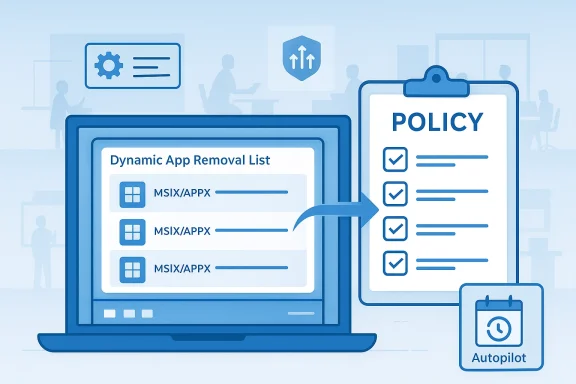
The biggest technical change is the dynamic app removal list attached to the policy for removing default Microsoft Store packages. Microsoft says IT admins can now remove MSIX/APPX apps by adding package family names to the list, and the company directs admins to use Group Policy for the current preview path. The published Insider blog even shows how to retrieve a PFN with PowerShell usingGet-AppxPackage, which confirms that Microsoft expects administrators to work at the package level rather than through a consumer-friendly GUI. (blogs.windows.com)That sounds small, but it is operationally significant. A static list can only cover the apps Microsoft chose to include at the time the policy was authored. A dynamic list lets enterprises keep pace when Microsoft changes what ships by default, or when an organization wants to remove additional Microsoft apps beyond the curated baseline. In other words, the policy becomes more adaptable, and adaptability is exactly what large-scale device management tends to reward. (blogs.windows.com)
The current limitation is just as important as the feature itself. Microsoft says the corresponding Intune CSP is not yet available for this dynamic list, and validation currently has to be done through Group Policy or custom OMA-URI work. That means the feature is not yet frictionless for cloud-first organizations, which is ironic because Intune would be the natural long-term destination. The gap suggests that Microsoft is testing the mechanics first, then probably planning to unify policy delivery later. (blogs.windows.com)
Why the Package Family Name Matters
Package family names are the identity layer that Windows app policy depends on. They are more precise than casual app names, which is necessary because Microsoft has multiple app variants, localization differences, and sometimes app packages that users never see directly. Using PFNs also makes policy behavior more deterministic, which is exactly what administrators want when they are standardizing images.This precision comes with a tradeoff. It makes the solution more powerful, but also more technical. Administrators need to know what they are removing, and they need to confirm whether a package is tied to a default handler or a hidden system dependency. Microsoft’s own policy documentation warns that removing an app that is the default handler for a common file type or protocol can degrade the user experience. That warning is worth taking seriously.
Why This Matters for IT Departments
For enterprise and education environments, the policy is really about control, consistency, and supportability. A default Windows image often includes apps that a school district, call center, or regulated business does not want on devices at all. When those apps are baked into provisioning flows, removing them later is more expensive and more error-prone than preventing them from landing in the first place. Microsoft is effectively giving admins a cleaner front-end to the same goal. (blogs.windows.com)That matters even more during Autopilot and other zero-touch deployment scenarios. Microsoft’s own documentation notes that policy-based removal can be applied during provisioning, which means devices can reach the user in a more tailored state. That is a meaningful win for organizations trying to minimize first-boot noise and avoid post-deployment cleanup scripts. It also reduces the need for brittle custom image servicing, which has been a pain point for years.
A more flexible policy also changes how admins think about lifecycle management. Instead of waiting for Microsoft to update its default removal list, organizations can react to internal policy, security preferences, or user experience goals on their own timeline. That creates a better fit between Windows and the reality of enterprise governance, where app portfolios are never one-size-fits-all.
Enterprise vs. Education
Education tends to be the cleaner business case here. Schools often need standardized devices, limited distractions, and a strong preference for predictable software baselines. The ability to remove consumer-oriented apps without resorting to a full custom image can simplify deployment across labs and student fleets.Enterprise use cases are broader and more nuanced. Some organizations want a minimal image for frontline workers, while others want to preserve support tools but remove entertainment or consumer apps. The dynamic policy gives both groups the same core mechanism, but the reasons for using it will differ.
- Education can use the policy to reduce clutter and simplify classroom devices.
- Enterprise can use it to enforce role-specific baselines.
- Autopilot deployments benefit from fewer post-provisioning cleanup steps.
- Security teams gain another lever for standardization.
- Help desks may see fewer tickets about unwanted default apps.
The Consumer Side of the Story
For regular users, this change is less directly visible, but it still says something about Microsoft’s direction. Windows 11 has increasingly become a platform where Microsoft inserts more cloud services, more recommended experiences, and more packaged apps into the default journey. The more that happens, the more likely advanced users are to look for ways to reduce friction. Microsoft appears to understand that it can’t ignore that sentiment forever, even if it is not handing the same controls to everyone. (blogs.windows.com)The company’s insistence that the feature is intended for Enterprise and Education is telling. It suggests Microsoft is trying to avoid turning Windows into a fully self-curated consumer kit, where every user is expected to become their own device admin. That is understandable from a support standpoint, but it also means power users will continue to rely on workarounds, scripts, and policy hacks whenever they want a stripped-down setup. That friction is part of the Windows story now.
There is also a subtle product strategy angle. By making app removal easier for managed devices, Microsoft can defend Windows against the criticism that it is too cluttered, while still preserving its own distribution surface on consumer PCs. That is a classic platform balancing act: open the controls where customers have leverage, but keep enough of the default experience to support ecosystem goals.
What Consumer Enthusiasts Will Notice
Most enthusiasts will care less about the policy document itself and more about the signal behind it. Microsoft is acknowledging that default app management needs to be more granular than it used to be. That may not translate into a one-click “remove all bloatware” feature for home users, but it does validate the complaint that the old system was too rigid.The practical outcome is likely to be indirect. Consumer-focused modding communities and deployment tools may eventually mirror some of these enterprise changes, or at least adopt similar package-based logic. That would be a downstream consequence, not necessarily Microsoft’s stated goal.
The Canary Channel Context
Canary builds are where Microsoft experiments most aggressively, and that makes the new app removal policy especially interesting. The company is not merely polishing existing code paths; it is testing whether a new administrative model can coexist with the rest of Windows 11’s app delivery stack. The Canary channel is the right place for that, because Microsoft can gather feedback before deciding whether to harden the approach for broader release. (blogs.windows.com)This matters because Windows Insider features often evolve in steps. Microsoft introduced the policy-based removal work in earlier Dev and Beta builds as well, and now it is showing up again in Canary with an added dynamic list. That progression suggests a deliberate maturation path rather than a one-off feature drop. When Microsoft repeats the same feature across multiple Insider branches, it is usually a sign that the company is refining the implementation rather than tossing out a concept.
Canary also helps explain the mixed bag of other changes in the same build. Microsoft is using the channel to try out gaming-mode ideas, context menu refinements, lock screen widgets, touchpad controls, and pen settings changes all at once. That breadth is typical of Canary, where the objective is less about coherence and more about discovery. The result is a build that feels like a small operating system roadmap compressed into one update.
The Insider Signal
The repeated policy work in Insider builds sends a clear message: Microsoft is serious about rethinking how default Microsoft Store apps are managed on enterprise devices. This is not an isolated tweak. It is part of a larger modernization effort around provisioning, policy, and app lifecycle control.That same signal also has limits. Canary features are volatile, and Microsoft’s own blog repeatedly warns that some experiences may never ship. So while this is a strong indicator of intent, it is not a final promise. Preview is not product, and Windows veterans know that better than anyone. (blogs.windows.com)
Other Build Changes Worth Noting
The policy feature is the headline, but it is not the only thing Microsoft is adjusting. The build also includes a context menu change so that the “Open” verb matches the file icon associated with the default app when right-clicking.exe, .bat, or .cmd files. That is a small detail, but it reflects Microsoft’s continuing effort to make Windows’ classic UI feel less inconsistent. Small mismatches like that are exactly the sort of thing users notice subconsciously even when they cannot articulate why a menu feels off.There is also a touchpad update that lets users tune the size of the right-click zone on pressable touchpads. That is a smart accessibility and ergonomics tweak, because touchpad preference is one of those deeply personal settings that can affect productivity every day. A larger right-click zone may help some users avoid misfires, while a smaller one may reduce accidental context-menu activations.
The lock screen is getting more widget personalization too. Microsoft is expanding support beyond the European Economic Area, which means the earlier regional rollout is now becoming more broadly available. This is notable because lock screen widgets are a subtle way for Microsoft to inject more glanceable content into Windows without forcing users to open an app or browser.
Gaming and Input
The build also introduces an Xbox mode for Windows 11 PCs, including laptops, desktops, and tablets. Microsoft says it is inspired by the Xbox console experience and is designed for a full-screen, distraction-minimized game environment. That matters because it pushes Windows further into hybrid-device territory, where the same machine can behave more like a traditional PC or like a console depending on context.On the input side, pen settings now include an option for the pen tail button to behave like the Copilot key. That kind of hardware-key unification is very Microsoft: it hints at a future in which accessory controls, keyboard shortcuts, and AI entry points all map into a common interaction model. Whether users want that is a separate question, but the direction is clear.
Why This Is More Than a Cleanup Feature
At first glance, removing preinstalled apps sounds like housekeeping. In reality, it is a statement about who controls the Windows baseline. Microsoft is allowing organizations to shape more of the OS at deployment time, which strengthens the platform’s appeal in managed environments. That is especially important as businesses compare Windows with increasingly opinionated competing platforms that may offer less flexibility in image management. (blogs.windows.com)This could also reduce the need for unsanctioned debloat tools and scripting. When the official mechanism becomes good enough, IT departments tend to prefer it over custom removal routines. That lowers maintenance overhead and can reduce breakage after feature updates, because the policy is part of Microsoft’s own servicing model. That is the quiet but meaningful part of the story.
There is still an important distinction between policy removal and permanent ecosystem removal. Microsoft is not saying these apps vanish from the Windows universe. It is saying they can be removed from the managed device image according to policy. That distinction matters because the Store, provisioning pipeline, and app servicing logic still exist underneath the policy layer.
Sequential Deployment Considerations
For administrators considering how this might fit into real-world rollout plans, the sequence matters:- Validate the feature in Group Policy first.
- Test package family names carefully.
- Check whether the app is a dependency or default handler.
- Roll out to a pilot OU or device group.
- Confirm provisioning behavior during sign-in or Autopilot.
Competitive Implications
Microsoft is not just responding to customer complaints; it is also positioning Windows against competing device management philosophies. ChromeOS and mobile-first platforms often simplify the baseline by design, while enterprise Windows has historically relied on admin-driven control to achieve the same result. Giving administrators a more modern removal policy helps Microsoft preserve that advantage without forcing them back into old image-customization habits. (blogs.windows.com)This could also help Microsoft in conversations with managed-service providers and OEMs. A cleaner default-app story gives partners a more credible way to say that Windows can be both flexible and policy-driven. That is valuable in markets where customer expectations around device minimalism are rising, especially in education and frontline work.
The broader competitive story, though, is about trust. Windows users have long been skeptical of Microsoft’s tendency to bundle services into the operating system. A more transparent policy mechanism does not eliminate that skepticism, but it does reduce one class of complaint: the sense that users are stuck with apps they never asked for. That alone can make a difference in perception.
Market Positioning
This feature also reinforces Microsoft’s enterprise brand. Windows remains strongest where organizations want scale, compatibility, and manageability. By letting admins remove more default apps in a first-party way, Microsoft is defending one of Windows’ key differentiators.At the same time, it subtly acknowledges a changing expectation in the market. Customers increasingly want the OS to be less opinionated and more modular. Microsoft may be meeting that demand only in managed editions for now, but it is still a step toward a more composable Windows experience.
Strengths and Opportunities
The most obvious strength is that Microsoft is solving a real admin pain point with an official mechanism rather than forcing organizations into workarounds. That is the kind of change that can save time, reduce configuration drift, and make Windows images more consistent across large fleets. It also creates a cleaner path for future policy expansion if Microsoft chooses to expose the same capability through Intune later. (blogs.windows.com)There are also secondary benefits. A more flexible removal model can improve onboarding, reduce clutter, and make support environments easier to standardize. In the long term, it may help Microsoft present Windows as a more modular platform, which is valuable in competitive enterprise bids.
- Cleaner provisioning for managed devices.
- Less reliance on custom scripts and ad hoc debloat tools.
- Better fit for Autopilot and zero-touch deployment.
- More predictable support baselines across departments.
- Potential future Intune integration once the CSP catches up.
- Improved user experience by removing unwanted apps earlier.
- Stronger enterprise credibility for Microsoft’s Windows management story.
Risks and Concerns
The main risk is complexity. Package-family-name-based removal is powerful, but it is not beginner-friendly, and mistakes can break user workflows in ways that are hard to diagnose. Microsoft’s own warning about default handlers is a reminder that even “optional” apps can have hidden dependencies or user-facing roles.There is also a rollout risk. Because the current dynamic list is not yet available in the matching Intune CSP, organizations that have standardized on MDM may feel left behind. That creates a temporary split between policy channels, which can slow adoption in cloud-managed environments. And because this is in Canary, there is always the possibility that the feature changes shape before it reaches a broader audience. Preview instability is part of the deal.
- Potential app dependency breakage if admins remove the wrong package.
- Incomplete cloud management support until Intune catches up.
- Channel volatility because Canary features can change or disappear.
- Documentation lag between build behavior and enterprise tooling.
- User confusion if removed apps affect file associations or notifications.
- Support burden if organizations deploy the policy too broadly.
- Feature scope limits if Microsoft keeps it Enterprise/Education-only.
Looking Ahead
The most interesting question is whether Microsoft will bring the dynamic removal list into Intune Settings Catalog in a way that feels as complete as Group Policy. That would be the natural next step, and it would make the feature much more attractive to cloud-managed organizations. It would also show that Microsoft sees this not as a niche addition, but as part of its future Windows management stack. (blogs.windows.com)A second question is whether the policy will stay confined to Enterprise and Education or gradually influence other editions through adjacent controls. Microsoft has not suggested that home users will get the same level of control, and that is unlikely to change soon. But the existence of the policy may still influence third-party tooling, deployment scripts, and community expectations around what “clean Windows” should mean.
The build’s other additions suggest the broader answer: Microsoft is using Windows 11 to move toward a more configurable operating system without sacrificing its own ecosystem leverage. The company wants Windows to be more adaptable for organizations, more polished for consumers, and more AI- and game-friendly across devices. That is a lot to balance, and the Canary channel is where those tensions are most visible.
- Watch for Intune Settings Catalog support.
- Watch for broader policy documentation updates.
- Watch whether Microsoft clarifies the supported app list.
- Watch for changes to Enterprise/Education scope.
- Watch for feedback on default-handler warnings and app dependencies.
Source: Neowin Microsoft debuting new way to remove Windows 11 default apps with latest builds
Last edited:
