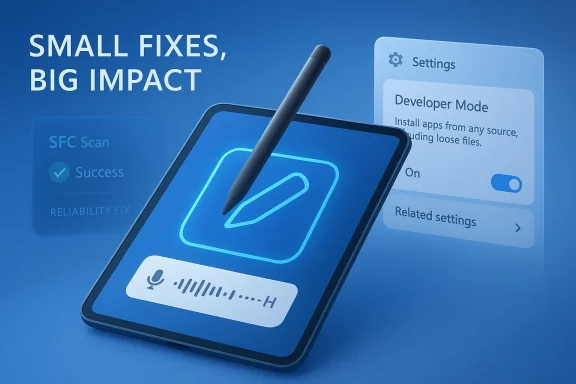
Windows 11 Insiders on the Canary Channel are getting another small but telling update with Build 28020.1803, and the headline is less about flashy new features than about the steady refinement that defines Microsoft’s most experimental track. The new flight focuses on pen settings, a small voice typing reliability improvement, a cleaner-looking Developer Mode dialog, and the removal of an unexpected sfc /scannow error. On paper, that may sound modest, but the release is revealing precisely because it shows where Microsoft still sees friction in the Windows 11 experience. It also arrives as the Canary Channel continues to serve as the company’s earliest proving ground for interface, input, and servicing changes.
Windows Insider builds in the Canary Channel are not meant to read like consumer feature announcements. They are closer to live development snapshots, with Microsoft using them to test ideas, verify infrastructure, and watch for regressions long before anything reaches a broad audience. Build 28020.1803 follows that pattern closely, adding only a small set of general improvements and fixes rather than any big platform statement. That restraint is itself a signal: Microsoft is still iterating on the basics of usability and reliability while maintaining the channel’s role as an early warning system for future Windows changes.
The build lands in a broader Canary cadence that has been unusually active in early 2026. In recent weeks, Microsoft has pushed a steady sequence of 28020.x flights, each one reinforcing the idea that the channel is no longer just about unusually early code drops; it is also about incremental refinement to foundational components such as input, File Explorer behavior, feedback surfaces, and servicing. That makes this release less dramatic than a new UI experience, but more meaningful as a data point about what Microsoft values enough to polish.
The most interesting line item is the pen-tail-button adjustment. Microsoft says the Pen settings page has been refined and that the tail button can now be configured with a “Same as Copilot key” option, allowing it to launch the same app as the Copilot key. That detail matters because it highlights an ongoing effort to make Windows hardware inputs more programmable and more consistent across device classes. It also hints at Microsoft’s larger push to normalize Copilot-related interactions across keyboards, pens, and other surfaces rather than treating them as isolated shortcuts.
Just as notable is the fact that this specific pen-tail option is not entirely new in the Canary branch. Microsoft described the same setting in Build 28020.1737 earlier in March, which suggests Build 28020.1803 is primarily a servicing and polish release rather than an expansion of the feature set. In practical terms, that means Microsoft is likely validating the consistency, discoverability, and reliability of the setting rather than introducing a fresh concept. That kind of continuity is typical of Canary work, where the real story is often the hardening of features already in motion.
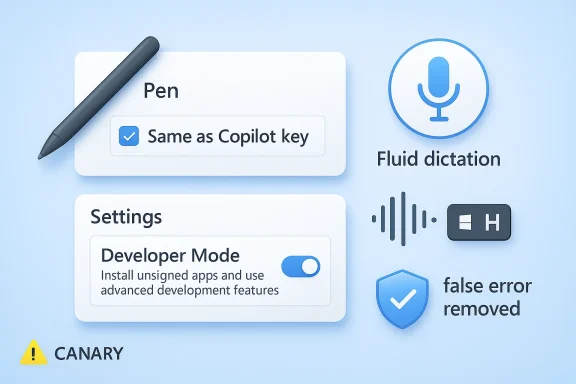
The other changes are smaller but still instructive. Microsoft says it improved the reliability of configuring the fluid dictation option in voice typing settings, updated the Settings Developer Mode dialog to be visually consistent with the rest of Windows 11, and removed an extraneous unexpected error from sfc /scannow. Each of these touches a different layer of the operating system: accessibility and input, shell consistency, and system repair. Together they show a company still working to smooth rough edges in areas that matter to power users and developers alike. (blogs.windows.com)
The Canary Channel warning label remains unchanged, and that is important context for anyone reading too much into the build number. Microsoft continues to remind Insiders that these builds can be unstable, that some features may appear in Dev or Beta first, and that leaving Canary still requires a clean install of Windows 11. In other words, Build 28020.1803 is not merely a preview; it is a preview inside the preview, meant for people who accept a higher level of volatility in exchange for earlier access. (blogs.windows.com)
That matters because pen input has always lived in an awkward middle ground in Windows. It is highly valuable for note-taking, sketching, and classroom or creative workflows, but it often trails keyboard and mouse in terms of shortcut integration and software support. By making the pen tail button capable of invoking the same app as the Copilot key, Microsoft is flattening the distinction between hardware input types. The company seems to be saying that shortcuts should follow intent, not device category.
At the same time, the Copilot linkage is strategically interesting. Microsoft has been steadily treating Copilot as a cross-surface interaction layer rather than a single app icon, and this setting extends that thinking into stylus hardware. In effect, the pen is becoming another entry point into the same modern Windows actions ecosystem. That may sound small, but it is exactly how platform shifts often begin.
A few implications stand out:
Voice typing occupies an important place in Windows because it sits at the intersection of accessibility, productivity, and AI-adjacent convenience. If the configuration flow is flaky, users are less likely to trust the tool or recommend it, even if the underlying dictation engine is solid. Microsoft’s decision to spend build space on configuration reliability rather than algorithm changes shows that it is paying attention to the experience of enabling the feature, not just the feature itself.
For enterprise users, this is especially relevant. Dictation is increasingly part of hybrid work, accessibility accommodation, and hands-free note capture. If Microsoft wants voice typing to feel like a dependable first-class Windows component, the surrounding settings UI has to be as dependable as the engine beneath it. That is likely why this release frames the improvement narrowly, as a configuration fix rather than a bigger feature launch.
Key takeaways from this part of the build:
Developer Mode is a special case because it targets a more technical audience, yet it still lives inside the mainstream Settings app. If its dialog feels dated or out of sync with the rest of the operating system, it subtly signals neglect. By aligning the dialog with Windows 11’s broader visual language, Microsoft is trying to reduce the sense that developer options are second-class surfaces tucked away at the edge of the product.
For developers, consistency also has a practical upside. A dialog that looks and behaves like the rest of Windows is easier to interpret quickly, especially when switching between system tasks. That reduces cognitive overhead, which is a real benefit for anyone doing repetitive configuration work or troubleshooting builds.
A few reasons this update is meaningful:
Microsoft’s support documentation continues to frame SFC as a tool for scanning and repairing missing or corrupted system files, often alongside DISM. If Insider builds are generating unexpected noise in that process, that is more than a cosmetic issue; it can make diagnostics harder to interpret. Removing the error helps ensure that when the tool reports a problem, users and admins can take it seriously.
The fact that Microsoft is still refining SFC behavior also reinforces a broader truth: even in a modern Windows branch dominated by UI iteration and Copilot-adjacent changes, basic repair utilities remain strategically important. They are the system’s safety net, and if the safety net frays, every other bug feels worse.
The servicing implications are straightforward:
The reminder section in the blog post is almost as important as the changes section. Microsoft repeats that Canary builds can be unstable, that features may appear elsewhere first, and that localization may lag. It also reiterates the hard line that leaving Canary requires a clean install of Windows 11. This is not a casual beta track; it is a commitment to a development model where risk is part of the bargain. (blogs.windows.com)
That is why the build’s modesty is so instructive. Microsoft does not need every Canary release to be packed with new toys. Sometimes a handful of fixes, especially around input and reliability, is enough to keep the channel relevant and informative. In that sense, Build 28020.1803 is a maintenance release in the best possible sense: it maintains momentum without pretending to be a product launch.
The strategic signals are clear:
This sequence is useful because it shows Microsoft’s current development rhythm. Rather than staging large, monolithic feature blocks, the company appears to be spreading changes across a sequence of incremental Canary flights. That allows it to observe how individual pieces behave in the wild, rather than trying to infer which part of a larger bundle caused a regression. It is a more granular and arguably more disciplined way to run an Insider program.
That is a notable evolution from earlier Insider eras, when the most visible changes often involved splashy feature additions or dramatic UI experiments. Today’s Canary track feels more like an operating theater for the platform’s small muscles and nerves. The work is less theatrical, but arguably more foundational.
Historical markers worth keeping in mind:
Consumer users with pen-enabled devices are the clearest beneficiaries of the input work. If the pen tail button becomes a dependable launch point for the same app as the Copilot key, that reduces friction in tablet and 2-in-1 use cases. Voice typing reliability also matters for students, remote workers, and accessibility-focused users who depend on it for quick text entry or hands-free operation.
There is also a more strategic enterprise angle. Windows 11’s ongoing evolution around input, Copilot-linked interactions, and system consistency gradually changes what “standard” usage looks like. Organizations that manage fleets of mixed hardware will want to know whether these small interface refinements alter training materials, user expectations, or support scripts. In many cases they will, even if only slightly.
The likely impact can be summarized as:
The Copilot-key linkage is especially significant because it reinforces Microsoft’s desire to make Copilot more than an app or sidebar. The company wants it to become an operating-system-level interaction pattern. By tying the pen tail button to the same app as the Copilot key, Microsoft is effectively extending the Copilot brand into more moments of physical interaction. That is a subtle but meaningful form of ecosystem reinforcement.
At the same time, the ordinary reliability fixes matter because competitors often win on simplicity. If Windows feels easier to configure, less error-prone, and more visually consistent, that reduces one of the platform’s traditional liabilities: the sense that advanced functionality is powerful but fussy. Small polish wins can have an outsized effect on perception when they accumulate.
Competitive themes emerging here include:
The build also suggests that Microsoft is still treating input and configuration as strategic battlegrounds. Pen buttons, dictation, and settings dialogs may not be glamorous, but they are the places where users feel the difference between a platform that merely works and one that feels thoughtfully designed. If Microsoft keeps investing here, those improvements will likely show up in more visible ways later.
Watch for the following next:
Source: Microsoft - Windows Insiders Blog Announcing Windows 11 Insider Preview Build 28020.1803 (Canary Channel)
 Overview
Windows Insider builds in the Canary Channel are not meant to read like consumer feature announcements. They are closer to live development snapshots, with Microsoft using them to test ideas, verify infrastructure, and watch for regressions long before anything reaches a broad audience. Build 28020.1803 follows that pattern closely, adding only a small set of general improvements and fixes rather than any big platform statement. That restraint is itself a signal: Microsoft is still iterating on the basics of usability and reliability while maintaining the channel’s role as an early warning system for future Windows changes.The build lands in a broader Canary cadence that has been unusually active in early 2026. In recent weeks, Microsoft has pushed a steady sequence of 28020.x flights, each one reinforcing the idea that the channel is no longer just about unusually early code drops; it is also about incremental refinement to foundational components such as input, File Explorer behavior, feedback surfaces, and servicing. That makes this release less dramatic than a new UI experience, but more meaningful as a data point about what Microsoft values enough to polish.
The most interesting line item is the pen-tail-button adjustment. Microsoft says the Pen settings page has been refined and that the tail button can now be configured with a “Same as Copilot key” option, allowing it to launch the same app as the Copilot key. That detail matters because it highlights an ongoing effort to make Windows hardware inputs more programmable and more consistent across device classes. It also hints at Microsoft’s larger push to normalize Copilot-related interactions across keyboards, pens, and other surfaces rather than treating them as isolated shortcuts.
Just as notable is the fact that this specific pen-tail option is not entirely new in the Canary branch. Microsoft described the same setting in Build 28020.1737 earlier in March, which suggests Build 28020.1803 is primarily a servicing and polish release rather than an expansion of the feature set. In practical terms, that means Microsoft is likely validating the consistency, discoverability, and reliability of the setting rather than introducing a fresh concept. That kind of continuity is typical of Canary work, where the real story is often the hardening of features already in motion.
The other changes are smaller but still instructive. Microsoft says it improved the reliability of configuring the fluid dictation option in voice typing settings, updated the Settings Developer Mode dialog to be visually consistent with the rest of Windows 11, and removed an extraneous unexpected error from sfc /scannow. Each of these touches a different layer of the operating system: accessibility and input, shell consistency, and system repair. Together they show a company still working to smooth rough edges in areas that matter to power users and developers alike. (blogs.windows.com)
The Canary Channel warning label remains unchanged, and that is important context for anyone reading too much into the build number. Microsoft continues to remind Insiders that these builds can be unstable, that some features may appear in Dev or Beta first, and that leaving Canary still requires a clean install of Windows 11. In other words, Build 28020.1803 is not merely a preview; it is a preview inside the preview, meant for people who accept a higher level of volatility in exchange for earlier access. (blogs.windows.com)
Input and Pen Settings
The most user-visible item in Build 28020.1803 is the continuing refinement of Pen settings. Microsoft is not adding a radical new pen capability here, but it is making the configuration surface more coherent and slightly more powerful. The new “Same as Copilot key” option for the pen tail button effectively merges pen hardware behavior with the broader Copilot interaction model, which is a strong clue about where Microsoft thinks input customization is heading. (blogs.windows.com)That matters because pen input has always lived in an awkward middle ground in Windows. It is highly valuable for note-taking, sketching, and classroom or creative workflows, but it often trails keyboard and mouse in terms of shortcut integration and software support. By making the pen tail button capable of invoking the same app as the Copilot key, Microsoft is flattening the distinction between hardware input types. The company seems to be saying that shortcuts should follow intent, not device category.
Why this shortcut matters
The practical benefit is not just convenience. For tablet and 2-in-1 users, a pen-tail shortcut can be more natural than reaching for a keyboard or even a touchscreen icon. That makes a unified shortcut path especially useful in docked, classroom, and travel scenarios where the pen is the primary instrument and the keyboard is secondary. It also reflects a broader Windows design philosophy: make the system respond to the way people actually hold their devices.At the same time, the Copilot linkage is strategically interesting. Microsoft has been steadily treating Copilot as a cross-surface interaction layer rather than a single app icon, and this setting extends that thinking into stylus hardware. In effect, the pen is becoming another entry point into the same modern Windows actions ecosystem. That may sound small, but it is exactly how platform shifts often begin.
A few implications stand out:
- Pen workflows become more shortcut-driven and less dependent on menus.
- Copilot branding gains another hardware touchpoint inside Windows.
- 2-in-1 devices become more flexible for rapid app launching.
- Accessibility and productivity can improve when fewer gestures are needed.
- Consistency across input methods helps reduce user confusion.
Voice Typing and Fluid Dictation
The update’s second input-related change is easy to overlook but likely meaningful to people who use voice dictation regularly. Microsoft says it improved the reliability of configuring the fluid dictation option in voice typing settings, accessed with Windows key + H. That wording suggests the feature already exists, but the settings experience around it needed refinement, which is a common pattern in Windows where powerful capabilities sometimes arrive before their configuration paths are fully dependable. (blogs.windows.com)Voice typing occupies an important place in Windows because it sits at the intersection of accessibility, productivity, and AI-adjacent convenience. If the configuration flow is flaky, users are less likely to trust the tool or recommend it, even if the underlying dictation engine is solid. Microsoft’s decision to spend build space on configuration reliability rather than algorithm changes shows that it is paying attention to the experience of enabling the feature, not just the feature itself.
Reliability over novelty
That distinction matters. Many Windows features fail not because they are bad ideas, but because they are one or two frustrating steps too awkward to adopt. A settings toggle that fails to persist, becomes inconsistent after restart, or behaves unpredictably can be more damaging than a slightly imperfect transcription model. Reliability in setup is often what turns a niche function into a daily habit.For enterprise users, this is especially relevant. Dictation is increasingly part of hybrid work, accessibility accommodation, and hands-free note capture. If Microsoft wants voice typing to feel like a dependable first-class Windows component, the surrounding settings UI has to be as dependable as the engine beneath it. That is likely why this release frames the improvement narrowly, as a configuration fix rather than a bigger feature launch.
Key takeaways from this part of the build:
- Windows key + H remains the gateway to voice typing.
- The update targets settings reliability, not a new dictation model.
- Better configurability can improve adoption and trust.
- This kind of fix is often more valuable than a flashy new toggle.
- The improvement likely helps both accessibility and productivity users.
Settings and Visual Consistency
One of the smallest changes in Build 28020.1803 may actually be one of the most telling. Microsoft says the Settings Developer Mode dialog is being updated to be visually consistent with the rest of Windows 11 dialogs. That sounds cosmetic, but visual consistency is not cosmetic in a system as broad and as frequently used as Windows. It affects discoverability, trust, and the sense that a feature belongs to the platform rather than being grafted onto it. (blogs.windows.com)Developer Mode is a special case because it targets a more technical audience, yet it still lives inside the mainstream Settings app. If its dialog feels dated or out of sync with the rest of the operating system, it subtly signals neglect. By aligning the dialog with Windows 11’s broader visual language, Microsoft is trying to reduce the sense that developer options are second-class surfaces tucked away at the edge of the product.
Why consistency still matters
This kind of work is easy to dismiss until you think about the cumulative effect of dozens of inconsistent dialogs, panels, and confirmation windows. A modern OS is judged not only by new features, but by whether those features feel like they were designed as part of a coherent whole. The more Microsoft leans into Windows 11 as a unified system, the more these smaller visual cleanups matter.For developers, consistency also has a practical upside. A dialog that looks and behaves like the rest of Windows is easier to interpret quickly, especially when switching between system tasks. That reduces cognitive overhead, which is a real benefit for anyone doing repetitive configuration work or troubleshooting builds.
A few reasons this update is meaningful:
- It strengthens the Windows 11 design language.
- It improves the perceived quality of developer-facing tools.
- It reduces friction when moving between consumer and technical settings.
- It supports a more polished experience for power users.
- It helps make advanced options feel native, not bolted on.
System Reliability and Servicing
The third functional item in the build is the removal of an extraneous unexpected error from sfc /scannow. That is not the kind of change that generates headlines, but it is the sort of fix that can remove confusion from troubleshooting and system repair workflows. Because System File Checker is one of Windows’ core built-in repair tools, even a noisy false error can erode confidence when users are already worried about system integrity. (blogs.windows.com)Microsoft’s support documentation continues to frame SFC as a tool for scanning and repairing missing or corrupted system files, often alongside DISM. If Insider builds are generating unexpected noise in that process, that is more than a cosmetic issue; it can make diagnostics harder to interpret. Removing the error helps ensure that when the tool reports a problem, users and admins can take it seriously.
Why a “small fix” can be a big deal
Windows reliability is often measured not by dramatic failures, but by the absence of unnecessary friction in routine maintenance. An error dialog that appears at the wrong time can waste minutes for a consumer and hours for a support technician. In an Insider build, that cost is multiplied because testers are actively trying to isolate whether a problem is introduced by the flight itself or by their own environment.The fact that Microsoft is still refining SFC behavior also reinforces a broader truth: even in a modern Windows branch dominated by UI iteration and Copilot-adjacent changes, basic repair utilities remain strategically important. They are the system’s safety net, and if the safety net frays, every other bug feels worse.
The servicing implications are straightforward:
- Troubleshooting becomes clearer when false errors are removed.
- Support workflows can be more trusted by admins and enthusiasts.
- Insider testing becomes easier to interpret.
- Repair commands remain central to Windows maintenance.
- Small fixes like this help stabilize the perception of build quality.
Canary Channel Strategy
Build 28020.1803 also tells us something about the state of the Canary Channel itself. The channel remains Microsoft’s earliest and least predictable release path, but it is no longer just a dumping ground for rough code. It is now a carefully managed environment where Control Feature Rollout mechanisms, targeted fixes, and interface refinements are layered onto a baseline of caution. That suggests Microsoft sees Canary as both a laboratory and a proving ground. (blogs.windows.com)The reminder section in the blog post is almost as important as the changes section. Microsoft repeats that Canary builds can be unstable, that features may appear elsewhere first, and that localization may lag. It also reiterates the hard line that leaving Canary requires a clean install of Windows 11. This is not a casual beta track; it is a commitment to a development model where risk is part of the bargain. (blogs.windows.com)
What Canary means in practice
For enthusiasts, Canary is where curiosity meets caution. It is the place to see the broadest mix of early platform work, but it is also the place where expectations must be the most flexible. A feature in Canary is not a promise. It is an experiment, sometimes one that survives, sometimes one that disappears or morphs into something different later.That is why the build’s modesty is so instructive. Microsoft does not need every Canary release to be packed with new toys. Sometimes a handful of fixes, especially around input and reliability, is enough to keep the channel relevant and informative. In that sense, Build 28020.1803 is a maintenance release in the best possible sense: it maintains momentum without pretending to be a product launch.
The strategic signals are clear:
- Canary remains the earliest testbed for Windows platform work.
- Microsoft is still using gradual rollout inside the channel.
- The company continues to prioritize stability of experimentation.
- Joining Canary still means accepting high operational risk.
- The channel’s role is increasingly about validation, not just novelty.
Historical Context
This release makes the most sense when viewed alongside earlier 28020 flights. Build 28020.1673 and 28020.1737 both introduced the same general theme: Microsoft is tuning the Windows 11 experience around small, practical improvements rather than sweeping reinvention. In the March 13 build, the pen-tail-button “Same as Copilot key” option appeared as a new input control, and in the March 20 build Microsoft continued with shared audio, context-menu polish, File Explorer reliability, and the refreshed Feedback Hub. Build 28020.1803 now extends that momentum with another small round of refinements.This sequence is useful because it shows Microsoft’s current development rhythm. Rather than staging large, monolithic feature blocks, the company appears to be spreading changes across a sequence of incremental Canary flights. That allows it to observe how individual pieces behave in the wild, rather than trying to infer which part of a larger bundle caused a regression. It is a more granular and arguably more disciplined way to run an Insider program.
A pattern of incrementalism
The trend also suggests a shift in how Windows features are being incubated. Some ideas arrive in one Canary build and then continue to be refined in later ones. Others, like the Settings dialog cleanup or SFC error removal, are pure stabilization work. Both approaches are valuable, but together they paint a picture of a release stream where experience quality is as important as feature count.That is a notable evolution from earlier Insider eras, when the most visible changes often involved splashy feature additions or dramatic UI experiments. Today’s Canary track feels more like an operating theater for the platform’s small muscles and nerves. The work is less theatrical, but arguably more foundational.
Historical markers worth keeping in mind:
- Build 28020.1673 introduced the pen-tail “Same as Copilot key” concept.
- Build 28020.1743 added shared audio enhancements and Feedback Hub modernization.
- Build 28020.1803 now emphasizes polish, reliability, and cleanup.
- The channel is evolving toward incremental validation.
- Microsoft is prioritizing consistent platform behavior over splashy announcements.
Enterprise and Consumer Impact
The practical impact of Build 28020.1803 differs depending on who is looking at it. For consumers, the most obvious value lies in improved input convenience and fewer annoyances around voice typing and repair tools. For enterprises, the more relevant story is the continued tightening of Windows’ settings surfaces and the reliability of built-in maintenance behavior. Those are not headline-grabbing changes, but they shape how support teams and power users experience the OS day to day.Consumer users with pen-enabled devices are the clearest beneficiaries of the input work. If the pen tail button becomes a dependable launch point for the same app as the Copilot key, that reduces friction in tablet and 2-in-1 use cases. Voice typing reliability also matters for students, remote workers, and accessibility-focused users who depend on it for quick text entry or hands-free operation.
Different users, different priorities
Enterprises, meanwhile, tend to care less about novelty and more about predictability. A cleaner Developer Mode dialog may seem minor, but it helps with consistency in support documentation and internal training. Likewise, an SFC fix matters because admins often rely on Microsoft’s own repair tools when diagnosing machine health, especially on test devices or in pilot rings.There is also a more strategic enterprise angle. Windows 11’s ongoing evolution around input, Copilot-linked interactions, and system consistency gradually changes what “standard” usage looks like. Organizations that manage fleets of mixed hardware will want to know whether these small interface refinements alter training materials, user expectations, or support scripts. In many cases they will, even if only slightly.
The likely impact can be summarized as:
- Consumers gain smoother pen and voice input experiences.
- Education users benefit from more flexible stylus workflows.
- IT teams get clearer system repair behavior.
- Developers see a more polished settings surface.
- Power users get fewer rough edges in configuration and diagnostics.
Competitive Implications
Microsoft’s emphasis on stylus integration, voice typing, and coherent settings design also has broader competitive implications. On the surface, these are internal Windows refinements. Underneath, they are part of Microsoft’s effort to make Windows feel more adaptable and more responsive to a new generation of AI-inflected, hardware-aware user experiences. That matters in a market where competitors are also trying to define what modern input should look like.The Copilot-key linkage is especially significant because it reinforces Microsoft’s desire to make Copilot more than an app or sidebar. The company wants it to become an operating-system-level interaction pattern. By tying the pen tail button to the same app as the Copilot key, Microsoft is effectively extending the Copilot brand into more moments of physical interaction. That is a subtle but meaningful form of ecosystem reinforcement.
Why this is more than UI polish
In competitive terms, consistency across input methods becomes a differentiator. If Windows can turn pen, keyboard, and voice into coherent, configurable pathways to the same set of intelligent actions, then it can present itself as more integrated than platforms where those features feel fragmented. That does not guarantee superior user loyalty, but it does strengthen Microsoft’s story around unified productivity.At the same time, the ordinary reliability fixes matter because competitors often win on simplicity. If Windows feels easier to configure, less error-prone, and more visually consistent, that reduces one of the platform’s traditional liabilities: the sense that advanced functionality is powerful but fussy. Small polish wins can have an outsized effect on perception when they accumulate.
Competitive themes emerging here include:
- Copilot as a cross-device interaction layer rather than a single feature.
- More adaptable pen workflows on Windows hardware.
- Better support for hands-free and accessibility use cases.
- A cleaner, more coherent Windows 11 identity.
- Less room for rivals to frame Windows as inconsistent or cluttered.
Strengths and Opportunities
Build 28020.1803 is strong precisely because it is restrained. It tackles practical annoyances, improves consistency, and keeps the Canary track moving without introducing unnecessary risk through a giant feature blast. That makes it a good example of how pre-release work can still have clear product direction.- Pen customization is becoming more aligned with modern Windows shortcuts.
- Voice typing reliability can improve trust in hands-free input.
- Visual consistency in Settings strengthens the Windows 11 experience.
- SFC cleanup improves diagnostics and support clarity.
- The build supports incremental validation of broader platform ideas.
- The Copilot-key linkage opens room for more hardware-aware interactions.
- Canary continues to provide a useful window into future Windows design priorities.
Risks and Concerns
The biggest risk with a build like this is not instability from the features themselves, but the possibility that users will underestimate how experimental Canary still is. Even small changes can have edge-case consequences, especially when they touch input, settings, or servicing behavior. The channel’s warning labels are there for a reason, and Build 28020.1803 does not change that reality.- Canary instability can still affect unrelated workflows.
- Feature rollout variance may confuse users comparing machines.
- Pen and Copilot integration could create inconsistent expectations across hardware.
- Voice typing changes may expose localization or accessibility edge cases.
- Visual consistency updates can accidentally break muscle memory for existing users.
- SFC behavior changes need careful validation to avoid hiding real diagnostics.
- The required clean install to leave Canary remains a major commitment.
Looking Ahead
The next question is not whether Build 28020.1803 is exciting. It is whether it fits the pattern Microsoft wants for the rest of the 28020 branch: steady tightening of key surfaces, minimal disruption, and gradual preparation for broader experimentation. The answer seems to be yes, and that gives the Canary Channel a kind of disciplined unpredictability that actually benefits testers.The build also suggests that Microsoft is still treating input and configuration as strategic battlegrounds. Pen buttons, dictation, and settings dialogs may not be glamorous, but they are the places where users feel the difference between a platform that merely works and one that feels thoughtfully designed. If Microsoft keeps investing here, those improvements will likely show up in more visible ways later.
Watch for the following next:
- Further Copilot-key or shortcut-related refinements.
- Additional Settings app visual cleanup in technical surfaces.
- More voice typing and accessibility reliability fixes.
- Canary-only experiments that may later appear in Dev or Beta.
- Ongoing servicing updates that reduce false errors in built-in tools.
Source: Microsoft - Windows Insiders Blog Announcing Windows 11 Insider Preview Build 28020.1803 (Canary Channel)