

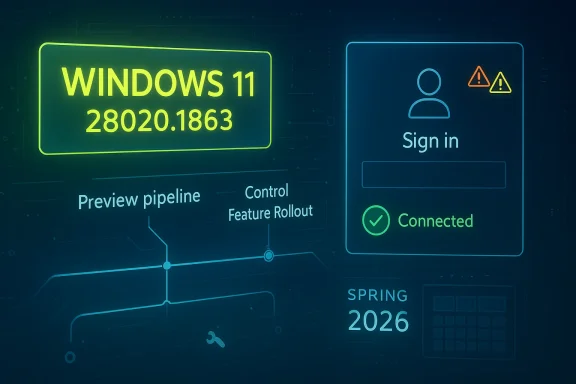
Hello Windows Insiders, and welcome to another Canary Channel flight that is notable less for a dramatic new feature than for what it signals about the state of the Windows 11 preview pipeline in spring 2026. Build 28020.1863 arrives as a small maintenance-style update, but it lands in a Canary branch that is clearly being used to refine the next major Windows core direction while Microsoft simultaneously reshapes the Insider program itself. The headline fix is practical rather than flashy: Microsoft says it resolved a bug that could prevent some apps from signing in because Windows falsely reported there was no internet connection.
The release of build 28020.1863 fits a pattern that has defined Canary in 2026: frequent, incremental flights that emphasize stability, telemetry, and controlled experimentation over visible feature drops. Microsoft’s own language in recent Canary posts makes this clear, repeatedly framing these builds as a blend of gradual-rollout improvements, targeted fixes, and reminders that the channel can be unstable and lightly documented. In other words, this is not a consumer-facing milestone so much as a laboratory build for the operating system’s near future.
That matters because Canary is no longer just “the earliest preview ring.” Microsoft has been reorganizing the Insider experience around a more explicit split between build tracks and future Windows core versions, including a transition path that affects current Canary participants on the 28000 series. In its April 10 post about improving the Insider experience, Microsoft said Canary participants on 28000 series builds will move to an Experimental channel associated with 26H1, while 29500 series builds will align with a different future-platform track. That makes every Canary flight in this range part of a broader architectural reset, not just a routine patch Tuesday-style preview.
The practical implication is that build 28020.1863 is important less for what it adds than for what it preserves: forward motion without destabilizing the branch further than necessary. Microsoft has been careful to use Canary to validate code paths, UI behaviors, and servicing mechanics before they spread elsewhere. A fix for app sign-in failures caused by a false network-status report is a good example of the sort of bug that can silently break trust across the OS and its apps even when the shell itself appears healthy.
This build also reinforces how Microsoft is handling feature distribution in 2026. Canary remains tied to Control Feature Rollout behavior, meaning only a subset of Insiders may see certain changes first, with Microsoft ramping them up over time based on feedback. That approach reduces blast radius, but it also means two Insiders on the same build can have meaningfully different experiences. For power users and IT administrators, that unpredictability is both the point and the problem.
The April 10, 2026 Insider update is especially important because it changes the mental model for the channels. Microsoft said Insider settings are being reorganized, and that current Canary users will be moved based on specific Windows core versions, including 26H1 for 28000 series builds. That means the channel is becoming a vehicle for platform branches rather than simply “newer than Dev.” For enthusiasts, this is a more transparent framework; for enterprises, it is another reminder that preview rings are increasingly aligned to product planning rather than one-size-fits-all experimentation.
The Canary build stream has also shown Microsoft prioritizing selective fixes over feature fireworks. Earlier 28020 flights included smaller but meaningful work, such as network and sign-in-related corrections, plus other quality-of-life changes. The March 20 build, for example, continued Microsoft’s pattern of pairing general fixes with reminders about feature rollout behavior and channel expectations. Build 28020.1863 follows that same pattern, suggesting the branch is being tuned as much for reliability and telemetry quality as for feature innovation.
Another key backdrop is Microsoft’s persistent emphasis on the Insider community’s feedback loop. The company still positions Feedback Hub, toggles, and gradual rollout as central to how these builds mature. That is not just messaging; it is operational design. Canary is where Microsoft can see how a fix behaves under a diversity of hardware, driver stacks, identity states, and network configurations before anything similar is considered for wider rings.
That specific issue is worth unpacking because modern Windows depends heavily on cloud-connected app authentication, service reachability checks, and background connectivity heuristics. If the operating system mistakenly believes there is no network access, apps may refuse to authenticate, refresh tokens, or even begin their login sequence. The result is a user experience that appears to be a credential problem, when in fact the root cause is a faulty connectivity signal.
For users, the practical outcome should be straightforward: fewer mysterious login failures and fewer situations where apps appear to reject valid credentials. For Microsoft, the fix reduces one of the more frustrating classes of preview bugs because it sits at the intersection of network status, app behavior, and user trust. If the OS lies about connectivity, every downstream app inherits the confusion.
There is a strategic upside to this approach. By keeping some flights modest, Microsoft can isolate regressions more easily and avoid overlapping too many variable changes at once. That creates cleaner feedback, which is especially valuable in a channel that already includes experimental code and shifting platform assumptions.
The company’s messaging also remains consistent on one point: Canary is not a stable environment. It can be lightly documented, feature availability can be uneven, and a build may be more about platform plumbing than visible user changes. This is important because many consumers still read preview announcements as if they were product launch notes. They are not. Canary is closer to a moving prototype than a public beta.
The upside is obvious: Microsoft can ship fixes and experiments in smaller waves. The downside is just as obvious: reporting issues becomes harder when two users on the same build see different feature sets. That has implications for community troubleshooting, documentation, and enterprise testing.
This also changes how enthusiasts should interpret Canary releases. A fix in this branch is not necessarily a sign that the same code will appear in retail Windows 11 soon. It may instead be a cleanup step in a broader engineering path. That is especially true when Microsoft is still rearranging the channel structure beneath users’ feet.
That sequencing is important. Microsoft often uses preview channels to separate experimentation from stabilization, and the 28020 branch appears to be in a phase where the main objective is to make the branch behave more predictably. A fix for a false no-internet report is exactly the sort of bug that tends to emerge after feature work starts to settle into real-world use.
This also hints at the way Microsoft is sequencing platform work across channels. Features may appear in Dev or Beta before Canary in some cases, while other changes are intentionally reserved for the earliest ring. The company has repeatedly warned that not all features follow a linear path from preview to release, and 2026’s channel reorganizations only make that more true.
For the Insider community, the lesson is clear: not every notable build needs a new feature to be important. Sometimes the most significant thing Microsoft can ship is a fix that prevents the operating system from misrepresenting basic connectivity.
For enterprises, the implications are more nuanced. A false internet-state bug can trigger help desk tickets, authentication confusion, and support escalations that look like network, proxy, or identity problems. If this fix is robust, it should reduce noise in environments where device connectivity and sign-in telemetry are already tightly managed.
The broader consumer lesson is that many Windows issues are no longer about the shell alone. They are about the operating system’s ability to accurately represent state to apps and services. When that state goes wrong, the failure feels random even when it is highly systematic.
It is also a reminder that Canary should not be treated as a deployment candidate for business endpoints. Microsoft’s own messaging continues to stress the instability of the channel, and the recent restructuring of Insider paths reinforces that Canary is for validation, not production readiness.
The broader significance is that Microsoft is still hardening the seams between network status, sign-in state, and app behavior. That is exactly where modern desktop reliability is won or lost.
This change has real consequences for how people interpret preview builds. A channel is no longer just a level of freshness; it is also a statement about which platform branch you are testing. That makes channel choice more consequential, especially for users who install previews on hardware they use daily.
The new model should help Microsoft communicate what each track represents. But it also increases the burden on users to understand the distinctions, especially when the same build family may behave differently depending on hidden toggles and rollout state.
For enthusiasts, that means Canary is a commitment. For IT teams, it means test devices in Canary should be treated as sacrificial or disposable rather than easy-to-revert assets. That is not a bug; it is the design.
That is a crucial point for the community. Preview builds are not evaluated purely on engineering elegance; they are judged on how well they survive real-world use across diverse hardware. Canary users are the first people to uncover those surprises, and the quality of their reports can shape how fast Microsoft fixes them.
That makes the role of the Insider community more complex than simple beta testing. Users are not just consuming software; they are helping define which parts of the software should exist, and in what order they should appear.
The risk is that users can become frustrated when a build feels incomplete or inconsistent. The opportunity is that Microsoft can catch subtle failures—like the false no-internet bug—before they metastasize into broader support problems.
This matters in a market where operating systems are expected to balance stability with rapid innovation. Microsoft’s approach increasingly resembles a living platform with partial exposure, staged activation, and branch-specific identities. That is a sophisticated model, but it is also one that requires trust in Microsoft’s control systems.
At the same time, it creates an expectation gap. Users who see preview features in one ring may expect them everywhere, and when they do not appear, they may interpret that as inconsistency. Microsoft has to manage not only code quality but also narrative quality.
For enterprise buyers, that can be reassuring if it yields fewer surprises in production. For enthusiasts, it can be thrilling or frustrating depending on whether they value innovation or predictability more. Both reactions are reasonable.
If Microsoft continues to prioritize reliability fixes in the 28000 series, that would suggest the branch is moving toward consolidation rather than experimentation. If instead the company starts layering more visible features on top, the branch may be entering a more aggressive phase of validation. Either way, the relationship between Canary and the newly described Experimental path will be central to how the community understands these builds.
Source: Microsoft - Windows Insiders Blog Announcing Windows 11 Insider Preview Build 28020.1863 (Canary Channel)
 Overview
The release of build 28020.1863 fits a pattern that has defined Canary in 2026: frequent, incremental flights that emphasize stability, telemetry, and controlled experimentation over visible feature drops. Microsoft’s own language in recent Canary posts makes this clear, repeatedly framing these builds as a blend of gradual-rollout improvements, targeted fixes, and reminders that the channel can be unstable and lightly documented. In other words, this is not a consumer-facing milestone so much as a laboratory build for the operating system’s near future.That matters because Canary is no longer just “the earliest preview ring.” Microsoft has been reorganizing the Insider experience around a more explicit split between build tracks and future Windows core versions, including a transition path that affects current Canary participants on the 28000 series. In its April 10 post about improving the Insider experience, Microsoft said Canary participants on 28000 series builds will move to an Experimental channel associated with 26H1, while 29500 series builds will align with a different future-platform track. That makes every Canary flight in this range part of a broader architectural reset, not just a routine patch Tuesday-style preview.
The practical implication is that build 28020.1863 is important less for what it adds than for what it preserves: forward motion without destabilizing the branch further than necessary. Microsoft has been careful to use Canary to validate code paths, UI behaviors, and servicing mechanics before they spread elsewhere. A fix for app sign-in failures caused by a false network-status report is a good example of the sort of bug that can silently break trust across the OS and its apps even when the shell itself appears healthy.
This build also reinforces how Microsoft is handling feature distribution in 2026. Canary remains tied to Control Feature Rollout behavior, meaning only a subset of Insiders may see certain changes first, with Microsoft ramping them up over time based on feedback. That approach reduces blast radius, but it also means two Insiders on the same build can have meaningfully different experiences. For power users and IT administrators, that unpredictability is both the point and the problem.
Background
Windows Insider has always been about trading stability for earlier access, but the current Canary era is more ambitious than the old Fast ring model ever was. Microsoft is using Canary not just to preview features, but to validate core platform directions that may or may not map cleanly to the next retail release. That shift became more visible as build numbers climbed into the 28000 series and Microsoft began speaking more explicitly about future Windows core versions.The April 10, 2026 Insider update is especially important because it changes the mental model for the channels. Microsoft said Insider settings are being reorganized, and that current Canary users will be moved based on specific Windows core versions, including 26H1 for 28000 series builds. That means the channel is becoming a vehicle for platform branches rather than simply “newer than Dev.” For enthusiasts, this is a more transparent framework; for enterprises, it is another reminder that preview rings are increasingly aligned to product planning rather than one-size-fits-all experimentation.
The Canary build stream has also shown Microsoft prioritizing selective fixes over feature fireworks. Earlier 28020 flights included smaller but meaningful work, such as network and sign-in-related corrections, plus other quality-of-life changes. The March 20 build, for example, continued Microsoft’s pattern of pairing general fixes with reminders about feature rollout behavior and channel expectations. Build 28020.1863 follows that same pattern, suggesting the branch is being tuned as much for reliability and telemetry quality as for feature innovation.
Another key backdrop is Microsoft’s persistent emphasis on the Insider community’s feedback loop. The company still positions Feedback Hub, toggles, and gradual rollout as central to how these builds mature. That is not just messaging; it is operational design. Canary is where Microsoft can see how a fix behaves under a diversity of hardware, driver stacks, identity states, and network configurations before anything similar is considered for wider rings.
Why this matters
The significance of a maintenance flight like 28020.1863 is easy to miss if you focus only on feature announcements. In reality, these updates often tell us more about Microsoft’s product priorities than the splashier previews do. A sign-in bug can expose a broken assumption in networking, identity, or service detection layers, and those are the kinds of issues that can cascade into app ecosystems.- It shows Microsoft is still prioritizing core reliability in Canary.
- It highlights the importance of identity and network detection in modern Windows app sign-in flows.
- It suggests the branch is being kept intentionally conservative ahead of larger platform shifts.
- It reinforces that preview users are serving as the first real stress test for the next Windows direction.
What Changed in Build 28020.1863
The most important thing about this build is also the simplest: Microsoft says it contains a small set of general improvements and fixes. The only specific fix called out is for a problem that could stop some apps from signing in because Windows incorrectly reported that there was no internet connectivity. That is not a glamorous feature headline, but it is the kind of bug that can make an otherwise healthy system feel broken.That specific issue is worth unpacking because modern Windows depends heavily on cloud-connected app authentication, service reachability checks, and background connectivity heuristics. If the operating system mistakenly believes there is no network access, apps may refuse to authenticate, refresh tokens, or even begin their login sequence. The result is a user experience that appears to be a credential problem, when in fact the root cause is a faulty connectivity signal.
The sign-in bug and why it matters
Microsoft’s fix suggests the networking layer or its status reporting pipeline was producing a false negative for internet access. That kind of defect can affect everything from Microsoft account sign-in to third-party apps that depend on Windows connectivity indicators. In a modern desktop environment, a misleading “offline” state is more damaging than a simple cosmetic glitch because it blocks workflows and can create support noise that looks unrelated to the true fault.For users, the practical outcome should be straightforward: fewer mysterious login failures and fewer situations where apps appear to reject valid credentials. For Microsoft, the fix reduces one of the more frustrating classes of preview bugs because it sits at the intersection of network status, app behavior, and user trust. If the OS lies about connectivity, every downstream app inherits the confusion.
- Fewer false offline reports.
- Better sign-in reliability for cloud-backed apps.
- Less troubleshooting time spent on phantom network issues.
- Improved confidence in Windows connectivity heuristics.
General maintenance, not a feature drop
The rest of the release is described only as general improvements. That may sound underwhelming, but in Canary it often means Microsoft is emphasizing stability and internal validation over public-facing novelty. These lightweight updates are common in branches where the platform is still being shaped and feature exposure may vary by device, rollout state, or hidden toggle.There is a strategic upside to this approach. By keeping some flights modest, Microsoft can isolate regressions more easily and avoid overlapping too many variable changes at once. That creates cleaner feedback, which is especially valuable in a channel that already includes experimental code and shifting platform assumptions.
Canary Channel Strategy in 2026
Canary in 2026 is not the same channel it was even a year ago. Microsoft has been open about the fact that some builds are tied to future platform directions, and its April 10 announcement made clear that the Insider program itself is being restructured. That puts build 28020.1863 in a very specific category: it is part of a transition period where Microsoft is testing the mechanics of the next Windows branch while still servicing the current one.The company’s messaging also remains consistent on one point: Canary is not a stable environment. It can be lightly documented, feature availability can be uneven, and a build may be more about platform plumbing than visible user changes. This is important because many consumers still read preview announcements as if they were product launch notes. They are not. Canary is closer to a moving prototype than a public beta.
Control Feature Rollout in practice
Microsoft continues to use Control Feature Rollout in Canary, which means features can appear first for a subset of users before broader availability. That lets the company measure quality and engagement while keeping the blast radius manageable. In practice, it also means users should not expect deterministic behavior from build to build, even on identical hardware.The upside is obvious: Microsoft can ship fixes and experiments in smaller waves. The downside is just as obvious: reporting issues becomes harder when two users on the same build see different feature sets. That has implications for community troubleshooting, documentation, and enterprise testing.
- Changes may be staged gradually.
- Two devices on the same build may not behave identically.
- Feedback quality improves when rollout scope is narrow.
- Troubleshooting becomes more complicated for community support.
Canary as a platform probe
One reason build 28020.1863 matters is that it continues to probe the edges of Windows’ next platform identity. Microsoft’s April 10 Insider update explicitly linked current Canary 28000 series builds to the 26H1 direction in the future Experimental channel. That means these flights are part of the operating system’s next major branch planning, even if most users only experience them as a stream of bug fixes.This also changes how enthusiasts should interpret Canary releases. A fix in this branch is not necessarily a sign that the same code will appear in retail Windows 11 soon. It may instead be a cleanup step in a broader engineering path. That is especially true when Microsoft is still rearranging the channel structure beneath users’ feet.
Comparison With Recent Canary Flights
Build 28020.1863 follows a string of similarly restrained Canary releases in 2026. The March 20 build 28020.1743 brought more visible changes, including more control for Shared audio (preview) and a refreshed Feedback Hub experience. The February 20 build 28020.1619 expanded Cross-Device Resume, and the April 3 build 28020.1803 continued the pattern of incremental fixes. Against that backdrop, 28020.1863 looks like a refinement pass after a few more feature-forward flights.That sequencing is important. Microsoft often uses preview channels to separate experimentation from stabilization, and the 28020 branch appears to be in a phase where the main objective is to make the branch behave more predictably. A fix for a false no-internet report is exactly the sort of bug that tends to emerge after feature work starts to settle into real-world use.
What changed between flights
The differences between the recent builds are revealing. Some carried visible features, while others focused on quality and minor stability improvements. That rhythm suggests Microsoft is maintaining a steady cadence, but not overloading every release with headline additions. For Insider users, that can feel quiet; for the engineering team, it is often a sign that the branch is maturing.This also hints at the way Microsoft is sequencing platform work across channels. Features may appear in Dev or Beta before Canary in some cases, while other changes are intentionally reserved for the earliest ring. The company has repeatedly warned that not all features follow a linear path from preview to release, and 2026’s channel reorganizations only make that more true.
- March 20 emphasized Shared audio and Feedback Hub.
- February 20 focused on Cross-Device Resume expansion.
- April 3 kept the cadence moving with quieter improvements.
- April 17 returns to targeted reliability fixes.
Why this cadence matters
A gentle release like 28020.1863 can be a signal that Microsoft is trying to lock down behavior before the next wave of changes. It can also mean the company is watching for regressions introduced by earlier experiments. Either way, this is the kind of flight that reduces surprise and increases signal quality, which is exactly what a mature preview branch should do.For the Insider community, the lesson is clear: not every notable build needs a new feature to be important. Sometimes the most significant thing Microsoft can ship is a fix that prevents the operating system from misrepresenting basic connectivity.
Enterprise and Consumer Impact
For consumers, the headline benefit is simple. Apps that previously failed to sign in because Windows thought the PC was offline should now behave more reliably. That matters most for people who use cloud authentication constantly, which in 2026 is nearly everyone with a Microsoft account, synced apps, or modern productivity software.For enterprises, the implications are more nuanced. A false internet-state bug can trigger help desk tickets, authentication confusion, and support escalations that look like network, proxy, or identity problems. If this fix is robust, it should reduce noise in environments where device connectivity and sign-in telemetry are already tightly managed.
Consumer experience
Consumers generally judge preview quality by obvious outcomes: does the PC boot, do apps launch, and can they sign in without drama? This fix improves exactly that layer. It may not be visible in a settings pane, but users will feel it in the absence of friction.The broader consumer lesson is that many Windows issues are no longer about the shell alone. They are about the operating system’s ability to accurately represent state to apps and services. When that state goes wrong, the failure feels random even when it is highly systematic.
Enterprise considerations
Enterprises should care because network-status misreporting can confuse conditional access workflows, app authentication flows, and user troubleshooting procedures. Even if the root cause is local to a preview branch, the pattern is worth watching because it mirrors the kinds of failures IT teams encounter in managed environments. A fix here can reduce the odds of misdiagnosis later.It is also a reminder that Canary should not be treated as a deployment candidate for business endpoints. Microsoft’s own messaging continues to stress the instability of the channel, and the recent restructuring of Insider paths reinforces that Canary is for validation, not production readiness.
- Consumer impact: fewer app sign-in failures.
- Consumer impact: less confusion when apps claim the PC is offline.
- Enterprise impact: fewer support calls that masquerade as network problems.
- Enterprise impact: better confidence in authentication-related reliability.
The identity and connectivity angle
Windows increasingly lives at the intersection of identity and connectivity. A desktop that cannot accurately tell whether it is online is not just inconvenient; it is structurally at odds with how modern software expects to operate. That makes a bug like this disproportionately important relative to its small surface area.The broader significance is that Microsoft is still hardening the seams between network status, sign-in state, and app behavior. That is exactly where modern desktop reliability is won or lost.
The Insider Program Reorganization
Microsoft’s April 10 Insider announcement is a major piece of context for understanding build 28020.1863. The company said it is improving the Insider experience by restructuring channels, introducing new configuration options, and moving current Canary participants into a framework tied to specific Windows core versions. In practical terms, that means the old simple ladder from Canary to Dev to Beta is becoming more specialized and less linear.This change has real consequences for how people interpret preview builds. A channel is no longer just a level of freshness; it is also a statement about which platform branch you are testing. That makes channel choice more consequential, especially for users who install previews on hardware they use daily.
Why the reorganization matters
Microsoft is trying to solve a long-standing Insider problem: the channels had become too ambiguous for the pace of Windows development. As product lines and core versions diverge, Microsoft needs a cleaner way to keep experiments separated. That is why the April 10 update matters even on a day when the actual flight, 28020.1863, is relatively small.The new model should help Microsoft communicate what each track represents. But it also increases the burden on users to understand the distinctions, especially when the same build family may behave differently depending on hidden toggles and rollout state.
- Channels are becoming more version-specific.
- Canary is being split into more clearly defined future tracks.
- Insider users will need to read release notes more carefully.
- Feature visibility will continue to vary by rollout state.
The clean-install warning is a big deal
Microsoft also reiterated that leaving Canary requires a clean installation of Windows 11. That has always been true in practice for certain channel transitions, but the company’s renewed emphasis on it is notable. It is a signal that the build family is becoming even less interchangeable with lower-numbered channels.For enthusiasts, that means Canary is a commitment. For IT teams, it means test devices in Canary should be treated as sacrificial or disposable rather than easy-to-revert assets. That is not a bug; it is the design.
User Experience and Feedback Loop
A build like 28020.1863 may look light, but it still depends on the same feedback machinery that powers larger Insider releases. Microsoft continues to tell Insiders to use Feedback Hub, accept that features may be partially localized, and understand that rollout can differ depending on toggles and timing. The company’s own reminders are effectively part of the product.That is a crucial point for the community. Preview builds are not evaluated purely on engineering elegance; they are judged on how well they survive real-world use across diverse hardware. Canary users are the first people to uncover those surprises, and the quality of their reports can shape how fast Microsoft fixes them.
What Microsoft wants from Insiders
Microsoft wants more than bug reports. It wants reproducible patterns, feature feedback, localization notes, and validation across a wide array of hardware and account conditions. That is why the company keeps reminding users that not every issue is universal and that some rollout behavior is intentional. The goal is to separate true regressions from staged exposure.That makes the role of the Insider community more complex than simple beta testing. Users are not just consuming software; they are helping define which parts of the software should exist, and in what order they should appear.
- Report reproducible issues with clear steps.
- Note whether a feature appeared only after enabling the toggle.
- Distinguish localization defects from functional defects.
- Avoid assuming your experience matches every device on the same build.
Feedback as a product input
The modern Windows feedback loop is a product feature in its own right. Microsoft is using it to manage staging, localization, and quality gates in a single environment. That is efficient, but it also means the feedback ecosystem has to be healthy and well-informed.The risk is that users can become frustrated when a build feels incomplete or inconsistent. The opportunity is that Microsoft can catch subtle failures—like the false no-internet bug—before they metastasize into broader support problems.
Competitive and Market Implications
Even a quiet Canary release has competitive significance because it shows how Microsoft intends to evolve Windows as a platform. The company is still investing in feature rollout infrastructure, preview-channel segmentation, and platform-specific validation. That suggests Microsoft sees Windows’ competitive advantage not just in features, but in how quickly and safely those features can be iterated.This matters in a market where operating systems are expected to balance stability with rapid innovation. Microsoft’s approach increasingly resembles a living platform with partial exposure, staged activation, and branch-specific identities. That is a sophisticated model, but it is also one that requires trust in Microsoft’s control systems.
How rivals should read this
Competitors should see build 28020.1863 as a sign that Microsoft is continuing to refine the architecture of Windows deployment rather than making loud product bets. The combination of Canary branching, feature flags, and selective rollouts gives Microsoft a flexible way to test platform changes at scale. That can be a competitive advantage if it translates into fewer regressions in retail releases.At the same time, it creates an expectation gap. Users who see preview features in one ring may expect them everywhere, and when they do not appear, they may interpret that as inconsistency. Microsoft has to manage not only code quality but also narrative quality.
- Microsoft is emphasizing rollout control over splashy announcements.
- Preview segmentation is becoming a strategic asset.
- The company is using telemetry to reduce regression risk.
- User expectations must be managed across multiple channels.
Windows as a managed ecosystem
The broader market implication is that Windows is becoming more explicitly managed as an ecosystem, not just an OS. Microsoft controls exposure, localization, feature toggles, and channel migration more tightly than before. That can improve quality, but it also makes the platform feel more dynamic and less fixed than classic desktop Windows did.For enterprise buyers, that can be reassuring if it yields fewer surprises in production. For enthusiasts, it can be thrilling or frustrating depending on whether they value innovation or predictability more. Both reactions are reasonable.
Strengths and Opportunities
This build’s strengths are less about visible features and more about what it suggests about the health of the Canary pipeline. Microsoft is still finding and fixing real-world issues, and that is exactly what preview builds are supposed to do. The opportunity here is to improve the reliability of core Windows behaviors before they harden into broader release candidates.- Connectivity reliability gets a meaningful fix.
- App sign-in behavior should be more dependable.
- Telemetry quality improves when basic failures are removed.
- Canary validation remains active and disciplined.
- Feedback loops can surface deeper issues faster.
- Channel clarity is improving as Microsoft reworks Insider structure.
- Platform maturity benefits from modest, focused updates.
Risks and Concerns
The biggest risk is that a small fix may not reveal whether the underlying issue was isolated or symptomatic of a broader networking or identity problem. Canary builds can also mask regressions behind staged rollouts, making it hard for users to know whether their device is affected. Microsoft’s changing channel structure adds another layer of complexity, especially for people trying to compare experiences across Insider rings.- Limited documentation can make troubleshooting harder.
- Staged rollouts may create inconsistent user experiences.
- False offline states may recur if the root cause is broader than described.
- Channel migration remains disruptive for users who want to leave Canary.
- Localization gaps can still surface in active-development features.
- Preview instability remains a constant risk in this ring.
- Feedback ambiguity can slow diagnosis when builds differ by toggle state.
Looking Ahead
The next few Canary flights will tell us whether build 28020.1863 is a one-off maintenance patch or part of a broader cleanup cycle in the 28020 branch. Microsoft is also still in the middle of redefining the Insider program’s structure, so the next announcement could say as much about channel identity as it does about the build itself. That makes the coming weeks especially important for anyone tracking Windows 11’s next platform direction.If Microsoft continues to prioritize reliability fixes in the 28000 series, that would suggest the branch is moving toward consolidation rather than experimentation. If instead the company starts layering more visible features on top, the branch may be entering a more aggressive phase of validation. Either way, the relationship between Canary and the newly described Experimental path will be central to how the community understands these builds.
- Watch for more network and identity fixes.
- Watch for changes in feature rollout behavior.
- Watch for further Insider channel restructuring updates.
- Watch for whether 28000 series continues to be associated with 26H1.
- Watch for more clarity on what features are tied to toggle-on exposure versus full rollout.
Source: Microsoft - Windows Insiders Blog Announcing Windows 11 Insider Preview Build 28020.1863 (Canary Channel)
Last edited:
