

Following Microsoft’s latest Windows Insider reshuffle, this week’s preview flights underline a familiar Canary Channel pattern: fewer headline-grabbing features, more careful groundwork for the broader Windows 11 roadmap. The newest Canary builds bring a genuinely useful touchpad right-click zone setting, refinements to the drag tray, a more descriptive Windows Security view for Secure Boot certificates, and a notable round of Feedback Hub cleanup. In practical terms, Microsoft is not just adding knobs and toggles; it is trying to make Windows 11 feel more predictable on modern hardware while also preparing consumers and businesses for a significant security transition.
The latest wave of Windows 11 preview builds is less about spectacle and more about control. Microsoft’s own wording for Canary has been consistent in recent weeks: some features land there later than in Dev or Beta, and the channel remains a place for unstable, heavily staged experimentation rather than a simple preview of tomorrow’s public release. That matters because the current set of changes sits squarely in the category of quality-of-life improvements, not flashy AI demos or banner features.
What makes this release interesting is the mix. A touchpad tweak that lets users adjust the size of the bottom-right right-click zone sounds minor, but it addresses a real and long-standing usability complaint on precision touchpads. At the same time, the updated Secure Boot status experience in Windows Security is directly tied to Microsoft’s ongoing certificate refresh effort, which is a broader platform-security story with implications for both consumer PCs and managed enterprise environments.
The Windows Insider Program itself is also in a period of visible change. Microsoft has been talking about making the program simpler and more transparent, and the recent build cadence shows that promise in motion, even if the process still looks messy from the outside. Canary continues to evolve as the “frontier” channel, but the old build structure and the absence of a new Experimental track show that Microsoft is opting for continuity over a hard reset.
That distinction matters for readers because the build numbers and channels now tell a story about strategy. Dev and Beta can still receive features first, while Canary increasingly acts as a proving ground for platform plumbing, compatibility checks, and UX refinements that may or may not survive into mainstream Windows 11. In other words, what looks small in a changelog may be the exact kind of thing Microsoft wants to polish before it becomes visible to millions of users.
For many users, accidental right-clicks on the bottom-right corner of a touchpad are a persistent annoyance. Microsoft’s setting acknowledges that different hands, workflows, and touchpad sizes produce very different experiences, and a one-size-fits-all default is not always ideal. The fact that third-party manufacturer customization can still override or coexist with the Windows setting is a practical compromise rather than a hard replacement.
It is also a sign that Windows is becoming more adaptable without forcing OEMs to surrender all input customization. The “Custom” entry Microsoft mentions is a subtle but important detail because it preserves manufacturer-specific tuning when users have already chosen a different behavior elsewhere. That reduces the risk of a Windows update clobbering a setting someone has relied on for years.
The change suggests Microsoft has heard a common criticism of modern Windows UI surfaces: they are often visually elegant but slightly too eager to appear. A smaller peek view is an admission that the old behavior was probably too intrusive for users working close to the screen edge. That is good product hygiene, even if it will never be the feature that headlines a launch post.
That approach also reflects how preview feedback tends to shape UI behavior. The company explicitly says the adjustment is based on feedback, which is a reminder that the Insider channels are not just for bug hunting; they are a live usability lab. Subtle UI changes like this often have an outsized effect because they reduce the feeling that the OS is fighting the user.
This is not a random cosmetic update. Microsoft recently explained that the original Secure Boot certificates are approaching the end of their planned lifecycle and begin expiring in late June 2026. The company says the new status messages in Windows Security are intended to help consumers track certificate updates more closely, and that the rollout is part of a phased, ecosystem-wide refresh.
That is why the new status view is significant. It turns an invisible security maintenance issue into something users can actually see and, ideally, respond to before it turns into an outage or support ticket. For organizations, the reminder is even more important because certificate management on managed fleets has to be coordinated through existing management tools and deployment policies.
The broader implication is that Windows Security is becoming more communicative without necessarily becoming more alarmist. By using green, yellow, and red indicators, Microsoft is borrowing the logic of a status panel rather than a warning dialog. That may help reduce confusion while still nudging users toward timely action.
This is the kind of update that often gets overlooked because it doesn’t introduce a brand-new feature category. But in practice, a more usable Feedback Hub can improve the quality and quantity of Insider input, which is the whole point of the program in the first place. If the tool is awkward, feedback quality drops; if it is smoother, Microsoft gets better signal.
The language fix is also worth noting because localization issues can undermine trust in pre-release software. When UI controls render incorrectly or community content appears incomplete, the experience looks unfinished even when the underlying feature is fine. Small fixes like this are often what keep the Insider ecosystem feeling viable across markets.
That is important because users often judge Insider changes by the label on the build, not the technical substance. The company’s reminder that some features may show up in Dev and Beta before Canary indicates that the channel hierarchy is now more fluid than many veterans expected. The result is a preview ecosystem that is still evolving in both product content and organizational logic.
The absence of Experimental builds, at least for now, also matters. A new track could have clarified the funnel, but Microsoft appears to have chosen a less disruptive transition. That leaves Insiders in a familiar structure, which is probably better for continuity even if it is less exciting from a branding standpoint.
There is also a subtle consumer strategy here. Microsoft is teaching users more about what their PC is doing without making them become experts in system internals. That can build confidence, but only if the explanations are clear and not overwhelming. If the Secure Boot messaging lands well, it could become a template for other hidden maintenance states.
The enterprise-specific default-off behavior is also a key signal. Microsoft knows that managed environments need deterministic behavior, and consumer-facing prompts can be counterproductive if they create noise for compliance teams. By suppressing the new experience on IT-managed devices and servers, Microsoft is giving admins room to control rollout on their own terms.
On the enterprise side, Microsoft is reinforcing the idea that Windows can surface important trust-state information without sacrificing centralized control. That is significant in a market where security posture, compliance visibility, and endpoint manageability all influence purchasing decisions. Windows remains dominant not just because of compatibility, but because it can adapt to both individual and fleet needs.
The broader question is how Microsoft continues to reshape the Insider story. The program rework is still unfolding, and the company’s preference for incremental clarity over a hard reset suggests it wants to preserve engagement while reducing confusion. That may not be as dramatic as a brand-new build track, but it is often the smarter way to make long-term progress.
Source: Neowin Latest Windows 11 Canary builds bring new touchpad features and more
 Overview
The latest wave of Windows 11 preview builds is less about spectacle and more about control. Microsoft’s own wording for Canary has been consistent in recent weeks: some features land there later than in Dev or Beta, and the channel remains a place for unstable, heavily staged experimentation rather than a simple preview of tomorrow’s public release. That matters because the current set of changes sits squarely in the category of quality-of-life improvements, not flashy AI demos or banner features.What makes this release interesting is the mix. A touchpad tweak that lets users adjust the size of the bottom-right right-click zone sounds minor, but it addresses a real and long-standing usability complaint on precision touchpads. At the same time, the updated Secure Boot status experience in Windows Security is directly tied to Microsoft’s ongoing certificate refresh effort, which is a broader platform-security story with implications for both consumer PCs and managed enterprise environments.
The Windows Insider Program itself is also in a period of visible change. Microsoft has been talking about making the program simpler and more transparent, and the recent build cadence shows that promise in motion, even if the process still looks messy from the outside. Canary continues to evolve as the “frontier” channel, but the old build structure and the absence of a new Experimental track show that Microsoft is opting for continuity over a hard reset.
That distinction matters for readers because the build numbers and channels now tell a story about strategy. Dev and Beta can still receive features first, while Canary increasingly acts as a proving ground for platform plumbing, compatibility checks, and UX refinements that may or may not survive into mainstream Windows 11. In other words, what looks small in a changelog may be the exact kind of thing Microsoft wants to polish before it becomes visible to millions of users.
Why Canary still matters
Canary is not where Microsoft usually debuts polished consumer features. It is where the company tests whether a change is stable enough to survive real hardware diversity, driver variance, and imperfect user behavior. That is why the touchpad setting, the Secure Boot messaging, and the Feedback Hub refinements should be read as validation steps rather than finished products.- Canary often receives features after Dev and Beta.
- The channel is designed for higher-risk validation.
- Small UI and settings tweaks can signal broader platform work.
- Microsoft still uses Control Feature Rollout to stage availability.
What this release says about Microsoft’s priorities
This flight is a good snapshot of where Microsoft’s attention is going in 2026. The company is balancing input ergonomics, system trust, and feedback quality at the same time, which suggests a renewed emphasis on trustworthiness rather than novelty alone. That is especially relevant as Windows 11 heads into a period where certificate lifecycles, hardware compatibility, and usability all intersect.- Better input precision for touchpad users.
- Clearer security status reporting.
- Cleaner feedback loops for Insider testing.
- Reduced accidental UI invocation on modern screen layouts.
The Touchpad Change
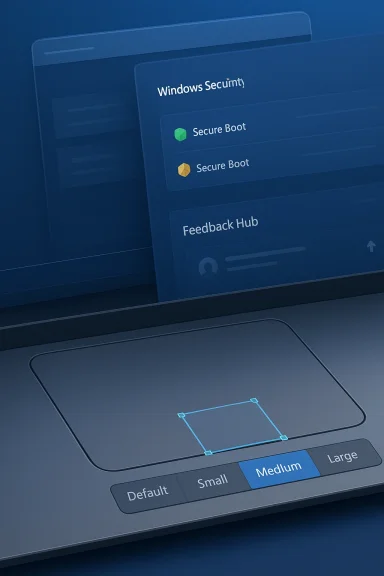
The most immediately understandable feature in the new Canary builds is the touchpad setting that controls the size of the right-click zone. Microsoft is exposing a choice between default, small, medium, and large, and it is doing so only for touchpads with a pressable surface. That specificity matters because it reflects how fragmented laptop input hardware still is, even in the Windows 11 era.For many users, accidental right-clicks on the bottom-right corner of a touchpad are a persistent annoyance. Microsoft’s setting acknowledges that different hands, workflows, and touchpad sizes produce very different experiences, and a one-size-fits-all default is not always ideal. The fact that third-party manufacturer customization can still override or coexist with the Windows setting is a practical compromise rather than a hard replacement.
Why this is more important than it sounds
Touchpad usability is one of those issues that seems small until it affects someone every day. On compact laptops, especially ultrabooks and business machines with large precision touchpads, a too-generous right-click zone can become a constant source of misfires. Microsoft’s new control is a reminder that the company is still refining core desktop interactions, not just layering on new services.It is also a sign that Windows is becoming more adaptable without forcing OEMs to surrender all input customization. The “Custom” entry Microsoft mentions is a subtle but important detail because it preserves manufacturer-specific tuning when users have already chosen a different behavior elsewhere. That reduces the risk of a Windows update clobbering a setting someone has relied on for years.
What users will notice
For consumers, the change should be easy to understand once it reaches more stable channels. For enterprise IT, the effect is more nuanced, because better touch precision can improve productivity in mixed-device fleets without requiring policy changes or driver rewrites. It is the sort of improvement that is easy to ignore in a changelog and hard to overstate in daily use.- Fewer accidental right-clicks.
- Better fit for different touchpad sizes.
- Safer coexistence with OEM control panels.
- More predictable behavior on pressable touchpads.
Drag Tray Refinement and Sharing
Microsoft is also refining the drag tray, shrinking the peek view to reduce accidental invocation and make it easier to dismiss when interacting near the top of the screen. That sounds like a narrow UI polish issue, but it points to a larger theme in Windows 11: the operating system is still learning how to avoid getting in the way of touch and pointer workflows on high-resolution displays.The change suggests Microsoft has heard a common criticism of modern Windows UI surfaces: they are often visually elegant but slightly too eager to appear. A smaller peek view is an admission that the old behavior was probably too intrusive for users working close to the screen edge. That is good product hygiene, even if it will never be the feature that headlines a launch post.
Why Microsoft is tightening interaction surfaces
Windows 11 has been moving toward more touch-friendly and pen-friendly interactions for years, but the challenge has always been balancing discoverability with restraint. The drag tray is one of those features that can feel helpful in theory and irritating in practice if it opens too often. Microsoft’s decision to scale it down suggests the team is optimizing for lower friction instead of more visual flair.That approach also reflects how preview feedback tends to shape UI behavior. The company explicitly says the adjustment is based on feedback, which is a reminder that the Insider channels are not just for bug hunting; they are a live usability lab. Subtle UI changes like this often have an outsized effect because they reduce the feeling that the OS is fighting the user.
Practical impact
The real test will be whether the smaller view still provides enough affordance to be discoverable without becoming a nuisance. Microsoft is clearly trying to keep the useful part of the interaction while trimming the part users may have found too sensitive. That is the kind of iterative UX work that tends to age well if it lands in the right form.- Lower chance of accidental activation.
- Easier dismissal near the top of the screen.
- Better fit for touch-heavy and hybrid devices.
- More consistent gesture behavior across setups.
Secure Boot Status in Windows Security
The most consequential change in this round may be the new Windows Security experience for Secure Boot. Microsoft is rolling out color-coded badges—green, yellow, and red—along with text that reflects a device’s Secure Boot state and certificate status. In plain English, Windows is starting to tell users whether their system’s boot trust chain is healthy, at risk, or already problematic.This is not a random cosmetic update. Microsoft recently explained that the original Secure Boot certificates are approaching the end of their planned lifecycle and begin expiring in late June 2026. The company says the new status messages in Windows Security are intended to help consumers track certificate updates more closely, and that the rollout is part of a phased, ecosystem-wide refresh.
The certificate story behind the UI
Secure Boot is one of those platform features most users never think about until something goes wrong. It is a foundational trust mechanism that helps ensure a PC boots only trusted software, and certificate maintenance is a critical part of keeping that chain intact. Microsoft’s work here is less about adding a dashboard and more about preparing the ecosystem for a future maintenance event that must be handled carefully.That is why the new status view is significant. It turns an invisible security maintenance issue into something users can actually see and, ideally, respond to before it turns into an outage or support ticket. For organizations, the reminder is even more important because certificate management on managed fleets has to be coordinated through existing management tools and deployment policies.
Enterprise versus consumer exposure
Microsoft says the new Secure Boot experience is disabled by default on enterprise IT-managed devices and servers. That is a sensible split, because managed environments often need centralized, policy-driven handling rather than consumer-style prompts and badges. Consumers, meanwhile, will benefit from the visual clarity if they are the type of users who would otherwise never know a certificate problem was brewing.The broader implication is that Windows Security is becoming more communicative without necessarily becoming more alarmist. By using green, yellow, and red indicators, Microsoft is borrowing the logic of a status panel rather than a warning dialog. That may help reduce confusion while still nudging users toward timely action.
Why this matters now
The timing is not accidental. Microsoft has already been discussing Secure Boot certificate updates in detail and coordinating with hardware partners, IT administrators, and support teams. Bringing status visibility into Windows Security ahead of the broader expiration window gives the company a chance to iron out messaging before the change becomes urgent.- Secure Boot certificates are approaching end-of-life.
- Status visibility helps prevent silent failures.
- Consumer and enterprise needs are being handled differently.
- The new UI is as much about readiness as awareness.
Feedback Hub Gets a Cleanup Pass
The newest Feedback Hub version, 2.2604.101.0, is a reminder that even Microsoft’s feedback tools need feedback. The app now remembers its window size across sessions, improves the default window size, allows the mouse back button to navigate between pages, and addresses cases where users saw less community feedback than expected. Microsoft also says upvote buttons should display correctly for people using Chinese display language.This is the kind of update that often gets overlooked because it doesn’t introduce a brand-new feature category. But in practice, a more usable Feedback Hub can improve the quality and quantity of Insider input, which is the whole point of the program in the first place. If the tool is awkward, feedback quality drops; if it is smoother, Microsoft gets better signal.
Why the tooling matters
Feedback infrastructure shapes product development more than many users realize. A channel that is supposed to collect reproducible bug reports and real-world reactions needs to be friction-light, otherwise the loudest voices dominate and the rest drift away. Microsoft’s attention to the default size and navigation behavior suggests it recognizes that workflow issue.The language fix is also worth noting because localization issues can undermine trust in pre-release software. When UI controls render incorrectly or community content appears incomplete, the experience looks unfinished even when the underlying feature is fine. Small fixes like this are often what keep the Insider ecosystem feeling viable across markets.
What improved feedback could change
Better feedback tooling may not be visible to ordinary Windows users, but it can improve the whole pipeline of preview quality. If Insiders can move through pages more easily, remember their window size, and see the community activity they expect, they are more likely to keep using the app rather than giving up halfway through a report. That, in turn, gives Microsoft richer data.- Easier navigation through multiple feedback pages.
- Better persistence across sessions.
- Fewer localization rough edges.
- More complete community context for reports.
Insider Program Rework and Channel Strategy
All of these changes are arriving against the backdrop of Microsoft’s announced Windows Insider Program rework, which aims to make the system easier to understand and participate in. Microsoft has been explicit that it wants a “simpler” and more transparent program, and the recent build structure still reflects a transitional period rather than a finished redesign.That is important because users often judge Insider changes by the label on the build, not the technical substance. The company’s reminder that some features may show up in Dev and Beta before Canary indicates that the channel hierarchy is now more fluid than many veterans expected. The result is a preview ecosystem that is still evolving in both product content and organizational logic.
How the channels are behaving now
Dev and Beta are still the more obvious places to find shared feature development, while Canary increasingly receives later-stage platform changes and smaller improvements that have already been tested elsewhere. That is not a sign that Canary is irrelevant; it is a sign that Microsoft is treating it more like a stress-testing lane than a glamorous debut stage.The absence of Experimental builds, at least for now, also matters. A new track could have clarified the funnel, but Microsoft appears to have chosen a less disruptive transition. That leaves Insiders in a familiar structure, which is probably better for continuity even if it is less exciting from a branding standpoint.
What this means for power users
For enthusiasts, the practical takeaway is to read build notes carefully and not assume channel labels imply feature priority in a simple linear fashion. Canary is still useful for spotting platform direction, but Dev and Beta may remain the better barometer for features likely to persist into mainstream Windows 11. That makes channel literacy more important than ever.- Dev and Beta can still lead on some features.
- Canary remains more volatile and less predictable.
- Build notes now require closer reading.
- The Insider structure is being refined, not replaced.
Consumer Impact
For consumers, this week’s features are overwhelmingly positive because they address everyday annoyances instead of abstract platform goals. The touchpad setting is the most obvious quality-of-life win, the drag tray refinement should reduce accidental UI interruptions, and the Secure Boot status indicators could prevent obscure security confusion later on. That combination makes the release feel practical rather than experimental for its own sake.There is also a subtle consumer strategy here. Microsoft is teaching users more about what their PC is doing without making them become experts in system internals. That can build confidence, but only if the explanations are clear and not overwhelming. If the Secure Boot messaging lands well, it could become a template for other hidden maintenance states.
Small changes, large daily effect
A lot of Windows quality is determined by how often the OS surprises you. Fewer accidental clicks, fewer intrusive peeks, and more intelligible security status all reduce those tiny moments of frustration that accumulate over time. In that sense, this release is a classic example of improvements that are modest on paper and meaningful in real life.- Better day-to-day pointer control.
- Less surprise from UI overlays.
- Clearer awareness of security state.
- More polished feedback workflows.
Enterprise Impact
For enterprises, the Secure Boot update is the most important item by far. Microsoft has made clear that the certificate refresh is being coordinated with ecosystem partners and that organizations should expect to use their existing management tools and monthly Windows updates to deploy and monitor the new certificates. That means the new Windows Security view is helpful, but it is not a substitute for admin policy.The enterprise-specific default-off behavior is also a key signal. Microsoft knows that managed environments need deterministic behavior, and consumer-facing prompts can be counterproductive if they create noise for compliance teams. By suppressing the new experience on IT-managed devices and servers, Microsoft is giving admins room to control rollout on their own terms.
Why admins should pay attention now
The real risk in certificate transitions is not the headline event; it is the long tail of devices that were missed, delayed, or partially updated. Microsoft’s phased approach and updated Windows Security messaging are clearly designed to reduce that risk ahead of the late-June 2026 lifecycle turning point. Organizations that wait until problems surface in production are likely to feel the pain first.- Plan Secure Boot certificate rollout early.
- Use existing management and diagnostic tools.
- Expect consumer and enterprise behavior to differ.
- Treat the Windows Security view as a visibility aid, not a fix.
Competitive and Market Implications
There is also a broader competitive story hiding in the release. On the consumer side, Microsoft is trying to make Windows feel more polished on premium laptops and tablets where touchpad quality matters. That keeps Windows competitive with the refined input experiences users often associate with tightly integrated hardware and software ecosystems.On the enterprise side, Microsoft is reinforcing the idea that Windows can surface important trust-state information without sacrificing centralized control. That is significant in a market where security posture, compliance visibility, and endpoint manageability all influence purchasing decisions. Windows remains dominant not just because of compatibility, but because it can adapt to both individual and fleet needs.
The strategic read
The practical market message is that Microsoft wants Windows 11 to be seen as both friendlier and safer without forcing a dramatic UI rewrite. That is a shrewd position, because many organizations are wary of disruptive changes but still expect steady improvement. Consumers, meanwhile, are more likely to notice the little things that make a laptop feel better built than the competition.- Better hardware polish helps OEM differentiation.
- Security transparency helps enterprise trust.
- Incremental UX gains protect Windows’ daily usability.
- Preview feedback helps de-risk future changes.
Strengths and Opportunities
This release works because it focuses on concrete, user-facing friction points while quietly advancing a major security transition. That is an effective combination for preview builds, especially in a channel like Canary where Microsoft wants to learn without overcommitting. The result is a release that feels small but strategically well chosen.- Touchpad customization improves real-world laptop ergonomics.
- Drag tray tuning reduces accidental UI interference.
- Secure Boot visibility helps prepare users for certificate updates.
- Feedback Hub polish can improve Insider participation quality.
- Enterprise defaults respect admin control and deployment discipline.
- Consumer-facing status indicators may reduce support confusion.
- The changes reinforce Windows 11’s image as an evolving platform.
Risks and Concerns
Even good preview changes can create trouble if they are shipped without enough clarity or consistency. The new Secure Boot messaging, for example, could confuse users if the badge colors or wording are interpreted as alarmist rather than informational, and the touchpad option could become another OEM-fragmented setting if manufacturers layer on conflicting controls. That is the price of letting Windows become more customizable and more transparent at the same time.- Color-coded security indicators may confuse nontechnical users.
- OEM touchpad utilities could complicate the new setting.
- Canary variability may hide regressions until later builds.
- Feedback Hub changes may not fully solve reporting friction.
- Enterprise and consumer paths may diverge too much in messaging.
- Minor UI changes can still introduce accessibility issues.
- Secure Boot certificate rollout remains a nontrivial support burden.
Looking Ahead
The next few preview cycles will tell us whether Microsoft is treating these updates as isolated refinements or as part of a larger usability-and-trust initiative. If the Secure Boot status experience expands and the touchpad control matures without OEM conflict, that will be a sign the company is moving from experimentation to platform standardization. If not, the features may remain useful but uneven.The broader question is how Microsoft continues to reshape the Insider story. The program rework is still unfolding, and the company’s preference for incremental clarity over a hard reset suggests it wants to preserve engagement while reducing confusion. That may not be as dramatic as a brand-new build track, but it is often the smarter way to make long-term progress.
- Watch whether the touchpad setting appears in Dev and Beta first or spreads quickly.
- Watch whether Secure Boot status messages expand beyond current consumer-facing scope.
- Watch for further Feedback Hub usability and localization fixes.
- Watch for more Windows Security surface area tied to lifecycle events.
- Watch whether Microsoft continues favoring small, high-impact UX adjustments.
Source: Neowin Latest Windows 11 Canary builds bring new touchpad features and more
