

Microsoft’s latest Windows 11 Dev Channel flight is a quiet but telling reminder that the most important Windows updates are not always the flashiest ones. Build 26300.8170, delivered as KB 5083632, focuses on storage, network accuracy, Secure Boot visibility, and Feedback Hub refinements rather than headline-grabbing AI features. That makes it one of those Insider releases that looks modest at first glance but reveals a lot about where Windows 11 is headed next. ows Insider builds have long served as Microsoft’s public laboratory, but the Dev Channel has become especially important in 2026 because it now sits on the Windows 11, version 25H2 branch through an enablement package. Microsoft advanced Dev to the 26300 series in January 2026, ending the easy switch window to Beta and giving the company more freedom to let the two channels diverge. That shift matters because it signals a more deliberate separation between experimental work and near-stable previewing.
Build 26300.8170 continues that pattern. It is not trying to redefine the Windows shell or introduce a dramatic new platform capability. Instead, it shows Microsoft tightening the operating system in places that matter in everyday use: storage management, secure boot status, network reporting, and feedback submis it is a maintenance-minded Insider build with a few strategic signals embedded in it.
That timing is also important because Microsoft has recently emphasized Secure Boot certificate refreshes. In February 2026, Microsoft explained that the original Secure Boot certificates are reaching the end of their lifecycle in late June 2026 and that the company is working with hardware partners to help consumers and businesses transition. Seen in that context, the new Windows Security app experience in this build is not an isolated UI tweak; it is part of a broader effort to make certificate status more visible before the deadlines become urgent.
The Dev Channel itself has increasingly become a place where Microsoft tests not just features, but rollout mechanics. Controlled Feature Rollout, toggle-based exposure, and staged deow many Insider changes appear. That approach reduces risk, but it also means users can be on the same build and still see different experiences. For Windows watchers, that makes the release notes only the beginning of the story.
This release also arrives in an environment where Windows 11’s broader servicing strategy is becoming more modular. Microsoft has leaned heavily on enablement packages for the 25H2 era, keeping the branch relatively low friction while allowing features to be turned on gradually. Build 26300.8170 fits that model neatly: it is evolutionary rather than disruptive, and that is a clue to Microsoft’s current priorities.
The most notable storage change in Build 26300.8170 is the expanded FAT32 formatting limit. Mi the command-line formatting ceiling from 32GB to 2TB, which is a substantial jump and an especially practical one for advanced users and administrators who still rely on FAT32 for compatibility scenarios. This is not glamorous, but it is one of those low-level quality-of-life changes that can remove an entire category of workaround.
The 2TB ceiling also suggests Microsoft is willing to modernize legacy tooling when there is still enough demand. Thaortant message. Windows still has a long tail of compatibility requirements, and the company appears to be trying to make those workflows less painful rather than pushing users to abandon them entirely. That is a very Windows-like compromise: keep the legacy path, but make it less annoying.
There is also a small but meaningful change to Settings > System > Storage. Instead of showing a UAC prompt immediately when the page opens, Windows will now only ask for elevation when the user tries to view temporary filbalance between convenience and security, because it avoids interrupting casual browsing while still protecting access to privileged actions. It is the kind of adjustment that suggests Microsoft is paying attention to friction, not just functionality.
This is a smart move because security transitions often fail when users do not understand them. Secure Boot is foundational, but it is also largely invisible until something breaks. By surfacing certificate status in Windows Security, Microsoft is trying to turn a hidden maintenance task into a visible status indicator. That may sound mundane, but it is exactly how you prevent a silent platform assumption from becoming a support crisis. Visibility is half the battle.
For consumers, the new Secure Boot status indicators may simply make Windows feel more transparent and less mysterious. For business users, the value depends on how Microsoft balances visibility with administrative control. If the rollout stays well-scoped, it could reduce support burden; if it becomes too chatty, it could generate confusion in managed environments.
Microsoft has been iterating on this area because feedback is only useful when it is actionable. A cluttered or awkward reporting flow leads to vague submissions, incomplete screenshots, and low-quality issue classification. The new version appears intended to make the feedback loop feel more like a core feature of Windows, not a side utility buried in the system. *That is a subtle but important shift.anges are practical, not decorative
Remembering window size across sessions may sound small, but it eliminates one of the most common annoyances in desktop apps: having to resize the same window every time you open it. Mouse back-button support is similarly practical because it better matches user expectations for navigating between pages. These are polish decisions, but polish decisions often decide whether a tool feels modern or dated.
The improvements to community feedback visibility matter too. If users can more easily see what others are reporting, they are better positioned to avoid duplicate reports and understand whether an issue is widespread. That should improve signal quality for Microsoft while also making the Insider experience feel less isolated.
That sdefining part of Windows development. Microsoft is no longer shipping giant monolithic preview drops and waiting to see what breaks. Instead, it is using controlled rollouts to gather evidence incrementally. The upside is fewer broad regressions. The downside is that insider communities now need to be more careful about assuming that what one tester sees is what everyone gets.
The same goes for the performance improvements in Storage and the reduced UAC friction. Those are invisible to casual observers but highly relevant to power users and IT admins. In a platform as large as Windows, small quality fixes can matter more than a flashy toggle because they affect the repeated actions people perform every day.
The storage updates also have enterprise value. Faster navigation in large-volume settings and more predictable elevation prompts can make day-to-day admin tasks smoother, eing, imaging, and support endpoints. The expanded FAT32 command-line ceiling could also matter in build labs, recovery workflows, and device provisioning scenarios where legacy compatibility remains part of the process.
It also reflects Microsoft’s larger commitment to gradual rollout. Enterprises are most comfortable when changes arrive in measured stages, not as all-at-once surprises. This build reinforces that Microsoft still sees staged exposure as the safest way to introduce platform changes.
The larger strategic question is whether Microsoft continues to treat the Dev Channel as a place for operational polish as much as feature invention. That would be a healthy shift. Windows has enough surface area already; what it often needs most is better trust, clearer status, and fewer little annoyances that accumulate into frustration. This build leans in that direction.
Source: Microsoft - Windows Insiders Blog Announcing Windows 11 Insider Preview Build 26300.8170 (Dev Channel)
Build 26300.8170 continues that pattern. It is not trying to redefine the Windows shell or introduce a dramatic new platform capability. Instead, it shows Microsoft tightening the operating system in places that matter in everyday use: storage management, secure boot status, network reporting, and feedback submis it is a maintenance-minded Insider build with a few strategic signals embedded in it.
That timing is also important because Microsoft has recently emphasized Secure Boot certificate refreshes. In February 2026, Microsoft explained that the original Secure Boot certificates are reaching the end of their lifecycle in late June 2026 and that the company is working with hardware partners to help consumers and businesses transition. Seen in that context, the new Windows Security app experience in this build is not an isolated UI tweak; it is part of a broader effort to make certificate status more visible before the deadlines become urgent.
The Dev Channel itself has increasingly become a place where Microsoft tests not just features, but rollout mechanics. Controlled Feature Rollout, toggle-based exposure, and staged deow many Insider changes appear. That approach reduces risk, but it also means users can be on the same build and still see different experiences. For Windows watchers, that makes the release notes only the beginning of the story.
This release also arrives in an environment where Windows 11’s broader servicing strategy is becoming more modular. Microsoft has leaned heavily on enablement packages for the 25H2 era, keeping the branch relatively low friction while allowing features to be turned on gradually. Build 26300.8170 fits that model neatly: it is evolutionary rather than disruptive, and that is a clue to Microsoft’s current priorities.
 Storage Changes and What They Mean
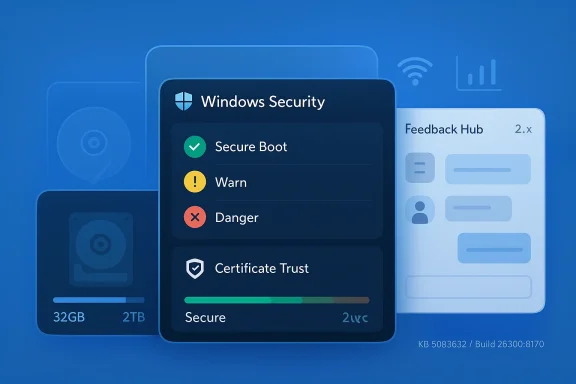
The most notable storage change in Build 26300.8170 is the expanded FAT32 formatting limit. Mi the command-line formatting ceiling from 32GB to 2TB, which is a substantial jump and an especially practical one for advanced users and administrators who still rely on FAT32 for compatibility scenarios. This is not glamorous, but it is one of those low-level quality-of-life changes that can remove an entire category of workaround.Why FAT32 still matters
FAT32 is old, but it is not dead. It remai compatibility matters, including removable media, certain firmware workflows, and niche device ecosystems that still expect FAT32-formatted volumes. Raising the command-line limit makes Windows more accommodating in those edge cases without forcing users into third-party tools or awkward partitioning strategies.The 2TB ceiling also suggests Microsoft is willing to modernize legacy tooling when there is still enough demand. Thaortant message. Windows still has a long tail of compatibility requirements, and the company appears to be trying to make those workflows less painful rather than pushing users to abandon them entirely. That is a very Windows-like compromise: keep the legacy path, but make it less annoying.
Faster and calmer storage settings
Microsoft also says it improved performance when navigating to storage views on large volumes through Settings > System > Storage > Advs > Disks & Volumes. For anyone managing multi-terabyte systems, responsiveness in this area matters. Storage pages that lag or stall tend to make the system feel heavier than it really is, especially when users are trying to diagnose space usage or inspect mounted disks.There is also a small but meaningful change to Settings > System > Storage. Instead of showing a UAC prompt immediately when the page opens, Windows will now only ask for elevation when the user tries to view temporary filbalance between convenience and security, because it avoids interrupting casual browsing while still protecting access to privileged actions. It is the kind of adjustment that suggests Microsoft is paying attention to friction, not just functionality.
Practical impact
For consumers, these changes mostly mean less annoyance. For IT teams and power users, they mean a more predictable storage workflow, less waiting, and fewer prompts that interrupt routine inspection. The value is not in a single giant feature; it is in the cumulative reduction of little obstacles.- Larger FAT32 formatting support helps with compatibility-driven workflows.
- Faster large-volume navigation should make Storage pages feel less sluggish.
- Delayed UAC prompting reduces unnecessary interruption.
- Advanced users gain more room to work without third-party formatting tools.
Secure Boot Visibility Becomes a First-Class Signal
One of the more strategically interesting changes in this build is the Windows Security app enhancement for Secure Boot. Microsoft is rolling out a Device securityence that uses green, yellow, and red icon badges plus explanatory text to reflect Secure Boot state and certificate status. In plain English, Windows is becoming more explicit about whether the device’s trust chain looks healthy.Why the timing matters
That timing lines up with Microsoft’s broader Secure Boot certificate refresh effort. The company has said the original certificates are approaching end-of-life in late June 2026, and it has been working with hardware partners to prepare supported devices for the transition. If Windows can now show consumers and some business users where they stand, the company reduces the odds that the issue stays invisible until the certificate deadline becomes operationally disruptive.This is a smart move because security transitions often fail when users do not understand them. Secure Boot is foundational, but it is also largely invisible until something breaks. By surfacing certificate status in Windows Security, Microsoft is trying to turn a hidden maintenance task into a visible status indicator. That may sound mundane, but it is exactly how you prevent a silent platform assumption from becoming a support crisis. Visibility is half the battle.
Consumer and enterprise split
Microsoft says the experience is disabled by default on enterprise IT-managed devices and servers. That distinction is important. Consumer PCs can benefit from more proactive guidance, while enterprises often prefer to control status reporting and remediation through their own management stacks. That separation also reflects a broader truth: the same security message that helps a home user can create noise in a tightly governed fleet.For consumers, the new Secure Boot status indicators may simply make Windows feel more transparent and less mysterious. For business users, the value depends on how Microsoft balances visibility with administrative control. If the rollout stays well-scoped, it could reduce support burden; if it becomes too chatty, it could generate confusion in managed environments.
What this says about Microsoft’s security direction
The feature suggests Microsoft is increasingly treating security posture as something users should be able to see at a glance. That is consistent with the company’s recent messaging around root-of-trust maintenance and firmware trust. It is also a sign that Microsoft does not want certificate refreshes to remain buried inside firmware pages and support articles.- Green, yellow, and red indicators simplify trust-state interpretation.
- Certificate visibility may help users act before expiration causes issues.
- Enterprise default-off behavior preserves IT control.
- Consumer devices geteadable security surface.
Feedback Hub Gets More Serious
The other major story in Build 26300.8170 is Feedback Hub. Microsoft is continuing to roll out version 2.2604.101.0 to Dev and Canary, with design refinements that make the app more usable and more consistent. The refinements include a better default window size, remembered window size across sessions, mouse back-button support, improved visibility of community feedback, and fixes for u Chinese display language.Why feedback tooling matters
This is not just app polish. It is a redesign of the mechanism Microsoft uses to hear from Insiders. A better Feedback Hub means more people are likely to complete reports, revisit their submissions, and interact with community feedback instead of abandoning the process halfway through. In a program that relies on user telemetry and human conte in feedback collection is a real product improvement.Microsoft has been iterating on this area because feedback is only useful when it is actionable. A cluttered or awkward reporting flow leads to vague submissions, incomplete screenshots, and low-quality issue classification. The new version appears intended to make the feedback loop feel more like a core feature of Windows, not a side utility buried in the system. *That is a subtle but important shift.anges are practical, not decorative
Remembering window size across sessions may sound small, but it eliminates one of the most common annoyances in desktop apps: having to resize the same window every time you open it. Mouse back-button support is similarly practical because it better matches user expectations for navigating between pages. These are polish decisions, but polish decisions often decide whether a tool feels modern or dated.
The improvements to community feedback visibility matter too. If users can more easily see what others are reporting, they are better positioned to avoid duplicate reports and understand whether an issue is widespread. That should improve signal quality for Microsoft while also making the Insider experience feel less isolated.
A more mature feedback loop
Microsoft is effectively telling Insiders that the feedback surface itself is worth improving as aggressively as the OS features it monitors. That is a mature stance. It acknowledges that a good preview program is not only about what gets tested, but about how testers communicate what they are seeing.- Better default sizing reduces repetitive setup friction.
- Mouse back-button support improves natural navigation.
- Community feedback visibility helps users compare experiences.
- Language-specific fixes suggest broader localization maturity.
- Improved feedback flow should help Microsoft collect cleaner reports.Build Feels Incremental but Important
The Dev Channel’s current identity
Since the move to the 26300 line, the Dev Chike a path to a single imminent release and more like a managed testbed for Windows 11’s next phase. Microsoft has been explicit that feature exposure can vary based on whether users turn on the “get the latest updates as they are available” toggle. That means the same build can present different experiences to different Insiders, which is annoying for comparisons but useful for staged validation.That sdefining part of Windows development. Microsoft is no longer shipping giant monolithic preview drops and waiting to see what breaks. Instead, it is using controlled rollouts to gather evidence incrementally. The upside is fewer broad regressions. The downside is that insider communities now need to be more careful about assuming that what one tester sees is what everyone gets.
Why small fixes matter
A network data usage bug fixed in this build is a good example. Microsoft sssue that could make Settings > Network & Internet > Data Usage show unrealistically large values in recent Insider builds. That sounds minor until you remember that incorrect usage reporting can confuse troubleshooting, undermine trust, and waste time in support workflows. Accuracy matters because Windows is often judged by whether its numbers make sense.The same goes for the performance improvements in Storage and the reduced UAC friction. Those are invisible to casual observers but highly relevant to power users and IT admins. In a platform as large as Windows, small quality fixes can matter more than a flashy toggle because they affect the repeated actions people perform every day.
What the build is really optimizing
This release suggests Microsoft is optimizing for confidence. Confidence in what storage pages show, confidence in what Secure Boot status means, confidence that feedback submissions go where they should, and confidence that network usage numbers are not broken. That is a meaningful story, especially in a channel often stereotyped as a playground for unstable novelty.- Storage navigation feels smoother.
- Security status becomes easier to interpret.
- Feedback submission becomes less tedious.
- Network statistics become more trustworthy.
Consumer Impact
For consue win in Build 26300.8170 is probably the Secure Boot messaging. Most users do not think about certificates until they are told to, and the new Windows Security experience makes that hidden layer more legible. The other obvious consumer benefit is the storage work, especially the simpler UAC behavior and better large-volume navigation.Everyday usacasual Windows user, you may never format a 2TB FAT32 volume from the command line. But you may absolutely notice when Settings pages stop feeling sluggish or when a dialog appears only at the moment it is truly needed. Those are the kinds of refinements that make Windows feel less obstructive and more intentional.
Consumers also benefit from clearer security messaging, even if they do not want to manage the underlying certificates themselves. A red or yellow badge is easier to understand than a vague warning buried in a settings path. Microsoft is betting that readable status is better than abstract reassurance. That is usually a good bet.The Insider experience itself
The Feedback Hub changes matter to consumers because Insiders are ordinary users too. If the reporting process becomes less awkward, more people will actually file issues, add screenshots, and follow up on their own reports. That can make the program feel more responsive and less like a formality.Consumer takeaways
- Storage pages should feel more responsive on large disks.
- FAT32 formatting is more flexible for niche compatibility needs.
- Secure Boot status is easier to understand visually.
- Feedback Hub is less likely to feel like a chore.
- Network usage reporting is less likely to mislead users.
Enterprise Impact
For enterprises, the build’s significance is more nuanced. The Secure Boot enhancement iterprise-relevant feature, but Microsoft’s decision to disable the experience by default on managed devices is just as important. That tells organizations the company understands that visibility and control need to be balanced carefully in managed environments.Administrative control remains central
Enterprise teams generally do not want consumer-style prompts or status surfacing to appear without context. They prefer to manageough policy, fleet tools, and remediation workflows that are consistent across devices. By keeping the new Secure Boot experience off by default on enterprise-managed systems and servers, Microsoft reduces the risk of unnecessary confusion.The storage updates also have enterprise value. Faster navigation in large-volume settings and more predictable elevation prompts can make day-to-day admin tasks smoother, eing, imaging, and support endpoints. The expanded FAT32 command-line ceiling could also matter in build labs, recovery workflows, and device provisioning scenarios where legacy compatibility remains part of the process.
Why feedback improvements are enterprise-adjacent
Even though Feedback Hub is aimed at Insiders, the design philosophy behind it is relevant to enterprise product quality. A more structured, clelps Microsoft receive better signal from the people most likely to test new features before broad deployment. That can eventually translate into fewer surprises when features reach business fleets.It also reflects Microsoft’s larger commitment to gradual rollout. Enterprises are most comfortable when changes arrive in measured stages, not as all-at-once surprises. This build reinforces that Microsoft still sees staged exposure as the safest way to introduce platform changes.
Enterprise takeaways
- Secure Boot status surfacing is useful but wisely off by default for managed devices.
- Storage improvements can reduce admin friction in large-volume environments.
- FAT32 changes may help in compatibility-heavy workflows.
- Better feedback quality can improve future enterprise-ready releases.
- Gradual feature rollout remains the preferred operating model.
Strengths and Opportunities
Build 26300.8170 is strongest where Windows users spend the most time noticing friction: storage, security, and feedback. It shows Microsoft trying to improve the operating system in ways that are durable, not just visible. That is a promising sign for both consumers and enterprises.- Storage administration is becoming faster and less awkward.
- FAT32 support is more practical for legacy compatibility scenarios.
- Secure Boot visibility should help users understand certificate status sooner.
- Windows Security is evolving into a more informative trust dashboard.
- Feedback Hub improvements can increase report quality and participation.
- Network reporting is more accurate, which supports troubleshooting.
- Gradual rollout mechanics reduce the risk of broad regressions.
Risks and Concerns
The biggest risk with a build like this is not that it introduces headline-breaking bugs. It is that the changes may be unevenly exposed, partially rolled out, or altered again before they ever reach general availability. That is the normal Insider trade-off, but it can still be frustrating for users who want consistency.- Controlled Feature Rollout can make Insider experiences hard to compare.
- Some features may never ship beyond preview form.
- Enterprise users may find the new security surfacing too consumer-oriented if it expands too aggressively.
- Storage changes could still have edge-case compatibility issues.
- Feedback Hub redesigns can confuse long-time users if they are too aggressive.
- Localization gaps can still appear as features mature.
- Security visibility is useful only if it is paired with clear remediation guidance.
Looking Ahead
What happens next will likely depend on whether Microsoft can keep refining the boring but essential pieces of Windows without introducing new complexity elsewhere. If the FAT32 update, storage performance gains, and Secure Boot status messaging all prove stbe remembered as a small but meaningful step toward a more coherent Windows 11 experience. If not, it will be another reminder that preview builds are experiments, not promises.The larger strategic question is whether Microsoft continues to treat the Dev Channel as a place for operational polish as much as feature invention. That would be a healthy shift. Windows has enough surface area already; what it often needs most is better trust, clearer status, and fewer little annoyances that accumulate into frustration. This build leans in that direction.
- Watch whether the Secure Boot experience expands or stays narrowly targeted.
- Watch whether the FAT32 limit holds up in more advanced formatting scenarios.
- Watch whether Feedback Hub v2.2604.101.0 continues to pick up design refinements.
- Watch whether storage performance improvements make large-volume management noticeably smoother.
- Watch whether enterprise admins keep the Secure Boot surface suppressed by default.
Source: Microsoft - Windows Insiders Blog Announcing Windows 11 Insider Preview Build 26300.8170 (Dev Channel)
Last edited:
