

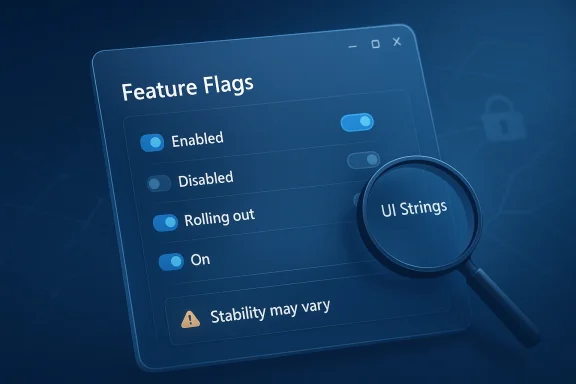
Microsoft’s latest Windows 11 Dev Channel flight has reignited a familiar debate inside the Windows Insider Program: how much control should testers have over features that appear, vanish, or change depending on controlled rollout logic. In build 26300.8155 — delivered as KB 5083822 on April 3, 2026 — Microsoft again reminded Insiders that many features arrive through Controlled Feature Rollout rather than a single universal switch, while hidden strings and UI bits spotted by community researchers suggest a new Feature Flags page is under development. (blogs.windows.com)
If that page reaches the public build, it could become one of the most consequential usability changes for Insiders in years. It would potentially give testers a centralized way to inspect, enable, or disable experimental capabilities without resorting to unofficial tools like ViVeTool, while also making Microsoft’s staged feature strategy more visible and easier to understand. For now, though, the story remains one of promise rather than product: the feature is hidden, unofficially observed, and not yet confirmed by Microsoft. (blogs.windows.com)
Windows testing has long been shaped by Microsoft’s staged rollout philosophy. In modern Insider builds, a feature may exist in the codebase yet remain disabled for most users, sometimes even across identical hardware, because Microsoft is trying to gather feedback, limit blast radius, or validate a feature gradually. Microsoft’s own Windows Insider blog repeatedly states that many features in Dev, Beta, and Canary are delivered via Controlled Feature Rollout technology, with availability expanding over time to subsets of Insiders before reaching everyone. (blogs.windows.com)
That approach has benefits, but it also creates frustration. If two Insiders are on the same build and one sees a new control while the other doesn’t, testing becomes messy and reporting becomes harder to interpret. Microsoft has acknowledged, directly and indirectly, that staged rollout is part of the system now, not an edge case, and the company keeps reiterating that not every feature shown in preview will ship in the same form — or ship at all. (blogs.windows.com)
The company has also been moving toward more formal feature management in Windows 11. Microsoft Learn now documents enterprise feature control, where certain features can be temporarily disabled by default or managed through policy, and where settings such as “Allow Temporary Enterprise Feature Control” give organizations a structured way to govern what appears on managed devices. That doesn’t solve the Insider problem, but it does show Microsoft’s broader direction: more of Windows is becoming policy-driven, staged, and deliberately switchable. (learn.microsoft.com)
At the same time, the Windows Insider ecosystem has increasingly leaned on community researchers. When Microsoft hides functionality behind feature IDs, power users often turn to tools such as ViVeTool to surface what’s already in the bits. That has never been a supported workflow, but it has become a de facto workaround for enthusiasts who want to test features on their own terms. A built-in Feature Flags page would be a clear attempt to bring some of that control back into the operating system itself. (blogs.windows.com)
If Microsoft also includes warnings about instability or performance risks, as the early observations suggest, the company may be trying to balance empowerment with caution. That is sensible. Experimental features can introduce bugs, regressions, and confusing UX states, so a warnings-first design would help reduce the chance that users toggle something casually and later blame Windows for the consequences. (blogs.windows.com)
The practical value is obvious:
That matters because testers are not just trying to “get the new thing.” They are trying to compare states, reproduce bugs, and understand cause and effect. When rollout behavior is opaque, even good feedback loses diagnostic value. More visible feature management would make Insider testing more scientific, which is exactly what Microsoft says it wants from the program. (blogs.windows.com)
Microsoft’s own support ecosystem reflects that reality. The company and its moderators routinely explain that CFR is simply how some features work, that device-to-device variance is expected, and that users cannot force a rollout in the normal supported way. That answer may be accurate, but it is not satisfying to a community built around discovery, comparison, and experimentation.
The net effect is a testing environment that can feel random:
A first-party Feature Flags page would not eliminate experimentation, but it would normalize it. In practical terms, that could reduce the incentive to rely on unsupported tooling for everyday preview work. It would also let Microsoft present the same levers with its own guardrails, messaging, and telemetry, which is a far safer place for experimentation to live than a patchwork of community hacks. (blogs.windows.com)
In that environment, a Feature Flags page is not a vanity addition. It is infrastructure for a product-development model Microsoft has already embraced. Once you move to staged, repeatable, policy-like rollout mechanics, it becomes increasingly logical to give users a dashboard for those mechanics. (learn.microsoft.com)
The build also illustrates another important point: Microsoft continues to ship smaller, quality-of-life improvements alongside broader experiments. Haptic feedback tuning, Xbox mode labeling, startup performance work, and bug fixes all arrived in the same release notes. That tells us the company is still iterating on the basics while also pursuing deeper platform changes behind the scenes. (blogs.windows.com)
That distinction matters for expectations. A lot of users will hear “feature flags” and imagine a universal master switch. The more likely reality is narrower and more practical: visibility, status, and selective control for features already present in the current flight. That would still be valuable, but it would not turn Insider builds into a fully user-owned laboratory. (blogs.windows.com)
The existence of those controls suggests a path forward for the consumer side. If Microsoft can build policy-backed feature management for businesses, it can certainly build a safer, simplified status-and-toggle experience for Insiders. The challenge is not technical feasibility; it is deciding how much power to expose without overwhelming less technical users. (learn.microsoft.com)
The enterprise implications are straightforward:
That is why a Feature Flags page could become a surprisingly important UX improvement. It would translate Microsoft’s internal rollout complexity into something that feels actionable. For enthusiasts, that is about control. For everyone else, it is about reducing confusion and making the Insider experience feel less arbitrary. (blogs.windows.com)
That dynamic creates tension, but also value. Community sleuthing often reveals genuine product direction months before formal announcement. It also acts as a check on Microsoft’s own messaging, especially when the company is shipping features in stages and leaving users to infer the rest. (blogs.windows.com)
The community’s main contributions include:
The flip side is that Microsoft may have to manage a new kind of support burden. Once users can see flags directly, they will ask more precise questions about why a feature is available on one device and not another. That’s good for transparency, but it also means Microsoft cannot hide behind the old “it’s just CFR” explanation forever. That may be the point.
That can be a competitive advantage. If Windows can make experimentation feel organized rather than chaotic, it becomes easier to sell the platform as both a consumer OS and a developer-friendly test bed. That matters in an ecosystem where alternatives often tout cleaner update models or more predictable feature exposure. (blogs.windows.com)
The strategic upside is easy to see:
The company also has to be careful not to create confusion between Insider toggles, enterprise policies, and feature flags. Those are related, but not identical mechanisms. If Microsoft blurs them together too aggressively, the result could be a more sophisticated UI with less understandable behavior underneath it. (learn.microsoft.com)
If a feature is hidden from you in the current build, there is no guarantee a restart, recheck, or reinstall will surface it. That is not a bug in every case; it is often the design. Microsoft and Microsoft Q&A moderators have repeatedly said CFR behavior can differ from machine to machine, and that there is no supported way to force every rollout.
A sensible Insider workflow today looks like this:
That said, reducing friction is a big deal. Windows is a huge platform, and even small improvements in transparency can save time, reduce confusion, and improve trust. For an Insider Program that depends on informed experimentation, that may be the most important product quality of all.
If the Feature Flags page ships, it will likely arrive quietly, first as a hidden or limited experience, then perhaps as a preview feature for a subset of Insiders before wider availability. That would fit Microsoft’s normal behavior. The more interesting question is whether the company uses it only for experimentation, or ultimately as a model for how future Windows features are surfaced to testers and, eventually, to mainstream users. (blogs.windows.com)
Things to watch next:
Source: Windows Report https://windowsreport.com/windows-11-feature-flags-spotted-promises-more-control-for-insiders/
If that page reaches the public build, it could become one of the most consequential usability changes for Insiders in years. It would potentially give testers a centralized way to inspect, enable, or disable experimental capabilities without resorting to unofficial tools like ViVeTool, while also making Microsoft’s staged feature strategy more visible and easier to understand. For now, though, the story remains one of promise rather than product: the feature is hidden, unofficially observed, and not yet confirmed by Microsoft. (blogs.windows.com)
 Background
Windows testing has long been shaped by Microsoft’s staged rollout philosophy. In modern Insider builds, a feature may exist in the codebase yet remain disabled for most users, sometimes even across identical hardware, because Microsoft is trying to gather feedback, limit blast radius, or validate a feature gradually. Microsoft’s own Windows Insider blog repeatedly states that many features in Dev, Beta, and Canary are delivered via Controlled Feature Rollout technology, with availability expanding over time to subsets of Insiders before reaching everyone. (blogs.windows.com)That approach has benefits, but it also creates frustration. If two Insiders are on the same build and one sees a new control while the other doesn’t, testing becomes messy and reporting becomes harder to interpret. Microsoft has acknowledged, directly and indirectly, that staged rollout is part of the system now, not an edge case, and the company keeps reiterating that not every feature shown in preview will ship in the same form — or ship at all. (blogs.windows.com)
The company has also been moving toward more formal feature management in Windows 11. Microsoft Learn now documents enterprise feature control, where certain features can be temporarily disabled by default or managed through policy, and where settings such as “Allow Temporary Enterprise Feature Control” give organizations a structured way to govern what appears on managed devices. That doesn’t solve the Insider problem, but it does show Microsoft’s broader direction: more of Windows is becoming policy-driven, staged, and deliberately switchable. (learn.microsoft.com)
At the same time, the Windows Insider ecosystem has increasingly leaned on community researchers. When Microsoft hides functionality behind feature IDs, power users often turn to tools such as ViVeTool to surface what’s already in the bits. That has never been a supported workflow, but it has become a de facto workaround for enthusiasts who want to test features on their own terms. A built-in Feature Flags page would be a clear attempt to bring some of that control back into the operating system itself. (blogs.windows.com)
What Microsoft Appears to Be Building
The most important detail here is not just that a new page exists in the code, but what kind of page it seems to be. Based on the reporting around the hidden strings and the design hints in the latest Dev Channel build, the Feature Flags area would likely centralize experiment visibility inside Settings, giving Insiders a place to see what is enabled, what is disabled, and what is still rolling out. That is a meaningful shift from the current model, where much of that knowledge is fragmented, implied, or externalized into third-party tools. (blogs.windows.com)From hidden toggles to visible control
A built-in flags page would be more than a convenience feature. It would represent a philosophical change in how Microsoft treats preview functionality, moving from “trust the rollout system” to “let users inspect the rollout system.” That sort of transparency matters in a program that exists specifically to test unfinished software. (blogs.windows.com)If Microsoft also includes warnings about instability or performance risks, as the early observations suggest, the company may be trying to balance empowerment with caution. That is sensible. Experimental features can introduce bugs, regressions, and confusing UX states, so a warnings-first design would help reduce the chance that users toggle something casually and later blame Windows for the consequences. (blogs.windows.com)
The practical value is obvious:
- Centralized status for experimental features
- Manual enable and disable controls
- Better visibility into rollout state
- Fewer surprises when testing new builds
- Reduced dependence on unofficial tooling
Why transparency matters now
Microsoft’s current messaging around Insider builds already emphasizes that features may be rolled out gradually, changed, or removed entirely. Build notes for 26300.8155 explicitly say features can be modified or never released beyond Insiders, and that the toggle in Windows Update affects who gets features first. A Feature Flags page would make that structure legible in a way that release notes alone never can. (blogs.windows.com)That matters because testers are not just trying to “get the new thing.” They are trying to compare states, reproduce bugs, and understand cause and effect. When rollout behavior is opaque, even good feedback loses diagnostic value. More visible feature management would make Insider testing more scientific, which is exactly what Microsoft says it wants from the program. (blogs.windows.com)
Why CFR Has Been a Pain Point
Controlled Feature Rollout is not inherently bad. In fact, it is a rational way to de-risk shipping in a system as sprawling as Windows. Microsoft can observe feedback, throttle rollout speed, and halt exposure if something goes wrong. That is especially important in Dev and Canary, where experimental code may still be changing beneath the surface. (blogs.windows.com)The testing problem
The problem is that CFR can undermine the purpose of testing when it becomes too opaque. If one Insider sees a feature and another does not, feedback can sound contradictory even when both users are correct. For a product with tens of millions of active configurations, that ambiguity is tolerable internally, but it is much less tolerable for the community trying to document what Microsoft has actually shipped.Microsoft’s own support ecosystem reflects that reality. The company and its moderators routinely explain that CFR is simply how some features work, that device-to-device variance is expected, and that users cannot force a rollout in the normal supported way. That answer may be accurate, but it is not satisfying to a community built around discovery, comparison, and experimentation.
The net effect is a testing environment that can feel random:
- Feature X appears on one machine but not another
- A toggle may exist but do nothing yet
- A build note may describe a feature before it is visible
- Reboots and updates can change rollout state without warning
- Community documentation becomes harder to trust
The ViVeTool workaround culture
This is where tools like ViVeTool entered the conversation. They became popular because they let enthusiasts poke at feature flags directly, often exposing functionality Microsoft had already seeded but not enabled. That power came with obvious caveats, but it filled a gap created by Microsoft’s own rollout design. (blogs.windows.com)A first-party Feature Flags page would not eliminate experimentation, but it would normalize it. In practical terms, that could reduce the incentive to rely on unsupported tooling for everyday preview work. It would also let Microsoft present the same levers with its own guardrails, messaging, and telemetry, which is a far safer place for experimentation to live than a patchwork of community hacks. (blogs.windows.com)
What Build 26300.8155 Tells Us
Build 26300.8155 is important because it is the immediate backdrop for this discovery. Microsoft’s April 3 blog post describes the build as part of the Dev Channel and reiterates the two-bucket model: features and fixes rolling out gradually to some Insiders with the toggle on, and others rolling out more broadly to the channel over time. That’s not just boilerplate. It is the operating principle behind the feature Microsoft may now be trying to expose more cleanly. (blogs.windows.com)The timing is not accidental
The timing is notable because Microsoft has been steadily expanding the number of experiences that appear first as partially rolled-out previews. Recent Dev and Beta flights have included everything from search and Settings changes to Insider-facing refinements and feature-policy controls. In other words, the company is already living in a world where the state of a feature can matter as much as the feature itself.In that environment, a Feature Flags page is not a vanity addition. It is infrastructure for a product-development model Microsoft has already embraced. Once you move to staged, repeatable, policy-like rollout mechanics, it becomes increasingly logical to give users a dashboard for those mechanics. (learn.microsoft.com)
The build also illustrates another important point: Microsoft continues to ship smaller, quality-of-life improvements alongside broader experiments. Haptic feedback tuning, Xbox mode labeling, startup performance work, and bug fixes all arrived in the same release notes. That tells us the company is still iterating on the basics while also pursuing deeper platform changes behind the scenes. (blogs.windows.com)
The Insider toggle still matters
Microsoft’s blog notes that the Windows Update toggle for “get the latest updates as they are available” remains the first supported lever for earlier access. That is significant because a Feature Flags page would likely sit underneath that existing model rather than replace it. The new page would probably be a second-stage control surface: not a way to jump channels, but a way to understand and manage what the channel has already delivered. (blogs.windows.com)That distinction matters for expectations. A lot of users will hear “feature flags” and imagine a universal master switch. The more likely reality is narrower and more practical: visibility, status, and selective control for features already present in the current flight. That would still be valuable, but it would not turn Insider builds into a fully user-owned laboratory. (blogs.windows.com)
Enterprise Control vs Consumer Control
One of the most interesting angles in this story is the overlap between consumer preview behavior and enterprise governance. Microsoft Learn’s enterprise feature control documentation shows that the company is thinking systematically about when to hide, stage, or policy-manage features in Windows 11. That mindset may well be influencing how Insider preview controls are designed, even if the audience is different. (learn.microsoft.com)The enterprise model already exists
For organizations, Microsoft already provides policy mechanisms that enable or suppress features delivered via servicing. The documentation says some features can be temporarily turned off by default, and then enabled later by annual feature updates or by policy. That is a formal, auditable, enterprise-grade answer to the same basic problem CFR tries to solve for consumers: how to manage change without breaking workflows. (learn.microsoft.com)The existence of those controls suggests a path forward for the consumer side. If Microsoft can build policy-backed feature management for businesses, it can certainly build a safer, simplified status-and-toggle experience for Insiders. The challenge is not technical feasibility; it is deciding how much power to expose without overwhelming less technical users. (learn.microsoft.com)
The enterprise implications are straightforward:
- Better alignment between test and deploy workflows
- Fewer surprises when features cross from preview to policy-managed production
- Clearer documentation of feature state
- More predictable validation for IT teams
- Reduced dependence on third-party enablement tools
Consumer expectations are different
Consumers, by contrast, want clarity and convenience more than policy semantics. They don’t want to decode whether a feature is behind temporary enterprise feature control, a controlled feature rollout, or a local experimental switch. They want to know why something is there, whether it is safe, and how to turn it on or off. (blogs.windows.com)That is why a Feature Flags page could become a surprisingly important UX improvement. It would translate Microsoft’s internal rollout complexity into something that feels actionable. For enthusiasts, that is about control. For everyone else, it is about reducing confusion and making the Insider experience feel less arbitrary. (blogs.windows.com)
The Role of the Windows Insider Community
The Windows Insider community has always functioned as both a QA pipeline and a discovery engine. Researchers, forum regulars, and bloggers spot hidden strings, surface screenshots, and map out which features are quietly moving through the code. Without that ecosystem, many of Microsoft’s preview experiments would remain effectively invisible until they were much further along. (blogs.windows.com)Why researchers matter
The current report came to light because community researcher phantomofearth noticed the hidden Feature Flags material in the Dev build. That sort of observation is part of the Insider culture now. Microsoft benefits from the signal, even if it sometimes means the company’s own roadmap gets discussed before it is officially ready.That dynamic creates tension, but also value. Community sleuthing often reveals genuine product direction months before formal announcement. It also acts as a check on Microsoft’s own messaging, especially when the company is shipping features in stages and leaving users to infer the rest. (blogs.windows.com)
The community’s main contributions include:
- Detecting hidden or disabled features
- Comparing behavior across builds and channels
- Documenting rollout inconsistencies
- Identifying feature IDs and toggles
- Translating Microsoft jargon into usable knowledge
Feedback becomes more useful with context
If Microsoft does ship a visible Feature Flags panel, community feedback could become significantly more valuable. Instead of filing vague reports about missing features, Insiders could specify whether a flag is present, disabled, misbehaving, or tied to a broader rollout state. That would reduce ambiguity and improve triage on Microsoft’s side. (blogs.windows.com)The flip side is that Microsoft may have to manage a new kind of support burden. Once users can see flags directly, they will ask more precise questions about why a feature is available on one device and not another. That’s good for transparency, but it also means Microsoft cannot hide behind the old “it’s just CFR” explanation forever. That may be the point.
Competitive and Strategic Implications
This may look like an Insider-only nicety, but the strategic implications are broader. Microsoft is effectively signaling that Windows is becoming more modular, more staged, and more user-aware about feature lifecycle state. That mirrors trends in cloud platforms and modern apps, where the difference between present, available, and enabled is increasingly part of the product itself. (blogs.windows.com)A more modern Windows servicing model
Windows has spent years moving away from the old “big release every few years” model and toward continuous innovation. Microsoft’s enterprise documentation is explicit that features and enhancements now arrive through monthly servicing, not just annual OS drops. A visible Feature Flags interface would be another step in that same direction: more granular, more dynamic, and more transparent about change. (learn.microsoft.com)That can be a competitive advantage. If Windows can make experimentation feel organized rather than chaotic, it becomes easier to sell the platform as both a consumer OS and a developer-friendly test bed. That matters in an ecosystem where alternatives often tout cleaner update models or more predictable feature exposure. (blogs.windows.com)
The strategic upside is easy to see:
- Better Insider retention
- More credible preview feedback
- Stronger developer and enthusiast goodwill
- Reduced friction around feature validation
- A clearer story for staged innovation
The risk of overpromising control
At the same time, Microsoft must avoid implying that users will have total control when the underlying rollout system still belongs to Microsoft. If a Feature Flags page is merely a view layer over limited states, users may feel empowered at first and disappointed later. That would be worse than no page at all. (blogs.windows.com)The company also has to be careful not to create confusion between Insider toggles, enterprise policies, and feature flags. Those are related, but not identical mechanisms. If Microsoft blurs them together too aggressively, the result could be a more sophisticated UI with less understandable behavior underneath it. (learn.microsoft.com)
What This Means for Insiders Right Now
For now, the practical answer is simple: nothing has changed for most users yet. The Feature Flags section is still hidden, and Microsoft has not announced a timeline for release or even confirmed the experience publicly. That means Insiders should treat it as an internal work-in-progress rather than a promised upcoming feature. (blogs.windows.com)What users can do today
Insiders who want earlier access should still rely on Microsoft’s supported mechanisms: the existing Windows Update toggle, the appropriate Insider channel, and patience with staged rollouts. Microsoft’s blog posts are clear that the toggle influences who sees features first, but they also make clear that the company controls broader deployment over time. (blogs.windows.com)If a feature is hidden from you in the current build, there is no guarantee a restart, recheck, or reinstall will surface it. That is not a bug in every case; it is often the design. Microsoft and Microsoft Q&A moderators have repeatedly said CFR behavior can differ from machine to machine, and that there is no supported way to force every rollout.
A sensible Insider workflow today looks like this:
- Install the latest build in your channel.
- Turn on the “get the latest updates” toggle if you want earlier features.
- Check release notes for phased rollouts and feature notes.
- Use Feedback Hub to report behavior, not rumors.
- Avoid unsupported flag-editing tools unless you accept the risk.
Why that still matters
This is the part many enthusiasts miss: a better future feature-control UI does not instantly fix the present. Even if Microsoft ships a Feature Flags page, it will likely coexist with staged rollout policy, feature gating, and selective availability. In other words, it may reduce friction, but it will not abolish Microsoft’s control over how Windows evolves. (blogs.windows.com)That said, reducing friction is a big deal. Windows is a huge platform, and even small improvements in transparency can save time, reduce confusion, and improve trust. For an Insider Program that depends on informed experimentation, that may be the most important product quality of all.
Strengths and Opportunities
The emergence of a Feature Flags page would solve a very real pain point in the Insider experience while aligning with Microsoft’s broader move toward staged, policy-aware Windows servicing. It would also strengthen the relationship between Microsoft and the enthusiasts who act as the program’s unofficial analysts, reporters, and bug hunters.- More transparency around what is actually enabled in a build
- Less reliance on ViVeTool and similar unsupported tools
- Better reproducibility for testing and feedback
- Clearer status reporting for hidden or partial features
- Improved Insider trust through visible rollout state
- Potentially safer experimentation via built-in warnings
- Stronger alignment with Microsoft’s continuous innovation model
Risks and Concerns
The biggest risk is that Microsoft could expose just enough control to confuse users without giving them enough power to change outcomes meaningfully. If the page is half-dashboard and half-illusion, it may create more frustration than it removes. There is also a genuine support concern: once users can see more detail, they will expect more deterministic behavior from a system that is intentionally nondeterministic.- False expectations about full manual control
- Support complexity if feature states vary widely
- Confusion between flags, toggle settings, and policy controls
- Potential instability if users force immature features on
- Telemetry and rollout tensions if users disable experiments
- UX clutter if the settings page becomes too technical
- Ongoing opacity if Microsoft does not document the states clearly
Looking Ahead
What happens next will depend on whether Microsoft decides that transparency is worth the added complexity. The company has already acknowledged, through its build notes and enterprise feature-control docs, that modern Windows is built on staged deployment and selective enablement. The open question is whether that machinery should remain mostly invisible or become a visible part of Settings. (blogs.windows.com)If the Feature Flags page ships, it will likely arrive quietly, first as a hidden or limited experience, then perhaps as a preview feature for a subset of Insiders before wider availability. That would fit Microsoft’s normal behavior. The more interesting question is whether the company uses it only for experimentation, or ultimately as a model for how future Windows features are surfaced to testers and, eventually, to mainstream users. (blogs.windows.com)
Things to watch next:
- A Microsoft Insider blog mention of Feature Flags
- Additional hidden UI reveals in later Dev Channel builds
- Whether the page includes manual on/off toggles or read-only status
- Whether Microsoft links the page to warnings about stability
- Any sign that ViVeTool-style control is being phased out
- Possible expansion from Insider-only controls to broader settings surfaces
Source: Windows Report https://windowsreport.com/windows-11-feature-flags-spotted-promises-more-control-for-insiders/
Last edited:
