

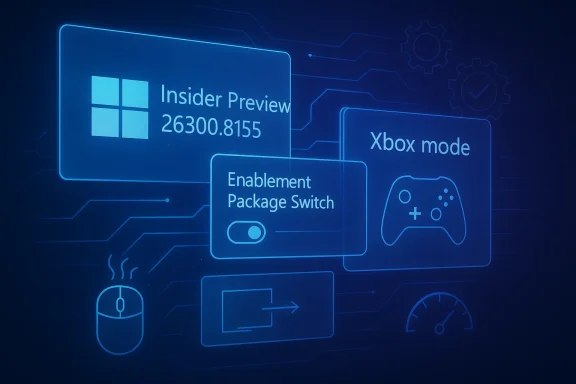
Windows 11 Insider Preview Build 26300.8155 is less a spectacle than a signal, and that is precisely why it matters. Microsoft’s latest Dev Channel flight adds a small set of visible improvements, but the bigger story is structural: the 26300 branch is now the platform Microsoft is using to shape the next Windows feature update, which the company ties to Windows 11, version 25H2 rather than the more speculative 26H2 label some observers have been using. In other words, this is not a flashy “feature dump”; it is a quiet, strategic build that strengthens the foundation for what comes next. (blogs.windows.com)
Microsoft’s Insider Program has always worked in layers, but the current Windows 11 cycle has made that layering more important than ever. The Dev Channel is no longer simply where unfinished features appear first; it is increasingly where Microsoft validates platform direction, servicing behavior, and readiness for the next feature release. Build 26300.8155, released on April 3, 2026, sits squarely in that category, with Microsoft explicitly noting that it is based on Windows 11, version 25H2 via an enablement package. (blogs.windows.com)
That detail matters because enablement-package releases are fundamentally different from the old “big bang” Windows upgrades. Microsoft has already documented that 25H2 is delivered as a small switch that activates features already present in the shared code base, rather than a full image swap. The company also says most of the files are already in place on devices running 24H2 with recent monthly updates, with some features dormant under temporary enterprise feature control until the enablement package turns them on. (learn.microsoft.com)
This is why the latest Dev build feels restrained on the surface. When Microsoft is preparing an enablement-based release, the visible feature list can look sparse because the real work is happening under the hood: servicing alignment, component reliability, feature gating, and gradual rollout plumbing. Build 26300.8155 is a continuation of that strategy, following earlier 26300 flights such as 26300.7733, 26300.7877, 26300.7939, 26300.7965, 26300.8085, and 26300.8142.
The broader context is that Microsoft’s Windows 11 roadmap now blends annual feature updates with continuous innovation. For enterprises, the support lifecycles are already visible in Microsoft’s official lifecycle pages, which show 25H2 and 26H1 as distinct releases in support timelines, underscoring how tightly Microsoft is managing the post-24H2 cadence. That makes Dev Channel refinements especially important for IT administrators, OEMs, and power users who need to understand not just what is coming, but how stable the path will be when it arrives. (learn.microsoft.com)
The win here is subtle but real: Microsoft is using these quiet flights to reduce the chance that the next big update feels disruptive. The company is also making it clear that many features will be rolled out with Controlled Feature Rollout and may not be visible to everyone at once. That makes the Dev Channel a mix of preview, telemetry experiment, and platform rehearsal, all in one. (blogs.windows.com)
The second visible item is a rename of the Xbox full-screen experience to Xbox mode, accompanied by an improved first-run experience. That sounds cosmetic, but nomenclature changes in Windows often reveal a larger product-strategy shift. Microsoft appears to be making the PC gaming surface feel more like a distinct operating mode rather than a niche shell layered on top of the desktop. (blogs.windows.com)
That matters because Windows is increasingly trying to serve both classic productivity workflows and more immersive, device-specific experiences. The right interpretation is not that every PC will suddenly become a haptic workstation. Rather, Microsoft is laying groundwork for a more expressive shell where certain hardware classes can feel more premium and more context-aware.
For gamers, the practical impact depends on whether Microsoft continues improving startup behavior, controller navigation, and shell responsiveness. The naming update itself is not a benchmark improvement, but it does hint that the company sees this experience as a long-term product lane rather than a side project.
Boot-time startup app performance is especially important because it touches a frustration point nearly every Windows user recognizes. When Windows wakes up sluggishly, or startup apps lag behind the login process, the entire OS feels heavier. Even modest gains in this area can make the system feel much more coherent. (blogs.windows.com)
A few practical takeaways stand out:
The deeper significance is that Microsoft appears to be optimizing for a release path where the best version of Windows is the one that feels invisible. In that world, fewer crashes and quicker launches may be more valuable than an extra toggle in Settings.
This is the opposite of the old “new Windows every few years” model. Instead, Microsoft is leaning into a servicing-first, feature-activation approach where code can exist in a dormant state until the company decides to expose it. That is why the build feels quiet: the real novelty may already be present in the code, just not visible yet. (learn.microsoft.com)
For enterprises, that model is attractive because it reduces upgrade friction and simplifies planning. For consumers, it usually translates into a faster update process and fewer disruptive transitions. That said, it also means the “wow factor” of a new version can be harder to identify, because the underlying code may have been incubating for months.
The more careful reading is that 26300.8155 is evidence of preparation, not proof of a new annual version named 26H2. If Microsoft later pivots, the company will say so. Until then, the best-supported conclusion is that this branch is part of the 25H2 servicing path, with some features and platform shifts potentially extending into subsequent releases. That distinction matters. (blogs.windows.com)
This approach lets Microsoft collect telemetry and user feedback before pushing a feature to the entire channel. It is a sensible strategy for reducing risk, but it also creates confusion among enthusiasts who expect a build number to map cleanly to a feature list. In practice, the build number is only half the story; feature flags and rollout state are the other half. (blogs.windows.com)
This can be frustrating, but it also reflects the reality of modern Windows development. Microsoft is trying to de-risk feature deployment without halting innovation, and selective rollout is the compromise.
That distinction separates mere curiosity from meaningful signal. Build 26300.8155 appears to be part of that signal: a build where Microsoft is refining the shape of future features without necessarily showing all of them at once.
Microsoft’s 25H2 documentation emphasizes that many features were already present in 24H2 and may simply be dormant until activated. That is good news for IT departments because it suggests a smaller delta between tested states and deployed states. The closer the production image is to the preview image, the lower the deployment shock. (learn.microsoft.com)
The lifecycle pages also remind us that Microsoft is already mapping future support windows for multiple Windows 11 releases. That makes branch discipline more important than ever because organizations cannot afford to discover late that a feature update behaves like a moving target. (learn.microsoft.com)
That dual mandate is one reason the Windows roadmap feels conservative in some places and experimental in others. Microsoft is balancing public excitement with operational restraint.
Still, consumer relevance should not be underestimated. If Microsoft improves startup app performance, stabilizes sign-in flows, and reduces printing crashes now, those wins can eventually feed into public releases. The consumer payoff of a Dev build often arrives later, stripped of the drama but preserving the stability gains. (blogs.windows.com)
At the same time, consumer-facing features like haptics and Xbox mode hint that Microsoft is trying to make Windows feel more modern without completely abandoning the classic desktop. That balancing act is tricky, but it is also where Windows 11 can still differentiate itself.
For consumers, that can feel underwhelming in the moment. Over time, though, those incremental changes tend to produce the experience that people actually live with every day.
That strategy also helps explain why Dev Channel builds are being framed more as platform evolution than as feature showpieces. Microsoft is trying to make the Windows base more modular, so the visible features can be turned on, tuned, or withdrawn with less operational pain. In a market where rivals increasingly sell ecosystems as much as operating systems, cohesion becomes a competitive feature in itself. (learn.microsoft.com)
It also means OEMs get a clearer foundation for device-specific experiences. Haptics, gaming shells, and AI-enabled settings workflows are all easier to productize if the underlying OS behavior is stable and predictable.
That may disappoint the crowd waiting for a dramatic reinvention. It is likely to please the people actually managing fleets, shipping devices, and supporting users.
We should also watch whether build quality continues to improve in areas that matter to ordinary users, especially startup performance, app sign-in, and printing reliability. Those are the kinds of fixes that make a preview branch feel ready for broader confidence. If Microsoft can keep tightening those screws, the 25H2 path will look increasingly disciplined rather than merely experimental. (blogs.windows.com)
Windows 11 Build 26300.8155 will not be remembered for a splashy demo or a bold visual redesign, and that is exactly why it deserves attention. It shows Microsoft doing the less glamorous work of preparing the platform for a future release that will need to feel fast, stable, and manageable from day one. Whether you call that future 25H2 in practical terms or talk about a broader 2026 platform transition, the message is the same: the next Windows story is being written in the quiet builds, not the loud ones.
Source: thewincentral.com Windows 11 Dev Build 26300.8155 Is Here - WinCentral
 Background
Microsoft’s Insider Program has always worked in layers, but the current Windows 11 cycle has made that layering more important than ever. The Dev Channel is no longer simply where unfinished features appear first; it is increasingly where Microsoft validates platform direction, servicing behavior, and readiness for the next feature release. Build 26300.8155, released on April 3, 2026, sits squarely in that category, with Microsoft explicitly noting that it is based on Windows 11, version 25H2 via an enablement package. (blogs.windows.com)That detail matters because enablement-package releases are fundamentally different from the old “big bang” Windows upgrades. Microsoft has already documented that 25H2 is delivered as a small switch that activates features already present in the shared code base, rather than a full image swap. The company also says most of the files are already in place on devices running 24H2 with recent monthly updates, with some features dormant under temporary enterprise feature control until the enablement package turns them on. (learn.microsoft.com)
This is why the latest Dev build feels restrained on the surface. When Microsoft is preparing an enablement-based release, the visible feature list can look sparse because the real work is happening under the hood: servicing alignment, component reliability, feature gating, and gradual rollout plumbing. Build 26300.8155 is a continuation of that strategy, following earlier 26300 flights such as 26300.7733, 26300.7877, 26300.7939, 26300.7965, 26300.8085, and 26300.8142.
The broader context is that Microsoft’s Windows 11 roadmap now blends annual feature updates with continuous innovation. For enterprises, the support lifecycles are already visible in Microsoft’s official lifecycle pages, which show 25H2 and 26H1 as distinct releases in support timelines, underscoring how tightly Microsoft is managing the post-24H2 cadence. That makes Dev Channel refinements especially important for IT administrators, OEMs, and power users who need to understand not just what is coming, but how stable the path will be when it arrives. (learn.microsoft.com)
The win here is subtle but real: Microsoft is using these quiet flights to reduce the chance that the next big update feels disruptive. The company is also making it clear that many features will be rolled out with Controlled Feature Rollout and may not be visible to everyone at once. That makes the Dev Channel a mix of preview, telemetry experiment, and platform rehearsal, all in one. (blogs.windows.com)
What Microsoft Actually Shipped
At first glance, Build 26300.8155 is not the kind of release that screams for attention. Microsoft’s official post lists only a handful of visible additions and fixes, which is exactly what you would expect from a build focused on stability, servicing, and staged rollout logic rather than headline features. The most obvious new item is haptic feedback support for compatible input devices in a few specific interactions, including snapping windows, resizing, hovering over the Close button, and even aligning objects in PowerPoint. (blogs.windows.com)The second visible item is a rename of the Xbox full-screen experience to Xbox mode, accompanied by an improved first-run experience. That sounds cosmetic, but nomenclature changes in Windows often reveal a larger product-strategy shift. Microsoft appears to be making the PC gaming surface feel more like a distinct operating mode rather than a niche shell layered on top of the desktop. (blogs.windows.com)
Haptics as a Platform Signal
The haptic feature is small, but it is not trivial. Windows has long treated tactile feedback as a mobile-first idea, while desktop PCs have mostly ignored it outside specialized hardware. By enabling haptics for actions like snapping and hovering, Microsoft is signaling a broader willingness to experiment with richer input on Windows hardware that supports it. (blogs.windows.com)That matters because Windows is increasingly trying to serve both classic productivity workflows and more immersive, device-specific experiences. The right interpretation is not that every PC will suddenly become a haptic workstation. Rather, Microsoft is laying groundwork for a more expressive shell where certain hardware classes can feel more premium and more context-aware.
- Haptics are limited to compatible input devices.
- The behavior is tied to specific system interactions, not the entire UI.
- The setting is exposed in Bluetooth & devices > Mouse > Haptic signals.
- This is likely an early step, not a finished consumer story.
Xbox Mode and Gaming Identity
The Xbox rename is more interesting than it looks because naming often tracks Microsoft’s internal product boundaries. Calling it Xbox mode creates a cleaner identity for the full-screen gaming experience and suggests Microsoft wants the feature to feel intentional, not experimental. That may help with discoverability, messaging, and future integration across handhelds, desktop PCs, and gaming-focused form factors. (blogs.windows.com)For gamers, the practical impact depends on whether Microsoft continues improving startup behavior, controller navigation, and shell responsiveness. The naming update itself is not a benchmark improvement, but it does hint that the company sees this experience as a long-term product lane rather than a side project.
Fixes That Matter More Than Features
The most consequential parts of Build 26300.8155 are the ones users may never notice directly. Microsoft says it improved the performance of launching startup apps after boot, fixed a sign-in issue affecting some apps, and fixed an underlying crash that impacted printing for some Insiders. Those are exactly the sort of improvements that change whether a build feels trustworthy or merely interesting. (blogs.windows.com)Boot-time startup app performance is especially important because it touches a frustration point nearly every Windows user recognizes. When Windows wakes up sluggishly, or startup apps lag behind the login process, the entire OS feels heavier. Even modest gains in this area can make the system feel much more coherent. (blogs.windows.com)
Why These “Small” Fixes Are Big
App sign-in issues and printing crashes are textbook examples of bugs that can make an Insider build feel broken long before the fancy new features matter. Microsoft’s decision to call these out suggests that the 26300 branch is still being hardened for broader use. It also suggests that telemetry from earlier 26300 flights identified reliability hotspots that required attention before anything more ambitious could be layered on top.A few practical takeaways stand out:
- Startup app performance affects perceived boot speed.
- App sign-in reliability is essential for productivity and cloud workflows.
- Printing stability remains a must-have for enterprise credibility.
- These fixes indicate a focus on daily usability, not just demo-worthy features.
Why Reliability Is the Real Story
Windows 11’s reputation over the last few years has been shaped as much by polish as by feature depth. Users are less likely to celebrate another AI widget if their printer disappears or their startup apps stall. That makes these under-the-radar fixes strategically important, because they protect Microsoft’s broader narrative that Windows 11 is becoming faster and less intrusive.The deeper significance is that Microsoft appears to be optimizing for a release path where the best version of Windows is the one that feels invisible. In that world, fewer crashes and quicker launches may be more valuable than an extra toggle in Settings.
25H2, Not a Traditional Giant Leap
Microsoft’s own documentation places Build 26300.8155 in the Windows 11, version 25H2 pipeline, not a new architecture branch. That is a critical clue for anyone trying to infer what comes next. It means the Dev Channel is no longer about a separate, radical fork of Windows; it is about assembling the pieces that will be switched on as part of the next feature update. (blogs.windows.com)This is the opposite of the old “new Windows every few years” model. Instead, Microsoft is leaning into a servicing-first, feature-activation approach where code can exist in a dormant state until the company decides to expose it. That is why the build feels quiet: the real novelty may already be present in the code, just not visible yet. (learn.microsoft.com)
The Enablement Package Model
Microsoft’s 25H2 documentation is unusually explicit. The company says the update is a small, quick-to-install enablement package that activates features already present in the shared Windows 11 code base. That means the work of a Dev Channel build is not always to invent something new from scratch; sometimes it is to prepare the switch that will make that thing available to millions of PCs. (learn.microsoft.com)For enterprises, that model is attractive because it reduces upgrade friction and simplifies planning. For consumers, it usually translates into a faster update process and fewer disruptive transitions. That said, it also means the “wow factor” of a new version can be harder to identify, because the underlying code may have been incubating for months.
Why People Keep Saying 26H2
There is a tendency in the enthusiast community to read every new Dev build as a breadcrumb toward a future version beyond the official roadmap. That is understandable, especially when build numbers climb and preview features continue to evolve. But Microsoft’s public documentation for the current 26300 branch ties it to 25H2, not a separately announced 26H2 consumer release. (blogs.windows.com)The more careful reading is that 26300.8155 is evidence of preparation, not proof of a new annual version named 26H2. If Microsoft later pivots, the company will say so. Until then, the best-supported conclusion is that this branch is part of the 25H2 servicing path, with some features and platform shifts potentially extending into subsequent releases. That distinction matters. (blogs.windows.com)
Controlled Feature Rollout Still Defines the Experience
One of the most important reminders in Microsoft’s post is that Dev Channel builds now rely heavily on Controlled Feature Rollout technology. That means even when a feature is included in the build, it may be visible only to a subset of Insiders before being expanded more broadly. The result is that two PCs on the same build can feel noticeably different. (blogs.windows.com)This approach lets Microsoft collect telemetry and user feedback before pushing a feature to the entire channel. It is a sensible strategy for reducing risk, but it also creates confusion among enthusiasts who expect a build number to map cleanly to a feature list. In practice, the build number is only half the story; feature flags and rollout state are the other half. (blogs.windows.com)
Why Your PC May Look Different From Someone Else’s
Microsoft’s rollout model means a feature can exist, be documented, and still not appear on your machine. That is not a bug in many cases; it is the intended behavior. The company also notes that the toggle to get the latest updates as they are available can change when and how those features land, which makes the Insider experience intentionally uneven. (blogs.windows.com)This can be frustrating, but it also reflects the reality of modern Windows development. Microsoft is trying to de-risk feature deployment without halting innovation, and selective rollout is the compromise.
- Same build, different feature exposure.
- Feature timing may depend on the rollout toggle.
- Some experiences may never leave Insider testing.
- Localization may lag behind feature availability.
What This Means for Enthusiasts
For enthusiasts, the lesson is to stop treating every missing feature as a failure to ship. In the current Windows model, a feature can be in the build, hidden behind flags, and still be considered alive. The more useful question is whether Microsoft is making the feature coherent enough to survive beyond the Insider phase.That distinction separates mere curiosity from meaningful signal. Build 26300.8155 appears to be part of that signal: a build where Microsoft is refining the shape of future features without necessarily showing all of them at once.
The Enterprise Angle
Enterprise customers often get less excited by new UI flourishes and more attentive to update mechanics, manageability, and risk reduction. On that front, the 26300.8155 branch is consistent with Microsoft’s broader 25H2 message: the company wants feature updates to be easier to stage, easier to validate, and less disruptive when they finally arrive. (learn.microsoft.com)Microsoft’s 25H2 documentation emphasizes that many features were already present in 24H2 and may simply be dormant until activated. That is good news for IT departments because it suggests a smaller delta between tested states and deployed states. The closer the production image is to the preview image, the lower the deployment shock. (learn.microsoft.com)
Admins Care About Predictability
For administrators, the true value of a build like 26300.8155 is not the haptics or Xbox rename. It is whether the underlying branch is converging toward something predictable enough to manage across fleets. A cleaner servicing path means fewer unknowns during pilot, broader rollout, and post-deployment support. (learn.microsoft.com)The lifecycle pages also remind us that Microsoft is already mapping future support windows for multiple Windows 11 releases. That makes branch discipline more important than ever because organizations cannot afford to discover late that a feature update behaves like a moving target. (learn.microsoft.com)
Enterprise vs Consumer Priorities
Consumers may notice the polish and the new UI flavor first, but enterprises will notice the deployment path first. That difference explains why Microsoft keeps the Dev Channel language focused on enablement packages, rollout controls, and dormant features. It is a technical message, but also a business one: modern Windows has to satisfy both the home user who wants a smoother PC and the IT department that wants fewer surprises.That dual mandate is one reason the Windows roadmap feels conservative in some places and experimental in others. Microsoft is balancing public excitement with operational restraint.
The Consumer Angle
Consumers are likely to encounter Build 26300.8155 through Insider curiosity rather than necessity. Most everyday users will never install a Dev Channel build, and that is probably for the best. Dev builds are testing grounds, not polished daily drivers, and Microsoft continues to warn that experiences may change, disappear, or never ship outside the Insider Program. (blogs.windows.com)Still, consumer relevance should not be underestimated. If Microsoft improves startup app performance, stabilizes sign-in flows, and reduces printing crashes now, those wins can eventually feed into public releases. The consumer payoff of a Dev build often arrives later, stripped of the drama but preserving the stability gains. (blogs.windows.com)
What Casual Users Should Actually Care About
The average user should care less about build numbers and more about whether Windows feels more responsive over time. If Microsoft continues to smooth boot, improve shell interactions, and reduce friction in standard workflows, that will matter far more than one new Settings page or a renamed gaming mode. The best Windows updates are often the ones users barely notice. That is the point. (blogs.windows.com)At the same time, consumer-facing features like haptics and Xbox mode hint that Microsoft is trying to make Windows feel more modern without completely abandoning the classic desktop. That balancing act is tricky, but it is also where Windows 11 can still differentiate itself.
- Better perceived speed at startup.
- More refined interaction feedback on premium hardware.
- More coherent gaming experiences.
- Fewer disruptive bugs in everyday tasks.
Why This Feels Like a Transitional Build
Build 26300.8155 reads like a transition point because it doesn’t try to redefine Windows in one stroke. Instead, it stitches together changes that will be more meaningful when viewed in aggregate over several months. That’s a hallmark of modern Windows: the product evolves through many small, controlled movements rather than one dramatic leap.For consumers, that can feel underwhelming in the moment. Over time, though, those incremental changes tend to produce the experience that people actually live with every day.
What the Build Suggests About Microsoft’s Strategy
Microsoft is clearly prioritizing three pillars in this phase of Windows 11 development: performance, AI-adjacent refinement, and platform cohesion. You can see all three in the official documentation ecosystem around 25H2, even if build 26300.8155 itself only exposes a slice of them. Microsoft’s willingness to keep features dormant until the right moment suggests a more deliberate product cadence than the headline-driven release cycles of the past. (learn.microsoft.com)That strategy also helps explain why Dev Channel builds are being framed more as platform evolution than as feature showpieces. Microsoft is trying to make the Windows base more modular, so the visible features can be turned on, tuned, or withdrawn with less operational pain. In a market where rivals increasingly sell ecosystems as much as operating systems, cohesion becomes a competitive feature in itself. (learn.microsoft.com)
Competitive Implications
The competitive angle is subtle but important. If Microsoft can make Windows 11 feel faster, more stable, and easier to update, it reduces the appeal of alternatives that market themselves as simpler or less encumbered. That matters in enterprise procurement, gamer loyalty, and premium PC differentiation.It also means OEMs get a clearer foundation for device-specific experiences. Haptics, gaming shells, and AI-enabled settings workflows are all easier to productize if the underlying OS behavior is stable and predictable.
A More Mature Windows Model
The long-term implication is that Windows is becoming less about version leaps and more about controlled capability activation. That is a mature model, but also a harder one to narrate. There is no single “wow” moment, just a sequence of smoother transitions that gradually change what the platform can do.That may disappoint the crowd waiting for a dramatic reinvention. It is likely to please the people actually managing fleets, shipping devices, and supporting users.
Strengths and Opportunities
Build 26300.8155 shows Microsoft continuing to treat Windows as an evolving platform rather than a static product. That creates room for gradual improvements that can land without major disruption, which is exactly what enterprise customers and cautious consumers tend to want. The build also suggests Microsoft is willing to test richer interaction models, from haptics to gaming-shell refinement, without overcommitting too early.- Lower-risk servicing through enablement-package delivery.
- Improved perceived responsiveness from boot and startup tuning.
- Better hardware differentiation via haptic input support.
- Cleaner gaming positioning with Xbox mode branding.
- More predictable enterprise rollout through dormant feature activation.
- Reduced crash and sign-in friction in core scenarios.
- A stronger base for future feature activation later in the 2026 cycle.
Risks and Concerns
The main risk is that the quiet, controlled model can become opaque. Users may struggle to understand what is actually available, what is gated, and what might never ship. That can create frustration, especially when the same build behaves differently on different devices because of rollout flags or hardware limitations.- Feature confusion caused by staggered rollout behavior.
- Insider instability remaining a real concern for daily use.
- Hardware fragmentation if some features depend on niche devices.
- Delayed localization for features that ship before translations are complete.
- Misinterpretation of build intent by enthusiasts expecting a major visible leap.
- Potential overreliance on hidden features that may be removed before release.
- Support ambiguity when bugs are fixed in preview but not yet public.
What to Watch Next
The next few Dev Channel flights will tell us whether Build 26300.8155 was mostly a maintenance step or the opening move in a broader feature wave. The most revealing signals will be whether Microsoft expands haptic support, deepens Xbox mode changes, and starts exposing more of the dormant 25H2 feature set. The company’s rollout pattern will matter just as much as the features themselves. (blogs.windows.com)We should also watch whether build quality continues to improve in areas that matter to ordinary users, especially startup performance, app sign-in, and printing reliability. Those are the kinds of fixes that make a preview branch feel ready for broader confidence. If Microsoft can keep tightening those screws, the 25H2 path will look increasingly disciplined rather than merely experimental. (blogs.windows.com)
Key items to monitor
- Whether haptic signals expand beyond the current limited interaction set.
- Whether Xbox mode gains more polished onboarding and shell behavior.
- Whether Microsoft adds more visible improvements to File Explorer and Settings.
- Whether the enablement-package model stays clean and predictable through the next flights.
- Whether more features begin appearing consistently across the Dev Channel rather than only to toggled insiders.
Windows 11 Build 26300.8155 will not be remembered for a splashy demo or a bold visual redesign, and that is exactly why it deserves attention. It shows Microsoft doing the less glamorous work of preparing the platform for a future release that will need to feel fast, stable, and manageable from day one. Whether you call that future 25H2 in practical terms or talk about a broader 2026 platform transition, the message is the same: the next Windows story is being written in the quiet builds, not the loud ones.
Source: thewincentral.com Windows 11 Dev Build 26300.8155 Is Here - WinCentral
