

Windows 11 may draw plenty of criticism for bugs, interface churn, and its strict hardware requirements, but there is one area where it looks far more civilized than the Windows of decades past: software compatibility. Raymond Chen’s recollection of the Windows 3.1 to Windows 95 transition underscores how brutal old platform shifts could be, with many apps failing because developers had relied on undocumented behavior, internal data structures, and brittle version checks. By contrast, Microsoft’s own Windows 11 compatibility guidance says the company has continued its “compatible by design” approach and sees Windows 11 compatibility at the same standard as Windows 10, backed by App Assure and Test Base support. story here is not that Windows 11 is flawless. It is that modern Windows upgrades have largely stopped being existential threats to the software people depend on every day. That is a much bigger achievement than it might sound like at first glance. In the Windows 3.x era, and even into the Windows 95 transition, developers often wrote software with assumptions that simply did not survive the next architecture shift. When the operating system changed underneath them, applications could fail in ways that felt arbitrary to users but were entirely predictable in hindsight.
That older reality matters because it explains why compatibility became such a defining promise for Microsoft over time. Once the company learned that each major release could break business tools, consumer software, and custom line-of-business applications, it had to treat backward compatibility as a platform feature rather than a courtesy. Windows 11 is the latest expression of that philosophy, and even its critics rarely argue that ordinary Windows 10 apps are broadly unusable after an upgrade.
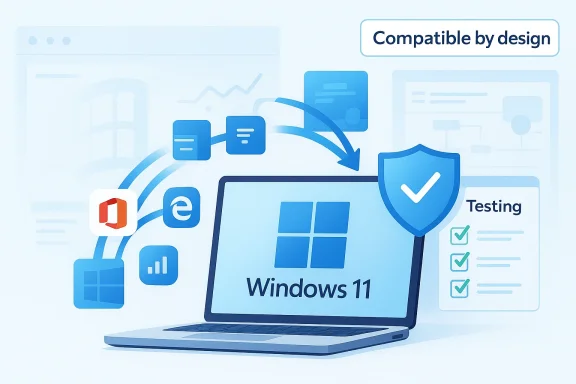
Microsoft’s official compatibility material for Windows 11 is unusually direct about this goal. The company says it continued the same compatible-by-design approach from Windows 10 to Windows 11 and that commercial customers can rely on support paths such as App Assure and Test Base for Microsoft 365 when a problem appears. That is a very different operating philosophy from the old days, when software vendors and users were often left to discover compatibility failures after the fact.
The contrast becomes even sharper when you remember how Windows 11 is usually criticized today. Most complaints are about reliability, UI decisions, update behavior, or hardware gating, not about the basic ability to launch long-established applications. That distinction is central. Users may dislike the operating system’s aesthetic choices or Microsoft’s product priorities, but the average Windows 11 installation is still far more stable from a compatibility perspective than the upgrade cliffs that once defined major PC transitions.
This is also why the article’s premise resonates. It is easy to describe Windows 11 as frustrating, and in many ways that is fair. It is harder to remember that frustrating is not the same thing as breaks everything. Historically, Windows upgrades could be genuinely destructive to software workflows. Windows 11, for all its faults, mostly preserves the enormous installed base of Windows applications that people and businesses still rely on.
Compatibility is one of those invisible achievements that only becomes obvious when it fails. A seamless transition feels boring, and boring is exactly what users want from the software layer that holds their work together. Microsoft’s own testing guidance for Windows 11 explicitly recommends validating both clean installs and upgrade scenarios, which reflects how seriously the company treats continuity across versions.
The point is not that compatibility issues never happen. They do. But the modern model is different: Microsoft tries to isolate, document, and remediate those problems rather than letting them define the release. That is a huge historical shift from the era when a major version jump could render popular applications dead on arrival.
That work is important because the Windows ecosystem is unusually large and unusually old. It includes legacy desktop software, modern packaged apps, corporate line-of-business tools, peripherals with custom drivers, and countless niche utilities that users depend on for specialized tasks. Keeping all of that working across a new Windows generation is a technical and organizational challenge that goes far beyond a visual refresh.
At the same time, compatibility has become a kind of competitive moat. Windows is still the platform where enterprise applications, custom tools, and old workflows have the best chance of surviving intact. That creates a practical reason for people to stay within the ecosystem even when they dislike parts of Microsoft’s current product direction. In that sense, compatibility is not just a technical success; it is a retention strategy.
Windows 11’s strongest compatibility story is that it avoids the kind of sudden breakage that once made upgrades feel risky. Microsoft’s documentation and support programs suggest the company knows its users cannot tolerate an operating system that rewrites the rules every few years. Instead, it is trying to make change feel gradual, managed, and reversible. That is not glamorous, but it is the right posture for a desktop platform with millions of dependencies.
That matters because the historical baseline was much harsher. The old Windows upgrade experience could break applications in ways that were immediate, obvious, and expensive. Compared with that, Windows 11’s problems are frequently about polish, control, and trust rather than raw survivability.
That kind of breakage is hard to overstate for modern users. In the worst cases, software did not just misbehave; it refused to run at all. Some applications had crude version checks and would shut themselves down if they saw an unfamiliar environment. Others crashed because they depended on internal implementation details that no longer existed. The upgrade was, for many users, not a simple refresh but a compatibility cliff.
This is why the comparison with Windows 11 is so striking. A modern Windows upgrade is more likely to preserve the old software stack than to force a rewrite. That does not mean there are no compatibility exceptions, but the platform no longer behaves like a moving target for routine users. That shift has transformed the meaning of a Windows release.
The historical lesson is that compatibility is not a passive outcome. It requires engineering discipline, documentation, testing, and a willingness to say no to changes that would destabilize the broader ecosystem. Microsoft’s modern posture reflects that hard-earned lesson. Windows 11 is a much safer place to keep old software alive than earlier generations of Windows ever were.
That kind of engineering debt is easy to dismiss in hindsight, but it was common practice in a world where compatibility testing was less mature and platform boundaries were less strict. Windows 95 exposed those assumptions brutally, and users paid the price.
That continuity matters even for consumers. If a Windows 10-era app runs today, there is a strong chance it will continue to run on Windows 11 without special treatment. That gives users confidence to upgrade their operating system without rebuilding their daily workflow from scratch. For most people, that is the difference between a routine system update and a project.
Windows 11 also benefits from the fact that the Windows software ecosystem has learned to behave better. Developers understand that they cannot depend on undocumented behavior the way some software once did. There is more institutional awareness around testing, compatibility validation, and support channels. Microsoft’s App Assure program exists precisely to help commercial customers resolve issues when a valid app compatibility problem appears.
None of that makes Windows 11 exciting in the way new visual features do. But compatibility is a foundation, not a spectacle. The less users have to think about it, the more successful it usually is. In that regard, Windows 11 is far stronger than its critics often concede.
The company also encourages developers and IT admins to test upgrade scenarios rather than assuming a clean install is the only meaningful path. That reflects real-world deployment behavior, where many machines are upgraded in place and must preserve existing workflows.
The company’s documentation and support programs are clearly aimed at reducing that risk. Microsoft says App Assure supports Windows 10 and Windows 11, along with Microsoft 365 Apps, Edge, Windows on ARM64 PCs, and more. That broad coverage shows how seriously the company treats application continuity in professional environments.
Consumers, meanwhile, benefit indirectly from the same engineering discipline. Even if they never use App Assure, the fact that Microsoft is spending resources on compatibility means fewer surprises in everyday software. The end result is an operating system that may be irritating in some user-interface choices but remains dependable where it matters most.
That distinction is crucial in evaluating Windows 11 fairly. It may be a deeply imperfect operating system from a usability standpoint, but it is not the kind of platform that regularly detonates existing software estates. In enterprise terms, that alone is a meaningful achievement.
This is why compatibility is one of Windows 11’s quiet strengths. It reduces the resistance to upgrading and gives IT departments a reason to keep standardizing on Windows even when other platforms look attractive in the abstract.
That reputation is partly deserved. The hardware bar is real, and it left some otherwise functional PCs behind. But that is a different issue from software compatibility. Once users are on Windows 11, the likelihood that their apps will keep working is still high. The pain point is the gate, not the ecosystem.
This also explains the emotional asymmetry around Windows 11. People remember the inconvenience of not being allowed to upgrade, the annoyance of updates, and the visible quirks of the shell. They do not always notice that their old applications keep working because that is supposed to be the baseline. When compatibility succeeds, it vanishes into the background.
So the operating system gets judged more harshly than the historical record suggests. The comparison with Windows 95 is useful not because it excuses Windows 11’s flaws, but because it recalibrates expectations. The modern PC world has much higher continuity than the old one did, and Microsoft’s compatibility work deserves credit for that.
Windows 11 benefits from that invisibility in the best possible way. Most people install it, keep using their apps, and only complain about the parts that feel different or annoying.
Mac users often value consistency and polish. Linux users often value control and openness. Windows continues to occupy the middle ground because it still has the broadest practical compatibility with legacy software, business tools, and peripheral ecosystems. That is not a glamorous advantage, but it is a powerful one.
Windows 11’s compatibility record therefore strengthens Microsoft’s broader position even when the product itself draws criticism. It reassures buyers that they can modernize without sacrificing access to the software they already rely on. For a desktop platform, that reassurance is worth a great deal.
This is also why Microsoft can afford to be imperfect in areas like the Start menu or taskbar design. Users may grumble, but they stay because the platform still works with their world. Compatibility makes criticism survivable.
In effect, compatibility forces rivals to compete on comfort, not just aesthetics.
Another risk is that Microsoft’s focus on compatibility may be taken for granted while the more visible parts of the product continue to generate backlash. If users only hear about bugs, ads, UI changes, and update issues, they may miss the deeper story that the platform itself is still unusually stable. That perception gap is a real problem for Microsoft.
That means the next phase of Windows 11 should be judged on two fronts at once: preservation and polish. Compatibility keeps the platform credible. Better UI decisions, fewer update surprises, and less friction in daily use make it pleasant. Microsoft has proven it understands the first part. It still has work to do on the second. The best possible version of Windows 11 is not one that shocks users with reinvention, but one that quietly proves it can be modern without becoming brittle.
Source: Windows Report https://windowsreport.com/windows-11-is-not-microsofts-worst-os-in-one-important-way/
That older reality matters because it explains why compatibility became such a defining promise for Microsoft over time. Once the company learned that each major release could break business tools, consumer software, and custom line-of-business applications, it had to treat backward compatibility as a platform feature rather than a courtesy. Windows 11 is the latest expression of that philosophy, and even its critics rarely argue that ordinary Windows 10 apps are broadly unusable after an upgrade.
Microsoft’s official compatibility material for Windows 11 is unusually direct about this goal. The company says it continued the same compatible-by-design approach from Windows 10 to Windows 11 and that commercial customers can rely on support paths such as App Assure and Test Base for Microsoft 365 when a problem appears. That is a very different operating philosophy from the old days, when software vendors and users were often left to discover compatibility failures after the fact.
The contrast becomes even sharper when you remember how Windows 11 is usually criticized today. Most complaints are about reliability, UI decisions, update behavior, or hardware gating, not about the basic ability to launch long-established applications. That distinction is central. Users may dislike the operating system’s aesthetic choices or Microsoft’s product priorities, but the average Windows 11 installation is still far more stable from a compatibility perspective than the upgrade cliffs that once defined major PC transitions.
This is also why the article’s premise resonates. It is easy to describe Windows 11 as frustrating, and in many ways that is fair. It is harder to remember that frustrating is not the same thing as breaks everything. Historically, Windows upgrades could be genuinely destructive to software workflows. Windows 11, for all its faults, mostly preserves the enormous installed base of Windows applications that people and businesses still rely on.
 Why compatibility became the real measure of progress
Compatibility is one of those invisible achievements that only becomes obvious when it fails. A seamless transition feels boring, and boring is exactly what users want from the software layer that holds their work together. Microsoft’s own testing guidance for Windows 11 explicitly recommends validating both clean installs and upgrade scenarios, which reflects how seriously the company treats continuity across versions.The point is not that compatibility issues never happen. They do. But the modern model is different: Microsoft tries to isolate, document, and remediate those problems rather than letting them define the release. That is a huge historical shift from the era when a major version jump could render popular applications dead on arrival.
- Older Windows transitions often forced developers to rewrite software.
- Windows 11 compatibility problems are more likely to be edge cases than the norm.
- Microsoft now provides formal support mechanisms for business-critical applications.
- Users can usually expect Windows 10-era software to keep working on Windows 11.
Overview
The Neowin-reported argument behind this comparison is simple: if you judge Windows 11 by compatibility alone, it looks much better than its reputation suggests. The operating system still has real issues, but the basic promise that installed software will continue working is remarkably strong. That is not accidental. Microsoft has spent years refining compatibility testing, application assurance, and enterprise validation as part of Windows servicing.That work is important because the Windows ecosystem is unusually large and unusually old. It includes legacy desktop software, modern packaged apps, corporate line-of-business tools, peripherals with custom drivers, and countless niche utilities that users depend on for specialized tasks. Keeping all of that working across a new Windows generation is a technical and organizational challenge that goes far beyond a visual refresh.
At the same time, compatibility has become a kind of competitive moat. Windows is still the platform where enterprise applications, custom tools, and old workflows have the best chance of surviving intact. That creates a practical reason for people to stay within the ecosystem even when they dislike parts of Microsoft’s current product direction. In that sense, compatibility is not just a technical success; it is a retention strategy.
Windows 11’s strongest compatibility story is that it avoids the kind of sudden breakage that once made upgrades feel risky. Microsoft’s documentation and support programs suggest the company knows its users cannot tolerate an operating system that rewrites the rules every few years. Instead, it is trying to make change feel gradual, managed, and reversible. That is not glamorous, but it is the right posture for a desktop platform with millions of dependencies.
The difference between annoyance and disaster
It is tempting to lump every Windows complaint into one bucket, but that hides an important distinction. A buggy Start menu, a clumsy update prompt, or a UI change that annoys power users is not the same as a compatibility failure that prevents work from happening at all. Windows 11 often falls into the first category, not the second.That matters because the historical baseline was much harsher. The old Windows upgrade experience could break applications in ways that were immediate, obvious, and expensive. Compared with that, Windows 11’s problems are frequently about polish, control, and trust rather than raw survivability.
- Compatibility failures used to stop work.
- Windows 11 problems more often slow work or annoy users.
- Modern Microsoft support tools can mitigate many compatibility edge cases.
- The upgrade experience is now defined more by friction than collapse.
From Windows 3.1 to Windows 95
Raymond Chen’s retrospective is so effective because it reminds readers that the Windows 95 era was not simply a more carefree version of desktop computing. It was a period of enormous technical discontinuity. Many programs had been written in ways that assumed the operating system would tolerate direct access to internal data or undocumented behavior, and Windows 95’s new architecture exposed how fragile that assumption really was.That kind of breakage is hard to overstate for modern users. In the worst cases, software did not just misbehave; it refused to run at all. Some applications had crude version checks and would shut themselves down if they saw an unfamiliar environment. Others crashed because they depended on internal implementation details that no longer existed. The upgrade was, for many users, not a simple refresh but a compatibility cliff.
This is why the comparison with Windows 11 is so striking. A modern Windows upgrade is more likely to preserve the old software stack than to force a rewrite. That does not mean there are no compatibility exceptions, but the platform no longer behaves like a moving target for routine users. That shift has transformed the meaning of a Windows release.
The historical lesson is that compatibility is not a passive outcome. It requires engineering discipline, documentation, testing, and a willingness to say no to changes that would destabilize the broader ecosystem. Microsoft’s modern posture reflects that hard-earned lesson. Windows 11 is a much safer place to keep old software alive than earlier generations of Windows ever were.
Why old software broke so easily
Older Windows software often assumed too much and abstracted too little. Developers relied on internal structures, undocumented calls, and behavior that happened to work until the platform changed. Once the underlying architecture moved, those shortcuts became liabilities.That kind of engineering debt is easy to dismiss in hindsight, but it was common practice in a world where compatibility testing was less mature and platform boundaries were less strict. Windows 95 exposed those assumptions brutally, and users paid the price.
- Applications sometimes depended on undocumented system internals.
- Version checks could be implemented in a fragile, self-defeating way.
- Platform changes revealed how much software had been written with shortcuts.
- End users experienced the breakage as random instability.
Why Windows 11 Holds Up Better
Windows 11’s compatibility record is not magical; it is the result of a much more mature ecosystem. Microsoft now validates far more software behavior before and after release, and its compatibility guidance is built around preserving business continuity. The company’s own documentation frames Windows 11 as a continuation of its Windows 10 compatibility work, not a reset.That continuity matters even for consumers. If a Windows 10-era app runs today, there is a strong chance it will continue to run on Windows 11 without special treatment. That gives users confidence to upgrade their operating system without rebuilding their daily workflow from scratch. For most people, that is the difference between a routine system update and a project.
Windows 11 also benefits from the fact that the Windows software ecosystem has learned to behave better. Developers understand that they cannot depend on undocumented behavior the way some software once did. There is more institutional awareness around testing, compatibility validation, and support channels. Microsoft’s App Assure program exists precisely to help commercial customers resolve issues when a valid app compatibility problem appears.
None of that makes Windows 11 exciting in the way new visual features do. But compatibility is a foundation, not a spectacle. The less users have to think about it, the more successful it usually is. In that regard, Windows 11 is far stronger than its critics often concede.
What Microsoft does differently now
Microsoft has built a more layered response to compatibility than it had in earlier eras. It tests, documents, validates, and supports rather than assuming the ecosystem will adapt on its own. That is especially important in enterprise environments, where application compatibility can determine whether a deployment succeeds or stalls.The company also encourages developers and IT admins to test upgrade scenarios rather than assuming a clean install is the only meaningful path. That reflects real-world deployment behavior, where many machines are upgraded in place and must preserve existing workflows.
- Microsoft validates upgrade behavior more systematically.
- App Assure helps resolve legitimate compatibility issues.
- Test Base gives partners a managed environment for validation.
- The company treats compatibility as a service, not just a claim.
Enterprise Versus Consumer Reality
For consumers, compatibility mostly means not losing favorite apps, games, and utilities after an upgrade. For enterprises, the stakes are much higher. A single incompatible application can disrupt a department, a workflow, or an entire line of business. That is why Microsoft’s formal compatibility guarantees matter more in the commercial world than in casual PC discussions.The company’s documentation and support programs are clearly aimed at reducing that risk. Microsoft says App Assure supports Windows 10 and Windows 11, along with Microsoft 365 Apps, Edge, Windows on ARM64 PCs, and more. That broad coverage shows how seriously the company treats application continuity in professional environments.
Consumers, meanwhile, benefit indirectly from the same engineering discipline. Even if they never use App Assure, the fact that Microsoft is spending resources on compatibility means fewer surprises in everyday software. The end result is an operating system that may be irritating in some user-interface choices but remains dependable where it matters most.
That distinction is crucial in evaluating Windows 11 fairly. It may be a deeply imperfect operating system from a usability standpoint, but it is not the kind of platform that regularly detonates existing software estates. In enterprise terms, that alone is a meaningful achievement.
The business case for boring compatibility
Businesses do not upgrade operating systems for fun. They upgrade because security, support, and lifecycle policy force the issue. If the transition breaks their software, the cost is immediate and measurable. Microsoft knows that stability is a prerequisite for trust.This is why compatibility is one of Windows 11’s quiet strengths. It reduces the resistance to upgrading and gives IT departments a reason to keep standardizing on Windows even when other platforms look attractive in the abstract.
- Enterprises need predictability more than novelty.
- Consumer frustration is important, but business disruption is more expensive.
- Microsoft’s compatibility tooling lowers deployment risk.
- Stable compatibility helps Windows retain its default position.
Why the Hardware Limits Get More Attention Than Apps
If Windows 11 is not especially bad at software compatibility, why does it attract so much criticism? The answer is that hardware restrictions are much more visible than compatibility successes. Many users were excluded from the upgrade simply because their machines did not meet the platform’s requirements, and that created a strong impression that Windows 11 was stricter and less forgiving than its predecessors.That reputation is partly deserved. The hardware bar is real, and it left some otherwise functional PCs behind. But that is a different issue from software compatibility. Once users are on Windows 11, the likelihood that their apps will keep working is still high. The pain point is the gate, not the ecosystem.
This also explains the emotional asymmetry around Windows 11. People remember the inconvenience of not being allowed to upgrade, the annoyance of updates, and the visible quirks of the shell. They do not always notice that their old applications keep working because that is supposed to be the baseline. When compatibility succeeds, it vanishes into the background.
So the operating system gets judged more harshly than the historical record suggests. The comparison with Windows 95 is useful not because it excuses Windows 11’s flaws, but because it recalibrates expectations. The modern PC world has much higher continuity than the old one did, and Microsoft’s compatibility work deserves credit for that.
Compatibility is success you rarely celebrate
Users naturally notice what breaks. They rarely celebrate the things that quietly continue to work. That means compatibility has an odd status in product debates: it matters immensely, but it is easy to overlook until something goes wrong.Windows 11 benefits from that invisibility in the best possible way. Most people install it, keep using their apps, and only complain about the parts that feel different or annoying.
- Hardware requirements created the strongest friction point.
- App compatibility is usually not the source of the outrage.
- Successful compatibility tends to disappear into normal use.
- The absence of drama is itself a sign of platform maturity.
The Competitive Angle
Compatibility is also one of the reasons Windows remains difficult to dislodge. A rival operating system can offer a cleaner interface, a more opinionated design, or a more elegant update experience, but it cannot easily replicate the depth of the Windows software ecosystem. That ecosystem is the moat.Mac users often value consistency and polish. Linux users often value control and openness. Windows continues to occupy the middle ground because it still has the broadest practical compatibility with legacy software, business tools, and peripheral ecosystems. That is not a glamorous advantage, but it is a powerful one.
Windows 11’s compatibility record therefore strengthens Microsoft’s broader position even when the product itself draws criticism. It reassures buyers that they can modernize without sacrificing access to the software they already rely on. For a desktop platform, that reassurance is worth a great deal.
This is also why Microsoft can afford to be imperfect in areas like the Start menu or taskbar design. Users may grumble, but they stay because the platform still works with their world. Compatibility makes criticism survivable.
Why rivals cannot ignore this
Competitors often win attention by emphasizing what Windows does poorly. But they still have to overcome the practical reality that many users cannot easily walk away from their existing applications. That keeps Windows relevant even when users are frustrated.In effect, compatibility forces rivals to compete on comfort, not just aesthetics.
- Windows compatibility keeps software migrations expensive.
- The installed base of apps remains a major retention tool.
- Alternative platforms must overcome workflow inertia.
- Microsoft’s ecosystem depth is still a major strategic asset.
Strengths and Opportunities
Windows 11’s compatibility story is stronger than its public image suggests, and that gives Microsoft a meaningful platform to build on. The company can use that strength to reduce fear around upgrades and to improve trust among both consumers and enterprise customers. If Microsoft pairs this compatibility discipline with better usability, Windows 11 can become a much more persuasive product overall.- Compatibility continuity gives users confidence to upgrade without losing core apps.
- App Assure and Test Base provide real support paths for enterprise validation.
- Existing Windows 10 apps are generally far more likely to work on Windows 11 than older software was during historic OS transitions.
- Enterprise manageability benefits from a more predictable platform.
- Consumer trust improves when routine apps survive OS changes.
- Windows ecosystem loyalty remains strong because compatibility keeps users anchored.
- Modern testing practices reduce the chance that obvious breakage ships widely.
Risks and Concerns
The biggest risk is complacency. Just because Windows 11 is much better than the old upgrade disasters does not mean users should ignore its flaws. Compatibility success can coexist with a frustrating UI, intrusive update behavior, and hardware policies that leave people angry before they even install the system.Another risk is that Microsoft’s focus on compatibility may be taken for granted while the more visible parts of the product continue to generate backlash. If users only hear about bugs, ads, UI changes, and update issues, they may miss the deeper story that the platform itself is still unusually stable. That perception gap is a real problem for Microsoft.
- Hardware restrictions remain a major source of resentment.
- UI churn can overshadow compatibility achievements.
- Update friction still shapes the emotional experience of Windows.
- Enterprise confidence depends on consistency across releases.
- Edge-case incompatibilities still matter for specialized software.
- Public perception may lag behind the actual reliability of the platform.
- Support complexity increases when Microsoft balances old and new behaviors.
Looking Ahead
The real question for Windows 11 is not whether Microsoft can keep old software running. It clearly can, and far better than older generations of Windows could. The bigger question is whether it can make the rest of the experience feel as considered as the compatibility layer underneath it. Users will tolerate a lot if they trust that their tools will still open tomorrow.That means the next phase of Windows 11 should be judged on two fronts at once: preservation and polish. Compatibility keeps the platform credible. Better UI decisions, fewer update surprises, and less friction in daily use make it pleasant. Microsoft has proven it understands the first part. It still has work to do on the second. The best possible version of Windows 11 is not one that shocks users with reinvention, but one that quietly proves it can be modern without becoming brittle.
- Watch whether Microsoft continues to prioritize app compatibility in future Windows releases.
- Watch for more formal enterprise support around legacy and line-of-business software.
- Watch whether usability improvements arrive without sacrificing compatibility gains.
- Watch how Microsoft balances hardware requirements with broader upgrade acceptance.
- Watch whether Windows 11’s reputation improves as users experience fewer app-related surprises.
Source: Windows Report https://windowsreport.com/windows-11-is-not-microsofts-worst-os-in-one-important-way/
