

Microsoft’s Copilot strategy in Windows 11 is entering a more selective phase, and that shift matters as much as any single feature cancellation. Reports that Microsoft has scrapped a planned Copilot notifications system fit a broader pattern that has been visible across Windows 11 throughout 2025 and into 2026: the company is still pushing AI, but it is doing so with more opt-in controls, more narrowly scoped experiences, and less tolerance for features that feel noisy or intrusive. Microsoft has not publicly framed this as a dramatic retreat from AI, yet the company’s own recent Copilot direction suggests a clear recalibration.
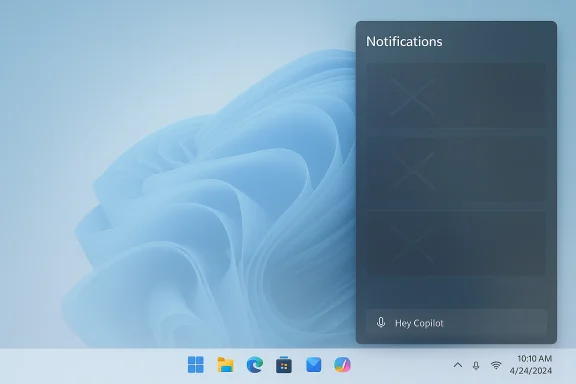
The canceled notifications concept was reportedly intended to make Copilot more proactive inside Windows, surfacing reminders, suggestions, and context-aware prompts across the operating system. That sounds appealing in a product demo, but in a real desktop environment it also raises the exact problems users have complained about for years: distraction, clutter, false urgency, and the feeling that the system is talking back when it should stay quiet. Microsoft’s newer Copilot features instead lean heavily on explicit user action, such as wake words, buttons, and sharing controls, which is a very different product philosophy.
That distinction is important because Windows 11 is no longer just a desktop OS with a chatbot bolted on. It is becoming a layered platform where Copilot, Copilot+ PC experiences, and the broader Microsoft 365 Copilot ecosystem all compete for attention and purpose. Microsoft’s recent documentation shows that the company is separating consumer Copilot, work Copilot, and Windows-native behaviors more carefully than before. In practical terms, that means fewer “AI everywhere” experiments and more targeted product lines.
For users, this may actually be a welcome course correction. A notification system powered by AI could have been useful in theory, but in practice it would have carried heavy risks around overload and inconsistency. Microsoft appears to be learning that useful AI is not the same as constant AI, and that distinction is likely to define the next phase of Windows 11.
The original Windows Copilot era was more ambitious and, in some ways, more chaotic. Microsoft experimented with sidebar-style experiences, taskbar hooks, and deeper system access, only to later simplify or replace parts of that approach. Microsoft Learn now describes the current Windows integration as a more streamlined model and explicitly notes that the newer Copilot app and Microsoft 365 Copilot experiences are not identical. That separation is a clue: Microsoft is moving away from one giant assistant surface and toward multiple, role-specific AI entry points.
The company also has practical reasons to avoid overloading Windows with extra prompts. Windows 11 already ships with a dense interface, and Microsoft has spent years trying to balance productivity features with the desire for a cleaner desktop. Adding AI-driven notifications into that mix would likely have triggered the same backlash that met earlier attempts to push more content into the shell.
Microsoft has been explicit that many of its newer Copilot experiences are user-controlled. Features such as “Hey, Copilot!” are opt-in, and Copilot Vision requires the user to choose what to share. That design philosophy runs counter to a push-notification-heavy system, which would likely feel less personal even if it was technically more proactive.
This approach also reduces the risk of user resentment. People tend to accept AI more readily when it behaves like a tool and less readily when it behaves like an opinionated layer on top of the OS. Microsoft seems to know that the moment Copilot starts behaving like a digital hall monitor, it stops feeling helpful.
The result is a quieter but more durable rollout model. Instead of one dramatic AI feature launch, Microsoft is building a toolkit: a voice assistant here, a vision feature there, a system shortcut elsewhere. That modular approach is slower, but it may survive longer because each piece can be defended on its own merits.
Microsoft also risks overlap with other Windows surfaces. The OS already has its own notification center, taskbar behaviors, Widgets, and app-level prompts. A Copilot notification system could easily have become redundant, and redundancy in operating systems tends to read as bloat rather than innovation.
That matters especially in enterprise environments, where compliance teams dislike ambiguity. The more an AI feature resembles passive surveillance, the harder it becomes to approve for managed desktops. By retreating from a notifications system, Microsoft may have avoided a future wave of policy disputes inside IT departments.
It may also reduce confusion around what Copilot is supposed to be. A notification system would have blurred the line between an assistant, a reminder engine, and a system monitor. Microsoft’s current design makes the assistant more legible: you summon it, you share with it, and then it responds. That is a much easier mental model to teach.
The consumer takeaway is simple: Microsoft is trying to make Copilot feel less like software trying to prove it is smart and more like a helper that knows when to wait. That subtle shift may do more for adoption than any flashy notification cascade ever could. Sometimes restraint is the more radical feature.
Enterprises also dislike surprise. If Copilot had begun surfacing ambient notifications based on context, admins would have needed new controls, new training, and likely new help-desk scripts. Even well-meaning features can become support burdens when they create more questions than answers.
This is also where Microsoft can outmaneuver rivals. A flashy assistant is easy to demo, but a manageable assistant is easier to deploy at scale. Enterprise buyers tend to reward the latter, even if the former gets more social media attention.
This is particularly relevant in Windows, where the OS itself is a platform for everyone else’s software. If Microsoft makes Copilot too aggressive, it risks alienating users who already tolerate enough system-level messaging. If it makes Copilot too passive, it risks seeming irrelevant. The sweet spot is narrow, which is why the notifications idea was always a risky bet.
It is also a reminder that Windows remains one of the few places where user patience is tested at a system level. If Microsoft gets the balance wrong, the backlash is broader than for a single app. If it gets the balance right, it sets a reference point for the industry. That is a lot riding on a notification philosophy.
Microsoft’s current Copilot approach seems influenced by that history. Rather than turning Windows into a permanent AI conversation, the company is adding smaller entry points and stepping back when a feature threatens to feel too invasive. That is a sign of maturity, even if it looks less exciting than the original ambition.
That decision could become more common as more AI ideas hit the desktop reality wall. The question is no longer whether Microsoft can build an AI-driven Windows experience; it clearly can. The real question is whether it can do so without making the OS feel busier, louder, and more exhausting than the one people already know.
That means the real story to watch is not whether Copilot disappears from Windows, but whether it becomes easier to live with. If Microsoft keeps leaning into opt-in behavior, clearer boundaries, and practical use cases, it may end up with a more durable AI platform than if it had forced notifications into the OS. Quiet can be strategic.
What to watch next:
Source: thewincentral.com Microsoft Cancels Copilot Notifications in Windows 11
 Overview
The canceled notifications concept was reportedly intended to make Copilot more proactive inside Windows, surfacing reminders, suggestions, and context-aware prompts across the operating system. That sounds appealing in a product demo, but in a real desktop environment it also raises the exact problems users have complained about for years: distraction, clutter, false urgency, and the feeling that the system is talking back when it should stay quiet. Microsoft’s newer Copilot features instead lean heavily on explicit user action, such as wake words, buttons, and sharing controls, which is a very different product philosophy.That distinction is important because Windows 11 is no longer just a desktop OS with a chatbot bolted on. It is becoming a layered platform where Copilot, Copilot+ PC experiences, and the broader Microsoft 365 Copilot ecosystem all compete for attention and purpose. Microsoft’s recent documentation shows that the company is separating consumer Copilot, work Copilot, and Windows-native behaviors more carefully than before. In practical terms, that means fewer “AI everywhere” experiments and more targeted product lines.
For users, this may actually be a welcome course correction. A notification system powered by AI could have been useful in theory, but in practice it would have carried heavy risks around overload and inconsistency. Microsoft appears to be learning that useful AI is not the same as constant AI, and that distinction is likely to define the next phase of Windows 11.
Background
Microsoft’s Copilot push in Windows has evolved quickly from a sidebar assistant into a broader cross-platform AI layer. Over the last year, the company has added and refined capabilities such as voice activation, Copilot Vision, file search, and tighter integration with Windows shortcuts and system surfaces. Those changes show a company still betting hard on AI, but now trying to make the assistant feel more ambient and less like a pop-up factory.The original Windows Copilot era was more ambitious and, in some ways, more chaotic. Microsoft experimented with sidebar-style experiences, taskbar hooks, and deeper system access, only to later simplify or replace parts of that approach. Microsoft Learn now describes the current Windows integration as a more streamlined model and explicitly notes that the newer Copilot app and Microsoft 365 Copilot experiences are not identical. That separation is a clue: Microsoft is moving away from one giant assistant surface and toward multiple, role-specific AI entry points.
From sidebar novelty to utility-first design
The old strategy depended on the idea that users would tolerate Copilot being present almost everywhere if the assistant could occasionally save time. That bet has become harder to justify as users accumulate more notifications from apps, browsers, security tools, and system services. Microsoft’s latest Copilot marketing, by contrast, emphasizes being a “calm” assistant and repeatedly stresses opt-in behavior, which is telling.The company also has practical reasons to avoid overloading Windows with extra prompts. Windows 11 already ships with a dense interface, and Microsoft has spent years trying to balance productivity features with the desire for a cleaner desktop. Adding AI-driven notifications into that mix would likely have triggered the same backlash that met earlier attempts to push more content into the shell.
Why notifications are a special problem
Notifications are different from general AI features because they interrupt instead of assist on demand. An AI reminder can be valuable if it appears at the right moment, but it becomes a liability when it appears too often, too randomly, or with too much confidence. That is especially true on a work PC, where interruption has direct productivity costs.Microsoft has been explicit that many of its newer Copilot experiences are user-controlled. Features such as “Hey, Copilot!” are opt-in, and Copilot Vision requires the user to choose what to share. That design philosophy runs counter to a push-notification-heavy system, which would likely feel less personal even if it was technically more proactive.
What Microsoft Has Been Doing Instead
Rather than pursuing a broad notifications layer, Microsoft has spent the past year expanding Copilot in more controlled ways. The company rolled out Hey, Copilot! to Windows Insiders as an opt-in voice trigger, launched Copilot Vision on Windows in the U.S., and continued refining the Copilot app as a standalone but integrated experience. Those moves point to a strategy built around voluntary engagement instead of system-level interruption.Opt-in beats always-on
The strongest signal in Microsoft’s recent Copilot messaging is that the company now prefers features users deliberately activate. The wake word, voice conversation settings, and screen-sharing permissions all preserve user control. That is a big shift from the imagined world of AI-generated alerts arriving unprompted in the middle of the workflow.This approach also reduces the risk of user resentment. People tend to accept AI more readily when it behaves like a tool and less readily when it behaves like an opinionated layer on top of the OS. Microsoft seems to know that the moment Copilot starts behaving like a digital hall monitor, it stops feeling helpful.
- Voice features are easier to justify because the user initiates the interaction.
- Vision features are easier to accept because sharing is explicit.
- Notifications, by contrast, are inherently intrusive.
- User trust is easier to preserve when control is obvious.
- Feature fatigue grows when too many AI prompts compete for attention.
Copilot is becoming a platform, not a single feature
Microsoft’s documentation now describes Copilot across Windows, the web, and Microsoft 365 in more clearly separated lanes. The consumer Copilot app, the work-oriented Microsoft 365 Copilot app, and the Windows integration layer are not interchangeable, and that matters for governance as well as usability. Businesses especially want that separation because they need consistent policy enforcement and predictable behavior.The result is a quieter but more durable rollout model. Instead of one dramatic AI feature launch, Microsoft is building a toolkit: a voice assistant here, a vision feature there, a system shortcut elsewhere. That modular approach is slower, but it may survive longer because each piece can be defended on its own merits.
Why Notifications Would Have Been Risky
AI notifications sound harmless until they begin competing with genuine operating system alerts. Windows already has to mediate updates, security warnings, app messages, taskbar badges, calendar prompts, and cross-device activity. Adding another always-potentially-smart layer would have created a competition for user attention that even a highly polished model would struggle to win gracefully.The distraction tax
Notification fatigue is real, and it is one of the few UX problems that can make a technically advanced feature feel worse than no feature at all. If Copilot had started pushing reminders or suggestions in a persistent stream, it would have been judged not by how often it was right, but by how often it interrupted. That is a brutal standard, but it is the right one for a desktop environment.Microsoft also risks overlap with other Windows surfaces. The OS already has its own notification center, taskbar behaviors, Widgets, and app-level prompts. A Copilot notification system could easily have become redundant, and redundancy in operating systems tends to read as bloat rather than innovation.
Privacy and control concerns
Any system that generates contextual prompts from user activity inevitably raises privacy questions. Even if the processing is local or heavily filtered, users will still ask what data was observed, when it was processed, and how much inference the assistant is allowed to make. Microsoft’s recent emphasis on explicit sharing and user permissions is an attempt to reduce that anxiety before it becomes a headline problem.That matters especially in enterprise environments, where compliance teams dislike ambiguity. The more an AI feature resembles passive surveillance, the harder it becomes to approve for managed desktops. By retreating from a notifications system, Microsoft may have avoided a future wave of policy disputes inside IT departments.
- User trust can erode quickly when AI seems to watch too much.
- Enterprise admins want features they can predict and govern.
- Permission prompts are easier to defend than ambient inference.
- System-level notifications can feel invasive even when useful.
- Ambiguous value is dangerous when the OS already has many alerts.
The Consumer Impact
For home users, the cancellation is probably less of a loss than it first appears. Most people do not want their desktop to become an AI recommendation engine that constantly nudges them toward the next best action. A quieter Windows 11, with AI reserved for moments when it is explicitly requested, is likely to age better than a noisy one.Fewer interruptions, more predictability
The immediate upside of dropping AI notifications is obvious: fewer random pop-ups. That benefits everyone from students trying to focus to gamers who hate distractions to remote workers who need their desktops to stay stable and predictable. In a world where every app seems eager to speak, restraint is a feature.It may also reduce confusion around what Copilot is supposed to be. A notification system would have blurred the line between an assistant, a reminder engine, and a system monitor. Microsoft’s current design makes the assistant more legible: you summon it, you share with it, and then it responds. That is a much easier mental model to teach.
Better odds of useful AI
There is a good argument that fewer, better AI features will produce a stronger product than a flood of half-useful ones. The best examples Microsoft has shown recently are concrete and bounded: helping with what is on the screen, answering a question aloud, or searching a file. Those are understandable jobs, and understandable jobs are easier to trust.The consumer takeaway is simple: Microsoft is trying to make Copilot feel less like software trying to prove it is smart and more like a helper that knows when to wait. That subtle shift may do more for adoption than any flashy notification cascade ever could. Sometimes restraint is the more radical feature.
The Enterprise Impact
For IT departments, the likely cancellation is even more meaningful than it is for consumers. Enterprises need consistency, policy clarity, and low-friction administration, and AI notifications threaten all three when they are not tightly controlled. Microsoft’s recent move toward clearer consumer-versus-commercial experiences is therefore a positive sign for administrators.Policy and governance matter
Microsoft’s documentation now explicitly distinguishes between consumer Copilot and Microsoft 365 Copilot experiences, including how Entra-authenticated users are handled. That distinction signals a more mature enterprise story, one in which the company knows not all AI features belong on managed desktops. A notifications system that behaved differently across tenants, policies, or regions would have been a governance headache.Enterprises also dislike surprise. If Copilot had begun surfacing ambient notifications based on context, admins would have needed new controls, new training, and likely new help-desk scripts. Even well-meaning features can become support burdens when they create more questions than answers.
Control is a competitive advantage
One underappreciated aspect of Microsoft’s strategy is that control itself is now a selling point. The more Microsoft can show that Copilot is opt-in, manageable, and separable from the rest of Windows, the easier it becomes for organizations to test and adopt it. That is especially true in regulated sectors where product teams need to show that AI is being used responsibly.This is also where Microsoft can outmaneuver rivals. A flashy assistant is easy to demo, but a manageable assistant is easier to deploy at scale. Enterprise buyers tend to reward the latter, even if the former gets more social media attention.
- IT admins want predictable behavior, not surprise prompts.
- Policy controls matter more than novelty in managed environments.
- Support costs rise when features are intrusive or ambiguous.
- Separation of consumer and work AI reduces compliance friction.
- Manageability is becoming a core differentiator for AI platforms.
Competitive Implications
Microsoft’s decision, if accurately described by the reporting, also says something about the broader AI race. Competitors are still trying to embed generative features into every surface they own, but user tolerance is finite. If Microsoft is pulling back from a highly visible assistant behavior, others may eventually have to face the same tradeoff between depth and discretion.The market is maturing
Early AI product strategy often relies on spectacle. New models, new demos, and new prompts generate excitement, but excitement is not the same as sustained usage. The companies that survive the transition from novelty to habit will be the ones that can make AI feel dependable and unobtrusive. Microsoft’s recent Copilot posture suggests it understands that shift.This is particularly relevant in Windows, where the OS itself is a platform for everyone else’s software. If Microsoft makes Copilot too aggressive, it risks alienating users who already tolerate enough system-level messaging. If it makes Copilot too passive, it risks seeming irrelevant. The sweet spot is narrow, which is why the notifications idea was always a risky bet.
A signal to rivals
Rivals should read this as a warning that AI saturation can backfire. Users may accept an assistant they summon, but they resist an assistant that keeps appearing uninvited. That difference matters for browser makers, PC OEMs, app developers, and cloud vendors trying to glue AI into every corner of the user experience.It is also a reminder that Windows remains one of the few places where user patience is tested at a system level. If Microsoft gets the balance wrong, the backlash is broader than for a single app. If it gets the balance right, it sets a reference point for the industry. That is a lot riding on a notification philosophy.
Historical Context: Microsoft’s Long AI Arc
This is not the first time Microsoft has had to refine a grand product vision after meeting real-world users. The company has repeatedly launched features that look obvious in a strategy deck and then discovered that distribution, permission, and behavior change are much harder problems. Copilot fits that pattern: ambitious, visible, and still being forced into shape by feedback and friction.Windows has always been a balancing act
Windows has long had to reconcile power-user demands, enterprise governance, and consumer simplicity. Features like Widgets, Search, and the notification center have all gone through versions of the same debate: how much should the OS do for you before it starts getting in your way? Copilot is simply the latest and most visible expression of that old tension.Microsoft’s current Copilot approach seems influenced by that history. Rather than turning Windows into a permanent AI conversation, the company is adding smaller entry points and stepping back when a feature threatens to feel too invasive. That is a sign of maturity, even if it looks less exciting than the original ambition.
Why the timing matters now
The timing is important because Windows 11 is still in a period of identity formation. Microsoft is pushing newer devices, Copilot+ PCs, and deeper AI integrations while also trying to maintain stability and trust. Canceling a feature that might have increased clutter suggests the company is willing to trade some wow factor for longer-term usability.That decision could become more common as more AI ideas hit the desktop reality wall. The question is no longer whether Microsoft can build an AI-driven Windows experience; it clearly can. The real question is whether it can do so without making the OS feel busier, louder, and more exhausting than the one people already know.
Strengths and Opportunities
Microsoft’s pivot away from Copilot notifications, assuming the reporting is accurate, creates space for a cleaner product story. It gives the company an opportunity to prove that Copilot can be powerful without being oppressive, and that may matter more than any single feature launch. Done well, this could strengthen both consumer trust and enterprise adoption.- Cleaner UX with fewer uninvited prompts.
- Stronger user trust through explicit control.
- Better enterprise fit for managed environments.
- More coherent product positioning across Windows and Microsoft 365.
- Lower distraction for students, gamers, and knowledge workers.
- Higher feature quality if Microsoft concentrates on practical tools.
- Stronger differentiation versus noisy AI implementations elsewhere.
Risks and Concerns
The main risk is that Microsoft could swing too far in the opposite direction and make Copilot feel timid or fragmented. If users cannot easily discover useful AI features, then the assistant becomes invisible and its value declines. There is also a risk that Microsoft’s messaging will remain muddled, with too many overlapping Copilot experiences and not enough clarity about what belongs where.- Feature fragmentation across apps and versions.
- Discovery problems if useful AI is too hidden.
- Messaging confusion between consumer and enterprise Copilot.
- Regional inconsistency during staged rollouts.
- Trust issues if Microsoft changes course too often.
- Support burden if users do not understand what is enabled.
- Competitive pressure from rivals that move faster, even if less gracefully.
Looking Ahead
The most likely next step is more selective AI integration, not less AI overall. Microsoft still has too much invested in Copilot across Windows, Microsoft 365, and its hardware ecosystem to reverse course meaningfully. What will change is the style of integration: more explicit, more adjustable, and more closely tied to scenarios where users can see an immediate payoff.That means the real story to watch is not whether Copilot disappears from Windows, but whether it becomes easier to live with. If Microsoft keeps leaning into opt-in behavior, clearer boundaries, and practical use cases, it may end up with a more durable AI platform than if it had forced notifications into the OS. Quiet can be strategic.
What to watch next:
- How Microsoft defines the next major Copilot UI changes
- Whether Windows 11 gains more admin controls for AI features
- How Copilot+ PC experiences differ from standard Windows 11 Copilot
- Whether Microsoft consolidates consumer and work Copilot messaging
- How users respond to future opt-in AI features versus ambient ones
Source: thewincentral.com Microsoft Cancels Copilot Notifications in Windows 11
