
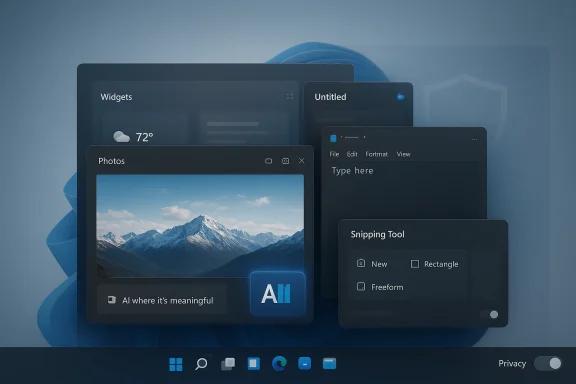
Microsoft’s reported pullback on Copilot entry points in Windows 11 is less a retreat from AI than a correction to how aggressively that AI should be surfaced. If the company is now removing or limiting Copilot touchpoints in apps such as Photos, Widgets, Notepad, and the Snipping Tool, the signal is clear: Microsoft wants AI to feel useful, not omnipresent. That’s a meaningful shift for a platform that spent the past year adding AI affordances almost everywhere, often before users had asked for them.
For much of 2024 and 2025, Microsoft’s Windows strategy leaned hard into AI-first positioning. The company steadily added Copilot branding and features across the OS and core apps, including Photos integrations, AI-assisted writing in Notepad, and image cleanup tools in Paint and related workflows. On paper, that made Windows 11 feel like the flagship consumer operating system for the AI PC era. In practice, it also created a growing sense that AI was being layered onto tasks that did not necessarily need it.
That tension was especially visible in the way Microsoft introduced features through Insider builds. Many of the additions were framed as productivity enhancements, but the product cadence made it difficult for users to distinguish between genuinely helpful automation and feature creep. Microsoft also expanded the Copilot app itself, replacing the earlier PWA-style experience with a native app and deeper Windows presence, which reinforced the idea that Copilot was becoming a system-level layer rather than a discrete assistant.
At the same time, the company’s AI ambitions ran into a familiar problem: trust. Recall, one of the most ambitious on-device features, faced significant scrutiny and delays after security and privacy concerns surfaced. That episode mattered because it showed the limits of Microsoft’s “ship fast, refine later” approach when the feature in question had access to user history, screenshots, and sensitive context. Once users start asking whether a feature should exist at all, the design conversation changes from innovation to legitimacy.
Pavan Davuluri’s reported emphasis on integrating AI “where it’s most meaningful” fits that broader recalibration. It suggests that Microsoft is trying to move from AI everywhere to AI in the right places, a distinction that sounds subtle but has major product implications. The former is a branding strategy; the latter is a usability strategy. The market has now had enough time to react to both.
This is also a recognition that surface area is not the same as value. A feature can technically exist in more places and still make the platform feel worse if it increases visual noise, adds decision fatigue, or makes users feel watched. Microsoft’s challenge is to prove that each Copilot touchpoint earns its place, especially in apps that were traditionally simple, lightweight, and task-focused.
The substance is more complicated. Microsoft still has strong incentives to keep pushing AI across Windows, especially on Copilot+ PCs, where on-device inferencing and NPU-based experiences are part of the hardware story. So the rollback is likely about presentation and prioritization, not a reversal in architecture. Put differently: the AI stack remains; the user-facing sprawl may not.
The phrase “AI bloat” captures this dynamic well. It describes the moment when a platform adds so many AI hooks that the overall experience becomes heavier, less predictable, and more difficult to trust. Once that feeling sets in, even useful features can be viewed skeptically because they arrive wrapped in a broader design problem. More AI is not automatically better software.
Reliability matters just as much. AI tools that fail intermittently or produce inconsistent output are especially frustrating when embedded in everyday utilities. A bad AI assistant in a standalone app is annoying; a bad AI assistant in your file workflow, image viewer, or note-taking app can feel like sabotage. That is why a selective deployment approach may ultimately be smarter than universal exposure.
Photos has been one of the clearest examples of Microsoft’s AI ambitions in consumer workflows. The app received Copilot-related capabilities for editing tips, image insights, and framing suggestions, which positioned it as more than a viewer and organizer. But if users primarily wanted to browse or make quick edits, the extra AI layer may have felt more like an interruption than an enhancement.
The Snipping Tool raises a different issue. It sits directly in the capture-and-share flow, which makes it a natural place for automation and visual analysis, but also a place where users are often moving quickly and want minimal friction. Any AI overlay there has to be exceptionally fast and accurate or it becomes one more thing to dismiss. Convenience is only convenient when it stays out of the way.
For enterprises, the stakes are different. IT departments care about policy control, predictability, and the ability to standardize user experience across fleets. When AI features spread unpredictably through the OS, administrators worry about support overhead, compliance questions, and user confusion. A more selective Copilot strategy could therefore be easier to manage, especially in environments that already struggle with feature churn.
There is also a broader procurement angle. Enterprise buyers increasingly want AI features that are measurable, auditable, and optional, not atmospheric. The more Microsoft can frame Copilot as a targeted productivity layer instead of a ubiquitous interface element, the easier it becomes to sell into organizations that are still cautious about generative AI. Optionality is becoming a requirement, not a luxury.
This is important because Windows 11 has long struggled with perception. Many users do not judge the OS by a single flagship feature; they judge it by whether it feels polished in ordinary use. If Microsoft can simultaneously reduce AI friction and improve the basics — taskbar behavior, explorer responsiveness, update handling — then the company may finally address a criticism that has lingered since the earliest Windows 11 releases.
That framing also helps Microsoft defend against the accusation that Windows is becoming a vehicle for feature marketing. When the company highlights performance improvements alongside AI restraint, it creates the impression of a product team that is listening rather than evangelizing. That optics shift may be almost as valuable as the code changes themselves.
Recall also taught Microsoft an important lesson about scope. A feature that touches personal histories, screenshots, and contextual understanding must earn trust through technical architecture and user controls, not just marketing language. The result was a more cautious public posture, and the latest Copilot reduction fits that pattern. In effect, Microsoft seems to be trying to avoid repeating Recall’s trust problem across more mundane apps.
That makes the current recalibration significant for the broader AI PC category. Other vendors will be watching to see whether Microsoft’s more focused approach produces better user sentiment and stronger retention. If it does, the industry may move away from maximalist AI injection and toward selective, workflow-specific intelligence. That would be a healthier direction for desktop software overall.
This matters because AI UX is still in an experimental phase. Some companies are betting that users will want persistent copilots everywhere; others are learning that the assistant needs to be summoned, not imposed. Microsoft’s move suggests the latter view may be winning, at least for mainstream Windows users. The winner in this phase may be the platform that feels the least exhausting.
For hardware partners, the lesson is just as sharp. Copilot+ branding depends on consumers understanding why an AI PC is different, yet too much AI in the OS can make the experience feel gimmicky. The challenge is to keep the premium hardware story intact while ensuring the software layer does not become a distraction. Balance will determine whether the category matures or fizzles.
The other thing to watch is whether Microsoft standardizes this more selective model across all Windows surfaces or applies it inconsistently. Consistency will matter because users notice when design principles change from app to app. If the company really believes AI should appear only where it is “most meaningful,” then it has to prove that principle across the whole OS, not just in the places where backlash was loudest.
Source: YugaTech Microsoft reduces Copilot AI integrations on Windows 11
 Background
For much of 2024 and 2025, Microsoft’s Windows strategy leaned hard into AI-first positioning. The company steadily added Copilot branding and features across the OS and core apps, including Photos integrations, AI-assisted writing in Notepad, and image cleanup tools in Paint and related workflows. On paper, that made Windows 11 feel like the flagship consumer operating system for the AI PC era. In practice, it also created a growing sense that AI was being layered onto tasks that did not necessarily need it.That tension was especially visible in the way Microsoft introduced features through Insider builds. Many of the additions were framed as productivity enhancements, but the product cadence made it difficult for users to distinguish between genuinely helpful automation and feature creep. Microsoft also expanded the Copilot app itself, replacing the earlier PWA-style experience with a native app and deeper Windows presence, which reinforced the idea that Copilot was becoming a system-level layer rather than a discrete assistant.
At the same time, the company’s AI ambitions ran into a familiar problem: trust. Recall, one of the most ambitious on-device features, faced significant scrutiny and delays after security and privacy concerns surfaced. That episode mattered because it showed the limits of Microsoft’s “ship fast, refine later” approach when the feature in question had access to user history, screenshots, and sensitive context. Once users start asking whether a feature should exist at all, the design conversation changes from innovation to legitimacy.
Pavan Davuluri’s reported emphasis on integrating AI “where it’s most meaningful” fits that broader recalibration. It suggests that Microsoft is trying to move from AI everywhere to AI in the right places, a distinction that sounds subtle but has major product implications. The former is a branding strategy; the latter is a usability strategy. The market has now had enough time to react to both.
What the Rollback Really Means
The immediate takeaway is not that Microsoft is abandoning Copilot, but that it is being more selective about where Copilot appears. If AI entry points are being removed from consumer-facing apps, that indicates Microsoft is listening to the criticism that Windows has become cluttered with features that interrupt rather than assist. That kind of correction usually comes when internal enthusiasm has outpaced external adoption.This is also a recognition that surface area is not the same as value. A feature can technically exist in more places and still make the platform feel worse if it increases visual noise, adds decision fatigue, or makes users feel watched. Microsoft’s challenge is to prove that each Copilot touchpoint earns its place, especially in apps that were traditionally simple, lightweight, and task-focused.
Signal vs. Substance
The signal here is strategic discipline. Microsoft appears to be saying that not every app needs a Copilot button, prompt, or shortcut just because AI is fashionable. That is a notable admission in a market where software companies often confuse novelty with product direction. Restraint, in this context, can be a feature.The substance is more complicated. Microsoft still has strong incentives to keep pushing AI across Windows, especially on Copilot+ PCs, where on-device inferencing and NPU-based experiences are part of the hardware story. So the rollback is likely about presentation and prioritization, not a reversal in architecture. Put differently: the AI stack remains; the user-facing sprawl may not.
- Microsoft is reducing visible AI entry points, not necessarily removing the underlying AI stack.
- The company is likely reacting to AI bloat complaints from users and IT admins.
- Selective integration may improve perception even if feature development continues.
- Windows 11’s AI narrative is shifting from broad distribution to targeted usefulness.
Why Users Pushed Back
Users tend to resist features that feel imposed, especially when those features appear in core productivity tools. If Copilot buttons show up in apps like Notepad or the Snipping Tool, some people see convenience; others see clutter. That split matters because Windows is used both by enthusiasts who want the latest features and by users who want the OS to stay out of the way.The phrase “AI bloat” captures this dynamic well. It describes the moment when a platform adds so many AI hooks that the overall experience becomes heavier, less predictable, and more difficult to trust. Once that feeling sets in, even useful features can be viewed skeptically because they arrive wrapped in a broader design problem. More AI is not automatically better software.
Privacy, Reliability, and Control
Privacy concerns have been central to the Copilot debate from the start. Features that analyze screenshots, images, or system context inevitably raise questions about what is stored, what is processed locally, and what is sent to the cloud. Microsoft has repeatedly emphasized on-device capabilities in newer Windows AI messaging, but the burden of proof remains high because users remember how controversial Recall became.Reliability matters just as much. AI tools that fail intermittently or produce inconsistent output are especially frustrating when embedded in everyday utilities. A bad AI assistant in a standalone app is annoying; a bad AI assistant in your file workflow, image viewer, or note-taking app can feel like sabotage. That is why a selective deployment approach may ultimately be smarter than universal exposure.
- Users want tools that feel predictable, not experimental.
- Privacy skepticism is amplified when AI touches personal files or screenshots.
- Reliability failures are more damaging in default Windows apps than in optional services.
- Control and opt-out options are becoming competitive differentiators.
The Apps Most Affected
The mention of Photos, Widgets, Notepad, and the Snipping Tool is telling because these are not fringe utilities. They are built-in, high-frequency apps that define how people interact with the operating system. If Microsoft trims Copilot hooks there, it suggests the company has decided that the cost of always-on AI may outweigh the benefit in those contexts.Photos has been one of the clearest examples of Microsoft’s AI ambitions in consumer workflows. The app received Copilot-related capabilities for editing tips, image insights, and framing suggestions, which positioned it as more than a viewer and organizer. But if users primarily wanted to browse or make quick edits, the extra AI layer may have felt more like an interruption than an enhancement.
Notepad and the Snipping Tool Problem
Notepad is a particularly sensitive case because its appeal has always been simplicity. Once Microsoft adds AI writing and rewriting features, the app stops being a blank slate and starts becoming a platform for productivity prompts. That can be valuable for some users, but it also changes the identity of one of Windows’ most iconic utilities.The Snipping Tool raises a different issue. It sits directly in the capture-and-share flow, which makes it a natural place for automation and visual analysis, but also a place where users are often moving quickly and want minimal friction. Any AI overlay there has to be exceptionally fast and accurate or it becomes one more thing to dismiss. Convenience is only convenient when it stays out of the way.
- Photos can benefit from AI assistance, but only when the user wants more than basic browsing.
- Notepad loses part of its identity if it becomes too assistant-driven.
- Snipping Tool must preserve speed and simplicity above all else.
- Widgets are especially sensitive because they are already a high-noise surface for many users.
Enterprise vs. Consumer Impact
For consumers, the Copilot rollback is mostly about experience quality. Home users are likely to welcome cleaner interfaces, fewer prompts, and less suspicion that Windows is trying to upsell them on AI with every click. If Microsoft makes the OS feel lighter and more coherent, that alone could improve goodwill, even if the underlying AI roadmap remains intact.For enterprises, the stakes are different. IT departments care about policy control, predictability, and the ability to standardize user experience across fleets. When AI features spread unpredictably through the OS, administrators worry about support overhead, compliance questions, and user confusion. A more selective Copilot strategy could therefore be easier to manage, especially in environments that already struggle with feature churn.
The Admin Perspective
Enterprises rarely object to innovation in principle; they object to surprise. If a feature shows up in default apps without strong documentation or easy controls, support calls follow. Microsoft’s willingness to narrow AI entry points may make Windows 11 easier to govern, especially on managed devices where security and productivity need to coexist.There is also a broader procurement angle. Enterprise buyers increasingly want AI features that are measurable, auditable, and optional, not atmospheric. The more Microsoft can frame Copilot as a targeted productivity layer instead of a ubiquitous interface element, the easier it becomes to sell into organizations that are still cautious about generative AI. Optionality is becoming a requirement, not a luxury.
- Consumers benefit most from reduced clutter and better usability.
- Enterprises benefit from clearer control and fewer support surprises.
- Managed environments need auditability and policy alignment.
- AI features that are hard to disable can become adoption blockers.
Microsoft’s Broader Windows 11 Rebalancing
The Copilot changes do not exist in isolation. Microsoft has also been promoting a string of other Windows 11 improvements, including a more flexible taskbar, File Explorer performance work, better update control, and widgets refinements. That mix suggests a broader attempt to rebalance the Windows message from “AI first” to “Windows first, AI second.”This is important because Windows 11 has long struggled with perception. Many users do not judge the OS by a single flagship feature; they judge it by whether it feels polished in ordinary use. If Microsoft can simultaneously reduce AI friction and improve the basics — taskbar behavior, explorer responsiveness, update handling — then the company may finally address a criticism that has lingered since the earliest Windows 11 releases.
Performance Still Matters More Than Branding
The inclusion of performance and reliability fixes in recent Insider builds reinforces an old truth: users will forgive fewer bells and whistles if the fundamentals are solid. Microsoft can market AI all it wants, but slow file operations, awkward taskbar behavior, and update hassles remain the issues most people notice daily. The strategic opportunity is to let the AI story support the OS, not dominate it.That framing also helps Microsoft defend against the accusation that Windows is becoming a vehicle for feature marketing. When the company highlights performance improvements alongside AI restraint, it creates the impression of a product team that is listening rather than evangelizing. That optics shift may be almost as valuable as the code changes themselves.
- Windows 11 is being repositioned around usability, not just AI adoption.
- Performance fixes help offset concern about feature creep.
- Taskbar and File Explorer improvements matter more than new branding.
- User confidence is often rebuilt through small quality-of-life wins.
The Recall Lesson
The Recall controversy remains the clearest example of how quickly excitement can turn into hesitation. Microsoft wanted Recall to be a defining Copilot+ feature, but the security and privacy reaction forced a slowdown and a rethink. That experience likely influenced how the company now approaches other AI integrations: if a feature looks too invasive, too broad, or too difficult to explain, it risks becoming a liability rather than a showcase.Recall also taught Microsoft an important lesson about scope. A feature that touches personal histories, screenshots, and contextual understanding must earn trust through technical architecture and user controls, not just marketing language. The result was a more cautious public posture, and the latest Copilot reduction fits that pattern. In effect, Microsoft seems to be trying to avoid repeating Recall’s trust problem across more mundane apps.
Trust Is a Product Feature
Trust is often treated like a soft concept, but in operating systems it is concrete. Users trust an OS when it behaves consistently, when privacy boundaries are clear, and when the settings they choose actually stay chosen. Microsoft’s recent history shows that if AI features feel like they are being pushed too aggressively, adoption slows no matter how sophisticated the underlying model is.That makes the current recalibration significant for the broader AI PC category. Other vendors will be watching to see whether Microsoft’s more focused approach produces better user sentiment and stronger retention. If it does, the industry may move away from maximalist AI injection and toward selective, workflow-specific intelligence. That would be a healthier direction for desktop software overall.
- Recall showed that trust failures can outweigh feature novelty.
- Broad AI deployments are harder to defend than targeted ones.
- Clearer controls improve adoption more than more aggressive marketing.
- Microsoft’s shift may influence how other OEMs present AI PCs.
Competitive Implications
Microsoft’s adjustment has implications beyond Windows itself. Competitors in productivity software, desktop operating systems, and device ecosystems are all trying to determine how much AI users actually want in their daily workflows. If Microsoft concludes that ubiquitous Copilot integration is less effective than focused placement, rivals may follow suit rather than keep stuffing assistants into every corner of the interface.This matters because AI UX is still in an experimental phase. Some companies are betting that users will want persistent copilots everywhere; others are learning that the assistant needs to be summoned, not imposed. Microsoft’s move suggests the latter view may be winning, at least for mainstream Windows users. The winner in this phase may be the platform that feels the least exhausting.
What Rivals Will Notice
Apple, Google, and third-party software vendors will notice the difference between feature density and feature satisfaction. Dense AI integration can look impressive in demos, but if Microsoft is stepping back from visible integration points, it may be because retention and sentiment data favored restraint. That would be a strong message to any company still assuming that more AI buttons automatically translate into better product value.For hardware partners, the lesson is just as sharp. Copilot+ branding depends on consumers understanding why an AI PC is different, yet too much AI in the OS can make the experience feel gimmicky. The challenge is to keep the premium hardware story intact while ensuring the software layer does not become a distraction. Balance will determine whether the category matures or fizzles.
- Rival platforms may reduce their own AI clutter if Windows sentiment improves with restraint.
- AI PCs need a compelling story beyond branding and checkboxes.
- User sentiment can reshape product design faster than roadmap decks can.
- Demos win headlines; daily usability wins loyalty.
Strengths and Opportunities
Microsoft’s move creates a rare opportunity to improve the Windows 11 brand by subtraction, not addition. If the company uses this moment to sharpen the experience, reduce friction, and keep AI where it genuinely helps, Windows could feel more mature and less performative. That would be a meaningful change in a market where software companies often confuse volume with value.- Cleaner UX could make core apps feel faster and less cluttered.
- Better trust may follow if AI is limited to obvious use cases.
- Stronger enterprise adoption is possible when features are easier to govern.
- Improved brand perception could offset years of frustration about bloat.
- More focused AI may increase actual usage of the remaining features.
- Compatibility with Copilot+ PCs stays intact while reducing visual noise.
- Usability-first messaging can resonate with both power users and mainstream buyers.
Risks and Concerns
The risk is that Microsoft could end up in a half-step situation: fewer visible Copilot hooks without a clearly better alternative. If users do not feel the benefit immediately, the rollback may look like indecision rather than discipline. Worse, the company could weaken the AI narrative without fully restoring confidence in the base Windows experience.- Mixed messaging could confuse users about Microsoft’s long-term AI direction.
- Feature fragmentation may happen if some apps keep AI while others lose it.
- Developer uncertainty could slow third-party integration planning.
- User skepticism may persist if changes are cosmetic rather than substantive.
- Enterprise admins may still worry about hidden or future AI reintroductions.
- Competitive pressure could make Microsoft overcorrect and underdeliver.
- Brand fatigue is possible if Copilot branding changes too often.
Looking Ahead
The next phase will be about execution, not announcements. Microsoft needs to show that reducing AI entry points comes with clearer benefits: faster apps, fewer distractions, stronger controls, and a more coherent Windows identity. If it can pair that with steady performance improvements in File Explorer, the taskbar, updates, and widgets, the company may finally turn user frustration into cautious approval.The other thing to watch is whether Microsoft standardizes this more selective model across all Windows surfaces or applies it inconsistently. Consistency will matter because users notice when design principles change from app to app. If the company really believes AI should appear only where it is “most meaningful,” then it has to prove that principle across the whole OS, not just in the places where backlash was loudest.
- Watch for more detailed Windows Insider notes on which Copilot surfaces are removed or retained.
- Monitor whether AI features remain concentrated in Copilot+ and other high-value workflows.
- Track enterprise policy controls and management options for AI-powered apps.
- Pay attention to performance and reliability updates that accompany the AI reduction.
- Watch whether Microsoft’s messaging shifts from AI ubiquity to selective usefulness.
Source: YugaTech Microsoft reduces Copilot AI integrations on Windows 11
