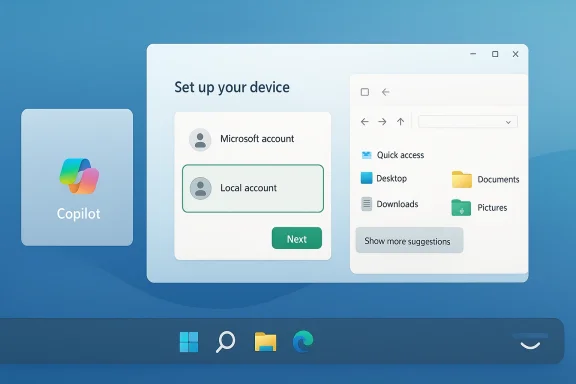
Today’s Windows Insider update reads less like a flashy feature drop and more like a deliberate reset of Microsoft’s priorities. In “Our commitment to Windows quality,” the company is signaling that Windows 11 must become more predictable, more performant, and less distracting, while also giving Insiders a clearer role in shaping the platform’s future ble not because Microsoft is suddenly discovering quality, but because it is acknowledging how loudly users have been asking for basics: better taskbar control, calmer updates, faster File Explorer, cleaner widgets, and a more transparent Insider experience . That combination suorrection, and it arrives at a moment when Windows 11’s reputation depends as much on trust as on new features.
That tension matters because Windows is as a consumer operating system. It is also an enterprise platform, a developer environment, and a foundation for hybrid work. When Microsoft changes shell behavior, update cadence, or feedback mechanisms, it affects not just aesthetics but trust, deployment planning, and user productivity. The company’s recent insistence on reducing “pain points” is therefore more than PR language; it is an admission that quality itself has become a product feature .
The March 20, 2026 post lands in that context. Microsoft is prouch nearly every daily workflow: taskbar positioning, Windows Update control, File Explorer responsiveness, widget behavior, Windows Hello reliability, and a redesigned Feedback Hub that is supposed to make reporting problems less painful . The breadth of the effort is important. This is not a single bug fix or a one-off interface polish pass. It is a coordinated attempt to make Windows feel more intentional.
That broader effort also fits a year of steady Insider experimentation. Recent builds have already emphasized gradual rollout, clearer feature gating, and a more structured feedback pipeline, especially in Dev, Beta, and Canary channels . In other words, the new Windows quality message does not emerge from nowhere. It is the public framing of work that has been building for months behind preview builds, toggles, and targeted validation.
The company’s strongest move is probably the most unglamorous one: it is treating predictability as a first-class quality goal. Update restarts, sign-in reliability, and file operations may not impress in a keynote, but they are what users notice every day. Microsoft appears to understand that if Windows wants to feel modern, it must first feel dependable .
There is also a subtle shift in tone around Copilot and AI. Microsoft is not abandoning AI, but it is saying that AI should be more meaningful and less omnipresent, with fewer unnecessary entry points in apps like Snipping Tool, Photos, Widgets, and Notepad . That matters because one of the loudest complaints around Windows 11 has been clutter: too many prompts, too many surfaces, and too much product ambition in places where users just wanthe redesign of Feedback Hub is just as telling. If Microsoft wants better data, it must make feedback easier to submit, easier to browse, and easier to trust. The new app is meant to do exactly that, with better navigation, clearer submission flows, and improved visibility into how user reports shape Windows itself . That is not merely a tooling upgrade. It is a statement that the company is trying to repair its relationship with the people who actually use the platform.
That change has competitive implications too. On macOS, the dock is intentionally opinionated; on ChromeOS, the shelf is simple by design. Windows has always differentiated itself by being the more adjustable desktop. If Microsoft removes too many of those adjustment points, Windows risks losing one of its core advantages. Restoring taskbar positioning, even partially, would be a strong signal that Microsoft understands the value of agency on the desktop .
Microsoft’s mention of a smaller taskbar also suggests it is trying to modernize without merely rewinding history. That is a good sign. The best shell improvements are not the ones that preserve every legacy affordance unchanged; they are the ones that reintroduce useful flexibility while still respecting a cleaner design language. If the company gets that balance right, it can win back power users without abandoning mainstream users.
Windows users have shown they are willing to accept AI when it solves a real problem. They are much less patient when AI feels bolted on, interruptive, or impossible to ignble entry points, Microsoft is trying to move from AI everywhere to AI where it matters. That is a healthier positioning strategy, and frankly a more believable one.
This also has implications for app design across the ecosystem. If Microsoft starts pulling back from obvious Copilot entry points, developers will have to think more carefully about when AI should appear and why. That could be a net positive for the broader Windows software experience, especially if it discourages novelty features that exist only to advertise AI rather than improve workflows.
The most important message here is that Microsoft appears to be treating updates as something users should plan around, not merely endure. The ability to restart or shut down without immediately installing updates is a direct response to the reality of modern usage: people close their laptops at odd hours, travel with batteries at low charge, and do not always want a maintenance task to hijack the end of a work session.
Microsoft is also talking about clearer progress and built-in recovery if something goes wrong, which is exactly the kind of language that matters in managed environments . Recovery paths reduce support costs. Transparent installation states reduce anxiety. Fewer surprise restarts reduce the social cost of Windows as a workplace platform.
The emphasis on latency is especially important. Search, navigation, and context menus are core shell behaviors, and when they feel slow, the whole OS feels tired. Improving those fundamentals can make Windows 11 feel newer without changing its visual identity. In some ways, that is the most honest definition of operating system progress.
Microsoft’s broader search work is equally important. The company says it wants clearer separation between local results and web results, plus more consistent behavior across Start, Taskbar, File Explorer, and Settings . That consistency matters because search is not just a feature anymore; it is the operating system’s routing layer. When users can trust search to understand where results come from, they waste less time second-guessing the interface.
The broader theme here is reduced distraction. Microsoft says it wants fewer notifications, less noise, and more intentional presentation across the OS . That is the right direction if Windows wants to feel like a professional tool rather than a content dUsers do not necessarily object to information; they object to poorly timed information.
This is also where consumer and enterprise priorities diverge. Home users may appreciate personalized news or weather cards, but many organizations want those surfaces minimized or disabled. Giving users and admins clearer control is therefore not just a nicety; it is a deployment necessity. A platform that cannot adapt to both contexts is not truly enterprise-ready.
Microsoft is also promising a simpler Insider Program overall, with clearer channel definitions, easier access to new features, and higher-quality builds entering each track . That may sound administrative, but it is actually product strategy. If Insiders understand the rules, they can give better feedback. If they can submit reports more easily, Microsoft gets cleaner data. If they can see how their reports matter, they stay engaged longer.
The complaint pipelines around Windows 11 have often felt too diffuse. Users report issues in forums, social media, support channels, and the Feedback Hub itself, but the experience of contributing often feels fragmented. A cleaner hub gives Microsoft a better chance of turning public frustration into actionable engineering input.
Microsoft says it wants lower memory footprint, reduced resource usage, better responsiveness under load, and more consistent behavior across the day. Those are the kinds of improvements users notice indirectly. The PC feels less tired. Apps launch with less hesitation. Background activity intrudes less. The machine becomes easier to trust.
The Windows Hello improvements fit the same pattern. Faster fingerprint sign-in and more reliable facial recognition are not glamorous, but they shape the emotional relationship between a user and their device. If sign-in is smooth, the machine feels personal. If it is flaky, the machine feels stubborn. That difference matters more than many teams realize.
There is also the danger of overcorrecting. If Microsoft removes too many Copilot entry points or strips too much content from widgets without offering enough control, users may feel the company is simply undoing mistakes rather than making thoughtful improvements. That would be a missed opportunity, because restraint only works when it is paired with confidence.
The other thing to watch is how Microsoft handles the balance between innovation and discipline. A better Windows does not have to be a quieter Windows forever, but it does have to be a more coherent one. If the company can keep AI focused, surface the right controls, and make the foundation sturdier, then Windows 11 may finally begin to feel like a platform that has learned from its own roughest moments.
Source: Microsoft - Windows Insiders Blog Our commitment to Windows quality
Background
Microsoft’s Windows story has always been a tension between innovation and control. Windows 11 launched with a cleaner visual identity, but it also removed or reduced several long-standing capabilities that many enthusiasts considered core to the desktop experience. The result was predictable: the operating system looked more modern, yet often felt less flexible, especially to power users who had spent years shaping the shell to match their workflows .That tension matters because Windows is as a consumer operating system. It is also an enterprise platform, a developer environment, and a foundation for hybrid work. When Microsoft changes shell behavior, update cadence, or feedback mechanisms, it affects not just aesthetics but trust, deployment planning, and user productivity. The company’s recent insistence on reducing “pain points” is therefore more than PR language; it is an admission that quality itself has become a product feature .
The March 20, 2026 post lands in that context. Microsoft is prouch nearly every daily workflow: taskbar positioning, Windows Update control, File Explorer responsiveness, widget behavior, Windows Hello reliability, and a redesigned Feedback Hub that is supposed to make reporting problems less painful . The breadth of the effort is important. This is not a single bug fix or a one-off interface polish pass. It is a coordinated attempt to make Windows feel more intentional.
That broader effort also fits a year of steady Insider experimentation. Recent builds have already emphasized gradual rollout, clearer feature gating, and a more structured feedback pipeline, especially in Dev, Beta, and Canary channels . In other words, the new Windows quality message does not emerge from nowhere. It is the public framing of work that has been building for months behind preview builds, toggles, and targeted validation.
Overview
What makes this announcement interesting is that Microsoft is trying to improve three different layers of the product at once: the visible shell, the underlying performance model, and the process by which the company learns from users. That is a smarter strategy than chasing headlines with isolated features, because Windows problems are rarely isolated. A noisy widget, a sluggish context menu, and a confusing update flow all compound into the same emotional result: users feel the platform is fighting them.The company’s strongest move is probably the most unglamorous one: it is treating predictability as a first-class quality goal. Update restarts, sign-in reliability, and file operations may not impress in a keynote, but they are what users notice every day. Microsoft appears to understand that if Windows wants to feel modern, it must first feel dependable .
There is also a subtle shift in tone around Copilot and AI. Microsoft is not abandoning AI, but it is saying that AI should be more meaningful and less omnipresent, with fewer unnecessary entry points in apps like Snipping Tool, Photos, Widgets, and Notepad . That matters because one of the loudest complaints around Windows 11 has been clutter: too many prompts, too many surfaces, and too much product ambition in places where users just wanthe redesign of Feedback Hub is just as telling. If Microsoft wants better data, it must make feedback easier to submit, easier to browse, and easier to trust. The new app is meant to do exactly that, with better navigation, clearer submission flows, and improved visibility into how user reports shape Windows itself . That is not merely a tooling upgrade. It is a statement that the company is trying to repair its relationship with the people who actually use the platform.
Taskbar Freedom and Shell Personalization
The headline that will matter most to enthusiasts is the renewed promise of taskbar customization, including top and side positions . For years, the taskbar has been the most visible symbol of Windows 11’s reduced flexibility. Restoring alternate placement is not just a cosmetic tweak; it is an acknowledgment that desktop users want the shell to adapt to their workflow rsingle layout on everyone.That change has competitive implications too. On macOS, the dock is intentionally opinionated; on ChromeOS, the shelf is simple by design. Windows has always differentiated itself by being the more adjustable desktop. If Microsoft removes too many of those adjustment points, Windows risks losing one of its core advantages. Restoring taskbar positioning, even partially, would be a strong signal that Microsoft understands the value of agency on the desktop .
Why taskbar placement matters
Taskbar placement affects more than personal preference. Users with ultrawide displays, multi-monitor setups, and vertical workflows often organize their screens around efficiency rather than symmetry. A top or side taskbar el, improve window management, and create a more natural layout for certain content-heavy workspaces. In that sense, the feature is as much about ergonomics as it is about nostalgia.Microsoft’s mention of a smaller taskbar also suggests it is trying to modernize without merely rewinding history. That is a good sign. The best shell improvements are not the ones that preserve every legacy affordance unchanged; they are the ones that reintroduce useful flexibility while still respecting a cleaner design language. If the company gets that balance right, it can win back power users without abandoning mainstream users.
- Alternate taskbar placement restores workflow choice.
- Smaller taskbar options improve density on compact screens.
- Better personalization reduces the feeling of a locked-down desktop.
- Shell flexibility is a competitive differentiator for Windows.
- Restoring control helps rebuild trust with advanced users.
AI With Fewer Tentacles
Microsoft’s statement about Copilot is just as important as the taskbar note, even though it sounds less dramatic. The company says it wants to be more intentional about where AI appears, and it is reducing unnecessary Copilot entry points in apps like Snipping Tool, Photos, Widgets, and Notepad . That suggests Microsoft has learned something obvious but important: ubiquity is not the same as usefulness.Windows users have shown they are willing to accept AI when it solves a real problem. They are much less patient when AI feels bolted on, interruptive, or impossible to ignble entry points, Microsoft is trying to move from AI everywhere to AI where it matters. That is a healthier positioning strategy, and frankly a more believable one.
Craft over clutter
The phrase Microsoft uses is telling: “craft and focus.” That is a quiet admission that too many AI surfaces can make a product feel unfinished. In Windows 11, every new icon or prompt has to earn its place, because the desktop is already crowded with years of history, enterprise requirements, and consumer expectations. The best AI integration will probably be the kind users barely notice until it saves time.This also has implications for app design across the ecosystem. If Microsoft starts pulling back from obvious Copilot entry points, developers will have to think more carefully about when AI should appear and why. That could be a net positive for the broader Windows software experience, especially if it discourages novelty features that exist only to advertise AI rather than improve workflows.
- Fewer entry points mean less interface noise.
- Better AI placement should improve user trust.
- Useful AI will beat visible AI in long-term adoption.
- App designers may follow Microsoft’s lead on restraint.
- The company is signaling that not every surface needs Copilot.
Windows Update: Less Disruption, More Control
Few Windows topics generate as much frustration as updates. Microsoft’s new pledge to reduce update noise, delay forced restarts, and let users skip updates during setup goes straight at one of the platform’s longest-running pain points . That matters because updates are supposed to be protective, yet for many people they still feel like a source of interruption and uncertainty.The most important message here is that Microsoft appears to be treating updates as something users should plan around, not merely endure. The ability to restart or shut down without immediately installing updates is a direct response to the reality of modern usage: people close their laptops at odd hours, travel with batteries at low charge, and do not always want a maintenance task to hijack the end of a work session.
Predictability as a feature
Predictability is underrated because it does not show up in screenshots. But for enterprise admins, home users, and support teams, it is often more valuable than a flashy interface feature. If devices behave consistently around reboot timing, pause windows, and update prompts, then users can build habits around Windows instead of treating it like an unpredictable guest.Microsoft is also talking about clearer progress and built-in recovery if something goes wrong, which is exactly the kind of language that matters in managed environments . Recovery paths reduce support costs. Transparent installation states reduce anxiety. Fewer surprise restarts reduce the social cost of Windows as a workplace platform.
- Users want fewer interruptions.
- IT teams want better timing control.
- Home users want to preserve agency.
- Support teams want fewer update-related tickets.
5r when things go wrong.
File Explorer and Search: The Everyday Workhorses
If taskbar control is the headline and updates are the pain point, File Explorer is the place where many users will decide whether the quality pledge feels real. Microsoft says it is working on quicker launch, smoother navigation, reduced flicker, better search responsiveness, and more reliable file operations, including large copy and move jobs . That is a strong signal, because File Explorer is one of those surfaces users touch constantly but rarely praise unless it fails.The emphasis on latency is especially important. Search, navigation, and context menus are core shell behaviors, and when they feel slow, the whole OS feels tired. Improving those fundamentals can make Windows 11 feel newer without changing its visual identity. In some ways, that is the most honest definition of operating system progress.
The hidden cost of small delays
A few hundred milliseconds here and there may not sound like much, but they compound over an entire workday. Delay in File Explorer affects file management, downloads, archive handling, and the simple act of finding the right item quickly. When those interactions stall, users lose rhythm. That loss of rhythm is one of the clearest markers of a bad desktop experience.Microsoft’s broader search work is equally important. The company says it wants clearer separation between local results and web results, plus more consistent behavior across Start, Taskbar, File Explorer, and Settings . That consistency matters because search is not just a feature anymore; it is the operating system’s routing layer. When users can trust search to understand where results come from, they waste less time second-guessing the interface.
- Faster launch improves perceived quality immediately.
- Smoother navigation reduces friction in daily work.
- Better search clarity reduces user confusion move actions matter for both consumers and admins.
- Consistency across surfaces makes Windows feel more coherent.
Widgets, Notifications, and a Quieter Windows
Microsoft is also promising quieter defaults for Widgets, more control over when and how the feed appears, and better personalization so the Discover experience feels less overwhelming . This may sound small, but it speaks to a much larger design issue: Windows 11 has often been criticized for trying to surface too much content too often.The broader theme here is reduced distraction. Microsoft says it wants fewer notifications, less noise, and more intentional presentation across the OS . That is the right direction if Windows wants to feel like a professional tool rather than a content dUsers do not necessarily object to information; they object to poorly timed information.
From clutter to control
Widgets can be useful when they are glanceable and relevant. They become annoying when they feel like promotional terrain. Microsoft’s challenge is to make the widget experience feel user-authored rather than platform-imposed. If the feed is quieter by default and easier to tune, that will go a long way toward reducing the sense that Windows is always trying to sell something or interrupt the task at hand.This is also where consumer and enterprise priorities diverge. Home users may appreciate personalized news or weather cards, but many organizations want those surfaces minimized or disabled. Giving users and admins clearer control is therefore not just a nicety; it is a deployment necessity. A platform that cannot adapt to both contexts is not truly enterprise-ready.
- Quieter defaults help reduce distraction.
- Better personalization improves relevance.
- Easier opt-out controls support enterprise policy.
- Feed surfaces work best when they are optional.
- Widgets should be helpful, not attention-seeking.
Feedback Hub and the Insider Relationship
The redesign of Feedback Hub may be the most strategically important part of the announcement, even if it looks like an app refresh on the surface. Microsoft says the new experience will make it easier to submit feedback, browse community input, understand channel behavior, and see how feedback shapes Windows . That matters because the Insider Program only works if people believe their reports go somewhere useful.Microsoft is also promising a simpler Insider Program overall, with clearer channel definitions, easier access to new features, and higher-quality builds entering each track . That may sound administrative, but it is actually product strategy. If Insiders understand the rules, they can give better feedback. If they can submit reports more easily, Microsoft gets cleaner data. If they can see how their reports matter, they stay engaged longer.
Why feedback tooling matters more in 2026
A mature platform does not just collect telemetry. It also needs human explanation. Telemetry can tell Microsoft that something is broken; it cannot always tell the company how thuser or why the issue blocks a task. That is why Feedback Hub’s new structure is so important. Better screenshots, easier navigation, and more obvious submission paths can improve the quality of the signal Microsoft receives.The complaint pipelines around Windows 11 have often felt too diffuse. Users report issues in forums, social media, support channels, and the Feedback Hub itself, but the experience of contributing often feels fragmented. A cleaner hub gives Microsoft a better chance of turning public frustration into actionable engineering input.
- Better categorization should improve triage.
- Faster submission reduces abandoned reports.
- Community feedback helps spot patterns.
- Private and public options add flexibility.
- Clearer channel messaging reduces Insider confusion.
Performance and Reliability: The Foundation Layer
The broadest technical promise in the announcement is the push for performance and reliability across the OS, drivers, app interactions, Windows Hello, and the Windows Subsystem for Linux . This is the part of the story that will matter most to serious users because it affects the entire machine, not just one visible surface.Microsoft says it wants lower memory footprint, reduced resource usage, better responsiveness under load, and more consistent behavior across the day. Those are the kinds of improvements users notice indirectly. The PC feels less tired. Apps launch with less hesitation. Background activity intrudes less. The machine becomes easier to trust.
Reliability is a UX feature
Too many product discussions treat reliability as engineering housekeeping. It is not. Reliability is user experience. A platform that crashes less, wakes more consistently, and handles peripherals more cleanly is one that users will describe as “better,” even if they cannot point to a specific new icon or menu. That is why Microsoft’s focus on driver quality, Bluetooth, USB, printers, cameras, and audio is so sensible .The Windows Hello improvements fit the same pattern. Faster fingerprint sign-in and more reliable facial recognition are not glamorous, but they shape the emotional relationship between a user and their device. If sign-in is smooth, the machine feels personal. If it is flaky, the machine feels stubborn. That difference matters more than many teams realize.
- Lower memory use frees capacity for real work.
- Better wake behavior improves everyday laptop use.
- Stronger driver reliability reduces support pain.
- More dependable Windows Hello improvl stability matters in both home and enterprise settings.
Strengths and Opportunities
Microsoft’s quality plan has real strengths, and most of them come from restraint rather than spectacle. The company is emphasizing basics that matter every day: shell responsiveness, better updates, improved feedback, and cleaner AI placement. That is a healthier posture than trying to force novelty everywhere, and it gives Windows 11 a better chance of feeling finished rather than merely current.- Restoring taskbar flexibility can win back power users.
- Cleaner AI placement reduces clutter and annoyance.
- Better update control should improve user trust.
- File Explorer and search improvements affect daily productivity.
- Windows Hello reliability has immediate practical value.
- Feedback Hub redesign can improve the quality of Insider input.
- Quieter widgets and notifications support focus.
Risks and Concerns
The biggest risk is that Microsoft promises broad improvement but delivers it unevenly. Gradual rollout is sensible, but it can also make the experience feel inconsistent even inside the same build family. If one Insider sees a feature and another does not, the conversation quickly shifts from progress to confusion .There is also the danger of overcorrecting. If Microsoft removes too many Copilot entry points or strips too much content from widgets without offering enough control, users may feel the company is simply undoing mistakes rather than making thoughtful improvements. That would be a missed opportunity, because restraint only works when it is paired with confidence.
- Staged rollouts can confuse users and testers.
- Taskbar changes may create new edge cases.
- AI restraint could become AI inconsistency.
- Update control must not weaken security discipline.
- File Explorer fixes need to hold up under real workloads.
- Feedback Hub only matters if Microsoft acts on reports.
- Too much gradualism can feel like indecision.
Looking Ahead
The next few months will tell us whether this announcement is a real turning point or simply a well-worded acknowledgment of long-running complaints. The strongest sign of progress will be visible in Insider builds, where users can judge whether the promised improvements to taskbar flexibility, File Explorer, updates, widgets, and Windows Hello are actually arriving in usable form . Microsoft’s in-person Insider meetups also suggest the company wants more direct, less filtered feedback, which is encouraging if it leads to concrete product changes.The other thing to watch is how Microsoft handles the balance between innovation and discipline. A better Windows does not have to be a quieter Windows forever, but it does have to be a more coherent one. If the company can keep AI focused, surface the right controls, and make the foundation sturdier, then Windows 11 may finally begin to feel like a platform that has learned from its own roughest moments.
- Watch for taskbar placensider builds.
- Watch for broader Copilot trimming across Windows apps.
- Watch for update flow changes during setup and reboot.
- Watch for File Explorer performance gains in real use.
- Watch for clearer channel behavior in the Insider Program.
- Watch for whether Feedback Hub reports turn into visible fixes.
- Watch for Microsoft to keep emphasizing security by default.
Source: Microsoft - Windows Insiders Blog Our commitment to Windows quality