

Microsoft is preparing a notable course correction for Windows 11: scaling back Copilot exposure in places where the assistant has felt bolted on rather than genuinely useful. The shift, first reported by The Stack and echoed by other outlets this week, lands in a broader reset that also puts more emphasis on stability, driver quality, lower overhead, and a less disruptive update experience. In plain English, Microsoft appears to be admitting what many Windows users have been saying for years: AI should help the operating system, not crowd it.
What makes this especially interesting is that the company is not merely tweaking a few icons. It is, according to reporting and Microsoft’s own recent documentation, rethinking where Copilot belongs across consumer and commercial Windows experiences, while also trying to restore confidence in the fundamentals that people expect from a desktop OS. That means the Copilot story is now inseparable from broader Windows quality issues — crashes, compatibility friction, update pain, and the tension between flashy AI features and everyday reliability. The result is a much bigger strategic story than a single UI change.
For the better part of two years, Microsoft has been pushing Copilot into as many visible surfaces as possible. Windows 11 became one of the company’s most important AI showcases, with Copilot buttons, launch points, taskbar hooks, app integrations, and a growing belief inside Redmond that the operating system should act as a funnel into Microsoft’s broader AI stack. That strategy made sense on paper. If Copilot was going to be the consumer-facing brand for Microsoft’s AI push, Windows — still the world’s dominant desktop platform — was the obvious place to seed it.
But that same strategy created friction. Many users never asked for Copilot in Photos, Notepad, search, or taskbar-adjacent entry points, and in some cases the assistant felt like a layer of UI clutter rather than a productivity feature. Microsoft’s challenge has been not whether it can make AI available, but whether it can make AI feel intentional. The more Copilot was sprayed across Windows, the more it risked becoming the latest example of feature overreach.
That is why the reported pullback matters. Microsoft is not abandoning AI in Windows; it is narrowing where Copilot appears and, in effect, separating “core OS value” from “AI garnish.” Microsoft’s own updated documentation already reflects that split, particularly in commercial environments, where the company says the legacy Copilot-in-Windows experience was removed and the Microsoft 365 Copilot app is now the entry point for work and education users authenticating with Entra accounts. That’s a significant repositioning, not a cosmetic rename.
The timing is also important. Microsoft has been under pressure on multiple fronts: user complaints about Windows updates, driver regressions, compatibility headaches, and the growing sense that Windows 11 has too often been distracted by AI theater when it should be fixing basics. Recent Microsoft and Microsoft Learn material shows the company publicly stressing improvements to reliability, update control, and quality, while also acknowledging that Copilot has to be handled differently across consumer and business scenarios. The company is effectively telling two different audiences two different stories — one about assistant convenience, the other about administrative control and compliance.
Another reason is platform discipline. Microsoft’s AI portfolio has become sprawling: consumer Copilot, Microsoft 365 Copilot, Copilot Chat, Copilot+ PC features, and app-level AI in Office, Edge, Photos, and more. When everything is Copilot, nothing is clearly Copilot. Pulling the assistant out of some Windows feature touchpoints may actually strengthen the brand by making it easier to understand what each Copilot variant is for.
Finally, Microsoft is clearly trying to align feature placement with use case. In commercial environments, the company is steering users toward Microsoft 365 Copilot Chat and giving administrators more control over how employees access it, including how the Copilot key behaves. That is a very different philosophy from the consumer push of 2023 and early 2024, when Copilot often looked like a general-purpose sidecar attached to whatever Microsoft could fit it into.
The first Copilot push in Windows was visually obvious. Microsoft added a dedicated launch surface, then expanded AI features across apps and shell experiences. Over time, though, the company’s own language around Copilot changed from “ubiquitous assistant” to “targeted experience.” That evolution is visible in Microsoft’s documentation, which now distinguishes between the consumer Copilot app and Microsoft 365 Copilot Chat for work and education users. The old “Copilot in Windows” framing has been retired in commercial contexts, and Microsoft now tells Entra-authenticated users to use the Microsoft 365 Copilot app instead.
At the same time, Windows 11 itself became a lightning rod. Users complained about update disruptions, reliability issues, and perceived bloat. Some of the criticism was fair, some of it overstated, but the cumulative effect was real: Windows 11 developed a reputation problem. When the platform’s core story becomes “it’s unstable and full of unwanted prompts,” adding more AI surfaces becomes strategically risky, even if the underlying model quality is improving.
Microsoft’s response has been to reframe the story. Instead of pitching Windows as a showcase for every possible AI interaction, the company is now talking more about the operating system as a foundation that should be faster, cleaner, and less intrusive. That is a meaningful change in tone. It suggests the company understands that AI-first messaging only works if the base platform feels trustworthy. Otherwise, users see AI features as part of the clutter, not the cure.
The commercial side is especially revealing. Microsoft Learn now explains that the Microsoft 365 Copilot app and Copilot Chat are the right entry points for organizations, that admins can manage pinning and access, and that the Copilot key can be remapped for better fit with corporate workflows. In other words, Microsoft is moving from “Copilot everywhere” to “Copilot where it makes business sense.” That is a more mature position, and arguably a more defensible one.
What’s different is the intensity of the AI branding. Copilot is not just a feature; it is a strategic umbrella. That makes every placement decision more sensitive. If Microsoft puts it in the wrong place, users don’t just ignore the assistant — they question the entire AI roadmap.
The company seems to be learning that lesson in real time. A narrower Copilot may not sound as exciting, but it may ultimately be far more sustainable.
That distinction matters. Users do not necessarily hate AI on principle. They hate friction, surprise, and interruption. If Copilot can be summoned when needed, but does not surface at every possible moment, it becomes much easier to defend as a productivity aid rather than an intrusive layer. Microsoft seems to be betting that a quieter Copilot will be a more accepted Copilot.
For enterprises, that’s actually helpful. Admins can apply policy, manage access, and align the assistant with work data governance and audit expectations. For consumers, the simpler app-based model reduces confusion and avoids the awkward experience of seeing work-style AI entry points in personal Windows sessions. The consequence is a cleaner product map, even if it makes the original “Copilot in Windows” slogan look overly ambitious in hindsight.
That may sound obvious, but it marks a major shift in product philosophy. For a while, Microsoft seemed to believe that any visible Copilot touchpoint was a win. Now it looks more selective, which is usually what happens when a platform team realizes the brand is starting to suffer from overexposure.
This matters because Windows users generally forgive ambitious new features when the platform itself is stable. They are far less forgiving when new features arrive on top of regressions. A productivity assistant that launches into an ecosystem of bugs will be blamed for the platform’s sins, whether fairly or not. By dialing back Copilot’s visible footprint, Microsoft may be trying to reduce that reputational spillover.
That makes reliability a strategic asset, not a maintenance task. If Microsoft can make Windows 11 feel less crash-prone, less intrusive, and less beholden to aggressive feature pushes, it can recover goodwill that matters in both consumer and enterprise decision-making.
That’s why the Copilot story and the update story belong together. A company that wants to reduce friction has to reduce friction everywhere, not just in UI placement. Otherwise, the promise rings hollow.
That does not mean Microsoft is trying to turn Windows into Linux. It means the company recognizes that modern developers often live in hybrid ecosystems. If Windows is to remain the default desktop for professionals, it must behave well in mixed-toolchain environments. Reliability and compatibility are therefore inseparable.
That is a sensible move because enterprises dislike ambiguous software behavior. They want predictable entry points, identity-aware access, and manageable policy layers. If Copilot in Windows was too loosely coupled to the consumer experience, then decoupling it now reduces ambiguity and support overhead. It also lowers the risk of users clicking into the wrong AI surface and expecting the wrong data scope.
Microsoft Learn already emphasizes enterprise data protection and policy alignment in the Microsoft 365 Copilot context. That is a clue that the company knows commercial AI must behave differently from consumer AI. The Windows shell is not the right place to blur those lines.
That may seem like a small detail, but it reflects the larger shift in thinking. Hardware shortcuts are only useful if they point to the right workflow. If they don’t, they become one more support ticket.
It tells CIOs and admins that Microsoft understands the difference between a feature demo and a production environment. That distinction is everything in enterprise software.
A cleaner Copilot strategy could improve that perception. If Microsoft keeps the assistant available while reducing the sense that it is being pushed into every file, panel, and app, users may become more open to trying it. The experience has to feel optional, not compulsory.
This is where design choices become business choices. Microsoft can either make Copilot feel like a well-placed helper or a recurring interruption. The company’s current move suggests it knows which one it should have chosen earlier.
That makes this pullback strategically smart. It acknowledges that users are more likely to adopt a feature when they discover it organically than when it is forced into every workflow.
That’s a healthy distinction. Product teams should earn user attention, not assume it.
Apple, in particular, benefits whenever Windows looks cluttered or inconsistent. macOS can position itself as polished and selective, which reinforces the appeal of a more curated AI rollout. Meanwhile, Google’s ecosystem continues to benefit from simplicity and web-native workflows. In that sense, Microsoft’s restraint may be less about weakness than about recognizing that too much AI too soon can hand rivals a usability advantage.
This also applies to OEMs and software partners. If they flood the Windows ecosystem with partner-branded AI shortcuts and assistant layers, they may recreate the same problem Microsoft is trying to solve. The market does not need more assistant buttons. It needs more clarity.
Microsoft seems to know this. By backing off visible Copilot sprawl and talking more about reliability, it is moving the conversation from hype to execution. That may not win immediate applause, but it can help the company win back credibility.
That is the real competitive test, and Microsoft is finally acting like it understands it.
The other big variable is whether Microsoft can keep consumer and enterprise AI experiences distinct without fragmenting the platform. If the company gets that balance right, it can preserve Copilot as a useful assistant while making Windows feel more coherent. If it gets it wrong, it may end up with a half-hidden assistant that nobody trusts and a still-annoying OS that nobody loves.
Source: thestack.technology Microsoft to strip Copilot from some Windows 11 features
What makes this especially interesting is that the company is not merely tweaking a few icons. It is, according to reporting and Microsoft’s own recent documentation, rethinking where Copilot belongs across consumer and commercial Windows experiences, while also trying to restore confidence in the fundamentals that people expect from a desktop OS. That means the Copilot story is now inseparable from broader Windows quality issues — crashes, compatibility friction, update pain, and the tension between flashy AI features and everyday reliability. The result is a much bigger strategic story than a single UI change.
 Overview
For the better part of two years, Microsoft has been pushing Copilot into as many visible surfaces as possible. Windows 11 became one of the company’s most important AI showcases, with Copilot buttons, launch points, taskbar hooks, app integrations, and a growing belief inside Redmond that the operating system should act as a funnel into Microsoft’s broader AI stack. That strategy made sense on paper. If Copilot was going to be the consumer-facing brand for Microsoft’s AI push, Windows — still the world’s dominant desktop platform — was the obvious place to seed it.But that same strategy created friction. Many users never asked for Copilot in Photos, Notepad, search, or taskbar-adjacent entry points, and in some cases the assistant felt like a layer of UI clutter rather than a productivity feature. Microsoft’s challenge has been not whether it can make AI available, but whether it can make AI feel intentional. The more Copilot was sprayed across Windows, the more it risked becoming the latest example of feature overreach.
That is why the reported pullback matters. Microsoft is not abandoning AI in Windows; it is narrowing where Copilot appears and, in effect, separating “core OS value” from “AI garnish.” Microsoft’s own updated documentation already reflects that split, particularly in commercial environments, where the company says the legacy Copilot-in-Windows experience was removed and the Microsoft 365 Copilot app is now the entry point for work and education users authenticating with Entra accounts. That’s a significant repositioning, not a cosmetic rename.
The timing is also important. Microsoft has been under pressure on multiple fronts: user complaints about Windows updates, driver regressions, compatibility headaches, and the growing sense that Windows 11 has too often been distracted by AI theater when it should be fixing basics. Recent Microsoft and Microsoft Learn material shows the company publicly stressing improvements to reliability, update control, and quality, while also acknowledging that Copilot has to be handled differently across consumer and business scenarios. The company is effectively telling two different audiences two different stories — one about assistant convenience, the other about administrative control and compliance.
Why this reset is happening now
The most obvious reason is feedback. Windows power users, enterprise admins, and ordinary consumers have all been increasingly vocal that Microsoft has spent too much time on visible AI flourishes and not enough on the sort of practical improvements that make Windows feel dependable. That sentiment is now shaping the product roadmap. The current messaging from Microsoft and reporting from the tech press point to a company trying to “raise the quality bar” and reduce unnecessary Copilot entry points at the same time, which is telling.Another reason is platform discipline. Microsoft’s AI portfolio has become sprawling: consumer Copilot, Microsoft 365 Copilot, Copilot Chat, Copilot+ PC features, and app-level AI in Office, Edge, Photos, and more. When everything is Copilot, nothing is clearly Copilot. Pulling the assistant out of some Windows feature touchpoints may actually strengthen the brand by making it easier to understand what each Copilot variant is for.
Finally, Microsoft is clearly trying to align feature placement with use case. In commercial environments, the company is steering users toward Microsoft 365 Copilot Chat and giving administrators more control over how employees access it, including how the Copilot key behaves. That is a very different philosophy from the consumer push of 2023 and early 2024, when Copilot often looked like a general-purpose sidecar attached to whatever Microsoft could fit it into.
Background
Copilot’s rise in Windows did not happen in a vacuum. It was part of Microsoft’s broader response to the generative AI boom, a moment when the company decided it could not afford to let ChatGPT define the user’s mental model of AI on the PC. So Microsoft did what Microsoft often does when it spots a platform shift: it embedded the new thing into every major surface it controlled. Windows 11 was the ideal host because it sits at the center of user attention, device manufacturing, and enterprise management.The first Copilot push in Windows was visually obvious. Microsoft added a dedicated launch surface, then expanded AI features across apps and shell experiences. Over time, though, the company’s own language around Copilot changed from “ubiquitous assistant” to “targeted experience.” That evolution is visible in Microsoft’s documentation, which now distinguishes between the consumer Copilot app and Microsoft 365 Copilot Chat for work and education users. The old “Copilot in Windows” framing has been retired in commercial contexts, and Microsoft now tells Entra-authenticated users to use the Microsoft 365 Copilot app instead.
At the same time, Windows 11 itself became a lightning rod. Users complained about update disruptions, reliability issues, and perceived bloat. Some of the criticism was fair, some of it overstated, but the cumulative effect was real: Windows 11 developed a reputation problem. When the platform’s core story becomes “it’s unstable and full of unwanted prompts,” adding more AI surfaces becomes strategically risky, even if the underlying model quality is improving.
Microsoft’s response has been to reframe the story. Instead of pitching Windows as a showcase for every possible AI interaction, the company is now talking more about the operating system as a foundation that should be faster, cleaner, and less intrusive. That is a meaningful change in tone. It suggests the company understands that AI-first messaging only works if the base platform feels trustworthy. Otherwise, users see AI features as part of the clutter, not the cure.
The commercial side is especially revealing. Microsoft Learn now explains that the Microsoft 365 Copilot app and Copilot Chat are the right entry points for organizations, that admins can manage pinning and access, and that the Copilot key can be remapped for better fit with corporate workflows. In other words, Microsoft is moving from “Copilot everywhere” to “Copilot where it makes business sense.” That is a more mature position, and arguably a more defensible one.
From feature sprawl to product discipline
The underlying pattern here is not unusual. Platform vendors often over-extend a popular feature, then pull back when the execution outpaces the value. Microsoft did this for years with search, cloud nudges, and default app promotions. Copilot looks to be entering the same phase.What’s different is the intensity of the AI branding. Copilot is not just a feature; it is a strategic umbrella. That makes every placement decision more sensitive. If Microsoft puts it in the wrong place, users don’t just ignore the assistant — they question the entire AI roadmap.
The company seems to be learning that lesson in real time. A narrower Copilot may not sound as exciting, but it may ultimately be far more sustainable.
Copilot’s Changing Role in Windows 11
Copilot has gone from a marquee Windows 11 attraction to a more selectively deployed assistant. That does not mean it is disappearing from Windows altogether. Instead, Microsoft appears to be removing it from some of the “unnecessary entry points” that made the feature feel unavoidable, while preserving access where it fits the workflow.That distinction matters. Users do not necessarily hate AI on principle. They hate friction, surprise, and interruption. If Copilot can be summoned when needed, but does not surface at every possible moment, it becomes much easier to defend as a productivity aid rather than an intrusive layer. Microsoft seems to be betting that a quieter Copilot will be a more accepted Copilot.
Consumer surfaces versus enterprise surfaces
The biggest split now is between consumer and enterprise usage. Microsoft says that the consumer Copilot app is for Microsoft account users, while commercial users signing in with Entra should use Microsoft 365 Copilot Chat. That separation means Windows itself is no longer the universal doorway to AI for every user type.For enterprises, that’s actually helpful. Admins can apply policy, manage access, and align the assistant with work data governance and audit expectations. For consumers, the simpler app-based model reduces confusion and avoids the awkward experience of seeing work-style AI entry points in personal Windows sessions. The consequence is a cleaner product map, even if it makes the original “Copilot in Windows” slogan look overly ambitious in hindsight.
Why “unnecessary entry points” is a telling phrase
Microsoft’s wording is revealing because it does not say Copilot is being removed from Windows, only from unnecessary places. That suggests the company is finally distinguishing between meaningful assistive design and AI ornamentation. Not every app button needs an AI badge, and not every task justifies a side panel.That may sound obvious, but it marks a major shift in product philosophy. For a while, Microsoft seemed to believe that any visible Copilot touchpoint was a win. Now it looks more selective, which is usually what happens when a platform team realizes the brand is starting to suffer from overexposure.
- Fewer redundant prompts should reduce user fatigue.
- Clearer entry points should improve adoption among people who actually want Copilot.
- Less UI clutter may improve the perceived polish of Windows 11.
- Better product boundaries can help Microsoft align consumer and enterprise messaging.
- A tighter experience may make Copilot feel more premium and less opportunistic.
Windows Quality Comes Back Into Focus
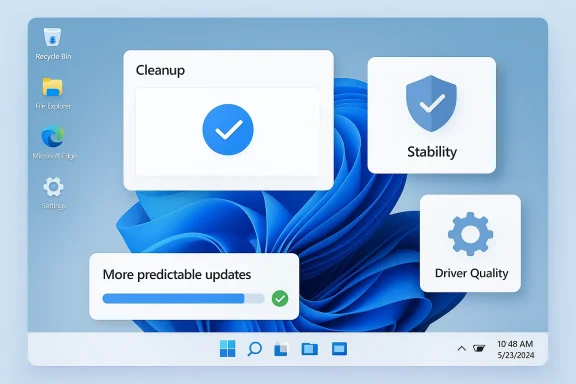
The Copilot pullback is happening alongside a broader Microsoft reset around Windows quality. That second thread may be even more important than the AI change, because the Windows story in 2025 and early 2026 has been dominated by reliability concerns. Microsoft now says it is working to strengthen the foundation of Windows, reduce crashes, improve driver quality, and give users more predictable update control. That is exactly the kind of language users have been waiting to hear.This matters because Windows users generally forgive ambitious new features when the platform itself is stable. They are far less forgiving when new features arrive on top of regressions. A productivity assistant that launches into an ecosystem of bugs will be blamed for the platform’s sins, whether fairly or not. By dialing back Copilot’s visible footprint, Microsoft may be trying to reduce that reputational spillover.
Reliability as the real competitive differentiator
For years, Microsoft assumed Windows’ installed base would preserve its relevance regardless of polish. That assumption still holds in broad terms, but the competitive environment has changed. macOS is perceived as more cohesive, Linux desktops are increasingly viable for technical users, and ChromeOS continues to win niches with simplicity. Windows can no longer rely on ubiquity alone.That makes reliability a strategic asset, not a maintenance task. If Microsoft can make Windows 11 feel less crash-prone, less intrusive, and less beholden to aggressive feature pushes, it can recover goodwill that matters in both consumer and enterprise decision-making.
The update story is part of the same problem
Windows Update has long been one of the platform’s most visible pain points. Users don’t just mind updates; they mind surprise restarts, update-related regressions, and the sense that the system is making decisions for them. Microsoft’s newer messaging about giving users more control over when and how updates install suggests the company understands this.That’s why the Copilot story and the update story belong together. A company that wants to reduce friction has to reduce friction everywhere, not just in UI placement. Otherwise, the promise rings hollow.
- Better driver validation could reduce painful regressions.
- More predictable restarts could improve trust.
- Lower OS overhead may help older hardware.
- A cleaner shell can make Windows feel less busy.
- Quality-first messaging helps rebuild confidence with IT departments.
The Linux angle
Microsoft’s reported and documented emphasis on better Linux support is especially notable because it reflects a very different Windows mindset from a decade ago. The company once treated Linux as a rival to be contained. Now it treats Linux compatibility as a feature customers expect, especially in development and enterprise contexts. WSL’s open-sourcing in 2025 reinforces that direction.That does not mean Microsoft is trying to turn Windows into Linux. It means the company recognizes that modern developers often live in hybrid ecosystems. If Windows is to remain the default desktop for professionals, it must behave well in mixed-toolchain environments. Reliability and compatibility are therefore inseparable.
The Enterprise Angle
For businesses, Microsoft’s move is less about aesthetics and more about administration. The company’s current guidance clearly distinguishes consumer Copilot from work Copilot, and it advises organizations to route employees toward Microsoft 365 Copilot Chat. Admins can control pinning, access, and the behavior of the Copilot key, which gives IT a way to align AI access with compliance and productivity goals.That is a sensible move because enterprises dislike ambiguous software behavior. They want predictable entry points, identity-aware access, and manageable policy layers. If Copilot in Windows was too loosely coupled to the consumer experience, then decoupling it now reduces ambiguity and support overhead. It also lowers the risk of users clicking into the wrong AI surface and expecting the wrong data scope.
Why admins will welcome the narrowing
IT departments are under no obligation to celebrate every new feature Microsoft invents. In fact, they often prefer fewer features if fewer features mean fewer surprises. A more disciplined Copilot footprint should make governance easier, especially where data protection, retention, and auditing matter.Microsoft Learn already emphasizes enterprise data protection and policy alignment in the Microsoft 365 Copilot context. That is a clue that the company knows commercial AI must behave differently from consumer AI. The Windows shell is not the right place to blur those lines.
The Copilot key becomes a policy issue
The Copilot key was supposed to be a neat hardware shortcut to AI. In practice, it became a policy headache because the same physical key can imply different destinations depending on who owns the device and how it is managed. Microsoft now documents remapping options and suggests organizations configure the key for Microsoft 365 Copilot in managed environments.That may seem like a small detail, but it reflects the larger shift in thinking. Hardware shortcuts are only useful if they point to the right workflow. If they don’t, they become one more support ticket.
- Entra-based organizations need AI that respects tenant boundaries.
- Admins need clear control over the user entry point.
- The Copilot key should launch the right app for the right persona.
- Work and personal AI must remain separated to avoid confusion.
- Governance becomes harder when UI surfaces are inconsistent.
Commercial credibility depends on restraint
Microsoft has spent years trying to persuade enterprises that it can be both innovative and controlled. That pitch is easier to make when the company demonstrates restraint. Stripping Copilot from some unnecessary Windows entry points is a small but meaningful example of that restraint.It tells CIOs and admins that Microsoft understands the difference between a feature demo and a production environment. That distinction is everything in enterprise software.
The Consumer Experience Problem
For home users, the core issue is not whether Copilot exists. It is whether Windows 11 feels like it belongs to them or to Microsoft’s roadmap. When AI features appear in too many places, the operating system can start to feel like an ad platform with a desktop attached. That is a harsh framing, but it captures a real concern among power users.A cleaner Copilot strategy could improve that perception. If Microsoft keeps the assistant available while reducing the sense that it is being pushed into every file, panel, and app, users may become more open to trying it. The experience has to feel optional, not compulsory.
Less friction, more trust
Trust is built through predictability. If users know where Copilot lives and why it is there, they are more likely to engage with it on purpose. If it keeps surfacing in contexts that feel unrelated, they are more likely to dismiss it before understanding its value.This is where design choices become business choices. Microsoft can either make Copilot feel like a well-placed helper or a recurring interruption. The company’s current move suggests it knows which one it should have chosen earlier.
The danger of AI fatigue
The broader market is already showing signs of AI fatigue. People are not rejecting AI altogether; they are rejecting half-baked implementations, repetitive prompts, and features that appear to exist mainly because product teams needed an AI story. Windows 11 has been vulnerable to that criticism more than most platforms because it touches so many everyday tasks.That makes this pullback strategically smart. It acknowledges that users are more likely to adopt a feature when they discover it organically than when it is forced into every workflow.
- Home users want control over what appears in the shell.
- They want fewer distractions during routine tasks.
- They want AI only when it adds clear value.
- They do not want to manage multiple Copilot variants.
- They want Windows to feel lighter, not noisier.
App-level AI still has a role
This does not mean AI in Photos, Notepad, or other apps is doomed. It means those features need to be justified individually. If an AI action improves a specific task — editing an image, summarizing text, reformatting content — it can be defended. If it is merely there to advertise Copilot, it probably cannot.That’s a healthy distinction. Product teams should earn user attention, not assume it.
Competitive Implications
Microsoft’s recalibration affects more than Windows. It changes the competitive framing of PC AI across the market. For a while, the company seemed determined to make Copilot the default mental model for AI on the desktop. If that strategy is now being moderated, rivals may find more room to define their own AI experiences without having to fight Copilot on every surface.Apple, in particular, benefits whenever Windows looks cluttered or inconsistent. macOS can position itself as polished and selective, which reinforces the appeal of a more curated AI rollout. Meanwhile, Google’s ecosystem continues to benefit from simplicity and web-native workflows. In that sense, Microsoft’s restraint may be less about weakness than about recognizing that too much AI too soon can hand rivals a usability advantage.
What rivals can learn
Other vendors should take a lesson from Microsoft’s shift. AI branding is not enough if the user experience feels over-engineered. A platform earns goodwill when it reduces effort, not when it multiplies entry points.This also applies to OEMs and software partners. If they flood the Windows ecosystem with partner-branded AI shortcuts and assistant layers, they may recreate the same problem Microsoft is trying to solve. The market does not need more assistant buttons. It needs more clarity.
The PC market is entering an expectations reset
The next phase of PC differentiation will likely be less about who has AI and more about who has the best balance of AI, performance, and control. That is a more mature competitive field. It rewards integration quality, not marketing volume.Microsoft seems to know this. By backing off visible Copilot sprawl and talking more about reliability, it is moving the conversation from hype to execution. That may not win immediate applause, but it can help the company win back credibility.
- Apple gains if Windows feels busy or fragmented.
- Google gains if web-first workflows feel simpler.
- OEMs gain if they can differentiate with hardware, not just AI labels.
- Microsoft gains if it can show disciplined platform management.
- End users gain if competition pushes better defaults and less clutter.
The broader platform lesson
The lesson here is not anti-AI. It is pro-fit. Features survive when they match the platform’s native strengths. Windows’ strength has always been breadth, compatibility, and configurability. If Copilot can support those strengths, it belongs. If not, it becomes noise.That is the real competitive test, and Microsoft is finally acting like it understands it.
Strengths and Opportunities
Microsoft’s decision to reduce Copilot’s visibility in some Windows 11 entry points could become a surprisingly positive turning point if it is executed well. The company has an opportunity to convert a noisy AI rollout into a more polished product story, while also restoring trust around the basics that matter most to Windows users and IT administrators.- Cleaner UX: Fewer redundant Copilot prompts can make Windows 11 feel less crowded.
- Better positioning: A narrower assistant strategy can strengthen the Copilot brand.
- Enterprise alignment: Microsoft 365 Copilot Chat is a cleaner fit for work users.
- Improved trust: Pairing AI restraint with reliability messaging may rebuild goodwill.
- Less confusion: Clearer consumer-versus-commercial separation reduces friction.
- Potential adoption boost: Users are likelier to try Copilot when it feels optional.
- Platform focus: Microsoft can spend more engineering attention on stability and performance.
Risks and Concerns
The danger is that Microsoft could simply be papering over a larger credibility problem. If Windows 11 continues to suffer from reliability issues, or if Copilot reappears in a different form that feels equally intrusive, the company risks proving that it has not really changed course at all.- Mixed messaging: Users may not understand which Copilot is meant for which scenario.
- Feature whiplash: Rapid changes can make Windows feel unstable at a product level.
- AI fatigue: Too many shifts around Copilot could deepen user skepticism.
- Enterprise complexity: Admins may still need to manage confusing policy overlaps.
- Perception gap: Microsoft’s stated quality improvements must match real-world experience.
- Brand dilution: Copilot could lose identity if its role keeps changing.
- Execution risk: A cleaner strategy only helps if the implementation is consistent.
Looking Ahead
Over the next several Windows 11 releases, the key question will be whether Microsoft follows through with a genuine platform cleanup or simply rebrands the same behavior in a slightly quieter way. Users will judge the company less by its memos than by whether the OS feels more stable, less pushy, and easier to live with. That means the success of this Copilot recalibration will depend on outcomes, not promises.The other big variable is whether Microsoft can keep consumer and enterprise AI experiences distinct without fragmenting the platform. If the company gets that balance right, it can preserve Copilot as a useful assistant while making Windows feel more coherent. If it gets it wrong, it may end up with a half-hidden assistant that nobody trusts and a still-annoying OS that nobody loves.
- Watch for Copilot to disappear from more redundant Windows surfaces.
- Watch for more clarity around consumer and Microsoft 365 Copilot entry points.
- Watch for Windows Update controls that reduce surprise restarts.
- Watch for driver and reliability improvements to become a marketing priority.
- Watch for Microsoft to continue separating personal and work AI experiences.
- Watch for OEMs to follow Microsoft’s lead on less cluttered AI placement.
Source: thestack.technology Microsoft to strip Copilot from some Windows 11 features
