

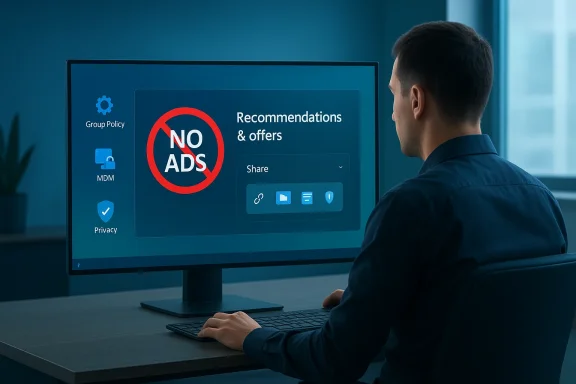
Mix Vale’s recent headline — that Microsoft has rolled out a Windows 11 feature that “releases ad blocking in the sharing menu for the corporate sector” — captured a hopeful narrative many IT teams have been asking for: a single, centrally manageable switch that entirely removes promotional content from a specific UI surface used in file sharing and collaboration. The reality, after cross‑checking the claim, is more nuanced: Microsoft has continued to add controls that reduce in‑OS promotions and recommendations, and there are admin‑level policies that can suppress promotional surfaces on managed devices, but there is not yet clear, verifiable evidence of a single labeled “Disable ads in Share menu” toggle targeted only at enterprise customers. The Mix Vale report appears to conflate broader recommendation controls and enterprise policy capabilities with a dedicated Share‑sheet ad blocker; readers and IT pros should treat the claim with caution until Microsoft publishes formal documentation or an update log that uses the same language. ](https://www.windowscentral.com/micr...s-11-versions-25h2-and-24h2?utm_source=openai))
Microsoft’s approach to in‑OS recommendations and promotional surfaces has evolved over the last two years. What began as occasional tips and “recommended apps” nudges in the Start menu has expanded into a few distinct settings and experiments: Start menu recommendations, a Settings page for “Recommendations & offers,” and toggles that control personalized offers and the Advertising ID. Those controls are the primary levers Microsoft exposes to users and administrators to limit or remove promotional content across Windows 11. Multiple mainstream Windows outlets and Microsoft’s own support pages document how to change these settings and emphasize that, in many cases, commercial (managed) devices are treated differently than consumer devices.
Concurrently, Microsoft has been iterating on the Share UX itself — adding usability features such as pinned targets inside the Share sheet and experimenting with drag‑to‑share surfaces — but these UI changes have not been reported as including a new advertising surface or, conversely, a single explicit ad‑blocking toggle for the Share sheet. In short: Microsoft exposes controls that affect recommendations and personalized offers broadly; the Share UI has been updated for productivity; but the specific Mix Vale claim of a Share‑menu ad blocker for enterprise lacks confirmation in Microsoft’s published notes and major tech outlets.
Source: Mix Vale New Windows 11 feature releases ad blocking in the sharing menu for the corporate sector
 Background / Overview
Microsoft’s approach to in‑OS recommendations and promotional surfaces has evolved over the last two years. What began as occasional tips and “recommended apps” nudges in the Start menu has expanded into a few distinct settings and experiments: Start menu recommendations, a Settings page for “Recommendations & offers,” and toggles that control personalized offers and the Advertising ID. Those controls are the primary levers Microsoft exposes to users and administrators to limit or remove promotional content across Windows 11. Multiple mainstream Windows outlets and Microsoft’s own support pages document how to change these settings and emphasize that, in many cases, commercial (managed) devices are treated differently than consumer devices.Concurrently, Microsoft has been iterating on the Share UX itself — adding usability features such as pinned targets inside the Share sheet and experimenting with drag‑to‑share surfaces — but these UI changes have not been reported as including a new advertising surface or, conversely, a single explicit ad‑blocking toggle for the Share sheet. In short: Microsoft exposes controls that affect recommendations and personalized offers broadly; the Share UI has been updated for productivity; but the specific Mix Vale claim of a Share‑menu ad blocker for enterprise lacks confirmation in Microsoft’s published notes and major tech outlets.
What Mix Vale reported — the claim and immediate implications
- The claim: Mix Vale reported that Microsoft released a new Windows 11 feature that blocks ads in the Share (sharing) menu, specifically aimed at corporate customers or devices managed by organizations.
- Why it matters: If true, a single, centrally manageable switch to remove adverts from a specific system surface would simplify compliance and user‑experience standardization across enterprise fleets. It would reduce the need for device‑level hacks, registry edits, or third‑party tools while offering a cleaner, distraction‑free sharing experience — attractive to security‑conscious organizations and regulated industries.
Verifying the claim: What the documentation and reporting show
Microsoft’s published controls and guidance
Microsoft’s support documentation lists a dedicated Recommendations & offers area inside Settings where the Personalized offers toggle (and related Advertising ID control) governs whether Windows surfaces show tips, offers, and recommendations that are tailored to your account and activity. This page is the official user‑facing control that Microsoft recommends to manage in‑OS promotional content. That control is explicit, and Microsoft documents how to change it via Settings, so it is verifiable. However, the guidance does not call out the Share menu specifically as a separate promotional surface that can be disabled independently.Industry reporting and Insider notes
Independent Windows outlets and Insider release notes confirm two patterns that are relevant:- Microsoft has added “recommendations” and promoted app entries to the Start menu in recent updates; these can be disabled by turning off “Show recommendations for tips, app promotions, and more” in Settings → Personalization → Start. Publications including LifeWire, Beebom, Pureinfotech, and others documented the toggle and explained how it hides Start menu recommendations. Many of the early Insider tests also excluded managed/commercial devices from these experiments, showing Microsoft frequently differentiates between consumer and corporate targets during rollouts.
- Windows Central and other outlets covering recent Insider builds describe improvements to the Share UX (pinning frequently used targets, drag‑to‑share experiments), but they do not report a new ad suppression toggle specifically labeled for the Share sheet or sharing menu. Instead, the changes noted were usability and productivity focused.
Community and forum analysis
Community forums and technician threads — where admins and power users often surface undocumented changes quickly — have reacted to the Mix Vale claim with skepticism and attempted to reproduce the alleged Share‑menu ad toggle. Those community summaries and investigations suggest that the Mix Vale story likely conflated existing recommendation controls or policy options with a new, distinct Share‑menu ad blocker. The forum findings align with the pattern seen in Microsoft docs: broad controls exist; a Share‑menu specific toggle does not appear in official notes or hands‑on reporting at the time of this review.What administrators and IT should know right now
The verifiable controls you can use today
If your goal is to minimize or eliminate promotional content on managed Windows 11 devices, these are the established, supportable levers:- Settings → Personalization → Start: Turn off Show recommendations for tips, app promotions, and more. This removes promoted apps and recommendations from the Start menu and is documented by multiple outlets and Microsoft’s Insider notes.
- Settings → Privacy & security → Recommendations & offers: Toggle Personalized offers off (and disable the Advertising ID) to reduce personalized tips, offers, and cross‑product nudges. Microsoft’s support page describes this control and how it applies to tips, offers, and ads surfaced in Windows.
- Group Policy / MDM controls: Use Group Policy Editor, Microsoft Endpoint Manager, or CSPs to centrally enforce settings that remove recommendations and suppress promotional content. Historically, Microsoft has added administrative templates that let IT teams disable personalized or promoted surfaces; while the exact policy names vary by build, the capability to centrally suppress recommended content is established practice. Community and support guides outline registry and policy alternatives for environments that need tighter control.
What is not yet verifiable
- There is no published Microsoft release note or support article that names a setting like "Disable ads in Share menu" as a new standalone feature specifically for enterprise customers.
- No major outlet or Microsoft‑issued changelog currently documents a dedicated Share‑sheet ad blocker as described by Mix Vale; instead, available records describe broader recommendation controls and Share‑menu usability updates. Treat any claims of a specific Share‑menu ad toggle as unverified until Microsoft provides matching documentation or an official admin policy description.
Practical guidance — how to reduce in‑OS promotions on managed Windows 11 devices
If your organization wants to minimize ad‑like content and recommendations on Windows 11 across a fleet, follow these proven, supportable steps:- Audit current policies and builds.
- Inventory which Windows 11 builds are running across your estate; Insider/preview builds often include features and toggles not present in general releases and can behave differently for commercial devices. Confirm whether devices are enrolled in Beta/Dev channels or running production builds.
- Implement Settings and Group Policy changes (recommended).
- Personalization → Start: disable “Show recommendations for tips, app promotions, and more.”
- Privacy & security → Recommendations & offers: disable “Personalized offers” and the Advertising ID.
- Use Group Policy or Microsoft Endpoint Manager (Intune) to enforce equivalent settings at scale so end users cannot re‑enable them. Many admin templates that control Start and Search experiences exist in the Administrative Templates.
- Document and test.
- Test policies on a pilot group of managed devices and verify the experiences in common workflows (Start, Share sheet, File Explorer sharing). Confirm that critical business flows (file sharing to apps, Teams integration, OneDrive sharing) still operate as expected after toggles are applied.
- Avoid registry hacks where possible.
- Registry edits are fragile across cumulative updates. Prefer supported Group Policy / MDM methods. If you must use registry edits for edge cases, keep a reversible, documented change management process.
- Monitor Microsoft release notes closely.
- Because Microsoft sometimes changes the names, locations, and behavior of settings between Insider and public releases, maintain a process to evaluate each monthly cumulative update and Windows feature update for changes to recommendation controls. Rely on Microsoft Support pages and official release announcements for authoritative guidance.
Security, compliance, and usability implications
Security and compliance
- Reducing promotional surfaces improves the attack surface in a subtle way: fewer external content placements reduce the chance of link‑based social engineering inside the OS, and centralized control via MDM reduces the risk of user‑enabled options exposing telemetry or personalized identifiers that could be correlated with other services. Administrators should weigh these privacy and security benefits when deciding to disable personalized offers for regulated environments.
- However, turning off advertising or recommendation features is not a substitute for a robust endpoint security program. Disabling “recommendations” does not affect update delivery, patching, or privileged access controls. Continue to maintain standard hardening, EDR, and identity protection controls.
Usability
- A single, centralized toggle that only affects the Share menu would be ideal for usability: it would let organizations retain helpful recommendations elsewhere while guaranteeing that the Share surface remains clean for sensitive file exchanges. Since that toggle is not verifiably present today, admins must choose between broader removal of recommendations or accepting some in‑OS nudges in exchange for convenience on other surfaces such as the Start menu.
- Be mindful that disabling recommendations can remove helpful contextual tips for end users; communicate changes to support and training teams to reduce helpdesk volume after policy rollouts.
Why the confusion — how headlines mix product surfaces and controls
There are a few reasons why media summaries and smaller outlets can create headlines claiming a targeted Share‑menu ad blocker:- Microsoft often repurposes features and changes across multiple UI surfaces. A change to “recommendations and offers” in Settings can affect multiple places where recommendations appear — Start, Tips, possibly other surfaces — and this linkage can be misread as a Share‑menu specific control.
- Insider releases and A/B experiments can enable features for consumers but exclude commercial devices; press coverage of Insider behavior can be conflated with wide enterprise releases. Several early reports about Start menu recommendations explicitly stated that commercial devices were excluded in the initial experiments; this nuance is sometimes lost in later summaries.
- Small or regional outlets may paraphrase an it matching the exact names of Settings or policies, producing a headline that reads stronger than the underlying technical reality — a pattern visible in community reaction threads and the subsequent attempt to verify the claim.
Assessment: strengths, weaknesses, and risk analysis
Strengths of Microsoft’s current approach
- Administrative control: Microsoft provides enterprise management capabilities that allow organizations to enforce user experience policies centrally. That’s the essential mechanism by which corporate fleets achieve consistency and compliance.
- User‑facing toggles: The existence of clear Settings toggles (Start recommendations, Personalized offers) gives both individual users and admins a supported way to limit promotional surfaces without risky third‑party tools.
- Transparent opt‑out: Microsoft documents the mechanism to opt out of personalization and advertising identifiers, allowing organizations to meet privacy and regulatory requirements.
Weaknesses and gaps
- No explicitly documented Share‑menu toggle: If your operational need is specifically to keep the Share sheet advertisement‑free while leaving other Windows surfaces unchanged, you currently lack a single, documented control for that exact surface — meaning you must use broader toggles or policy sets that may affect other areas.
- Rollout ambiguity: Insider experiments and staggered feature rollouts can cause inconsistent experiences across devices until a feature reaches general availability. For managed environments this adds uncertainty and requires careful testing.
- Messaging mismatch: Headlines that overstate or mislabel features create confusion among administrators, potentially leading to incomplete or incorrect policy choices.
Risks for IT teams
- Deploying undocumented registry or third‑party fixes in pursuit of a tion can create upgrade fragility and compliance risk.
- Assuming a single new Share‑menu toggle exists and basing policy design on that assumption could leave fleets exposed if the toggle is experimental or behaves differently in production builds.
Recommendations for IT decision‑makers
- Treat the Mix Vale claim as a prompt to re‑audit your promotional controls, not as proof of a new single‑surface toggle. Confirm the current settings documented by Microsoft and test them on pilot devices before wide deployment.
- Enforce the supported Settings and Group Policy options for Start recommendations and Personalized offers across managed devices via Microsoft Endpoint Manager or equivalent MDM tooling. This is the supported and reversible path to minimize in‑OS promotions.
- Subscribe to Microsoft’s official release notes and the Windows Insider weblog for authoritative confirmation before changing production‑scale policies based on press reports.
- If you require a strict Share UX (no promotions in the Share sheet only), open a support case or feature request with Microsoft via your commercial support plan; vendor feedback channels have influenced the naming, rollout, and policy coverage of previous UI recommendation controls. This is the more reliable route to influence targeted enterprise behavior than relying on third‑party hacks.
Conclusion
The Mix Vale headline reflects a real and important desire inside enterprise IT: a straightforward, centrally manageable control to stop promotional content from appearing where users share files and collaborate. That desire has pushed Microsoft to add clearer controls for recommendations and personalized offers, and administrators already have supported levers to reduce or remove in‑OS promotions across fleets. What Mix Vale framed as a Share‑menu ad‑blocking release is not verifiably present in Microsoft’s published notes or in major reporting at the time of this review; instead, available evidence points to broader controls and Share UX improvements without a labeled, Share‑sheet‑only ad blocker. Administrators should use the documented Settings and group policy mechanisms to achieve an ad‑free experience, test changes carefully on pilot devices, and treat any claim of a new Share‑menu‑only toggle as unconfirmed until Microsoft publishes matching documentation.Source: Mix Vale New Windows 11 feature releases ad blocking in the sharing menu for the corporate sector
