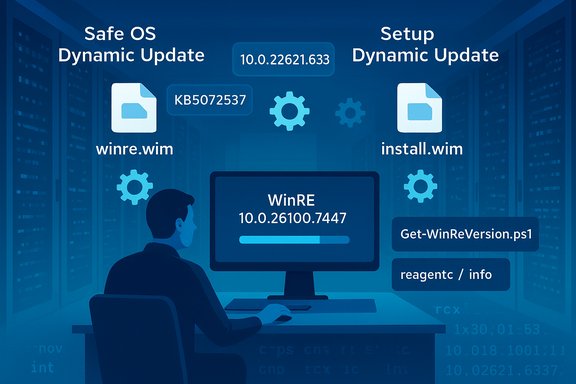
Windows 11 December 2025 Dynamic Updates: Safe OS and Setup DUs Explained

  • Thread Author
Microsoft rolled out a trio of behind‑the‑scenes Windows 11 updates on December 9, 2025 — KB5072537, KB5071416, and KB5072543 — that target the operating system’s setup and recovery plumbing rather than its consumer‑facing features, refreshing the Windows Recovery Environment (WinRE) and the small set of setup binaries imaging teams and help desks rely on during installs, feature upgrades and repair flows. These are small, surgical packages with outsized operational impact: they correct file and driver mismatches, harden recovery scenarios, and are intended to keep frozen install media and recovery images functional without rebuilding entire ISOs.

A technician works on Windows 11 deployment, using DISM to manage image files.Background / Overview​

Microsoft uses two closely related dynamic update families to maintain the parts of Windows used during installation and recovery: Setup Dynamic Updates refresh the Setup runtime and appraiser components used during in‑place feature upgrades, while Safe OS (WinRE) Dynamic Updates refresh the pre‑boot recovery payload (winre.wim) and a tiny set of pre‑boot drivers. These packages are deliberately narrow in scope — small downloads that replace only the files Setup and WinRE need — but they are strategically important because they affect the last‑resort mechanisms that run when Windows cannot boot. Why Microsoft pushes these updates separately:
  • They let administrators update frozen images without rebuilding full installers.
  • They fix driver/firmware mismatches that break USB, storage, TPM or BitLocker flows inside WinRE.
  • They are distributed through the same channels as other updates (Windows Update, Microsoft Update Catalog and WSUS), but many WinRE DUs are effectively non‑removable once applied to an image.

What Microsoft published on December 9, 2025​

KB5072537 — Safe OS Dynamic Update for Windows 11 (24H2 / 25H2) and Windows Server 2025​

  • Summary: Refreshes the Windows Recovery Environment (WinRE) for Windows 11 versions 24H2 and 25H2 and for Windows Server 2025. The update replaces a set of WinRE files and sets a target WinRE version after installation.
  • Key operational facts from Microsoft:
  • Post‑install WinRE target version: 10.0.26100.7447 (this is the canonical verification string administrators should expect).
  • Distribution: Windows Update (automatic), Microsoft Update Catalog (CAB for offline injection) and WSUS.
  • Restart: Not required for the host when WinRE is updated in place.
  • Removal: The update cannot be removed from an image once it's applied — restoring a previous golden image is the only practical rollback.
  • Why it matters: This update brings WinRE in line with recent servicing and device firmware changes so recovery flows (Reset this PC, Automatic Repair, cloud reinstall) have the drivers and orchestration code they need to function correctly. Real‑world reports and community guidance note that admins should verify application and validate recovery scenarios before rolling updates broadly.

KB5071416 — Setup Dynamic Update for Windows 11, version 23H2​

  • Summary: A Setup Dynamic Update that refreshes the small set of Setup binaries used during feature updates and install‑time operations for Windows 11 version 23H2. It replaces KB5062683 and includes a file manifest with explicit file version numbers for validation.
  • Notable details:
  • Applies to: Windows 11 Home, Pro, Enterprise, Education and Enterprise Multi‑Session (23H2).
  • File versions: representative files like acmigration.dll and Appraiser.dll appear in the KB manifest with version 10.0.22621.6335 (dated Nov 12, 2025) for x64. Administrators can and should compare these versions against images and running systems.
  • Distribution and restart guidance: Delivered via Windows Update, Update Catalog and WSUS; a restart may be required depending on which files are replaced.
  • Why it matters: Setup updates reduce install‑time crashes and incompatibilities that arise when Setup and the running OS are out of sync, improving the success rate of feature upgrades.

KB5072543 — Safe OS Dynamic Update for Windows 11, version 23H2​

  • Summary: A Safe OS Dynamic Update that refreshes WinRE for the 23H2 servicing family. Microsoft states the post‑install WinRE version should be 10.0.22621.6337 and notes the package replaces KB5069341.
  • Operational points:
  • No restart required after applying the update to WinRE.
  • The update is non‑removable from the image once applied.
  • Distribution is standard (Windows Update, Update Catalog, WSUS).
  • Why it matters: Unlike Setup DUs which affect feature upgrades, Safe OS DUs directly control the functionality of Reset flows, offline repair and cloud reinstall. For organizations that inject WinRE into deployment media, applying the most recent Safe OS DU is a critical part of image hygiene.

How administrators and advanced users should verify and validate these updates​

Every KB publishes a file manifest and verification guidance. Follow this practical checklist to confirm correct application and to reduce rollout risk:
  • Retrieve the standalone package from the Microsoft Update Catalog when you plan to inject into images. Use the Microsoft KB file manifest as the authoritative list of file names and versions.
  • Before and after servicing, run:
  • reagentc /info to verify WinRE is enabled and to locate the active winre.wim.
  • The provided PowerShell helper GetWinReVersion.ps1 (or vendor scripting equivalent) to read the WinRE version string and confirm it matches the KB’s target (for example 10.0.26100.7447 for KB5072537 or 10.0.22621.6337 for KB5072543).
  • Mount the wim with DISM and inspect Windows\System32 file versions inside the mounted image; match the file versions against the catalog manifest. This provides definitive, file‑level verification.
  • Validate actual recovery flows on representative hardware:
  • Exercise Reset this PC (local and cloud), Automatic Repair, BitLocker unlock and USB keyboard/mouse input inside WinRE. These functional checks are the only reliable confirmation that pre‑boot input and storage drivers work as expected.
  • Maintain golden backups of pre‑DU images so you can restore a known good baseline if a regression occurs. Document the WinRE version and file manifest for each golden image.

Strengths and practical benefits​

  • Operational hygiene without rebuilds: Injecting DUs into install.wim and winre.wim keeps frozen media current with months‑new fixes without rebuilding entire ISOs, saving time for imaging teams.
  • Better first‑aid for unbootable systems: Updated WinRE improves handling of new hardware and firmware quirks (SSD controllers, USB controllers, TPM/BitLocker interactions), reducing the risk of unrecoverable systems at the help desk.
  • Narrow attack surface for updates: Dynamic updates modify a tightly constrained set of binaries and drivers, lowering the chance that an unrelated user‑facing area of Windows is affected. This is purposeful — the packages are surgical.
  • Automated distribution for most devices: For consumer and many enterprise endpoints, Windows Update handles delivery; administrators can opt for manual catalog downloads only when they need offline injection or controlled staging.

Risks, caveats and historical lessons​

These packages are useful, but they are not risk‑free. The following are the principal cautions imaging teams and admins must treat seriously:
  • Irreversibility on images: Many Safe OS DUs are non‑removable once applied to a winre.wim or install media image; rolling back requires restoring an earlier golden image. This means any regression becomes harder to reverse in production. Treat DUs like image hygiene — plan and test, don’t rush.
  • Pre‑boot regressions are especially damaging: Because WinRE runs outside the main OS, a broken pre‑boot driver or orchestration binary can render recovery UIs unusable (for example, leaving USB keyboards or mice inoperative inside WinRE). Past Safe OS DUs have occasionally caused input regressions that required rapid investigation and rollback of deployment workflows. Imaging and help‑desk teams should prioritize testing of input, storage and BitLocker flows on representative hardware.
  • Catalog registration and WSUS caveats: WSUS admins should confirm that the KB entries and CABs have synchronized correctly and validate that distribution packages are intact. Missing catalog items or WSUS sync errors can silently block DU distribution to managed clients.
  • Firmware / Secure Boot interactions: Safe OS updates interact with firmware components and secure boot chains. Microsoft has flagged upcoming Secure Boot certificate expirations that could affect boot flows for some devices; coordinate with OEM firmware updates and review Microsoft’s guidance on certificate updates when planning DU injection.
  • Assume restart conditions vary: Setup DUs may require a restart depending on which runtime files are replaced; plan maintenance windows accordingly even though Safe OS DUs typically need no host restart.

Recommended deployment strategy (enterprise / imaging teams)​

  • Download the KB CAB from the Microsoft Update Catalog and preserve the catalog manifest.
  • Inject the DU into a lab copy of your golden install.wim and winre.wim; record the pre‑ and post‑WinRE version strings.
  • Run the full gamut of recovery scenarios on representative hardware families (UEFI with Secure Boot, devices with NVMe/SCSI/RAID controllers, devices with BitLocker/TPM enabled). Confirm USB keyboard/mouse works inside WinRE.
  • Pilot to a limited production ring with full telemetry and help‑desk readiness. Track reagentc /info and GetWinReVersion.ps1 results centrally.
  • After a successful pilot, roll out to broader rings while keeping golden image backups and documented rollback procedures ready.
This staged approach balances the operational advantages of DUs with the practical reality that pre‑boot regressions are expensive to remediate.

What the community reporting shows (context and confirmation)​

Independent reporting and community summaries captured the same basic facts Microsoft published: the December 9, 2025 dynamic updates are narrowly scoped to Setup and WinRE, they are available via Windows Update and the Update Catalog, and they publish target WinRE version strings for validation. Community analysis also repeated the consistent advice: treat DUs as image hygiene, inject and verify in lab, and exercise recovery flows — and be mindful that some Safe OS DUs are non‑removable on images.
Historical incidents and community experience are valuable: earlier Safe OS DUs in 2025 produced a WinRE input regression on some Windows 11 builds, demonstrating the harm an untested pre‑boot change can cause. Those examples underline why staged testing and functional validation matter.

Real‑world checklist for technicians and help desks​

  • Before applying any DU: document current WinRE versions and back up the recovery partition where feasible.
  • After applying a Safe OS DU to a device or injected image:
  • Run reagentc /info and GetWinReVersion.ps1 to confirm target version strings.
  • Test Reset this PC (local + cloud), Automatic Repair, system image recovery and BitLocker unlock.
  • Verify USB keyboards and mice work inside WinRE on the target hardware.
  • When rolling out through Windows Update: monitor Release Health and community channels for early signals of regressions before expanding pilot rings.

Final analysis — balancing value versus operational risk​

These December 9 updates — KB5072537, KB5071416 and KB5072543 — represent responsible, incremental maintenance from Microsoft: they target the fragile but critical layers that determine whether a device can be repaired or upgraded successfully. For imaging teams and device manufacturers, the value is immediate: fewer rebuilds, fewer surprises during feature updates and more robust recovery paths on modern hardware. For help desks, updated WinRE images can reduce ticket volume from failed resets and non‑interactive repair sessions.
That value comes with non‑trivial risk. Because Safe OS dynamic updates affect pre‑boot and recovery code, a regression can be catastrophic: a broken WinRE can remove the most straightforward route to repair a device. The packages’ non‑removable nature on injected images raises the operational cost of mistakes. The prudent course for enterprises and imaging teams is a methodical one: download, inject into lab images, verify file manifests, exercise recovery flows across representative hardware and pilot widely before a full rollout. Microsoft explicitly publishes file versions and target WinRE strings for this very reason; use them as your truth set when validating deployments.

Conclusion​

The trio of December 9, 2025 updates — KB5072537, KB5071416, and KB5072543 — are essential maintenance items for anyone responsible for Windows 11 deployment media, image hygiene, or recovery reliability. They do not change the visible behavior of Windows for most users, but they materially improve the last line of defense when things go wrong. Apply them thoughtfully: verify manifests, test recovery scenarios, keep golden backups, and stage rollouts. Done right, these updates reduce future support headaches; done poorly, they can embed irreversible pre‑boot regressions into your images. Microsoft’s KB pages publish the authoritative file manifests and WinRE target versions — use them to verify success.
Source: Neowin https://www.neowin.net/news/microso...kb5072543-windows-11-setup--recovery-updates/
 

Microsoft quietly published a trio of targeted Windows 11 setup and recovery updates on December 9, 2025 — KB5072537, KB5071416 and KB5072543 — that refresh the Windows Recovery Environment (WinRE) and the Setup binaries used during feature upgrades, delivering small but strategically important fixes for imaging teams, IT pros and anyone who relies on the built‑in recovery flows.

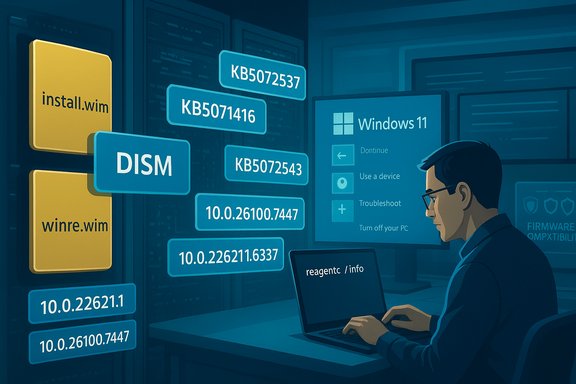
A technician watches Windows Recovery and Dynamic Update prompts on dual monitors.Background / Overview​

The updates published on December 9 follow Microsoft’s long‑running pattern of delivering Dynamic Updates that touch only the pieces of Windows used during setup and pre‑boot recovery rather than shipping full cumulative rollups. There are two complementary families in play:
  • Setup Dynamic Updates — refresh the small set of Setup binaries and appraiser/runtime components used during feature updates and installs.
  • Safe OS (WinRE) Dynamic Updates — refresh the pre‑boot recovery payload (winre.wim) and a compact set of pre‑boot drivers and orchestration binaries.
These packages are deliberately small and surgical: they update only what Setup or WinRE needs, making it possible to refresh frozen installation media or recovery images without rebuilding entire ISOs. That operational efficiency is the central reason imaging teams and device manufacturers prioritize these updates during media‑refresh windows.

What Microsoft published (the facts)​

KB5072537 — Safe OS Dynamic Update (24H2 / 25H2 and Windows Server 2025)​

Microsoft’s KB for KB5072537 states the update “makes improvements to the Windows recovery environment (WinRE).” After installation the WinRE image on affected devices should report a post‑install WinRE version of 10.0.26100.7447. The package is delivered through Windows Update, the Microsoft Update Catalog (CAB for offline injection) and WSUS; no host restart is required when WinRE is updated in place, and the update cannot be removed once it has been applied to a Windows image.

KB5071416 — Setup Dynamic Update (Windows 11 version 23H2)​

KB5071416 is a Setup Dynamic Update that replaces an earlier package (KB5062683) and refreshes Setup binaries for the 23H2 servicing family. Microsoft lists the file manifest and versions in the KB; representative file versions include Appraiser.dll and related Setup files at version 10.0.22621.6335 (dated November 12, 2025) for x64. The package is available via Windows Update, the Update Catalog and WSUS; a restart may be required depending on which files are replaced.

KB5072543 — Safe OS Dynamic Update (Windows 11 version 23H2)​

KB5072543 refreshes WinRE for the 23H2 servicing family and sets the expected WinRE version to 10.0.22621.6337 after installation. Like other Safe OS DUs, it is non‑removable from the image once applied, requires no restart after servicing, and can be obtained through Windows Update, the Microsoft Update Catalog and WSUS. The KB explicitly replaces an earlier 23H2 Safe OS DU (KB5069341).

Why these updates matter — operational perspective​

At first glance these KBs look unglamorous because they don’t add features or change visible behavior for most users. Their value comes from three operational benefits:
  • Image hygiene without rebuilds — injecting a Safe OS DU or Setup DU into captured WIMs refreshes only the needed binaries and drivers, avoiding time‑consuming ISO rebuilds for frozen media.
  • Repair reliability — refreshed WinRE images bring updated USB, storage and TPM/BitLocker helpers into pre‑boot, reducing the chance of recovery flows that are unusable (for example USB keyboards not working inside WinRE).
  • Upgrade success rate improvement — Setup DU updates align the installer runtime with latest servicing so feature upgrades are less likely to hang or crash due to binary mismatches.
Community and operational reporting have repeatedly emphasized that Dynamic Updates are high‑value precisely because they reduce surprises during the most critical, last‑resort flows — resets, cloud reinstalls, Automatic Repair and offline troubleshooting. That community perspective matches Microsoft’s guidance and is reflected in practical rollout checklists circulated in IT channels.

Technical verification — what administrators should check​

Microsoft intentionally publishes file manifests and verification tooling for these DUs. Administrators responsible for images and recovery partitions should verify the following after applying or injecting these packages.
Key verification artifacts and commands
  • Run reagentc /info to confirm WinRE is enabled and to identify the active winre.wim path on the device.
  • Use the Microsoft‑supplied PowerShell helper GetWinReVersion.ps1 to read the embedded WinRE version string (the KB lists the expected version: 10.0.26100.7447 for KB5072537 and 10.0.22621.6337 for KB5072543).
  • Mount the winre.wim with DISM and inspect file versions in Windows\System32 to match them against the KB file manifest.
  • Compare setup binary file versions against the KB manifest for KB5071416 (for example Appraiser.dll and SetupPlatform files at 10.0.22621.6335).
The KB pages publish these exact file versions and provide guidance for offline injection via the Microsoft Update Catalog; use the catalog manifest as the authoritative, machine‑readable list. These verification steps are straightforward but mandatory — they are the difference between a successful rollout and silently embedding a broken recovery environment into every device image.

Known risk classes and historical context​

Safe OS and Setup DUs are powerful but not risk‑free. Experience across multiple 2024–2025 DU rollouts shows three recurring problem classes:
  • Pre‑boot input and storage regressions — WinRE runs with a very small driver set; if a DU accidentally omits or replaces the wrong controller driver, USB keyboards or disks can become unavailable in recovery. That exact failure mode has occurred in prior cycles and forced rapid corrections.
  • BitLocker/TPM continuity failures — mismatched pre‑boot components can trigger BitLocker recovery prompts or prevent expected key protector flow during a Reset or cloud reinstall, increasing downtime and help‑desk work.
  • Permanence of change — many Safe OS DUs are non‑removable from an image once integrated. Removing a problematic DU from a deployed recovery partition is generally not possible short of restoring a previously captured golden image or using external rescue media, making pre‑deployment verification essential.
These risks do not negate the benefits — they shape the process by which organizations should apply these updates: conservative, verifiable, and staged rollouts.

Practical rollout checklist (tested, step‑by‑step)​

  • Backup golden images and capture checksums for install.wim and winre.wim before any change. Preserve off‑site copies to allow reliable rollback.
  • Download the standalone CAB/MSU from the Microsoft Update Catalog for the KB you plan to inject. Do not rely on in‑place Windows Update for image injection tasks.
  • Inject the Setup DU into a copy of install.wim and inject the Safe OS DU into winre.wim using DISM or your automation tooling (MDT, ADK scripts, etc..
  • Mount the injected winre.wim and run file‑level checks against the KB manifest to ensure expected file versions are present (DISM /Get‑ImageInfo + inspect Windows\System32 files).
  • On representative hardware families (UEFI + Secure Boot, NVMe/SCSI/RAID, devices with BitLocker/TPM enabled), stage a lab test:
  • Run reagentc /info to confirm WinRE path and enabled state.
  • Run GetWinReVersion.ps1 and confirm the post‑install WinRE string matches the KB (e.g., 10.0.26100.7447 for KB5072537).
  • Test Reset this PC (local and cloud), Automatic Repair, system image recovery, and BitLocker unlock flows.
  • Confirm USB keyboard/mouse input and external storage access inside WinRE on each hardware family.
  • Pilot to a limited production ring with full telemetry and help‑desk readiness for 72 hours. Monitor Release Health, WinREAgent events and community channels for early signals of regressions.
  • If pilot is successful, proceed with staged rollouts via WSUS/MECM with wave deployments; always keep golden image backups and documented rollback procedures.
This checklist reflects both Microsoft’s verification guidance and community best practice; applying these checks will reduce the risk of embedding an irreversible pre‑boot regression into production images.

How these updates affect different audiences​

Imaging teams and OEMs​

For teams that build and ship golden images, these updates are image hygiene. Injecting the DU into winre.wim means frozen media will enjoy the same pre‑boot compatibility improvements as freshly built ISO media, at a fraction of the cost of a full rebuild. That said, because Safe OS DUs can be non‑removable, the cost of a mistake is higher; treat the DU injection as a controlled, testable change and preserve pre‑DU backups.

Enterprise IT and SCCM/WSUS operators​

WSUS and SCCM will sync many DUs — but be wary: WSUS distribution issues or mis‑categorized catalog entries have caused delays in past DU deployments. Configure a pilot ring, confirm catalog artifacts and hashes, and use the Update Catalog CAB for offline injection when appropriate. Monitor Release Health for telemetry signals before widening deployments.

Consumers and small teams​

For most consumer devices, Windows Update will fetch and apply Safe OS DUs automatically. The changes are low‑risk for end users and improve last‑resort recovery reliability; however, users who keep manual recovery media should consider re‑creating rescue drives after the DU is injected into an on‑device WinRE or into rescue media.

Cross‑verification of key claims (explicit)​

  • Release date and channels — Microsoft KB pages show all three packages listed on December 9, 2025 and confirm distribution through Windows Update, Microsoft Update Catalog and WSUS. These points are verifiable on the official KBs for KB5072537, KB5071416 and KB5072543.
  • Post‑install WinRE versions — the KB pages list the canonical WinRE version strings administrators should expect after installation: 10.0.26100.7447 for KB5072537 and 10.0.22621.6337 for KB5072543. These exact strings are included in the KB pages and should be used as the authoritative verification targets.
  • Non‑removability on images — Microsoft explicitly documents that Safe OS DUs cannot be removed once applied to a Windows image; community guidance reiterates this operational permanence and its implications for image rollback planning. Cross‑referencing the KBs and community briefings confirms this behavior.
  • Specific file versions for Setup DU — KB5071416 lists file names and version numbers (for example Appraiser.dll and SetupPlatform at 10.0.22621.6335). Administrators can and should use the manifest to validate injected images.
  • Risk examples and historical precedent — prior DU rollouts in 2025 documented real regressions (for example USB input unresponsive in WinRE) that required corrective releases. Community threads and archived DU analyses echo this history, underscoring the practical reasons for the sequence of verification steps outlined above. Where specific past incidents are referenced, they are consistent with community reporting and Microsoft’s iterative DU approach.

Potential unknowns and unverifiable claims — cautionary note​

Microsoft’s KB summaries for Safe OS DUs are intentionally terse; they rarely enumerate behavioral fixes in human‑readable detail. That means some why or exact symptom claims sometimes circulating in community posts are inferred rather than explicitly listed on the Microsoft page. When a point cannot be directly confirmed from the KB manifest or the Update Catalog, it is appropriate to flag it as inferred and validate in lab rather than accept it as established fact.
Specifically:
  • If a community report suggests a DU “fixes a particular vendor driver bug” but that claim isn’t itemized in the Microsoft manifest, treat it as probable but unverified until confirmed through DISM inspection or Microsoft disclosure. Community tests and vendor advisories are valuable but they should be corroborated before changing broad deployment plans.

Practical troubleshooting and rollback strategies​

Because Safe OS DUs can become permanent parts of WinRE images, assume a DU is non‑removable in the field and plan for recovery accordingly:
  • Keep off‑image golden backups of winre.wim and install.wim that predate the DU.
  • Have a bootable external rescue USB or network recovery option available for devices that enter an unrecoverable pre‑boot state after a DU rollout.
  • For devices with BitLocker, make sure Recovery Keys are backed up and accessible before mass DU application.
  • If a problematic DU is deployed broadly, coordinate with OEMs and Microsoft Release Health channels for mitigation guidance; restoring golden images and re‑imaging affected devices is the pragmatic remediation path.
These steps are practical insurance — the most expensive failures occur when teams realize they cannot roll back a broken WinRE image quickly.

Final analysis — balancing value and risk​

KB5072537, KB5071416 and KB5072543 are classic examples of Microsoft prioritizing reliability of the recovery and setup plumbing over visible consumer features. For imaging teams, OEMs and enterprise IT, they are high‑value, low‑cost interventions: inject the DU, confirm manifests, and the saved rebuild time and reduced recovery tickets will pay dividends.
That value is conditional on process. The defining operational requirement is verification before production — mount and inspect, test on representative machines, pilot with telemetry, and preserve gold images to enable rollback. Failing to do so transforms a small, surgical update into a sticky, expensive problem because many Safe OS DUs are effectively permanent once integrated into recovery partitions.

Quick reference — essential artifacts and expected values​

  • KB5072537 — Safe OS DU (24H2 / 25H2 / Server 2025): expected WinRE 10.0.26100.7447; distribution via Windows Update/Update Catalog/WSUS; non‑removable from image.
  • KB5071416 — Setup DU (23H2): representative Setup binaries at 10.0.22621.6335; replaces KB5062683; distribution via Windows Update/Update Catalog/WSUS.
  • KB5072543 — Safe OS DU (23H2): expected WinRE 10.0.22621.6337; replaces KB5069341; no restart required; non‑removable.

Conclusion​

These December 9 dynamic updates are strategic maintenance, not sexier feature work. They keep the recovery and setup plumbing in step with recent servicing and device firmware change, and they reduce real pain during upgrades and repairs — but only when treated with appropriate operational rigor. For imaging teams and administrators the headline is simple: download the Update Catalog CABs, inject and inspect, test recovery flows across representative hardware, pilot in waves and keep golden images for rollback. Done that way, KB5072537, KB5071416 and KB5072543 will reduce future support headaches; done hastily, they risk embedding irreversible pre‑boot regressions into your images.
Source: Neowin https://www.neowin.net/amp/microsof...kb5072543-windows-11-setup--recovery-updates/
 

Microsoft quietly shipped a trio of targeted Windows 11 Dynamic Updates on December 9, 2025 that refresh the platform’s installation and recovery plumbing — specifically the Windows Recovery Environment (WinRE) and a small set of Setup binaries used during feature upgrades — delivering behind‑the‑scenes reliability improvements for imaging teams, help desks and end users alike. These packages (KB5072537, KB5071416 and KB5072543) do not change visible desktop features but are operationally important: they let administrators refresh install media and recovery partitions without rebuilding full ISOs, and they correct driver and pre‑boot component mismatches that commonly break recovery scenarios.

Technician at a server rack updating Safe OS and WinRE with install.wim and winre.wim.Background​

Windows includes two narrow but critical servicing mechanisms that run during setup and recovery: Setup Dynamic Updates (small fixes to Setup.exe and the runtime files Setup uses during feature updates) and Safe OS (WinRE) Dynamic Updates (refreshed pre‑boot “safe OS” images used by the Windows Recovery Environment). Unlike cumulative OS rollups, these dynamic updates are intentionally surgical — small files that target the exact components required for installation or recovery flows. That design reduces the need to rebuild frozen images and directly reduces a leading cause of failed feature updates and broken recovery attempts. Why this matters: WinRE is the last line of defense when Windows cannot boot. It powers Reset this PC, Automatic Repair, cloud reinstall and offline troubleshooting. Because WinRE is a heavily trimmed runtime carrying only the drivers and orchestration binaries it needs, version or driver mismatches between a stale WinRE and modern hardware or firmware can produce subtle but catastrophic failures — USB keyboards that don’t respond, BitLocker blocking automated resets, or cloud reinstall flows that stall. Dynamic Updates allow Microsoft to surgically refresh the WinRE payload or Setup runtime so old images behave like freshly built ones.

What Microsoft released (the three December 9 packages)​

KB5072537 — Safe OS Dynamic Update (Windows 11 24H2 / 25H2, Windows Server 2025)​

  • Summary: Refreshes the Windows Recovery Environment (WinRE) for the 24H2 and 25H2 servicing families and for Windows Server 2025. After successful application Microsoft lists the expected WinRE version string as 10.0.26100.7447. The KB is available via Windows Update, the Microsoft Update Catalog and WSUS; it can be applied in place without requiring a host restart and, when injected into an image, is effectively permanent.
  • Notable operational details:
  • Delivered automatically to eligible devices through Windows Update.
  • Includes updated pre‑boot drivers and small runtime components (manifest lists are published in the KB).
  • Installation does not require an immediate restart; rollback requires restoring an earlier image because the update cannot be removed once integrated into a WinRE image.

KB5072543 — Safe OS Dynamic Update (Windows 11 23H2)​

  • Summary: Refreshes the WinRE Safe OS components for devices still on the 23H2 servicing family. It sets a post‑install WinRE verification version of 10.0.22621.6337 and shares the same delivery and permanence characteristics as other Safe OS dynamic updates. Admins should use the published manifests and verification scripts to confirm correct deployment.
  • Extra note: Microsoft’s 23H2 Safe OS update KB includes a specific WinRE verification method and also carries Microsoft’s advisory about Secure Boot certificate expirations that begin to matter in mid‑2026 (see Reliability & Risks below).

KB5071416 — Setup Dynamic Update (Windows 11 23H2)​

  • Summary: A Setup Dynamic Update for Windows 11 version 23H2 that refreshes Setup.exe and the small set of appraiser/upgrade runtime libraries used during feature updates and media-based installs. The package replaces an earlier DU and publishes precise file version numbers for administrator validation (representative file versions show Appraiser.dll and many Setup-related assemblies stamped with November build numbers). A restart may be required depending on which host files are updated.

How organizations and imaging teams should treat these updates​

Dynamic Updates are image‑hygiene tools — high‑value but requiring process discipline. The recommended operational flow for enterprise and device imaging teams is:
  • Download the DU CAB or package from the Microsoft Update Catalog and record checksums.
  • Inject the Safe OS update into a copy of your winre.wim and the Setup DU into a test copy of install.wim using DISM or your standard media‑refresh automation.
  • Verify the WinRE version with Microsoft’s supplied script (GetWinReVersion.ps1), reagentc /info and/or DISM inspection to confirm expected file versions.
  • Run the full suite of recovery scenarios on representative hardware families:
  • Reset this PC (local and cloud)
  • Automatic Repair
  • BitLocker unlock / TPM interactions
  • Confirm USB keyboard/mouse input inside WinRE
  • Pilot to a limited production ring, monitor telemetry (event logs, WinREAgent events), then expand rollout if no regressions appear.
  • Maintain golden‑image backups so you can revert if a Safe OS DU embeds an undesirable change into recovery images.
This checklist mirrors guidance from Microsoft KBs and community best practice: treat Safe OS DUs as effectively non‑removable once injected, test thoroughly, and stage rollouts to limit blast radius.

Verification and tools for validation​

Administrators should rely on these built‑in or published methods to verify DU application:
  • GetWinReVersion.ps1 — Microsoft publishes this PowerShell helper to extract the WinRE version string after a Safe OS DU is applied. Use it to confirm the target version reported in the KB (for example 10.0.26100.7447 for KB5072537).
  • reagentc /info — Use this to inspect the configured WinRE location and basic status.
  • DISM image inspection — Mount the injected WIM and confirm updated file version stamps in the manifest (Appraiser.dll, ReAgent.dll, USB driver files, etc..
  • WSUS/Update Catalog metadata — confirm CABs and manifests match your downloaded artifacts before injecting images.
These methods allow deterministic verification across lab and field machines and are especially important because Microsoft’s public KBs intentionally list only concise descriptions. The file manifests in the KB are the canonical artifact list to validate against.

Strengths — what these dynamic updates deliver​

  • Surgical fixes with low bandwidth: Because DUs are small and targeted, they reduce the need to recompile or rebuild full installation ISOs when only pre‑boot or setup bits need updating. That saves time and reduces deployment overhead for large fleets.
  • Improved recoverability: Refreshing WinRE drivers and orchestration binaries reduces the number of edge cases where recovery flows fail on modern hardware (e.g., USB input inside WinRE, NVMe/RAID controllers, TPM/BitLocker interactions).
  • Automatic delivery option for consumers: Windows Update can automatically deliver these packages to eligible devices, ensuring most home and unmanaged devices receive recovery improvements without admin intervention.
  • File‑level verification: Microsoft publishes file manifests and expected post‑install WinRE version strings, enabling labs to verify the exact artifacts deployed. This is especially helpful for compliance and runbook automation.

Risks and operational caveats​

  • Non‑removable nature (for Safe OS DUs): Several Safe OS dynamic updates cannot be removed once they are embedded in a WinRE image on disk; rollback requires restoring a previously captured golden image. This elevates the consequences of any untested regression.
  • Potential pre‑boot regressions are costly: If a Safe OS DU introduces a regression that breaks WinRE on a class of devices, help‑desk workflows and remote recovery can become significantly harder until a fix or image rollback is applied. Historical community reports have documented such scenarios after earlier Safe OS releases.
  • WSUS/Update Catalog delivery pitfalls: In some enterprise setups, WSUS synchronization or missing catalog items can delay or block DU distribution. This can leave some devices with stale recovery payloads despite Microsoft publishing a DU.
  • Coordination with OEM firmware and Secure Boot certificates: Microsoft’s December KBs explicitly warn about Secure Boot certificate expirations starting in June 2026, and administrators must coordinate firmware updates/certificate updates with OEMs to avoid boot or WinRE trust failures. This is an external dependency that can transform a simple DU rollout into a multi‑vendor coordination effort.
  • Opaque bug details: Microsoft’s public KB descriptions are intentionally short (“makes improvements to WinRE” or “makes improvements to setup binaries”), and the exact defects fixed are frequently undisclosed. Where precise bug details are critical, the lack of disclosure forces teams to rely on internal telemetry and lab testing to measure impact; such claims should be treated as unverifiable unless Microsoft publishes a follow‑up advisory.

Practical mitigation and rollout guidance​

For IT teams responsible for image hygiene and large‑scale deployment, a conservative, test‑first approach minimizes risk:
  • Stage the injection and testing across representative hardware: at least one UEFI/Secure Boot model, one NVMe/RAID controller family, and one BitLocker‑enabled device per major OEM.
  • Validate interactive recovery flows (keyboard, mouse) inside WinRE on physical hardware — emulators or VM tests alone are insufficient for USB/firmware edge cases.
  • Maintain a documented rollback runbook that includes golden image restoration steps and the exact reagentc /info and GetWinReVersion.ps1 outputs to confirm success.
  • Use telemetry and event log monitoring for WinREAgent or Setup events during pilot windows to detect anomalies early.
  • Coordinate with OEM firmware teams if your fleet uses custom Secure Boot certificates or vendor-specific platform keys; plan certificate updates well before Microsoft’s Secure Boot certificate expiration windows.
Numbered deployment checklist (concise):
  • Download DU packages from Microsoft Update Catalog and verify checksums.
  • Inject Safe OS DU into winre.wim and Setup DU into install.wim on test copies using DISM.
  • Verify file versions and expected WinRE version string.
  • Boot multiple hardware families and exercise recovery paths and BitLocker unlock.
  • Pilot to a small device ring; monitor telemetry for 72–168 hours.
  • Expand rollout, retaining golden image backups for each hardware family.

Administrative commands and quick references​

  • Verify WinRE status: reagentc /info
  • Confirm WinRE version (PowerShell): run GetWinReVersion.ps1 (published in the KB)
  • Inspect and inject WIMs: DISM /Mount‑Wim, DISM /Add‑Package or the DISM image servicing commands appropriate to your automation.
  • Confirm file versions inside mounted WIMs: check version resource of critical files (Appraiser.dll, ReAgent.dll, USB driver sys files) to match KB manifests.

Critical analysis — balancing value vs. risk​

The December 9, 2025 DU wave is an example of pragmatic platform hygiene: Microsoft fixes components that rarely make headlines but are essential in crisis scenarios. For organizations that manage frozen images, the value is immediate — being able to update WinRE and Setup components without rebuilding ISOs is a huge operational time‑saver and materially reduces upgrade failure rates. For unmanaged consumer devices, automatic delivery closes the gap between frozen factory images and modern hardware/firmware expectations, lowering the probability a user will encounter an irrecoverable boot failure.
At the same time, the packages’ non‑removable nature and the brittle environment in which WinRE operates (limited drivers, pre‑boot trust chains) mean the stakes of a regression are high. A broken WinRE is far worse than an ordinary user‑mode bug because it impairs recovery options and can multiply work for help desks. Microsoft mitigates this risk partly by keeping DUs small and by publishing file manifests and verification strings; the remainder of the burden falls on administrators to test and stage rollouts carefully.
Two other strategic implications deserve mention:
  • The Secure Boot certificate timeline increases the systemic complexity of WinRE updates; image hygiene cannot be handled in isolation from firmware trust management.
  • The limited public disclosure about the exact fixes means that organizations must rely on empirical testing rather than relying on a descriptive changelog; treat DUs as operational maintenance rather than a documented bugfix you can audit for compliance unless Microsoft later publishes more detail.
These points underscore why a methodical runbook with verification, telemetry and staged rollout remains the most defensible approach for large fleets.

What to watch next​

  • Microsoft Release Health and KB updates for any follow‑up advisories that expand on the fixes or document regressions.
  • OEM firmware advisories related to Secure Boot certificate updates (coordinate with vendors now rather than later).
  • Community channels and enterprise telemetry for early signals of unexpected regressions; these often surface before official follow‑ups because imaging teams validate widely differing hardware.

Conclusion​

The December 9, 2025 Dynamic Update wave (KB5072537, KB5072543 and KB5071416) reinforces a straightforward truth about modern OS servicing: the reliability of recovery tooling and setup plumbing is as important as visible features. These targeted Safe OS and Setup Dynamic Updates provide a low‑bandwidth mechanism to harden recovery and upgrade flows across Windows 11 servicing branches, saving imaging teams time and reducing the real‑world pain of failed installs and broken recovery scenarios. Their strengths — surgical scope, file‑level verification and automatic delivery options — are meaningful. Their risks — non‑removability on images, the potential for pre‑boot regressions, and dependencies on firmware/certificate timelines — make disciplined testing and staged rollouts essential.
For administrators: treat these DUs as mandatory “image hygiene” tasks, but execute them with the same rigor applied to any change that touches pre‑boot or recovery code: verify, test on representative hardware, coordinate with OEMs, and stage carefully. For end users: there’s nothing to do beyond keeping machines up to date; the improvements largely happen behind the scenes but measurably increase the odds that a troubled PC can be recovered without reimaging.
Source: Windows Report Windows 11 Dynamic Updates Roll Out With Key Setup and WinRE Improvements
 

Back
Top