

Windows 11’s latest Dev Channel build is doing something that should matter to anyone using Copilot+ PCs, creator laptops, or enterprise systems with on-device AI accelerators: it is finally giving Task Manager a clearer window into NPU activity and AppContainer isolation. On the surface, that sounds like a small telemetry tweak, but it is actually an important sign of where Microsoft expects Windows to go next. As more workloads move onto Neural Processing Units, the old CPU-and-GPU-centric view of system usage is no longer enough. Microsoft is also nudging Task Manager toward a more security-aware model by exposing which apps are running inside AppContainer.
For decades, Task Manager has been the blunt instrument Windows users reached for when performance went sideways. It began as a process killer and gradually became a diagnostic dashboard with charts, tabs, counters, and more recently, a better story around GPUs, memory pressure, startup impact, and app health. But the modern Windows PC is not just a CPU machine anymore. It is a heterogeneous system with CPU cores, integrated graphics, discrete GPUs, NPUs, storage acceleration, and increasingly, specialized AI engines that do not fit neatly into old monitoring assumptions.
That matters because on-device AI is no longer theoretical. Microsoft has spent the last two years positioning Windows around Copilot+ PCs, Windows ML, and a broader push toward local inference. The company has also repeatedly signaled that AI workloads should run on whichever silicon is best suited for them, with NPUs taking the lead when the workload is compatible. In that world, simply showing overall CPU load tells you very little about what the system is actually doing, especially when an application silently hands a model to the NPU while still appearing “lightweight” at the user interface level.
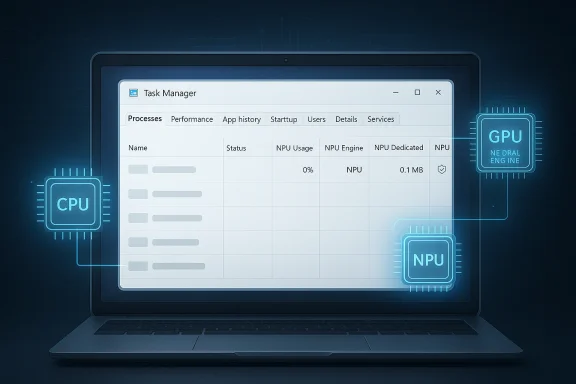
Microsoft has already laid some groundwork for this shift. Windows documentation for NPU devices notes that Task Manager can be used to view NPU usage on supported devices, and Microsoft’s own Windows Insider releases have been steadily adding more visibility into AI-related hardware. The March 2026 Dev Channel build continues that trend by extending Task Manager with new optional NPU columns and by exposing neural engines that sit inside some GPUs. That is a subtle but important distinction: Windows is not treating AI acceleration as a niche accessory anymore. It is beginning to present it as a first-class system resource.
At the same time, Microsoft is adding an Isolation column that shows whether a process is running in AppContainer. That may sound security-focused rather than performance-focused, and it is. AppContainer is Microsoft’s sandboxing model for isolating apps from broader system resources, limiting access to files, devices, credentials, and other sensitive interfaces. By surfacing this state in Task Manager, Windows gives power users and administrators another clue about why an app behaves the way it does, not just how much resource it uses.
There is also a broader product story here. Microsoft has been refining Task Manager in stages, first standardizing CPU metrics and then improving device-category visibility. That suggests a deliberate strategy: if Windows is going to market itself as the operating system for AI-ready PCs, its core diagnostics tools must learn the language of AI hardware. Otherwise, users will have a system that can run NPU workloads but cannot explain them. That mismatch is exactly the sort of friction Microsoft is trying to remove.
The second benefit is troubleshooting. When a system feels sluggish, it is no longer enough to ask whether the CPU is saturated. On AI-capable PCs, the real question may be whether the NPU is busy, whether the app is falling back to the CPU, or whether a workload is competing for memory and engine time on the accelerator. That is especially relevant for developers and enthusiasts testing local AI apps, where performance bottlenecks may appear in the NPU path rather than the usual Windows suspects.
The third benefit is architectural honesty. Windows has spent years slowly broadening Task Manager beyond classic desktop assumptions. GPU performance monitoring once felt like an add-on; today it is essential. NPU monitoring is following the same path. Once people understand which parts of the PC are doing the real work, support conversations get more accurate, benchmark discussions get more useful, and hardware vendors get a clearer feedback loop.
This also reflects a broader UI philosophy inside Windows: reveal complexity when it is useful, but do not shove it into the user’s face. That is the right approach for a diagnostic tool. Most people do not need to see accelerator-level telemetry on a daily basis, but the people who do will immediately appreciate having it. Optional visibility is often better than a cluttered default view.
That has real diagnostic value. If an app cannot reach a device resource, a file location, or a background service in the normal way, the first question may be whether it is sandboxed. With the new Isolation column, users no longer have to infer that from packaging metadata, permissions dialogs, or obscure behavior patterns. The Task Manager itself becomes part of the explanation.
It also helps the security story. Sandbox state is not always visible to ordinary users, yet it can be highly relevant when evaluating third-party software, enterprise deployments, or packaged desktop applications. A quick glance can separate “this app is behaving strangely” from “this app is deliberately constrained.” That distinction is very valuable in support environments.
This also reinforces a broader Windows trend: transparency is becoming part of the platform’s trust model. Instead of treating isolation as an invisible implementation detail, Microsoft is making it legible. That is a smart move for power users, because trust improves when the system can explain what it is doing and why it is doing it.
This also matters for developers. If a developer ships an app that claims to offload to the NPU, Task Manager now becomes a quick validation tool. That does not replace profiling, logs, or SDK-level diagnostics, but it gives a coarse-grained view that is easy to access and understand. In many support cases, coarse-grained but visible beats precise but buried.
From a consumer perspective, the feature is partly psychological. Users like to see proof that a premium feature is doing premium work. If a Copilot+ PC is supposed to accelerate AI tasks on-device, then a visible NPU load helps validate that promise. Without it, AI acceleration can feel like marketing copy instead of a tangible capability.
That will become even more important as more vendors integrate neural engines into GPUs or package AI acceleration into increasingly diverse silicon layouts. The Performance page update is particularly telling here, because it acknowledges that AI compute may not live only on a discrete NPU. Windows is trying to follow the silicon rather than force the silicon into old boxes.
It also has value for security review. AppContainer state matters when evaluating how much trust to place in an app and whether a given process is likely to be constrained by Windows isolation rules. Seeing that context inside Task Manager can help separate platform behavior from application defects. That is useful in mixed fleets where some apps are packaged, some are classic Win32, and some are hybrids.
The same logic applies to application sandboxing. If Windows can show isolation status natively, it raises the bar for transparency. Other platforms have their own sandbox and activity-monitoring tools, of course, but Task Manager sits in a uniquely familiar spot for Windows users. Making it smarter is not just a UX improvement; it is a platform statement.
That is strategically important because on-device AI has several advantages: lower latency, more privacy-friendly processing, and potentially better battery behavior when workloads are matched to the right silicon. But those benefits only matter if users and developers can see the hardware being used effectively. Task Manager helps close that visibility gap.
Windows 11’s Task Manager update may not look flashy, but it is one of those changes that says a lot about where the platform is headed. By exposing NPU usage, NPU memory, GPU neural engines, and AppContainer isolation, Microsoft is making the modern PC easier to understand at exactly the moment when it is becoming more complex. That combination of visibility and restraint is a good sign for both enthusiasts and enterprises. If the AI PC era is going to feel real, it will need more than new silicon; it will need tools that can explain that silicon in plain sight.
Source: neowin.net Windows 11 is getting new features for Task Manager
 Background
For decades, Task Manager has been the blunt instrument Windows users reached for when performance went sideways. It began as a process killer and gradually became a diagnostic dashboard with charts, tabs, counters, and more recently, a better story around GPUs, memory pressure, startup impact, and app health. But the modern Windows PC is not just a CPU machine anymore. It is a heterogeneous system with CPU cores, integrated graphics, discrete GPUs, NPUs, storage acceleration, and increasingly, specialized AI engines that do not fit neatly into old monitoring assumptions.That matters because on-device AI is no longer theoretical. Microsoft has spent the last two years positioning Windows around Copilot+ PCs, Windows ML, and a broader push toward local inference. The company has also repeatedly signaled that AI workloads should run on whichever silicon is best suited for them, with NPUs taking the lead when the workload is compatible. In that world, simply showing overall CPU load tells you very little about what the system is actually doing, especially when an application silently hands a model to the NPU while still appearing “lightweight” at the user interface level.
Microsoft has already laid some groundwork for this shift. Windows documentation for NPU devices notes that Task Manager can be used to view NPU usage on supported devices, and Microsoft’s own Windows Insider releases have been steadily adding more visibility into AI-related hardware. The March 2026 Dev Channel build continues that trend by extending Task Manager with new optional NPU columns and by exposing neural engines that sit inside some GPUs. That is a subtle but important distinction: Windows is not treating AI acceleration as a niche accessory anymore. It is beginning to present it as a first-class system resource.
At the same time, Microsoft is adding an Isolation column that shows whether a process is running in AppContainer. That may sound security-focused rather than performance-focused, and it is. AppContainer is Microsoft’s sandboxing model for isolating apps from broader system resources, limiting access to files, devices, credentials, and other sensitive interfaces. By surfacing this state in Task Manager, Windows gives power users and administrators another clue about why an app behaves the way it does, not just how much resource it uses.
There is also a broader product story here. Microsoft has been refining Task Manager in stages, first standardizing CPU metrics and then improving device-category visibility. That suggests a deliberate strategy: if Windows is going to market itself as the operating system for AI-ready PCs, its core diagnostics tools must learn the language of AI hardware. Otherwise, users will have a system that can run NPU workloads but cannot explain them. That mismatch is exactly the sort of friction Microsoft is trying to remove.
What Microsoft Added
The headline feature in build 26300.8142 is straightforward but useful: Task Manager can now expose new columns for NPU usage and NPU Engine in the Processes, Users, and Details views. On the Details page, Microsoft is also adding NPU Dedicated Memory and NPU Shared Memory, which should help people understand how an AI workload is consuming accelerator resources. In addition, if a GPU includes neural engines, those engines now appear on the Performance page, making the system look a little less CPU/GPU-only and a little more like the multi-accelerator platform it has become.Why the new columns matter
The obvious benefit is transparency. If an app is doing local inference, generating text, processing images, or accelerating some AI-assisted feature in the background, the user can now see that activity instead of guessing. That is important because AI features often hide behind familiar UX patterns, where the visible action is “just” launching a note, editing a photo, or filtering a camera feed. In reality, the heavy lifting may be happening on dedicated silicon the user never sees.The second benefit is troubleshooting. When a system feels sluggish, it is no longer enough to ask whether the CPU is saturated. On AI-capable PCs, the real question may be whether the NPU is busy, whether the app is falling back to the CPU, or whether a workload is competing for memory and engine time on the accelerator. That is especially relevant for developers and enthusiasts testing local AI apps, where performance bottlenecks may appear in the NPU path rather than the usual Windows suspects.
The third benefit is architectural honesty. Windows has spent years slowly broadening Task Manager beyond classic desktop assumptions. GPU performance monitoring once felt like an add-on; today it is essential. NPU monitoring is following the same path. Once people understand which parts of the PC are doing the real work, support conversations get more accurate, benchmark discussions get more useful, and hardware vendors get a clearer feedback loop.
- NPU usage is now visible in core process views.
- NPU Engine data should help identify which accelerator path is active.
- Dedicated and shared memory counters add depth for heavier AI workloads.
- GPU-based neural engines are being integrated into the Performance page.
- The new metrics are optional, so users can ignore them if they do not need them.
Optional by design
Microsoft is not forcing these columns on every user. They are hidden by default and can be added by right-clicking a column header, which is consistent with Task Manager’s existing customization model. That choice matters because not every Windows device has an NPU, and not every user wants a denser dashboard. By making the new columns opt-in, Microsoft preserves simplicity for mainstream users while still offering depth to enthusiasts and admins.This also reflects a broader UI philosophy inside Windows: reveal complexity when it is useful, but do not shove it into the user’s face. That is the right approach for a diagnostic tool. Most people do not need to see accelerator-level telemetry on a daily basis, but the people who do will immediately appreciate having it. Optional visibility is often better than a cluttered default view.
AppContainer Gets a Spotlight
The other notable addition is the Isolation column, which tells you whether an app is running in AppContainer. Microsoft is adding it to the Processes and Details pages, and the point is to make sandboxed execution easier to identify at a glance. That is not just a security nicety. It is an operational clue that can explain why some apps behave differently from classic desktop programs.Why AppContainer visibility is useful
AppContainer is a Windows isolation model that restricts an app’s ability to access files, devices, credentials, and other system resources unless those permissions are explicitly granted. In practical terms, it is part of how Windows confines modern app scenarios and reduces the blast radius of a compromised process. Exposing that state in Task Manager gives users and admins a quick way to see whether a process is running in a more tightly controlled environment.That has real diagnostic value. If an app cannot reach a device resource, a file location, or a background service in the normal way, the first question may be whether it is sandboxed. With the new Isolation column, users no longer have to infer that from packaging metadata, permissions dialogs, or obscure behavior patterns. The Task Manager itself becomes part of the explanation.
It also helps the security story. Sandbox state is not always visible to ordinary users, yet it can be highly relevant when evaluating third-party software, enterprise deployments, or packaged desktop applications. A quick glance can separate “this app is behaving strangely” from “this app is deliberately constrained.” That distinction is very valuable in support environments.
- The Isolation column identifies apps in AppContainer.
- AppContainer limits access to files, devices, credentials, and processes.
- The feature helps distinguish normal app behavior from sandbox-driven restrictions.
- It is especially helpful in enterprise support and app troubleshooting.
Security and UX together
The most interesting part of this change is that Microsoft is surfacing security architecture inside a performance tool. That is not accidental. In the modern Windows ecosystem, security boundaries and execution contexts are increasingly relevant to performance outcomes. Sandboxed apps may consume resources differently, and AI workloads may run on specialized hardware that has its own constraints. Task Manager is being pushed to reflect both realities at once.This also reinforces a broader Windows trend: transparency is becoming part of the platform’s trust model. Instead of treating isolation as an invisible implementation detail, Microsoft is making it legible. That is a smart move for power users, because trust improves when the system can explain what it is doing and why it is doing it.
What This Means for Copilot+ PCs
For Copilot+ PCs and other NPU-equipped systems, this update makes Windows feel more coherent. Microsoft has been selling the idea that local AI matters, but until now the operating system’s main monitoring utility still mostly spoke in CPU, memory, disk, and GPU terms. The new NPU telemetry closes part of that gap. It tells users that the AI hardware is not just present; it is being tracked as a meaningful participant in the system.Better fit for local AI workflows
Local AI features can be deceptively opaque. An app may use the NPU for background effects, transcription, summarization, image enhancement, or model inference, and the user may not know where the compute is happening. With NPU columns in Task Manager, Windows starts offering a practical answer to the question, “Is my AI workload actually using the accelerator I paid for?” That is particularly useful on premium devices where NPU performance is part of the purchase pitch.This also matters for developers. If a developer ships an app that claims to offload to the NPU, Task Manager now becomes a quick validation tool. That does not replace profiling, logs, or SDK-level diagnostics, but it gives a coarse-grained view that is easy to access and understand. In many support cases, coarse-grained but visible beats precise but buried.
From a consumer perspective, the feature is partly psychological. Users like to see proof that a premium feature is doing premium work. If a Copilot+ PC is supposed to accelerate AI tasks on-device, then a visible NPU load helps validate that promise. Without it, AI acceleration can feel like marketing copy instead of a tangible capability.
- Helps verify that on-device AI is using the intended hardware.
- Gives developers a fast sanity check for NPU offload.
- Makes premium silicon feel more observable and real.
- Reduces guesswork when AI workloads are slow or inconsistent.
A better story for mixed silicon
The most important implication may be that Windows is moving toward a richer map of hardware responsibility. A modern PC can now divide labor across CPU, iGPU, dGPU, and NPU. If Task Manager cannot represent that division cleanly, users cannot understand where work is going. The new build suggests Microsoft understands that visibility is part of the platform, not just a nice extra.That will become even more important as more vendors integrate neural engines into GPUs or package AI acceleration into increasingly diverse silicon layouts. The Performance page update is particularly telling here, because it acknowledges that AI compute may not live only on a discrete NPU. Windows is trying to follow the silicon rather than force the silicon into old boxes.
Implications for Power Users and IT Admins
For enthusiasts, this is the kind of Task Manager update that makes the tool feel less generic and more like a genuine diagnostic console. It adds context without requiring third-party monitoring utilities, which is useful when you want to compare app behavior across different devices or test how well a new feature uses AI hardware. For admins, the value is less about curiosity and more about accountability. If you deploy apps that rely on AI features, you now have another way to confirm whether they are executing as intended.The enterprise angle
Enterprise environments often care about two things that consumers ignore: reproducibility and policy. NPU visibility helps on both fronts. If a line-of-business app begins using on-device AI, support teams need a fast way to confirm whether the accelerator is active and whether the app is sandboxed or not. The new columns can shorten that path from symptom to explanation.It also has value for security review. AppContainer state matters when evaluating how much trust to place in an app and whether a given process is likely to be constrained by Windows isolation rules. Seeing that context inside Task Manager can help separate platform behavior from application defects. That is useful in mixed fleets where some apps are packaged, some are classic Win32, and some are hybrids.
The power-user angle
For power users, the update is also a reminder that Windows has crossed into a new monitoring era. CPU usage alone no longer explains why a machine behaves the way it does. If an AI-assisted app is burning cycles on the NPU while the CPU looks quiet, a traditional troubleshooting instinct may miss the real bottleneck. Task Manager is becoming a tool for the whole machine, not just the parts people used to care about most.- Faster validation of whether an app is using AI acceleration.
- Better support triage for packaged and sandboxed apps.
- More accurate investigation of performance anomalies on mixed-silicon systems.
- Improved alignment with modern Windows deployment and security models.
Why admins should pay attention
There is a practical policy angle too. As organizations adopt local AI workflows, they will need a way to distinguish between cloud-based inference and on-device execution. Task Manager is not a policy engine, of course, but it can serve as a quick field inspection tool. That matters when troubleshooting privacy-sensitive workloads or when evaluating whether hardware is meeting the expectations set by procurement. Small visibility wins often reduce support tickets in larger ways than their appearance suggests.Competitive Pressure on Rivals
Microsoft is not adding these features in a vacuum. The PC market is becoming more competitive around AI-capable hardware, and visibility into AI acceleration is becoming part of the user experience story. If Windows can show you that an app is actually using the NPU, it strengthens the case for platforms that include dedicated AI silicon over generic CPU-only systems. That is a subtle but real differentiator.Why visibility is a moat
Rivals can advertise AI features, but if the operating system cannot clearly report on them, the promise feels abstract. Microsoft’s move turns AI from a marketing label into something measurable inside the core shell. That could make it harder for competing ecosystems to dismiss NPU acceleration as invisible fluff, because Windows users will be able to see the hardware doing the work.The same logic applies to application sandboxing. If Windows can show isolation status natively, it raises the bar for transparency. Other platforms have their own sandbox and activity-monitoring tools, of course, but Task Manager sits in a uniquely familiar spot for Windows users. Making it smarter is not just a UX improvement; it is a platform statement.
The developer effect
This also puts gentle pressure on developers. If users can see NPU usage, then claims about AI optimization become more testable. If an app is supposed to be AI-native but never lights up the NPU columns, that inconsistency becomes more obvious. Visibility can drive better optimization, because developers know users can now inspect the results.- Makes AI hardware more auditable to end users.
- Encourages app makers to prove real NPU offload.
- Strengthens Windows’ position as the most transparent AI PC platform.
- Raises expectations for monitoring tools across the broader market.
A shift in expectations
Long term, this kind of feature changes what users expect from an operating system. If Windows shows per-engine AI behavior, then future machines without that visibility may feel incomplete. That is how platform shifts usually work: first the capability arrives, then the explanation becomes normal, and eventually the lack of explanation feels like a bug. Microsoft appears to understand that trajectory.Background on Microsoft’s AI Hardware Strategy
Microsoft’s NPU push is part of a wider change in Windows architecture. The company has been building a stack that includes on-device inference, machine-learning runtimes, and a gradually expanding surface for AI-capable PCs. Windows ML has been positioned as the inferencing runtime optimized for CPUs, GPUs, and NPUs, and Microsoft’s documentation for NPU devices explicitly frames Task Manager as one of the places where users can observe NPU usage. That makes the Task Manager change feel like a continuation of a larger plan, not a random feature add.From feature to ecosystem
The real story is not just that Windows can now report NPU activity. It is that Microsoft is building a coherent ecosystem around local AI execution. The OS, runtime, app model, and diagnostics are all being nudged toward the same destination. Once that stack matures, AI features can become less dependent on cloud round trips and more tightly integrated into the device itself.That is strategically important because on-device AI has several advantages: lower latency, more privacy-friendly processing, and potentially better battery behavior when workloads are matched to the right silicon. But those benefits only matter if users and developers can see the hardware being used effectively. Task Manager helps close that visibility gap.
The diagnostic layer matters
Diagnostics often trail platform shifts, and that can slow adoption. Users may not trust new capabilities if they cannot inspect them, and IT departments may hesitate to deploy them if they cannot validate them. By modernizing Task Manager, Microsoft is reducing that friction. The company is not just building AI features; it is building confidence around them.- Windows ML and NPU support are part of a larger AI runtime stack.
- Diagnostics are becoming a key part of the AI PC experience.
- Visibility helps bridge the gap between marketing claims and actual execution.
- Better monitoring can accelerate enterprise adoption of on-device AI.
Strengths and Opportunities
The strongest part of this update is that it solves a real problem without overcomplicating the experience. Microsoft is giving advanced users more detail while preserving a clean default view for everyone else. That is exactly how a mature diagnostic tool should evolve, especially on a platform that now spans traditional desktops and AI-accelerated hardware.- More transparent AI performance for users who want to verify NPU usage.
- Better support workflows for admins and help desks.
- Clearer visibility into sandboxed apps through the Isolation column.
- Improved hardware attribution on systems with GPU neural engines.
- Optional columns keep the UI manageable for casual users.
- Better developer feedback when testing local AI workloads.
- Stronger fit with Windows’ AI-first hardware roadmap.
Why this is a good Microsoft move
This update also has an unusually strong “right tool, right moment” quality. Microsoft does not need to redesign Task Manager from scratch to support AI PCs; it just needs to make the existing tool speak the new language of silicon. That is a more efficient and more believable path than inventing a new dashboard nobody knows how to use.Risks and Concerns
The biggest risk is that these metrics could confuse users if they are exposed without enough context. NPU activity is not always easy to interpret, and shared versus dedicated memory can look alarming if someone does not understand how acceleration pipelines work. A more visible metric is not always a more understandable metric, especially when AI offload patterns are still new to many Windows users.- Users may misread normal NPU activity as a performance problem.
- The new metrics could create false expectations about AI acceleration.
- Sandboxing indicators may be confusing without broader AppContainer education.
- Some hardware configurations may present inconsistent visibility across CPU, GPU, and NPU paths.
- The feature may expose gaps between app claims and actual accelerator use.
- Optional columns can still feel fragmented if users do not know they exist.
- There is a chance that some workloads will show limited or misleading attribution in early builds.
The support burden question
There is also a support concern. Once users can see NPU and isolation data, they may start asking sharper questions about why an app is or is not using the accelerator, or why a sandboxed app cannot behave like a classic desktop app. That is a good thing for accountability, but it can increase support volume if the surrounding documentation is not clear enough. More visibility means more questions, and Microsoft will need to keep explaining the answers.Early-build caveat
Because this is an Insider build feature, there is always a chance the exact columns, labels, or behavior will change before broad release. Microsoft often uses Dev Channel builds to test ideas, not merely to publish finished features. That means the underlying direction is significant, but the final user experience may still shift.What to Watch Next
The most interesting question now is whether Microsoft keeps deepening Task Manager’s AI awareness or stops after NPU visibility. If the company is serious about making the AI PC legible to users, there is room for more diagnostics, clearer attribution, and perhaps even better explanation layers around accelerator usage. The current update is a strong first step, but it feels more like the beginning of a roadmap than the endpoint.Key things to monitor
- Whether NPU telemetry graduates from Insider builds to a broader Windows release.
- Whether Microsoft adds richer explanations for AI engine attribution.
- Whether enterprise tools get similar visibility outside Task Manager.
- Whether more apps begin to expose meaningful on-device AI usage patterns.
- Whether the Isolation column expands into deeper sandbox context.
What would make this even better
A natural next step would be clearer tooltips or contextual help for users who do not know what an NPU engine is. Another would be a more obvious way to correlate app activity with AI features in use. If Microsoft wants mainstream users to understand why their device feels different from an older PC, the company will need to pair the new counters with better education.The broader platform signal
This update also suggests that Windows is preparing for a future where AI compute is as normal as GPU compute. That may sound obvious now, but it is a big conceptual shift. If Task Manager is learning to treat NPUs and AppContainers as routine parts of system monitoring, Windows is telling us that these are no longer edge cases—they are becoming part of the core operating model.Windows 11’s Task Manager update may not look flashy, but it is one of those changes that says a lot about where the platform is headed. By exposing NPU usage, NPU memory, GPU neural engines, and AppContainer isolation, Microsoft is making the modern PC easier to understand at exactly the moment when it is becoming more complex. That combination of visibility and restraint is a good sign for both enthusiasts and enterprises. If the AI PC era is going to feel real, it will need more than new silicon; it will need tools that can explain that silicon in plain sight.
Source: neowin.net Windows 11 is getting new features for Task Manager
