

The Windows landscape has shifted from debate to momentum: after years of cautious uptake, Windows 11 is now the dominant platform for new and many existing PCs, while Windows 10 has moved from “ubiquitous” to legacy following Microsoft’s October 14, 2025 end-of-support deadline. This is not a single flash migration but a structural transition driven by lifecycle calendars, OEM refresh cycles, hardware requirements, and security priorities — and it will reshape enterprise road maps, consumer upgrade plans, and the broader PC ecosystem through 2026 and beyond.
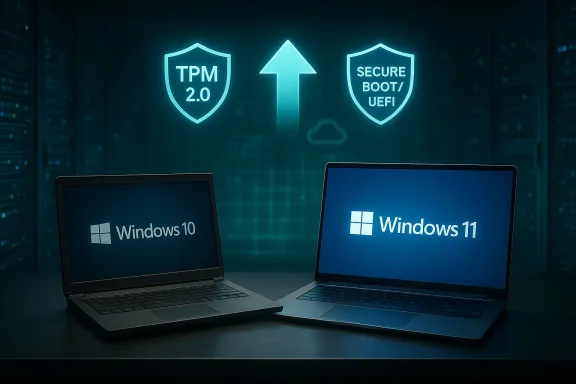
When Microsoft shipped Windows 11 in 2021 it carried new UI choices, higher hardware bars (TPM 2.0, Secure Boot, UEFI, and a restricted CPU compatibility surface), and a security-first message. Adoption was gradual for four years: many users and organizations stayed on Windows 10 because it ran on older hardware, compatibility concerns were real, and the visual changes felt optional. All of that changed once Microsoft set a hard end-of-support date for Windows 10: October 14, 2025.
That date made Windows 10 a high‑risk proposition for many users. Without vendor-supplied security and quality updates, Windows 10 endpoints become increasingly attractive targets for attackers, and non‑compliance risks grow for regulated industries. Meanwhile, every new PC sold since 2024 has overwhelmingly shipped with Windows 11, and the inevitable replacement cycle has pushed Windows 11’s installed base into the majority on many measurement platforms.
But numbers vary by methodology. Web-traffic and device surveys report different shares depending on sampling universe (all desktops, Windows-only devices, Steam gamers, OEM telemetry, or third-party panels). The consistent pattern across reputable trackers is the same: Windows 11 is growing; Windows 10 is shrinking — sometimes slowly, sometimes in fits and starts.
This kind of lifecycle technicality demonstrates the practical consequences of remaining on EOL software: the device may continue to function, but gradually it will miss critical platform-level maintenance that affects security and compatibility.
The key takeaway is practical: running an unsupported OS after a formal end-of-support date is not a neutral choice. It carries real security, compliance, and operational costs. For organizations and users who value continuity and protection against modern threats, migration to Windows 11 — or a deliberate, documented short-term bridge strategy — is now the responsible course.
In short: Windows 11 has moved from “the new thing” to the default platform in most important slices of the PC market. Windows 10’s era of dominance is over; what remains is a managed decline that will play out over months and years, not days. If you or your organization still runs Windows 10, the question today is not whether you will need to act — it’s how and when you will manage that transition on your terms.
Source: thewincentral.com Windows 11 Market Share Rises as Windows 10 Declines
 Background / Overview
When Microsoft shipped Windows 11 in 2021 it carried new UI choices, higher hardware bars (TPM 2.0, Secure Boot, UEFI, and a restricted CPU compatibility surface), and a security-first message. Adoption was gradual for four years: many users and organizations stayed on Windows 10 because it ran on older hardware, compatibility concerns were real, and the visual changes felt optional. All of that changed once Microsoft set a hard end-of-support date for Windows 10: October 14, 2025.That date made Windows 10 a high‑risk proposition for many users. Without vendor-supplied security and quality updates, Windows 10 endpoints become increasingly attractive targets for attackers, and non‑compliance risks grow for regulated industries. Meanwhile, every new PC sold since 2024 has overwhelmingly shipped with Windows 11, and the inevitable replacement cycle has pushed Windows 11’s installed base into the majority on many measurement platforms.
But numbers vary by methodology. Web-traffic and device surveys report different shares depending on sampling universe (all desktops, Windows-only devices, Steam gamers, OEM telemetry, or third-party panels). The consistent pattern across reputable trackers is the same: Windows 11 is growing; Windows 10 is shrinking — sometimes slowly, sometimes in fits and starts.
What the recent data actually shows
The headline figures
Market trackers and platform surveys use different sampling methods; read the metrics carefully.- On global desktop Windows-version tracking, major analytics charts show Windows 11 as the larger share of active Windows desktops in early 2026, a milestone reached in 2025 and amplified by the 2025 support deadline.
- Among gaming audiences (Steam hardware surveys), Windows 11 adoption is even stronger — platform-specific data repeatedly showed Windows 11 leading among Steam users throughout 2024–2025, with month-to-month variation.
- Other outlets and shorter-term snapshots have shown short-run dips or rebounds: a single-month decline in one data stream does not erase a multi-year trend, but it signals that adoption is not a one-way, frictionless process.
Why figures diverge
Different services measure different universes:- StatCounter-style panels sample web traffic across global websites and give a broad picture of desktop usage trends.
- Steam’s Hardware & Software Survey samples active Steam users who opt in — this group skews toward gamers, newer hardware, and frequent upgraders.
- AdDuplex and OEM telemetry sample installed Windows bases in different ways and often report distinct but complementary views.
Why the shift accelerated after 2024–2025
1) The calendar: Windows 10 end of support (October 14, 2025)
Microsoft’s lifecycle calendar made the transition inevitable. When Microsoft formally ended mainstream support on October 14, 2025, the practical effects were immediate and concrete:- No more free security updates for mainstream Windows 10 installations after that date, except for devices enrolled in Extended Security Updates (ESU).
- Microsoft added clear guidance encouraging upgrades to Windows 11 or enrollment in ESU as a temporary stopgap.
- Some Microsoft services and Microsoft 365 components moved to distinct servicing windows, increasing the urgency for enterprise planners.
2) Security by design: Windows 11’s hardware-backed baseline
Windows 11 is framed around modern, hardware-enforced protections that are harder to retrofit into older PCs:- TPM 2.0 as a platform root-of-trust enables device identity, BitLocker key management, and stronger cryptographic protections.
- Secure Boot and UEFI reduce boot-time attack vectors.
- Virtualization-based security (VBS) and Hypervisor-protected Code Integrity (HVCI) (memory integrity) isolate critical components from the main OS, making kernel compromises much harder.
- Newer Windows 11 systems ship with many mitigations enabled by default on compliant hardware.
3) New hardware = Windows 11 out of the box
OEMs have progressively moved to Windows 11 as the default image for newly manufactured PCs. As organizations run device refresh cycles or consumers buy new laptops, those additions to the installed base tend to be Windows 11, not Windows 10. Over time this organic replacement is a far more persuasive migration mechanism than forced upgrades.4) Commercial pressure and lifecycle economics
Businesses face a clear choice:- Migrate to Windows 11 now (upgrade existing compatible machines or buy new devices).
- Enroll in paid Extended Security Updates (ESU) to buy time.
- Migrate workloads to cloud-hosted Windows desktops (Windows 365 / DaaS) or swap to alternative OS strategies.
What the shift actually means for different user groups
Consumers
- If your PC is eligible (TPM 2.0, Secure Boot, supported CPU), upgrading to Windows 11 is free and the most straightforward way to remain current.
- If your device is not eligible, options include enrolling in consumer ESU (time-limited), buying a new PC, or considering alternatives such as Linux for selected workloads — but those alternatives require work and trade-offs.
- Gaming communities have largely adopted Windows 11 where hardware supports it, but sentiment and performance nuances still matter: some gamers prefer Windows 10 for driver and performance stability on specific titles and handheld devices.
Small and medium businesses
- SMBs are balancing upgrade costs, application compatibility, and IT staffing constraints.
- Where third-party line-of-business apps depend on legacy drivers or old kernels, migration plans must include testing and vendor coordination.
- For resource-strapped SMBs, ESU buys time but is not a long-term strategy.
Enterprises
- Enterprises have tended to run structured pilots and phased rollouts, with many concluding full migrations in 2025–2026 to align with compliance and security programs.
- Large organizations often layer migration onto hardware refresh budgets and endpoint security road maps (for example, enabling VBS/HVCI and integrating with endpoint detection and response systems).
- Cloud-hosted desktops and virtual apps remain attractive for certain classes of legacy workloads that are hard to migrate.
Strengths of the Windows 11-led transition
- Stronger security baseline: Hardware-backed protections raise the cost of successful attacks, particularly at the firmware and kernel levels.
- Modernization of endpoint management: Windows 11’s updated tooling and security posture align better with zero-trust frameworks and modern device management.
- Opportunity for OEM and ISV refresh: New PC sales and driver modernization foster better performance, stability, and feature parity for current software.
- A cleaner support story for Microsoft: Focusing innovation on a single supported client OS simplifies testing and feature delivery.
Risks, frictions, and real downsides
- Compatibility friction: Many legacy applications and peripheral drivers were written for Windows 10-era kernels and hardware. Enterprises — and some power users — still face compatibility and performance testing burdens.
- Hardware exclusion and digital divide: The TPM, CPU list, and UEFI requirements effectively render a portion of older devices unable to upgrade in-place. This disproportionately affects price-sensitive users and regions where device replacement cycles are long.
- User trust and perception: Aggressive push messaging, mandatory Microsoft account prompts in some configurations, and visible AI integration have generated resistance among privacy-conscious and power-user communities.
- Migration cost: For large fleets, the aggregate cost of device replacement, testing, and reconfiguration is non-trivial; ESU pricing and cloud alternatives are stopgaps, not long-term fixes.
- Measurement volatility: Market-share snapshots can show short-term reversals; single-month dips are often amplified by headlines but must be interpreted against longer-term trends and methodological differences.
The Secure Boot certificate matter: a concrete example of migration complexity
A technical but consequential example: Secure Boot certificates used by many Windows devices are aging and require a generational refresh between mid-2026 and late-2026. Microsoft has planned updates and automations to renew certificates on modern Windows 11 devices, but older Windows 10 systems that are not enrolled in ESU may not receive these updates — potentially moving those PCs into a degraded security state for boot protection.This kind of lifecycle technicality demonstrates the practical consequences of remaining on EOL software: the device may continue to function, but gradually it will miss critical platform-level maintenance that affects security and compatibility.
Enterprise migration: practical steps and prioritization
For IT teams planning or executing migrations, the playbook is straightforward but execution takes discipline:- Inventory and triage: classify devices by upgrade eligibility, business criticality, and application dependencies.
- Pilot and validate: choose a small, representative pilot group to test upgrades, and validate application compatibility and endpoint security posture.
- Choose migration paths:
- In-place upgrade where devices are compatible.
- Hardware refresh for incompatible or end‑of-life machines.
- ESU enrollment only when absolutely necessary and budgeted.
- Cloud desktop (DaaS) for legacy apps that cannot be easily migrated.
- Automate and monitor: use modern management tools to automate upgrades, enforce security baselines (VBS, HVCI), and collect telemetry for rollback analysis.
- Communicate and train: minimize user disruption with clear communications, support windows, and helpdesk readiness.
Alternatives and the long tail: what about Linux, macOS, and DaaS?
A small but meaningful cohort of users considered alternatives:- Linux: Attractive to skilled users and some organizations for long-term control and cost. Desktop Linux solves EoL exposure but introduces application and driver compatibility work for many mainstream business and creative apps.
- macOS: Not a viable direct migration path for Windows-centric environments due to application and ecosystem differences.
- Windows 365 / DaaS: For organizations that cannot migrate an app or device promptly, cloud-hosted Windows instances provide a viable bridge — but latency, licensing, and data locality are trade-offs.
What to tell users still on Windows 10 (clear, actionable guidance)
- If your PC meets Windows 11 requirements: upgrade and enable the platform protections that matter (TPM, Secure Boot, VBS/HVCI) after ensuring driver compatibility.
- If your PC does not meet requirements:
- Evaluate ESU enrollment only as a short-term measure.
- Budget for hardware refresh if security, compliance, or application ecosystems require vendor support.
- Consider cloud-hosted desktops for legacy application needs.
- For personal use, weigh Linux as a long-term route if you’re comfortable migrating your apps and workflows.
- Keep backups and test recovery procedures before any major upgrade or migration.
The near future: what to expect through 2026
- Windows 11 will continue to be the focus for Microsoft’s client innovation, particularly for AI integration, enhanced cloud tie-ins, and hardware-assisted security.
- Windows 10 will be a shrinking legacy footprint: still present in pockets (old hardware, developing markets, certain industrial systems) but increasingly unsupported from a vendor perspective.
- Market-share snapshots will continue to fluctuate month to month — driven by OEM shipment cycles, retail specials, and periodic enterprise batch upgrades — but the secular trend favors Windows 11 adoption overall.
- Microsoft must manage the update quality story: upgrade fatigue or high-profile regressions can slow adoption if not handled carefully. Trust in update reliability matters as much as feature set.
Final analysis: why this matters — beyond the percentages
This migration is not just an OS upgrade story; it’s a structural shift in how endpoints are secured, managed, and connected to cloud services. The Windows 11 era brings hardware-rooted security as a default assumption for many use cases, and that impacts enterprise posture, regulatory compliance, and risk calculations. For consumers, the move simplifies vendor support and provides newer features — but it also raises concerns about device obsolescence and the cost of staying current.The key takeaway is practical: running an unsupported OS after a formal end-of-support date is not a neutral choice. It carries real security, compliance, and operational costs. For organizations and users who value continuity and protection against modern threats, migration to Windows 11 — or a deliberate, documented short-term bridge strategy — is now the responsible course.
In short: Windows 11 has moved from “the new thing” to the default platform in most important slices of the PC market. Windows 10’s era of dominance is over; what remains is a managed decline that will play out over months and years, not days. If you or your organization still runs Windows 10, the question today is not whether you will need to act — it’s how and when you will manage that transition on your terms.
Source: thewincentral.com Windows 11 Market Share Rises as Windows 10 Declines
