

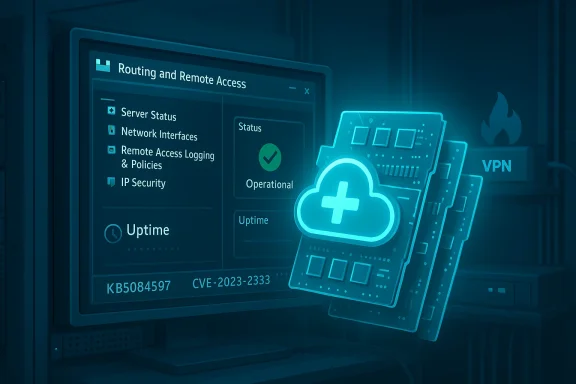
Microsoft has released an out-of-band hotpatch for Windows 11 Enterprise to address critical remote-code-execution flaws in the Routing and Remote Access Service (RRAS) management tool, a move aimed at organizations that depend on high-availability systems and cannot tolerate immediate reboots.
The out-of-band hotpatch—reported under the tracking number KB5084597 and distributed to hotpatch-capable Windows 11 Enterprise devices—targets a cluster of RRAS flaws that were first addressed in the March 2026 Patch Tuesday cycle. The vulnerabilities, which appear in Microsoft’s March security roll-up as well as follow-ups, are tracked by multiple CVE identifiers (notably CVE-2026-25172, CVE-2026-25173, and CVE-2026-26111) and have been scored as high-severity remote code execution issues. Because RRAS handles routing and VPN-type functionality, these defects present meaningful risk to organizations that expose RRAS-configured endpoints or use RRAS management tools in administrative workflows.
This hotpatch is specifically aimed at Windows 11 Enterprise edition devices configured to receive hotpatch updates (including supported 25H2 and 24H2 channels and Enterprise LTSC 2024 builds where hotpatching is enabled). Its distinguishing characteristic is that the fix can be applied in memory without forcing a system reboot—an important capability for mission-critical appliances, industrial endpoints, medical devices, and other environments where downtime is extremely costly.
This approach lets organizations close high-risk attack surfaces faster while avoiding immediate service interruption—vital for production systems such as medical devices, financial trading workstations, or industrial controllers that have strict uptime SLAs.
Key characteristics:
Administrators should act decisively: inventory affected assets, confirm hotpatch coverage, and apply compensating network controls where a hotpatch cannot be applied immediately. At the same time, teams must adapt processes to account for the visibility and audit nuances that hotpatching introduces. The goal is the same as always—reduce exposure quickly, verify functional integrity, and maintain operational resilience while the software supply chain matures to meet the needs of modern enterprise operations.
End of article.
Source: SC Media Microsoft releases out-of-band update for Windows 11 RRAS vulnerabilities
 Overview
The out-of-band hotpatch—reported under the tracking number KB5084597 and distributed to hotpatch-capable Windows 11 Enterprise devices—targets a cluster of RRAS flaws that were first addressed in the March 2026 Patch Tuesday cycle. The vulnerabilities, which appear in Microsoft’s March security roll-up as well as follow-ups, are tracked by multiple CVE identifiers (notably CVE-2026-25172, CVE-2026-25173, and CVE-2026-26111) and have been scored as high-severity remote code execution issues. Because RRAS handles routing and VPN-type functionality, these defects present meaningful risk to organizations that expose RRAS-configured endpoints or use RRAS management tools in administrative workflows.This hotpatch is specifically aimed at Windows 11 Enterprise edition devices configured to receive hotpatch updates (including supported 25H2 and 24H2 channels and Enterprise LTSC 2024 builds where hotpatching is enabled). Its distinguishing characteristic is that the fix can be applied in memory without forcing a system reboot—an important capability for mission-critical appliances, industrial endpoints, medical devices, and other environments where downtime is extremely costly.
Background: Why RRAS matters and why this patch matters now
What is RRAS and where it’s used
The Routing and Remote Access Service (RRAS) is a long-standing Windows component that provides routing services, NAT, and VPN capabilities. While RRAS is more commonly associated with Windows Server roles—such as providing VPN concentrator functionality—it also exists as a management surface that can be present on a variety of Windows installations where remote access or routing is required.- RRAS is commonly used in enterprise VPN gateways, edge networking appliances built on Windows, and administrative tooling that touches networking stacks.
- Historically, RRAS has been an attractive target for attackers because it lies at the network perimeter or acts as a gateway into internal networks.
- Vulnerabilities in RRAS can result in remote code execution (RCE), privilege escalation, or denial-of-service conditions depending on the specific defect.
Why an out-of-band hotpatch was issued
Microsoft’s regular monthly patch cycle (Patch Tuesday) addressed these RRAS issues in the March 2026 update. However, applying cumulative updates in many enterprise environments requires reboots and change windows that compromise uptime. To reduce operational disruption, Microsoft issued an out-of-band hotpatch (KB5084597) for hotpatch-capable clients: a targeted, in-memory update that can be applied without rebooting the host.This approach lets organizations close high-risk attack surfaces faster while avoiding immediate service interruption—vital for production systems such as medical devices, financial trading workstations, or industrial controllers that have strict uptime SLAs.
Technical summary of the vulnerabilities
Nature and impact
The RRAS issues patched by Microsoft include integer overflow/wraparound and parsing flaws in components used by RRAS management and routing code paths. The practical effect is that a specially crafted network response or interaction with a malicious server could trigger out-of-bounds or unexpected behavior, potentially enabling:- Remote code execution (RCE) in the security context of the affected service or process.
- Denial-of-service (DoS) by crashing RRAS or related networking services.
- Post-exploitation lateral movement if an attacker gains sufficient control on a compromised host.
Who is affected
- Primary impact: Windows 11 Enterprise devices running versions that Microsoft has enabled for hotpatching: 25H2, 24H2, and Enterprise LTSC 2024 where applicable.
- Secondary concern: Servers or appliances that expose RRAS-like functionality, or administrative consoles that interact with RRAS endpoints.
- Note: Historically, RRAS vulnerabilities have also affected Windows Server SKUs; organizations that run server-hosted RRAS should ensure their server patching is current even if the hotpatch KB being discussed targets enterprise client builds.
What exactly is a hotpatch and how does it work?
Hotpatch basics
Hotpatching is a runtime mitigation technique that lets Microsoft apply certain security fixes to active processes or kernel components without forcing a system restart. Unlike traditional cumulative updates that replace files on disk and require a reboot to ensure all in-memory code paths are refreshed, hotpatches modify code pages or apply in-memory patches so the running instance immediately benefits from the fix.Key characteristics:
- Applied in-memory to running processes or kernel code paths.
- Designed for high-availability environments where reboots are undesirable.
- Typically limited to a subset of fixes that are safe to apply without a reboot.
- Distributed to devices managed by Windows Autopatch or other Microsoft-managed update channels that support hotpatch delivery.
Operational constraints and considerations
While hotpatching improves availability, it also introduces complexities:- Not all updates are eligible for hotpatching. Hotpatches are typically targeted and conservative.
- Hotpatch delivery requires device and management prerequisites: certain baseline OS builds, update stack, and enrollment in hotpatch-capable services like Windows Autopatch.
- Rolling back hotpatches or diagnosing side effects can be more complicated than with standard updates because changes occur in memory.
- Some third-party software or low-level drivers may not be compatible with hotpatch-forced runtime changes.
Deployment specifics: KB5084597 and supported targets
At a high level, the out-of-band KB being distributed in mid-March 2026 (reported as KB5084597) is intended for devices in enterprise configurations that are receiving hotpatch updates. The practical implications for IT teams are:- Hotpatch availability is not universal. Only devices enrolled in the hotpatch-capable delivery paths (commonly Windows Autopatch and associated Intune policies) will receive KB5084597 as an in-memory update.
- Organizations using traditional WSUS, SCCM/MECM, or manual update pipelines may need to apply the standard cumulative March updates and coordinate restarts to achieve parity if their devices are not hotpatch-enabled.
- The hotpatch targets specific OS builds (community reporting has noted builds in the 26100/26200 family with build numbers reported alongside the KB), but admins should confirm their device build and hotpatch eligibility through their management console before relying on hotpatch delivery.
Risk assessment: what administrators must prioritize
Immediate priorities
- Identify RRAS-exposed assets: Discover any devices where RRAS is enabled, especially those exposed to untrusted networks or used as VPN concentrators or management gateways.
- Confirm update posture: Check whether affected Windows 11 Enterprise endpoints are hotpatch-capable and whether KB5084597 (or the March cumulative that contains the RRAS fixes) has been applied.
- Push the hotpatch where available: For hotpatch-enabled devices under Windows Autopatch control, ensure the hotpatch has been accepted and applied. For non-hotpatch devices, schedule a timely application of the March security roll-up and a controlled reboot as needed.
- Segment and restrict access: While deployment is ongoing, apply network controls to limit external access to RRAS services when feasible—use firewall rules, network ACLs, and VPN gateway policies to minimize exposure.
Threat model and exploitation probability
- The RRAS defects have the elements of a practical RCE: network vector, low attack complexity, and potentially high impact on confidentiality and integrity.
- Exploitation typically requires a crafted network interaction; in some cases user interaction may be a factor (for instance, a user connecting to a malicious server). Organizations that host or allow remote connections should assume higher risk and act faster.
- Historically, RRAS vulnerabilities have been attractive to threat actors because exploiting an RRAS agent can provide immediate footholds and tunneling to internal resources.
Detection, monitoring, and post-patch validation
Detection and indicators
- Look for anomalous RRAS-related process crashes, unexplained restarts of routing services, or unusual inbound connections to RRAS ports.
- Monitor Windows Event logs for networking or RRAS-specific errors and for signs of forced code injection patterns if your EDR vendor exposes such telemetry.
- Prioritize EDR and network monitoring rules that flag suspicious connections to management interfaces or unusual series of negotiation packets (indicative of malformed inputs).
Post-patch validation steps
- Confirm hotpatch installation: Check Windows Update history or your management console for KB5084597 deployment records on hotpatch-enabled devices.
- Validate RRAS functionality: Run controlled tests of RRAS endpoints to ensure normal routing and VPN termination behavior persists after the hotpatch.
- Review EDR alerts: Clear baseline anomalies but keep heightened monitoring for at least 7–14 days after deployment to catch possible exploitation attempts predating the patch.
- Test failover and redundancy: Confirm that high-availability routings, load balancing, and redundant gateway systems continue to function under the patched state.
Patch management advice for enterprises
If you use Windows Autopatch / Intune
- Ensure hotpatch policies are configured according to Microsoft best practices and that devices are in the appropriate rings for testing before wide deployment.
- Use a phased roll-out: pilot on a small subset of critical systems, validate, then expand to broader estate.
- Communicate to operators that hotpatches are in-memory and may not show as a conventional reboot-required update in the same way—document verification steps for compliance auditing.
If you use WSUS / MECM / traditional update pipelines
- Treat the March 2026 cumulative and any explicitly released KBs as required and schedule a controlled update window that includes reboots where necessary.
- Prioritize external-facing RRAS hosts and management consoles in the early deployment rings.
- Keep a rollback plan and backups for devices that host networking roles; networking updates can cause reachability impacts.
For mixed estates and third-party appliances
- If you run third-party networking appliances or vendor devices that depend on Windows internals, coordinate with the vendor to ensure compatibility with the hotpatch or cumulative rollout.
- For appliances that cannot accept a hotpatch, prioritize maintenance windows that allow restarts or vendor-supplied hotfixes.
Practical mitigation steps if you cannot patch immediately
- Limit or block external access to RRAS ports and management interfaces where feasible.
- Enforce strict network segmentation so edge RRAS instances do not expose internal management or sensitive systems.
- Increase multi-factor authentication and privileged account monitoring for accounts that administer RRAS or network gateways.
- Apply strict egress/ingress filtering and IDS/IPS signatures tuned to detect anomalous RRAS negotiation sequences or malformed handshake attempts.
- Where possible, avoid ad-hoc user connections to unknown or untrusted VPN servers or remote gateways until devices are patched.
Compatibility, telemetry, and potential side effects
Compatibility concerns
- Hotpatches are intended to be minimally invasive, but runtime changes can produce unexpected behavior with low-level third-party drivers or security agents.
- Before broad roll-out, test the hotpatch in representative environments—especially systems with specialized networking drivers, custom VPN stacks, or hardware-dependent networking offload features.
Telemetry and forensics
- Hotpatches may not produce the same update footprints as a full cumulative install; keep careful records in your patch management system showing which devices received the hotpatch versus the full update and when.
- For forensic readiness, ensure logging levels remain high on devices in sensitive roles for at least several weeks after patching to catch any post-patch lateral movement attempts.
Communication and compliance: what CIOs and CISOs should tell stakeholders
- Be transparent with business owners about the trade-offs: applying a hotpatch preserves uptime but requires validation of in-memory fixes; a full cumulative update plus reboot offers a more traditional state-change that may simplify compliance reporting.
- For regulated environments, document the exact mitigation steps taken (hotpatch applied, segmentation implemented, monitoring raised) so auditors see concrete actions and compensating controls while full deployments roll out.
- Coordinate with vendor-managed assets: if any edge appliances are vendor-managed, request verification of RRAS patch compatibility and timeline for vendor-supplied updates.
What to watch next: monitoring for exploit activity and vendor advisories
- Keep an eye on threat intelligence feeds and vendor advisories for any public exploitation attempts referencing the RRAS CVEs—rapid publication of proof-of-concept code or active exploitation will raise urgency.
- Watch for follow-up Microsoft advisories that expand target platforms or issue revised guidance for administrators.
- Expect vendors who integrate tightly with Windows networking stacks to release compatibility notes or supplemental fixes if the hotpatch interacts poorly with their drivers.
- Maintain heightened alerting for lateral movement signatures and communications from known threat clusters that historically exploit network services.
Strengths and risks of Microsoft’s hotpatch approach (analysis)
Strengths
- Minimizes downtime: Hotpatching can close critical vulnerabilities quickly without interrupting workflows—ideal for continuously operating systems.
- Faster remediation for targeted flaws: When applied to high-risk vulnerabilities, hotpatches reduce the window of exposure significantly.
- Operational continuity: Enables organizations with strict uptime SLAs to maintain services while addressing high-severity problems.
Risks and limitations
- Management complexity: Hotpatching adds another dimension to update lifecycle management. Organizations must track which devices received hotpatches versus full roll-ups for compliance and audit trails.
- Detection and forensics: In-memory changes are less visible than on-disk updates, potentially complicating forensic timelines and rollback procedures.
- Partial coverage: Not every environment or device is hotpatch-capable; relying solely on hotpatch distribution can create inconsistencies across an estate.
- Potential for unforeseen side effects: Runtime patches can interact poorly with low-level drivers or monitoring agents; rigorous testing remains essential.
Recommendations — a prioritized checklist for IT teams
- Inventory: Identify all hosts running RRAS services or RRAS management tools and mark their exposure level (internet-facing, internal, admin-only).
- Hotpatch check: Confirm which devices are hotpatch-capable and whether KB5084597 (or the vendor-tracked name) has been applied.
- Patch plan: For hotpatch-capable devices, accept the hotpatch and validate functionality. For non-hotpatch devices, schedule the March cumulative update and a controlled reboot window.
- Network controls: Temporarily restrict external access to RRAS endpoints until patches are validated.
- Monitoring: Increase log retention and EDR sensitivity for RRAS-related indicators.
- Test: Validate RRAS and all dependent services in a staging environment prior to broad rollout.
- Communicate: Notify stakeholders, business owners, and compliance teams about the mitigation plan and expected timelines.
- Follow-up: Reconcile asset records and update patch management documentation to reflect who got a hotpatch versus a reboot-based patch.
Final thoughts
The rapid delivery of an out-of-band hotpatch for Windows 11 Enterprise RRAS vulnerabilities underscores an important evolution in enterprise patching: balancing the need for immediate security remediation with the operational realities of high-availability environments. For organizations that rely on continuous uptime, hotpatching is an invaluable tool—but it is not a replacement for a disciplined patch management program.Administrators should act decisively: inventory affected assets, confirm hotpatch coverage, and apply compensating network controls where a hotpatch cannot be applied immediately. At the same time, teams must adapt processes to account for the visibility and audit nuances that hotpatching introduces. The goal is the same as always—reduce exposure quickly, verify functional integrity, and maintain operational resilience while the software supply chain matures to meet the needs of modern enterprise operations.
End of article.
Source: SC Media Microsoft releases out-of-band update for Windows 11 RRAS vulnerabilities
