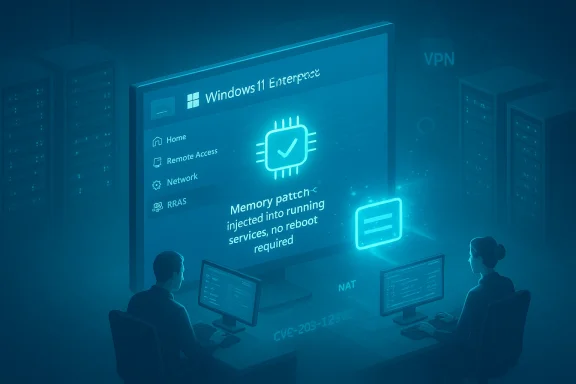
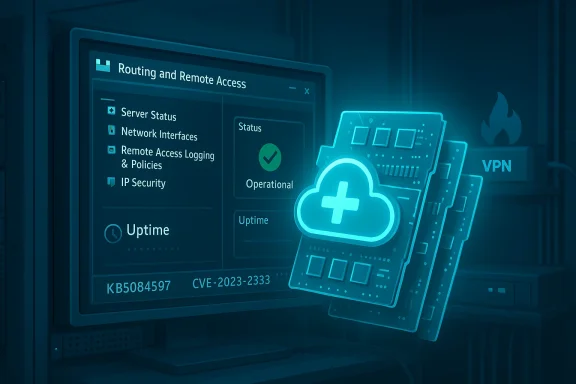
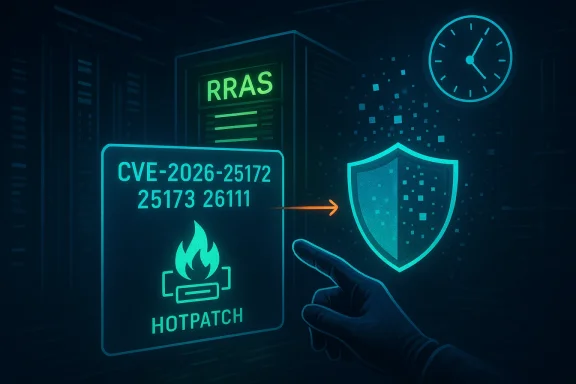
Microsoft’s out‑of‑band hotpatch KB5084597, quietly deployed in mid‑March 2026, closes a cluster of critical remote‑code‑execution flaws in the Windows Routing and Remote Access Service (RRAS) management tool — and it does so using Microsoft’s hotpatch mechanism so eligible enterprise endpoints can receive the fix without an immediate reboot. osoft.com]
Windows’ Routing and Remote Access Service (RRAS) is a long‑standing Windows component that implements VPN termination, NAT, routing and related management capabilities. Historically it has been a high‑value target because it exposes network management surfaces and is frequently present on infrastructure machines and management workstations. The March 2026 remedialtiple RRAS weaknesses that a motivated attacker could chain into remote code execution (RCE) on a target device.
What makes this particular release operationally noteworthy is the delivery mechanism: KB5084597 was pushed as an out‑of‑band hotpatch to devices enrolled in Microsoft’s hotpatch program (managed through Windows Autopatch and Intune). Hotpatching applies changes in memory and writes patched binaries to disk so fixes persist after the next scheduled restart — delivering immediate protection while avoiding the routine downtime associated with cumulative updates. Microsoft has been accelerating hotpatch availability for Windows 11 Enterprise, and the company recently announced hotpatch will be enabled by default for eligible Autopatch devices beginning with the May 2026 security update, making this delivery model a mainstream option for enterprises.
The practical result: eligible Windows 11 Enterprise devices (notably versions 24H2 and 25H2, and Windows 11 Enterprise LTSC 2024 where supported) received KB5084hotpatch on or around March 13, 2026; devices not enrolled in hotpatching were patched through the regular March 10, 2026 Patch Tuesday cumulative updates. This split delivery model is typical for hotpatch‑eligible and non‑eligible devices.
If you manage Windows fleets, treat the following groups as priority:
That said, hotpatching introduces specific risks and tradeoffs admins must consider:
That shift matters because it changes how incident response and patch operations interplay: shorter enforcement windows for RCE flaws means defenders can reduce attacker dwell time, but it also raises demands on patch validation and EDR vendor coordination.
Hotpatching is not a silver bullet: it raises operational questions about compatibility, visibility, and rollback procedures that security and operations teams must address. But for administrators balancing uptime and security, hotpatches like KB5084597 represent a valuable tool when paired with disciplined testing, monitoring, and change control. Confirm your fleet’s update status, validate your management workstations, and apply the recommended hardening steps now — the lane between patch publication and attacker exploitation is narrow, and this hotpatch closes a critical gap without the usual cost of downtime.
Source: Evrim Ağacı Microsoft Issues Urgent Hotpatch For Windows 11 RRAS Flaw
 Background / Overview
Windows’ Routing and Remote Access Service (RRAS) is a long‑standing Windows component that implements VPN termination, NAT, routing and related management capabilities. Historically it has been a high‑value target because it exposes network management surfaces and is frequently present on infrastructure machines and management workstations. The March 2026 remedialtiple RRAS weaknesses that a motivated attacker could chain into remote code execution (RCE) on a target device.What makes this particular release operationally noteworthy is the delivery mechanism: KB5084597 was pushed as an out‑of‑band hotpatch to devices enrolled in Microsoft’s hotpatch program (managed through Windows Autopatch and Intune). Hotpatching applies changes in memory and writes patched binaries to disk so fixes persist after the next scheduled restart — delivering immediate protection while avoiding the routine downtime associated with cumulative updates. Microsoft has been accelerating hotpatch availability for Windows 11 Enterprise, and the company recently announced hotpatch will be enabled by default for eligible Autopatch devices beginning with the May 2026 security update, making this delivery model a mainstream option for enterprises.
The practical result: eligible Windows 11 Enterprise devices (notably versions 24H2 and 25H2, and Windows 11 Enterprise LTSC 2024 where supported) received KB5084hotpatch on or around March 13, 2026; devices not enrolled in hotpatching were patched through the regular March 10, 2026 Patch Tuesday cumulative updates. This split delivery model is typical for hotpatch‑eligible and non‑eligible devices.
The vulnerabilities: what was fixed
Microsoft and community trackers list three distinct CVE identifiers associated with this update: CVE‑2026‑25172, CVE‑2026‑25173, and CVE‑2026‑26111. These issues are described in vendor advisories and vulnerability trackers as flaws in RRAS management components that can be abused to disrupt RRAS or to execute code remotely ws are met. One reported exploitation scenario involves an authenticated domain user tricking a domain‑joined administrator into sending a management request from the RRAS snap‑in to a malicious server — an interaction that opens a remote‑code‑execution path if the crafted response triggers the underlying RRAS bug.Key technical points (verified)
- The cluster includes at least one integer‑overflow/wraparound style defect that can lead to RCE when triggered over the network. That class of bug has historically allowed full code execution if an attacker supplies crafted inputs that cause size/calculation logic to corrupt memory. CVE trackers reference an integer overflow for CVE‑2026‑26111.
- Twot‑plane flaws (CVE‑2026‑25172 and CVE‑2026‑25173) map to the RRAS management UI and network request handling, creating attack vectors when an authenticated user interacts with RRAS management components and the tool reaches out to a hostile endpoint. Public reporting describes the exploit path as involving tricking a domain‑joined user into sending a malicious request which then triggers unsafe RRAS behavior.
Hotpatch mechanics: how this update differs operationally
Hotpatching is a distinct servicing model from normal cumulative updates:- Restartless: Hotpatch packages are designed to be applied to running processes in memory so they take effect immediately without forcing an OS restart.
- Persistent: Hotpatch writes patched files to disk so changes survive the next scheduled reboot and baseline cumulative update.
- Scoped: Hotpatches typically carry only security fixes and are intended for high‑urgency CVE remediation; full LCUs (latest cumulative updates) still require baseline restarts on scheduled months.
Who is affected — and who should act now
This hotpatch primarily targets enterprise endpoints that use Windows 11 Enterprise versions (24H2 and 25H2) and Windows 11 Enterprise LTSC 2024 where hotpatch enrollment exists. The fix was delivered automatically to devices enrolled in Microsoft’s hotpatch program and managed through Windows Autopatch; unmanaged machines or consumer SKUs received the March 10 cumulative updates instead.If you manage Windows fleets, treat the following groups as priority:
- Administrators and management workstations that run the RRAS management snap‑in.
- Servers and gateways exposing RRAS services (VPN endpoints, routing/NAT appliances that use RRAS).
- Domain‑joined devices where authenticated users may be able to interact with RRAS management tooling (the attack vector described involves an authenticated domain user persuading a domain‑joined admin to send a request).
- Environments that have not yet adopted hotpatching but run the affected Windows versions — confirm Patch Tuesday March updates are applied.
Immediate recommended actions for IT teams
- Verify installation status
- Check your hotpatch/enrollment reporting in Intune / Windows Autopatch to confirm KB5084597 was applied to all hotpatch‑eligible endpoints. Use the Hotpatch quality updates report in Intune for per‑device status.
- Confirm non‑hotpatch devices were updated
- For devices not enrolled in hotpatch, ensure the March 10, 2026 cumulative update (or the vendor mapping that contains the RRAS fixes) was installed and that the device has been restarted to receive the LCU changes.
- Harden RRAS management plane
- Where possible, restrict access to RRAS management tools to dedicated, hardened admin workstations and management VLANs.
- Use conditional access and MFA for admin access to domain‑joined management systems.
- Apply firewall rules and allow RRAS management only from known administrative subnets.
- Contain and monitor
- Search endpoint telemetry and network logs for suspicious RRAS snap‑in outbound connections or for unexpected responses to RRAS management traffic.
- Increase monitoring of VPN/routing gateways for anomalous connections, configuration changes, and unexpected process behavior.
- Test and validate EDR / third‑party integrations
- Hotpatch packages modify running memory; some EDR/AV stacks have previously flagged hotpatch operations. Confirm vendor compatibility in a pilot cohort and coordinate with security vendors if you see unexpected behavior. Microsoft’s guidance notes that if you encounter problems you can uninstall the hotpatch and install the LCU and reboot as a rollback path.
- Plan for remediation windows
- Whether you use hotpatch or LCUs, plan to verify mitigations and ensure quarterly baseline reboots are scheduled so persistent updates are consolidated. Hotpatch reduces immediate restarts but does not eliminate the baseline restart cadence.
Detection and incident response: what to look for
- Unusual outbound management traffic from admin consoles to external IPs or domains that should never host RRAS endpoints.
- Unexpected use of RRAS management RPCs or APIs from authenticated user sessions.
- Alerts indicating process memory corruption or anomalous code execution in RRAS management binaries.
- Evidence of lateral movement or follow‑on activity from devices that had RRAS management activity during the vulnerability window.
Hotpatch: benefits and operational risks
Hotpatching is attractive because it materially reduces the operational friction of urgent security rollouts. For time‑sensitive RCE vulnerabilities that threaten enterprise management surfaces, hotpatches can compress the window of exposure from days (waiting for mass restarts) to minutes (hotpatch applied in memory). Microsoft highlights improved compliance and reduced disruption as primary benefits.That said, hotpatching introduces specific risks and tradeoffs admins must consider:
- Compatibility with security stack: Some EDR/AV agents or deep kernel instrumentation can interact unexpectedly with hotpatches. Organizations should validate vendor compatibility in pilot rings before broad rollout. Microsoft documents a rollback path (uninstall hotpatch then install LCU and restart) but operational complexity increases if hotpatching interacts with protective tooling.
- Visibility and trust: Hotpatch modifies in‑memory code paths. Organizations accustomed to reboot‑based validation may need to extend testing to include immediate post‑hotpatch functional checks.
- Limited surface for remediation: Hotpatches are intentionally narrow; if a vulnerability requires broad behaep kernel fix, an LCU and reboot may still be necessary.
- Change management: Hotpatch tooling requires correctly configured Autopatch/Intune policies and licensing. Misconfiguration may leave devices on the LCU path without the intended restartless benefit.
Operational case study: interpreting this patch in your environment
Consider a mid‑sized enterprise that uses Autopatch with hotpatch enabled for production endpoints. When KB5084597 rolled out:- Eligible admin workstations received the hotpatch immediately, removing the immediate need for scheduled downtime. Administrators could keep management consoles online and continue operations.
- The security team validated that EDR telemetry showed no false positives. A small pilot fleet was used to validate functional integrity before the broader ring received the update.
- Simultaneously, servers that were not hotpatch‑eligible (older builds or non‑Enterprise SKUs) were updated using the March 10 cumulative update; the operations team scheduled those servers for reboot windows within 48 hours to finalize the patching.
Broader context: why Microsoft is betting on hotpatch
Hotpatching is Microsoft’s response to a decades‑old operational tension: security vs. uptime. Enterprises hate unexpected reboots during business hours; attackers exploit delays between patch publication and restart‑driven enforcement. Hotpatch offers a middle path that reduces the “window of vulnerability” while retaining baseline restarts for broader quality updates. Microsoft is pushing hotpatch into mainstream tooling (Windows Autopatch/Intune) and enabling it by default for eligible devices in 2026 — a signal that rebootless security updates are becoming a first‑class option for enterprise Windows.That shift matters because it changes how incident response and patch operations interplay: shorter enforcement windows for RCE flaws means defenders can reduce attacker dwell time, but it also raises demands on patch validation and EDR vendor coordination.
Caveats and unverifiable claims
- At the time of writing, Microsoft’s public KB page specifically titled KB5084597 is referenced in community reporting and uploaded internal summaries; however, an immediately visible, dedicated vendor KB article that dissects the update at the same depth as standard LCUs was not discoverable in the public Microsoft Support corpus by my checks. Community and vendor tracking, together with Microsoft’s hotpatch guidance, support the overall claims about delivery, affected families, and CVEs — but readers should treat granular exploit proof‑of‑concept details as intentionally limited in public advisories. If your organization requires absolute canonical mapping to a specific vendor KB page, verify the KB number in your enterprise update catalog or the Microsoft Update Catalog and with your Microsoft representative.
- Some secondary reporting (community forums and social posts) assert March 13, 2026 as the date of deployment for KB5084597; vendor communications confirm hotpatch deployment windows in mid‑Marchs, but exact timestamps for individual tenants can vary by Autopatch ring and tenant configuration. Confirm the date your tenant reported the hotpatch via Intune/Autopatch reporting.
Practical checklist for administrators (actionable summary)
- Immediately: Use Intune/Autopatch Hotpatch quality updates report to confirm KB5084597 installation status on hotpatch‑eligible endpoints.
- Within 24 hours: Validate critical admin workstations and RRAS gateways for functional integrity and EDR compatibility.
- Within 48 hours: Schedule reboots for non‑hotpatch devices that received the March cumulative updates; verify LCUs applied successfully.
- Ongoing: Harden RRAS management access, restrict management plane to hardened admin workstations, enable strong authentication and monitoring.
- If issues arise: Use the documented rollback path—uninstall the hotpatch, install LCU and restart—and open a support case with your security vendor and Microsoft if necessary.
Conclusion
KB5084597 is a pragmatic example of how Microsoft is operationalizing hotpatching to close high‑risk vulnerabilities in real time while minimizing disruption for enterprise customers. The RRAS flaws addressed by this out‑of‑band update are serious — they enable remote code execution under realistic attack scenarios — and the hotpatch delivery allowed organizations to push a fix into running memory, dramatically shortening the window in which attackers could exploit the flaw.Hotpatching is not a silver bullet: it raises operational questions about compatibility, visibility, and rollback procedures that security and operations teams must address. But for administrators balancing uptime and security, hotpatches like KB5084597 represent a valuable tool when paired with disciplined testing, monitoring, and change control. Confirm your fleet’s update status, validate your management workstations, and apply the recommended hardening steps now — the lane between patch publication and attacker exploitation is narrow, and this hotpatch closes a critical gap without the usual cost of downtime.
Source: Evrim Ağacı Microsoft Issues Urgent Hotpatch For Windows 11 RRAS Flaw