

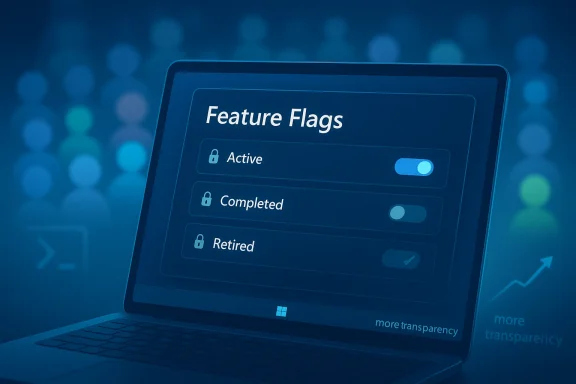
Microsoft’s latest Windows Insider moves suggest the company is finally getting serious about one of the program’s oldest pain points: the difficulty of testing or enabling features that are technically present but hidden behind rollout gates. A new, still-hidden Feature Flags section in Windows 11 build 26300.8155 appears to give Insiders a direct view into experimental and completed feature states, which could make the platform far more approachable for enthusiasts who have long relied on third-party tools like ViVeTool. That matters because Microsoft has already promised to make the Insider experience simpler and more transparent, including easier access to new features and better visibility into how feedback shapes Windows. (blogs.windows.com)
For years, the Windows Insider Program has been both a preview channel and a moving target. Microsoft has used it to stage features gradually, often exposing them to only a subset of users through Controlled Feature Rollout rather than delivering every new capability to every Insider at once. That approach reduces the blast radius of bugs, but it also makes preview testing maddeningly uneven. Two people on the same build can see different experiences, and a feature can exist in the code without appearing in the UI at all.
That tension is exactly why utilities like ViVeTool became so popular with enthusiasts. They gave power users a way to flip hidden feature IDs without waiting for Microsoft’s own rollout logic to catch up. The problem, as Neowin noted in the piece that sparked this discussion, is that the method is opaque, manual, and far from friendly for ordinary testers. Microsoft has now signaled that it wants to address that broader pain point, and the internal testing of a Feature Flags page in build 26300.8155 fits that promise neatly. (blogs.windows.com)
The timing is important. On March 20, 2026, Microsoft publicly committed to improving Windows quality, promising a simpler and more transparent Insider Program with clearer channel definitions, higher-quality builds, and easier access to new features. The company also said it would give users more control over what they try, while improving Feedback Hub and reducing the friction of update behavior. That means the hidden Feature Flags surface is not just a random experiment; it looks like part of a broader reset in how Microsoft wants preview Windows to work. (blogs.windows.com)
This is also happening at a moment when Windows 11 is being shaped as much by delivery mechanics as by visible features. Microsoft has been leaning harder into gradual rollouts, toggle-based exposure, and staged validation across Insider channels. In practice, that makes Windows feel less like a series of discrete releases and more like a continuous experiment. For power users, that can be exciting. For enterprises, it can be unsettling. For Microsoft, it is a way to reduce regression risk while still moving the product forward.
It would also reinforce the message in Microsoft’s March 20 quality announcement that the Insider Program should be easier to understand and easier to navigate. The company explicitly said it wants clearer channel definitions, better visibility into feedback, and more control over which new features you try. Feature Flags would be a logical extension of that promise, especially for people who install preview builds precisely to see what is coming next. (blogs.windows.com)
That matters because hidden experimentation is only useful if users can understand what they are testing. A feature that shows up because a flag was forced on by an external tool can be hard to contextualize. Was it intended for your build? Is it broadly available? Is it on the way out? Microsoft’s own internal labeling could answer those questions in a way ViVeTool never could. That would make Insider testing feel less like spelunking and more like participation. (blogs.windows.com)
That is especially important in a preview ecosystem where hidden features can affect core shell behavior, input handling, accessibility, or reliability. A mistake in one of those areas can generate not just annoyance but real support costs. Slower rollouts are boring, but boring is often the safer engineering choice. For Windows, safe has become more valuable than flashy. (blogs.windows.com)
A Feature Flags page would not remove CFR, but it could make CFR more understandable. In other words, Microsoft would still decide who gets what, but users would no longer be blind to the fact that a feature exists somewhere in the system. That is a small philosophical change with outsized practical effects. It would turn hidden rollout from mystery into metadata. (blogs.windows.com)
Microsoft’s own recent messaging suggests it recognizes this problem. The March 20 Windows quality post promised better visibility into feature exposure and more control over which new experiences users try. That is exactly the kind of language you would expect if Microsoft is preparing to internalize part of the ViVeTool experience into Windows itself. (blogs.windows.com)
It could also improve trust. If Microsoft warns users that in-development features may cause instability or performance issues, as the hidden section reportedly does, the company is being more explicit about the risks than a third-party utility ever could be. That kind of disclosure matters because it encourages experimentation without pretending that experimentation is free. It is not free. (blogs.windows.com)
This is why clarity matters. If Microsoft wants Insiders to remain engaged, the company has to make the rules legible. Build 26300.8155’s Feature Flags panel, if it ships publicly, could be one of the best ways to restore that legibility. It would not solve every problem, but it would give testers a clearer map of what is experimental, what is retired, and what is merely waiting for rollout. (blogs.windows.com)
A better Feature Flags system would support that relationship. It would make the Insider Program feel less like a gated lottery and more like a cooperative test environment. That might sound like a cosmetic change, but in platform software, perception often decides whether a preview ecosystem remains healthy. Healthy ecosystems keep testers. (blogs.windows.com)
The same applies to Magnifier. Letting users magnify protected content may sound like a narrow improvement, but it closes a practical gap that can otherwise make security and accessibility feel at odds. A mature operating system should not force that tradeoff. Microsoft’s willingness to tackle it in preview builds suggests the company is paying more attention to the details that make Windows feel usable in real life. (blogs.windows.com)
It also explains why Microsoft has been talking so much about higher quality builds and stronger feedback loops. These are not generic corporate phrases. They are the infrastructure that lets the company test features like Pointer Indicator or experimental shell surfaces without losing control of the release process. The more honest the rollout system becomes, the more useful the Insider Program becomes. (blogs.windows.com)
Microsoft has also been stressing more reliable updates, more predictable restarts, and fewer disruptions from Windows Update. Those priorities matter directly to enterprise admins. A more transparent feature-flags system would fit neatly into that bigger story of making Windows change feel manageable rather than chaotic. (blogs.windows.com)
That also has a psychological effect. People are more willing to tolerate instability if they believe they chose the risk knowingly. Microsoft’s warning that in-development features may cause problems is a good sign here because it frames experimentation as optional and potentially hazardous, not as a silent default. Transparency is not perfection, but it is a better starting point than opacity. (blogs.windows.com)
What matters more is the direction. Microsoft is clearly trying to make the Insider Program less mysterious and more usable, and that is the right instinct. If the company follows through, the next phase of Windows 11 experimentation may be easier to understand, easier to test, and easier to trust. That would be a significant cultural shift for a platform that has often asked enthusiasts to do too much guesswork on its behalf. (blogs.windows.com)
Source: Neowin Microsoft is finally making it easier to enable hidden and experimental Windows 11 features
 Background
For years, the Windows Insider Program has been both a preview channel and a moving target. Microsoft has used it to stage features gradually, often exposing them to only a subset of users through Controlled Feature Rollout rather than delivering every new capability to every Insider at once. That approach reduces the blast radius of bugs, but it also makes preview testing maddeningly uneven. Two people on the same build can see different experiences, and a feature can exist in the code without appearing in the UI at all.That tension is exactly why utilities like ViVeTool became so popular with enthusiasts. They gave power users a way to flip hidden feature IDs without waiting for Microsoft’s own rollout logic to catch up. The problem, as Neowin noted in the piece that sparked this discussion, is that the method is opaque, manual, and far from friendly for ordinary testers. Microsoft has now signaled that it wants to address that broader pain point, and the internal testing of a Feature Flags page in build 26300.8155 fits that promise neatly. (blogs.windows.com)
The timing is important. On March 20, 2026, Microsoft publicly committed to improving Windows quality, promising a simpler and more transparent Insider Program with clearer channel definitions, higher-quality builds, and easier access to new features. The company also said it would give users more control over what they try, while improving Feedback Hub and reducing the friction of update behavior. That means the hidden Feature Flags surface is not just a random experiment; it looks like part of a broader reset in how Microsoft wants preview Windows to work. (blogs.windows.com)
This is also happening at a moment when Windows 11 is being shaped as much by delivery mechanics as by visible features. Microsoft has been leaning harder into gradual rollouts, toggle-based exposure, and staged validation across Insider channels. In practice, that makes Windows feel less like a series of discrete releases and more like a continuous experiment. For power users, that can be exciting. For enterprises, it can be unsettling. For Microsoft, it is a way to reduce regression risk while still moving the product forward.
What Microsoft Appears to Be Building
The interesting part about the hidden Feature Flags section is not just that it exists, but what it implies about Microsoft’s next step in preview design. If the company exposes a built-in list of available and retired flags, it would transform hidden experimentation from a command-line trick into a first-class Windows experience. That would be a meaningful shift in philosophy, because the operating system would no longer treat experimental access as a niche hobby performed by enthusiasts in the margins. (blogs.windows.com)A more legible Insider model
The new surface appears to distinguish between features that are active, completed, removed, or otherwise not currently in play. That kind of labeling sounds small, but it is exactly the sort of clarity the Insider Program has lacked for years. Today, users often rely on rumor, social media, and reverse engineering to understand why a feature is missing or why it appears on one machine and not another. A native feature-flags view would reduce that confusion. (blogs.windows.com)It would also reinforce the message in Microsoft’s March 20 quality announcement that the Insider Program should be easier to understand and easier to navigate. The company explicitly said it wants clearer channel definitions, better visibility into feedback, and more control over which new features you try. Feature Flags would be a logical extension of that promise, especially for people who install preview builds precisely to see what is coming next. (blogs.windows.com)
- It could reduce reliance on third-party utilities.
- It could make hidden testing less intimidating.
- It could help separate stable preview content from experimental content.
- It could make troubleshooting easier when a feature is present but disabled.
- It could give enthusiasts a built-in path to explore Windows without guesswork.
Why this matters for enthusiasts
Enthusiasts have long lived with a strange contradiction: they are the people most likely to install preview builds, but they are often least satisfied with the opacity of those builds. The current system often feels like a lottery because Microsoft’s rollout gates can hide the exact feature you came to test. A native Feature Flags section would not eliminate the lottery entirely, but it would at least make the rules visible.That matters because hidden experimentation is only useful if users can understand what they are testing. A feature that shows up because a flag was forced on by an external tool can be hard to contextualize. Was it intended for your build? Is it broadly available? Is it on the way out? Microsoft’s own internal labeling could answer those questions in a way ViVeTool never could. That would make Insider testing feel less like spelunking and more like participation. (blogs.windows.com)
Controlled Feature Rollout and the Lottery Problem
Controlled Feature Rollout, or CFR, is the root of both Microsoft’s caution and the community’s frustration. It lets the company stage features to a small subset of devices and expand gradually as telemetry and feedback improve confidence. That is sensible engineering, especially for a product as sprawling and hardware-diverse as Windows. But it also means that the same build number does not guarantee the same experience.The upside of staging
From Microsoft’s perspective, CFR is the smart move. It lowers risk, allows A/B-style validation, and helps the company catch issues before they spread across the entire Insider base. Microsoft’s own March 20 note emphasized deeper validation and broader testing across real-world hardware before new experiences reach Insiders, which is basically an admission that the company wants more caution, not less. (blogs.windows.com)That is especially important in a preview ecosystem where hidden features can affect core shell behavior, input handling, accessibility, or reliability. A mistake in one of those areas can generate not just annoyance but real support costs. Slower rollouts are boring, but boring is often the safer engineering choice. For Windows, safe has become more valuable than flashy. (blogs.windows.com)
The downside for testers
The downside is fragmentation. When features are gated, testers cannot always compare notes accurately, and community feedback becomes harder to interpret. One Insider may be discussing a feature that another Insider cannot even find. That makes the program feel arbitrary, and arbitrary systems tend to frustrate the very people Microsoft depends on most for signal.A Feature Flags page would not remove CFR, but it could make CFR more understandable. In other words, Microsoft would still decide who gets what, but users would no longer be blind to the fact that a feature exists somewhere in the system. That is a small philosophical change with outsized practical effects. It would turn hidden rollout from mystery into metadata. (blogs.windows.com)
- CFR lowers bug risk.
- CFR raises confusion for power users.
- CFR makes same-build comparisons unreliable.
- CFR encourages reliance on external tools.
- CFR could become easier to explain if Microsoft exposes feature state directly.
Why ViVeTool Became So Popular
ViVeTool filled the gap Microsoft left open. It became the de facto utility for enthusiasts who wanted to turn hidden features on or off by manipulating feature IDs, and it earned that status because Windows did not provide a simple native alternative. In a world where Microsoft increasingly stages experiments behind server-side controls, a community tool that can force visibility is almost inevitable.The user-experience problem
The real issue is not that ViVeTool exists, but that Microsoft created a situation where a command-line workaround became an essential part of enthusiast culture. That says something about the gap between the company’s internal rollout model and the user experience of people who care deeply about Windows development. If you need to know a specific feature ID just to see what Microsoft is testing, the system is already too obscure.Microsoft’s own recent messaging suggests it recognizes this problem. The March 20 Windows quality post promised better visibility into feature exposure and more control over which new experiences users try. That is exactly the kind of language you would expect if Microsoft is preparing to internalize part of the ViVeTool experience into Windows itself. (blogs.windows.com)
What a native replacement would change
A built-in UI would not merely save clicks. It would change the power dynamic between Microsoft and the enthusiast community. Right now, the community reverse-engineers exposure. A Microsoft-owned feature-flags panel would put the company back in control of the experience while still acknowledging the value of advanced testing. That is a far more sustainable model. (blogs.windows.com)It could also improve trust. If Microsoft warns users that in-development features may cause instability or performance issues, as the hidden section reportedly does, the company is being more explicit about the risks than a third-party utility ever could be. That kind of disclosure matters because it encourages experimentation without pretending that experimentation is free. It is not free. (blogs.windows.com)
- ViVeTool solved a real access problem.
- It also exposed the awkwardness of Microsoft’s rollout system.
- A native UI could reduce friction and confusion.
- Microsoft would regain narrative control over experimentation.
- The Insider ecosystem could become more self-explanatory.
The Insider Program’s Identity Crisis
The hidden Feature Flags section arrives during a larger identity reset for the Windows Insider Program. Microsoft’s March 20 announcement made that plain: the company wants simpler channels, better builds, more visible feedback, and easier access to new features. That is a significant admission, because it suggests Microsoft understands that the program has become harder to navigate than it should be. (blogs.windows.com)From preview channel to experimentation engine
The modern Insider Program is no longer just a place to see unreleased features first. It is where Microsoft tests delivery models, validates servicing behavior, and tunes how Windows should be shipped in a world of continuous updates. That makes the program much more important than it used to be, but it also makes it more confusing. The more the company uses it as a lab, the less it looks like a simple preview path. (blogs.windows.com)This is why clarity matters. If Microsoft wants Insiders to remain engaged, the company has to make the rules legible. Build 26300.8155’s Feature Flags panel, if it ships publicly, could be one of the best ways to restore that legibility. It would not solve every problem, but it would give testers a clearer map of what is experimental, what is retired, and what is merely waiting for rollout. (blogs.windows.com)
Why that matters to Microsoft
Insider goodwill is not infinite. Enthusiasts tolerate rough edges if they feel they are being given meaningful access and meaningful agency. Once the experience becomes too random, the audience starts looking elsewhere for information and control. That is dangerous for Microsoft because the company still depends on community feedback to catch issues early and shape features before broad release. (blogs.windows.com)A better Feature Flags system would support that relationship. It would make the Insider Program feel less like a gated lottery and more like a cooperative test environment. That might sound like a cosmetic change, but in platform software, perception often decides whether a preview ecosystem remains healthy. Healthy ecosystems keep testers. (blogs.windows.com)
Accessibility and Experimental Features Are Converging
One of the more interesting subplots in all of this is that Microsoft’s latest quality push is not just about experimentation. It is also about accessibility, reliability, and craft. The company has been reviving or refining features like Pointer Indicator, expanding Magnifier to protected content, and modernizing Feedback Hub. In other words, the same engineering mindset that could make Feature Flags easier to use is also improving the everyday usability of Windows 11. (blogs.windows.com)Accessibility as a broader design pattern
This matters because accessibility features are often the first to benefit from clearer rollout and better control. Pointer visibility, for example, is not a niche concern; it directly affects how quickly users can navigate the desktop and how confidently they can interact with the UI. Microsoft’s quality post framed accessibility-adjacent changes as part of a broader push for more responsive, dependable Windows experiences. (blogs.windows.com)The same applies to Magnifier. Letting users magnify protected content may sound like a narrow improvement, but it closes a practical gap that can otherwise make security and accessibility feel at odds. A mature operating system should not force that tradeoff. Microsoft’s willingness to tackle it in preview builds suggests the company is paying more attention to the details that make Windows feel usable in real life. (blogs.windows.com)
Why the overlap matters
Experimental UI and accessibility are not separate tracks anymore. They are increasingly part of the same quality conversation because both depend on controlled exposure, iterative refinement, and user trust. If Microsoft can make feature rollout more transparent, then accessibility testers, enthusiast testers, and enterprise pilots all benefit from the same infrastructure. That is good platform design. (blogs.windows.com)It also explains why Microsoft has been talking so much about higher quality builds and stronger feedback loops. These are not generic corporate phrases. They are the infrastructure that lets the company test features like Pointer Indicator or experimental shell surfaces without losing control of the release process. The more honest the rollout system becomes, the more useful the Insider Program becomes. (blogs.windows.com)
- Accessibility features need clear exposure.
- Experimental features need safe gating.
- Both depend on trust in the preview process.
- Better feedback surfaces help both groups.
- Microsoft is trying to align these systems.
Enterprise vs. Consumer Impact
The hidden Feature Flags idea may excite enthusiasts first, but the implications are broader. For enterprises, the change is about predictability, supportability, and the shape of Microsoft’s rollout discipline. For consumers, it is about agency, visibility, and the fun of exploring what Windows is becoming. Those are different motivations, but they intersect in the same operating system. (blogs.windows.com)What enterprises would gain
Enterprises care less about novelty and more about whether Microsoft’s delivery model is understandable enough to plan around. A clearer feature state surface would help IT teams see what is experimental and what has already been stabilized. That could reduce confusion in pilot programs, especially when support staff are trying to determine whether a report reflects a real regression or a gated rollout difference. (blogs.windows.com)Microsoft has also been stressing more reliable updates, more predictable restarts, and fewer disruptions from Windows Update. Those priorities matter directly to enterprise admins. A more transparent feature-flags system would fit neatly into that bigger story of making Windows change feel manageable rather than chaotic. (blogs.windows.com)
What consumers would gain
Consumers, especially enthusiasts, would gain a better sense of control. The appeal of Windows Insider builds is not only that they arrive early, but that they let users peek around corners. If Microsoft provides a native way to browse and toggle feature exposure, it makes preview participation feel less like waiting for luck and more like exploring an organized roadmap. (blogs.windows.com)That also has a psychological effect. People are more willing to tolerate instability if they believe they chose the risk knowingly. Microsoft’s warning that in-development features may cause problems is a good sign here because it frames experimentation as optional and potentially hazardous, not as a silent default. Transparency is not perfection, but it is a better starting point than opacity. (blogs.windows.com)
Where both sides meet
Both audiences benefit when Windows becomes more legible. Enterprises get fewer surprises. Consumers get more control. Microsoft gets better feedback and fewer support headaches. That combination may be the real reason a Feature Flags page matters so much: it is one of those rare interface changes that can satisfy both operational discipline and enthusiast curiosity. (blogs.windows.com)Strengths and Opportunities
The strongest part of Microsoft’s emerging approach is that it appears to recognize a basic truth: Windows users do not all want the same level of risk, and they should not be forced to guess what is available on their devices. A native Feature Flags section could make the Insider experience more honest, while also lowering dependency on external utilities and making experimental software feel more responsibly managed. (blogs.windows.com)- Better visibility into hidden features.
- Less dependence on third-party toggling tools.
- A more transparent Insider experience.
- Easier testing for enthusiasts and MVPs.
- More actionable feedback when features are clearly labeled.
- A stronger bridge between experimentation and accessibility.
- A chance for Microsoft to rebuild Insider enthusiasm through control and clarity.
Risks and Concerns
The obvious risk is that Microsoft could expose the idea without fully committing to it, leaving users with another half-finished preview surface that itself changes unpredictably. There is also the chance that a built-in Feature Flags page becomes too complex for ordinary Insiders, or that Microsoft softens the utility of the tool enough that it disappoints the very audience it is meant to serve. (blogs.windows.com)- Exposing features could increase confusion if the labels are unclear.
- Microsoft may still keep the most useful toggles behind server-side controls.
- A feature-flags UI could become obsolete if Microsoft changes its rollout logic again.
- More access can mean more instability for unwary users.
- Enterprises may worry about policy consistency if experimental controls become easier to reach.
- Enthusiasts may still need third-party tools for deeper control.
- If the rollout is uneven, the company could create new expectations it cannot meet.
Looking Ahead
The most likely near-term outcome is not a dramatic public launch, but incremental exposure. Microsoft has a history of hiding infrastructure first, then refining it in Insider builds, and only later deciding whether to expand it. That means Feature Flags could remain a quiet experiment for some time before it becomes a mainstream part of Windows 11. (blogs.windows.com)What matters more is the direction. Microsoft is clearly trying to make the Insider Program less mysterious and more usable, and that is the right instinct. If the company follows through, the next phase of Windows 11 experimentation may be easier to understand, easier to test, and easier to trust. That would be a significant cultural shift for a platform that has often asked enthusiasts to do too much guesswork on its behalf. (blogs.windows.com)
- Watch for Feature Flags to appear in more Insider builds.
- Watch for Microsoft to explain feature states more clearly in release notes.
- Watch for additional feedback and transparency improvements in Settings and Feedback Hub.
- Watch for the company to reduce reliance on hidden rollout mechanics in favor of visible controls.
- Watch for whether enterprise policy can coexist with more user-facing experimentation.
Source: Neowin Microsoft is finally making it easier to enable hidden and experimental Windows 11 features
