Windows 11 February 2026 Update Fixes GPU Crash and WPA3 Connectivity

  • Thread Author
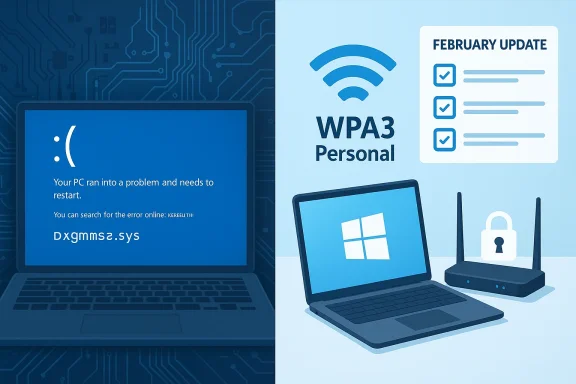
Split-screen tech scene showing a blue Windows error on the left and WPA3 security with updates on the right.
Microsoft has confirmed that this month’s Windows 11 updates introduced two distinct, user-visible regressions — a blue/black screen system error tied to certain GPU configurations and a separate networking issue that prevented some devices from connecting to WPA3‑Personal Wi‑Fi networks — and says fixes are already rolling out as part of February’s cumulative releases and targeted mitigations.

Background / Overview​

On February 10, 2026 Microsoft published its monthly cumulative updates for Windows 11 and, as is common, those rollups bundled a mix of security patches, quality fixes from preview releases, and targeted reliability changes. In the days after the release, users and OEMs reported two clusters of problems: (1) systems with particular graphics configurations experiencing a kernel crash related to the DirectX graphics subsystem and (2) intermittent failures to join some WPA3‑Personal wireless networks on devices that had previously been working.
Microsoft’s release notes for the February updates explicitly list both items among the addressed issues, and a companion update for the new 26H1 branch calls out a graphics fix that names dxgmms2.sys and the KERNEL_SECURITY_CHECK_FAILURE symptom. At the same time the company acknowledged the WPA3 regression and folded a repair into the February cumulative. Where appropriate Microsoft is using targeted rollout techniques and Known Issue Rollback (KIR) behavior to limit further impact and to push mitigations to affected devices.

What happened: two different regressions, one update window​

GPU-related crash: dxgmms2.sys → KERNEL_SECURITY_CHECK_FAILURE​

Beginning with the early February packages and a January preview before them, some Windows 11 systems started to show a stop error stemming from the DirectX graphics memory manager — the dxgmms2.sys component. The observable failure mode was a kernel stop code indicating a KERNEL_SECURITY_CHECK_FAILURE; on modern Windows releases Microsoft has been rolling out subtle visual changes to crash screens (some vendors call them “black screen of death” variants), but the technical reality remained: an unexpected kernel-exit condition that forced a reboot and, in many cases, user intervention.
Notably the publicly posted fixes describe the problem as tied to certain GPU configurations, not all GPUs or all systems. That phrasing typically signals a narrow interaction — often a specific GPU family, driver version, firmware combination, or OEM-supplied kernel-mode driver that only appears on a subset of hardware.

WPA3-Personal connectivity broken for some devices​

Independently, Microsoft’s change log for the February rollup also calls out a networking fix: an issue that “prevented some devices from connecting to certain WPA3‑Personal Wi‑Fi networks.” Reports showed varying symptoms — from networks not appearing in the SSID list to failed authentication/association attempts on WPA3‑only access points. Microsoft traces the regression to interactions introduced by a prior update (a January package referenced in Microsoft’s notes), and the February release explicitly lists a correction for that behavior.

Microsoft’s response and how the fix is being delivered​

Microsoft’s approach in situations like this is multi-pronged:
  • For the WPA3 connectivity regression the February cumulative update contains the corrective logic; installing the KB associated with February’s Patch Tuesday brings systems back to the expected behavior for affected WPA3‑Personal networks.
  • For the graphics/kernel crash the fix appears in an update for the newer build branch and in the 26H1 technical notes; Microsoft indicates the change addresses a dxgmms2.sys‑related system error that could result in KERNEL_SECURITY_CHECK_FAILURE. The company is also known to use Known Issue Rollback (KIR) as a server-side mitigation when urgent changes cause unacceptable regressions — KIR can disable or revert a faulty change without requiring a full client-side reinstallation.
  • Microsoft is phasing certificate and boot-manager changes tied to Secure Boot at the same time; that rollout uses telemetry gating to reduce blast radius, and administrators should be mindful that firmware/UEFI interactions create a separate class of post‑patch risk.
In short: Microsoft has pushed the corrective code into its February releases and is enabling mitigations on affected device populations. For many consumer devices the repair will arrive automatically via Windows Update; enterprise administrators can control and accelerate deployment through Windows Update for Business, WSUS, or direct deployment of the specific KB packages.

Technical analysis: dxgmms2.sys, kernel checks, and what usually goes wrong​

What dxgmms2.sys does​

dxgmms2.sys is a kernel component in the Windows graphics stack that handles memory management services for DirectX (the DirectX Graphics Memory Management Subsystem). It is deeply involved in video memory allocation, sharing between user-mode and kernel-mode graphics components, GPU scheduling interactions, and the handling of graphics device interrupts.
When dxgmms2.sys encounters inconsistent state — for example, corrupted memory descriptors, mismatched expectations between the kernel and a GPU driver, or an invalid pointer returned during a memory validation pass — Windows enforces kernel integrity by triggering a stop condition. The KERNEL_SECURITY_CHECK_FAILURE stop code is a catch-all that indicates Windows detected a condition that violates expected kernel memory/structure invariants.

Why this often shows up only on "certain GPU configurations"​

  • Third‑party drivers: GPU vendors regularly ship kernel-mode drivers. If the OS change modifies dxgmms2.sys behavior or expectations, a vendor driver compiled against an earlier contract can fail to meet the new checks.
  • OEM firmware: Laptop and desktop BIOS/UEFI blobs can alter hardware state and expose timing or capability differences that only show up on specific motherboard+GPU combos.
  • Feature gating and hardware paths: Newer GPUs or uncommon hybrid setups (integrated GPU + discrete GPU with special multiplexing) exercise code paths that are rarely used in lab testing, so regressions can be missed until wide deployment.
  • Anti-cheat or virtualization filters: Kernel drivers from anti-cheat, security products, or virtualization stacks may interact with the graphics stack and cause edge-case failures when the OS updates its invariants.
Microsoft’s patch targets the identified interaction between the OS-level memory-management checks and the problematic hardware/driver combination.

Scope and scale: who’s most likely affected​

  • The heat map for this incident is not a mass‑market outage affecting all GPUs. Microsoft’s language — “certain GPU configurations” — and the targeted fix indicate a smaller population of devices.
  • Systems that received the January/preview packages or had drivers that weren’t updated in lockstep with OEM firmware are more likely to have encountered the condition.
  • The WPA3 regression affected devices that had updated to a specific pre‑February package and were connecting to WPA3‑Personal networks. Because WPA3 is still not universal in consumer routers and some AP firmware implementations vary, the failure surface is inherently environmental: affected device + specific AP configuration + prior update state.
  • Enterprise fleets with tightly controlled driver rollouts may be insulated, but they must still verify compatibility because the Secure Boot certificate and boot manager changes Microsoft is staging separately add complexity to recovery/rollback.

Immediate user and admin guidance (what to do right now)​

If your system has already crashed with a kernel stop after a recent update​

  1. Don’t panic — verify the symptom. If you see a KERNEL_SECURITY_CHECK_FAILURE or a restart loop after graphics activity (video playback, GPU‑accelerated apps), the February fixes are intended to address those exact cases.
  2. Before applying any repair, ensure you have a known-good backup or system image, and confirm BitLocker recovery keys are accessible if BitLocker is enabled.
  3. Install February’s cumulative updates via Windows Update, Windows Update for Business, or the standalone MSU packages from your internal catalog. If your device cannot boot, use WinRE to access recovery and then apply offline remediation if your environment requires it.
  4. If the system is unstable and you cannot complete an update, consult your OEM’s recovery guidance — some laptop vendors provide platform-specific drivers/firmware that complement Microsoft’s fixes.

If you cannot connect to WPA3‑Personal networks after recent updates​

  • Check for the February cumulative update and install it; Microsoft lists a correction for devices that previously failed to connect.
  • If you manage the access point, verify the AP firmware supports WPA3‑Personal correctly (mixed-mode and transition modes are historically inconsistent across vendors).
  • As a temporary measure, enable WPA2/WPA3 mixed mode on the AP if policy permits, to let affected devices fall back while you deploy the Windows fix.

For IT administrators and help desks​

  • Deploy the February cumulative to a representative pilot group first, focusing on machines with dedicated graphics hardware, gaming rigs, and machines with nonstandard kernel-mode drivers (security or virtualization filters).
  • Export and record UEFI/Secure Boot variable configuration for devices where you manage firmware, because Microsoft’s concurrent Secure Boot certificate replacement is gated and may complicate recovery paths in rare cases.
  • Ensure your patch rollouts include coordinated GPU driver updates from OEM/Vendor channels — mismatched OS and driver timelines are often root causes.

Troubleshooting checklist (step‑by‑step)​

  1. Confirm OS build and KB status: Settings → System → About; compare build to the February update build numbers before/after installing.
  2. Update GPU drivers: Use the vendor’s certified drivers (NVIDIA, AMD, Intel) that match your OS build; avoid beta drivers during recovery.
  3. Apply the February cumulative update (or targeted KB) and reboot.
  4. If crashes persist:
    • Boot to Safe Mode or WinRE.
    • Check Event Viewer for dxgmms2.sys references and memory dump files.
    • Use Device Manager to roll back to a previous display driver, if necessary.
    • If anti-cheat or kernel-mode security products are present, temporarily disable/uninstall to test.
  5. For WPA3 network problems:
    • Reboot the access point and ensure firmware is current.
    • Verify SSID security settings (WPA3‑Personal only vs mixed-mode).
    • On the client, forget the network and reconnect after the February update.
  6. If recovery requires a rollback but the uninstall fails: use System Restore (if available), or restore from image — note that some servicing stack changes complicate clean uninstalls.

Why these incidents keep happening and what Microsoft is doing to reduce risk​

Windows is a massive compatibility ecosystem: every cumulative update touches deep OS contracts that kernel-mode drivers and firmware depend on. There are several structural reasons regressions persist:
  • Complex interdependencies: A change intended to harden the kernel or to support new hardware can break a driver that relied on undefined behavior.
  • OEM-specific hardware paths: Variations in UEFI, firmware, or board-level wiring exercise code paths rarely seen in lab testing.
  • Rapid feature rollouts: Microsoft’s cadence of monthly cumulative updates plus preview packages creates more frequent integration points where interactions can surface.
  • Driver/firmware lag: GPU vendors and OEMs may take their own release timelines, which creates windows of incompatibility.
Microsoft’s mitigation strategies include:
  • Telemetry gating for risky changes, which allows phased rollouts based on device health signals.
  • Known Issue Rollbacks (KIR) that can disable a change server-side without a full client patch.
  • Stronger test harnesses and partnerships with major OEMs and silicon vendors, though edge cases remain inevitable.

The longer-term takeaway for users and IT teams​

  • Patch promptly, but patch smart. For most users, applying the February cumulative update will fix the two issues described here. For administrators, follow a staged deployment: pilot → broader ring → general deployment.
  • Maintain driver and firmware hygiene. GPU driver and BIOS/UEFI updates can be as critical as the OS rollup itself. Coordinate vendor driver updates with OS patching.
  • Preserve recovery readiness. Always keep backups, ensure BitLocker recovery keys are accessible, and have recovery media available for systems that may hit firmware/boot path complications.
  • Encourage vendors to publish tested driver builds for new OS releases and, when possible, rely on vendor-signed drivers distributed through OEM channels rather than generic late-stage betas.

Strengths and risks of Microsoft’s handling​

Notable strengths​

  • Rapid acknowledgement and targeted remediation: Microsoft documented the WPA3 regression and the graphics/kernel issue in release notes and shipped corrective code within the next maintenance window.
  • Use of KIR and phased telemetry gating: These tools reduce the chance of wide-scale regressions and allow rolling back problematic changes without waiting for a full monthly cycle.
  • Clear messaging about Secure Boot certificate transitions: Microsoft’s transparency around the certificate updates and the precautions administrators should take is valuable for preventing boot‑level surprises.

Remaining risks and limitations​

  • Edge cases persist: Narrow hardware and driver combinations keep producing high-impact, low‑volume failures that are hard to fully squash before public rollout.
  • Rollback complexity: Servicing stack updates and combined SSU+LCU packages complicate rollback steps; administrators should not assume simple uninstalls will restore prior state.
  • Communication lag: While Microsoft documents fixes in KB notes, the average user may not parse build numbers or KB IDs; better in-client explanations and guided rollbacks would reduce support overhead.

Final recommendations (practical checklist)​

  1. For home users:
    • Install February 2026 cumulative updates and then reboot.
    • Update GPU drivers from the vendor’s stable channel.
    • If you use WPA3‑Personal routers and experience failures, check for router firmware updates or temporarily enable mixed-mode to restore connectivity while you update Windows.
  2. For IT teams:
    • Pilot the February rollups on a representative subset, prioritizing machines with discrete GPUs and systems that connect to WPA3‑Personal networks.
    • Verify backups, recovery media, and BitLocker key availability before broad deployment.
    • Coordinate with OEMs for any firmware or driver updates that vendors identify as required.
  3. For power users and gamers:
    • Watch for vendor driver updates that explicitly state compatibility with the February Windows builds.
    • If you rely on anti-cheat or virtualization drivers, confirm their vendor has validated compatibility with the latest KBs.

Microsoft’s February patches are an example of the delicate balancing act in modern OS maintenance: security hardening and feature servicing must coexist with a sprawling, heterogeneous hardware ecosystem. The company has acknowledged the two regressions covered here and has already pushed corrective measures; for most users the steps are straightforward (install the February cumulative, update GPU drivers, and verify wireless configuration). For administrators and power users, the incident is a reminder to test in controlled rings, keep recovery plans current, and coordinate OS and driver rollouts rather than treating them as independent tasks. Conscientious patching plus vendor coordination remains the best defense against these kinds of high‑impact but narrow regressions.

Source: Windows Latest https://www.windowslatest.com/2026/...-wpa3-wi%E2%80%91fi-but-a-fix-is-rolling-out/
 

Microsoft has confirmed that two separate Windows 11 regressions — a graphics-related kernel crash that produced KERNEL_SECURITY_CHECK_FAILURE stop codes and a networking bug that broke connections to some WPA3‑Personal Wi‑Fi networks — were addressed in the February 10, 2026 cumulative update (KB5077181, OS build 26200.7840), but the fallout and risk profile of these updates are still important for home users, gamers, and IT teams to understand.

Tech applies Windows 11 patch KB5077181 for dxgmms2.sys.Background / Overview​

Windows update rollouts have tightened in cadence and complexity since the Windows 11 24H2/25H2 wave, and the January–February 2026 servicing cycle has been unusually noisy: a set of preview and cumulative packages released in January introduced regressions for a small subset of configurations, and Microsoft used the February cumulative (KB5077181) to fold in fixes and mitigations. These quality‑of‑service updates are delivered as combined Servicing Stack Updates (SSUs) + Latest Cumulative Updates (LCUs) and are rolled out in stages to help prevent mass disruptions.
That staged rollout model matters here: Microsoft’s public advisories and KB changelogs now list the kernel crash and WPA3 connectivity regression as resolved in Build 26200.7840, but the underlying causes are configuration‑dependent (GPU drivers, third‑party kernel drivers, OEM firmware). That dependency means the user‑facing symptom — whether a PC crashes to a blue/black screen or loses WPA3 Wi‑Fi connectivity — can still appear in edge cases until all stack elements (firmware, vendor drivers, and OS) line up.

What happened: two distinct regressions, separate root causes​

1) The graphics/kernel crash (dxgmms2.sys → KERNEL_SECURITY_CHECK_FAILURE)​

Starting in January, community reports and telemetry flagged a severe kernel‑level crash on some systems: a stop code tied to a KERNEL_SECURITY_CHECK_FAILURE and related black/blue screen symptoms. The fault was traced to the DirectX memory manager — specifically the dxgmms2.sys system driver — which mediates GPU memory operations in kernel space. The crash has a high impact because it occurs at kernel invariants and typically results in an immediate system halt.
Why this surfaced now: interplay between the OS update, GPU vendor drivers, and certain anti‑cheat or other kernel components can expose latent timing or validation issues inside dxgmms2.sys. Microsoft’s KB language is purposefully conservative — “certain GPU configurations” — because it cannot predict every driver/firmware/third‑party-driver permutation across millions of devices. That pattern is consistent with previous large‑scale regressions: the OS change exposes a narrow but sharp compatibility gap.

2) The WPA3‑Personal Wi‑Fi connectivity regression​

Separately, a January optional preview update (published as KB5074105 on January 29, 2026) was associated with some devices failing to join WPA3‑Personal networks. Devices would either fail to authenticate or fail to establish a usable link. In many cases the symptom was a Wi‑Fi adapter that appeared to connect — but produced no network traffic — or the adapter would simply refuse to complete WPA3 authentication. Microsoft’s February cumulative lists a networking fix that explicitly references this regression.
WPA3‑Personal relies on a relatively new handshake and management frames behavior compared with legacy WPA2. Vendor firmware, driver implementations, and strictness in the OS’s Wi‑Fi stack can cause interoperability problems when any layer changes. The January preview’s changes apparently tightened or altered behavior in ways that some real‑world peer configurations (routers, AP firmware, or NIC drivers) could not accommodate.

Microsoft’s official response and the fix​

On February 10, 2026 Microsoft published the cumulative update KB5077181 (OS builds 26200.7840 and 26100.7840) that explicitly lists fixes for both the dxgmms2.sys‑triggered kernel crash and the WPA3‑Personal connectivity regression. The KB entry describes the fixes under the update’s Improvements list and confirms that devices running affected builds should receive the corrected code paths with the February update.
Microsoft’s public language carefully frames the fixes as addressing the specific symptoms: the update “addresses an issue where certain GPU configurations might recently have experienced a system error related to dxgmms2.sys, resulting in the Kernel_Security_Check_Failure error,” and it also notes the networking fix: “addressed an issue that prevented some devices from connecting to certain WPA3‑Personal Wi‑Fi networks.” These clarifications matchtions and allow admins and users to cross‑check whether the fixes apply to their environment.
At the same time Microsoft and multiple outlets have warned that some machines still show installation or side‑effect problems after the KB5077181 rollout — for example, installation errors, HDMI/external display issues, or Bluetooth and audio glitches reported by a small number of users. Those collateral reports underscore that while the two headline regressions were addressed, cumulative updates operate across many subsystems and can have unforeseen interactions on specific hardware stacks.

Evidence from reporting and community telemetry​

  • PCWorld summarized Microsoft’s confirmation and identified the two regressions — the kernel crash tied to dxgmms2.sys and the WPA3 connectivity failure — and noted the fix is included in Build 26200.7840 (KB5077181). That summary helps validate Microsoft’s public acknowledgement.
  • Microsoft’s own KB pages for the January preview (KB5074105) and the February cumulative (KB5077181) document the sequence: preview/optional rollouts introduced regressions, then the combined cumulative update folded in fixes and quality improvements. These KB pages are the authoritative record of what Microsoft shipped and when.
  • Specialist outlets and community troubleshooting threads reported both the crashes and the WPA3 failures independently and tracked the symptom patterns — including reports of affected gaming sessions and specific Wi‑Fi SSID/handshake failures. Those reports are consistent with Microsoft’s cautious, configuration‑dependent phrasing.
  • In parallel, security and repair outlets documented the risk to some systems that had earlier failed update attempts and were at risk of boot failures; those too were addressed in the February rollup. Enterprises with affected devices were advised to contact Microsoft Support if remediation required more than a simple uninstall or repair.

Technical analysis: why these kinds of regressions recur​

The Windows kernel and its hardware abstraction layers are enormous and complex. A few architectural points explain why a small change in a cumulative update can lead to dramatic, but narrow, regressions:
  • dxgmms2.sys operates at kernel privilege and handles GPU memory management and synchronization. Faults here lead to immediate system halts because the kernel’ted. Small timing or validation changes in the OS can expose driver bugs previously masked by different timing. The diversity of GPU drivers (NVIDIA, AMD, Intel), anti‑cheat kernel modules for games, and OEM firmware multiplies testing permutations, making it infeasible for any vendor to exhaustively test every hardware + driver + software permutation prior to release.
  • WPA3 interoperability depends on precise implementation details in both AP firmware and NIC drivers. When the OS changes the Wi‑Fi stack — even for security hardening or protocol refinement — previously tolerant peer stacks can break. This is particularly likely during preview/optional updates where tighter validation may be introduced before the wider rollout.
  • Cumulative updates are combined packages that include security fixes, quality fixes, and servicing stack updates. The inclusion of many changes in a single package increases the chance that unrelated components will interact in unexpected ways during installation or runtime, especially on systems that have nonstandard driver versions or OEM customizations.

Practical impact: who is likely affected?​

  • Gamers and heavy GPU users: systems running gaming titles or GPU‑accelerated workloads that use vendor drivers in specific combinations (e.g., certain driver versions, multi‑GPU setups, external GPU enclosures, or third‑party kernel modules) were the most visible group to report the KERNEL_SECURITY_CHECK_FAILURE crash. If you experienced black screens under load after January updates, you were in the demographic Microsoft flagged. (techradar.com
  • Users on WPA3‑Personal networks: homes and small offices that upgraded AP firmware or run newer mesh routers with WPA3 enabled, and users whose NIC drivers had certain versions, were the ones who saw WPA3 authentication or association failures after the January preview. If your Wi‑Fi stopped connecting to WPA3 networks, that is the specific symptom Microsoft cited.
  • Enterprises and mixed‑fleet environments: businesses with a wide variety of OEM models, older firmware, or legacy third‑party drivers saw the most complex impacts. Some reported boot failures after earlier failed installs, and IT teams needed either Microsoft support or manual recovery via Windows Recovery Environment (WinRE) to remove problematic packages. Enterprises should correlate affected device telemetry with driver and firmware inventories before broadly approving new updates.

What to do now: remediation and best practices​

If you or your organization were affected, or you want to reduce risk going forward, follow this practical, prioritized checklist:
  • Confirm your OS build. If Windows Update shows OS build 26200.7840 (or later), the KB5077181 fixes should be applied. Use Settings > System > About to verify the OS build.
  • Update GPU drivers and NIC firmware. Before or after applying Microsoft updates, install the latest vendor drivers from NVIDIA, AMD, or Intel and update router/AP firmware where possible. This reduces the chance of driver/firmware mismatch. If you have vendor‑supplied Update tooling (GeForce Experience, Radeon Software, Intel Driver & Support Assistant), use it to cross‑check driver versions.
  • If you lost WPA3 connectivity: try a clean driver reinstall for the Wi‑Fi adapter, power‑cycle the AP/router, and if possible temporarily fall back to WPA2 or mixed WPA2/WPA3 on the AP while you test driver/firmware updates. Document AP firmware versions and NIC driver versions so you can provide useful diagnostics if you need vendor support.
  • For blue/black‑screen crashes: detach external GPU enclosures, test with a known‑good vendor driver, and boot into safe mode to gather memory dumps (if the system allows). If you can reproduce the crash reliably, collect a minidump and send it to Microsoft or the GPU vendor for triage. Microsoft’s KB language suggests the fix is in the OS, but third‑party drivers can still be causal or contributory.
  • If a system becomes unbootable after an update: use WinRE to uninstall the most recent quality update, follow Microsoft’s troubleshooting guidance, and contact Microsoft Support for Business if enterprise devices remain affected. Some devices that reached an unbootable state before the fix may still need remediation beyond simply installing KB5077181.
  • For enterprises: stage the KB across a small pilot first. Use ringed deployments, track the telemetry carefully, and delay broad deployment until you confirm the pilot devices show no regression. If you manage large fleets, consider coordinating driver rollouts from vendors in lockstep with Microsoficrosoft.com]

Risk analysis: strengths and weaknesses of Microsoft’s handling​

Strengths​

  • Rapid acknowledgement and targeted fix: Microsoft’s KB release notes and the February cumulative demonstrate that the company moved to identify and correct the specific regressions rather quickly, folding the fixes into the regular Patch Tuesday cycle and explicitly calling out the problems in KB text. That transparency — naming affected components in plain language — helps admins triage.
  • Phased rollout and servicing‑stack updates (SSUs): combining the LCU with an SSU and rolling out fixes in phases reduces the blast radius and allows Microsoft to gate distribution to devices that report healthy update telemetry. That’s a helpful control when certificate or firmware updates are sensitive.

Weaknesses and risks​

  • Configuration opacity: Microsoft’s “certain GPU configurations” wording is necessary but unhelpful for users who want to know if their exact hardware is affected. Without a model‑by‑model list of affected GPUs or driver versions, users must rely on trial/error, vendor guidance, or community reports. That is a recurring frustration among power users and IT teams.
  • Collateral regressions: the February rollup itself produced anecdotal reports of install errors, HDMI/external display issues, and audio/time‑of‑day regressions for a minority of users. Those reports highlight the reality that cumulative updates change many moving parts simultaneously, and a fix for one problem can surface another elsewhere in the stack. Until Microsoft’s telemetry shows the new update is widely healthy, risk remains for complex setups.
  • Enterprise remediation burden: machines that already entered an unrecoverable or unbootable state prior to the fix may still need manual recovery or Microsoft support. For organizations with limited onsite IT, that represents a real operational cost. Microsoft’s guidance to contact support for Business is the right path, but it is not a frictionless process.

What this means for Windows update strategy going forward​

Windows remains the most-installed desktop OS in the world, which means any update touches a huge diversity of hardware and software. The February 2026 episodes reinforce several actionable themes for users and IT professionals:
  • Adopt a ringed, staged deployment model for production fleets and test updates on representative hardware before broad rollout.
  • Maintain an inventory of driver and firmware versions and cross‑reference them with vendor advisories when applying security and quality updates.
  • Preserve rollback windows and test recovery procedures (WinRE, offline image repair) so that an update failure does not become a catastrophic outage.
  • Encourage users — particularly gamers and power users — to delay optional preview updates on machines critical for work or tournaments, and to coordinate GPU driver updates carefully with OS updates.

Final verdict: a measured fix, but not the last word​

The technical facts are straightforward: Microsoft acknowledged two distinct regressions introduced or surfaced by January preview updates and early January servicing activity, and it rolled both fixes into the February 10, 2026 cumulative update KB5077181 (OS build 26200.7840). For most users, installing the February cumulative update plus the latest vendor drivers and router firmware will resolve the reported KERNEL_SECURITY_CHECK_FAILURE crashes and WPA3‑Personal connectivity failures.
That said, the episode is a reminder of systemic fragility that arises when complex system changes intersect with an ecosystem of third‑party drivers and firmware. Microsoft’s public KBs and third‑party reporting provide the authoritative record and practical troubleshooting steps, but affected users should not assume fixes are instantaneous or universal: staged rollouts, driver mismatches, and devices that became unbootable before fixes were available may still need manual remediation. Use pilot rings, keep backups, and coordinate with hardware vendors when in doubt.
For now, the most pragmatic posture is cautious optimism: the core regressions have been acknowledged and patched, but IT teams and technically inclined users should validate the update on representative devices and maintain a recovery plan should emerging or residual issues appear.

Source: PCWorld Windows 11 update causing BSODs and Wi-Fi issues, Microsoft confirms
 

Back
Top