

Windows 11’s biggest problem right now isn’t that it lacks ambition — it’s that Microsoft’s ambition is outpacing its delivery, and that mismatch is driving stubborn Windows 10 holdouts and an unexpected trickle of users toward Linux alternatives. The recent public backlash over Windows being pitched as an “agentic OS,” the renewed focus on AI-first features, and persistent complaints about day-to-day usability have combined into a credibility moment for Microsoft: fix the fundamentals, or watch adoption stall.
Windows 10 reached its official end-of-support milestone in mid‑October 2025, forcing a real choice for users: upgrade to Windows 11, pay for Extended Security Updates (ESU), or migrate to another platform. That calendar moment was meant to be a migration accelerator, but it has instead sharpened tensions. For many users the conversation now centers on three practical issues: compatibility (does their hardware meet Windows 11’s baseline?, trust (does the OS respect user control and privacy?, and basic quality (is the experience reliably better than Windows 10?. Microsoft’s hardware baseline — TPM 2.0, UEFI Secure Boot, and recent CPU generations — was defended as a security-first stance, yet it left a sizable portion of otherwise capable machines ineligible for the free upgrade. OEMs, enterprise IT and many consumers now find themselves balancing upgrade costs, environmental concerns about e‑waste, and the scale of work needed to migrate fleets and personal devices. Meanwhile, Microsoft’s marketing push around AI features and a Copilot‑centric future has landed at the same time as these very real upgrade frictions, creating a dissonant narrative.
Add to that market signals indicating adoption headwinds: OEM commentary and industry reporting show hundreds of millions of PCs that either can’t upgrade or simply aren’t upgrading yet. Dell’s public commentary and recent market coverage underscore the scale of the inertia Microsoft is trying to overcome.
Microsoft has started to respond: preview builds include preloading optimizations and a streamlined context menu that groups rarely used actions into submenus — practical steps to make Explorer feel snappier and less cluttered. Those changes are rolling through Dev channel previews and indicate Microsoft hears the criticism, but preview fixes are not the same as mass-market stability. Microsoft needs to move quickly to bake these improvements into stable channels and communicate clearly that core usability is a priority.
The backlash took two forms. First, the tone: many users interpreted the messaging as Microsoft deciding for them — adding features that act without clear opt‑in, nudging cloud tie‑ins, or requiring new account/linking behaviours just to access “premium” AI features. Second, the timing: the “agentic OS” narrative arrived just as users were making tough migration choices, and the optics of an AI-first push while foundational issues remain unresolved felt tone‑deaf. Pavan Davuluri’s public statements and the replies they generated became the flashpoint for these grievances. Key concerns being voiced:
Short of that, the aisle of Windows 10 holdouts will remain full, and the path toward Linux alternatives will continue to look viable for more and more users. Microsoft still controls a vastly dominant desktop ecosystem, but dominance is not permanence. Treat everyday users with respect, fix the basics loudly and verifiably, and then — and only then — let the AI agents earn their place on millions of desktops.
Source: TechRadar https://www.techradar.com/computing...icrosoft-needs-to-fix-this-one-glaring-issue/
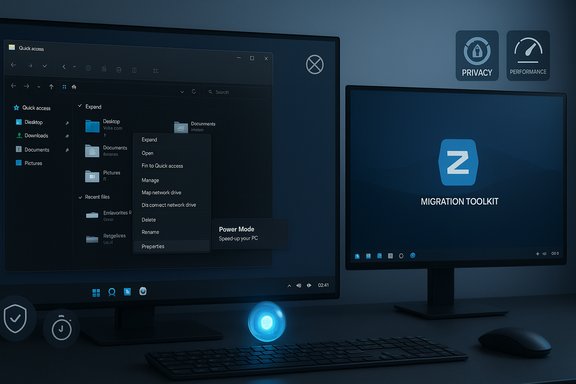 Background: the tightrope Microsoft is walking
Windows 10 reached its official end-of-support milestone in mid‑October 2025, forcing a real choice for users: upgrade to Windows 11, pay for Extended Security Updates (ESU), or migrate to another platform. That calendar moment was meant to be a migration accelerator, but it has instead sharpened tensions. For many users the conversation now centers on three practical issues: compatibility (does their hardware meet Windows 11’s baseline?, trust (does the OS respect user control and privacy?, and basic quality (is the experience reliably better than Windows 10?. Microsoft’s hardware baseline — TPM 2.0, UEFI Secure Boot, and recent CPU generations — was defended as a security-first stance, yet it left a sizable portion of otherwise capable machines ineligible for the free upgrade. OEMs, enterprise IT and many consumers now find themselves balancing upgrade costs, environmental concerns about e‑waste, and the scale of work needed to migrate fleets and personal devices. Meanwhile, Microsoft’s marketing push around AI features and a Copilot‑centric future has landed at the same time as these very real upgrade frictions, creating a dissonant narrative.Add to that market signals indicating adoption headwinds: OEM commentary and industry reporting show hundreds of millions of PCs that either can’t upgrade or simply aren’t upgrading yet. Dell’s public commentary and recent market coverage underscore the scale of the inertia Microsoft is trying to overcome.
What users — the people who actually use Windows every day — are asking for
Across forums, independent posts, and feedback threads, the recurring themes are strikingly consistent. Users want an OS that is faster in the most-used places, less opinionated about cloud services, and more respectful of privacy and customization. Summarized, the list looks like this:- Performance and reliability: Fast, responsive File Explorer, fewer UI regressions, predictable updates.
- Less bloat and fewer ads/upsells: Remove intrusive promotions for Microsoft 365/Edge/OneDrive and make first-run experiences cleaner.
- Privacy and telemetry controls: Clear, granular, and transparent options exposed during setup — not buried in settings.
- Customization and control: Restore sensible defaults for power users (taskbar placement, taskbar behavior, robust settings to disable features), and give users a “power mode” that removes nudges and automation.
- Better package management and developer tooling: A unified, reliable package manager that approaches the convenience model of apt/pacman or a significantly improved winget.
- Compatibility and upgrade tooling: Guidance and assistive tools for enabling TPM/firmware paths where safe, better clarity about ESU and simple migration tools for SMBs and home users.
File Explorer: a small app with outsized importance
Few single components attract as much ire as File Explorer. Long-standing complaints include slow folder rendering (particularly image-heavy folders), sluggish context menus, and inconsistent search and sorting behavior. Because File Explorer is where users spend a surprising amount of their time, perceived regressions in its speed and responsiveness get amplified. Community threads and independent reviewers repeatedly call out Explorer performance as emblematic of Windows 11’s broader quality problem.Microsoft has started to respond: preview builds include preloading optimizations and a streamlined context menu that groups rarely used actions into submenus — practical steps to make Explorer feel snappier and less cluttered. Those changes are rolling through Dev channel previews and indicate Microsoft hears the criticism, but preview fixes are not the same as mass-market stability. Microsoft needs to move quickly to bake these improvements into stable channels and communicate clearly that core usability is a priority.
The AI pivot and the “agentic OS” controversy
Microsoft’s reframe — positioning Windows as an “agentic OS” that hosts autonomous AI agents capable of carrying out multi‑step tasks across apps and cloud services — is bold. In theory it promises true productivity gains: automating repetitive workflows, surfacing contextual help, and connecting disparate services without manual orchestration. In practice, the announcement triggered a public backlash that exposed a deep trust gap.The backlash took two forms. First, the tone: many users interpreted the messaging as Microsoft deciding for them — adding features that act without clear opt‑in, nudging cloud tie‑ins, or requiring new account/linking behaviours just to access “premium” AI features. Second, the timing: the “agentic OS” narrative arrived just as users were making tough migration choices, and the optics of an AI-first push while foundational issues remain unresolved felt tone‑deaf. Pavan Davuluri’s public statements and the replies they generated became the flashpoint for these grievances. Key concerns being voiced:
- Loss of predictability: Agents performing actions autonomously could change system state in ways that make troubleshooting harder. Power users and administrators prize deterministic behavior.
- Privacy and telemetry: Agents that reach into files, calendars, or connected cloud services increase the possible telemetry surface; users want transparent data flows and opt‑in gates.
- Forced cloud/account requirements: Any perception that essential security or update paths require a Microsoft account is a major trust issue for users who prefer local control.
Why some users are choosing Linux — and why Microsoft should care
The migration headlines are eye-catching for a reason: distributions such as Zorin OS 18 reported rapid download growth coinciding with Windows 10’s end-of-support, with Zorin documenting over a million downloads and a majority originating from Windows PCs. For non-technical users, a polished, Windows-like Linux distribution that runs on older hardware and includes migration tools is now a credible alternative. Why this matters:- Lower barrier to entry: Modern distributions have improved installers, live USB testing modes, and easier application replacement guidance (including web-app wrappers and OneDrive integration). That makes trial and transition less risky for everyday users.
- Cost and sustainability: For users facing the choice between buying new hardware to meet Windows 11 requirements or sticking with Windows 10 and paying for ESU, Linux offers a zero-license, low-cost pathway that preserves existing machines and reduces e‑waste.
- Perception of control: Linux’s long-standing strengths — customization, lack of native ad prompts, and transparent telemetry — appeal to users frustrated by Microsoft’s perceived upselling and data collection.
Where Microsoft has already started to respond (and where it must do more)
Microsoft has not been deaf to the noise. There are tangible signs of course correction:- File Explorer performance improvements and context-menu decluttering are appearing in Dev preview builds, showing the company can prioritize small, high-impact fixes. Shipping these improvements to stable channels faster would have outsized goodwill impact.
- Windows leadership publicly acknowledged user concerns after the “agentic OS” post and pledged to act on reliability, performance and consistency — an important tone shift, though words must be matched with visible engineering milestones.
- Focus on the everyday: fast, consistent behavior in the most-used subsystems (Explorer, Start, Settings, and update handling). Small wins here compound into improved trust.
- Ship an explicit “Power/Pro mode” for advanced users and IT admins — a configuration that disables upsells, telemetry, and agentic behaviors by default and prioritizes determinism. This reduces the incentive to patch or hack around defaults.
- Clarify ESU and migration: remove ambiguous Microsoft Account gating where regulation does not require it, publish precise guidance on TPM/firmware enablement, and make device enablement tools safe and straightforward.
- Make AI features clearly optional, auditable, and reversible: agents should have easily discoverable logs, per‑agent opt‑outs, and predictable resource controls to mollify privacy and performance concerns.
A practical, prioritized checklist Microsoft can use right now
For product teams and decision-makers at Microsoft, here’s a concise prioritized playbook that addresses the core complaints without halting innovation:- Immediate (0–3 months)
- Push File Explorer fixes to Beta/Stable where QA allows; publish a plain-English changelog showing measurable latency improvements.
- Introduce a “Quiet Install” or “Privacy-first” first-run experience that disables ads, upsells and non-essential telemetry by default.
- Publish a transparent ESU guide with explicit Microsoft Account requirements and regional exceptions spelled out.
- Short-term (3–9 months)
- Ship a Power Mode toggle that reverts the system to deterministic, minimal‑nudge behavior for power users and enterprise admins.
- Deliver clearer agent governance — per-agent logs, per-app permission prompts, and a one-click “pause all agents” control.
- Medium-term (9–18 months)
- Rework update UX to provide finer controls over feature updates and predictable rollout windows for enterprise and consumer tiers.
- Improve winget into a first-class package manager with dependency handling, curated repos, and easy rollback support.
The risk if Microsoft doesn’t pivot — and the upside if it does
The downside of inaction is real and measurable. Continued friction will prolong the migration tail, fragment the Windows ecosystem, and shrink Microsoft’s influence over desktop standards — opening spaces for Linux distributions, macOS, and niche OS variants to grow into user segments Microsoft historically owned. Zorin’s rapid downloads illustrate the opening: even a small but steady defection from Windows can amplify over time as tooling and documentation improve. Conversely, the upside of a user‑centric pivot is straightforward: faster upgrades, better user trust, and a newer installed base that’s receptive to optional, compelling AI features. In plain terms: less hype about AI in marketing, and more measurable, demonstrable improvement in the OS’s day-to-day reliability will produce far better long-term economics than flashy announcements alone.Conclusion: stop selling the future and start fixing the present
Windows 11’s future is compelling: an OS that can intelligently coordinate tasks could be a real productivity multiplier. But that future will only arrive if Microsoft rebuilds the bridge of user trust now. The company should treat the “agentic OS” narrative like a premium feature set — optional, transparent, and laid on top of a rock‑solid core that users experience as faster, cleaner, and less intrusive. Prioritize real-world fixes (File Explorer, update predictability, privacy-first installs), give power users explicit ways to opt out of experimentation, and make the ESU/migration story simple and fair.Short of that, the aisle of Windows 10 holdouts will remain full, and the path toward Linux alternatives will continue to look viable for more and more users. Microsoft still controls a vastly dominant desktop ecosystem, but dominance is not permanence. Treat everyday users with respect, fix the basics loudly and verifiably, and then — and only then — let the AI agents earn their place on millions of desktops.
Source: TechRadar https://www.techradar.com/computing...icrosoft-needs-to-fix-this-one-glaring-issue/
