Windows 11 Setup May Let You Skip Microsoft Account Again, VP Says

  • Thread Author
Microsoft may be preparing a notable reversal in Windows 11 setup policy, after a company vice president said engineers are “working on” the ability to complete initial setup without a Microsoft account. If that change reaches the finished product, it would directly address one of the most persistent complaints about Windows 11’s out-of-box experience and restore a more traditional local-account path for people who value privacy, simplicity, or offline installation. The catch, for now, is that this looks more like a signal than a ship date: Microsoft has not announced a rollout, and the company has spent the past year tightening rather than loosening account requirements during setup.

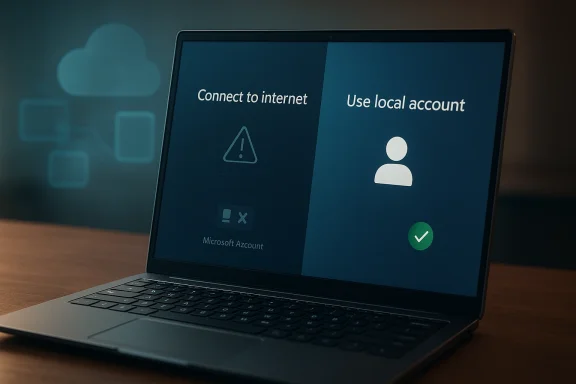
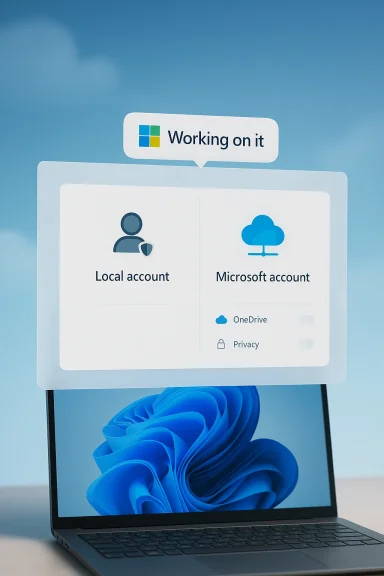
Laptop screen shows Windows 11 sign-in options: local account or Microsoft account, with “Working on it” status.Overview​

Windows 11 setup has become one of the platform’s most debated design choices because it now pushes users toward a Microsoft account much earlier than Windows users were historically accustomed to. In practice, that means the first boot experience is no longer just about naming a device, choosing a region, and getting to the desktop. It is increasingly tied to cloud identity, synchronization, security prompts, and Microsoft’s broader ecosystem strategy.
For many consumers, that shift is invisible or even convenient. A Microsoft account can sync settings, passwords, OneDrive content, Store apps, and other services across devices, which is useful when you live inside Microsoft’s ecosystem. But for a large and vocal segment of Windows users, especially power users, IT administrators, privacy-conscious buyers, and people setting up lab machines or offline PCs, the account requirement feels like a constraint rather than a benefit.
The current news matters because it appears to soften a policy that Microsoft has steadily hardened. Over the past year, Microsoft has been removing or warning against common workarounds used to create local accounts during OOBE, or out-of-box experience. In preview builds, Microsoft explicitly said it was removing “known mechanisms” for creating a local account during Windows Setup, while also arguing that some of those methods caused critical setup screens to be skipped.
That makes Scott Hanselman’s comment especially significant. Hanselman is not a random employee posting a personal preference; he is a Microsoft vice president tied to the company’s Windows reliability and performance push. When he says engineers are “working on it,” that strongly suggests the idea is at least under active consideration inside Microsoft, even if the final implementation, timing, and scope remain undefined.
The broader context is important too. Microsoft is trying to improve Windows 11’s reputation around reliability, performance, and usability after years of criticism about friction, advertising, forced services, and setup complexity. Allowing a local-account path again would be a small interface change with a much larger symbolic value: it would tell users that Microsoft is willing to loosen control when that control becomes a trust problem.

Why the Microsoft Account Requirement Became a Flashpoint​

The move toward mandatory account sign-in did not happen all at once. It emerged gradually as Microsoft made cloud services more central to Windows, then used the setup process to normalize that behavior from the first boot onward. That strategy may have made sense from a platform-integration standpoint, but it also changed the psychological contract between the OS and its users. Windows increasingly stopped feeling like software installed on your machine and started feeling like a service you were joining.

The local account was never just a workaround​

A local account is not merely an old-fashioned preference. It is a practical choice for offline installs, temporary machines, shared computers, test rigs, and environments where cloud identity is unnecessary or undesirable. For some users it is also about reducing data linkage and minimizing the amount of personal information tied to a device.
Microsoft’s own recent messaging shows that it is aware of the friction. In preview build notes, the company said the local-account bypasses could skip critical setup screens and leave a device not fully configured. That is a real concern, but it is also an admission that Microsoft’s current setup flow is complicated enough that users have been inventing escape hatches just to get through it.
The key question is not whether Microsoft has a technical rationale; it clearly does. The question is whether the company can design a setup experience that preserves security and completion checks without forcing every user into the same identity model. That is where the policy debate begins, because the current approach often feels like a blunt instrument.
  • Local accounts remain useful for offline and controlled deployments.
  • Microsoft accounts bring sync, recovery, and cloud integration.
  • The tension is not technical only; it is philosophical.
  • Setup friction has made the issue more visible than it once was.

What Scott Hanselman’s Comment Really Signals​

Hanselman’s public remark is important because it came in response to a user asking about Windows 11 setup without a Microsoft account, and he said software engineers are working on it. That is not a formal product roadmap, but it is more than a shrug. It is an acknowledgment from a senior executive that the current user experience is not necessarily where Microsoft wants it to remain.

A public hint, not a release promise​

There is a crucial distinction between “we hear you” and “it is shipping.” Microsoft has not issued an official announcement, no feature flag has been publicly documented, and there is no release window attached to the comment. So the responsible reading is that the company is exploring or developing a change, not that Windows 11 will suddenly relax its account requirement in the next update.
Still, public comments by a vice president matter because they often indicate where internal priorities are shifting. Microsoft has been talking more about reliability, performance, and reducing Windows pain points, and this kind of statement fits that broader narrative. It suggests a company trying to rebuild goodwill by fixing the behaviors people find most annoying, even when those behaviors support broader strategic goals.
The phrasing also matters. “Working on it” implies engineering effort, which usually means more than a policy review. That could involve changes to setup flows, account prompts, fallback logic, or edition-specific behavior. It might even mean Microsoft is trying to preserve required onboarding steps while still allowing a local account, which would be a more nuanced solution than the current one-size-fits-all model.
  • Hanselman’s comment is not an official launch announcement.
  • It does suggest active engineering work.
  • Any final feature could be limited, phased, or edition-specific.
  • The company may be aiming for a less disruptive workaround than before.

The Setup Experience Problem​

Windows setup is one of those interfaces that most people only see occasionally, yet it shapes their opinion of the entire platform. If OOBE feels smooth, users quickly move on. If it feels coercive or full of dead ends, they remember it for years. That is why the Microsoft account requirement has become such a sticky issue: it turns the first impression into a negotiation.
The old Windows model emphasized ownership and local control. The new model emphasizes sign-in continuity and service attachment. Neither is inherently wrong, but the way Windows 11 has enforced the new model has often made the process feel less like setup and more like compliance. That is a particularly bad feeling for enterprise admins and enthusiasts who are accustomed to making intentional configuration choices.

Why Microsoft is defending the change​

Microsoft’s argument is straightforward: some local-account bypass methods can skip critical screens, including screens that establish network access or key device settings. From a support perspective, that creates downstream problems. A device that is technically “installed” but not properly finished is a headache for both users and Microsoft’s support ecosystem.
But there is another side to that logic. If users are resorting to command-line tricks, registry edits, or obscure setup manipulations, then the design has already failed a usability test. Users do not usually dig through workarounds for fun; they do it because the default flow conflicts with their needs. That is why the backlash has been so durable and so broad.
A smarter approach would preserve the ability to finish setup cleanly while offering a clearly labeled offline or local path for those who want it. That would reduce support risk without forcing every installation into the same identity framework. Whether Microsoft will choose that route is the real story behind this rumor.

How the Workarounds Evolved​

The persistence of local-account workarounds tells you something important about user demand. Even as Microsoft pushed the account-first model, communities kept finding methods to complete installation offline or minimize the sign-in requirement. Those methods ranged from simple network disconnections to command-line tricks and setup modifications.

A cat-and-mouse relationship​

The technical details of those workarounds matter less than the pattern they reveal. Users discover a path, Microsoft closes it, users discover another, and the cycle repeats. By early 2026, community discussions were still focused on whether the classic bypass techniques were functioning on newer Windows 11 releases, which shows that demand for a local path has not gone away.
That cat-and-mouse dynamic is expensive in a non-obvious way. It burns goodwill, creates support confusion, and fragments the installation experience across forums, guides, and unofficial tips. The more Microsoft obscures the official path, the more users lean on third-party advice, and the more likely they are to encounter incomplete or unsafe guidance. That is exactly the kind of problem a platform vendor should want to avoid.
There is also an image problem. When the easiest path is blocked, users infer that the company is prioritizing its own data and service objectives over their convenience. Whether that inference is fair or not, it becomes part of the Windows brand narrative. And in 2026, brand narrative matters because Windows is competing not just with other desktop operating systems, but with user expectations shaped by mobile and cloud ecosystems.
  • Workarounds demonstrate real demand for local accounts.
  • Blocking those methods has not eliminated the preference.
  • Unofficial methods create support and safety risks.
  • The cycle undermines trust in the setup process.

Enterprise Versus Consumer Impact​

The potential return of a straightforward local-account option would not affect every user equally. Consumers would mostly experience it as a convenience and privacy win, while businesses would view it through deployment, compliance, and device-management lenses. That distinction matters because Microsoft has to satisfy both groups without letting one use case break the other.
For enterprises, Microsoft accounts are often not the real issue. Managed devices frequently rely on Entra ID, domain joins, MDM, or other provisioning layers rather than consumer-style account flows. In that world, the more important question is whether Windows setup remains predictable and compatible with automated provisioning. A local-account option would be welcome only if it does not complicate managed deployment paths.

Consumer freedom still matters​

For consumers, the conversation is much simpler. A lot of people just want to install Windows and use the PC they bought, without being compelled to create or recover a Microsoft identity first. That preference may be strongest among privacy-minded users, but it also applies to ordinary buyers who simply do not want another account in their lives.
Microsoft would likely see benefits here too. A less hostile setup process can reduce abandonment during installation, cut down on support questions, and make Windows feel more approachable. It may even improve the perception that Microsoft is listening, which is valuable in a period where the company is trying to position Windows 11 as more polished and trustworthy.
The challenge is that Microsoft has to avoid making the local-account option feel like a hidden exception. If it returns, it should be obvious, documented, and stable. Anything less would simply extend the existing confusion in a slightly different form.
  • Consumers want a clean, low-friction install path.
  • Enterprises want consistency and compatibility with managed provisioning.
  • IT admins need predictable behavior across editions and versions.
  • A good solution should not depend on obscure tricks.

What This Means for Privacy and Trust​

Privacy is central to this discussion, but not in the simplistic sense that a Microsoft account is always bad. The real issue is user control over identity at the moment of device ownership. When a computer is new, the user should be deciding how much cloud integration they want, not discovering that the OS has already made that choice for them.
Trust is the bigger strategic issue. Users tolerate a lot when they feel the platform is honest about its goals, but they react strongly when they feel nudged or cornered. Windows 11 setup has sometimes crossed that line by making the “preferred” path also the path of least resistance, while making alternatives awkward enough to look intentionally discouraging. That distinction is subtle, but users feel it immediately.

Identity is now part of the product debate​

A local account is not a rejection of Microsoft services. It is a request to delay the identity decision until after the machine is usable. That is a reasonable ask, and arguably the most user-respecting implementation would allow Windows to start locally and then offer cloud features as opt-ins later.
This also dovetails with a larger industry trend. Many platforms are under pressure to justify every permission, every sync relationship, and every mandatory sign-in. Users have become far more aware of how identity can be used to link devices and services. In that environment, making Windows easier to set up without a Microsoft account is not just a convenience feature; it is a trust repair measure.
If Microsoft gets this right, the payoff is bigger than a smoother installer. It would help reposition Windows 11 as a platform that can still respect local ownership, even while promoting cloud capabilities. That balance may be exactly what the company needs if it wants to keep advanced users from drifting away in frustration.

Why Microsoft Might Be Reconsidering Now​

Timing often reveals strategy. Microsoft has been talking more openly about Windows 11 reliability and performance improvements, and that broader initiative suggests the company is trying to remove friction points that users associate with bloat or overreach. The account requirement is a perfect candidate because it is visible, controversial, and easy to understand.
Another possible reason is reputational. Microsoft gets disproportionate criticism when Windows setup feels manipulative because it shapes the very first experience with the OS. A company can survive one annoying dialog, but it is harder to defend a policy that users interpret as forced ecosystem enrollment. Letting people finish setup locally would be an inexpensive way to signal responsiveness.

Competition matters more than Microsoft admits​

Microsoft is also operating in a broader competitive environment where users have more alternatives than they did a decade ago. Some buyers are curious about Linux, some want lightweight devices, and some simply want fewer account entanglements across their tech life. Windows does not need to mimic those platforms, but it does need to stop making itself feel like the most cumbersome choice.
The financial logic cuts both ways. Microsoft benefits when more people use its services, but it also benefits when users choose Windows in the first place. If forcing a Microsoft account at setup creates enough resentment to influence purchase decisions, the company may be trading away platform goodwill for a marginal increase in sign-ins. That is a poor long-term bargain.
The most likely outcome is a compromise. Microsoft could restore a visible local path while still surfacing sign-in and cloud features later in setup or after the desktop appears. That would let the company preserve its ecosystem ambitions without making the installation process feel like a gatekeeping exercise.

Possible Implementation Scenarios​

If Microsoft does follow through, there are several ways it could implement the change. The company could bring back a clearly labeled local-account path, add a temporary offline option, or make the behavior vary by edition or region. Each approach would have different consequences for users, support teams, and Microsoft’s own telemetry goals.

How the options could differ​

A pure local-account button would be the most straightforward and user-friendly outcome, but it would also be the least aligned with Microsoft’s current strategy. A softer compromise might allow offline setup only after certain screens are completed, preserving security and configuration checks while still preventing forced sign-in. That would fit Microsoft’s stated concern about skipped setup screens.
Another possibility is that Microsoft only reintroduces the option in some editions or under specific conditions. Enterprise or education channels, for example, often have different deployment expectations from consumer Home builds. That would be a classic Microsoft compromise: preserve policy for the mass market while easing pain for advanced users and managed environments.
A more user-centric design would be to present a clear choice early, then explain the tradeoffs in plain language. Users could decide whether they want cloud sync, password recovery, OneDrive integration, or a standalone local account. That kind of transparency would do a lot to reduce resentment, even if the functionality behind the options stayed largely the same.
  • Restore a direct local account option.
  • Offer an offline setup flow that still completes key screens.
  • Limit the change to certain editions or channels.
  • Present the decision as a transparent tradeoff, not a hidden workaround.

Strengths and Opportunities​

Microsoft has a genuine opportunity here to reduce frustration and rebuild trust without sacrificing the core value of its cloud ecosystem. A better Windows 11 setup experience could become one of those rare small changes that produce outsized goodwill because they affect every new installation. It would also reinforce the idea that Microsoft is listening, which is a strategic asset in its own right.
  • Restores user choice at a moment that matters most.
  • Reduces setup friction for consumers and power users.
  • Improves trust by making the installation flow feel less coercive.
  • Cuts dependence on unofficial workarounds and forum lore.
  • Supports offline and lab environments more cleanly.
  • Signals responsiveness during Microsoft’s broader reliability push.
  • Could reduce support confusion around broken bypass methods.

Risks and Concerns​

The risk is that Microsoft may reintroduce a local-account option in a way that is inconsistent, hidden, or half-finished. That would create a new layer of confusion rather than solving the old one, and it could leave users with the worst of both worlds. There is also the chance that Microsoft’s security and configuration concerns are real enough that a careless rollback could undermine the setup experience it is trying to protect.
  • Inconsistent behavior across editions or builds could confuse users.
  • Incomplete setup paths may still skip important configuration steps.
  • Support costs could rise if the new option is poorly documented.
  • Privacy advocates may view a weak compromise as cosmetic.
  • Microsoft could backtrack if telemetry or support data looks bad.
  • Enterprise admins may need to revalidate provisioning workflows.
  • A hidden implementation would likely reignite criticism.

Looking Ahead​

The next few Windows 11 preview cycles will tell us whether this is a meaningful policy shift or just a well-intentioned executive comment that never becomes product reality. If Microsoft is serious, the change should eventually appear in Insider builds first, likely with enough documentation to show how it interacts with OOBE and account setup. If it does not, then the company’s public message about user-focused improvements will ring a little hollow.
What users should watch is not just whether the option returns, but how Microsoft frames it. A respectful implementation would make the choice obvious, explain the implications, and avoid forcing users through secret commands or unsupported tricks. If Microsoft wants credit for listening, it will need to prove that the fix is designed for ordinary people, not just for people who already know where the escape hatches are.
  • Watch for Insider build notes mentioning local or offline setup.
  • Watch for changes to OOBE wording and screen flow.
  • Watch for edition-specific behavior in Home, Pro, or enterprise channels.
  • Watch for official documentation that replaces workaround culture with a real option.
  • Watch for whether Microsoft presents this as a user choice or a technical exception.
In the end, this is about more than logging into Windows. It is about whether Microsoft wants the first interaction with its flagship operating system to feel empowering or compulsory. If the company truly is working on a local-account option again, that would be a welcome sign that Windows 11 is becoming less defensive and more user-centered — and that would be a meaningful step toward restoring confidence in the platform.

Source: TechRadar https://www.techradar.com/computing...ccount-with-software-engineers-working-on-it/
 

Microsoft appears to be rethinking one of the most disliked parts of Windows 11: the requirement to connect to the internet and sign in with a Microsoft Account during initial setup for Home and Pro editions used for personal devices. That change is not official yet, but the public signals are suddenly much louder than they were a week ago. Between a Microsoft executive’s unusually candid response on X and the company’s own support pages still spelling out the existing rule, the story is less about a finished product decision than a meaningful internal debate now spilling into public view.

A digital visualization related to the article topic.Background​

The Microsoft Account requirement in Windows 11 did not appear overnight, and it did not become controversial by accident. It grew out of a broader shift in Microsoft’s operating system strategy, where identity, cloud services, device syncing, and ongoing feature delivery became increasingly central to the Windows experience. For Microsoft, a signed-in user is not just a logged-in user; it is a gateway to backup, OneDrive, Microsoft 365, Store downloads, and account-based security recovery.
That logic is understandable from a platform perspective, but it has always collided with a large group of users who want Windows to behave like a traditional local OS. Power users, privacy-minded buyers, offline installers, IT admins, and enthusiasts have long argued that a computer should not require a cloud identity to get through first boot. Microsoft’s current support guidance still states that an internet connection is required to finish setting up Windows Home or Pro for consumer use, while also acknowledging that local accounts remain a distinct concept on the system.
This tension has been building for years. On one side are modern convenience features that genuinely improve the experience for many users. On the other side are friction points that make Windows feel less flexible than it once was, especially for people setting up a secondary PC, a lab machine, a child’s device, or a system intended to stay mostly offline. Microsoft’s own docs continue to show how strongly the company wants users connected at setup, even when it provides workarounds and accessibility paths that acknowledge the reality of different installation scenarios.
The latest spark came not from an official Windows roadmap, but from a public reply by Scott Hanselman. His comment, as reported, effectively confirmed that the complaint is being heard internally, and that he personally dislikes the requirement. That matters because Microsoft is usually careful with its messaging around Windows setup rules, and because a candid executive response often indicates that a topic is at least being debated at the right level. It is still not a commitment, but it is more than silence.
At the same time, Microsoft’s Windows Insider and support channels have been busy shipping many other changes: Copilot integration, taskbar refinements, File Explorer updates, widget changes, and broader account-linked functionality. That backdrop is important because it shows the company’s near-term priorities are still centered on a cloud-connected Windows, which makes any rollback on setup requirements more politically and strategically significant than it might first appear.

What Microsoft Is Actually Signaling​

The most important point is that this is not yet a product change. What Microsoft has shown, publicly, is a willingness to revisit the issue, not a confirmed plan, timeline, or feature branch. In practical terms, that means users should treat this as a live policy discussion rather than a promise that the setup flow will change in the next cumulative update.
The distinction matters because Microsoft has a long history of preserving the overall direction of Windows even while softening some of the most unpopular edges. The company often uses Insider builds, support articles, and executive comments to test the temperature before changing something big. If this requirement is relaxed, it will likely happen in stages, perhaps starting with narrower device categories or a setup option exposed more cleanly than the current maze of prompts and workarounds.

Why Hanselman’s comment matters​

A public “I hate it and I’m working on it” from a Microsoft vice president is not just internet diplomacy. It suggests the issue has become visible enough inside the company that someone senior felt compelled to address it directly, instead of deflecting or staying quiet. That does not mean the final answer will be the one users want, but it does mean the complaint has crossed from community grumbling into internal product discussion.
It also creates pressure inside Microsoft because setup policy is not a trivial preference. It touches security, identity, licensing, cloud adoption, and support costs all at once. A statement like that can be read as a sign that leadership understands the reputational damage caused by over-indexing on account creation during the most sensitive part of the PC lifecycle.
  • Not official yet
  • Publicly acknowledged
  • Internally discussed
  • Possibly headed toward change, but not guaranteed
The nuance is critical. Microsoft is not saying the rule is gone. It is saying, indirectly, that the complaint is real enough to deserve attention. That is a different story, and users should not confuse the two.

How Windows 11 Setup Became So Frustrating​

Windows 11 setup was designed to be cleaner than the old days of sprawling installers and multiple reboot loops, but convenience and control do not always align. By tying initial setup to an online Microsoft Account, the company turned a basic OS provisioning step into a cloud onboarding flow. For many consumers that may be harmless, even helpful, but for others it feels like an unnecessary gate.
The frustration is not only philosophical. Users who want local-only machines or who are building systems in places with poor connectivity encounter real friction. Microsoft’s support article explicitly says an internet connection is required to finish setup for Windows Home or Pro, which means the company is not hiding the requirement; it is actively endorsing it. That directness is useful for clarity, but it also underscores how rigid the policy has become.

Local accounts still matter​

Microsoft still acknowledges the existence of local accounts, and its support content explains the basic difference: local accounts stay on the device, while Microsoft Accounts can sync settings, files, and services across devices. That distinction remains useful, especially for people who want a machine to operate independently or who do not want cloud sync as part of day-one setup.
This is where Microsoft runs into a recurring product design problem. The company wants Windows to be both a personal operating system and a cloud identity hub. The more it pushes the second identity, the more it risks alienating the first-time setup experience that many users still regard as the most important trust-building moment in the product.
  • Local accounts remain relevant
  • Offline setup is still important
  • Cloud sync is convenient but not universal
  • Setup is the wrong moment to over-assert policy
The company knows this tension, which is why the debate keeps resurfacing. The problem has never been technical feasibility; it is product philosophy. Windows can support both models, but Microsoft has to decide how hard to push one over the other.

The Enterprise and Consumer Divide​

If Microsoft makes any change here, the impact will not be evenly distributed. Consumers buying Home editions are the clearest target, because that is where the friction is most visible and the complaints are loudest. Pro users also care, but many of them are willing to accept account-based onboarding if the system eventually gives them the control they want.
Enterprise environments, by contrast, already have other pathways. Organizations use managed identity systems, deployment tools, and policy-driven provisioning that are far removed from the average retail laptop unboxing experience. Microsoft’s own platform messaging increasingly distinguishes between personal devices and work or school accounts, and that is a clue that the company knows these audiences cannot be treated as one homogeneous setup problem.

Different users, different expectations​

For consumers, the setup experience is emotional as much as technical. A buyer unboxing a new PC expects a short, intuitive, low-friction process. If the system demands an account before it is even usable, the brand impression changes immediately, and not in Microsoft’s favor.
For enterprises, however, account sign-in is part of the control plane. Device enrollment, policy enforcement, and security posture all benefit from a strongly managed identity layer. In that context, Microsoft is unlikely to abandon account-based workflows; at most, it may loosen the default consumer path while preserving business provisioning options.
  • Consumers want speed and simplicity
  • Enterprise wants control and compliance
  • Home edition is the pressure point
  • Pro edition sits between those expectations
That split could lead Microsoft toward a more segmented setup strategy. The company may decide that one path should prioritize consumer convenience while another preserves deeper sign-in integration for managed environments. That would be a sensible compromise, and frankly a more honest one than asking every user to accept the same cloud-first flow.

What the Support Pages Reveal​

Microsoft’s own support pages are often more revealing than product announcements because they describe the system the way support teams are expected to explain it. Right now, those pages still state plainly that connecting to the internet during Windows setup helps ensure the latest features, security updates, and drivers, and that an internet connection is required to finish setting up Windows Home or Pro. That language is strong, unambiguous, and current.
At the same time, Microsoft’s accessibility and account guidance leaves small but important openings. One support article says a Windows device can be set up with or without internet connectivity, while another notes that a local account does not require internet access to sign in. These nuances suggest the company’s support documentation is already straddling two truths: the official setup requirement and the practical reality that local-only use still exists.

The documentation contradiction​

This is the part that makes the current situation feel unstable. One support page says internet is required to complete setup, while another says you can complete setup with or without internet connectivity. That does not necessarily mean Microsoft is being sloppy; it may mean the company is describing different setup scenarios, such as accessibility flows or later configuration paths. Still, to ordinary users, it reads like contradiction.
That inconsistency is often a sign of a policy under strain. When support content starts to drift around a rule, it usually means the rule is unpopular, hard to explain, or both. If Microsoft is indeed rethinking the requirement, expect documentation cleanup to follow the product change rather than precede it.
  • Current support language still favors online setup
  • Other Microsoft docs acknowledge offline possibilities
  • The gap suggests policy tension
  • Documentation may be a leading indicator of change
For readers, the key takeaway is simple: do not assume the support ecosystem already reflects a policy shift. Microsoft’s docs still point to the current requirement, even if internal conversations are underway about relaxing it.

Why Microsoft Might Change Course​

Microsoft is not likely to change this rule out of pure generosity. If the company moves, it will be because the setup friction is costing it something measurable: customer goodwill, device satisfaction, support overhead, or some combination of all three. Windows 11 has already absorbed years of criticism for being more opinionated than users expected, and the account requirement is one of the most visible examples.
There is also a competitive angle. Even if rivals do not market themselves around local-account freedom, alternative operating systems and older Windows conventions give users a clear point of comparison. When a user feels coerced during setup, they do not necessarily conclude that Microsoft’s model is better; they conclude that it is more restrictive. That is dangerous in a market where trust is part of the upgrade calculus.

Strategic reasons to loosen the rule​

One reason to loosen the requirement is that Microsoft already has plenty of other ways to promote sign-in later. Account prompts can appear in onboarding, in settings, in OneDrive integration, in Microsoft 365 cues, and in post-install recommendations. The company does not need to make the first five minutes of ownership feel like a compliance exercise.
Another reason is that Windows increasingly leans on AI and cloud-connected services that are far more persuasive after the OS has already proven itself useful. Microsoft’s recent Windows messaging has emphasized Copilot, widgets, file actions, and account-tied features, suggesting the company knows it can win users over with utility instead of forcing an upfront login. That is a subtler, and probably smarter, adoption strategy.
  • Reduce setup resentment
  • Improve first-run trust
  • Shift sign-in prompts later
  • Let features, not friction, sell the account
That does not mean Microsoft will abandon account integration. It means the company may have realized that timing matters as much as policy. The right prompt at the right time can convert a skeptical user; the wrong prompt at setup can create a lifelong grudge.

The User Experience Problem Goes Beyond Accounts​

The Microsoft Account issue is only the most visible symptom of a broader Windows UX problem: the OS often asks for too much, too early, and too often. Users routinely complain about repeated OneDrive prompts, Office install nudges, and post-update recommendations that feel more like nagware than assistance. Those complaints may not be as headline-friendly as the setup rule, but they feed the same perception that Windows increasingly sells services before it earns trust.
Microsoft’s recent update notes show that the OS is still evolving around account-aware experiences, whether through File Explorer interactions that depend on a Microsoft Account or through widgets and Copilot surfaces that assume cloud connectivity. That makes the account debate even more interesting, because the company is simultaneously expanding sign-in-dependent features while considering whether to relax sign-in pressure at first boot.

The nag factor​

A system can be technically elegant and still feel exhausting if it constantly asks for attention. Windows has long walked that line, but the balance has become more fragile as Microsoft layers cloud services, AI prompts, and subscription tie-ins into the desktop. Every additional nudge may make business sense individually, yet together they can make the product feel crowded and opportunistic.
That is why the account setup issue resonates so strongly. It is not just one prompt. It is the symbol of a broader pattern in which Windows increasingly behaves like a service gateway rather than a neutral platform. If Microsoft wants to reverse that perception, setup is the best place to start.
  • Repeated prompts erode goodwill
  • Cloud-first design can feel intrusive
  • AI features raise the stakes
  • Setup is where first impressions harden
This is a UX story as much as an identity story. Microsoft may be learning that users tolerate cloud integration far better when it appears after they have already chosen Windows, not as a condition for getting into it.

Competitive Implications​

If Microsoft softens the setup requirement, it will not simply be making a customer-service tweak. It will be responding to competitive pressure in a way that could influence how Windows is perceived relative to other desktop platforms. The change would signal that Microsoft still understands one of the oldest operating system truths: users want the machine they bought to feel like theirs on first boot.
The market implication is broader than just Windows vs. Windows alternatives. It touches OEM relationships, enterprise imaging workflows, refurbisher processes, educational deployments, and repair scenarios. Any friction removed from setup can ripple through the entire PC ecosystem, because setup is the first operational step after hardware leaves the box.

OEMs and installers benefit too​

PC makers prefer frictionless onboarding because it reduces abandoned setups and support calls. If Microsoft makes local or offline setup easier again, OEMs may benefit from fewer activation headaches in the field, fewer customer complaints, and a smoother handoff from hardware to usable device. That is especially true for lower-cost systems where support margins are thin.
IT pros and system builders would also welcome more predictable setup flows. Even when they can work around current policies, having to dodge account requirements at every install is inefficient and undermines repeatability. Microsoft would be helping not just enthusiasts, but the people who deploy and maintain large numbers of PCs.
  • Better first-boot experience
  • Fewer abandoned setups
  • Cleaner OEM handoff
  • More predictable deployment workflows
A change here would not solve Windows’ brand challenges by itself, but it would remove one of the easiest criticisms for competitors to exploit. In a market where operating systems are judged as much by annoyance as by capability, that is not a trivial win.

Strengths and Opportunities​

The upside here is bigger than a single checkbox in setup. If Microsoft handles this well, it can improve trust, reduce churn, and make Windows feel less coercive without giving up the cloud advantages that power its ecosystem. That balance would be a real product win, not just a cosmetic fix.
  • Improved first-run trust
  • Better appeal to privacy-conscious users
  • Less friction for offline and low-connectivity setups
  • Fewer complaints from enthusiasts and system builders
  • More room to upsell services after installation
  • Cleaner alignment between user choice and product design
  • Potential reduction in support friction
There is also an opportunity to reframe Windows as more flexible again. Microsoft has been pushing modern, cloud-connected, AI-enhanced experiences across Windows 11, but flexibility is still one of the platform’s most durable strengths. Restoring choice at setup would reinforce that strength instead of weakening it.

Risks and Concerns​

The biggest risk for Microsoft is that loosening the requirement could create confusion if the company does it half-way. A vague or inconsistently documented change would frustrate users even more, especially if it leaves some editions, markets, or device categories behaving differently without a clear explanation.
  • Confusing or inconsistent setup behavior
  • Documentation lag behind product changes
  • Loss of momentum for cloud-service adoption
  • Security or recovery trade-offs for some users
  • Potential fragmentation between editions
  • Support burden if fallback paths are obscure
  • Risk of perceived backtracking without clear messaging
Another concern is that Microsoft may weaken the requirement but keep the experience unpleasant through other means. If the company removes the formal sign-in block yet still floods users with prompts for OneDrive, Office, Copilot, and account recovery, the substantive complaint will remain. Users do not just want the box to disappear; they want the philosophy behind it to change.

Looking Ahead​

The next phase will likely be defined by whether Microsoft turns this public acknowledgment into a concrete Windows Insider change. If the company is serious, the first visible sign may appear in preview builds or support documentation before it reaches consumer retail images. If nothing changes over the coming months, the comment will end up looking like a pressure valve rather than a policy pivot.
The most useful thing to watch is not just whether Microsoft drops the requirement, but how it chooses to present the alternative. A good solution would preserve cloud features for those who want them while making local or offline setup obvious, legitimate, and supported instead of hidden or workaround-based. That would be a meaningful quality improvement, not just a legalistic one.
  • Windows Insider build clues
  • Support page revisions
  • Setup flow changes in retail images
  • Clearer local account options
  • Reduced setup-time account pressure
If Microsoft gets this right, it can remove one of the last major setup irritants in Windows 11 without undermining the ecosystem it has spent years building. If it gets it wrong, the company will keep proving that Windows is still easiest to criticize at the exact moment a user first meets it. Either way, the debate now sits where Microsoft can no longer ignore it, and that alone is a sign that the setup experience may finally be headed for overdue change.

Source: VideoCardz.com https://videocardz.com/newz/microsoft-may-relax-windows-11-microsoft-account-setup-requirement/
 

Windows 11’s mandatory Microsoft account sign-in remains one of the operating system’s most persistent flashpoints, and the latest reader reaction makes that impossible to ignore. In a week when Microsoft has tried to reset the narrative around Windows quality, reliability, and user experience, the account requirement has once again surfaced as a symbol of how far the platform has drifted from some users’ expectations. The conversation matters because it is not just about convenience; it is about control, privacy, setup simplicity, and whether Windows still leaves room for a truly local, offline-first PC experience.

A digital visualization related to the article topic.Overview​

The current debate sits at the intersection of product design and platform strategy. Microsoft has, over several years, tightened the Windows 11 out-of-box experience so that consumer editions increasingly push, and in some cases require, a Microsoft account during setup. Microsoft’s own support guidance distinguishes clearly between local accounts and Microsoft accounts, explaining that a local account lives only on one device and does not require internet connectivity, while a Microsoft account ties a user into cloud services and cross-device sync. That distinction may sound simple, but it has become politically and emotionally loaded for many Windows users.
What makes this moment especially notable is that the requirement is no longer a niche annoyance. It is now one of the most visible examples of the tension between Microsoft’s consumer ecosystem ambitions and the traditional Windows promise of user choice. Microsoft has simultaneously framed the Microsoft account as a security and convenience enhancement while also removing or blocking many of the workarounds users once relied on to create local accounts during installation. Microsoft’s official and community-facing material now repeatedly emphasizes that consumer Windows 11 setup is intended to proceed with a Microsoft account, with local accounts more commonly presented as something to add later rather than choose upfront.
This backdrop is why even a brief, informal response from a Microsoft vice president can draw so much attention. When Scott Hanselman reportedly replied “Ya I hate that. Working on it,” the comment landed like a flare shot into an already active debate. Whether that translates into a policy change remains unclear, but it is enough to remind power users that the issue is still live inside Microsoft, not merely in the community’s imagination.
The wider significance is bigger than one setup screen. Windows is still the world’s most important desktop OS, but the company’s long-term plan increasingly revolves around identity, cloud services, and connected experiences. For consumers, that can feel like friction. For Microsoft, it can look like integration. The mandatory account requirement is the collision point where those two visions become visible.

Why the Microsoft Account Requirement Became Such a Flashpoint​

The Windows setup screen is not just a formality. It is the first real interaction many people have with a new PC, and that first impression shapes how the whole product feels. When users are forced to sign in before they have even reached the desktop, the message is unmistakable: the computer is no longer entirely theirs in the old sense, but part of a broader Microsoft-managed ecosystem.
That change matters more to some users than others. For casual consumers who already use Outlook, OneDrive, Xbox, or Microsoft 365, the requirement may feel like a mild inconvenience at most. For privacy-focused users, parents configuring a child’s PC, small businesses setting up isolated devices, or enthusiasts who prefer minimal dependency on cloud services, the same step can feel intrusive and unnecessary.

The symbolic weight of setup​

Windows has always been about flexibility, and local accounts once embodied that principle. The fact that users could finish installation without internet access reinforced the idea that a PC could be self-contained and under direct control. Removing that option changes the tone of the whole onboarding experience, even if the practical downside is small for many mainstream users.
Microsoft appears to view the account requirement as a way to improve continuity and support across devices. The company’s own documentation highlights that Microsoft accounts allow syncing settings and files, and it explicitly recommends them over local accounts. But recommendations and requirements are not the same thing, and the distinction has become central to the backlash.
  • The setup flow is the user’s first trust test.
  • Requiring a cloud account signals ecosystem priority over local autonomy.
  • For some buyers, that feels helpful; for others, it feels coercive.
  • The issue is emotional because it touches ownership and control.
  • The debate is bigger than one sign-in screen.
The result is that the Microsoft account prompt has become a proxy argument for a broader complaint: that Windows 11 increasingly behaves like a service gateway rather than a classic operating system. That perception feeds directly into resentment around ads, Copilot promotion, bundled services, and other parts of the modern Windows experience.

How Microsoft Tightened the Setup Experience​

The move toward a required Microsoft account did not happen overnight. Over time, Microsoft narrowed the options available during Windows 11 installation, especially for consumer editions. In 2024 and 2025, reports and Microsoft community posts repeatedly described the company’s efforts to close local-account bypasses and make the online setup path more consistent. Windows Central also reported that Microsoft removed a popular bypass method and later blocked additional workarounds in preview builds.
Microsoft’s own support language reinforces that direction. Official guidance on account management now makes it easy to create a local account after setup, but the initial installation experience is treated differently. In Microsoft Q&A responses, community support staff have said there is “no supported way” to set up consumer Windows 11 with a local account, which is a strong signal about the company’s current posture.

What changed in practice​

The important point is not simply that bypass tricks were removed. It is that Microsoft has consistently made the setup process more opinionated. The company is not merely nudging users toward a Microsoft account; it is progressively eliminating easy paths around that preference.
This is where the frustration compounds. When users feel boxed in, they often search for workarounds. When those workarounds vanish, the complaint does not disappear; it hardens. That dynamic has repeated itself across multiple Windows releases, and the local-account issue has become one of the clearest examples of a company attempting to steer behavior through product design.
  • Bypass methods were gradually removed.
  • Consumer editions became harder to finish offline.
  • Microsoft guidance increasingly favors account-based setup.
  • Users interpreted the changes as a loss of choice.
  • Support channels now frame local accounts as a later workaround, not the default path.
For Microsoft, this may be defensible as simplification. For the audience that values local accounts, it looks like an erosion of trust. The gap between those two interpretations is exactly why the issue keeps resurfacing.

Why Reader Sentiment Is So Strong​

The Windows Central reader poll is revealing not because the result is surprising, but because the distribution is so lopsided. More than half of respondents said they would use a local account if it were available, and another large segment said they would at least want both options. Only a small minority said they are content with the forced Microsoft account model. That suggests the annoyance is not limited to a vocal fringe. It is a mainstream sentiment among enthusiasts, power users, and readers who care enough to vote in the first place.
A poll like this is not a scientific sample, of course. It reflects a readership that is more engaged with Windows than the average buyer. But that makes the result even more useful as a signal. If this audience is this dissatisfied, Microsoft should assume the broader enthusiast market is no less skeptical.

What the numbers imply​

The strongest takeaway is not that everyone rejects Microsoft accounts. Rather, it is that people want the option to choose. That matters because choice itself is often what determines whether a platform feels respectful.
The small percentage that says it prefers the current forced flow is also instructive. It indicates that Microsoft account integration is not being rejected universally. Some users genuinely prefer the convenience, recovery options, and service continuity. But the fact that those users are a tiny minority in the poll underscores the scale of the mismatch between Microsoft’s current default and the preferences of this community.
  • Most respondents want local account access.
  • A large second group wants both options.
  • Only a tiny fraction actively prefers the forced model.
  • The issue is about freedom of setup, not anti-cloud ideology.
  • The poll likely reflects stronger sentiment among enthusiasts than mainstream buyers.
This is where Microsoft has a difficult communication problem. The company can plausibly argue that its preferred model is simpler and better integrated. What it cannot easily argue is that user resistance is trivial. The poll suggests the opposite: this is a durable pain point with emotional resonance.

Consumer Impact Versus Enterprise Reality​

The setup controversy looks different depending on the customer type. For consumers, the Microsoft account requirement is most visible and most irritating because it shows up before the first desktop session. For enterprises, the story is more nuanced, because business deployments often use management tools, imaging processes, or enrollment frameworks that are already built around centralized identity and device control.
That distinction helps explain why Microsoft may be comfortable maintaining the current policy for consumer editions. The company’s commercial ecosystem benefits from identity linkage, device recovery, service sign-in, and easier activation tracking. Those advantages matter far less in the enthusiast debate than they do in managed environments.

Why businesses may care less​

In enterprise and education scenarios, IT departments often want predictable onboarding, policy enforcement, and account-based enrollment. A Microsoft identity may be part of a broader managed identity stack, not a convenience layer. In that world, the local-account debate is not central because the device is usually not being treated as a standalone personal object.
Consumer buyers, by contrast, often care about separating a machine from online services. They may want a local administrator account for housekeeping, a child account without extra cloud ties, or a clean installation on a secondary PC that does not need a personal Microsoft login. Those use cases are common enough that forcing one model on everyone feels blunt.

Different motivations, same frustration​

The irony is that both audiences can end up asking for the same thing: more predictability. Enterprises want stable provisioning. Consumers want stable control. Microsoft’s current setup strategy serves the first goal better than the second.
  • Enterprises often benefit from centralized identity.
  • Consumers often prioritize autonomy and offline use.
  • Microsoft’s current design favors ecosystem consistency.
  • The cost of that consistency is reduced flexibility.
  • Support burdens are lower when every device starts from the same account model.
That last point may be one of Microsoft’s strongest hidden motivations. Uniform onboarding reduces edge cases, but it also reduces user agency. The company has to decide whether the simplicity is worth the goodwill it loses.

The Business Logic Behind Microsoft’s Position​

It is easy to frame the requirement as stubbornness, but Microsoft almost certainly sees a broader strategic logic. A Microsoft account is not just a login. It is a bridge into OneDrive, Microsoft 365, Store purchases, device backups, authentication flows, family controls, and cross-device continuity. Once users are inside that ecosystem, they are more likely to keep using it.
That matters in a competitive environment where Windows is no longer a monopoly-style island of software behavior. Microsoft needs recurring service engagement, not just operating-system usage. The company’s consumer strategy increasingly depends on subscriptions and cloud-aware features, and identity is the entry point.

Why the company may resist change​

There is also a support angle. If users sign in with a Microsoft account during setup, recovery and reinstatement become easier in some cases. Password resets, device migration, and cloud-backed settings can reduce friction after hardware swaps or mistakes. Microsoft clearly believes these benefits outweigh the downsides for the mainstream audience.
But there is a trap here. A design that is objectively convenient for one group can still feel paternalistic to another. If a company positions itself as helping users while making it hard to opt out, the choice architecture starts to look less like service and more like capture.

The ecosystem effect​

The Microsoft account requirement also helps align Windows more tightly with the rest of Microsoft’s stack. That is appealing from a corporate strategy standpoint, because it increases service visibility and creates more touchpoints for monetization and retention.
  • Identity becomes the anchor for multiple services.
  • Device setup becomes a funnel into cloud products.
  • Recovery and sync become built-in selling points.
  • Support can standardize around one model.
  • The OS becomes a distribution layer for the broader platform.
This is the underlying reason the controversy is so difficult to unwind. The requirement is not an isolated UX decision. It is entangled with Microsoft’s broader business model.

Why the Community Pushback Matters Anyway​

Even if Microsoft keeps the requirement in place, the public pressure is still meaningful. User dissatisfaction can shape product decisions, especially when it affects perception among enthusiasts, reviewers, IT pros, and the people who influence buying decisions for family, friends, and employers. Windows’s reputation has always depended partly on its power-user constituency, even if most buyers never open a policy editor or rebuild an installation image.
The recent backlash around Windows 11 quality, ads, Copilot prompts, and reliability issues gives the local-account fight more force. It is not happening in isolation. It is part of a broader argument that Windows is becoming more aggressive, more cluttered, and less respectful of user intent. In that context, the Microsoft account requirement becomes a shorthand for everything critics dislike about the modern OS.

The reputation problem​

Microsoft can survive individual complaints. What it cannot ignore indefinitely is pattern recognition. When different user frustrations all point in the same direction, the brand begins to accumulate a story about itself.
That story is simple: Windows 11 is less open than earlier versions, more opinionated about services, and more willing to override user preference in the name of product consistency. Whether that story is fully fair is less important than the fact that people are repeating it. In platform business, perception often drives behavior before technical details do.
  • Enthusiast sentiment shapes broader opinion.
  • Public frustration spills into reviews and social media.
  • Repeated friction creates brand memory.
  • The account debate reinforces complaints about ads and bloat.
  • Small setup changes can have outsized symbolic impact.
The community response matters because it tells Microsoft that this is not a forgotten issue. It is a living grievance, and living grievances do not age out on their own.

What a Local Account Option Would Actually Change​

If Microsoft were to restore a visible local-account option, the practical consequences would be modest for some users and substantial for others. Most everyday Windows tasks would continue to work either way. The difference would be in how the machine is introduced, how much cloud integration is assumed from the start, and how much control the user retains over their own setup path.
A local account would not magically remove Microsoft services from Windows 11. Users could still sign into OneDrive, use Microsoft Store apps, or add a Microsoft account later. What would change is the default assumption at installation time. That difference is why the issue persists. People are not necessarily rejecting Microsoft services; they are rejecting compulsion.

A more flexible setup model​

The best version of a compromise would be simple. Give users a clear local-account option and a clear Microsoft-account option during setup, with neither hidden behind odd prompts or network tricks. That would preserve Microsoft’s ecosystem benefits while restoring a sense of trust and choice.
In fact, this is the heart of the argument from local-account advocates. They are not asking Microsoft to stop offering cloud features. They are asking Microsoft to stop making the cloud the only obvious door into a new PC. That is a reasonable ask, and one that would likely defuse much of the hostility around setup.

Why the option matters more than the outcome​

The presence of a choice can change the emotional meaning of the same technical flow. Even users who still pick a Microsoft account often feel better if they know a local path exists. It is the difference between persuasion and compulsion.
  • A visible choice reduces resentment.
  • A local account preserves offline flexibility.
  • Microsoft services can still be offered later.
  • The setup process becomes more transparent.
  • Trust improves when the user feels in control.
This is why the issue won’t go away simply because Microsoft says the account model is better. Better for whom, exactly, remains the central question.

Microsoft’s Messaging Problem​

Microsoft’s public messaging has a tendency to emphasize benefits without adequately acknowledging why users object. That approach works well when a feature is obviously additive. It works much less well when users feel their autonomy is being reduced. The local-account debate is a textbook case of that mismatch.
The company says Microsoft accounts improve sync, security, and convenience. Those claims are not baseless. But many users hear the subtext as “we know what is best for you,” and that is where resistance hardens. In product communication, tone matters as much as feature logic.

When benefits sound like obligations​

There is a rhetorical gap between “we recommend” and “you must.” Microsoft’s own support documentation recommends the Microsoft account and describes the benefits of local accounts in a relatively neutral, factual way, but the setup experience itself communicates a much stronger preference. That inconsistency creates cognitive dissonance.
If Microsoft wants to win back trust, it needs to explain not only why a Microsoft account helps, but why users still have valid reasons to prefer local accounts. That means recognizing privacy concerns, offline scenarios, and the simple principle of user choice.

The trust gap​

Once users start searching for bypass methods, the problem is no longer just UX. It becomes a trust issue. People do not search for workarounds because they are bored; they do it because the official path feels hostile or overly restrictive.
  • Microsoft’s benefits are real but incomplete.
  • Users want acknowledgment of valid alternatives.
  • Messaging must reflect actual user workflows.
  • Trust erodes when the platform seems to steer too hard.
  • A better explanation could reduce the urge to circumvent setup.
The company’s challenge is not to defend the current model more loudly. It is to sound less dismissive of the people who dislike it.

Strengths and Opportunities​

Microsoft still has a real opportunity to turn this around without sacrificing the value of its services ecosystem. A measured change could improve sentiment, strengthen Windows’s reputation, and reduce the sense that the company is imposing a single account model on every buyer.
The good news is that the issue is fixable through product design rather than major platform surgery. Microsoft does not need to abandon Microsoft accounts; it needs to make local accounts feel like first-class citizens again.
  • Restoring choice would immediately lower user frustration.
  • A clearer setup flow could preserve onboarding simplicity.
  • Local accounts would appeal to privacy-conscious and offline users.
  • Microsoft accounts could remain the default recommendation without being mandatory.
  • Better transparency would signal respect for user agency.
  • Reduced workaround hunting would improve trust and supportability.
  • A more balanced model would help Windows feel less coercive.
The deeper opportunity is reputational. If Microsoft can show that it listens on a highly symbolic issue like this, users may give it more credit on other quality-of-life changes too.

Risks and Concerns​

The biggest risk for Microsoft is that it underestimates how much symbolic damage this issue causes. A mandatory account prompt is small in code terms, but huge in perception terms. If the company keeps ignoring the criticism, it risks reinforcing the idea that Windows 11 is drifting away from user-first principles.
There is also a product risk. The more Microsoft blocks bypasses, the more determined some users become to find new ones. That creates a cat-and-mouse dynamic that benefits no one and makes setup feel adversarial rather than welcoming.
  • Persistent backlash could deepen resentment toward Windows 11.
  • More bypass chasing creates an unnecessary security and support mess.
  • Consumer trust may erode if Microsoft seems unyielding.
  • Power users may recommend alternative platforms more often.
  • Mixed messaging weakens Microsoft’s credibility.
  • Ecosystem overreach can make useful services feel like bloat.
  • Competitive comparisons may favor more flexible rivals.
There is a subtler concern too: if Microsoft treats a local-account preference as merely an edge case, it may misread the market. Enthusiast complaints often become mainstream narratives later, especially when they align with broader gripes about ads, prompts, and lock-in.

Looking Ahead​

The most likely near-term outcome is not a dramatic reversal, but a gradual recalibration. Microsoft may choose to soften the setup experience, add more obvious account-choice language, or reintroduce some form of local-account path without fully retreating from its identity strategy. That would fit the company’s pattern of optimizing around backlash rather than wholly abandoning strategic goals.
The comment from Scott Hanselman matters because it suggests the internal debate is not over. Even if no announcement follows immediately, the fact that a senior Microsoft figure publicly acknowledged the complaint is enough to keep expectations alive. Sometimes that is the first step toward change; sometimes it is merely a pressure-release valve. In either case, it shows the issue is being noticed where it matters.

What to watch​

  • Whether Microsoft restores any visible local-account path in consumer setup.
  • Whether upcoming Windows 11 preview builds show account-flow changes.
  • Whether Microsoft softens its wording in support materials.
  • Whether community backlash continues to grow around setup friction.
  • Whether account requirements become part of a broader Windows 11 “quality” reset.
If Microsoft moves, it will likely do so carefully, because the company has too much invested in account-based services to abandon the model outright. But the poll results, the online chatter, and the continuing backlash all point in the same direction: users want the option, and they want Microsoft to stop treating that desire as a problem to solve rather than a preference to respect.
Windows has survived many identity crises before, but this one is especially telling because it goes to the heart of what a PC should be. If Microsoft wants Windows 11 to feel renewed rather than merely rebranded, giving users back the dignity of choice would be a remarkably good place to start.

Source: Windows Central Windows Central readers overwhelmingly want Windows 11's forced Microsoft account requirement to go away
 

Microsoft is now signaling, however tentatively, that one of Windows 11’s most unpopular setup rules may not be permanent after all. In a public exchange on X, Microsoft Vice President Scott Hanselman said the team is “working on” the Microsoft account requirement, which has fueled fresh hopes that a local account option could return to the Windows 11 out-of-box experience. That matters because the current setup flow has become a flashpoint for power users, privacy-conscious buyers, and IT admins alike, especially after Microsoft spent the last year tightening local-account workarounds. (pcworld.com)

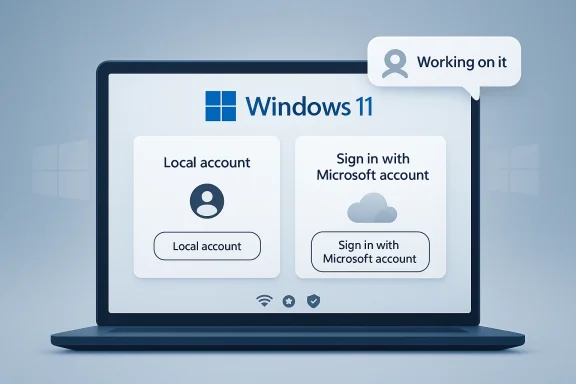
Windows 11 laptop screen shows sign-in options: “Local account” and “Microsoft account.”Background​

Windows 11 has spent much of its life in a tension-filled middle ground between a traditional desktop operating system and a cloud-first service platform. On one side, Microsoft has promoted account sync, OneDrive, Microsoft 365, and cross-device continuity as part of a more modern Windows experience. On the other, a large portion of the user base has consistently viewed the Microsoft account requirement as a coercive first step that turns a personal PC into an onboarding funnel for Microsoft services. (learn.microsoft.com)
The friction became more visible as Microsoft gradually narrowed the paths to a local account during setup. Microsoft’s own Windows Insider blog said in October 2025 that it was removing “known mechanisms” for creating a local account in OOBE, arguing that those bypasses could skip critical setup screens and leave a device not fully configured. The same post explicitly said users would need to complete OOBE with internet and a Microsoft account. (blogs.windows.com)
That policy hardening did not appear out of nowhere. Microsoft had already spent years steering consumer editions toward account-linked onboarding, and the company’s support documentation still describes OOBE as a sequence that includes signing in to, or creating, either a local account or a Microsoft account, while also noting that network connectivity is required for Home SKUs. In other words, the product story is not about whether Windows can support local accounts; it clearly can. The real issue is whether Microsoft wants that path to remain first-class for consumer setup. (learn.microsoft.com)
What makes the latest Hanselman remark important is not that it is a formal policy change. It is that a senior Microsoft executive publicly acknowledged frustration with the requirement and implied that work is underway. PCWorld’s reporting says the comment landed in response to a user asking about the lack of a way to log in with an online Microsoft account just to use the computer, and the article notes that no official announcement or timeline has followed. That puts the company in a familiar but important position: the public conversation has moved faster than the official roadmap. (pcworld.com)
There is also a broader Windows 11 context here. Microsoft has been trying to present the platform as calmer, leaner, and less intrusive, with a growing emphasis on reliability and user experience rather than constant surface area expansion. A possible softening of the account requirement fits that direction neatly, even if it remains unconfirmed. It would be one of the few Windows 11 changes that could genuinely improve first impressions for both consumers and technical users. (pcworld.com)

What Microsoft Actually Said​

The core signal is remarkably small: “Ya I hate that. Working on it.” But in Microsoft-land, small signals from the right people often matter more than polished statements from marketing. Hanselman is a vice president and a visible face of Microsoft’s developer community, so his comment carries more weight than an ordinary social-media gripe. (pcworld.com)
That said, the phrase is still deliberately vague. It does not promise that the account requirement will disappear from every edition, every channel, or every setup path. It does not say whether Microsoft is considering a restore of the old local-account option, a new offline flow, or simply a more graceful way to defer account creation. The company has left itself room to make a smaller change than users are hoping for. (pcworld.com)

Why the wording matters​

Hanselman’s answer is notable because it acknowledges a pain point without wrapping it in corporate language. That is unusual enough to matter. It suggests the criticism is no longer being dismissed as a niche complaint from enthusiasts who refuse to connect their PCs to the cloud. (pcworld.com)
At the same time, “working on it” can mean many things inside a company as large as Microsoft. It might mean exploratory discussion, internal testing, a design review, or a real engineering branch with no ship target yet. The public should not confuse an empathetic comment with a product commitment. (pcworld.com)
  • The comment confirms internal awareness.
  • It does not confirm a release.
  • It does not define the future setup flow.
  • It could still result in a limited or conditional change.
  • It is best treated as an indicator, not a promise. (pcworld.com)
That distinction matters because Microsoft has been moving in both directions at once. It has tightened local-account bypasses in preview builds, but it is also trying to make Windows 11 feel less heavy-handed overall. The result is a company posture that looks contradictory on the surface but makes sense as a classic internal policy battle. (blogs.windows.com)

The internal politics angle​

PCWorld’s reporting says several teams inside Microsoft benefit from account-linked users, which helps explain why this has been such a stubborn issue. Once the account becomes a portal for onboarding OneDrive, Microsoft 365, advertising signals, backup services, and other ecosystem hooks, the setup screen becomes strategically important. Undoing that pressure means more than changing one checkbox in OOBE. (pcworld.com)
That also explains why Hanselman’s comment should not be read as a solo crusade. If Microsoft does reverse course, it will likely be because enough people inside the company believe the trust and usability gains are worth more than the immediate service-enrollment benefits. That is a much bigger strategic decision than a simple UX tweak. (pcworld.com)

Why the Requirement Became So Controversial​

Users dislike forced Microsoft-account setup for different reasons, but the theme is the same: it feels like a loss of ownership. Many people are fine with using a Microsoft account later if it gives them sync, backup, or Store access. They are not fine with being pushed into it before they have even reached the desktop. (learn.microsoft.com)
That emotional response has only grown stronger as Windows 11 has accumulated more prompts, recommendations, and cloud nudges. The account requirement now sits inside a larger perception that Windows increasingly wants to behave like a managed service instead of a general-purpose operating system. That perception is powerful, and once users adopt it, every new setup screen gets interpreted through that lens. (blogs.windows.com)

Local control versus cloud convenience​

Microsoft’s argument for the account requirement is understandable. Account-based setup makes it easier to restore settings, keep devices in sync, enable cloud-backed features, and nudge people toward services like OneDrive and Microsoft 365. Those are real benefits, especially for less technical users who want their PC to “just work.” (learn.microsoft.com)
But the counterargument is equally strong. A local account gives users immediate ownership, a simpler first boot, and a clearer boundary between the PC and the cloud. For power users, the absence of forced sign-in is not a minor convenience; it is part of how they define a trustworthy platform. (learn.microsoft.com)
  • Cloud sign-in improves onboarding for some users.
  • Local accounts preserve autonomy and offline flexibility.
  • Forced choice at setup creates resentment.
  • Optional sign-in would likely reduce backlash.
  • A supported local flow is cleaner than unsupported hacks. (blogs.windows.com)
The deeper issue is not whether Microsoft accounts are useful. They clearly are. The issue is whether usefulness should be paired with compulsion. That distinction may sound subtle, but in product design it can determine whether users feel guided or trapped. (pcworld.com)

Why this hit a nerve in 2025 and 2026​

Microsoft’s own behavior over the past year amplified the backlash. When the company removed known local-only commands from OOBE in late 2025, it confirmed that it was not merely tolerating workarounds; it was actively trying to close them. That sent a message that the local path was not being preserved as a legitimate choice, but being treated as a loophole to be eliminated. (blogs.windows.com)
That matters because users are far more forgiving when companies remove a hack but leave a supported alternative. They are much less forgiving when the hack is removed and no official replacement is offered. Microsoft appears to be moving from one of those scenarios toward the other, which is why the current rumors have such energy around them. (blogs.windows.com)

The Setup Flow Today​

Microsoft’s documentation still describes the first-run experience as a staged sequence that can include network connection, account sign-in, privacy choices, OneDrive prompts, and OEM pages. In the Windows 11 OOBE page, Microsoft says users will see screens to accept agreements, connect to the internet, sign in with a local account or Microsoft account, and complete additional setup steps. It also states that network connectivity is required to complete OOBE on Home SKUs. (learn.microsoft.com)
That means the account requirement is not some random patch layered on top of setup. It is part of the structure of the experience. The challenge for Microsoft, if it wants to change course, is to redesign the flow so it still feels complete and safe without using the Microsoft account as the default gatekeeper. (learn.microsoft.com)

How OOBE shapes user behavior​

OOBE is not just a setup wizard. It is a behavioral funnel, and Microsoft knows it. The sequence is designed to reduce cognitive load, but it also creates opportunities to steer users toward cloud features while their attention is already committed to setup. That makes it very effective, and also very controversial. (learn.microsoft.com)
A cleaner setup path would not necessarily remove Microsoft’s ability to promote services. It would simply move that promotion to a later point, after the user has reached the desktop and settled in. That difference is huge from a trust perspective. A recommendation made after setup feels cooperative; a requirement during setup feels coercive. (learn.microsoft.com)
  • OOBE is where Microsoft sets first impressions.
  • The current flow assumes cloud identity early.
  • A local path would need to preserve full setup integrity.
  • Post-setup prompts would likely remain.
  • The account question is really about timing, not just identity. (learn.microsoft.com)
There is also a technical point that often gets lost in public debate. Microsoft has already shown that Windows can support both account types. Its support pages explain how to switch between local and Microsoft accounts after setup, which proves that the underlying architecture is not the real obstacle. The fight is about policy and business priorities, not basic feasibility.

Why Microsoft says bypasses are a problem​

Microsoft’s official line in the Insider blog was that local-only commands could skip critical screens and leave a device not fully configured. That is not a frivolous concern. A setup flow that users can partially bypass can produce devices missing network, update, privacy, or service configuration steps. (blogs.windows.com)
Still, the existence of a legitimate support concern does not mean a local option is impossible. It means Microsoft would need to build a supported local branch of OOBE instead of leaving users to tools, scripts, or hidden commands. In product terms, that would be cleaner engineering, not weaker engineering. (blogs.windows.com)

The Business Incentive to Keep the Requirement​

Microsoft has reasons to prefer account-first onboarding, and those reasons are not hard to understand. A signed-in user is easier to serve with backup, sync, cloud storage, app discovery, and cross-device continuity. The account also makes it simpler for Microsoft to keep users inside its broader software and services ecosystem. (pcworld.com)
That ecosystem benefit is why the issue is more political than technical. Every team that profits from a connected user has a reason to resist a change that reduces first-boot enrollment. The result is a set of internal incentives that can keep a controversial policy alive long after users have made clear they dislike it. (pcworld.com)

More than onboarding​

From a business standpoint, first-run setup is incredibly valuable real estate. It is the moment when users are most open to guidance, most likely to accept defaults, and least likely to resist service prompts. If Microsoft gives up the forced requirement, it gives up a powerful conversion point. (pcworld.com)
But that is not the same as losing the user entirely. A more flexible setup path could still encourage Microsoft account sign-in after the device is up and running. That might actually be a better long-term strategy, because users who choose to sign in later are likely to do so with less resentment. (learn.microsoft.com)
  • Microsoft wants better service attachment.
  • Users want freedom at first boot.
  • Forced conversion can backfire.
  • Delayed opt-in may produce better goodwill.
  • The best strategy may be persuasion, not pressure. (pcworld.com)
There is also a reputational cost to overreach. The more Windows 11 looks like a platform that needs to extract value from users at setup, the more alternatives gain rhetorical strength. Apple can point to coherence, Linux can point to choice, and even cloud-first rivals can argue that they are at least honest about what they are. Microsoft is strongest when Windows feels flexible, not when it feels territorial. (pcworld.com)

Enterprise is not the same as consumer​

It is important not to flatten enterprise and consumer use cases into one complaint. Microsoft already has managed-device pathways built around Entra ID, Intune, and Autopilot, and those workflows are not the same as a retail consumer PC in a living room. A consumer-friendly local option would not need to disrupt enterprise provisioning. (learn.microsoft.com)
That separation is why Microsoft can afford to be more flexible on consumer editions than some critics assume. The hardest political problem is not technical compatibility; it is deciding whether the company is willing to give home users a clearer choice without fearing that doing so weakens its broader cloud strategy. (pcworld.com)

What the Current Workarounds Tell Us​

The persistence of workarounds is itself the strongest evidence that demand for local accounts remains high. People keep finding ways around the requirement because the official flow still does not satisfy a meaningful segment of the market. When users are willing to rely on Rufus, registry tweaks, or command-line tricks, that is usually a sign that product policy has outlasted user patience. (pcworld.com)
Those workarounds are also a warning sign for Microsoft. Unsupported bypasses fragment the experience, create support ambiguity, and invite error-prone installs. In that sense, a formal local-account path would be the least chaotic outcome for everyone involved. (blogs.windows.com)

Why supported choice beats hidden hacks​

A supported option is always better than a workaround because it preserves the full setup flow while honoring user preference. That is the key point Microsoft appears to be wrestling with internally. If users are going to create local accounts anyway, the company may be better off making the process official, safe, and well documented. (blogs.windows.com)
It also reduces the cat-and-mouse dynamic that has emerged around Windows 11 setup. Every time Microsoft closes a bypass, users go looking for the next one. That cycle does not build trust, and it certainly does not make Windows feel like a mature platform that respects customer autonomy. (blogs.windows.com)
  • Workarounds show the demand is real.
  • Unsupported methods create confusion.
  • Microsoft loses control over the quality of the experience.
  • Official support would be safer for users.
  • Formal choice is cleaner than cat-and-mouse policy. (blogs.windows.com)
There is a subtle but important lesson here: when users resort to hacks, the product team has usually already lost the argument about default behavior. The only real question left is whether the company will acknowledge that reality and turn the workaround into a feature. (pcworld.com)

Competitive and Strategic Implications​

If Microsoft really does relax the Microsoft account requirement, the impact will be larger than a single setup screen. It would mark a shift in how Windows competes on trust, not just features. In a market where users can choose between Mac, ChromeOS, Linux, and Windows, first-run experience has become part of the platform’s identity. (pcworld.com)
That matters because Windows’ competitive advantage has always been flexibility. The more the system appears to demand enrollment before use, the more that advantage is diluted. Microsoft does not need to become a minimalist OS vendor, but it does need to avoid looking like the most restrictive major desktop platform at the moment of setup. (pcworld.com)

Rival platforms benefit when Windows feels pushy​

This is not just a theoretical concern. Apple sells a tightly integrated ecosystem, but it rarely feels like the Mac is blocking basic use until the user agrees to the company’s services. Linux distributions offer local control by default. ChromeOS is explicit about cloud dependence. Windows is the odd one out when it behaves as if cloud identity is mandatory for every consumer install. (pcworld.com)
That is why this debate resonates beyond enthusiasts. A setup flow that feels invasive can shape how reviewers, IT staff, and ordinary buyers talk about the platform for years. It is one of those product decisions that seems small in engineering terms but huge in brand terms. (pcworld.com)
  • Windows’ flexibility is part of its brand.
  • Forced sign-in weakens that message.
  • Rival platforms gain rhetorical advantage.
  • Reviewers notice setup friction immediately.
  • Trust has become a competitive feature. (pcworld.com)
There is also a timing angle. Microsoft is trying to reset the Windows narrative around quality, reliability, and calmness. If it wants to persuade users that Windows 11 is less cluttered and more respectful than before, giving people a local-account option would be one of the clearest ways to prove it. (pcworld.com)

The messaging challenge​

If Microsoft changes course, it must explain the move as an expansion of choice rather than an admission that it was wrong all along. That is harder than it sounds. The company has spent years defending the cloud-connected model as more modern and more secure. A reversal could look like backpedaling if it is not framed carefully. (pcworld.com)
The best framing would probably be pragmatic: keep Microsoft accounts available, but stop forcing them at boot. That would let Microsoft preserve its services pitch while acknowledging that not every user wants their PC identity tied to the cloud on day one. That may be the most politically survivable compromise. (pcworld.com)

Strengths and Opportunities​

Microsoft has a genuine chance to turn a long-running complaint into a trust-building moment. If it restores a supported local-account path, it can reduce setup friction without dismantling the broader Microsoft account ecosystem. That would be a rare win-win: users get choice, and Microsoft gets less backlash. The opportunity is especially strong because the company is already trying to make Windows feel calmer and more user-centered. A cleaner setup flow would reinforce that story immediately. (pcworld.com)
  • Reduces one of the loudest Windows 11 complaints.
  • Makes first boot feel more respectful.
  • Preserves Microsoft account benefits for users who want them.
  • Lowers the need for unsupported bypasses.
  • Aligns with Microsoft’s recent “quality” messaging.
  • Improves goodwill with enthusiasts and IT admins.
  • Could help Windows feel less coercive and more flexible. (pcworld.com)

Risks and Concerns​

The biggest risk is half-measures. If Microsoft only loosens the flow a little while still nudging users aggressively toward cloud enrollment, it may not earn much goodwill and could instead highlight how much users resent the current design. There is also a support risk if the company creates a confusing split between consumer and enterprise setup behavior. And if the company overpromises in public before shipping anything real, it could create another round of frustration. (pcworld.com)
  • A cosmetic change may not satisfy users.
  • Internal teams may resist losing account-linked conversions.
  • Confusing setup paths could hurt supportability.
  • Microsoft could still be accused of pushing cloud services too hard.
  • Overpromising would damage credibility.
  • Security and completeness concerns must be addressed carefully.
  • The change could stall before reaching production. (blogs.windows.com)

Looking Ahead​

The most likely outcome is not a dramatic overnight reversal, but a gradual rebalancing. Microsoft has already shown that it can tighten or relax Windows 11 setup behavior through Insider builds and servicing updates, which means the setup flow is still very much a moving target. If a local-account option returns, it will probably appear first in preview code, then in a supported mainstream path after Microsoft has confidence that the sequence remains complete. (blogs.windows.com)
The next few months will tell us whether Hanselman’s comment was a diplomatic nod to a real project or just a public acknowledgment of a problem everyone inside Microsoft already knows exists. Either way, the debate has clearly shifted from “users are asking” to “Microsoft is at least discussing it.” That alone is a meaningful change from where the company stood when it began removing local-account bypasses. (pcworld.com)
What to watch next:
  • Insider builds that reintroduce a visible local-account option.
  • Official Microsoft support or blog updates about account flexibility.
  • Changes to OOBE wording in Microsoft documentation.
  • Any public follow-up from Hanselman or Windows leadership.
  • Whether Microsoft keeps cloud-service prompts but moves them after the desktop. (blogs.windows.com)
The deeper lesson is that Windows setup is no longer just a technical handshake between a PC and an operating system. It is a statement about who controls the device on first boot and how much power the vendor should have at that moment. If Microsoft softens the account requirement, it will not merely be easing a nuisance; it will be signaling that Windows can still meet users halfway. And for a platform that has spent years pushing the other direction, that would be a strategically important correction.

Source: gHacks Microsoft VP Signals Windows 11 Forced Account Requirement Could Be Removed - gHacks Tech News
 

Back
Top