

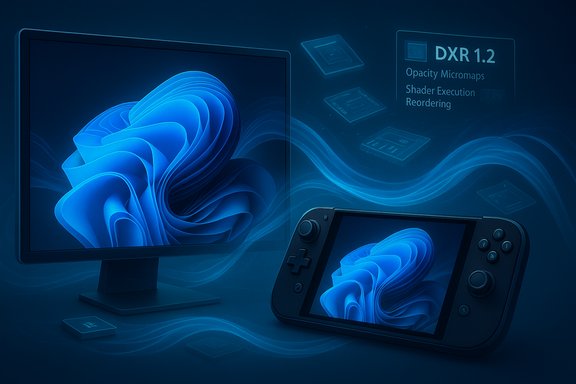
Microsoft’s recent roadmap for Windows 11 reframes the company’s gaming strategy: rather than chasing headline-grabbing visuals, Microsoft is investing heavily in core system optimizations — scheduler and power management tweaks, a leaner session posture for games, an expanded shader delivery pipeline, and an OS-level AI upscaler — with the goal of making Windows 11 measurably smoother and more predictable for PC gaming through 2026.
Background / Overview
Microsoft’s messaging over the past year has become explicit: treat gaming performance as a platform-level outcome, not just a collection of per-game tweaks. That shift bundles work across the Windows shell, the kernel scheduler and power governors, the DirectX runtime and Agility SDK, driver delivery, and distribution pipelines so improvements apply broadly rather than only to a handful of titles. The company has signaled this approach with several visible consumer features — Xbox Full Screen Experience (FSE), Advanced Shader Delivery (ASD), and Automatic Super Resolution (Auto SR) — and with deeper platform changes such as DirectX Raytracing 1.2 (DXR 1.2) and Windows-on-Arm emulation improvements.This article explains what Microsoft announced, verifies the technical claims against Microsoft’s own developer blogs and independent reporting, evaluates practical benefits for gamers and developers, and flags the operational and compatibility risks that could slow real-world adoption.
What Microsoft is rolling out (at a glance)
- Xbox Full Screen Experience (FSE): a controller-first, full-screen session posture that reduces desktop chrome and defers non-essential background work to reclaim memory and reduce incidental CPU wakeups. Early handheld testing shows modest but measurable RAM and frame-time benefits.
- Advanced Shader Delivery (ASD): tooling and runtime hooks (via the DirectX Agility SDK) that let stores/installers deliver precompiled shader databases (PSDBs) so heavy shader compilation happens at download/install time instead of during the first gameplay session. Microsoft and partners report large first-run gains in supported scenarios.
- Automatic Super Resolution (Auto SR): an OS-level, NPU-accelerated upscaler that lets the system render at lower internal resolutions and upscale frames via on-device neural accelerators, offering higher effective frame rates or lower thermal draw without per-game integration. Early previews are tied to NPU-equipped handhelds and Copilot+ devices, with broader previews targeted for early 2026.
- DirectX / DXR 1.2: introduces Opacity Micromaps (OMM) and Shader Execution Reordering (SER) to reduce ray-tracing workload and improve GPU shader efficiency; Microsoft’s engineering examples show up to multi‑x improvements depending on scene and hardware.
- Windows on Arm improvements: enhanced Prism emulation to cover AVX/AVX2 instruction sets and expanded native anti‑cheat support (Easy Anti‑Cheat, BattlEye, Denuvo variants), widening the range of playable titles on Arm laptops and handhelds. Independent reporting confirms progress, though notable anti-cheat gaps remain for some titles.
Deep dive: Xbox Full Screen Experience (FSE)
What FSE changes, technically
FSE is an alternate session posture: Windows still uses the same kernel and drivers, but the user session launches into a dedicated, controller‑first shell (the Xbox PC app) that suppresses many Explorer UI components and defers non‑essential background services. The result is lower working-set memory, fewer background CPU wakeups, and a simplified input path that favors controller navigation. Microsoft and OEM early tests show reclaimed RAM and small percentage frame-rate improvements in memory‑ and shader‑sensitive titles on handhelds.Why it matters
On handhelds and thin, thermally constrained devices, even small reductions in background memory and CPU activity can translate to steadier clocking behavior and fewer micro-stutters. By giving games a leaner session environment by default, FSE pushes Windows closer to the “turn on and play” model consoles provide — without forcing users to leave the full Windows experience.Caveats and deployment friction
- FSE’s benefit is highly device-dependent. Desktops with ample RAM and cooling will see little perf delta; handhelds and low-memory devices get the most value.
- Rollout is gradual and bound to Xbox and Windows Insider channels at first; some users on early devices report availability and stability inconsistencies during rollout.
- FSE reduces background work but does not change driver behavior; real gains require coordinated driver and firmware optimizations from OEMs and silicon partners.
Deep dive: Advanced Shader Delivery (ASD)
The shader compile problem (short)
Modern engines generate thousands of shader permutations. Traditionally many of these are compiled on-device either at install or on first run, causing significant first‑play stalls and micro‑stutter during initial scene loads. This is particularly harmful on handhelds where thermal and power budgets are tight.How ASD works
ASD introduces a pipeline for capturing a game's shader state (SODB — State Object Database), precompiling those shaders offline into Precompiled Shader Databases (PSDBs), and shipping or downloading those PSDBs to end-user systems. A new D3D "Shader Cache Registration" (D3DSCR) API lets installers register PSDBs with the runtime so the driver can hit a prepopulated shader cache on first run and avoid local JIT compilation. Microsoft added ASD support to the Agility SDK (notably in Agility SDK 1.618), and vendor offline compilers make the PSDBs hardware-targeted.Claimed benefits and independent verification
Microsoft and partners report dramatic reductions in first-run shader stutters: internal Ally handheld tests cited reductions >80% in some titles and up to 95% in others. Independent press and trade outlets validated the feature exists and showed large improvements in controlled testing, but they also warned those numbers are from selected titles and hardware, and real-world gains will vary. Tom’s Hardware and PC Gamer explain both how the system works and why adoption will be gradual as vendors and storefronts integrate the flow.Strengths
- Solves a highly visible, user-facing problem that has frustrated PC gamers for years.
- Reduces on-device energy use and heat by moving heavy compile work off the player’s device or into install-time flows.
- Works at the platform level; a single repair in the distribution chain benefits many titles once adopted.
Risks and adoption barriers
- Operational complexity for studios: producing PSDBs requires additional offline compilation steps and CI integration, which is a burden for smaller teams.
- Fragmentation risk: PSDBs must match GPU driver ABIs and adapter families; mismatches force drivers to fall back to local compile, reducing benefit.
- Storefront cooperation is essential: meaningful scale requires Xbox PC App, Steam, Epic, and other stores to support PSDB distribution and registration.
Deep dive: Automatic Super Resolution (Auto SR)
What Auto SR is
Auto SR is an OS-level neural upscaler that intercepts DirectX rendered frames and upscales them using a neural model running on an on-device NPU (Neural Processing Unit) or equivalent AI accelerator. The idea: render at a lower internal resolution to reduce GPU load, use the NPU to upscale to display resolution, and thereby increase frame rates or reduce thermal draw — all transparent to developers. Microsoft documents Auto SR as configurable per-game in Graphics Settings and lists hardware/driver requirements.Verified hardware dependencies and rollout timing
Microsoft’s support documentation and the company’s Windows experience notes make clear Auto SR runs on hardware with NPUs (initially Copilot+ Snapdragon devices) and that previews for other NPU-equipped devices (e.g., AMD Ryzen AI handhelds) are planned. PC and trade coverage corroborate that the first previews for mainstream handheld hardware were targeted for early 2026. The practical effect depends heavily on NPU architecture, driver integration, and per‑title visual characteristics.Practical comparison to DLSS/XeSS/FSR
Auto SR is positioned as a broad, developer‑agnostic fallback vs. proprietary, per‑title upscalers (NVIDIA DLSS, AMD FSR, Intel XeSS) that typically integrate more deeply with a game’s motion vectors and temporal history. OS-level upscalers can deliver convenience and broad reach, but they may not match per-title solutions that leverage game-provided temporal data for quality and latency optimizations. Competitive players should test Auto SR to gauge input latency changes in their specific titles.Caveats and limitations
- Auto SR requires an NPU and proper driver support; it is not universal across all PCs.
- Quality and latency characteristics will vary by game scene and model; it is not a universal replacement for developer-implemented temporal upscalers.
- For competitive titles, even small input-latency changes matter; Microsoft notes that Auto SR may introduce measurable, though small, latency cost in some cases.
DirectX Raytracing 1.2 — what changed and why it matters
DXR 1.2, unveiled at GDC 2025, brings Opacity Micromaps (OMM) and Shader Execution Reordering (SER) to make ray-traced workloads substantially cheaper in many cases. Microsoft’s engineering demos show large upshots — OMMs alone can yield up to 2.3x improvements in path-traced scenarios and SER can deliver up to ~2x improvements in some shading workloads. These figures are hardware- and scene-dependent, and multiple outlets confirmed Microsoft’s claims while noting driver and GPU vendor support timelines matter. The more forward-looking part of DXR 1.2 is Cooperative Vectors and shader model updates that lay groundwork for neural rendering — integrating ML components directly into the rendering pipeline — a capability Microsoft expects to mature over several years. That makes Auto SR and other ML-driven techniques easier to integrate into the rendering stack.Windows on Arm: Prism emulator, anti-cheat, and native experiences
Microsoft has pushed the Prism x86-to-Arm translation forward to include AVX and AVX2 instruction support in 2025–2026, widening the catalog of games that can run under emulation on Arm devices. In parallel, anti-cheat vendors have released ARM-native or hybrid drivers (Easy Anti‑Cheat, BattlEye, some Denuvo components), which unlocks competitive titles that were previously blocked. Independent reporting and vendor announcements validate both advances, but gaps remain — notably, some anti-cheat stacks such as Riot’s Vanguard are still not supported on many Arm devices. The practical consequence: many titles now run on Windows on Arm, but not every competitive game is playable yet.Measured gains, vendor claims, and the verification standard
Microsoft and partner OEMs provided early numbers from pilot tests — for example, a reported ~9.3% reduction in RAM usage and up to ~8.6% frame-rate uplifts for selected games under the Xbox Full Screen Experience pilot, plus massive first-run load time reductions in titles using ASD (over 80% in one case, >95% in another according to OEM briefings). Those figures come from controlled pilot hardware and targeted titles; independent press has reproduced large improvements in many cases, but independent, broad-spectrum validation across engines, driver versions, and hardware permutations will take months and depends on storefront adoption of PSDB distribution. Treat vendor-provided percentages as promising but not universal.What developers and studios need to do
- Evaluate Agility SDK ASD tooling and consider integrating SODB export into CI pipelines to produce PSDBs if distribution partners support it.
- Test title behavior with OS-level upscalers (Auto SR) and retain per-title upscaler options; for high-competitiveness titles, continue to provide developer-implemented temporal upscalers.
- Coordinate with GPU vendors on offline compilation ABI expectations and validate PSDBs against target driver versions to avoid fallback JITs.
- For Arm-targeted builds, track anti-cheat SDKs and Prism emulation caveats; some vendors now provide Arm-friendly anti-cheat drivers, but not all ecosystems are covered.
What gamers should expect and how to prepare
- Expect smoother first-run experiences and noticeably fewer shader-hitch moments in supported titles as stores and developers ship PSDBs — especially on handheld systems.
- Try the Xbox Full Screen Experience on handhelds if you want a console-like session posture; it can reclaim memory and reduce background interruptions. On desktops, the gains will be smaller.
- Auto SR is worth experimenting with on NPU-equipped machines to increase effective frame rates, but test for input latency in competitive titles; keep per-game toggles handy.
- Keep drivers, firmware, and the Xbox PC app updated: PSDB distribution and Auto SR both rely on tight coordination between OS, drivers, and store clients.
Strategic strengths and trade-offs
Strengths
- Platform leverage: System-level work helps thousands of titles at once rather than relying on per-game fixes. This is high leverage for the PC ecosystem.
- Real consumer wins: ASD directly addresses a user-visible pain point (shader stutter). Auto SR leverages increasingly common NPUs to squeeze more sustained performance in thermally constrained devices.
- Forward-looking GPU features: DXR 1.2 and shader-model changes enable more efficient ray-tracing and make neural rendering practical for real-time engines — important as ray tracing and ML become mainstream.
Risks and weaknesses
- Ecosystem coordination required: ASD’s benefits depend on developers, storefronts, GPU vendors, and OS components. Any weak link reduces payoff.
- Device and driver fragmentation: PSDBs are specific to GPU adapter families and driver ABIs. Mismatched PSDBs require fallbacks and erode the user experience unless distribution tooling and update flows are robust.
- Partial availability of Auto SR: Because Auto SR depends on on-device NPUs and vendor drivers, it will not be universally useful on all Windows machines. Quality will vary with NPU microarchitecture and model tuning.
- Anti-cheat limitations: Despite progress, some anti-cheat systems remain incompatible with Windows on Arm, restricting competitive play for some users.
Realistic timeline and what to watch
- Late 2025: FSE expansion to handhelds and previews for more form factors; DXR 1.2 developer previews and Agility SDK releases began rolling earlier in the year.
- Early 2026: Public previews of Auto SR for additional NPU platforms (e.g., AMD Ryzen AI–equipped handhelds) and wider ASD adoption across the Xbox PC app and select storefronts are expected. Expect incremental, title-by-title rollout of PSDB support through 2026 as studios and stores integrate the tooling.
- Mid-to-late 2026: Broader ecosystem effects — if stores and engine teams commit to ASD and vendors ship offline compilers, the net result should be materially better first-run behavior across popular titles; neural rendering primitives may begin to appear in shipping games as DXR 1.2 and shader-model updates reach maturity.
Final assessment: pragmatic, necessary, but not instantaneous
Microsoft’s pivot toward “performance fundamentals” for Windows 11 is technically sound and strategically necessary. The focus on background workload management, scheduler and power tuning, ASD, and Auto SR attacks the root causes of many PC gaming pain points rather than offering cosmetic feature spins. When the entire ecosystem — stores, studios, GPU vendors, and OEMs — cooperates, the payoff could be substantial: fewer shader hitches, steadier frame pacing on handhelds, and better sustained performance without forcing developers to change rendering code.That said, the gains will be uneven during rollout. Vendor and driver fragmentation, CI overhead for studios, and NPU-dependent limitations for Auto SR mean that some users will see immediate wins while others wait for broader adoption. Treat early performance numbers as promising engineering proofs rather than universal guarantees; independent, wide-ranging benchmarks across titles and hardware will be the arbiter of how effective these changes are in practice.
Microsoft has set a practical, cross-stack agenda for 2026: reduce friction, shift heavy work earlier in the pipeline, and use NPUs and DirectX advances to broaden the set of hardware that can deliver console-like experiences. For PC gamers, developers, and OEMs, the immediate task is simple: update software stacks, validate titles against new runtimes and PSDBs, and test Auto SR and FSE experiences on representative hardware. If the industry follows through, the next phase of Windows 11 could finally make consistent, low-latency gaming a default expectation instead of an occasional happy accident.
Source: Technetbook Windows 11 Gaming Performance Upgrades Auto SR and Core System Optimizations Planned Through 2026
