

It looks like Microsoft is preparing one of the most meaningful Windows 11 course corrections since launch: a return to a more flexible taskbar, a quieter Copilot presence, and more user control over updates. That combination matters because it targets the exact frustrations that have dogged Windows 11 since 2021 — not headline-grabbing features, but the everyday friction that shapes whether the desktop feels helpful or hostile. The reporting around the movable taskbar is especially significant because it reverses one of the most visible breaks from classic Windows behavior, and it does so at the same time that Microsoft is trying to make AI feel less intrusive and Windows Update less adversarial. WindowsForum’s current coverage frames this as a broader rebalancing of the shell, not just a cosmetic tweak.
Windows 11 launched with a clean, centered, and more opinionated desktop shell, but that visual reset came with trade-offs that users noticed immediately. The taskbar, long one of the most configurable parts of Windows, lost the ability to move to the top or sides of the display, and that change quickly became a symbol of Microsoft’s broader design philosophy. The OS looked more modern, but many users felt it had become less accommodating to the way real people actually work.
That backlash was not merely nostalgia. For developers, analysts, designers, and power users with ultrawide or multi-monitor setups, taskbar placement is an ergonomic decision, not an aesthetic one. A vertical taskbar can preserve horizontal space for code, spreadsheets, timelines, and content panes, while a top-aligned bar can reduce mouse travel in certain workflows. The loss of that flexibility turned a familiar desktop into something that felt narrower, even when the screen itself was not.
Microsoft’s choice was tied to the Windows 10X lineage that influenced much of Windows 11’s shell. That heritage helps explain why the taskbar became cleaner but less capable: it was designed for a more constrained, touch-friendly future that did not map cleanly onto decades of desktop muscle memory. The result was a classic Microsoft tension — a desire to simplify the UI versus a user base that often defines usability as freedom to arrange the desktop.
The backlash persisted because the taskbar sits at the center of nearly every Windows interaction. It is the launcher, the window switcher, the status strip, the notification hub, and the place where many users organize their workday. When Microsoft removed taskbar mobility, it did not just trim a feature; it changed the emotional contract between the user and the operating system. That is why its return is landing as a repair, not a gimmick.
The same pressure now surrounds Copilot and Windows Update. Over the past several Windows 11 cycles, Microsoft has pushed Copilot into many corners of the OS, sometimes making it feel more like a marketing layer than a tool. At the same time, Windows Update has continued to be a source of friction, especially when it interrupts setup, forces reboots, or offers too little control. The current wave of changes suggests Microsoft has heard that more surfaces is not automatically the same as better software.
The same set of current reports points to smaller taskbar options, better taskbar scaling, and refinements to crowded layouts. That matters because the taskbar is no longer just about where it lives on the screen; it is also about how it behaves when the desktop gets dense. A configurable taskbar is becoming a workspace surface again, not just a fixed ornamental strip.
Microsoft is also reportedly reducing unnecessary Copilot surfaces. The significance here is subtle but important: the company is not abandoning Copilot, but it appears to be dialing back the impulse to insert it everywhere. That suggests a more restrained AI strategy, one that tries to make Copilot useful in context rather than omnipresent by default.
That broader pattern matters because isolated tweaks can look like appeasement, while a cluster of related changes looks like strategy. Microsoft appears to be moving from a “we know best” posture toward a more responsive, iterative model. In practical terms, that means the company is learning to treat user frustration as product data rather than noise.
That means the missing feature was never really about novelty. It was about screen geometry, pointer travel, and muscle memory. Windows 11’s fixed bottom taskbar made the desktop feel less adaptable, and for many users that was a step backward from the long-standing Windows promise of personal computing.
That is why Microsoft’s reversal is so important strategically. If the company restores the feature well, it can rebuild goodwill without needing a major branding campaign. If it restores it badly, however, the backlash will likely intensify, because users will have been reminded of what they lost and will now compare the new implementation against years of expectation.
A more restrained Copilot strategy could actually strengthen Microsoft’s AI pitch. If users encounter the assistant only where it clearly adds value, Copilot becomes a tool rather than a banner. That is a far better long-term position than forcing visibility and hoping familiarity turns into affection.
Microsoft’s current direction suggests it has begun to understand that difference. The company is not retreating from AI; it is trying to make AI feel less like a permanent billboard and more like an optional helper. That is a subtle but important change in tone, and tone matters in operating systems because the desktop is where people spend hours, not minutes.
The idea is especially relevant in enterprise environments, where deployment windows, user onboarding, and compliance schedules must all align. If Windows allows more deliberate update timing, IT teams gain room to shape rollout behavior around business needs rather than being forced into Microsoft’s preferred cadence. That reduces friction without undermining security.
There is a competitive implication here too. If Microsoft wants Windows 11 to be the default path after Windows 10’s end of support, it must make the upgrade feel like a gain rather than a compromise. Reducing surprise reboots and improving update control helps close that gap in a very practical way.
Consumers will also benefit from a less intrusive Copilot and more manageable updates, even if they do not frame it that way. Fewer interruptions, fewer surprise prompts, and more familiar behavior make the operating system feel less like a product demo and more like a tool. That alone can change sentiment.
Update control is the bigger enterprise story. If Microsoft allows better timing and less disruptive onboarding behavior, it gives IT teams more control over risk windows and deployment sequencing. In a post-Windows 10 world, where the broad path forward is clearer than ever, that kind of operational flexibility is strategically valuable.
The taskbar reversal also has a symbolic competitor angle. Microsoft is showing that it can respond to backlash without abandoning its modern design language. That balance matters because if Windows becomes too rigid, users notice; if it becomes too noisy, they notice that too. Microsoft is trying to occupy the middle ground where polish and flexibility coexist.
That shift could matter beyond Windows itself. Microsoft is effectively testing whether an AI-enhanced operating system can feel calm and efficient rather than busy and promotional. If it succeeds, it gives Microsoft a model that rivals will likely need to study closely. If it fails, it risks confirming the suspicion that AI in the shell is more marketing than utility.
The second question is whether Microsoft keeps dialing back AI intrusion elsewhere in the shell. If Copilot continues to show up in fewer, more context-aware places, that will reinforce the sense that the company is listening. If not, the taskbar win could be overshadowed by broader UX fatigue.
The third question is whether update control becomes a lasting part of Windows 11’s identity. That matters because users remember how an OS behaves when they are trying to work under pressure, not just how it looks in a polished demo. If Microsoft gets the daily rhythm right, it can make Windows 11 feel like a mature platform rather than a transitional one.
Source: thewincentral.com Movable Taskbar Returns to Windows 11 After Backlash - WinCentral
Source: Mezha Microsoft announces changes to Windows 11: movable taskbar, less Copilot and improved update control
 Background
Windows 11 launched with a clean, centered, and more opinionated desktop shell, but that visual reset came with trade-offs that users noticed immediately. The taskbar, long one of the most configurable parts of Windows, lost the ability to move to the top or sides of the display, and that change quickly became a symbol of Microsoft’s broader design philosophy. The OS looked more modern, but many users felt it had become less accommodating to the way real people actually work.That backlash was not merely nostalgia. For developers, analysts, designers, and power users with ultrawide or multi-monitor setups, taskbar placement is an ergonomic decision, not an aesthetic one. A vertical taskbar can preserve horizontal space for code, spreadsheets, timelines, and content panes, while a top-aligned bar can reduce mouse travel in certain workflows. The loss of that flexibility turned a familiar desktop into something that felt narrower, even when the screen itself was not.
Microsoft’s choice was tied to the Windows 10X lineage that influenced much of Windows 11’s shell. That heritage helps explain why the taskbar became cleaner but less capable: it was designed for a more constrained, touch-friendly future that did not map cleanly onto decades of desktop muscle memory. The result was a classic Microsoft tension — a desire to simplify the UI versus a user base that often defines usability as freedom to arrange the desktop.
The backlash persisted because the taskbar sits at the center of nearly every Windows interaction. It is the launcher, the window switcher, the status strip, the notification hub, and the place where many users organize their workday. When Microsoft removed taskbar mobility, it did not just trim a feature; it changed the emotional contract between the user and the operating system. That is why its return is landing as a repair, not a gimmick.
The same pressure now surrounds Copilot and Windows Update. Over the past several Windows 11 cycles, Microsoft has pushed Copilot into many corners of the OS, sometimes making it feel more like a marketing layer than a tool. At the same time, Windows Update has continued to be a source of friction, especially when it interrupts setup, forces reboots, or offers too little control. The current wave of changes suggests Microsoft has heard that more surfaces is not automatically the same as better software.
What Microsoft Is Reportedly Changing
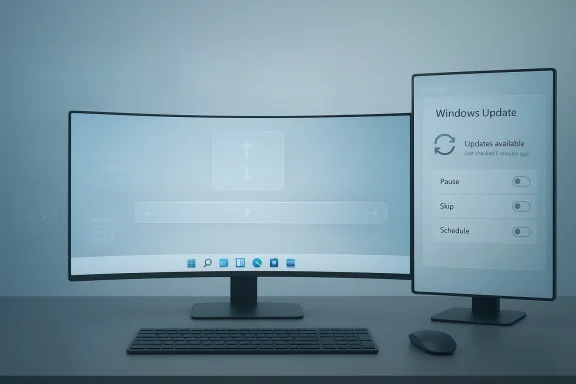
The headline change is straightforward: Microsoft is reportedly restoring the ability to move the taskbar to the top, left, or right of the screen again, rather than forcing it to remain docked at the bottom. Multiple WindowsForum thread summaries describe this as an Insider-first change that marks a significant reversal of one of Windows 11’s most criticized omissions.A return to a classic Windows behavior
This is not an innovation in the traditional sense. It is a restoration of behavior that users expected to survive the Windows 11 transition. That distinction matters, because restoration carries a different emotional weight than novelty; it says Microsoft is willing to reverse a visible mistake rather than simply add more new things on top of it.The same set of current reports points to smaller taskbar options, better taskbar scaling, and refinements to crowded layouts. That matters because the taskbar is no longer just about where it lives on the screen; it is also about how it behaves when the desktop gets dense. A configurable taskbar is becoming a workspace surface again, not just a fixed ornamental strip.
Microsoft is also reportedly reducing unnecessary Copilot surfaces. The significance here is subtle but important: the company is not abandoning Copilot, but it appears to be dialing back the impulse to insert it everywhere. That suggests a more restrained AI strategy, one that tries to make Copilot useful in context rather than omnipresent by default.
The broader shell pattern
The taskbar news is part of a wider pattern of shell repairs and usability tuning. WindowsForum’s material mentions File Explorer improvements, better update control, improved calendar behavior, and taskbar-adjacent refinements such as icon scaling and system tray work. Taken together, these changes imply a broader effort to make Windows 11 feel less rigid and less disruptive in daily use.That broader pattern matters because isolated tweaks can look like appeasement, while a cluster of related changes looks like strategy. Microsoft appears to be moving from a “we know best” posture toward a more responsive, iterative model. In practical terms, that means the company is learning to treat user frustration as product data rather than noise.
- Movable taskbar placement is the most visible reversal.
- Smaller and more adaptive taskbar behavior is part of the same thread.
- Copilot is being made less intrusive rather than more prominent.
- Update control is being positioned as a usability issue, not just an IT policy issue.
- The overall direction is restoration, restraint, and trust repair.
Why the Taskbar Still Matters
The taskbar is one of those interface elements that most people stop noticing only because it works so well. The moment its behavior changes in an unwelcome way, it becomes impossible to ignore. That is why a seemingly small feature like taskbar placement can produce such a large reaction: it affects the rhythm of work all day long.Ergonomics, not decoration
For users on ultrawide monitors, vertical taskbars can make real sense. They preserve horizontal workspace and reduce wasted motion across a wide screen. For others, a top-aligned taskbar fits personal habits or accessibility needs better, especially in multi-monitor setups where window choreography is central to the job.That means the missing feature was never really about novelty. It was about screen geometry, pointer travel, and muscle memory. Windows 11’s fixed bottom taskbar made the desktop feel less adaptable, and for many users that was a step backward from the long-standing Windows promise of personal computing.
Why backlash lasted so long
The reaction also lingered because the taskbar is so deeply woven into daily habits. Desktop users may not praise the taskbar often, but they absolutely notice when its flexibility disappears. The loss landed as a workflow regression because it broke routines people had refined over years, sometimes across multiple versions of Windows.That is why Microsoft’s reversal is so important strategically. If the company restores the feature well, it can rebuild goodwill without needing a major branding campaign. If it restores it badly, however, the backlash will likely intensify, because users will have been reminded of what they lost and will now compare the new implementation against years of expectation.
- The taskbar shapes daily workflows.
- Placement affects ergonomics and screen efficiency.
- Power users see it as a contract, not a preference.
- Restoring control helps repair trust.
- Bad implementation would create a second wave of criticism.
Copilot’s Retreat From the Spotlight
Microsoft is not removing Copilot from Windows 11, but it does appear to be softening its presence. That is a meaningful shift because the most common complaint has not been that Copilot exists; it is that Copilot has often felt overexposed — inserted into places where users wanted speed and focus, not another prompt or surface.From omnipresent to contextual
The controversy around Copilot has always been about context. A capture tool should capture. A photo app should stay fast. A note-taking surface should not become a sales pitch for AI. When Microsoft blurred those lines, it risked making Windows feel busier without making it more useful.A more restrained Copilot strategy could actually strengthen Microsoft’s AI pitch. If users encounter the assistant only where it clearly adds value, Copilot becomes a tool rather than a banner. That is a far better long-term position than forcing visibility and hoping familiarity turns into affection.
Why this is a strategic correction
This shift also reflects market reality. There is growing AI fatigue in the broader tech landscape, and Windows is no exception. Users want some generative features, but they do not want every shell surface to feel like it has been optimized for engagement metrics rather than productivity.Microsoft’s current direction suggests it has begun to understand that difference. The company is not retreating from AI; it is trying to make AI feel less like a permanent billboard and more like an optional helper. That is a subtle but important change in tone, and tone matters in operating systems because the desktop is where people spend hours, not minutes.
- Copilot is being tuned, not abandoned.
- Context is becoming more important than presence.
- AI fatigue is shaping user expectations.
- The goal appears to be utility, not visual dominance.
- A calmer desktop may improve acceptance of AI features overall.
Update Control as a Trust Problem
Windows Update has long been a mixed blessing: essential for security, but often frustrating in the moment. Microsoft’s current changes suggest it is finally treating update control as a user-experience issue, not only a management issue for IT departments. That distinction is important because it recognizes that interruptions affect trust as much as policy compliance.More control during setup
One of the reported improvements is the ability to skip updates during device setup and pause them for longer periods when needed. That may sound minor, but setup is where first impressions are formed, and a bad first run can sour the entire ownership experience. For time-sensitive users, this kind of control is not cosmetic; it is operational.The idea is especially relevant in enterprise environments, where deployment windows, user onboarding, and compliance schedules must all align. If Windows allows more deliberate update timing, IT teams gain room to shape rollout behavior around business needs rather than being forced into Microsoft’s preferred cadence. That reduces friction without undermining security.
The broader reliability message
WindowsForum’s coverage also links these update changes to a broader reliability narrative. Microsoft wants Windows to feel less adversarial — less like an operating system that surprises users and more like one that cooperates with their schedule. That may not generate splashy headlines, but it is exactly the kind of improvement that builds long-term trust.There is a competitive implication here too. If Microsoft wants Windows 11 to be the default path after Windows 10’s end of support, it must make the upgrade feel like a gain rather than a compromise. Reducing surprise reboots and improving update control helps close that gap in a very practical way.
- Setup interruptions can shape first impressions.
- Update timing is a productivity issue.
- Enterprises need predictable rollout controls.
- More flexibility can reduce resentment without hurting security.
- Trust improves when Windows feels less interrupt-driven.
Enterprise vs Consumer Impact
The taskbar reversal matters to everyone, but it will not land the same way in consumer and enterprise environments. For consumers, it is about comfort, habit, and the sense that Windows 11 is finally acknowledging long-standing complaints. For enterprises, it is more directly tied to productivity, supportability, and the reduction of user friction at scale.Consumer value
Consumers tend to notice visible changes first. A movable taskbar is easy to understand, easy to appreciate, and easy to show off. If Microsoft rolls it out cleanly, it becomes a high-visibility signal that Windows 11 is becoming more flexible instead of more locked down.Consumers will also benefit from a less intrusive Copilot and more manageable updates, even if they do not frame it that way. Fewer interruptions, fewer surprise prompts, and more familiar behavior make the operating system feel less like a product demo and more like a tool. That alone can change sentiment.
Enterprise value
Enterprises, however, will care more about standardization, predictability, and user efficiency. A configurable taskbar can support different display setups, specialized workflows, and accessibility requirements without relying on hacks or third-party shell tools. That reduces support burden and improves consistency across deployments.Update control is the bigger enterprise story. If Microsoft allows better timing and less disruptive onboarding behavior, it gives IT teams more control over risk windows and deployment sequencing. In a post-Windows 10 world, where the broad path forward is clearer than ever, that kind of operational flexibility is strategically valuable.
- Consumers want comfort and visible restoration.
- Enterprises want predictability and efficient standardization.
- Taskbar flexibility reduces workflow friction in both camps.
- Update control has outsized value for IT teams.
- A calmer shell can improve Windows 11 adoption sentiment overall.
Competitive Implications
Microsoft’s changes are not happening in a vacuum. Windows remains the dominant desktop platform, which means even small interface decisions can influence how users compare the system against alternatives and how they judge Microsoft’s broader product direction. That is especially true now that Windows 10 support has ended and Windows 11 is the main path forward for most users.The desktop trust factor
Desktop users are not just evaluating features; they are evaluating whether Microsoft respects the routines they have built over time. When the company removes controls and later restores them, it sends a message about listening. That message is useful in a market where users increasingly care about control, not just novelty.The taskbar reversal also has a symbolic competitor angle. Microsoft is showing that it can respond to backlash without abandoning its modern design language. That balance matters because if Windows becomes too rigid, users notice; if it becomes too noisy, they notice that too. Microsoft is trying to occupy the middle ground where polish and flexibility coexist.
Why restraint can be a competitive advantage
The Copilot changes are just as interesting competitively. There is a broader industry trend toward AI everywhere, but Microsoft may be discovering that selective AI is more persuasive than omnipresent AI. If Windows users encounter Copilot only where it clearly helps, the assistant becomes part of the platform rather than an intrusion into it.That shift could matter beyond Windows itself. Microsoft is effectively testing whether an AI-enhanced operating system can feel calm and efficient rather than busy and promotional. If it succeeds, it gives Microsoft a model that rivals will likely need to study closely. If it fails, it risks confirming the suspicion that AI in the shell is more marketing than utility.
- Windows still defines the desktop baseline.
- User trust is now a competitive asset.
- Restoring old features can improve platform loyalty.
- Restraint may be more persuasive than constant AI exposure.
- Microsoft is effectively testing a new balance for the modern desktop.
Strengths and Opportunities
Microsoft’s current direction has several strengths. It addresses some of the most durable complaints about Windows 11, and it does so in a way that feels practical rather than theatrical. Just as importantly, it creates an opportunity to rebuild goodwill with both enthusiasts and mainstream users who have grown wary of sudden UI decisions.- Restores a long-lost Windows customization behavior.
- Improves ergonomics for multi-monitor and ultrawide users.
- Reduces the sense that Windows 11 is overly opinionated.
- Makes Copilot feel more useful and less intrusive.
- Gives IT teams more room to manage updates intelligently.
- Supports a broader narrative of Microsoft listening to feedback.
- Could improve adoption sentiment among Windows 10 holdouts.
Risks and Concerns
The downside is that symbolic reversals create heightened expectations. If Microsoft restores the taskbar but does so in a brittle or incomplete way, users will notice immediately. A bad implementation would not simply disappoint; it would reopen an old wound and make the original omission look even worse in hindsight.- The restored taskbar could arrive with edge-case bugs.
- Multi-monitor and DPI behavior may be tricky to perfect.
- Copilot might remain too visible in some parts of the OS.
- Update flexibility could conflict with security or compliance expectations.
- Users may expect more reversals once Microsoft starts restoring features.
- Overpromising through Insiders could amplify backlash if timing slips.
- The company could struggle to balance flexibility with visual consistency.
Looking Ahead
What happens next will depend on how Microsoft stages the rollout. The Insider channel is clearly the proving ground, and that makes sense because taskbar placement touches everything from accessibility to touch interaction to multi-monitor behavior. A careful preview period gives Microsoft room to validate the feature before it becomes a broader promise.The next questions Microsoft must answer
The immediate question is whether the taskbar return will be complete or partial. Users will want to know not just whether the bar can move, but whether it can behave naturally in each position and still handle crowded layouts, scaling, and edge cases cleanly. A half-finished restoration would be worse than a delayed one.The second question is whether Microsoft keeps dialing back AI intrusion elsewhere in the shell. If Copilot continues to show up in fewer, more context-aware places, that will reinforce the sense that the company is listening. If not, the taskbar win could be overshadowed by broader UX fatigue.
The third question is whether update control becomes a lasting part of Windows 11’s identity. That matters because users remember how an OS behaves when they are trying to work under pressure, not just how it looks in a polished demo. If Microsoft gets the daily rhythm right, it can make Windows 11 feel like a mature platform rather than a transitional one.
- Watch the Insider builds for placement behavior and stability.
- Watch whether taskbar scaling and icon handling remain consistent.
- Watch whether Copilot continues to recede from default surfaces.
- Watch how much real control update settings eventually provide.
- Watch whether Microsoft frames these changes as restoration or redesign.
Source: thewincentral.com Movable Taskbar Returns to Windows 11 After Backlash - WinCentral
Source: Mezha Microsoft announces changes to Windows 11: movable taskbar, less Copilot and improved update control
