

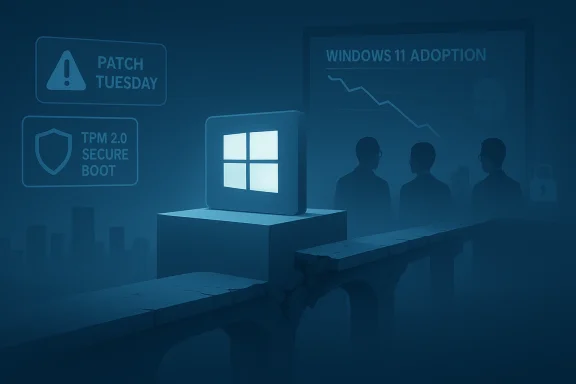
Windows 11’s momentum stalled hard at the end of 2025: after briefly overtaking its predecessor, public telemetry now shows a meaningful retreat back to Windows 10, and a cascade of quality, privacy and messaging problems has turned what should have been a routine platform migration into a trust battle for Microsoft.
Windows 11 finally crossed the majority threshold in mid‑2025 after a multi‑year adoption curve, driven by OEM refreshes, Microsoft’s upgrade nudges and the looming Windows 10 end‑of‑support deadline. That milestone, however, looks less like a decisive victory and more like a fragile summit: StatCounter‑based snapshots that showed Windows 11 ahead in summer 2025 reversed course late in the year, with Windows 11 dipping back toward parity in December.
At the same time, Microsoft’s product policy and update cadence collided with users’ expectations. The company’s stronger hardware floor (TPM 2.0, Secure Boot, recent CPU lists), an aggressive AI/Copilot push, and several widely visible update regressions and privacy controversies combined to create the perception — among enthusiasts, enterprises and casual users alike — that Windows 11 is at best unfinished and at worst actively hostile to user control. Community reporting and forum threads that track deployments, rollbacks and user complaints underline this sentiment.
Why this matters: when a cumulative update alters the power behavior of managed kiosks, field devices or enterprise fleets, administrators must respond immediately. The fix arrived quickly, but the visible disruption reinforced narratives about update quality and fragile testing — exactly the kind of story that drives conservative organizations to freeze upgrades or revert to an older, battle‑scarred build that “just works.”
Practical fallout: privacy‑conscious users and security teams suddenly had another reason to reconsider upgrade timing or account configuration. Where possible, organizations that care about key custody can configure BitLocker to store keys in Active Directory / Entra or keep recovery keys local — but many consumer setups use default cloud key backups, which now look riskier in light of these disclosures.
Source: Windows Central Windows 11 is hitting a wall, and users are retreating to Windows 10
 Background / Overview
Windows 11 finally crossed the majority threshold in mid‑2025 after a multi‑year adoption curve, driven by OEM refreshes, Microsoft’s upgrade nudges and the looming Windows 10 end‑of‑support deadline. That milestone, however, looks less like a decisive victory and more like a fragile summit: StatCounter‑based snapshots that showed Windows 11 ahead in summer 2025 reversed course late in the year, with Windows 11 dipping back toward parity in December. At the same time, Microsoft’s product policy and update cadence collided with users’ expectations. The company’s stronger hardware floor (TPM 2.0, Secure Boot, recent CPU lists), an aggressive AI/Copilot push, and several widely visible update regressions and privacy controversies combined to create the perception — among enthusiasts, enterprises and casual users alike — that Windows 11 is at best unfinished and at worst actively hostile to user control. Community reporting and forum threads that track deployments, rollbacks and user complaints underline this sentiment.
The data: what happened to market share
- StatCounter snapshots reported Windows 11 at roughly 55.18% in October 2025, slipping to 53.7% in November and then sharply to about 50.73% in December 2025, a decline of more than five percentage points from October. At the same time Windows 10 rose from ~41.71% to ~44.68% over the same period. Multiple industry write‑ups that used StatCounter’s public charts picked up and amplified the trend.
- These are pageview‑weighted statistics rather than a device census: StatCounter tallies pageviews across a subset of websites. That means monthly swings can be amplified by changes in browsing behavior, new content patterns, or regionally concentrated activity. Still, the scale and timing of this dip — occurring immediately after the Windows 10 end‑of‑support window and against a backdrop of high‑profile incidents — make the numbers noteworthy beyond mere sampling noise.
- For context: Microsoft formally set Windows 10’s mainstream support cutoff for October 14, 2025. After that date Microsoft stopped delivering routine feature and quality updates to most Windows 10 Home/Pro devices (Extended Security Updates programs were offered as a bridge). That official deadline created incentives to upgrade, yet the observed adoption shift did not flow exclusively to Windows 11 — many users instead delayed, balked or rolled back. Microsoft’s lifecycle documentation and ESU guidance remain the definitive references for those dates and options.
Why the reversal? A multi‑factor breakdown
The decline in Windows 11 market share is not the result of a single catastrophic failure. It’s a compound effect: a mix of perceived quality regressions, privacy concerns, product messaging missteps, and structural upgrade friction.1) Patch‑Tuesday regression that hit essential behavior
January 2026’s Patch Tuesday cycle exposed a high‑profile regression: the January cumulative for Windows 11 (KB5073455, released January 13, 2026) introduced at least two operational problems — Remote Desktop / Cloud PC authentication failures and a configuration‑dependent shutdown/hibernate regression on devices with System Guard Secure Launch enabled. Microsoft publicly acknowledged the issue and shipped an out‑of‑band fix (KB5077797) on January 17, 2026, but not before many users and admins saw machines restart instead of powering off and remote access workflows fail. These are not cosmetic bugs — they break core workflows and trust in monthly updates.Why this matters: when a cumulative update alters the power behavior of managed kiosks, field devices or enterprise fleets, administrators must respond immediately. The fix arrived quickly, but the visible disruption reinforced narratives about update quality and fragile testing — exactly the kind of story that drives conservative organizations to freeze upgrades or revert to an older, battle‑scarred build that “just works.”
2) Privacy alarm: BitLocker recovery keys and law‑enforcement access
Late 2025 reporting revealed Microsoft had complied with a legal request in at least one high‑profile investigation by handing BitLocker recovery keys to law enforcement. The company confirmed it will provide BitLocker recovery keys when served with a valid legal order — a practice many customers assume is either impossible or highly limited because encryption is thought to be a private, device‑controlled defense. Critics argued Microsoft’s default behavior — cloud‑backing BitLocker keys for user convenience — creates a potential privacy vector that users did not fully anticipate. That revelation damaged perception and fed a broader “trust” narrative.Practical fallout: privacy‑conscious users and security teams suddenly had another reason to reconsider upgrade timing or account configuration. Where possible, organizations that care about key custody can configure BitLocker to store keys in Active Directory / Entra or keep recovery keys local — but many consumer setups use default cloud key backups, which now look riskier in light of these disclosures.
3) Hardware and upgrade friction remain real
Windows 11’s security‑first hardware bar (TPM 2.0, UEFI Secure Boot, CPU compatibility lists) was designed to improve platform security, but it also excluded a significant fraction of Windows 10 machines. For many households and small businesses, upgrading OS and hardware at once was a non‑starter. The result: a portion of the installed base simply could not move to Windows 11 without buying new machines, creating a sticky base of Windows 10 usersfter support deadlines. Multiple analyst write‑ups and community reports flagged this mechanical barrier as a long‑running adoption limiter.4) Perception and the “trust problem”
Microsoft’s UI and UX choices — like certain Start menu and taskbar changes, the gradual insertion of Copilot and AI features, and an increase in OS‑level promotional content — have been perceived as surprise‑driven rather than opt‑in. Our editors and industry commentators have repeatedly pointed out that the issue isn’t always missing features; it’s how changes are delivered without sufficient communication and control. People tolerate change when it’s explained and optional, but they resent it when it feels imposed. The accumulated effect is real: users report feeling treated as the product rather than the customer.5) Performance and compatibility gripes — real and perceived
Technical reports and community benchmarks found that, in some configurations, Windows 11 exhibited slower or less predictable behavior compared with mature Windows 10 images — especially in the wake of certain updates or when heavy Copilot/AI hooks were active. These observations are mixed: for many users Windows 11 feels fine, for others it introduced friction in daily tasks or gaming. When you add aggressive update behaviors and in‑OS prompts, the net user experience for a subset of customers is “slower, louder and less predictable.” Independent reporter coverage and user threads documented these complaints through late 2025.What the statistics don’t tell you — and why to read them carefully
- StatCounter reports pageview‑weighted metrics, not device inventories. That makes short‑term swings more volatile than a device census would be, and it can amplify regional or topical surges. A month that sees heavy news traffic from a region with more Windows 10 users can tilt the numbers. That said, the scale and timing of Winter 2025’s drop correlate with real product incidents and policy moves, which gives them additional credibility.
- Different trackers (StatCounter, Steam Hardware Survey, vendor endpoint telemetries) can tell complementary but non‑identical stories. Where they converge, you can be more confident; where they diverge, you must examine measurement method. The headline here is not “StatCounter is wrong” — it’s that multiple signals and user anecdotes point to an adoption stall and a trust issue that Microsoft must address.
Implications: what this means for Microsoft, enterprises and consumers
For Microsoft
- Loss of momentum in market share is a reputational problem and a revenue risk for OS‑adjacent services (Office, Copilot subscriptions, OEM partnerships).
- The company’s strategy — leaning into AI, security and new hardware signals — relies on user trust to succeed. Public incidents that erode trust can slow that strategic pivot.
- Microsoft must fix update‑quality signals and clarify default privacy choices (especially around cloud key custody). Transparency and user control are now competitive requirements, not optional extras.
For enterprises and IT admins
- The January 2026 patch saga is a reminder that sensible patch rings and staged rollouts remain essential. Rely on pilot rings, staged deployment and rollback mechanisms.
- Maintain good BitLocker key custody practices: back up keys to secure AD/Entra vaults under strict admin controls, not default cloud backups to consumer accounts.
- If you’re still on Windows 10 and can’t upgrade, enroll in ESU or migrate workloads to supported cloud images; don’t rely on perpetual legacy security. Microsoft documents ESU enrollment and its limitations clearly.
For consumers
- If you value privacy, check where your BitLocker keys are stored and move to local key custody or enterprise vaults where feasible.
- If you depend on specific applications, particularly older Win32 apps or specialized drivers, validate compatibility before upgrading or allow rollback windows in your upgrade plan.
- Consider delaying non‑critical upgrades until a stable, tested update ring has proven itself for your hardware profile.
Practical recommendations — a short checklist
- For Microsoft (product leadership)
- Prioritize update quality: expand regression test coverage for low‑level features like Secure Launch and servicing flows.
- Make AI and promotional content explicitly opt‑in; default to minimalism for first‑run experiences to rebuild trust.
- Publish clearer key‑custody documentation for BitLocker and add UI nudges that explain cloud backup tradeoffs at setup.
- For IT operations
- Keep tight pilot rings and delay broad rollout until OOB fixes are validated (use KIR where necessary).
- Enforce enterprise key escrow and auditing for BitLocker; do not rely on consumer cloud key defaults.
- Use group policies to control Copilot/AI rollout and OS‑level telemetry until you have proven performance on your fleet.
- For consumers and enthusiasts
- Check your BitLocker recovery keys in your account and remove cloud backups if you prefer full local custody.
- Keep a tested Windows 10 image or be prepared to use rollback within the allowed window if the upgrade experience on your machine is degraded.
- Wait for the first cumulative “service window” after a major release or Patch Tuesday before upgrading unless you need a feature or fix.
Strengths, risks and the road ahead
- Strengths: Windows 11 brought important security primitives (VBS, Secure Launch), a modernized UI and deep OS–cloud integration that enable new scenarios. For organizations that standardize on the recommended hardware and testing discipline, Windows 11 is a compelling platform for the next half decade. Many users and apps already benefit from newer kernel protections and platform hardening.
- Risks: The business risk is reputational and operational. A major OS vendor that users perceive as surprising its customers with awkward UI changes, in‑OS promotions, or unexpected privacy tradeoffs will face slower migration and higher support costs. Security posture improvements are valuable, but if they are perceived as forcing hardware churn or exposing cloud key risks without clear opt‑outs, they become liabilities. The January 2026 update cycle showed how a serious regression can magnify these worries.
- What to watch next:
- Will Microsoft change default key‑backup behavior or provide stronger client‑side encryption for cloud‑stored BitLocker keys?
- Will subsequent cumulative updates show improved regression prevention and more conservative rollout tactics for enterprise features like Secure Launch?
- Will user sentiment stabilize once the immediate set of regressions and privacy concerns are addressed, or will the trust deficit linger and reshape upgrade economics for years?
Conclusion
Windows 11’s late‑2025 dip is not simply a statistical blip — it’s a symptom. The confluence of a hard hardware floor, perceived performance and UI regressions, a widely‑noticed Patch Tuesday failure that affected core behavior, and a privacy controversy around BitLocker key handovers combined to erode confidence just as Microsoft expected users to move en masse. StatCounter’s December snapshot captured the outward manifestation of that erosion; the more important story is that Microsoft’s approach to communication, update quality and privacy defaults needs steady repair if the company wants to avoid a long tail of holdouts and persistent enterprise caution. The fix path is straightforward: better transparency, more conservative update and feature rollouts, stronger key‑custody choices by default, and a renewed emphasis on predictable, user‑controllable changes. If Microsoft can do that, adoption will recover — but for now Windows 11’s growth has clearly hit a brick wall that needs engineering and policy work to dislodge.Source: Windows Central Windows 11 is hitting a wall, and users are retreating to Windows 10
