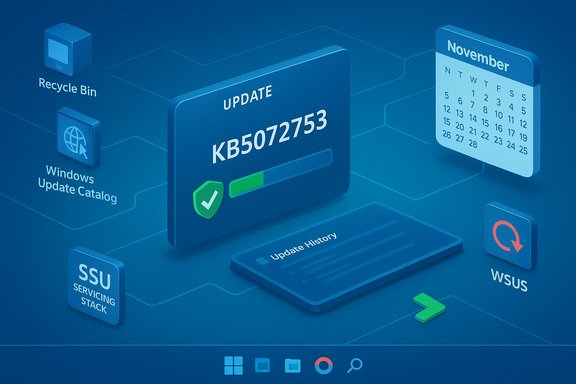
Microsoft pushed an out‑of‑band hotpatch on November 20, 2025 to stop a nagging reinstall loop that caused the November hotpatch KB5068966 to be repeatedly downloaded and reinstalled on some Windows 11 version 25H2 devices — a fix that restored sane update behavior but left hard lessons about the fragility of zero‑downtime servicing in its wake.
Hotpatching is Microsoft’s restart‑free update mechanism designed for mission‑critical environments. It lets eligible Windows 11 and Server SKUs receive security fixes without the usual reboot cycle, reducing planned downtime and speeding patch adoption for sensitive workloads. Hotpatch updates are layered on top of a baseline servicing model: a reboot is required for a baseline, then subsequent monthly hotpatches can be applied without restarts while the system remains online.
On November 11, 2025 Microsoft shipped the November hotpatch identified as KB5068966 for Windows 11 and Server servicing branches. Within days, administrators and telemetry showed a strange symptom: once KB5068966 installed successfully, subsequent Windows Update scans sometimes re‑downloaded and re‑installed the same hotpatch, updating only the installation timestamp in Update History. Microsoft documented the symptom on the KB page for KB5068966 and confirmed the issue would be addressed in a follow‑up package. Microsoft’s corrective response arrived on November 20, 2025 in the form of an out‑of‑band hotpatch, KB5072753 (OS Build 26200.7093 for client 25H2), which explicitly lists “Hotpatch reoffered after Windows update” as a resolved item and states that no reboot is required after installing the OOB patch. The vendor’s guidance recommends applying KB5072753 rather than KB5068966 if the environment has not yet deployed the November hotpatch.
But hotpatching is also inherently more brittle than traditional reboot‑based servicing. The mechanism depends on accurate servicing metadata, strict sequencing of servicing stack updates (SSUs), and precise detection logic so that Windows Update and the Component Based Servicing (CBS) engine agree on whether an update is committed. When the metadata or detection rules drift, the consequences are primarily administrative: noise in update history, wasted bandwidth, increased helpdesk churn, and — crucially — reduced trust from administrators in the zero‑downtime promise. The recent KB5068966 reoffer issue exposed exactly that brittleness. Enterprise discussions and runbooks that circulated publicly during the incident show how quickly routine confidence can erode: administrators debated temporary workarounds, rollback strategies, and whether to pause hotpatching until the servicing stack and detection logic matured. These operational debates were visible across forums and internal guidance snippets captured in community archives.
Key enterprise lessons distilled from the event and community guidance include:
Hotpatching remains a valuable capability for organizations that can maintain the necessary operational discipline: accurate inventory, robust telemetry, hardened WSUS/management infrastructure, and a tested incident runbook. When those pieces are in place, the benefits — fewer reboots, faster security patching for uptime‑critical workloads — remain compelling. But this episode is a reminder that the zero‑downtime promise requires mature processes and monitoring to hold up under real‑world complexity.
Microsoft’s KB5072753 restored expected hotpatch behavior and stopped the update reoffer loop, but the incident should be read as an operational warning: zero‑downtime patching is powerful when it works, and fragile when it doesn’t. Organizations that want the uptime benefits of hotpatching must invest in inventory, telemetry, hardened update infrastructure, and tested response playbooks — because the cost of unplanned servicing noise is administrative fatigue and lost trust, which can be harder to repair than any single hotpatch.
Source: WebProNews Windows 11’s Hotpatch Nightmare: Microsoft Deploys Emergency Fix for Endless Reinstall Loop
 Background
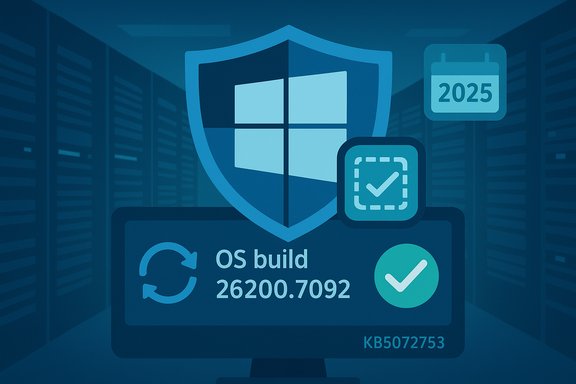
Hotpatching is Microsoft’s restart‑free update mechanism designed for mission‑critical environments. It lets eligible Windows 11 and Server SKUs receive security fixes without the usual reboot cycle, reducing planned downtime and speeding patch adoption for sensitive workloads. Hotpatch updates are layered on top of a baseline servicing model: a reboot is required for a baseline, then subsequent monthly hotpatches can be applied without restarts while the system remains online.On November 11, 2025 Microsoft shipped the November hotpatch identified as KB5068966 for Windows 11 and Server servicing branches. Within days, administrators and telemetry showed a strange symptom: once KB5068966 installed successfully, subsequent Windows Update scans sometimes re‑downloaded and re‑installed the same hotpatch, updating only the installation timestamp in Update History. Microsoft documented the symptom on the KB page for KB5068966 and confirmed the issue would be addressed in a follow‑up package. Microsoft’s corrective response arrived on November 20, 2025 in the form of an out‑of‑band hotpatch, KB5072753 (OS Build 26200.7093 for client 25H2), which explicitly lists “Hotpatch reoffered after Windows update” as a resolved item and states that no reboot is required after installing the OOB patch. The vendor’s guidance recommends applying KB5072753 rather than KB5068966 if the environment has not yet deployed the November hotpatch.
What happened, in plain terms
- After the November hotpatch (KB5068966) was applied on some devices, Windows Update scans sometimes failed to record the update as permanently applied.
- The operating system re‑offered the same package on subsequent scans, causing repeated installs that changed only the recorded timestamp in Update History.
- Functionality on affected machines was not reported as degraded; the problem was one of servicing state and telemetry rather than broken features.
- Microsoft released KB5072753 as a cumulative out‑of‑band hotpatch to correct the detection and servicing state so the hotpatch would be applied once and stop being reoffered.
Why this matters: hotpatching’s promise vs. its fragility
Hotpatching is attractive because it promises to cut reboots by large percentages in properly configured estates, preserving uptime for databases, virtualization hosts, and other workload‑sensitive servers. For organizations that paid to enable hotpatching or enrolled eligible endpoints, the model offers a compelling operational benefit: fewer planned maintenance windows and a simpler security posture when urgent fixes are required.But hotpatching is also inherently more brittle than traditional reboot‑based servicing. The mechanism depends on accurate servicing metadata, strict sequencing of servicing stack updates (SSUs), and precise detection logic so that Windows Update and the Component Based Servicing (CBS) engine agree on whether an update is committed. When the metadata or detection rules drift, the consequences are primarily administrative: noise in update history, wasted bandwidth, increased helpdesk churn, and — crucially — reduced trust from administrators in the zero‑downtime promise. The recent KB5068966 reoffer issue exposed exactly that brittleness. Enterprise discussions and runbooks that circulated publicly during the incident show how quickly routine confidence can erode: administrators debated temporary workarounds, rollback strategies, and whether to pause hotpatching until the servicing stack and detection logic matured. These operational debates were visible across forums and internal guidance snippets captured in community archives.
The official technical description — and what remains unproven
Microsoft’s KB entries are concise and factual: KB5068966’s advisory documents the symptom (“Hotpatch reoffered after Windows Update”) and points to KB5072753 as the remediation; KB5072753’s entry states it fixes the reoffer behavior and clarifies no restart is required. Neither KB claims functional regressions beyond the update history artifact, nor does Microsoft publish deep engineering root causes on the KB page. Community and third‑party reporting hypothesized a more detailed root cause — a metadata mismatch in the hotpatch servicing stack or a failure in the detection rules that record the hotpatch as “installed” — but those deeper technical attributions are not explicitly documented in Microsoft’s KB text. Independent technical writeups and analyst threads suggested the issue was a servicing/detection mismatch that caused Windows Update to think the patch still needed application; that narrative aligns with how hotpatch metadata and detection typically work, but it should be treated as a reasoned hypothesis unless Microsoft publishes a formal engineering post‑mortem. Practical takeaway: the vendor acknowledged the symptom and shipped a remediation; the most operationally important facts (what to apply and how it behaves) are authoritative. Detailed internals about COM or registry keys, or claims that CBS logged particular error codes (for example 0x80070643) as the root cause, are present in some community posts but are not substantiated in Microsoft’s public KBs and should be flagged as unverified until an official engineering note appears.Timeline — short version
- November 11, 2025 — Microsoft publishes the November hotpatch KB5068966 (OS builds 26200.7092 / 26100.7092). Administrators begin deploying it to hotpatch‑eligible devices.
- Post‑deployment (mid‑November 2025) — Some devices report the hotpatch being re‑offered after subsequent Windows Update scans. Microsoft updates KB5068966 with a known‑issue note describing the behavior.
- November 20, 2025 — Microsoft releases the out‑of‑band hotpatch KB5072753 (OS Build 26200.7093) that includes the fix and supersedes the prior hotpatch on affected builds; Windows Update will stop reoffering the November hotpatch to properly updated devices. No restart is required.
Who was impacted (scope and risk)
Microsoft described affected devices as a small subset of hotpatch‑enabled machines and published targeted guidance for enterprises to apply the OOB update via Windows Update, Microsoft Update Catalog, WSUS, or other managed channels. Independent telemetry and vendor reporting suggested the count was limited, but Microsoft’s public communications did not enumerate exact device counts. Administrators should therefore treat vendor language such as “very limited number” as intentionally non‑quantified and rely on their own environment telemetry to determine impact. Even if the percentage of affected devices is small in relative terms, the operational impact on large fleets can be significant. In an organization with tens of thousands of endpoints, even a 0.1–1% fault rate can generate hundreds of endpoints with repeated update activity, creating:- wasted network bandwidth during mass re‑downloads;
- increased CPU/disk cycles on endpoints as installers run more often;
- helpdesk churn from worried admins checking update history and compliance dashboards; and
- potential policy drift when teams temporarily pause updates to avoid noise.
How Microsoft remedied the situation (what IT teams need to do)
Microsoft’s published guidance is straightforward and centers on deploying KB5072753 as the authoritative fix. The vendor’s KB shows that KB5072753 is cumulative and supersedes the earlier hotpatch for the affected 25H2 tracks; it also notes no restart is required after installation. Administrators should treat KB5072753 as the preferred patch to apply if KB5068966 has not been deployed yet. Recommended operational steps for enterprise administrators:- Inventory: identify devices enrolled in Hotpatch and list their current OS builds and installed updates using your management console, SCCM (Configuration Manager), Intune, or PowerShell‑based queries. Centralized telemetry is the fastest way to determine exposure.
- Prioritize WSUS and management servers: if you use WSUS, ensure your WSUS servers are patched and healthy before attempting broad rollouts; Microsoft’s servicing logic for hotpatch and OOB packages depends on up‑to‑date catalogs.
- Deploy KB5072753: deliver the OOB patch via your normal channels (Windows Update for business, WSUS, Intune, or manual install from the Microsoft Update Catalog). Because the OOB item is cumulative, you do not need to stage KB5068966 first.
- Verify remediation: after KB5072753 installs, confirm update history shows the corrected install state and that the November hotpatch is no longer being re‑offered. Microsoft points to build number increments (for example 26200.7092 → 26200.7093 on affected branches) as indicators of the OOB package’s presence. Use OS build verification and update history in lieu of relying solely on older utility queries that may not show hotpatch metadata reliably.
- Maintain SSU sequencing: ensure Servicing Stack Updates (SSUs) are current across your estate; SSU sequencing remains a frequent prerequisite that can affect whether servicing operations commit correctly.
Verification and troubleshooting tips
- Confirm the device OS build after installing the OOB hotpatch (for example, the KB5072753 builds Microsoft lists). Use winver or systeminfo to check the applied OS build number as the fastest verification.
- Check Windows Update history for the presence of KB5072753 and for cessation of repeated KB5068966 installs. Microsoft’s advisory explicitly ties the symptom to the update history artifact.
- If devices continue to re‑offer the hotpatch after KB5072753, escalate to vendor support and gather servicing traces, WindowsUpdate logs, and CBS logs for forensic analysis; keep artifacts safe if you suspect servicing metadata corruption. Community incident playbooks emphasize preserving logs and update artifacts for root‑cause analysis.
Broader implications for update strategy and trust
This incident is a reminder that zero‑downtime servicing trades classical robustness for operational complexity. Hotpatching introduces additional moving parts — metadata, detection rules, and SSU sequencing — that produce brittle edges where errors create noisy but not necessarily destructive failures. Repeated, visible servicing glitches erode administrator trust, and that effect can be costlier than the technical remediation: teams may implement conservative policies (for example, forcing restarts or pausing hotpatch adoption) that negate hotpatching’s primary advantage.Key enterprise lessons distilled from the event and community guidance include:
- Treat WSUS and update distribution infrastructure as crown‑jewel assets: harden, segment, monitor, and patch them on a high priority cadence because a WSUS compromise or misdistribution has outsized fallout.
- Expand pre‑release telemetry: Microsoft’s continuous deployment model depends on field telemetry to catch edge cases; enterprises should run realistic acceptance tests that include hotpatch flows, WSUS distribution logic, and OOB behavior to surface potential regressions before broad rollout.
- Maintain precise inventory and servicing state: automated inventory and tagging of hotpatch enrollment status is essential to respond quickly when distribution errors occur. Lack of visibility was repeatedly cited as a key friction point in remediation.
What to watch next
- Microsoft engineering notes and post‑mortems: vendors sometimes publish deeper technical post‑mortems after incidents like these. If one is released it will clarify whether the root cause was a metadata persistence bug, a COM/detection API issue, or a slightly different servicing stack race. Until then, avoid taking community debugging details as definitive.
- Hotpatch servicing evolution: Microsoft’s OOB patch to correct KB5068966 is a fast‑acting mitigation, but long‑term trust will depend on improved pre‑release validation and telemetry granularity for hotpatch flows. Expect incremental SSU and servicing improvements in future releases as hotpatching scales.
- Enterprise policy changes: look for updated runbooks that codify how to respond to OOB distributions, how to identify misrouted packages quickly, and how to reconcile WSUS catalogs and inventory to prevent surprises. Community guidance is already converging on these operational controls.
Final assessment — strengths, weaknesses, and a cautious endorsement
Strengths of Microsoft’s response- Rapid fix: Microsoft shipped a targeted out‑of‑band hotpatch (KB5072753) within days of the symptom surfacing, and the vendor’s KB clearly prescribes the remediation path. This quick response preserves security posture while minimizing operational disruption for most customers.
- Clear guidance: the KBs for both the initial hotpatch and the OOB followup explicitly describe the symptom, the risk posture (no functional impact), and the remediation, enabling administrators to act decisively.
- Fragility of servicing logic: the incident highlights how small servicing metadata or detection mismatches can propagate into noisy behaviors that reduce administrator confidence in hotpatching.
- Visibility gap: Microsoft’s public language did not quantify the device count, and the vendor’s “very limited number” phrasing forced organizations to rely on internal telemetry to judge impact. That lack of public granularity complicates risk communication in large enterprises.
- Operational overhead: the fix is lightweight, but the incident required administrators to execute inventory checks, plan WSUS and management server interventions, and, in some cases, accept temporary return to reboot‑required updates — all of which consume staff time and create scheduling complexities.
Hotpatching remains a valuable capability for organizations that can maintain the necessary operational discipline: accurate inventory, robust telemetry, hardened WSUS/management infrastructure, and a tested incident runbook. When those pieces are in place, the benefits — fewer reboots, faster security patching for uptime‑critical workloads — remain compelling. But this episode is a reminder that the zero‑downtime promise requires mature processes and monitoring to hold up under real‑world complexity.
Practical checklist (short)
- Verify your hotpatch‑enrolled endpoints and their OS builds.
- Prioritize deployment of KB5072753 (OOB) to 25H2 / LTSC 2024 hotpatch devices if KB5068966 has not been installed.
- If you already have KB5068966 installed and see repeated reoffers, install KB5072753 and validate that the reoffers stop.
- Keep SSUs current and ensure WSUS/catalog servers are patched and monitored.
- Preserve logs (WindowsUpdate, CBS, WSUS logs) if anomalous behavior continues; these artifacts speed vendor escalation and forensic analysis.
Microsoft’s KB5072753 restored expected hotpatch behavior and stopped the update reoffer loop, but the incident should be read as an operational warning: zero‑downtime patching is powerful when it works, and fragile when it doesn’t. Organizations that want the uptime benefits of hotpatching must invest in inventory, telemetry, hardened update infrastructure, and tested response playbooks — because the cost of unplanned servicing noise is administrative fatigue and lost trust, which can be harder to repair than any single hotpatch.
Source: WebProNews Windows 11’s Hotpatch Nightmare: Microsoft Deploys Emergency Fix for Endless Reinstall Loop