Windows 11 Roadmap Reset: Faster, More Reliable, Less Invasive

  • Thread Author
Microsoft’s latest Windows 11 roadmap reads less like a feature splash and more like a course correction. After two years of criticism over sluggish performance, intrusive ads, over-eager Copilot placements, and a Taskbar that still feels unfinished to many power users, the company is now promising a broad cleanup across the operating system. The emphasis is not just on new features, but on making Windows 11 feel faster, quieter, and more predictable again.
That shift matters because Windows is no longer being judged only against its own history. It is being compared with the much simpler, more stable experience users remember from Windows 10, while also competing with macOS, ChromeOS, and an increasingly capable Linux desktop. Microsoft is effectively saying that the next phase of Windows 11 is about repairing trust, not just shipping novelties.
A digital visualization related to the article topic.Background​

Windows 11 launched with a clear visual break from Windows 10, but the transition also removed or altered a number of behaviors users had taken for granted. The centered Taskbar, limited customization, and reliance on newer interface layers created the impression of a more polished product on the surface, yet a less flexible one underneath. For many long-time users, that tradeoff was acceptable only if the platform’s stability and responsiveness improved enough to compensate.
Instead, the years that followed brought a familiar pattern of complaints. Some were small but persistent, such as UI flicker, awkward search behavior, or inconsistent right-click menus. Others were more structural, including app latency, driver instability, surprise restarts, and features that felt bolted on rather than integrated. The result was an operating system that often looked modern but did not always feel modern.
Microsoft has been trying to reposition Windows around AI, cloud integration, and “continuous innovation,” but that strategy has come with friction. A growing share of users have rejected the idea that every corner of the desktop should become a surface for Copilot, ads, or web-backed experiences. That backlash is not simply aesthetic; it is a signal that users want the desktop to feel like a control center again, not a promotional platform.
The new Windows 11 focus, as described publicly by Microsoft leadership, is therefore significant because it acknowledges a deeper problem. Performance, reliability, and craftsmanship are not marketing terms. They are the three pillars that determine whether users trust an operating system enough to rely on it every day.
This matters in an enterprise context as well. Businesses do not evaluate Windows on visual polish alone; they care about reboot frequency, driver quality, update control, and whether the platform behaves consistently across fleets of devices. If Microsoft can reduce the operational noise around Windows 11, it improves the case for corporate adoption and eases the burden on IT teams.
At the same time, Microsoft is under pressure from consumer sentiment. The past two years have seen growing frustration over feature churn and the perception that Windows is becoming noisier, not better. In that environment, even small quality-of-life improvements can carry outsized symbolic weight.

The Shift in Microsoft’s Windows Strategy​

The biggest takeaway from Microsoft’s new messaging is that the company appears to be changing priorities internally. Rather than leading with ambitious new experiences, it is framing Windows 11 around stability, responsiveness, and polish. That is a meaningful admission, especially from a company that has often treated criticism as a temporary nuisance rather than a strategic warning.
Pavan Davuluri, who leads Microsoft’s Windows and devices organization, has made it clear that the company is focusing on making Windows feel more responsive and consistent. That means less overhead, faster launches, and fewer moments where the OS gets in the way of the task at hand. It is the kind of language users have been asking to hear for years.

Why This Matters Now​

The timing is just as important as the content. Windows 10 support has already ended, which means a huge installed base is being pushed toward Windows 11 whether it is emotionally ready or not. That makes trust a commodity Microsoft cannot afford to squander.
Microsoft also seems to understand that AI enthusiasm has limits. Users may appreciate selective AI tools, but they do not want those tools embedded everywhere by default. The more Microsoft treats AI as a layer of value rather than a layer of obligation, the better chance it has of calming the backlash.
Key implications include:
  • A reset in priorities away from novelty and toward fundamentals.
  • A trust-building play aimed at users who feel Windows has become unpredictable.
  • A defensive move against alternatives that market themselves as cleaner and lighter.
  • A business-friendly signal that reliability remains central to Windows’ future.
  • A likely preview of a broader platform redesign rather than a one-off patch cycle.
This is also a reputational move. Microsoft knows that Windows 11’s image has taken a hit among enthusiasts and power users. By emphasizing responsiveness and control, it is trying to reintroduce the idea that Windows can still be the default serious desktop OS.

Performance as the First Pillar​

Performance is the most obvious place to start because it is the easiest complaint for users to feel immediately. If Windows boots slower, launches apps slower, or bogs down under light multitasking, every other innovation becomes harder to care about. Microsoft’s promise to reduce resource usage and improve responsiveness is, in that sense, overdue.
A better Windows has to begin with a lower baseline footprint. If the OS itself consumes less memory and background activity, more capacity is left for the apps people actually run. That is especially important on thin-and-light laptops, entry-level devices, and older machines that are still good enough for daily work but not tolerant of waste.

File Explorer and Core Shell Responsiveness​

File Explorer has long been one of the most visible places where Windows feels inconsistent. Even minor latency in navigation, search, or context menus creates the impression of a system that is less refined than it should be. Microsoft’s plan to reduce that latency matters because Explorer is one of the few interfaces almost every user touches constantly.
The same is true of shell interactions more broadly. Start menu open times, task switching, and right-click responsiveness are not glamorous metrics, but they define the subjective feel of the OS. Small delays compound into the sensation that the system is draggy.
A performance-focused Windows also helps Microsoft compete with devices that sell on instant responsiveness. Chromebooks and MacBooks have spent years making everyday interactions feel effortless. Windows can match that perception only if it prioritizes the boring, foundational work.

Why WinUI Refactoring Matters​

Microsoft’s broader push toward WinUI is not just a technical detail. It is part of an attempt to unify UI behavior across more of the operating system and reduce the mixed signals that come from different framework layers. In theory, that should lower overhead and improve interaction smoothness.
The problem is that framework transitions are rarely invisible. Moving features from older stacks or web-based shells to native UI frameworks can improve performance, but only if the implementation is disciplined. If Microsoft gets the engineering wrong, users may end up with a more consistent system that still contains old bugs in new clothing.
Important performance goals include:
  • Lower memory usage across the base OS.
  • Faster app launches, including common shell tools.
  • More stable performance under load.
  • Reduced input latency in core experiences.
  • Improved responsiveness on low-memory devices.
The strongest sign of seriousness here is that Microsoft is talking about structural changes rather than cosmetic tweaks. That suggests the company understands that the performance problem is not superficial.

Reliability and the Trust Problem​

If performance is what users feel, reliability is what they remember. A system can be fast in a demo and still lose trust if it crashes, demands restarts, or behaves differently from one update to the next. Microsoft’s renewed emphasis on reliability suggests it recognizes that Windows 11 has accumulated too many small credibility gaps.
Drivers are one of the biggest weak points in the Windows ecosystem. Microsoft does not control every hardware component in every machine, but it does control the ecosystem standards that shape whether those components work well together. Better driver validation and tighter OEM coordination should reduce crashes, wake failures, and peripheral issues.

Drivers, Peripherals, and Update Stability​

The ordinary user may not think about driver quality, but they absolutely notice when a Bluetooth device drops, a printer disappears, or a dock misbehaves after sleep. These problems are particularly damaging because they feel random. A platform that fails in unpredictable ways is harder to trust than one that is occasionally slow.
Microsoft’s mention of stronger validation for OEMs and driver vendors is a good sign, because too many Windows issues begin at the handoff between Microsoft, hardware makers, and third-party software. Better gatekeeping may slow some rollouts, but slowing down is sometimes the price of reliability.
The same logic applies to Windows Update. Users often do not object to updates themselves; they object to surprise reboots, awkward timing, and the sense that the OS is acting on its own schedule. Microsoft’s commitment to less disruptive update behavior is likely to be one of the most popular changes in the entire package.

Windows Hello and Sign-In Reliability​

Biometric sign-in is another area where reliability has outsized importance. If facial recognition or fingerprint unlock works every time, it feels invisible. If it fails repeatedly, users lose patience fast. Microsoft’s focus on Windows Hello suggests it wants to smooth the everyday friction points that generate disproportionate annoyance.
This also has enterprise implications. In managed environments, sign-in failures are not just inconvenient; they become help desk tickets. If Microsoft can make authentication more dependable across hardware categories, it reduces overhead and improves the perceived quality of the platform.
Reliability improvements worth watching:
  • Fewer OS-level crashes.
  • Better Bluetooth and USB stability.
  • Improved printer detection.
  • More reliable camera and audio behavior.
  • Fewer wake and docking issues.
The broader point is that reliability is not a bonus feature. It is the invisible structure that makes everything else credible.

Craft, Usability, and the Human Side of Windows​

Microsoft’s use of the word Craft is interesting because it shifts the discussion away from raw capability and toward feel. This is about coherence, polish, and the sense that Windows was designed by a system that remembers people actually use it all day. That may sound subjective, but software lives or dies on these subjective judgments.
The company is reportedly focusing on UI consistency, reduced flicker, and a more thoughtful relationship between native UI and AI-powered surfaces. Those are not trivial changes. A desktop operating system should not feel like a patchwork of experiments.

The End of Visual Friction​

Flicker and visual inconsistency are small problems that create big psychological effects. If a user sees different animations, different layouts, or different levels of polish across basic windows, they begin to distrust the platform’s coherence. That is especially damaging in a productivity OS, where visual calm matters.
Microsoft’s push to unify modern interfaces with more native components is likely meant to address this. The result should be a more predictable experience, especially in core surfaces like Start, Search, and Settings. If Microsoft can make those surfaces feel like parts of one system instead of competing projects, it will have made a real usability gain.
A more deliberate approach to design also helps users who do not want constant surprise. Windows has often been criticized for introducing small UI changes that are hard to discover and harder to explain. Reducing that churn would itself be a major improvement.

The User Experience Tradeoff​

There is also a strategic reason to care about craft: it is what differentiates a mature operating system from a merely functional one. Anyone can add features. It takes discipline to make the interface feel calm, obvious, and efficient. That discipline has sometimes been missing from Windows 11.
The company’s stated goal of giving users more control over what appears where is important because it signals a move away from “Microsoft knows best” design. Users do not always want the most immersive experience; they often want the least distracting one.
This is where Microsoft can restore goodwill quickly if it acts decisively. Cleaning up the visual and interaction layer does not require a full rewrite, but it does require editorial judgment about what belongs on the desktop.

Search, Discovery, and Information Friction​

Search is one of the most underestimated parts of the Windows experience. It sounds boring until it stops working the way you expect. Users want a search system that is fast, relevant, and consistent whether they start in the Taskbar, File Explorer, or Settings.
Microsoft’s planned improvements to search are therefore more important than they may first appear. A search box that mixes web results, local files, and system settings without clear boundaries creates confusion. A better search model should make it obvious what is local, what is online, and what is system-level.

Unified Search Across Windows​

The aim appears to be a more coherent search layer that spans multiple parts of the OS. That matters because users do not think in product silos. They just want to find a file, a setting, or an app without having to guess where the result lives.
If Microsoft can make search more accurate and more deterministic, that would improve everything from daily productivity to enterprise support workflows. Search is one of those features where even a modest improvement yields a lot of perceived value. People search constantly, often without noticing how often they rely on it.
A better search experience could also make Windows feel less cluttered. One of the frustrations with current Windows behavior is that the system sometimes surfaces too many competing paths to the same answer. Streamlining that is a quiet but powerful UX improvement.

File Explorer as a Search Hub​

File Explorer deserves special attention because it acts as both a file manager and a discovery surface. When search inside Explorer feels slow or unreliable, the whole operating system feels worse. Microsoft’s plan to improve search, navigation, and file operations inside Explorer is therefore strategically sound.
The potential gains are practical rather than flashy:
  • Fewer dead-end search results.
  • Cleaner separation of local and web sources.
  • More reliable file navigation.
  • Faster context menus and file operations.
  • Better consistency across taskbar and system search entry points.
These changes may not attract headlines like a new feature would, but they are the kind of refinements that change user sentiment over time. Windows does not need more places to search. It needs fewer reasons to mistrust the results.

Taskbar, Start, and the Return of Familiar Control​

Few Windows 11 complaints have been as durable as the Taskbar issue. For power users in particular, the inability to move it freely felt like a step backward in customization and workflow flexibility. Microsoft now appears ready to restore at least some of that lost control, including the ability to move the Taskbar to the top or sides of the screen.
That is a big deal because the Taskbar is not just a UI strip. It is the anchor for launch behavior, multitasking, and visual orientation. When Microsoft changed its rules around the Taskbar, it altered a core part of how people interact with Windows.

Repositioning the Taskbar​

Bringing back Taskbar positioning is one of the most symbolic moves Microsoft can make. It tells users that the company is willing to revisit design decisions that did not age well. It also acknowledges that customization is not a luxury feature for Windows; for many users, it is a defining part of the platform’s identity.
This has practical consequences too. Different users prefer different screen layouts, different monitor setups, and different muscle-memory patterns. A movable Taskbar lets the OS adapt to the user rather than forcing the user to adapt to the OS.
The challenge will be implementation. Microsoft has to make sure Start, Search, notifications, and flyouts behave properly when the Taskbar is no longer confined to the bottom edge. If it gets that right, this could become one of the most celebrated changes in years.

Start Menu Control and Reduced Noise​

Microsoft is also signaling that it wants the Start experience to feel less commercialized. That includes reducing ad exposure in the Recommended area and making it easier to disable promotional content. Users have long complained that Start has become a mixture of launcher, suggestion engine, and advertising surface.
That criticism matters because Start is supposed to be a place of efficiency. If the menu feels noisy, users develop a low-grade irritation every time they open it. Small annoyances there are magnified by repetition.
The key benefits here are simple:
  • More predictable Start behavior.
  • Fewer ads and promotions.
  • Better personalization controls.
  • Cleaner access to pinned apps and files.
  • A less cluttered default experience.
Microsoft is also reducing the number of places where Copilot appears across the OS. That should help restore the sense that AI is an option rather than an infestation.

Windows Update, Restart Fatigue, and IT Control​

Update management has been one of the most delicate balancing acts in Windows for years. Microsoft needs to keep devices secure, but users want more say over timing and fewer interruptions. The company’s plan to give people broader control over pauses and restarts is therefore an important acknowledgment that the current balance has felt too aggressive.
The biggest complaint is not security maintenance itself. It is the combination of mandatory behavior, inconvenient timing, and the feeling that the OS is taking over the device. Microsoft seems to be inching toward a more respectful model.

Fewer Forced Interruptions​

If Windows Update becomes more flexible, that would immediately improve the lived experience for both consumers and professionals. Pausing updates “as long as needed” may sound like a small detail, but it addresses a deep frustration: users want agency over when their machine changes state.
Less restart pressure also helps prevent the frustration of losing a workflow because the OS insisted on finishing an update. That matters more now that more people use Windows for hybrid work, travel, and long-running sessions. A good update system should be invisible until needed.
For IT admins, the value is even clearer. Fewer surprise restarts mean fewer complaints, fewer interrupted meetings, and less support overhead. Microsoft’s willingness to give more control here may be one of the smartest enterprise-friendly changes in the whole roadmap.

Security vs Convenience​

There is a tension, of course. If Microsoft gives users too much freedom to delay updates, security exposure rises. That is the classic update-management dilemma. The right answer is not to eliminate control, but to make the control informed, bounded, and understandable.
That balance matters more in Windows than in most platforms because Windows remains such a large target. Microsoft cannot afford a fragmented security posture. But it also cannot afford to keep treating user frustration as acceptable collateral damage.
This tension will likely define the rollout:
  • More user control without weakening core protection.
  • Clearer update timing and restart behavior.
  • Fewer surprise changes to productive workdays.
  • Better recovery if something goes wrong.
  • Stronger alignment with enterprise policy needs.
The best-case scenario is a Windows Update experience that feels calmer without becoming complacent.

Strengths and Opportunities​

Microsoft has a real opening here because it is addressing the exact issues that have been draining enthusiasm from Windows 11. If the company follows through, it can recast the OS as faster, quieter, and more respectful of user intent. That would not just improve sentiment; it could also make Windows a more attractive default on new hardware again.
The strongest opportunities are obvious, but they are still worth spelling out because they touch both consumers and IT buyers.
  • Performance gains could make older and lower-memory PCs feel newly usable.
  • Reliability improvements would reduce support tickets and frustration.
  • Taskbar customization would win back enthusiast goodwill.
  • Reduced ads and Copilot clutter would make the OS feel less invasive.
  • Better search would improve productivity across daily workflows.
  • More update control would make Windows feel less interruptive.
  • Stronger WinUI adoption could eventually unify the interface layer.
There is also a branding opportunity. If Microsoft executes well, it can tell a much better story about Windows 11: not as a controversial redesign, but as a platform that listened and corrected course. That kind of narrative matters in a market where perception shapes adoption.

Risks and Concerns​

The risk is that Microsoft promises more coherence than it can realistically deliver in one year. Windows is a huge, layered platform with decades of technical debt, and some of the most annoying issues are also the hardest to fix. A roadmap built around trust can backfire if the results are partial, delayed, or uneven.
Another concern is that the company may improve the surface without resolving the system-level causes. Users can tell the difference between a cosmetic cleanup and a deeper fix, even if they cannot always name the technical reason. Windows 11 cannot afford another cycle of promising polish and shipping patchwork.
  • Implementation quality will matter more than announcement quality.
  • Taskbar changes could create new bugs if cross-surface behavior is incomplete.
  • Driver validation depends on OEM cooperation, which Microsoft cannot fully control.
  • AI reduction may be only partial if Microsoft keeps reintroducing Copilot elsewhere.
  • Update control could conflict with security goals if not managed carefully.
  • Framework migration may introduce temporary instability during the transition.
  • User skepticism is already high, so even good changes may not immediately restore trust.
The biggest business risk is credibility. Once users stop believing a platform will improve in meaningful ways, every subsequent promise has to work harder.

Looking Ahead​

The most important thing to watch is whether Microsoft turns this from messaging into measurable improvement. Users will not judge Windows 11 by manifestos or corporate language. They will judge it by whether File Explorer opens faster, whether updates stop interrupting them, whether search becomes sane, and whether the Taskbar finally gives them back familiar control.
The second thing to watch is rollout discipline. If Microsoft keeps these improvements in preview long enough to refine them, it has a better shot at success. If it rushes them out and fixes them later, it risks repeating the same pattern of shipping first and stabilizing after public frustration has already built.
A few concrete markers will matter most:
  • Whether Taskbar repositioning reaches mainstream Windows 11 builds.
  • How broadly performance gains show up on low-memory systems.
  • Whether search actually becomes more unified and accurate.
  • How much Copilot exposure is reduced across default apps.
  • Whether update restarts genuinely become less disruptive.
In the end, Microsoft’s challenge is simple to describe and difficult to execute: make Windows feel dependable again. If it succeeds, Windows 11 may finally earn the reputation its interface always promised. If it falls short, the company will have confirmed the worst suspicion of all — that it understood the problem, but not the urgency.
The next year will show whether this is a real reset or just a better-organized version of the same old Windows story.

Source: Windows Central Microsoft announces major Windows 11 updates designed to fix biggest flaws
 

Last edited:
Microsoft is signaling one of the most important course corrections in the Windows 11 era: a shift away from feature noise and toward speed, reliability, and user control. The company’s latest roadmap emphasizes a faster-feeling shell, a lighter system footprint, more dependable core experiences, and fewer update disruptions — the exact areas that have drawn the most criticism from power users and everyday PC buyers alike. That change matters because Windows is no longer being judged only against its own past; it is being measured against the simpler, more predictable experiences offered by macOS, ChromeOS, and even polished Linux desktops. Microsoft is effectively admitting that Windows 11’s next chapter has to be about trust, not just novelty.

A digital visualization related to the article topic.Background​

Windows 11 arrived with a clear visual message: modern, centered, cleaner, and more tightly curated than Windows 10. But the operating system also took away or restricted behaviors users had grown to depend on, and that trade-off created a persistent tension between polish and control. The result was a platform that often looked more coherent than its predecessor while feeling less flexible in day-to-day use. That difference mattered, because operating systems are judged less by screenshots than by how they behave when users are trying to work.
Over time, the complaints hardened into familiar categories: sluggish File Explorer behavior, awkward Search interactions, inconsistent shell responsiveness, forced restarts, and the feeling that Windows was becoming a delivery vehicle for ads and Copilot prompts rather than a neutral workspace. Those issues may sound small in isolation, but together they create the sense that the OS is constantly asking for attention. That is exactly the kind of friction that erodes affection for a platform.
Microsoft has not been ignoring the feedback. The Insider program has already served as a proving ground for improvements to performance, update behavior, File Explorer, Search, and reliability, and the current roadmap reads like the broadening of that effort. The key difference is emphasis: the company is now speaking about Windows quality as a first-class goal, not just a side effect of feature development. That shift is subtle in wording but huge in product strategy.
There is also an enterprise backdrop to all of this. Businesses care less about flashy additions than about predictable restarts, driver stability, and consistent behavior across mixed hardware fleets. When Microsoft improves the boring stuff, it does not just help enthusiasts; it reduces support burdens and gives IT departments more confidence in the platform. In other words, quality is not a cosmetic metric. It is a deployment strategy.

A Deliberate Reset in Tone​

The most striking part of Microsoft’s latest Windows messaging is not a specific feature. It is the tone. The company is no longer selling Windows 11 primarily as a canvas for AI and interface reinvention; it is presenting the OS as something that needs to become calmer, more dependable, and less intrusive. That is a meaningful change because it suggests Microsoft understands that too much novelty can make a desktop feel unstable even when the code technically works.
This reset is important because Windows has historically succeeded by being both broad and adaptable. The more Microsoft curates the experience, the more it risks alienating the people who rely on Windows for fine-grained control. Restoring that balance is the real challenge here, not simply shipping a handful of fixes. If the company can make Windows feel less like a moving target, it will have done more than polish the interface — it will have restored a sense of ownership to the user.

Why tone matters in operating systems​

An OS can survive a bad feature if the platform still feels trustworthy. It cannot survive a pattern of feeling needy, delayed, or intrusive. That is why Microsoft’s talk of “craft,” responsiveness, and fewer disruptions carries so much weight: it reframes quality as a product identity rather than a bug-fix initiative.
  • Microsoft is emphasizing quality over spectacle.
  • The company is trying to reduce friction, not just add features.
  • Windows 11 is being positioned as more predictable and less noisy.
  • The shift reflects both consumer complaints and enterprise needs.
  • The change in tone may be as important as the code changes themselves.

Performance as the Foundation​

Performance is the easiest complaint for users to notice because it is felt instantly. If File Explorer opens slowly, if the Start menu hesitates, or if a laptop feels sticky while switching apps, none of the platform’s other strengths matter very much. Microsoft’s promise to lower baseline memory use and improve responsiveness is therefore not a minor tuning exercise; it is a direct response to the most visible signs of platform fatigue.
That focus on memory efficiency is especially important in the current hardware market. A lot of Windows PCs are sold with modest RAM configurations, and users increasingly expect those systems to feel snappy anyway. If Windows itself consumes less overhead, it leaves more room for browsers, productivity apps, and background services that people actually care about. That makes the machine feel newer for longer, which is the kind of outcome that affects both sales and satisfaction.
Microsoft’s technical bet is that structural changes matter more than cosmetic ones. Moving more of the shell to newer frameworks like WinUI 3 is part of that logic, because the company wants a more consistent foundation for modern UI behavior. That alone will not fix Windows, but it can reduce the awkward seams that make the desktop feel stitched together from different eras.

Why memory footprint is a strategic issue​

The memory story is not just about benchmarks. It is about perceived efficiency. A lighter operating system feels more responsive on budget hardware, older laptops, and compact devices, while a heavier one makes every task feel a little more resistant. That is a dangerous impression for Microsoft to leave, especially when competitors have spent years selling the idea that their platforms are smoother out of the box.
  • Lower memory usage can improve everyday multitasking.
  • A smaller baseline footprint helps midrange and older PCs.
  • Better responsiveness strengthens the case for Windows on thin-and-light devices.
  • Shell improvements have outsized impact because users touch them constantly.
  • Performance is a trust signal, not just a technical metric.

File Explorer and the Core Shell​

File Explorer is the perfect barometer for Windows quality because nearly everyone uses it, and they use it repeatedly. That makes its performance disproportionately important: slow folder navigation or awkward search behavior does not feel like a single-app problem, it feels like the whole operating system is dragging. Microsoft’s attention to Explorer is therefore one of the strongest signs that the company understands where users feel the friction most sharply.
What makes Explorer especially sensitive is that it sits at the intersection of file operations, cloud integration, search, and navigation. Every tiny lag compounds into a broader impression that Windows is less polished than it should be. Even if the rest of the system is stable, Explorer can poison the experience if it stumbles at the wrong moment. That is why improving it is not just a quality-of-life fix; it is a credibility repair.

The psychology of shell latency​

Users do not need a benchmark to notice when a shell hesitates. They can feel the delay in the same way they can feel a weak keyboard or a sticky trackpad. That is why Microsoft’s push to reduce input latency and improve responsiveness in shell components matters so much: these changes affect the emotional texture of using a PC.
  • Faster Explorer launch times make the OS feel more immediate.
  • Smoother navigation reduces cognitive friction.
  • Better file search responsiveness improves daily productivity.
  • More reliable file operations reduce user uncertainty.
  • Shell quality shapes the overall reputation of Windows.
There is also a competitive angle here. Apple and Google have long benefited from a perception that their systems are simpler, cleaner, and less fussy. Microsoft cannot beat that perception by adding more features; it has to beat it by making everyday interactions feel effortless. That makes Explorer and other shell surfaces strategically more important than most users realize.

Updates, Reboots, and User Control​

Windows Update has long been one of the most complained-about parts of the platform, not because users hate security updates, but because they resent being surprised by them. Microsoft’s newer messaging suggests it wants to make updates less coercive, with longer pause windows, fewer automatic restarts, and better control during setup and shutdown. That is a major philosophical change if it reaches consumers in a meaningful way.
This matters because update pain is not just an inconvenience; it is a trust problem. When a machine forces a reboot at the wrong time, it tells the user that the system’s maintenance schedule matters more than their work. Microsoft appears to be acknowledging that a modern PC should negotiate with the user rather than dictate to them. That is a much healthier posture for the operating system.

From forced maintenance to managed maintenance​

The idea is not to make updates optional in a dangerous sense. It is to make them predictable, visible, and less disruptive. That distinction is critical, because security still matters, especially in a world where Windows devices are constantly online and constantly targeted. A better update experience should strengthen trust without weakening protection.
  • Longer pauses help users manage travel, deadlines, and launches.
  • More transparent restart behavior reduces unexpected interruptions.
  • Better setup flow gets users to the desktop faster.
  • Less aggressive prompting lowers update fatigue.
  • Predictable maintenance improves perceived reliability.
There is a practical upside for enterprises too. IT teams already use policy tools to control updates, but consumer and small-business environments are messier. If Microsoft can make the default experience less intrusive, it reduces support calls and makes Windows feel more mature in the hands of ordinary users. That is an operational win, not just a UX win.

Reliability and the Hidden Cost of Ecosystem Scale​

Reliability is the part of Windows that users remember the longest. A fast system that crashes, wakes incorrectly, drops Bluetooth devices, or misbehaves after a driver update does not feel trustworthy for very long. Microsoft’s renewed emphasis on crashes, drivers, peripherals, and sign-in behavior suggests it knows that quality is determined as much by ecosystem management as by the OS code itself.
That ecosystem problem is one of Windows’ greatest strengths and greatest liabilities. Windows can run on an enormous range of hardware, which is part of why it remains dominant. But that same breadth creates endless opportunities for inconsistency, and users only need one bad dock, one flaky printer, or one broken wake cycle to lose confidence. Microsoft can improve the platform, but it cannot fully escape the complexity of the ecosystem it built.

Why reliability is a UX feature​

Too many product discussions treat reliability as invisible engineering housekeeping. It is not invisible to the person whose call drops because a headset failed to reconnect, or whose laptop fails to wake before a meeting. Reliability is user experience because it determines whether people can rely on the machine without thinking about it.
  • Better driver validation can reduce random instability.
  • Improved peripheral support lowers support pain.
  • More dependable wake behavior helps mobile users.
  • Stronger Windows Hello reliability improves sign-in trust.
  • Fewer OS-level crashes strengthen the platform reputation.
Windows Hello deserves special mention because it is a small interaction with a big emotional effect. If biometric login works every time, it feels invisible and elegant. If it fails repeatedly, it becomes a source of irritation that colors the entire device experience. Microsoft’s focus on faster and more reliable authentication is therefore a very practical form of polish.

Taskbar Flexibility and the Return of Control​

Few Windows topics trigger enthusiasts like taskbar placement. Windows 11’s restriction of the taskbar was one of those changes that seemed minor in a product meeting and major in real life. People with vertical monitors, complex multi-display setups, or simply long-standing habits immediately felt the loss, because the taskbar is one of the most visible and personal parts of the desktop.
Restoring greater taskbar flexibility would be symbolically powerful because it signals Microsoft is willing to reverse a decision that did not land well. It is also a useful reminder that power users are not asking for novelty; they are asking for respect for the ways they already work. That distinction matters. The best product decisions often look less like invention and more like restoring agency.

Why small control changes have outsized meaning​

Control surfaces shape how people feel about the whole operating system. If the taskbar, Start menu, and shell menus feel locked down, the whole platform feels less like a toolkit and more like a preset appliance. Microsoft’s current direction suggests it has heard that message.
  • More taskbar options would help power users and multi-monitor setups.
  • User choice reduces the sense of OS paternalism.
  • Flexible layout improves workflow fit.
  • Control helps Windows feel more personal.
  • Restoring familiar behavior can repair brand goodwill.
This is also where Microsoft must be careful. Every new control option creates more compatibility and support permutations, which is part of why Windows sometimes feels complicated. But there is a difference between necessary complexity and unnecessary restriction. If the company can give users back meaningful choices without destabilizing the shell, it will have taken a real step toward maturity.

Copilot, Clutter, and the Question of Restraint​

Microsoft has not abandoned AI on Windows, but its recent messaging suggests a more selective approach. That is notable because many of the criticisms leveled at Windows 11 were not about AI in principle; they were about AI being pushed into places where it did not feel helpful. A quieter Copilot presence and less promotional clutter would therefore be more than a cosmetic change — it would be a recognition that restraint is part of good product design.
This is a delicate balancing act. Microsoft wants Windows to remain relevant in an AI-first era, and it clearly sees the operating system as the front door to its broader ecosystem. But the company also has to respect the fact that many users still think of the desktop as a place to get work done, not a canvas for constant AI prompts. If Microsoft overreaches, it risks turning helpful features into ambient noise.

The politics of less AI​

“Less Copilot” does not necessarily mean “less AI.” It may simply mean better placement, less repetition, and fewer hard-coded nudges that make the OS feel like it is selling something while you are trying to do something else. That could be the smarter move commercially, because users are more likely to adopt AI tools when they encounter them at the right time.
  • Better placement can make AI feel useful instead of pushy.
  • Cleaner defaults reduce attention fatigue.
  • Less clutter improves workspace focus.
  • Selective exposure can increase actual adoption.
  • Restraint strengthens trust in the platform.
The broader implication is that Microsoft may finally be learning that the value of AI in Windows depends on context. Users will accept helpful intelligence more readily if the base system already feels fast, stable, and respectful. That means quality is not competing with AI; it is what makes AI tolerable.

Enterprise and Consumer Impact​

For consumers, the best-case scenario is straightforward: Windows 11 gets quieter, faster, and less annoying. That means fewer restarts at bad times, a more responsive desktop, better setup flows, and fewer moments when the OS gets in the way of getting something done. These are not glamorous gains, but they are the ones that shape whether people stay annoyed or start feeling positive again.
For enterprises, the value is even more direct. Businesses care about uptime, support volume, consistency, and the predictability of the update pipeline. If Microsoft improves shell stability, driver behavior, and recovery flows, it makes Windows 11 easier to manage at scale. That is especially important in mixed fleets, where one weak driver or one confusing UI change can turn into dozens of support tickets.

Different users, same expectations​

Consumers may not care how Microsoft implements the changes, but they absolutely care whether the machine feels more respectful. IT departments may not care about taskbar aesthetics, but they care deeply about consistency and fewer surprises. The most effective Windows improvements are the ones that satisfy both sides at once.
  • Consumers want fewer interruptions and faster everyday interactions.
  • Enterprises want stability, visibility, and easier support.
  • Power users want control over layout and update timing.
  • Gamers want fewer setup annoyances and better handheld ergonomics.
  • Everyone wants the machine to feel less demanding.
That convergence is what makes Microsoft’s current direction so interesting. If the company really does improve the basics, it will not just win headlines; it may finally reduce the emotional baggage that has followed Windows 11 since launch. And in operating systems, emotional baggage is often what determines loyalty.

Strengths and Opportunities​

Microsoft’s Windows 11 reset has several clear strengths, and most of them come from focusing on the stuff users notice every day rather than on abstract feature counts. The company is leaning into foundational improvements that can pay off across consumer, enterprise, and enthusiast audiences if they hold up in real-world use. That is a healthier story than trying to force a new narrative onto an OS that still needs basic trust repair.
  • Better File Explorer responsiveness can improve daily productivity.
  • Lower memory usage can make modest PCs feel faster.
  • More flexible update control can reduce user frustration.
  • Stronger driver validation can improve platform stability.
  • Cleaner AI placement can reduce clutter and annoyance.
  • Taskbar flexibility can win back power-user goodwill.
  • Better setup flows can make first impressions much stronger.
The biggest opportunity is cumulative. None of these changes has to be dramatic on its own. But if Microsoft can make dozens of small interactions feel smoother, Windows 11 could start to feel like a genuinely mature platform rather than a system still asking users to be patient with it. That kind of reputation change is hard to earn — and very hard for competitors to copy quickly.

Risks and Concerns​

The obvious risk is overpromising. Microsoft is describing a broad improvement arc that spans performance, reliability, update control, taskbar flexibility, setup simplification, and AI restraint. That is a lot to deliver, and if the experience is inconsistent across devices or rollout channels, the goodwill can evaporate quickly.
  • Preview features can remain half-finished for too long.
  • Gradual rollout can make the experience feel fragmented.
  • Some improvements may be limited to specific hardware classes.
  • Reliability gains can be offset by new edge cases.
  • More user control can increase support complexity.
  • AI restraint could be temporary if Microsoft re-accelerates promotion later.
  • A better narrative does not automatically guarantee a better product.
There is also a trust issue of a different kind: users have heard plenty of promises before. If Microsoft keeps framing Windows 11 as “faster and more reliable” but the lived experience changes only marginally, the gap between messaging and reality will become another source of frustration. The company needs visible, durable wins — not just cleaner blog language.

Looking Ahead​

The next few months will show whether Microsoft is executing a real platform reset or simply repackaging the same Windows roadmap in more user-friendly language. The signs to watch are concrete: update pause changes, fewer forced restarts, better first-boot experiences, and measurable improvements in shell responsiveness. Those are the moments where rhetoric either becomes product behavior or falls apart.
The broader question is whether Microsoft treats quality as a permanent strategy rather than a temporary correction. If it does, Windows 11 could finally settle into the role it was always meant to play: a modern desktop OS that is fast enough, stable enough, and flexible enough to get out of the user’s way. If it does not, the platform will continue to be remembered for promises that sounded good but arrived too unevenly to matter.
  • Watch for release notes that clearly spell out update behavior changes.
  • Watch for File Explorer benchmarks and user reports.
  • Watch for taskbar flexibility in mainstream builds.
  • Watch for quieter Copilot placement across core apps.
  • Watch for setup and reboot behavior on new consumer PCs.
  • Watch for better stability on handhelds, docks, and mixed peripherals.
Microsoft’s best path forward is deceptively simple: make Windows feel less noticeable in the worst possible ways. If updates stop ambushing users, if shell interactions stop hesitating, and if reliability starts feeling boring again, the company will have done something more meaningful than add another feature. It will have restored the basic confidence that every operating system ultimately depends on.

Source: OC3D Microsoft promises to make Windows 11 faster and more reliable - OC3D
 

Microsoft is signaling one of the most important course corrections in the Windows 11 era: a shift away from feature noise and toward speed, reliability, and user control. The company’s latest roadmap emphasizes a faster-feeling shell, a lighter system footprint, more dependable core experiences, and fewer update disruptions — the exact areas that have drawn the most criticism from power users and everyday PC buyers alike. That change matters because Windows is no longer being judged only against its own history; it is being compared with macOS, ChromeOS, and an increasingly capable Linux desktop. If Microsoft executes this reset well, Windows 11 could finally start to feel like a platform built around users again rather than around Microsoft’s priorities.

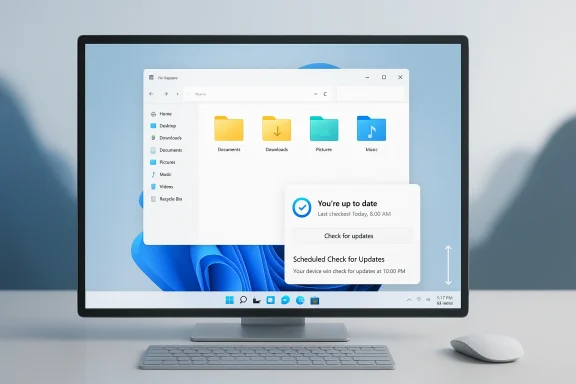
Computer monitor shows Windows File Explorer with an update notification saying you’re up to date.Overview​

Microsoft’s Windows 11 strategy in 2026 looks less like a conventional feature cycle and more like a repair program. The company appears to be acknowledging that many of the loudest complaints about Windows 11 were not about one dramatic bug or one unpopular design choice, but about a broader sense that the operating system had become heavier, noisier, and more opinionated than users wanted. That is why the current push matters: it is not about adding more surface area, but about restoring confidence in the basics.
The most visible part of the shift is the retreat from AI everywhere rhetoric. Microsoft is not abandoning Copilot, but it is reducing the number of places where Copilot intrudes into routine workflows. That is an important distinction, because the frustration around Windows 11 was never simply that AI existed. It was that AI often felt bolted onto places where users were trying to do something quick and straightforward.
Equally important is the company’s renewed attention to old-school desktop control. Windows 11 launched with a cleaner design, but it also removed or constrained behaviors that long-time users considered essential. Among the most symbolic of those changes was the taskbar’s fixed position, which became shorthand for the idea that Microsoft had prioritized design discipline over practical flexibility. The new roadmap’s willingness to revisit that decision signals something deeper than a feature update.
There is also an enterprise angle here that deserves more attention. Businesses care less about visual polish and more about reliability, update control, and whether the shell behaves consistently across fleets of devices. Microsoft’s quality-first framing is therefore both a consumer response and an IT strategy. If the company can reduce friction for admins and helpdesk teams, it improves the business case for staying on Windows 11 rather than testing alternatives.
Finally, the timing matters. The broader Windows market has changed. Windows 10’s end-of-support transition, the rise of more capable Linux desktops, and the ongoing polish of Apple’s Mac platform have all raised the bar. Microsoft is not just fixing Windows 11 for the sake of optics; it is trying to keep Windows relevant in a market where users have more credible options than they did a decade ago. The current reset is best understood as an attempt to preserve Windows’ default status by making the experience feel earned again.

The Big Strategic Pivot​

The clearest story is that Microsoft seems to be moving from an innovation-first narrative to a trust-first narrative. That is a substantial shift because the company spent much of the early Windows 11 era presenting change as inherently valuable, even when some of those changes created friction. Now the emphasis is on removing friction, not creating it.
This is not a retreat from progress so much as a recognition that progress without usability does not translate into goodwill. Users will tolerate new capabilities if the operating system still feels predictable, fast, and respectful. But if the platform keeps interrupting them, advertising itself, or hiding familiar controls, even strong new features start to feel like clutter.

From spectacle to utility​

The most important phrase in this transition is not “new features,” but better behavior. Microsoft appears to understand that Windows only earns trust when it quietly gets out of the way. A faster File Explorer, calmer updates, and fewer Copilot prompts may not generate flashy demo moments, but they can change how the operating system feels every hour of every day.
That kind of improvement is hard to market and easy to underestimate. Yet it is exactly what longtime Windows users have been asking for. They do not necessarily want a different OS; they want a Windows that feels finished, coherent, and less intrusive.

Why the shift is happening now​

The pivot also reflects competitive pressure. Apple has its own interface controversies, but macOS still benefits from a sense of polish and consistency. ChromeOS remains simpler. Linux has improved enough that it is no longer dismissed as a hobbyist-only option. Against that backdrop, Windows cannot afford to be the loudest or most self-interrupting desktop in the room.
Microsoft’s roadmap suggests it has absorbed that lesson. The company is trying to preserve the scale and compatibility advantages of Windows while reducing the sense that the OS is constantly asking for attention. That is a smarter position than trying to win users over with novelty alone.
  • Microsoft is prioritizing trust over theater.
  • Windows 11 is being repositioned as a finished product, not a moving target.
  • The company is responding to competition from macOS and Linux.
  • Quality-of-life fixes are becoming a strategic message, not a footnote.

Copilot Shrinks, But Does Not Disappear​

One of the most notable developments is the apparent reduction of Copilot’s visual footprint across Windows 11. Microsoft is not abandoning the assistant, but it is scaling back unnecessary entry points in inbox apps and system surfaces. That matters because the presence of Copilot in every corner of the interface became a symbol of overreach.
Users generally do not object to AI when it is useful, optional, and well-placed. What they object to is promotional AI — the sense that the operating system is trying to sell them on a feature rather than helping them complete a task. In that sense, Microsoft’s course correction is as much about restraint as it is about product design.

The difference between integrated and intrusive​

There is a line between intelligent integration and visual clutter. Microsoft appears to be moving closer to that line, if not yet fully past it. Reducing the number of Copilot buttons in places like Snipping Tool, Photos, Widgets, and Notepad suggests a recognition that not every app needs a chatbot badge on the surface.
That is a healthy change. It allows Copilot to exist where it can plausibly help while removing the feeling that the entire OS has been repurposed into one long AI marketing funnel. The distinction sounds subtle, but for users, it is profound.

Why restraint matters for adoption​

Copilot adoption will be healthier if it grows from utility rather than from saturation. The more often users see the assistant in contexts where it clearly makes sense, the more likely they are to use it voluntarily. The less it feels imposed, the more credible it becomes.
This also matters for enterprise deployment. IT departments are more comfortable with features that can be understood, controlled, and governed. If Microsoft can make Copilot feel less like a system-wide default and more like a targeted tool, it improves the story for business adoption.
  • Copilot is being repositioned as optional utility, not mandatory decoration.
  • Fewer prompts should reduce user fatigue.
  • Better placement may improve real-world usage.
  • Enterprise admins benefit when AI surfaces are easier to govern.

The Taskbar Debate Finally Turns Practical​

Few Windows 11 complaints have been as durable as the taskbar issue. For many users, the inability to move the taskbar to the top or sides of the screen was not a minor inconvenience; it was a workflow regression. Microsoft’s willingness to restore that flexibility is therefore one of the most symbolically important changes in the roadmap.
The taskbar is not merely a visual strip. It is the anchor for multitasking, launch behavior, notifications, and visual orientation. When Microsoft fixed it to the bottom edge, it effectively told users that one layout would serve everyone. That was always going to be controversial in a desktop world full of ultrawide monitors, vertical displays, and highly customized workspaces.

A symbolic reversal​

Restoring taskbar mobility is important because it signals a broader change in philosophy. Microsoft is admitting, indirectly but clearly, that some of the platform’s early simplification choices went too far. That kind of concession can be powerful when users feel the company has not been listening.
It also helps Windows feel more like Windows again. Customization has always been part of the operating system’s identity. When that flexibility disappears, the product may look cleaner, but it loses one of the qualities that made it beloved by enthusiasts and professionals.

Practical impact on different users​

For consumers, the benefit is mostly about comfort and habit. For power users, it is about workflow efficiency. For enterprise environments, it is about accommodating a wider range of setups without forcing a one-size-fits-all layout.
The broader implication is that Microsoft may finally be willing to support desktop reality as it exists, not as the company wishes it were. That is a better starting point for a modern OS.
  • The taskbar is a core workflow surface, not a decorative strip.
  • Repositioning restores an old Windows tradition.
  • Power users gain flexibility for varied monitor setups.
  • Microsoft is signaling a more user-centered desktop philosophy.

What could go wrong​

Implementation will matter. If taskbar repositioning creates awkward behavior in Start, Search, notifications, or flyouts, the goodwill could evaporate quickly. Users are willing to forgive a long delay in restoring a feature; they are less forgiving if the restored feature feels half-finished.
That is why the technical challenge is more important than the headline. Restoring flexibility is easy to announce. Making it reliable across the whole shell is the real test.

Faster Core Apps and a Cleaner Shell​

Another major part of the Windows 11 reset is the renewed focus on performance, especially in everyday tools like File Explorer. That may sound unglamorous, but it is exactly the right place to invest if Microsoft wants users to feel the OS is improving in a tangible way.
File Explorer is one of the most-used parts of Windows. If it feels slow, flickery, or inconsistent, the whole operating system inherits that perception. Small speed gains here matter because they affect the most common actions: opening folders, moving files, searching, and navigating large datasets.

Why File Explorer matters so much​

File Explorer is a trust engine. Users notice when it responds instantly, and they notice even more when it lags, redraws awkwardly, or behaves inconsistently. That makes it a high-leverage area for Microsoft to improve.
In enterprise settings, those improvements compound. Support teams field fewer complaints, users waste less time waiting on basic file operations, and the platform feels more dependable at scale. Even modest improvements can have an outsized impact because they touch so many workflows.

Small gains, large perception effects​

A lot of Windows quality is invisible until it fails. Faster loading, fewer UI glitches, and smoother navigation may not produce dramatic screenshots, but they shape the emotional experience of the OS. People remember whether the computer feels ready when they need it.
That is why Microsoft’s focus on cleaner shell behavior is smart. It recognizes that the OS does not need to wow users every minute; it needs to stop annoying them. That is often the difference between a platform people tolerate and one they actually like.
  • File Explorer speed influences the perceived quality of Windows.
  • Reliability improvements reduce daily friction.
  • Small latency gains can create large trust gains.
  • Cleaner shell behavior matters more than flashy redesigns.

The enterprise case​

For businesses, a more responsive shell also reduces the sense that Windows 11 is a transition tax. IT teams do not want to spend time explaining why basic navigation feels clunky. They want a predictable desktop that behaves consistently across devices and updates.
If Microsoft can make the shell feel lighter without sacrificing compatibility, that helps Windows 11 look less like a work-in-progress and more like a standard corporate platform.

Updates Without the Drama​

Windows Update has long been one of the most emotionally charged parts of the Windows experience. Microsoft needs updates for security and stability, but users want control over timing, especially during meetings, travel, or the end of a workday. The company’s new willingness to soften update behavior is therefore a meaningful concession.
The objective is not to weaken update security. It is to make update handling feel less adversarial. That distinction is important, because the old dynamic often made users feel as if the operating system owned the machine rather than served it.

Less interruption, more agency​

Allowing users to skip updates during setup or shut down without being pushed into a forced install cycle is the kind of improvement that sounds minor until you have lived through the frustration it removes. It gives people more agency at exactly the moment they feel most vulnerable to interruption.
That matters because the first impression of a new PC often includes migration, account setup, and update prompts. If that process becomes smoother, the OS feels more respectful from the start. If it becomes more predictable, users are less likely to resent the platform before they even reach the desktop.

The IT management angle​

For IT administrators, update control is not just about convenience. It affects support load, change management, and user satisfaction. Fewer surprise restarts mean fewer disrupted calls, meetings, and remote sessions.
Microsoft’s willingness to acknowledge this should be welcomed. It suggests the company understands that update friction is not an abstract complaint; it is a real productivity drain. Better control is also a sign of maturity. Mature platforms trust users and admins to decide timing within sensible guardrails.
  • Updates must remain secure.
  • Users need more scheduling flexibility.
  • Setup should not feel like a hostage situation.
  • Restart behavior should be less disruptive.
  • IT teams need fewer surprise incidents.

A more respectful model​

The best update system is one people barely think about. That means Microsoft should aim for updates that are visible when necessary and invisible when not. A calmer update experience would not just reduce irritation; it would help Windows feel less combative.
That change could turn one of Windows’ most hated subsystems into a source of quiet confidence. That would be a genuine win.

Consumer Impact Versus Enterprise Impact​

The Windows 11 reset does not land the same way for every audience. Consumers care about convenience, speed, and whether the OS feels less annoying. Enterprises care about manageability, support burden, and whether new changes destabilize familiar workflows. Microsoft’s challenge is to satisfy both without splitting the platform into contradictory experiences.
For consumers, the immediate gains are obvious. A movable taskbar, fewer Copilot interruptions, and faster core apps all improve day-to-day use. These are the kinds of changes people notice without reading release notes, which makes them especially valuable.

Why consumers are likely to respond positively​

The consumer reaction will hinge on whether Microsoft’s changes feel genuine or merely tactical. If people sense that the company is simply polishing the most visible complaints while keeping the rest of the clutter intact, skepticism will remain. But if the changes reach across the shell in a consistent way, the perception of Windows 11 could improve quickly.
That is especially true among power users who have felt ignored for years. They do not need Windows to become perfect. They need it to stop acting like it knows better than they do.

Why enterprises will watch more cautiously​

Business buyers will be more cautious. They do not reward novelty for its own sake. They reward reliability, compatibility, and predictable servicing. Microsoft’s quality-first message helps, but only if it translates into stable rollout behavior and fewer helpdesk headaches.
There is also a cultural element here. Enterprises often prefer Windows because it is familiar and supportable. If Microsoft can make Windows 11 feel less noisy without introducing new administrative headaches, that strengthens the platform’s default status.
  • Consumers want comfort and control.
  • Enterprises want predictability and manageability.
  • The same feature can help one audience and concern the other.
  • Microsoft has to improve trust without creating rollout risk.

The shared goal​

Despite these differences, both groups want the same basic outcome: a desktop that works without drama. That is where Microsoft’s roadmap is strongest. It is focused on removing friction from the most common interactions, which should help both home users and IT teams.
If the company keeps that priority intact, Windows 11 can become more than a visually updated Windows 10 successor. It can become a platform people are happy to use again.

The Competitive Stakes​

The broader market context makes this Windows 11 reset more important than a routine product cycle. Microsoft is not operating in a vacuum. Apple continues to improve macOS in its own distinct way, ChromeOS remains efficient and simple for many users, and Linux desktop environments have matured enough to attract more serious attention than before.
Windows still wins on compatibility, software breadth, and installed base. But those advantages do not excuse a poor user experience. If anything, they raise expectations, because a platform this dominant should not feel this conflicted.

Apple as the polish benchmark​

Apple’s recent software strategy has its own controversies, but the Mac retains a reputation for coherence. That reputation matters in the comparison. Windows 11 may offer more flexibility, but if it feels more cluttered and less intentional, Apple benefits by contrast.
Microsoft’s response, in effect, is to narrow that gap. It is trying to make Windows feel less like a compromise and more like a platform with a clear identity. That is a competitive necessity, not just a brand exercise.

Linux and ChromeOS as pressure points​

Linux has long been the flexible alternative, but it is now more usable for a wider range of people. ChromeOS remains a reminder that many users value simplicity over feature sprawl. Both platforms benefit when Windows looks complicated or noisy.
That does not mean Windows is suddenly in danger of losing its core market. It does mean Microsoft can no longer assume dissatisfaction will stay contained. The modern desktop market is more porous than it once was.
  • Windows must now compete on experience, not just compatibility.
  • macOS sets a high bar for polish.
  • ChromeOS proves simplicity has value.
  • Linux proves flexibility can be modern and credible.

Why Microsoft’s reset matters​

A quality-first Windows 11 gives Microsoft a better answer to all three competitors. It says Windows can be modern without becoming obnoxious, and customizable without becoming chaotic. That is a compelling position if the execution matches the promise.
If it does not, the competitive contrast will sharpen. Users increasingly know what else exists.

Strengths and Opportunities​

Microsoft’s current direction has real upside if it is sustained, because it tackles the complaints people actually repeat to one another. The strongest part of the plan is that it focuses on everyday usability rather than product marketing. That gives it a chance to change how Windows 11 feels in practice, not just how it reads in a roadmap.
  • Quality-first positioning restores trust where feature-first messaging had worn thin.
  • Taskbar flexibility can win back power users and enthusiasts.
  • Reduced Copilot clutter should make the OS feel less promotional.
  • File Explorer improvements can elevate the perceived speed of the whole platform.
  • More flexible updates could reduce both consumer frustration and admin overhead.
  • A calmer Windows is easier to recommend to cautious buyers.
  • Enterprise confidence may improve if the shell feels more predictable.

Risks and Concerns​

The biggest risk is that Microsoft may overpromise a cultural reset and underdeliver on execution. Users have heard many versions of “we’re listening” before, and they will not be impressed by language alone. The company also has to avoid making the old frustrations disappear only to replace them with new ones.
  • Half-finished implementation could undo the goodwill of restored features.
  • Feature fragmentation might create inconsistent behavior across builds.
  • Copilot restraint could be temporary if Microsoft reverts to aggressive placement later.
  • Update flexibility may conflict with security messaging if not handled carefully.
  • Performance gains might be too small to matter on lower-end hardware.
  • Enterprise trust can erode quickly if release quality slips.
  • User skepticism remains high after years of mixed Windows 11 feedback.
The other concern is philosophical. Microsoft may be tempted to treat restraint as a temporary phase rather than a durable product principle. If the company slides back into clutter, ads, and overbearing prompts once the criticism cools, it will have made the trust problem worse, not better. Windows users notice patterns, and broken trust is harder to repair than a UI bug.

Looking Ahead​

The next few Windows 11 release cycles will tell us whether this is a genuine reset or just a more polished version of the same old playbook. The important thing to watch is not whether Microsoft ships a single headline feature, but whether the company keeps making small decisions that reduce friction across the platform. That is how operating systems earn loyalty.
There is reason for cautious optimism. The current roadmap reads like it was written by people who finally understand that Windows wins when it feels dependable, not when it feels loud. If Microsoft can stay disciplined, the platform may end 2026 with a very different reputation than it had at the start of the year.
  • Watch for taskbar repositioning to reach mainstream builds.
  • Watch for Copilot reductions to remain consistent across inbox apps.
  • Watch for File Explorer speed and stability improvements on real hardware.
  • Watch for update timing changes to hold up during setup and shutdown.
  • Watch for enterprise rollout quality across preview and public channels.
In the end, Microsoft’s challenge is not to invent a new Windows identity from scratch. It is to remember the one users wanted all along: fast, flexible, and unobtrusive. If Windows 11 can become that version of itself, Microsoft will have done more than issue a correction. It will have rebuilt a measure of trust that the company badly needs for the next phase of the PC era.

Source: Windows Central Windows Central Podcast: Breaking down Microsoft's major Windows 11 plan
Source: Windows Latest Microsoft reveals when Windows 11’s 2026 update is coming with speed boosts, less AI, movable taskbar
 

Back
Top