

Microsoft’s early 2026 Insider flights have made one thing clear: Windows 11’s next acts are about consolidation and operationalizing advanced capabilities — folding specialist tools and AI-driven accessibility into the core OS while quietly modernizing everyday surfaces like the Settings app and desktop background handling.
Windows Insider builds released so far this year show Microsoft balancing two parallel priorities. On one hand, the company is integrating deeper platform plumbing and enterprise-grade telemetry into Windows; on the other, it’s shipping targeted usability improvements that will matter to everyday users. The Insider program continues to be the front line for both experiments and production-ready changes, delivered through three distinct channels:
Why this is helpful:
Regional and policy caveats apply: the rollout is staged and gated by account region (examples show the feature is not immediately available in the EEA for some flights), and enterprise tenants should verify integration with their DLP and sharing policies before broadening availability.
The Canary Channel’s 28020-series represents platform-level experiments — sometimes tailored to new silicon. Some reporting and community discussion suggest that early 26H1 Canary work targets specific silicon lines and may only apply to certain devices; separate coverage has indicated that certain 26H1 platform releases were initially focused on Arm-based OEM hardware. Microsoft’s own messaging frames Canary as platform-first and not a general-purpose feature release.
The operational upshot: Insiders and admins must watch build numbers and be mindful that once a device accepts certain 26300 enablement packages, switching channels or rolling back may become harder.
That progress brings tradeoffs. Privacy choices, SIEM sizing, and CFR-induced variability are real operational considerations for IT teams. For end users, the changes are less dramatic but meaningful — better camera controls, modern image format handling, and smoother sharing workflows are the kind of practical improvements that accumulate into a noticeably better experience.
If you’re responsible for pilots or device fleets, the immediate task is straightforward: test conservatively, validate privacy and compliance, control Sysmon enablement and configuration, and treat server-side feature gating as a part of your test matrix. For enthusiasts and accessibility advocates, the expansion of AI-assisted Narrator is a clear step forward; for enterprise defenders, inbox Sysmon is a major convenience that must be paired with disciplined configuration.
We’re still early in the cycle. Features will continue to be staged, revised, and occasionally pulled. Treat these preview flights as an invitation to test and shape the final release — but plan your deployments with the same rigor you’d apply to any significant platform change.
Source: Windows Central Windows 11 is testing new 2026 features and some are already live
 Background / Overview
Windows Insider builds released so far this year show Microsoft balancing two parallel priorities. On one hand, the company is integrating deeper platform plumbing and enterprise-grade telemetry into Windows; on the other, it’s shipping targeted usability improvements that will matter to everyday users. The Insider program continues to be the front line for both experiments and production-ready changes, delivered through three distinct channels:- Dev Channel — now advancing in the 26300-series and being used as the lab for what will evolve into the 26H2 codebase.
- Beta Channel — remaining on the 26220/25H2 baseline for a short migration window where parity with Dev exists.
- Canary Channel — running much higher 28020-series builds, intended for platform, silicon- and firmware-specific work (a separate track sometimes limited to certain hardware).
What landed in Insider builds so far (the essentials)
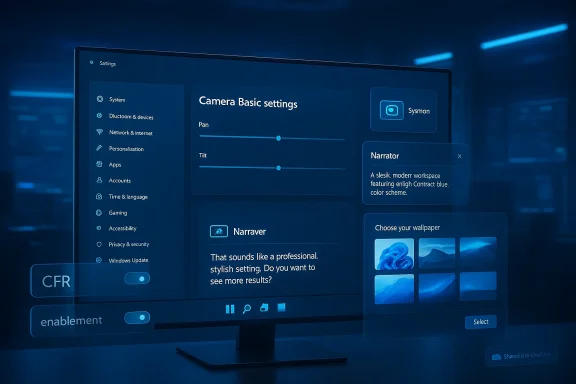
Several notable improvements and experiments have been staged across Insider flights in early 2026. The most consequential items are:- Sysmon (System Monitor) as a native, optional Windows feature — deep system event logging delivered as an installable inbox capability.
- Narrator integrated with Copilot for AI image descriptions — expanded beyond Copilot+ hardware so more users can get AI-driven alt-text and screen descriptions.
- Native camera controls in Settings — pan and tilt axes accessible in the Settings app for supported webcams.
- WebP images accepted as desktop backgrounds — modern image format support for the personalization path.
- Windows Share tweaks for OneDrive — sharing a OneDrive link now surfaces “Share using” choices so you can open other apps to send links.
- Account settings UI refinements — modernized dialogs for changing account types and other account surfaces.
- Channel split and multiple build streams — Dev has jumped forward to 26300-series (26H2 path) while Beta remains on 26220-series for the 25H2 enablement window; Canary is testing 28020-series platform changes.
Built‑in Sysmon: What changed and why it matters
What Sysmon is today
Sysmon (System Monitor) is a long-established Sysinternals tool used by security teams to generate high-fidelity event data: process creation with full command lines, file creation time changes, driver and DLL loads, raw disk reads, and optional network connection logging that links connections back to originating processes. For defenders and incident responders, Sysmon has been a go-to for threat hunting, correlation, and forensic timelines.What Microsoft shipped
Microsoft has begun shipping Sysmon functionality as an optional, inbox Windows feature that is disabled by default. Administrators can enable it from the Settings UI:- Settings > System > Optional features > More Windows features — check Sysmon;
- Dism /Online /Enable-Feature /FeatureName:Sysmon
- Complete setup with: sysmon -i
Strengths and practical implications
- Operational simplicity: delivering Sysmon as part of Windows simplifies deployment and servicing. Enterprises can rely on Windows Update servicing for consistent versions rather than cobbling together bespoke installs.
- Compatibility with existing tooling: the built-in Sysmon targets the same event channels and XML configuration model used by the standalone agent, meaning existing SIEM parsers and hunt rules should continue to work with minimal changes.
- Better supportability: inclusion in the OS opens the door for Microsoft support and guarantees better version lifecycle alignment.
Risks and caveats
- Event volume and storage: Sysmon produces large volumes of detailed telemetry. Enabling it broadly without filtering can overwhelm event log storage and ingestion pipelines and raise operational costs for log collection and retention.
- Configuration discipline required: administrators must design sensible XML configurations to limit noise and focus on high-value events; default configurations that are too verbose will quickly degrade usability.
- Conflict hazard: existing Sysinternals deployments must be uninstalled first. In large estates, failing to coordinate that uninstall step could lead to unpredictable outcomes.
- Documentation and change controls: the shift to an inbox feature means enterprises will need updated runbooks to account for enablement steps, version checks, and servicing behavior.
Narrator + Copilot: AI image descriptions for more users — and a privacy tradeoff
What changed
Microsoft expanded AI-powered image descriptions inside Narrator beyond devices that qualify as Copilot+ PCs (machines with on-device NPU acceleration). Two keyboard shortcuts let users invoke descriptions:- Narrator key + Ctrl + D — describe the focused image.
- Narrator key + Ctrl + S — describe the entire screen.
Strengths
- Accessibility gain: blind and low-vision users get richer contextual descriptions for images, charts, and graphs even when authors omit alt text.
- On-device option for high-end hardware: Copilot+ PCs keep processing local, preserving privacy and responsiveness when possible.
- User control: images are shared to the cloud only after an explicit confirmation in the Narrator flow.
Risk profile and policy implications
- Privacy and compliance: devices without NPUs will send images to cloud services for description — a privacy and regulatory concern, especially for organizations handling sensitive visuals. This behavior is presently gated in some regions for regulatory reasons.
- EEA unavailability and regional gating: due to compliance, some features are not available in regions such as the European Economic Area at rollout; this fragmentation complicates support and documentation.
- Governance for managed devices: organizations should map privacy policies and acceptable use before enabling cloud-based image descriptions widely. Microsoft has introduced admin controls around Copilot in preview (for example, policies to remove the Copilot app under conditions), but DLP and privacy policies should be evaluated.
Camera controls in Settings: pan, tilt, media types, multi‑app modes
What Microsoft added
Windows 11’s Camera settings now expose more low-level webcam controls where hardware supports them:- Pan and tilt sliders in Settings > Bluetooth & devices > Cameras > Camera > Basic settings (or equivalent Camera settings page).
- Media type selections in advanced modes such as resolution and frame rate where enumerated by drivers.
- Multi-app mode and basic troubleshooting modes that aim to ease sharing a camera stream concurrently or to surface a simplified experience for one-off video calls.
Why it matters
- Centralization: users no longer need to rely on vendor utilities for basic PTZ (pan-tilt-zoom) control, which streamlines workflows for hybrid workers, streamers, and helpdesk staff.
- Enterprise troubleshooting: helpdesk scripts can point users to Settings rather than third-party control panels.
- Hardware dependence: the OS only surfaces these options if a camera reports PTZ capabilities via UVC extensions or suitable drivers. Commodity integrated webcams without motorized axes will not show pan/tilt controls.
Practical caveats
- Inconsistent hardware support: don’t expect pan and tilt for laptop webcams; PTZ functionality is primarily useful for conference cameras and higher-end devices.
- Driver quality matters: vendors may need to update drivers for the OS to surface the full control set. IT teams should coordinate firmware and driver validation during pilots.
WebP desktop backgrounds: small change, practical impact
Windows 11 now lets you set WebP images as your desktop background through the standard background picker or File Explorer’s “Set as background” command. WebP offers better compression than JPEG/PNG at similar quality and supports lossless, lossy, transparency, and animation in the format itself.Why this is helpful:
- Less friction for web-sourced wallpapers — no conversion required.
- Smaller files for high-resolution imagery — reduces disk and sync footprints for theme packages.
- Simplified deployment for enterprises and OEMs distributing single WebP assets.
Windows Share and OneDrive link flow: smaller UX wins
A subtle but welcome change: when right-clicking to share a OneDrive cloud file and choosing Copy link, the Windows Share interface now surfaces “Share using” — listing other installed apps you can use to send the link. This removes friction for quickly dropping links into messaging apps or third-party clients and restores a common workflow users expect.Regional and policy caveats apply: the rollout is staged and gated by account region (examples show the feature is not immediately available in the EEA for some flights), and enterprise tenants should verify integration with their DLP and sharing policies before broadening availability.
Dev / Beta channel split and Canary’s platform-only track
Microsoft has intentionally begun splitting Dev and Beta again. Up to a recent point, both channels received builds based on the same 25H2 baseline. Beginning with higher 26300-series packages, the Dev Channel is moving forward as a platform test bed for what will become 26H2. The Beta Channel, for a limited window, remains on 25H2-based builds so Insiders who want to remain on the current release path can switch.The Canary Channel’s 28020-series represents platform-level experiments — sometimes tailored to new silicon. Some reporting and community discussion suggest that early 26H1 Canary work targets specific silicon lines and may only apply to certain devices; separate coverage has indicated that certain 26H1 platform releases were initially focused on Arm-based OEM hardware. Microsoft’s own messaging frames Canary as platform-first and not a general-purpose feature release.
The operational upshot: Insiders and admins must watch build numbers and be mindful that once a device accepts certain 26300 enablement packages, switching channels or rolling back may become harder.
Critical analysis — strengths, tradeoffs, and what to watch
Strengths
- Security built into the OS: shipping Sysmon as an optional, serviced Windows feature is a major win for defenders, simplifying deployment and version control.
- Accessibility gets AI: broadening Narrator’s AI descriptions can materially improve the digital experience for blind and low-vision users.
- Centralized device controls: bringing camera PTZ controls into Settings and modernizing account dialogs reduce dependence on vendor utilities, improving supportability.
- Incremental modernization: WebP support, Share UI tweaks, and emoji refreshes are useful small wins that improve the day-to-day experience.
Tradeoffs and risks
- Privacy vs functionality: the Copilot cloud handoff for image descriptions introduces a real privacy tradeoff for users without on-device NPUs. Organizations handling sensitive images must evaluate whether the convenience is acceptable under policy and regulation.
- Operational complexity from CFR: differing server-side flags mean testing and troubleshooting are more complicated — two machines with the same build number may behave differently. IT teams must treat CFR-based variability as a first‑class challenge.
- Event log noise and costs: Sysmon’s detail is valuable but expensive. Organizations must engineer retention, filtering, and SIEM ingest carefully to avoid runaway costs and data overload.
- Regional fragmentation: legal/regulatory constraints (EEA exclusions, differing privacy regimes) mean features may appear unevenly by geography, complicating global rollouts.
- Hardware fragmentation: Copilot+ vs non-Copilot devices and NPU availability create an inconsistent experience and can create expectations gaps among users and support teams.
Practical recommendations — what testers and IT teams should do now
If you run Insider builds or manage pilot groups, follow a disciplined approach:- Plan a pilot cohort:
- Assign a small, instrumented pilot group that represents the OS diversity (Copilot+, Intel/AMD devices, ARM devices).
- For Sysmon:
- Test with a conservative Sysmon XML configuration to limit event types initially.
- Monitor event volume and SIEM ingestion costs for 7–14 days before a broader roll‑out.
- Coordinate a clean uninstall of standalone Sysinternals Sysmon prior to enabling the inbox feature.
- For Narrator/Copilot:
- Evaluate privacy implications with Legal/Compliance. Decide whether cloud-based descriptions are allowed on managed endpoints.
- Map fallback experiences for regions where the feature is gated or unavailable.
- For camera and driver changes:
- Validate vendor driver updates in a device lab; confirm whether PTZ and media-type options are surfaced for core conferencing cameras.
- For WebP backgrounds and Share changes:
- Update internal documentation and imagery guidelines for theme packs and branding assets.
- Verify OneDrive link sharing behavior aligns with existing DLP and sharing governance.
- For channel and rollback:
- If you need to preserve channel mobility, avoid accepting higher-numbered Dev enablement packages until validation is complete.
- Maintain recovery images and rollback documentation for pilot devices.
What’s still uncertain and where to be cautious
- Some platform-level behaviors (for example, whether animated WebP will be treated as a live wallpaper or remain static) aren’t fully spelled out for every flight; assume static image support unless Microsoft’s final release notes say otherwise.
- The long-term plan for 26H1 versus 26H2 (and whether certain early platform releases will be silicon-limited) remains fluid. Reports indicate some early Canary work is silicon-specific; confirm device eligibility before making upgrade decisions.
- Feature availability is heavily staged through CFR. Presence of a KB or build does not guarantee immediate feature visibility — expect server-side gating and staggered exposure over days or weeks.
Looking ahead: signals and predictions
- Expect Microsoft to continue bringing specialist tools into Windows where it can add operational value (Sysmon is a likely harbinger for more inbox diagnostic and telemetry capabilities).
- On-device AI will remain a strategic differentiator for Copilot+ hardware; Microsoft will expand cloud fallbacks for broader reach, but privacy-conscious customers and heavily regulated industries will prefer on-device processing where possible.
- The continued use of enablement packages + CFR suggests Microsoft will iterate aggressively; administrators must treat Insider builds as a rehearsal for new operational patterns, not just new UI.
- Watch for consolidated enterprise controls around Copilot and AI features — admin policies for app removal, data flows, and DLP integration will be critical for enterprise adoption.
- The 26H2 timeframe will likely be where the most visible features land for mainstream users; Dev Channel experimentation will accelerate as the year progresses.
Conclusion
Early 2026’s Windows 11 Insider flights show Microsoft methodically turning once-experimental capabilities into mainstream OS features. The integration of Sysmon as a native Optional Feature and the expansion of Narrator’s AI descriptions are the most consequential changes here: the first signals that Microsoft is serious about bringing security and accessible AI into the Windows core.That progress brings tradeoffs. Privacy choices, SIEM sizing, and CFR-induced variability are real operational considerations for IT teams. For end users, the changes are less dramatic but meaningful — better camera controls, modern image format handling, and smoother sharing workflows are the kind of practical improvements that accumulate into a noticeably better experience.
If you’re responsible for pilots or device fleets, the immediate task is straightforward: test conservatively, validate privacy and compliance, control Sysmon enablement and configuration, and treat server-side feature gating as a part of your test matrix. For enthusiasts and accessibility advocates, the expansion of AI-assisted Narrator is a clear step forward; for enterprise defenders, inbox Sysmon is a major convenience that must be paired with disciplined configuration.
We’re still early in the cycle. Features will continue to be staged, revised, and occasionally pulled. Treat these preview flights as an invitation to test and shape the final release — but plan your deployments with the same rigor you’d apply to any significant platform change.
Source: Windows Central Windows 11 is testing new 2026 features and some are already live
