

Microsoft’s latest Windows 11 Insider Preview Build 26220.8271 is less a headline-grabbing feature drop than a carefully calibrated proof of life for the Beta Channel. Released on April 17, 2026, the build keeps Windows 11, version 25H2 on an enablement package track and focuses on refinements that matter most when the platform is already broadly stable: privacy settings clarity, File Explorer consistency, accessibility reliability, clipboard speed, and font quality. That may sound modest, but in the current Insider era, modesty is often the point. Microsoft is clearly using Beta as a controlled laboratory for release readiness, not as a place to throw every experimental idea at users at once. (blogs.windows.com)
Windows Insider has become one of Microsoft’s most important product signals, and the Beta Channel in particular now tells us a lot about the company’s release philosophy. For years, preview builds were mainly about showing what was next; now they are also about validating how features are staged, how update timing is controlled, and how much variability Microsoft can tolerate inside a single branch. Build 26220.8271 continues that pattern, sitting squarely in the 25H2 lineage and arriving as an incremental update rather than a dramatic fork in the product road map. (blogs.windows.com)
That matters because Windows 11 version 25H2 is not being positioned as a disruptive replatforming. Microsoft’s own documentation says 24H2 and 25H2 share a common core OS and that 25H2 features are already present in dormant form until enabled by the package. In practice, that means Microsoft can move features forward with far less friction than in older release cycles, while still preserving a cleaner upgrade story for consumers and enterprises. The result is a release model that favors activation over replacement. (support.microsoft.com)
The Beta Channel itself has also been shifting. Microsoft’s Flight Hub shows that 25H2 preview builds are delivered on top of Build 26200, with an enablement package bumping the number to 26220 for Beta. That makes the channel’s role fairly explicit: it is not the frontier for unfinished platform rewrites, but a proving ground for feature exposure, rollout mechanics, and quality control. Build 26220.8271 follows several recent 26220 flights that emphasized the same philosophy: small, targeted, and often user-experience-oriented changes over big visible spectacles. (learn.microsoft.com)
Microsoft has also been increasingly explicit that Beta is governed by Controlled Feature Rollout. The company now splits updates into what is available to users who turn on the “get the latest updates as soon as they’re available” toggle and what eventually reaches everyone else in the channel. That split is a practical compromise, but it also changes the psychology of previewing Windows: two devices on the same build may not look the same, and that is now a feature of the program rather than a bug in it. (blogs.windows.com)
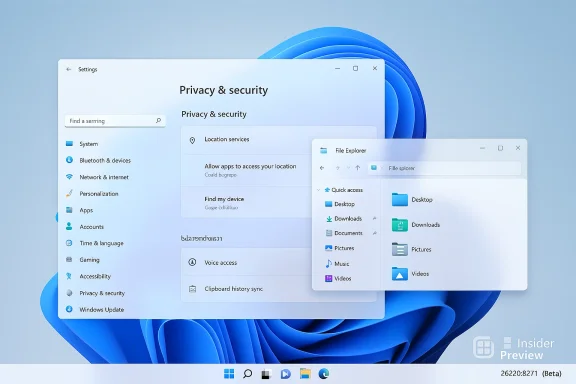
The clearest user-facing refinement is in Settings > Privacy & security > Location. Microsoft says it is clarifying what happens when Location services are turned off by greying out options like Default location and Allow location override, because those options are unusable when apps and services are not receiving location data. This is a simple UI change, but it addresses a common source of confusion: settings that appear available even when the underlying service state makes them meaningless. That kind of polish may not sell screenshots, but it does reduce support noise. (blogs.windows.com)
Elsewhere, Microsoft says it improved the reliability of navigating to Settings > Apps > Installed apps, updated the placement of iconography in the File Explorer search box for consistency across PCs, and improved File Explorer reliability overall. These are small lines in a changelog, but they touch one of Windows’ most-used surfaces. When File Explorer changes are invisible, that is usually a good sign; it means the shell is becoming more predictable rather than more complicated. (blogs.windows.com)
The build also improves the performance of opening clipboard history, which sits in a similar category: not glamorous, but deeply useful to anyone who works across multiple apps, drafts content often, or moves text snippets constantly. Faster access to clipboard history means a smoother interaction loop, and smoother interaction loops are what make Windows feel responsive in daily use. When Windows trims even a fraction of a second from a common action, the improvement compounds across a workday. (blogs.windows.com)
Microsoft also calls out improved reliability and performance of Windows Hello fingerprint after the PC wakes from sleep. That is an important detail because biometric sign-in is only as good as its consistency. A fingerprint reader that works reliably at login but hesitates after sleep becomes a trust problem, not a convenience. By addressing wake-from-sleep behavior, Microsoft is fixing a scenario that many users hit repeatedly without even thinking about it—until it fails. (blogs.windows.com)
That is worth emphasizing because File Explorer is a classic “make or break” area for desktop credibility. If a core shell surface behaves unpredictably, even highly technical users start to question the broader stability of the operating system. Microsoft’s willingness to keep iterating on the Explorer surface reflects a broader recognition that shell polish is not cosmetic; it is part of the OS’s reputation engine. (blogs.windows.com)
There is also a subtle consistency story here. By adjusting iconography placement across PCs, Microsoft is acknowledging that Windows still has to live on a broad range of displays, scaling settings, and OEM configurations. Small visual alignments like this reduce the sense that the same OS can feel strangely different from one machine to another. That uniformity matters more than it once did, because users now expect cross-device coherence by default. (blogs.windows.com)
This kind of update is also a reminder that Windows development is not only about the English-speaking desktop market. A great deal of engineering effort goes into making sure scripts render correctly, spacing looks natural, and character clusters behave as expected. Those details are easy to overlook when they work, which is precisely why they matter: the best localization work is invisible, and its absence is immediately obvious. (blogs.windows.com)
There is a practical angle too. Better font rendering reduces the odds that text looks broken in system menus, dialogs, document viewers, or third-party applications relying on OS-level rendering behavior. In a global operating system, typography is not decoration; it is infrastructure. Microsoft’s willingness to revise fonts in a Beta build underscores how much hidden work goes into making Windows feel complete across languages and regions. (blogs.windows.com)
That is a major behavioral shift. Historically, preview builds implied a more uniform package: everyone got the same visible features, even if stability varied. Today, Microsoft is clearly optimizing for phased exposure, telemetry, and risk management. The tradeoff is obvious: greater control for Microsoft, but more variability for users. For power users, that variability can be frustrating; for Microsoft, it is a safety feature. (blogs.windows.com)
The toggle for getting the latest updates is the center of that strategy. Microsoft says users who turn it on will see features sooner, while those who leave it off will receive them later once they are considered ready. The company also notes that features and experiences in these builds may never ship at all. That is an unusually candid reminder that the Insider program is a test bed, not a promise ledger. (blogs.windows.com)
There is also an important product-management lesson here. When a platform is already broadly mature, users tend to notice when the foundation gets shakier, not when the company piles on more complexity. A quiet build like 26220.8271 can therefore do more for trust than a bigger, noisier release. It signals that Microsoft is still willing to pay down usability debt even while the company continues evolving the next release family. (blogs.windows.com)
The broader context makes this more interesting. Windows 11 25H2 is being delivered as an enablement package, which means Microsoft is optimizing for continuity. In that world, the quality of the underlying shell and settings experience matters even more because the platform’s visible changes may be incremental, but the expectations around stability are not. Users do not want a new foundation every year; they want the same foundation to behave better every month. (support.microsoft.com)
It will also be worth watching how much of this build’s work survives into the broader release cycle. File Explorer consistency, Windows Hello wake behavior, and clearer privacy states are the kinds of changes that should have a high chance of sticking because they improve reliability rather than invent new behavior. Font and localization updates should also remain strategically important, especially as Microsoft continues shipping Windows as a global, continuously serviced platform. (blogs.windows.com)
Source: Microsoft - Windows Insiders Blog Announcing Windows 11 Insider Preview Build 26220.8271 (Beta Channel)
 Background
Windows Insider has become one of Microsoft’s most important product signals, and the Beta Channel in particular now tells us a lot about the company’s release philosophy. For years, preview builds were mainly about showing what was next; now they are also about validating how features are staged, how update timing is controlled, and how much variability Microsoft can tolerate inside a single branch. Build 26220.8271 continues that pattern, sitting squarely in the 25H2 lineage and arriving as an incremental update rather than a dramatic fork in the product road map. (blogs.windows.com)That matters because Windows 11 version 25H2 is not being positioned as a disruptive replatforming. Microsoft’s own documentation says 24H2 and 25H2 share a common core OS and that 25H2 features are already present in dormant form until enabled by the package. In practice, that means Microsoft can move features forward with far less friction than in older release cycles, while still preserving a cleaner upgrade story for consumers and enterprises. The result is a release model that favors activation over replacement. (support.microsoft.com)
The Beta Channel itself has also been shifting. Microsoft’s Flight Hub shows that 25H2 preview builds are delivered on top of Build 26200, with an enablement package bumping the number to 26220 for Beta. That makes the channel’s role fairly explicit: it is not the frontier for unfinished platform rewrites, but a proving ground for feature exposure, rollout mechanics, and quality control. Build 26220.8271 follows several recent 26220 flights that emphasized the same philosophy: small, targeted, and often user-experience-oriented changes over big visible spectacles. (learn.microsoft.com)
Microsoft has also been increasingly explicit that Beta is governed by Controlled Feature Rollout. The company now splits updates into what is available to users who turn on the “get the latest updates as soon as they’re available” toggle and what eventually reaches everyone else in the channel. That split is a practical compromise, but it also changes the psychology of previewing Windows: two devices on the same build may not look the same, and that is now a feature of the program rather than a bug in it. (blogs.windows.com)
What Build 26220.8271 Actually Changes
The most visible theme in Build 26220.8271 is restraint. Microsoft did not use this flight to introduce a sweeping new interface, a fresh AI assistant layer, or a major shell redesign. Instead, it concentrated on everyday friction points: setting clarity, app navigation reliability, shell consistency, login robustness, performance, and font rendering. That kind of release tells you a lot about where Windows 11 is in its lifecycle. The platform is mature enough that smaller correctness fixes now matter more than flashy novelty. (blogs.windows.com)The clearest user-facing refinement is in Settings > Privacy & security > Location. Microsoft says it is clarifying what happens when Location services are turned off by greying out options like Default location and Allow location override, because those options are unusable when apps and services are not receiving location data. This is a simple UI change, but it addresses a common source of confusion: settings that appear available even when the underlying service state makes them meaningless. That kind of polish may not sell screenshots, but it does reduce support noise. (blogs.windows.com)
Elsewhere, Microsoft says it improved the reliability of navigating to Settings > Apps > Installed apps, updated the placement of iconography in the File Explorer search box for consistency across PCs, and improved File Explorer reliability overall. These are small lines in a changelog, but they touch one of Windows’ most-used surfaces. When File Explorer changes are invisible, that is usually a good sign; it means the shell is becoming more predictable rather than more complicated. (blogs.windows.com)
Why the quiet fixes matter
Quiet fixes matter because they shape trust. Users often remember crashes, odd navigation loops, or settings that seem to lie about their actual state far more vividly than they remember headline features. By refining the location page and File Explorer behavior, Microsoft is reducing the number of moments where Windows feels internally inconsistent. That is especially important in a Beta build, where people are already paying attention to every rough edge. (blogs.windows.com)- Location settings now communicate service state more honestly.
- Installed apps navigation should be more dependable.
- File Explorer search box visuals are becoming more uniform.
- Reliability work suggests Microsoft is protecting core shell paths.
- These changes help reduce support and feedback friction.
Accessibility and Input Experience
Although Build 26220.8271 does not announce a marquee accessibility feature, it does continue Microsoft’s broader pattern of tightening interaction quality. The most noteworthy item in this build is the improved navigation pane usage for Voice Access users. That is a subtle change, but it matters because accessibility is often defined less by grand new capabilities than by how smoothly existing controls can be traversed. If a feature is technically present but awkward to move through, its practical value drops fast. (blogs.windows.com)The build also improves the performance of opening clipboard history, which sits in a similar category: not glamorous, but deeply useful to anyone who works across multiple apps, drafts content often, or moves text snippets constantly. Faster access to clipboard history means a smoother interaction loop, and smoother interaction loops are what make Windows feel responsive in daily use. When Windows trims even a fraction of a second from a common action, the improvement compounds across a workday. (blogs.windows.com)
Microsoft also calls out improved reliability and performance of Windows Hello fingerprint after the PC wakes from sleep. That is an important detail because biometric sign-in is only as good as its consistency. A fingerprint reader that works reliably at login but hesitates after sleep becomes a trust problem, not a convenience. By addressing wake-from-sleep behavior, Microsoft is fixing a scenario that many users hit repeatedly without even thinking about it—until it fails. (blogs.windows.com)
The everyday usability angle
These are the kinds of improvements that do not dominate release notes but have an outsized effect on user satisfaction. Accessibility and input polish are not side quests in Windows; they are core product quality indicators. A fast clipboard surface, a smoother fingerprint resume path, and a more usable navigation pane all reduce the number of micro-frictions that can make a desktop feel tired or unreliable. (blogs.windows.com)- Voice Access gains more practical navigation behavior.
- Clipboard history should open faster and feel more immediate.
- Windows Hello fingerprint should be more dependable after sleep.
- These changes target repetitive daily workflows.
- Better consistency here improves both consumer and enterprise confidence.
Input as a platform signal
Input quality also tells us something about Microsoft’s priorities. The company has spent years layering more intelligence and more features into Windows, but that strategy only works if the basics remain solid. A slow fingerprint sensor or sticky clipboard history can undo the goodwill created by bigger innovations. Build 26220.8271 suggests Microsoft is still willing to spend engineering effort on the boring parts, which is usually a healthy sign. (blogs.windows.com)File Explorer and Shell Reliability
File Explorer remains one of the most important diagnostics for Windows health because it is one of the first places users notice drift between expectation and reality. In this build, Microsoft says it updated iconography placement in the search box so it is more consistent across different PCs, improved File Explorer reliability, and continued to smooth navigation behavior in the shell. These kinds of refinements suggest Microsoft still sees the file manager as a living component rather than a frozen legacy app. (blogs.windows.com)That is worth emphasizing because File Explorer is a classic “make or break” area for desktop credibility. If a core shell surface behaves unpredictably, even highly technical users start to question the broader stability of the operating system. Microsoft’s willingness to keep iterating on the Explorer surface reflects a broader recognition that shell polish is not cosmetic; it is part of the OS’s reputation engine. (blogs.windows.com)
There is also a subtle consistency story here. By adjusting iconography placement across PCs, Microsoft is acknowledging that Windows still has to live on a broad range of displays, scaling settings, and OEM configurations. Small visual alignments like this reduce the sense that the same OS can feel strangely different from one machine to another. That uniformity matters more than it once did, because users now expect cross-device coherence by default. (blogs.windows.com)
Why shell polish keeps returning
Shell polish keeps returning to Insider builds because shell friction never fully disappears. File Explorer sits at the crossroads of file management, app launch behavior, search, and general desktop navigation, so any instability there amplifies quickly. Microsoft’s repeated tuning of this area suggests the company understands that the shell is still where many users judge Windows first. (blogs.windows.com)- Search box iconography is becoming more consistent.
- File Explorer reliability continues to get attention.
- Shell polish improves first impressions and daily confidence.
- Cross-PC consistency matters in a heterogeneous hardware ecosystem.
- Even modest shell changes can influence support burden.
The enterprise perspective
For enterprises, File Explorer stability is not just about convenience. It affects file access routines, support tickets, scripted workflows, and the confidence users have in moving data around the system. When the shell becomes steadier, organizations get fewer “Windows is weird again” complaints and fewer edge-case escalations. Build 26220.8271 is not a major enterprise release, but it is the kind of maintenance-heavy flight that makes enterprise adoption of preview branches more believable. (blogs.windows.com)Fonts, Localization, and Global Readiness
One of the more interesting changes in the build is Microsoft’s update to the Leelawadee UI font family for Thai, Lao, Khmer, and Lontara scripts. The company says the work is meant to improve glyph sequencing, positioning, and rendering. That sounds narrow, but font quality is one of the clearest indicators of whether a platform respects multilingual users as first-class citizens. If the text stack is weak, the whole interface feels less mature. (blogs.windows.com)This kind of update is also a reminder that Windows development is not only about the English-speaking desktop market. A great deal of engineering effort goes into making sure scripts render correctly, spacing looks natural, and character clusters behave as expected. Those details are easy to overlook when they work, which is precisely why they matter: the best localization work is invisible, and its absence is immediately obvious. (blogs.windows.com)
There is a practical angle too. Better font rendering reduces the odds that text looks broken in system menus, dialogs, document viewers, or third-party applications relying on OS-level rendering behavior. In a global operating system, typography is not decoration; it is infrastructure. Microsoft’s willingness to revise fonts in a Beta build underscores how much hidden work goes into making Windows feel complete across languages and regions. (blogs.windows.com)
Why typography still matters
Typography matters because the OS is full of text-heavy surfaces. Settings, notifications, app lists, installer screens, and dialog boxes all depend on clean rendering to preserve clarity. When Microsoft improves glyph positioning and sequencing, it is reducing the odds that users encounter visual oddities that make the product feel less polished than it should. (blogs.windows.com)- Leelawadee UI is being tuned for multiple Southeast Asian and related scripts.
- Better glyph sequencing improves text correctness.
- Rendering improvements support broader global usability.
- Typography fixes often prevent bugs that users would otherwise blame on apps.
- Localization quality is a credibility signal, not just an engineering footnote.
A quieter kind of quality
This is also the kind of update that tells you Microsoft is thinking beyond the narrow Insider audience. Features that affect international script rendering may never trend on social media, but they have real value in markets that depend on precise text display. If Windows wants to remain a serious global desktop platform, it has to keep doing this less visible work well. (blogs.windows.com)The Beta Channel Model Is the Real Story
Build 26220.8271 is important not just for what it changes, but for what it says about the Beta Channel itself. Microsoft’s release notes continue to split updates into two buckets: changes rolling out gradually to users who turn on the latest-updates toggle, and changes rolling out to everyone in the channel. That means Beta is no longer a single consistent experience; it is a staged delivery environment where rollout state can matter as much as build number. (blogs.windows.com)That is a major behavioral shift. Historically, preview builds implied a more uniform package: everyone got the same visible features, even if stability varied. Today, Microsoft is clearly optimizing for phased exposure, telemetry, and risk management. The tradeoff is obvious: greater control for Microsoft, but more variability for users. For power users, that variability can be frustrating; for Microsoft, it is a safety feature. (blogs.windows.com)
The toggle for getting the latest updates is the center of that strategy. Microsoft says users who turn it on will see features sooner, while those who leave it off will receive them later once they are considered ready. The company also notes that features and experiences in these builds may never ship at all. That is an unusually candid reminder that the Insider program is a test bed, not a promise ledger. (blogs.windows.com)
Why rollout state matters more now
Rollout state matters because it affects reproducibility. Two machines on the same build may not show the same features, and that complicates troubleshooting, documentation, and even informal community support. Microsoft is effectively asking users to accept that same build no longer necessarily means same experience. That is workable, but only if the company keeps communication crisp and the rollout logic predictable enough to follow. (blogs.windows.com)- Toggle-on users get earlier exposure.
- Toggle-off users get a slower, more conservative path.
- Features can remain hidden even inside the same build.
- Rollout state changes how users and admins validate behavior.
- Microsoft is clearly prioritizing controlled experimentation.
Enterprise vs. consumer implications
For consumers, the model mostly means more choice and potentially more surprise. For enterprises, it means more careful validation, more attention to feature state, and a stronger need to distinguish between build number and actual behavior. Microsoft’s own 25H2 documentation reinforces that these features can remain dormant until enabled, which is useful for servicing, but it also makes it essential to test based on both version and rollout status. (support.microsoft.com)Why This Build Feels Smaller Than It Is
On paper, Build 26220.8271 looks small. There is no flashy new consumer gadget, no major AI-branded interface revamp, and no dramatic shell redesign. But the cumulative effect of the changes is more meaningful than the raw changelog suggests. Microsoft is tightening the joints of the operating system: how settings behave, how shell surfaces line up, how login works after sleep, how clipboard features launch, and how fonts render across scripts. That is the kind of engineering that makes later features more survivable. (blogs.windows.com)There is also an important product-management lesson here. When a platform is already broadly mature, users tend to notice when the foundation gets shakier, not when the company piles on more complexity. A quiet build like 26220.8271 can therefore do more for trust than a bigger, noisier release. It signals that Microsoft is still willing to pay down usability debt even while the company continues evolving the next release family. (blogs.windows.com)
The broader context makes this more interesting. Windows 11 25H2 is being delivered as an enablement package, which means Microsoft is optimizing for continuity. In that world, the quality of the underlying shell and settings experience matters even more because the platform’s visible changes may be incremental, but the expectations around stability are not. Users do not want a new foundation every year; they want the same foundation to behave better every month. (support.microsoft.com)
What “small” really means here
A small Insider build is not necessarily a weak build. It can simply mean the platform is getting closer to a release posture, where the most valuable work is polish rather than invention. Build 26220.8271 feels like that kind of release: low on spectacle, high on hygiene. In modern Windows, that is often the more consequential kind of update. (blogs.windows.com)- The build is narrow, but the fixes are foundational.
- It improves confidence in the 25H2 servicing model.
- It reduces friction in core daily workflows.
- It reinforces Windows’ position as a continuously maintained platform.
- It suggests Microsoft is preparing for broader release discipline.
The competitive subtext
There is also competitive subtext. Operating systems compete less on raw feature count than on how gracefully they evolve. By making preview rollouts more controlled and the UI more coherent, Microsoft is trying to show that Windows can innovate without turning into a moving target. That matters in a market where users increasingly expect both speed and stability from their platforms. (blogs.windows.com)Strengths and Opportunities
The biggest strength of Build 26220.8271 is that it reinforces a credible long-term Windows 11 roadmap. Microsoft is clearly using the Beta Channel to smooth over rough edges before 25H2 becomes more visible, and the build’s changes are well chosen for that purpose. They improve clarity, reduce friction, and clean up the kinds of issues that quietly undermine confidence over time. (blogs.windows.com)- Better clarity in privacy and location settings.
- More consistent File Explorer behavior across devices.
- Faster clipboard history access for everyday productivity.
- More reliable Windows Hello fingerprint sign-in after sleep.
- Improved Voice Access navigation behavior.
- Higher-quality font rendering for multiple scripts.
- A cleaner Beta Channel experience for staged feature testing.
Risks and Concerns
The biggest concern with this kind of build is not instability in the traditional sense; it is inconsistency. When features are rolled out gradually and toggles affect visibility, users on the same build can have different experiences, which complicates testing, support, and even community discussion. That is manageable, but it is also easy to misread. (blogs.windows.com)- Same build number, different visible features.
- Preview behavior can be mistaken for a final contract.
- Toggle-based rollout adds support complexity.
- Accessibility and shell fixes may still carry edge cases.
- Localization changes could surface new rendering quirks.
- Beta participants may be frustrated by the absence of obvious new features.
- Some fixes may not translate cleanly to broader release behavior.
Looking Ahead
The next few Beta flights will tell us whether Build 26220.8271 is part of a wider usability cleanup or simply a maintenance-heavy pause between larger feature waves. The most important question is not whether the build is impressive on its own; it is whether Microsoft can keep the 25H2 branch feeling disciplined while still using Insider builds to explore new ideas. That balance has become central to Windows 11’s development story. (blogs.windows.com)It will also be worth watching how much of this build’s work survives into the broader release cycle. File Explorer consistency, Windows Hello wake behavior, and clearer privacy states are the kinds of changes that should have a high chance of sticking because they improve reliability rather than invent new behavior. Font and localization updates should also remain strategically important, especially as Microsoft continues shipping Windows as a global, continuously serviced platform. (blogs.windows.com)
What to watch next
- Whether the location settings clarification expands to more privacy pages.
- Whether File Explorer reliability keeps improving in later 26220 flights.
- Whether the fingerprint-after-sleep fix holds up across more hardware.
- Whether clipboard history performance gains remain stable under load.
- Whether font rendering changes prompt additional localization updates.
- Whether Microsoft adds more visible Beta features later in the 26220 line.
Source: Microsoft - Windows Insiders Blog Announcing Windows 11 Insider Preview Build 26220.8271 (Beta Channel)
Last edited:
