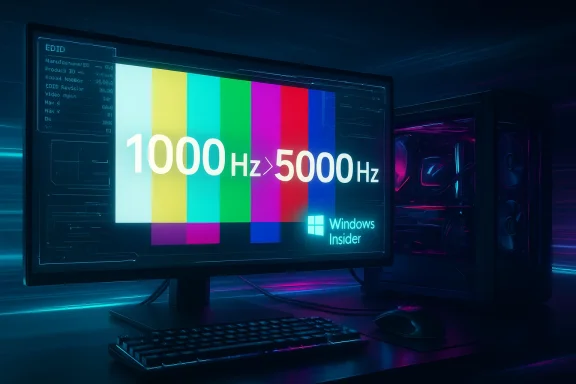
Microsoft’s recent Insider releases have rekindled a familiar developer and enthusiast debate: can the Windows display stack — and by extension the PC ecosystem — realistically support refresh rates in the thousands of Hertz? A number circulating on the internet and in a handful of community threads claims Windows 11 will gain support for displays up to 5,000 Hz. That claim deserves careful unpacking: Microsoft has indeed widened OS-level refresh‑rate handling in recent Insider builds, but the headline figure of 5,000 Hz conflates different technologies, and at present there is no evidence that consumer PC monitors will suddenly become 5,000 Hz-capable simply because Windows changed a setting.
Windows has incrementally expanded its display capabilities over recent releases, introducing and refining features that matter to high‑refresh displays: Dynamic Refresh Rate (DRR), improved Variable Refresh Rate (VRR) handling, and a series of graphics stack and driver model updates that let the OS interact more flexibly with GPU drivers and monitor EDIDs. These improvements are documented across Windows Insider posts and feature notes that explain how the Settings UI now supports DRR toggles and more explicit refresh‑rate controls for multiple displays. Those changes are real and deliberate — Microsoft has been modernizing the user experience around refresh rates.
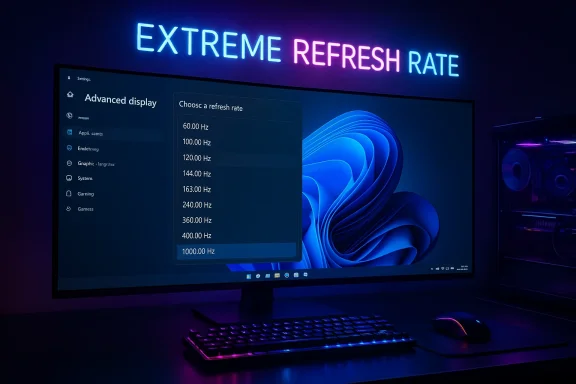
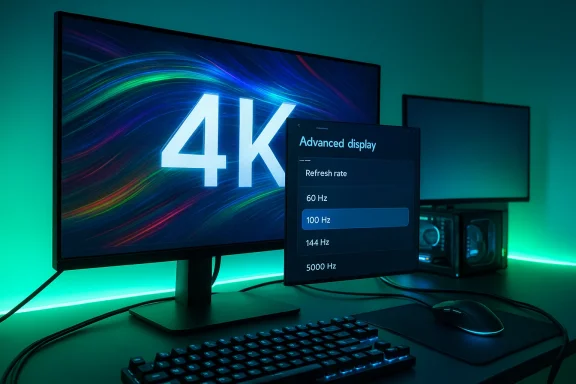
Third‑party reporting and community discussion picked up on a Release Preview cumulative package (packaged as KB updates for specific Insider builds) that referenced expanded “extreme display refresh rate” support. Community threads and preview notes framed the change as an expansion of the OS-level refresh envelope — i.e., Windows will allow and show alues in the Advanced Display settings where hardware and drivers permit. But the presence of a larger numeric ceiling in a settings UI is not the same as a sudden industry shift to 5,000‑Hz consumer panels.
Put bluntly: even if Windows shows a numeric option, the limiting factors for a consumer PC remain the display hardware, its internal electronics and the available transport bandwidth. Windows changing its UI to accept higher numeric refresh values is a necessary step for edge‑case devices, but it does not remove the physical limits set by cables, ports, GPUs and the panel itself.
Administrators and users should be cautious about:
Watch for:
Source: FlatpanelsHD https://www.flatpanelshd.com/news.php?subaction=showfull&id=1773385624
 Background / Overview
Windows has incrementally expanded its display capabilities over recent releases, introducing and refining features that matter to high‑refresh displays: Dynamic Refresh Rate (DRR), improved Variable Refresh Rate (VRR) handling, and a series of graphics stack and driver model updates that let the OS interact more flexibly with GPU drivers and monitor EDIDs. These improvements are documented across Windows Insider posts and feature notes that explain how the Settings UI now supports DRR toggles and more explicit refresh‑rate controls for multiple displays. Those changes are real and deliberate — Microsoft has been modernizing the user experience around refresh rates.Third‑party reporting and community discussion picked up on a Release Preview cumulative package (packaged as KB updates for specific Insider builds) that referenced expanded “extreme display refresh rate” support. Community threads and preview notes framed the change as an expansion of the OS-level refresh envelope — i.e., Windows will allow and show alues in the Advanced Display settings where hardware and drivers permit. But the presence of a larger numeric ceiling in a settings UI is not the same as a sudden industry shift to 5,000‑Hz consumer panels.
What the claim says — and what we can verify
- The widely circulated claim: “Windows 11 will support 5,000 Hz monitors.” That phrasing has appeared in headline-style posts and re-shares but traces back to summary lines in Insider/community notes about higort and “extreme” modes. The original FlatpanelsHD link the claim referred to appears to be dead or removed, so the specific piece that made the 5,000‑Hz assertion can’t be confirmed through that source. Treat that direct citation as unverifiable until an archived copy surfaces.
- What Microsoft has documented and released: Windows Insider builds have explicitly widened refresh‑rate handling (DRR improvements and UI changes) and note that Windows can now support new modes when the monitor, graphics driver, and connection allow it. Those Insider blog posts and build notes are the authoritative place to confirm the OS changes, and they do not (in documented Microsoft text) promise any particular universal maximum like “5,000 Hz” for ordinary PC monitors.
- Independent reporting: outlets that track Windows Insider and hardware changes have framed Microsoft’s work as “enhanced high‑refresh support” and “extreme refresh rate” features for multi‑monitor setups. Reporting is consistent that the OS side is being opened up, but coverage also stresses that substantial hardware, driver and interface constraints remain.
What “5,000 Hz” would mean in practice
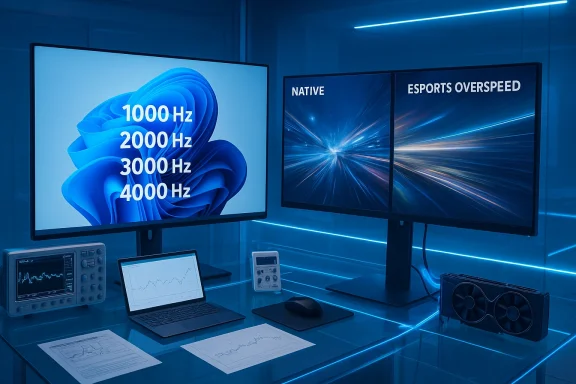
Before deciding whether 5,000 Hz is plausible, we need to parse what that number actually references. There are three very different contexts where a “5,000 Hz” figure can appear:- Displays built for broadcast and LED signage (esports LED backdrops, jumbotrons) that refresh at several thousand Hertz to avoid camera flicker and to present stable imagery under high‑frame‑rate broadcast capture. These are not conventional LCD or OLED desktop monitors; they are specialized LED panel arrays with different electronics and driving techniques. Such LED signage is documented at the esports/broadcast level and can use 5,000‑Hz scanning to prevent flicker with cameras. That technology is mature in that narrow niche but is not the same as a consumer desktop monitor.
- The monitor’s internal backlight strobing or scanning approaches (for example an ultra‑fast scan backlight or black‑frame insertion) that can operate at kHz rates — but again, that’s different from saying the panel’s frame update / frame presentation rate is 5,000 distinct image frames per second. Many “kHz” claims refer to strobe timing or scanning frequency rather than full frame updates in the conventional sense.
- The notion of a traditional monitor’s refresh rate: frames per second delivered through a GPU → transport → panel pipeline using HDMI/DisplayPort. That is strictly limited by panel electronics, GPU scanout, and interface bandwidth (DisplayPort/HDMI). For mainstream LCD/OLED PC panels, practical refresh rates for high resolutions are in the low hundreds of Hertz today. Pushing to thousands of Hertz would hit physics, electronics and interface limits quickly. See the following sections for the technical constraints.
Interface and bandwidth realities: why DP/HDMI matter
Any Windows support for very high refresh modes is only part of the chain. To actually deliver frames at X Hz you need:- A monitor and panel electronics that can accept and display X frames per second.
- A GPU and driver that can scan out frames at X FPS and pass them to the display driver.
- A physical connection (DisplayPort or HDMI cable and port) that has the bandwidth to carry that signal at the chosen resolution and color depth, or that uses compression (DSC) where supported and accepted by all components.
- Monitor firmware and scaler that accept the requested timing and expose it through EDID / driver interfaces so the OS and GPU can negotiate it.
Put bluntly: even if Windows shows a numeric option, the limiting factors for a consumer PC remain the display hardware, its internal electronics and the available transport bandwidth. Windows changing its UI to accept higher numeric refresh values is a necessary step for edge‑case devices, but it does not remove the physical limits set by cables, ports, GPUs and the panel itself.
OS vs. panel: what each layer controls
To convert an OS UI value into a practical frame presentation, multiple layers must cooperate:- Windows displays the available modes based on what the monitor advertises via EDID and what GPU drivers and WDDM (Windows Display Driver Model) report. Recent Insider builds made the OS more flexible in showing and toggling dynamic and high‑rate modes, but the negotiated mode must still be present in the monitor EDID or accepted by the driver stack.
- GPU vendors (NVIDIA, AMD, Intel) implement the final driver behavior and offer control panels that can create or allow custom modes. If a monitor advertises a nonstandard mode, the GPU driver must accept and present it to the OS. This is where practical limitations and vendor tests are applied.
- Monitor firmware implements timing, color pipeline handling, and the physical panel drive. Desktop monitor firms design scalers and drive electronics to particular spec targets; designing for thousands of distinct frames per second implies a different architecture (and power cost), or it's achieved in practice via different means such as LED multiplexing for signage. The market incentive for general‑purpose consumer monitors to adopt such architectures is currently low.
Where “5,000 Hz” shows up legitimately — and why it’s not your next desktop monitor
There are legitimate contexts where 5,000 Hz or similar high‑frequency numbers are used:- Broadcast LED walls and pro‑level LED signage: those systems can use very high refresh or scan rates to avoid flicker when filmed and to handle scanning/blanking for cameras. That’s a specialized solution for a particular problem: camera capture of LED panels. It’s not equivalent to a desktop monitor that you hook to a GPU with DisplayPort.
- Backlight strobing / pulse techniques: some motion‑clarity tricks use micro‑blanking or strobe elements with high frequency. Vendors sometimes state these in kHz to describe pulse timing or scanning; readers should note what the number measures. It’s not the same as “native frames per second” delivered by a GPU.
- Research and lab devices: instrumentation displays and certain industrial panels list frequency ranges in technical specs (e.g., input/output signal frequency ranges of measurement equipment). These are niche and not consumer display refresh rates.
Practical barriers to extremely high refresh rates on PCs
If you’re thinking technically about why desktop monitors won’t leap to 5,000 Hz overnight, consider the following concrete constraints:- Panel physics: liquid crystal switching (for LCD) and pixel driving for OLED/G‑OLED have finite response characteristics. Moving to thousands of full frames per second would run into pixel response time, drive electronics and heat constraints.
- Scaler and firmware limitations: consumer monitor scalers handle timing, overdrive, color processing and features like HDR. These chips are optimized for current ranges (60–480/540 Hz); designing a scaler that handles 5,000 distinct frames per second is a substantial engineering change.
- GPU scanout and scheduling: GPUs and OS display pipelines are optimized around frame timings that map to current displays. WDDM and driver vendors would need to test and validate very high‑rate paths to ensure stable behavior.
- Transport bandwidth: as explained earlier, even with DP2.1 and DSC, the realistic envelope for uncompressed or DSC‑enabled high‑refresh modes sits in the hundreds of Hz for common resolutions. The cable, port and GPU all have to be certified for any extreme mode.
- Power and heat: running a panel and its driving electronics at many thousands of frame updates per second increases energy use and heat, factors of particular concern on mobile/laptop devices.
Who would actually benefit?
- Competitive esports that rely on millisecond headroom value diminishingly improve past certain thresholds; human perceptual thresholds and real world game throttles make the gains of moving from 240 → 360 → 480 Hz meaningful for a small subset of players, but moving to thousands of Hertz returns vanishing improvements for most humans. Journalists and hardware analysts who covered ultra‑high refresh launches note that while 500–1,000 Hz monitors make marketing sense for specific segments, broad adoption stalls when driver stability, software, and content can’t match the hardware.
- Specialized pro use (broadcast signage, camera studio walls) already uses different display technology; those installations are where kHz‑level scanning is meaningful and used today. For standard PC usage (office productivity, creative work, general gaming), the costs and complexity of extreme kHz designs aren’t justified.
How Microsoft’s changes fit into the real world
Windows’ decision to widen what it allows at the OS level is the right step for a platform: it prevents Windows from being the blocking factor when new or experimental dket. The practical outcome is that:- Device makers who build specialized high‑scan displays (e.g., broadcast LED arrays) can expose valid timing to Windows and expect the OS not to refuse it.
- GPU and monitor driver authors have more flexibility to expose unusual modes to users via the GPU control panels and the Windows Advanced Display settings.
- Enthusiast tools and driver utilities (CRU or vendor control panels) will continue to be the way power users create and test custom modes; Windows’ expanded acceptance simply avoids arbitrary OS rejection.
Risks, compatibility problems and known community issues
When Windows, drivers and monitor firmware disagree, the result is often instability: stuttering, refresh resets, disappearing refresh options, or odd HDR interactions. Community threads across the Windows Insider and support ecosystems keep surfacing related problems whenever a new Windows display update or GPU driver ships — especially in multi‑monitor setups with mixed refresh rates or when DRR interacts badly with battery saver modes. Those problems illustrate why careful driver validation and vendor coordination are essential before rolling out extreme refresh features broadly.Administrators and users should be cautious about:
- Installing Insider builds on production machines where display stability matters.
- Trusting a single UI toggle as proof that their monitor will suddenly run at wildly higher refresh rates.
- Expecting GPU drivers to magically create safe, stable 5,000‑Hz modes for conventional panels.
What enthusiasts and IT pros should do now
If you care about high refresh performance and want to be ready for new OS-level display features, follow a conservative preparation checklist:- Keep GPU drivers up to date from the official vendor channels (NVIDIA, AMD, Intel).
- Use VESA‑certified DP2.1 (DP80) cables where vendors require UHBR modes.
- Check monitor firmware updates and vendor messages for new timing/OC modes.
- If you test Insider builds, do so on noncritical systems and keep recovery images handy.
- For developers and integrators working with studio/LED signage, ensure end‑to‑end testing (panel firmware, connector/cable, GPU driver, Windows UI validation).
Bottom line: what readers should take away
- Microsoft has been expanding Windows’ ability to show and toggle higher refresh modes in Insider builds; that progress is real and useful for power users and specialized hardware.
- The headline “Windows 11 supports 5,000 Hz monitors” is misleading in the consumer context. That number is legitimate for niche LED signage and some strobe/backlight metrics, but it is not evidence that mainstream LCD/OLED PC monitors will become 5,000 Hz devices or that typical Windows PCs over existing ports and GPUs. Treat any single‑source shout‑headline with skepticism until vendors ship hardware and the broader ecosystem validates it.
- Real progress worth celebrating is the OS being less of a bottleneck: Windows is ready to cooperate when monitor and GPU vendors push new frontiers. But every major leap in display capability also requires matching work from panel makers, cable standards, GPU vendors and software — and that is often measured in product cycles, not overnight headlines.
Final thoughts: why this matters, and what to watch next
The conversation about 5,000 Hz highlights a broader, valuable phenomenon: the PC ecosystem is maturing to accept more extreme display experiments. That’s a positive — it means Windows is being built as a more permissive and flexible platform so innovators aren’t blocked by an OS that refuses an unusual EDID or timing. At the same time, the hype cycle moves faster than hardware cycles; consumers should look for concrete product announcements from monitor OEMs and GPU vendors, official spec support (for DP/UHBR, DSC or new HDMI versions), and validated end‑to‑end tests.Watch for:
- Monitor product announcements that list native high‑rate timing in their EDID and provide firmware updates.
- GPU vendor release notes describing accepted UHBR/OC modes and any WDDM/driver workarounds.
- VESA / HDMI consortium notifications about cable and interface support for extreme modes.
- Community validation: measured tests of input lag, scanout timing and sustained stability in real workloads.
Source: FlatpanelsHD https://www.flatpanelshd.com/news.php?subaction=showfull&id=1773385624