• Thread Author
Microsoft’s recent Insider releases have rekindled a familiar developer and enthusiast debate: can the Windows display stack — and by extension the PC ecosystem — realistically support refresh rates in the thousands of Hertz? A number circulating on the internet and in a handful of community threads claims Windows 11 will gain support for displays up to 5,000 Hz. That claim deserves careful unpacking: Microsoft has indeed widened OS-level refresh‑rate handling in recent Insider builds, but the headline figure of 5,000 Hz conflates different technologies, and at present there is no evidence that consumer PC monitors will suddenly become 5,000 Hz-capable simply because Windows changed a setting.

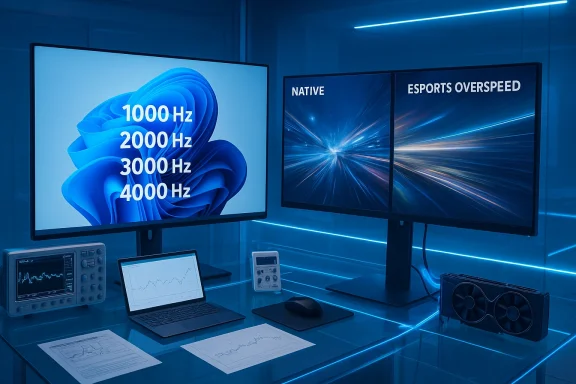
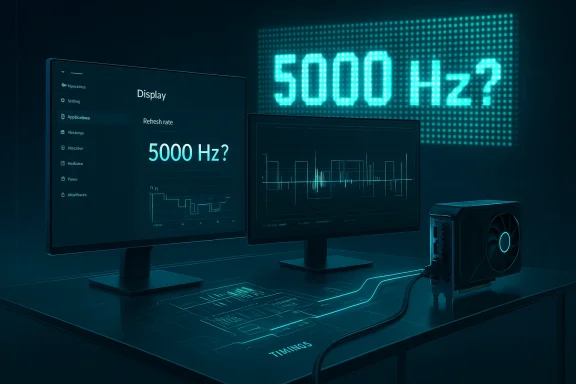
Futuristic workstation with dual monitors displaying a 5000 Hz refresh rate and waveform graphs.Background / Overview​

Windows has incrementally expanded its display capabilities over recent releases, introducing and refining features that matter to high‑refresh displays: Dynamic Refresh Rate (DRR), improved Variable Refresh Rate (VRR) handling, and a series of graphics stack and driver model updates that let the OS interact more flexibly with GPU drivers and monitor EDIDs. These improvements are documented across Windows Insider posts and feature notes that explain how the Settings UI now supports DRR toggles and more explicit refresh‑rate controls for multiple displays. Those changes are real and deliberate — Microsoft has been modernizing the user experience around refresh rates.
Third‑party reporting and community discussion picked up on a Release Preview cumulative package (packaged as KB updates for specific Insider builds) that referenced expanded “extreme display refresh rate” support. Community threads and preview notes framed the change as an expansion of the OS-level refresh envelope — i.e., Windows will allow and show alues in the Advanced Display settings where hardware and drivers permit. But the presence of a larger numeric ceiling in a settings UI is not the same as a sudden industry shift to 5,000‑Hz consumer panels.

What the claim says — and what we can verify​

  • The widely circulated claim: “Windows 11 will support 5,000 Hz monitors.” That phrasing has appeared in headline-style posts and re-shares but traces back to summary lines in Insider/community notes about higort and “extreme” modes. The original FlatpanelsHD link the claim referred to appears to be dead or removed, so the specific piece that made the 5,000‑Hz assertion can’t be confirmed through that source. Treat that direct citation as unverifiable until an archived copy surfaces.
  • What Microsoft has documented and released: Windows Insider builds have explicitly widened refresh‑rate handling (DRR improvements and UI changes) and note that Windows can now support new modes when the monitor, graphics driver, and connection allow it. Those Insider blog posts and build notes are the authoritative place to confirm the OS changes, and they do not (in documented Microsoft text) promise any particular universal maximum like “5,000 Hz” for ordinary PC monitors.
  • Independent reporting: outlets that track Windows Insider and hardware changes have framed Microsoft’s work as “enhanced high‑refresh support” and “extreme refresh rate” features for multi‑monitor setups. Reporting is consistent that the OS side is being opened up, but coverage also stresses that substantial hardware, driver and interface constraints remain.
In short: the claim that Windows 11 will allow very large refresh numbers in the settings is supported; the claim that a practical, consumer‑level 5,000‑Hz monitor ecosystem is imminent is not supported by current product or standards reality.

What “5,000 Hz” would mean in practice​

Before deciding whether 5,000 Hz is plausible, we need to parse what that number actually references. There are three very different contexts where a “5,000 Hz” figure can appear:
  • Displays built for broadcast and LED signage (esports LED backdrops, jumbotrons) that refresh at several thousand Hertz to avoid camera flicker and to present stable imagery under high‑frame‑rate broadcast capture. These are not conventional LCD or OLED desktop monitors; they are specialized LED panel arrays with different electronics and driving techniques. Such LED signage is documented at the esports/broadcast level and can use 5,000‑Hz scanning to prevent flicker with cameras. That technology is mature in that narrow niche but is not the same as a consumer desktop monitor.
  • The monitor’s internal backlight strobing or scanning approaches (for example an ultra‑fast scan backlight or black‑frame insertion) that can operate at kHz rates — but again, that’s different from saying the panel’s frame update / frame presentation rate is 5,000 distinct image frames per second. Many “kHz” claims refer to strobe timing or scanning frequency rather than full frame updates in the conventional sense.
  • The notion of a traditional monitor’s refresh rate: frames per second delivered through a GPU → transport → panel pipeline using HDMI/DisplayPort. That is strictly limited by panel electronics, GPU scanout, and interface bandwidth (DisplayPort/HDMI). For mainstream LCD/OLED PC panels, practical refresh rates for high resolutions are in the low hundreds of Hertz today. Pushing to thousands of Hertz would hit physics, electronics and interface limits quickly. See the following sections for the technical constraints.

Interface and bandwidth realities: why DP/HDMI matter​

Any Windows support for very high refresh modes is only part of the chain. To actually deliver frames at X Hz you need:
  • A monitor and panel electronics that can accept and display X frames per second.
  • A GPU and driver that can scan out frames at X FPS and pass them to the display driver.
  • A physical connection (DisplayPort or HDMI cable and port) that has the bandwidth to carry that signal at the chosen resolution and color depth, or that uses compression (DSC) where supported and accepted by all components.
  • Monitor firmware and scaler that accept the requested timing and expose it through EDID / driver interfaces so the OS and GPU can negotiate it.
Modern DisplayPort (DP) and HDMI standards tightly constrain what’s possible. DisplayPort 2.1 (with UHBR modes and VESA DP80 cables) raises the theoretical data ceiling substantially and — with Display Stream Compression (DSC) — enables very high resolution/high refresh combos (for example 4K@240 Hz, or 1440p at several hundred Hz). VESA’s DP 2.1 announcement and practical explanations of UHBR + DSC show strong gains vs older standards, but even DP 2.1 is designed around hundreds of Hertz, not thousands, at consumer resolutions without specialized processing.
Put bluntly: even if Windows shows a numeric option, the limiting factors for a consumer PC remain the display hardware, its internal electronics and the available transport bandwidth. Windows changing its UI to accept higher numeric refresh values is a necessary step for edge‑case devices, but it does not remove the physical limits set by cables, ports, GPUs and the panel itself.

OS vs. panel: what each layer controls​

To convert an OS UI value into a practical frame presentation, multiple layers must cooperate:
  • Windows displays the available modes based on what the monitor advertises via EDID and what GPU drivers and WDDM (Windows Display Driver Model) report. Recent Insider builds made the OS more flexible in showing and toggling dynamic and high‑rate modes, but the negotiated mode must still be present in the monitor EDID or accepted by the driver stack.
  • GPU vendors (NVIDIA, AMD, Intel) implement the final driver behavior and offer control panels that can create or allow custom modes. If a monitor advertises a nonstandard mode, the GPU driver must accept and present it to the OS. This is where practical limitations and vendor tests are applied.
  • Monitor firmware implements timing, color pipeline handling, and the physical panel drive. Desktop monitor firms design scalers and drive electronics to particular spec targets; designing for thousands of distinct frames per second implies a different architecture (and power cost), or it's achieved in practice via different means such as LED multiplexing for signage. The market incentive for general‑purpose consumer monitors to adopt such architectures is currently low.
Because of these interlocks, a Windows UI change does not by itself create a new ecosystem. It simply removes an artificial block in the OS so that if hardware, drivers, and cables support some extreme mode, Windows won’t refuse to present it.

Where “5,000 Hz” shows up legitimately — and why it’s not your next desktop monitor​

There are legitimate contexts where 5,000 Hz or similar high‑frequency numbers are used:
  • Broadcast LED walls and pro‑level LED signage: those systems can use very high refresh or scan rates to avoid flicker when filmed and to handle scanning/blanking for cameras. That’s a specialized solution for a particular problem: camera capture of LED panels. It’s not equivalent to a desktop monitor that you hook to a GPU with DisplayPort.
  • Backlight strobing / pulse techniques: some motion‑clarity tricks use micro‑blanking or strobe elements with high frequency. Vendors sometimes state these in kHz to describe pulse timing or scanning; readers should note what the number measures. It’s not the same as “native frames per second” delivered by a GPU.
  • Research and lab devices: instrumentation displays and certain industrial panels list frequency ranges in technical specs (e.g., input/output signal frequency ranges of measurement equipment). These are niche and not consumer display refresh rates.
Because of these nuances, when a site or social post repeats “Windows adds 5,000 Hz support” it often reflects conflation: Windows is enabling more extreme numeric modes; specialized LED signage or pro displays might be able to claim kHz‑level scanning; consumer monitor vendors are focusing on 240–1,000 Hz where the market demand and interface reality meet.

Practical barriers to extremely high refresh rates on PCs​

If you’re thinking technically about why desktop monitors won’t leap to 5,000 Hz overnight, consider the following concrete constraints:
  • Panel physics: liquid crystal switching (for LCD) and pixel driving for OLED/G‑OLED have finite response characteristics. Moving to thousands of full frames per second would run into pixel response time, drive electronics and heat constraints.
  • Scaler and firmware limitations: consumer monitor scalers handle timing, overdrive, color processing and features like HDR. These chips are optimized for current ranges (60–480/540 Hz); designing a scaler that handles 5,000 distinct frames per second is a substantial engineering change.
  • GPU scanout and scheduling: GPUs and OS display pipelines are optimized around frame timings that map to current displays. WDDM and driver vendors would need to test and validate very high‑rate paths to ensure stable behavior.
  • Transport bandwidth: as explained earlier, even with DP2.1 and DSC, the realistic envelope for uncompressed or DSC‑enabled high‑refresh modes sits in the hundreds of Hz for common resolutions. The cable, port and GPU all have to be certified for any extreme mode.
  • Power and heat: running a panel and its driving electronics at many thousands of frame updates per second increases energy use and heat, factors of particular concern on mobile/laptop devices.
These are not theoretical hand‑waves — they’re the practical engineering tradeoffs companies must weigh when designing a product.

Who would actually benefit?​

  • Competitive esports that rely on millisecond headroom value diminishingly improve past certain thresholds; human perceptual thresholds and real world game throttles make the gains of moving from 240 → 360 → 480 Hz meaningful for a small subset of players, but moving to thousands of Hertz returns vanishing improvements for most humans. Journalists and hardware analysts who covered ultra‑high refresh launches note that while 500–1,000 Hz monitors make marketing sense for specific segments, broad adoption stalls when driver stability, software, and content can’t match the hardware.
  • Specialized pro use (broadcast signage, camera studio walls) already uses different display technology; those installations are where kHz‑level scanning is meaningful and used today. For standard PC usage (office productivity, creative work, general gaming), the costs and complexity of extreme kHz designs aren’t justified.

How Microsoft’s changes fit into the real world​

Windows’ decision to widen what it allows at the OS level is the right step for a platform: it prevents Windows from being the blocking factor when new or experimental dket. The practical outcome is that:
  • Device makers who build specialized high‑scan displays (e.g., broadcast LED arrays) can expose valid timing to Windows and expect the OS not to refuse it.
  • GPU and monitor driver authors have more flexibility to expose unusual modes to users via the GPU control panels and the Windows Advanced Display settings.
  • Enthusiast tools and driver utilities (CRU or vendor control panels) will continue to be the way power users create and test custom modes; Windows’ expanded acceptance simply avoids arbitrary OS rejection.
That said, the Windows change is an enabler, not a miracle: vendors and standards must align before you see meaningful adoption beyond niche uses. Microsoft’s Insider blog history shows the OS work to add DRR and improved high‑refresh handling; independent reporting frames it as “opening the door” rather than delivering new monitor hardware itself.

Risks, compatibility problems and known community issues​

When Windows, drivers and monitor firmware disagree, the result is often instability: stuttering, refresh resets, disappearing refresh options, or odd HDR interactions. Community threads across the Windows Insider and support ecosystems keep surfacing related problems whenever a new Windows display update or GPU driver ships — especially in multi‑monitor setups with mixed refresh rates or when DRR interacts badly with battery saver modes. Those problems illustrate why careful driver validation and vendor coordination are essential before rolling out extreme refresh features broadly.
Administrators and users should be cautious about:
  • Installing Insider builds on production machines where display stability matters.
  • Trusting a single UI toggle as proof that their monitor will suddenly run at wildly higher refresh rates.
  • Expecting GPU drivers to magically create safe, stable 5,000‑Hz modes for conventional panels.

What enthusiasts and IT pros should do now​

If you care about high refresh performance and want to be ready for new OS-level display features, follow a conservative preparation checklist:
  • Keep GPU drivers up to date from the official vendor channels (NVIDIA, AMD, Intel).
  • Use VESA‑certified DP2.1 (DP80) cables where vendors require UHBR modes.
  • Check monitor firmware updates and vendor messages for new timing/OC modes.
  • If you test Insider builds, do so on noncritical systems and keep recovery images handy.
  • For developers and integrators working with studio/LED signage, ensure end‑to‑end testing (panel firmware, connector/cable, GPU driver, Windows UI validation).
This is the sequence that turns an OS capability into a reliable user experience — and avoids the classic “it showed in Settings but failed under load” problem.

Bottom line: what readers should take away​

  • Microsoft has been expanding Windows’ ability to show and toggle higher refresh modes in Insider builds; that progress is real and useful for power users and specialized hardware.
  • The headline “Windows 11 supports 5,000 Hz monitors” is misleading in the consumer context. That number is legitimate for niche LED signage and some strobe/backlight metrics, but it is not evidence that mainstream LCD/OLED PC monitors will become 5,000 Hz devices or that typical Windows PCs over existing ports and GPUs. Treat any single‑source shout‑headline with skepticism until vendors ship hardware and the broader ecosystem validates it.
  • Real progress worth celebrating is the OS being less of a bottleneck: Windows is ready to cooperate when monitor and GPU vendors push new frontiers. But every major leap in display capability also requires matching work from panel makers, cable standards, GPU vendors and software — and that is often measured in product cycles, not overnight headlines.

Final thoughts: why this matters, and what to watch next​

The conversation about 5,000 Hz highlights a broader, valuable phenomenon: the PC ecosystem is maturing to accept more extreme display experiments. That’s a positive — it means Windows is being built as a more permissive and flexible platform so innovators aren’t blocked by an OS that refuses an unusual EDID or timing. At the same time, the hype cycle moves faster than hardware cycles; consumers should look for concrete product announcements from monitor OEMs and GPU vendors, official spec support (for DP/UHBR, DSC or new HDMI versions), and validated end‑to‑end tests.
Watch for:
  • Monitor product announcements that list native high‑rate timing in their EDID and provide firmware updates.
  • GPU vendor release notes describing accepted UHBR/OC modes and any WDDM/driver workarounds.
  • VESA / HDMI consortium notifications about cable and interface support for extreme modes.
  • Community validation: measured tests of input lag, scanout timing and sustained stability in real workloads.
Until those arrive in force, treat “5,000 Hz support coming to Windows 11” as an intriguing platform‑level change with narrow, niche immediate applications — not as a consumer monitor revolution. The OS work is necessary and welcome; the rest of the industry will decide how far and how fast to take it.

Source: FlatpanelsHD https://www.flatpanelshd.com/news.php?subaction=showfull&id=1773385624
 

Microsoft's latest Windows 11 update quietly removes an artificial ceiling on how fast a monitor can tell the OS how often it redraws the screen — and the implications reach far beyond marketing numbers. The operating system now accepts reported refresh rates above 1,000 Hz, and work by display experts indicates Windows' implementation allows refresh-rate values as high as 5,000 Hz to be registered. That seemingly arcane change is what will let a new generation of ultra‑high‑refresh monitors — many of which already debuted in concept or prototype form at trade shows — plug into Windows without hitting an OS-imposed limit. For gamers, esports pros, and display engineers this is a technical enabler; for the rest of us it’s another marker that display technology is pushing sensory and engineering boundaries in parallel.

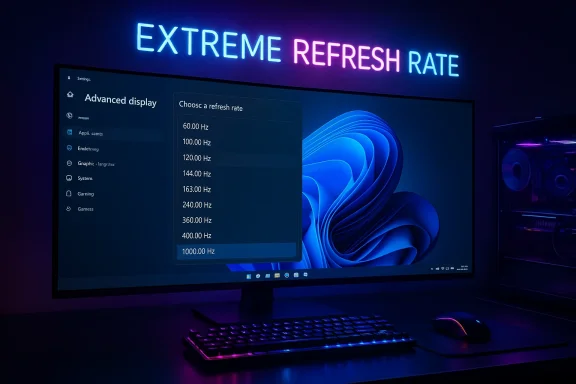
Blue-lit workstation with dual monitors displaying Hz options and esports overclock visuals.Overview​

Manufacturers and researchers have pushed refresh rates steadily upward for years, from 60 Hz through 120/144 Hz to 240, 360, 480 and now beyond 1,000 Hz in specific competitive modes. The recent Windows 11 change is an enabling platform move: where Windows previously assumed refresh figures would be in normal consumer ranges, the new behavior accepts reported refresh rates higher than 1,000 Hz — and the system APIs appear capable of accommodating values up to 5,000 Hz. That does not mean displays will run your desktop at 5,000 frames per second; rather, it means Windows will no longer truncate or reject extraordinarily high numbers when a monitor or driver reports them.
This matters because the refresh-rate number is more than a marketing spec. It ties into how Windows advertises available display modes, how apps negotiate frame timing, how variable‑refresh technologies behave, and how system and driver stacks coordinate to present a stable image. Removing an arbitrary cap lets manufacturers ship monitors that use creative dual‑mode schemes (full‑resolution at moderateHz, overspeed mode at lower resolution for extreme Hz), strobe/pulsed backlight techniques, or hybrid approaches that rely on host OS cooperation. It also helps testing tools and measurement labs register and validate new display behaviors without fighting the OS.

Background: Why Windows needed to change​

Windows has long exposed monitor refresh options in the Display Settings and via APIs used by drivers and applications. Historically the OS assumed practical upper bounds — a safe design choice when mainstream displays topped out at a few hundred hertz. But the industry’s push toward extreme refresh regimes for competitive gaming, motion clarity research, and even VR prototypes made that assumption increasingly brittle.
  • Modern monitor designs now include dual‑mode operation: a higher‑resolution native mode at a modest refresh rate and a low‑resolution or reduced‑color mode that can be driven at extreme Hz for esports.
  • New backlight and driving techniques (strobing, pulsed local dimming, zone‑pulsing, and other "perceptual motion" systems) effectively increase perceived motion clarity without requiring every pixel to achieve impossibly quick voltage transitions.
  • Tools and measurement standards (laboratory software, Blur Busters tests, and manufacturer test suites) need the OS to honor reported modes so the behavior seen in the lab matches what users would see.
In short, Microsoft’s update removes a stumbling block that previously forced vendors to work around the OS rather than letting the OS adapt to vendor innovation.

What changed in Windows 11 — technically speaking​

At the API and device‑enumeration level, Windows now accepts and reports monitor refresh values above 1,000 Hz where the monitor/driver reports them. The OS no longer enforces a hard cap at that threshold in the display enumeration path.
  • The display enumeration and mode negotiation logic will advertise the modes the monitor reports, rather than clipping them.
  • Display Settings will show high‑value refresh options when the underlying driver/EDID/protocol advertises them.
  • Applications using Windows display APIs will be able to see and request these modes; games or test software that set exclusive modes can target extreme refresh modes when appropriate.
This change does not magically convert your desktop compositor into a 5,000 Hz renderer; Windows still schedules composition and desktop animation in ways that make sense for common workloads. Instead, it ensures the OS will not be the limiter when a display legitimately claims extreme refresh values.

The hardware picture: 1000 Hz and beyond​

Recent product announcements and prototypes show major panel makers and monitor brands racing to break the 1,000 Hz barrier in various ways.
  • Several vendors have demonstrated or announced monitors that can reach 1,000 Hz and even 1,040 Hz in special modes. These often employ a dual‑mode concept that trades resolution for speed: a native high‑resolution mode at a lowerHz, and a low‑resolution esports mode that overspeeds the panel electronics or employs strobe techniques to hit >1,000Hz effective rates.
  • Some manufacturers use LCD panels with extremely aggressive overdrive and specialized backlights; others are pursuing OLED or microLED routes where pixels can switch faster and motion clarity approaches that of strobe‑backlight systems without the same tradeoffs.
  • Prototype and near‑production products from big names (notably the industry’s regular innovators and some emerging brands) were demonstrated at trade shows, and a raft of 1000 Hz capable products has been scheduled for 2026 and later.
Two technical paths dominate the engineering conversation:
  • Pure electrical overdrive and driver innovation on LCD panels, combined with strobe or zone‑pulsing backlights, to achieve perceived 1,000+ Hz motion clarity; and
  • OLED / emissive‑type progress where intrinsic pixel switching is far faster, letting high effective Hz be realized with fewer artifacts.
Both approaches face different tradeoffs — pixel response behavior, power, thermal limits, color/brightness constraints, and reliability.

Human perception: can we actually see the difference?​

The short answer is: yes — but with important caveats.
Vision science shows human perception of motion clarity and flicker is complex. The classic "flicker fusion" threshold (the frequency at which a flickering light looks steady) varies dramatically depending on brightness, contrast, retinal region, and eye motion. The research community has long emphasized that a higher refresh rate reduces motion blur arising from finite frame exposures and the sample‑and‑hold nature of modern displays.
  • For typical desktop tasks and most media, 60–120 Hz is sufficient for subjective smoothness, but the benefits of higher refresh rates are measurable and meaningful in fast, high‑precision tasks (competitive shooters, high‑end flight sims, head‑tracked VR).
  • When your eyes make saccades (quick eye movements common while scanning a scene), strobing or extremely high refresh can reduce artifacts that ordinary refresh rates can’t address.
  • Motion clarity depends on the combination of refresh, pixel response time, overdrive behavior, and backlight technique. A 1,000 Hz reported refresh does not guarantee perfect clarity if the panel’s pixels can’t actually settle fast enough or if overdrive artifacts appear.
Display researchers and advocacy groups have argued for even higher targets — some citing "retina refresh rates" above 10,000 Hz for certain idealized conditions — but practical human benefit saturates in many contexts. That said, competitive gaming and motion measurement labs find value as increases reduce the temporal aliasing and stroboscopic effects players can exploit or suffer from.

Why 5,000 Hz in Windows matters (and why it isn’t the same as “desktop at 5,000 FPS”)​

The headline figure — Windows accepting up to 5,000 Hz — is an upper bound for reported modes, not a promise that your full desktop will run at five thousand frames per second. Understanding the nuance is essential.
  • Many ultra‑high‑Hz monitors expose an esports mode at a much lower resolution specifically to hit the extreme rates. The OS must accept that lower‑resolution/high‑Hz mode; otherwise the monitor and driver need to hide it or emulate it, which complicates certification and testing.
  • Some designs use perceptual tricks (pulsed backlight, interleaved scanning) where the effective motion clarity is multiplied without rendering/displaying five thousand unique frames.
  • The compositor and GPU still need to supply frames. Even if a panel accepts a 2,000 Hz input, the GPU and game must produce matching frames to refill the scan buffer — or use VRR/tricks to stretch frames while the panel strobe reduces perceived motion blur.
In practice, the OS change removes friction for legitimate product designs; it does not make consumers or gamers instantly able to use all the claimed modes regardless of their GPU or cabling.

Bandwidth and cabling: why HDMI 2.2 and modern DisplayPort matter​

To realize very high refresh rates at meaningful resolutions and color depths, link bandwidth becomes the bottleneck. Two industry trends matter:
  • HDMI 2.2 / Ultra96: the HDMI ecosystem has evolved beyond 2.1. The upcoming HDMI 2.2 specification raises maximum practical bandwidth and introduces new cable certification regimes (Ultra96 or similar), aiming to support much higher uncompressed frame rates and deeper color at higher resolutions. This is essential for some high‑res/high‑Hz mode combinations to hit the wire without relying on aggressive compression.
  • DisplayPort UHBR / DP 2.1: VESA’s DisplayPort 2.1 (UHBR modes) gives up to ~80 Gbps on certified cables (UHBR20/DP80), enabling uncompressed high‑res, high‑Hz modes or DSC‑assisted modes like 4K at hundreds of Hz. DisplayPort remains the go‑to for bleeding‑edge PC monitors because of early adoption of UHBR modes and broader support across GPU vendors.
Manufacturers often ship monitors with dual‑mode requirements: use DP for full feature set, HDMI for compatibility at reduced parameters. As extreme refresh monitors proliferate, users will increasingly need to check cable, GPU port, and driver support carefully. That’s why platform support in Windows is necessary but not sufficient — the whole chain (monitor firmware, cable, GPU, and driver) must be in sync.

OLED vs LCD: which will win the motion‑clarity race?​

OLED and OLED‑derivative technologies offer intrinsic advantages for motion because pixels can extinguish and light up very quickly. However, OLEDs bring other tradeoffs: burn‑in risk, manufacturing yield, peak brightness constraints, and cost.
LCD vendors insist they can deliver extreme effective refresh by combining rapid overdrive circuits with strobe backlights or zone‑pulsing. That has two consequences:
  • Far higher raw numbers can be marketed with LCDs in esports‑mode contexts.
  • Motion clarity in everyday, full‑resolution desktop use still favors OLED’s better pixel performance in many cases, especially where strobing is not desirable because of brightness/eye comfort or compatibility.
Expect both technologies to coexist: LCDs delivering outrageous spec sheets for narrow esports use cases, and OLEDs offering superior native motion and color balance for broader use. Which is "better" depends on your use case: competitive play vs image quality and general use.

Risks, limitations, and potential pitfalls​

Pushing the OS and hardware to accept higher numbers opens the door for both innovation and confusion. Key risks to watch:
  • Marketing vs reality: Manufacturers can report extremely high Hz values in narrow modes that have limited real‑world utility (e.g., low resolution, reduced chroma, or limited color depth). Buyers tempted by the headline number should look for independent testing of actual motion clarity and input lag.
  • Cable and GPU compatibility: Many systems will not be able to drive extreme modes. Expect confusion at launch as consumers plug monitors into HDMI ports or older DP cables and wonder why the top modes don’t show up.
  • Driver and game support: Games and engines may not be optimized for enormous exclusive refresh modes. Frame pacing, input pipelines, and engine tick rates may be the real limits.
  • Power, heat, and longevity: Running panels at exceptionally high internal clocking or strobe rates increases thermal and electrical stress. Long‑term reliability and warranty implications are unknown for many early designs.
  • Perceptual marginal returns: Beyond a certain point, practical perceptual gains may be marginal for most users. The diminishing returns curve means enthusiasts will chase specs that bring small marginal benefits to most people.
  • Health and comfort: Ultra‑high refresh combined with aggressive strobing may have ocular or neurological implications for sensitive individuals (flicker sensitivity). Standards bodies have historically recommended conservative design when flicker is present.

What this means for gamers, creators, and IT pros — practical guidance​

If you care about extreme refresh rates, here’s a short action plan to prepare and to separate hype from substance.
  • Check your GPU and ports. Confirm your graphics card supports DisplayPort UHBR/DP 2.1 or HDMI 2.2‑class bandwidth if you plan to use top modes.
  • Use certified cables. Buy VESA/HDMI‑certified DP80 / Ultra96 or equivalent cables to avoid bandwidth or signal issues.
  • Update firmware and drivers. Monitor firmware utilities, GPU drivers, and Windows updates can contain necessary fixes to unlock modes and stabilize drivers.
  • Expect dual‑mode tradeoffs. Read the monitor’s documentation: the highest Hz modes are often available only at lower resolutions or reduced color depth.
  • Look for independent testing. Wait for reputable labs and reviewers to measure MPRT, GtG response, input lag, and perceived motion clarity — real performance often diverges from manufacturer claims.
  • Tune overdrive and strobe. If a monitor offers variable overdrive and backlight strobe modes, testing these settings is essential to avoid inverse ghosting and other artifacts.
  • Mind the content and the game engine. Competitive shooters benefit most; productivity tasks and video will not.
  • For enterprise rollouts, require compliance testing. IT teams should validate compatibility across representative hardware before mass deployment.

Who benefits most — and who should hold off?​

  • Esports professionals and competitive players will likely be the earliest beneficiaries. The combination of marginally lower input lag, clearer target tracks during rapid motion, and the psychological advantage of the smoothest possible rendering can matter at elite levels.
  • Display labs and reviewers benefit from OS support because it simplifies validation of exotic modes.
  • Average consumers and creative professionals should be cautious. For color work, HDR grading, or general productivity, the headline Hz number is not the right metric. OLED panels with good color fidelity, HDR performance, and moderate high Hz (240–480) will remain the best practical choice for many creatives.

Why the industry is still experimenting with how to get there​

There’s no single engineering path to achieving both high resolution and ultra‑high refresh rates simultaneously in a cost‑effective, power‑efficient way. Manufacturers are experimenting with:
  • Panel architecture tweaks and new LC chemistries for faster pixel switching.
  • Advanced backlight systems (pulsed, zone‑driven, or micro‑zone lighting).
  • Combining VRR and strobing algorithms in the monitor’s firmware to get the best tradeoff for each frame rate.
  • New cable standards and compression schemes (Display Stream Compression) to carry more frames where raw bandwidth is limited.
Those experiments explain why different vendors are choosing different marketing and technical approaches. Some prefer to push LCDs with dual modes; others bet on OLED’s intrinsic speed; still others are exploring microLED or hybrid solutions for next‑generation displays.

Looking forward: what to watch for next​

  • Independent reviews measuring real motion clarity (MPRT), input lag at the system level, and pixel response across modes.
  • Monitor firmware maturity: initial hardware often ships with early firmware that’s refined over months; check for updates and changelogs.
  • GPU and driver updates enabling easier mode switching and better frame pacing with extreme modes.
  • Industry adoption of HDMI 2.2 and certified DP80/DP80LL cables as the de‑facto connectors for high‑Hz monitors.
  • Standards and safety guidance around flicker and strobing to protect consumers with light sensitivity.

Final assessment: a meaningful technical milestone, not a consumer revolution — yet​

Microsoft’s change to accept reported refresh rates above 1,000 Hz and its implementation ceiling that stretches into the thousands is a pragmatic, forward‑looking update. It removes an arbitrary software barrier that had become an impediment to innovation. That’s important — operating systems should enable hardware innovation rather than constrain it.
But the real experience still depends on a full ecosystem: monitors with honest and useful modes, GPUs and drivers that can feed those modes without artefacts, certified cables and connectors that carry the bandwidth, and independent testers to separate marketing from measurable performance. For competitive users, the path is promising: expect meaningful gains in edge cases and esports. For mainstream users, the change heralds continued evolution in display tech — but not a sudden revolution in everyday PC use.
Be skeptical of headline Hz numbers, insist on real‑world metrics (MPRT, input lag, pixel overshoot measurements), and choose hardware based on the combination of characteristics that match your needs: resolution, color fidelity, HDR capability, and real measured motion clarity — not the largest number in a marketing slide.

Source: FlatpanelsHD 5000Hz monitor support coming to Windows 11
 

Microsoft’s Windows 11 Insider builds have quietly removed an artificial ceiling in the OS display stack, allowing the operating system to accept and report refresh rates well above the traditional 240–360 Hz ceiling — a change that directly enables support for the new wave of ultra‑high‑refresh gaming monitors (including 1000 Hz modes) that vendors showcased at CES and in early 2026. tps://videocardz.com/newz/monitor-testufo-3-brings-native-11-resolution-mode-ready-for-1000hz-monitors)

A widescreen monitor displays Windows refresh-rate options in a neon-lit gaming setup.Background / Overview​

Microsoft’s Windows 11 Insider channel has long been the playground where the company prototypes platform-level changes before shipping them to mainstream users. In recent Insider drops, engineers widened how the display subsystem accepts and stores refresh‑rate values from connected monitors and display drivers. Practically speaking, that means Windows will no longer clamp reported refresh rates to conventional marketing numbers, and can now register values in the thousands of Hertz — including 1000 Hz — if the display reports them. Early community reportinescribe what insiders call “extreme refresh rate” handling in the display stack.
This change lines up with an industry push: several manufacturers have announced — or teased — monitors capable of 500 Hz and 1000 Hz in one mode or another, often using dual‑mode tricks that trade resolution for raw refresh rate. Hardware partners and independent test tools have started preparing for those panels, and at least one mainstream hardware OEM demonstrated a monitor that can hit 1000 Hz at reduced resolution using a dynamic frequency/resolution technique.

Why this matters: the technical picture​

What “OS-level support” actually means​

  • At a minimum, Windows accepting higher refresh values means the OS will display the higher Hz numbers inside Settings and will not force a cap when applications or drivers advertise higher modes.
  • More importantly, the change affects how the OS handles frame presentation, VSync / scanout timing, and how it exposes the display’s and drivers. That’s necessary groundwork for games and GPU drivers to actually drive panels at thousands of frames per second without the OS introducing a bottleneck.

The hardware and bandwidth constraints remain decisive​

Accepting a 1000 Hz value in software is only half the story. Driving meaningful, high‑resolution content at 1000 Hz is constrained by three physical realities:
  • Panel electronics and driver chips — The monitor must be designed to actually refresh at 1000 times per second. Many current 1000 Hz demos accomplish this by reducing pixel processing (for example, switching from QHD to an HD submode).
  • Display interface bandwidth — DisplayPort and HDMI versions impose hard upper limits on pixel clock and hence the combinations of resolution + bit depth + refresh rate that are possible without compression or specially negotiated dual‑link modes.
  • GPU rendering capability — Even if a monitor accepts 1000 Hz, a GPU must produce the frames to match. For most modern games and realistic resolutions, GPUs cannot generate 1000 unique frames per second; instead, these modes target highly optimized esports scenarios with very low resolutions where the GPU can keep up.

Dual‑mode approaches and Dynamic Frequency & Resolution (DFR)​

Several vendors are shipping monitors with dual‑mode designs that switch between high resolution at conventional refresh rates and lower‑resolution modes that operate at extreme Hz. For instance, an implementation might support QHD at 500 Hz and a 1280×720 submode at 1000 Hz. This trade‑off — lowering resolution to reduce pixel throughput — makes 1000 Hz practical without demanding impossible interface bandwidth or pixel processing throughput from the panel. Some vendors call this approach Dynamic Frequency and Resolution or similar marketing names.

What Microsoft changed (and what it did not)​

The change​

  • Windows Insider releases have widened the allowable refresh‑rate values reported and stored by the system, allowing reported values above 1000 Hz (and in engineering notes discussed by the community, up to several thousand Hertz). That change prevents the OS from truncating or rejecting exotic reported refresh rates and lays the groundwork for consistent handling across APIs and the UI.

What remains in software and drivers​

  • The OS change does not automatically make every monitor run faster or make all games render more frames. GPU drivers, the monitor firmware, and game engines still need to support — and be configured for — high‑Hz modes.
  • Graphics drivers will typically publish the available display modes to Windows. If drivers, firmware, or the cable don’t advertise the high‑Hz mode, Windows won’t present it. Vendor driver updates and monitor firmware updates will be required in many cases.

Input stack considerations​

  • Competitive gamers worry less about a display’s marketing Hz and more about input latency — the entire pipeline from sensor (keyboard/mouse) to frame display. Windows’ change to accept higher refresh values does not automatically optimize input queuing or mouse polling handling.
  • Historically, Windows updates and power‑saving changes have interacted with high mouse polling rates in complex ways; the community has tracked issues where extreme mouse polling (1000 Hz and above) produced stuttering or coalesced messages, and some Insider releases addressed those input path issues. Expect continued driver and firmware tuning.

Supply‑chain reality: who’s shipping 1000 Hz mode (examples)​

A handful of companies have showcased or announced products and prototypes that can reach 1000 Hz in a reduced‑resolution mode:
  • Acer showed a Predator model that can run QHD at 500 Hz and switch to a 720p submode for 1000 Hz using a DFR-like technique. That demo highlighted how OEMs are pairing conventional high‑refresh modes with a special low‑res ultra‑high‑Hz mode aimed at esports.
  • AntGamer, AOC, Philips and others have signaled 1000 Hz plans in press materials and leaks; many of these products explicitly present a dual‑mode tradeoff (resolution vs. refresh). Monitor community and trade coverage treat these as the early wave of extreme‑Hz panels.
  • Test utilities and tools — Display test suites like the updated Monitor TestUFO have added native 1:1 resolution modes and testing paths for “1000 Hz+” panels so reviewers and engineers can validate performance and timing. This ecosystem readiness is what makes the OS‑side change useful in practice.

Real‑world benefits and limits for gamers​

Benefits (when everything lines up)​

  • Lower motion blur and improved frame‑to‑frame smoothness in the narrow scenarios where both the GPU can sustain the frame rate and the game’s engine provides low frame time variance.
  • Competitive edge in pixel‑limited esports titles: at low internal resolutions with very high frame rates, some players can achieve micro‑latency improvements that matter in elite play.
  • Sharper on‑screen motion for fast panning and tracking, which can improve target acquisition in fast shooters when paired with an optimized input chain.

Practical limits and caveats​

  • Human perception — beyond ~240–360 Hz, most users will see rapidly diminishing returns; the largest benefits are for a small segment of pro esports players with specialized setups.
  • GPU bottleneck — even top consumer GPUs struggle to generate 1000 unique frames per second at anything but tiny framebuffers; many 1000 Hz implementations assume a reduced resolution to make frame rates feasible.
  • Display interface and cable limitations — standard HDMI/DP versions restrict how much pixel data can flow. Some vendors rely on compressed transport oo hit extreme numbers; users must check compatibility.

Compatibility checklist: what to verify before chasing 1000 Hz​

If you’re considering a 1000 Hz monitor or want to test whether your Windows 11 Insider build will expose such modng items first:
  • High‑quality cable: Use a cable and interface that match the monitor’s requirements (check whether the monitor requires DisplayPort 1.4, DP 2.0, HDMI 2.1, or vendor‑specific extensions).
  • GPU support: Confirm the GPU vendor (NVIDIA, AMD, Intel) has published driver support or an explicit compatibility note for the monitor’s high‑Hz mode.
  • Monitor firmware: Vendors often release firmware that adds or stabilizes alternate modes; ensure you have the latest.
  • Windows build: Be on the Insider build that contains the updated refresh‑rate handling; public builds may lag behind. Insider changelogs and KB notes (Release Preview builds) will indicate when “extreme refresh rate” handling landed for testers.
  • Test utilities: Use native test modes in tools like Monitor TestUFO to validate frame timing and ghosting behavior once the mode is active.

How to test and enable high‑Hz modes safely (step‑by‑step)​

  • Confirm your Windows 11 Insider build includes the refreshed display handling (check the Insider release notes or the Windows Settings UI for extended refresh values).
  • Update GPU drivers to the latest beta/stable release the vendor recommends for the monitor.
  • Plug the monitor into the port the vendor recommends (some monitors require a specific DP/HDMI port to enable the ultra‑Hz mode).
  • In Windows Settings > System > Display > Advanced display, check the full “Choose a refresh rate” list — extreme modes will appear there only if the display advertises them through the driver chain.
  • Use Monitor TestUFO (or in‑monitor factory mode) to validate real timing — look for consistent frame durations and no dropped frames.

Risks and potential pitfalls​

  • Marketing vs usable modes: Many 1000 Hz claims are specs on paper that require reduced resolutions or special modes. Verify what resolution the 1000 Hz figure applies to; the experience at native QHD/4K will be different.
  • **Driver/OS teelatform support often arrives with edge bugs (black screens, driver resets, input coalescing), as seen in prior Windows updates where display/driver interactions produced unexpected regressions. Expect early firmware/driver updates to fix emergent problems.
  • Mouse and input interactions: Windows has historically made changes that affect how high‑polling mice behave in games; ensure your whole stack (USB receiver, firmware, Windows input handling, game options) is validated. Some Insiders have reported mouse polling rate disruptions with certain builds in the past.
  • Thermal and power: Running GPUs and monitors at extreme refresh and frame rates can increase system power draw and heat output, impacting reliability in prolonged sessions.
  • Longevity and resale risk: Early adopters face potential compatibility problems later; if a feature is mostly a niche esports gimmick, long‑term support can be uneven.

OEM motigmentation​

Why are vendors and Microsoft pushing this boundary now?
  • Esports market differentiation — A small but influential segment of esports pros and enthusiasts drives headlines and sales for premium gaming hardware. 1000 Hz features serve as a halo spec that draws attention.
  • Platform alignment — Microsoft’s work in the Insider channel signals a desire to avoid becoming a software bottleneck as hardware pushes the envelope; hardware makers are naturally more comfortable launching new classes of devices if the OS can represent them correctly.
  • Ecosystem readiness — Test tools, capture equipment, and GPU vendors have all been iterating to handle higher rates; the OS change is the last piece to ensure better end‑to‑end behavior for reviewers and pros alike.

Strengths of the change​

  • Forward‑looking platform support ensures Microsoft doesn’t artificially limit display capability or force awkward workarounds in drivers and apps.
  • Faster validation path for reviewers and OEMs — with Windows reporting extreme rates reliably, testers can evaluate monitor timing and motion clarity without resorting to hacks.
  • Ecosystem alignment — when OS, drivers, monitors, and test tools converge, the entire stack matures faster and early bugs get found and fixed sooner.

What to watch next (and what we recommend)​

  • Watch for official Microsoft Insider release nname the change (look for mentions of expanded refresh‑rate ranges or “extreme display refresh rate” handling in builds and KB descriptions). If you plan to test, remain on Insider builds that include the change and track any subsequent hotfixes.
  • Monitor vendor driver/firmware releases closely — GPU vendors will be the conduit for exposing high‑Hz modes to Windows. Expect driver updates in the weeks following broad OEM announcements.
  • Validate hardware combinations experimentally rather than trusting marketing sheets. If you need stable daily performance rather than bleeding‑edge esports edge cases, be conservative: stick with proven 240–360 Hz panels until the ecosystem matures.
Recommended pre‑purchase checklist:
  • Confirm the monitor’s actual 1000 Hz conditions (resolution, compression, special mode).
  • Verify GPU/driver support and the specific cable/port required.
  • Read early reviews that include timing capture, not just marketing claims.
  • Ensure your use case (e.g., competitive CS:GO at 720p) matches the panel’s intended scenario.

Conclusion​

Microsoft’s Insider update to Windows 11 that broadens the display stack’s accepted refresh‑rate range is a practical and necessary step for the industry’s next chapter of ultra‑high‑refresh displays. It removes a software artifact that would otherwise prevent native support or reliable reporting of these exotic monitor modes. But the change is an enabling condition, not a magic bullet: real‑world value depends on the entire stack — monitor electronics, firmware, GPU drivers, display interfaces, and game engines — aligning to deliver tangible latency and visual benefits. For most users, the headline “1000 Hz” will remain a niche, high‑end feature that requires careful matching of hardware and use case; for competitive pros and test engineers, it opens new tuning space that Windows can now represent without being the limiting link.


Source: VideoCardz.com https://videocardz.com/newz/windows-11-insider-update-addssupport-for-1000-hz-monitors/
 

Microsoft’s Windows 11 preview builds have quietly removed a long‑standing artificial ceiling in the OS display stack — a change that opens the door for native reporting and acceptance of ultra‑high refresh rates well beyond the 240–360 Hz bands familiar to competitive gamers, and directly enables the new wave of monitors advertising 1000 Hz (and higher) modes. ecent Insider and Release Preview drops have begun to surface references to what the company (and ecosystem reporters) are calling an “extreme display refresh rate” capability in Windows 11. Early notes and community reporting indicate that the operating system no longer imposes the previously assumed upper limit on a monitor’s reported refresh rate; instead, the OS can now accept and surface very high numbers from display drivers and connected monitors. This shift was identified in preview build notes and community posts covering the latest cumulative packages distributed to Windows Insiders.
The practical result: when a monitor ane 1000 Hz), Windows 11 can enumerate and show that refresh rate in Settings and the display stack. That’s a significant change in how the OS handles display device capability negotiation and telemetry reporting — and it’s what hardware makers and competitive gaming communities have been waiting for as vendors demonstrate ever‑higher refresh panels at industry events and in early 2026 product reveals.

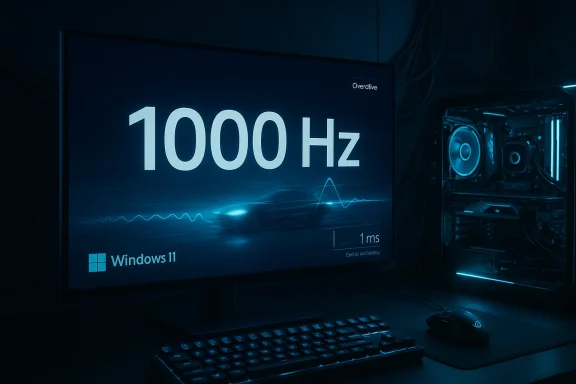
Dark blue gaming setup featuring a 1000 Hz Windows 11 display, glowing PC, keyboard, and mouse.What changed in Windows 11 (technical summary)​

The OS display stack ae​

Historically, Windows and many drivers effectively treated refresh rate as a value that rarely exceeded a few hundred hertz. That convention shaped validation and UI paths inside Settings, the older Display Control APIs, and some performance telemetry components. Recent Insider builds appear to have removed or relaxed these checks so the system will accept and report refresh rates well above the traditional ceiling — a change that’s about reporting and acceptance, not a magic performance boost by itself.
  • Display enumeration: Windows now accepts higher refresh values presented by the driver/monitor anh the normal display settings and diagnostics surfaces.
  • Builds and rollout: The change surfaced in Release Preview/Insider channel packages referenced in community breakdowns ged as recent KB cumulative drops), indicating Microsoft is testing platform‑level readiness ahead of broader distribution.

Why this is not only a UI tweak​

At first glance this looks like a small compatibility tweak, but it touches multiple layers:
  • The Windoel (WDDM) and the Desktop Window Manager (DWM) must be prepared to handle frame timing and presentation semantics for very high refresh rates.
  • Timer granularity and presentation paths used by games and applications must be able to safely negotiate present intervals at sub‑millisecond scales, or rely on VRR to adapt.
  • Telemetry and power‑management subsystems must tolerate and correctly attribute the power/performance tradeoffs of sustained extreme refresh modes.
Those changes require testing across drivers (NVIDIA, AMD, Intel), monitor firmware, and GPU microcode; Microsoft’s preview builds are intended to expose and exercise those interactions in the wild.

What “1000Hz” actually means in practice​

The raw math: frame time and human perception​

A 1000 Hz refresh rate corresponds to a theoretical frame interva(1000 ÷ 1000 = 1 ms) per refresh. Lower frame time reduces the minimum possible display latency and makes input‑to‑visible feedback theoretically faster.
  • At 240 Hz, frame time ≈ 4.17 ms.
  • At 360 Hz, frame time ≈ 2.78 ms.
  • At 1000 Hz, frame time = 1.00 ms.
However, the user‑facing latency that matters for real gameplay is the sum of several components: GPU frame rendering time, compositor/DWM latency, display scanning and pixel response, and input device sampling. Publicly available calculators and analyses illustrate that total input/display latency is the sum of these elements, so improving just the refresh rate only reduces one portion of the latency chain.

The hardware side: panel tech and interfaces​

Achieving 1000 Hz requires more than a panel capable of fast pixel response. It requires:
  • Panel electronics that can refresh that quickly without artifacting or unacceptable inverse ghosting.
  • Interface bandwidth (DisplayPort, HDMI) and/or compression technologies such as Display Stream Compression (DSC) to carry the required pixel data at the target resolution and bit depth.
  • Monitor firmware that exposes an overclock or native 1000 Hz mode in the monitor’s EDID or OSD, and a matching GPU driver that offers the mode to the OS.
Many manufacturers use dual‑mode panels or overclocking options where the monitor will advertise a very high refresh in a specific reduced‑resolution or compressed mode. Windows accepting the value is the last piece of the visibility story; the monitor‑GPU handshake and the driver must actually make the mode usable. Community reports tied to CES show vendors prototyping and demoing such modes in early 2026.

What this enables for gamers, esports, and pro use​

Lower latency ceiling and smoother micro‑timing​

For competitive ncy is a religion. Higher refresh rate modes reduce the time between successive samples of the rendered world, which can translate to lower perceived input latency and finer temporal fidelity.
  • Sharper input feedback: With a matched rendering pipeline, higher refresh rates mean mouse/aim updates can appear sooner on screen.
  • Smoother micro‑motion: Even when the average frame rate doesn’t scale perfectly, motion appears smoother because frame‑to‑frame delta is smaller.
That said, the rendering side must keep up. Running a game at 1000 fps is far more demanding than usual; in many cases the GPU will deliver lower frame rates and rely on VRR to make the experience visually smooth. Windows’ acceptance of a 1000 Hz mode largely helps UI/diagnostics and lets competitive monitors advertise their capability; it doesn’t change the laws of GPU performance.

Use cases beyond gaming​

There are niche professional uses for extreme refresh rates too: scientific visualization for very fast instrumentation, yback for quality control, and specialized virtual reality or simulator environments where the temporal resolution is critical. Windows recognizing extreme refresh modes simplifies integration for such systems.

Implementation realities and ecosystem dependencies​

GPU drivers are the gatekeepers​

Even if Windows accepts a 1000 Hz report, the mode must be implemented by GPU vendors. Drivers are responsible for:
  • Exposing modes to Windows via EDID/driver interface.
  • Handling timing and flip/present semantics at sub‑millisecond intervals.
  • Integrating with VRR stacks (NVIDIA G‑SYNC, AMD FreeSync, VESA Adaptive‑Sync).
Historically, driver vendors have been conservative with supported refresh ranges because of timing stability, telemetry, and certification concerns. The new Windows behavior will push vendor drivers to account for extreme refreshes and, critically, to ensure safe, reproducible experiences. Community notes on the recent Release Preview indicate Microsoft and driver partners are testing these surfaces with Insiders.

Display interfaces and compression​

Bandwidth is the limiting factor for high refresh at high resolutions and color depth. Realistic pathways to 1000 Hz include:
  • Res (e.g., downsampled or windowed competitive modes).
  • Heavy reliance on DSC (Display Stream Compression) to carry 4:4:4 chroma and high bit depth at ultra‑high refresh.
  • Newer physical interfaces such as DisplayPort 2.1 (and future HDMI revisions) which raise available throughput.
Monitor vendors often offer dual‑mode panels that trade resolution or color fidelity for refresh; Windows accepting the number makes these modes easier to select and test. Monitor OSD overclock switches or firmware toggles will remain part of the user setup flow. Manufacturer guides and support pages highlight the role of OSD overclock options, and ASUS’s ELMB/blurring solutions are an example of vendor techniques to preserve clarity at very high refreshes.

Developer and application impacts​

Game engines and timers​

Game engines usually sync to vertical blank or use high‑resolution timers for frame timing. At 1000 Hz, engines must:
  • Ensure frame pacing logic supports sub‑millisecond present intervals without introducing jitter.
  • Avoid CPU spin behavior that assumes coarser timing; use high‑resolution waits and properly configured swap chains.
  • Correctly interoperate with VRR to avoid tearing when the frame rate cannot reach the panel’s maximum.
Engines and middleware will need validation against the updated DWM presentation paths Microsoft is testing. That’s part of why Insiders and developers are being asked to stress test the new preview builds.

Capture and streaming​

Another practical change: recording and streaming stacks (game capture APIs, OBS/NVIDIA ShadowPlay) must correcally cap extremely high refresh sources. Capture formats, encoder settings, and streaming bitrates are not designed around 1000 fps; for most content creators the practical output will remain at typical consumer capture framerates (60–240 fps), while local competitive video or analysis tools could benefit from the higher sampling rates.

Risks, caveats, and stability concerns​

It’s about support, not instant miracles

Windows accepting a 1000 Hz mode does not mean every PC will suddenly perceive a 1000× improvement. The OS change is necessary but not sufficient. Real‑world performance depends on:
  • GPU capability to render frames at the target rate.
  • Monitor firmware and driver correctness.
  • Interface bandwidth and compression fidelity.
  • Game engine readiness (presentation paths, timers).
  • Peripheral sampling rates (mouse, keyboard) and their polling configuration.
Community and early test reports emphasize this is a platform‑level enablement step that requires coordinated follow‑through from OEMs, GPU vendors, and application developers.

Power, heat, and hardware longevity​

Running a display at extreme refresh modes increases power draw for both the GPU and the monitor electronics. That canal loads, which matters for laptops and smaller systems. Manufacturers will likely ship trade‑offs (reduced brightness, tuned overdrive profiles, or discrete performance modes) to manage the thermal and longevity impacts.

Driver and OS bugs​

New presentation paths always surface timing bugs: stuttering, missed v‑blanks, incorrect frame pacing, or even system instability. Insider channels exist precisely to let power users and developers find these issues before a full public release. Expect initial driver and firmware revisions as the ecosystem iterates.

False advertising and misreported modes​

A monitor advertising "1000 Hz" might expose that mode only under specific, constrained conditions (reduced resolution, chroma subsampling, or with a proprietary DSC profile). Windows showing a number is helpful for transparency — but buyers must read the fine print about the conditions under which that number is valid. Community testing and teardown reports will matter here.

How to prepare your PC and what to expect if you buy a 1000Hz monitor​

Practical checklist before buying or testing​

  • Confirm your GPU vendor has announced driver suppivers that explicitly support the monitor and mode.
  • Verify the monitor’s exact operating conditions for the 1000 Hz mode (resolution, color depth, DSC requirements, DisplayPort/HDMI version).
  • Use manufacturer OSD and firmware updates — some extreme modes are opt‑in via the monitor’s on‑screen menu.
  • Expect to test and tune in‑game settings: VRR on/off, latency vs image quality settings (overdrive, ELMB or strobe modes), and monitor input sampling options.

Quick setup steps (high‑level)​

  • Update GPU drivers to the latest preview or stable build that documents support.
  • Set the monitor to its extreme mode via OSD (if required).
  • In Windows Settings > System > Display > Advanced display, confirm the reported refresh rate and select the extreme mode if present.
  • Test with a VRR‑capable game or dedicated frame timing tool to validate stable presentation.

Industry context and vendor behavior​

Monitor makers and GPU vendors have been racing to raise refresh spec headlines fomoved from 120 to 144 Hz, then to 240, 360, and — more recently — 500 Hz and 600 Hz in select OLED and QD‑OLED demos. The step to 1000 Hz is technically feasible in constrained modes and with specialized hardware, and Microsoft’s decision to accept and report extreme refresh rates signals platform readiness for this next push. Industry demos at trade shows and early 2026 reveals show vendors prototyping dual‑mode panels and announcing limited production runs for niche competitive segments.
From a platform perspective, Microsoft’s approach is pragmatic: enable and surface capability first; rely on driver and hardware partners to implement and validate the modes in shipping products. That coordination minimizes surprises for users and diagnostic tooling to evolve alongside the hardware.

What to watch next (roadmap and tests to expect)​

  • Driver updates and WHQL certifications: NVIDIA, AMD, and Intel driver releases will be the first public sign that extreme refresh support is ready beyond Insiders.
  • **Monitor firmware / retail product ct to see vendor pages that specify the exact EDID/DSC/DP2.1 conditions for 1000 Hz.
  • Benchmark and input latency studies: Technical journalists and labs will target end‑to‑end input/display latency measurements to quantify real benefits and tradeoffs.
  • Game engine updates and guidance: Engine vendors (Unreal, Unity) and middleware providers will publish guidance for stable presentation at extreme refreshes.
Community test suites and frame‑timing tools will be crucial; expect coordinated validation posts from enthusiasts and review labs over the coming months that demonstrate real‑world behavior across titles and platforms.

Critical analysis: strengths, opportunities, and real risks​

Strengths (why this matters)​

  • Platform enablement is essential: Without the OS accepting these modes, monitor vendors and driver teams would be forced into awkward workarounds. Microsoft’s acceptance reduces e ecosystem converge on consistent behavior.
  • Competitive gaming potential: For elite esports scenarios where every millisecond counts, moving the theoretical latency ceiling downward is valuable — if the rest of the pipeline keeps pace.
  • Transparency for buyers: If Windows reliably reports extreme modes, enthusiasts get clearer informationardware supports and under what conditions.

Opportunities​

  • New display profiles and OS-level power controls: Windows could expose dedicated “extreme refresh” power profiles that balance brightness, overdrive, and thermal limits for laptops and small form factor PCs.
  • Improved telemetry and testing frameworks: This change gives Microsoft and OEMs a reason tfor sub‑millisecond presentation behavior, which benefits the entire ecosystem.

Risks and unknowns​

  • Marketing vs reality: Some monitors will advertise 1000 Hz as a headline while only supporting it in narrow, reduced fidelity modes. Buyers must read specifications carefully.
  • Driver maturity: Early drivers may expose bugs, unnatural frame pacing, or increased stutter until vendors stabilize the implementation.
  • Thermal and power costs: Running at extreme refresh rates increases energy use and heat; laptops and compact systems will need careful engineering to sustain such modes.
  • **Diminishing returns for mostad user base, the difference between a well‑tuned 240–360 Hz setup and a 1000 Hz one may be minor; the biggest wins are in the margins for a small competitive segment.

How to interpret early coverage and community reports​

Early news items and community threads have drawn attention to Microsoft’s blog notes and Insider build behavior that reference “extreme display refresh rate” and the practical removal of a previous ceiling. Those posts correctly highlight the platform readiness step, but readers should understand this is an enabling change — not a guarantee that every combination of GPU and monitor will deliver a flawless 1000 Hz experience out of the box. Insider blog references and community testing reports are the first signals; full ecosystem validation will follow.
For those evaluating monitors and builds, treat the early reporting as a heads up: the OS is ready to accept extreme numbers, and now the hardware and drivers must prove real‑world value.

Practical advice for enthusiasts and IT pros​

  • If you’re an enthusiast planning to buy a flagship competitive monitor: wait for third‑party lab tests that measure end‑t/and the exact conditions for the claimed refresh rate.
  • If you’re an IT or esports operator: schedule driver and firmware validation on test fleets, and verify sustained behavior under realistic loads rather than trusting single‑frame demos.
  • If you’re a developer: test your presentation and timing code against Insider builds and ensure fallback paths exist for more typical refresh rates.

Conclusion​

Windows 11’s move to accept and report ultra‑high refresh rates — including 1000 Hz modes — is a meaningful platform milestone. It removes a software bottleneck and allows monitor makers, GPU vendors, and application developers to focus on the harder technical problems: timing stability, bandwidth constraints, and real‑world latency reduction. For competitive gamers and niche professional users, the change is an enabling condition that could lead to meaningful improvements in the months ahead. For the broader market, it’s a signpost: the refresh‑rate wars continue, but the real benefits will hinge on coordinated hardware, driver, and software engineering rather than an OS checkbox alone.

Source: Wccftech Windows 11 Prepares For 1000Hz+ Displays, As Spotted In The Latest Blog Entry
Source: TweakTown Windows 11 is officially getting support for 1000Hz+ monitors
 

Microsoft’s latest Windows Insider drops quietly remove a long‑standing artificial ceiling in the display stack, letting the operating system accept and report refresh rates well above the 1,000 Hz mark and — according to early reports and community testing — making room for values as high as 5,000 Hz in the OS. This isn’t just a numbers game for spec sheets: the change clears a necessary software obstacle for the next wave of ultra‑high‑refresh gaming monitors, and it forces hardware vendors, driver teams, and game developers to reckon with what “hyper‑fast” displays really mean for motion clarity, input latency, and the wider PC ecosystem.

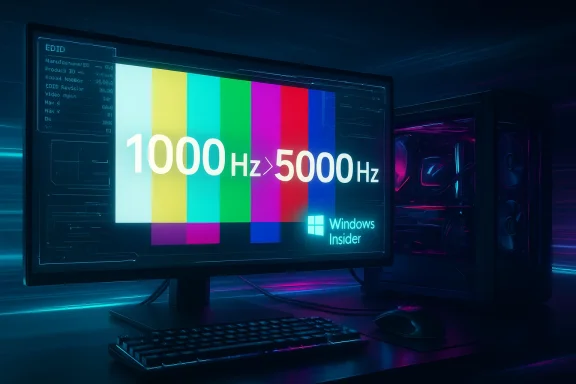
Neon-lit PC setup with a monitor displaying a rainbow color test pattern and Windows Insider.Background: why refresh rate limits matter​

High refresh rates reduce the time between consecutive frames being presented, which can lower perceived motion blur and make fast camera pans and object tracking appear clearer. For competitive gamers and prosumers who value every millisecond, increasing refresh rates from 240–360 Hz into the kHz range promises incremental improvements in smoothness and responsiveness.
Until now, PC display support — from OS to drivers to application layers — implicitly assumed a practical upper bound on refresh rates. Many parts of the graphics stack and application code made binary or hard‑coded assumptions (lists of supported modes, UI drop‑downs, and internal limits) that made it difficult for an operating system to reliably enumerate and use monitor modes beyond the familiar bands. Removing such an artificial cap at the OS level is a necessary precondition for true ecosystem support of 1,000 Hz and beyond.

What changed in Windows 11 (Insider builds)​

Insider drop details and what they enable​

Recent Windows Insider builds delivered to the Dev and Release Preview channels reportedly remove the previous upper limit for accepted vertical refresh rate values in the display stack. In practical terms this means:
  • Windows Display Settings and the underlying display enumeration APIs can now accept and pass refresh‑rate values that exceed 1,000 Hz.
  • The OS will report and display these modes if a monitor’s EDID and the GPU driver present them.
  • Microsoft’s change appears designed to be permissive: the OS will no longer block modes simply because they exceed an arbitrary threshold.
Microsoft’s internal note — as relayed through community channels — indicates the team increased the permitted refresh‑rate ceiling to a much higher value (reported as 5,000 Hz) so that manufacturers and test labs have “headroom” for future experimental modes and to avoid repeatedly updating the OS for every new maximum. This is a pragmatic engineering choice: raising an upper bound lets the platform remain compatible with evolving hardware for years to come without constant churn.

Where this sits in Windows’ graphics pipeline​

The refresh‑rate limit change sits at the OS compositor / display stack level — the part that enumerates modes, reports capabilities to apps, and manages presentation timing with the Desktop Window Manager (DWM). It does not, on its own, change:
  • GPU drivers’ ability to push a given mode (drivers still need to expose and support the mode).
  • The physical display interface bandwidth constraints (DisplayPort/HDMI transmission limits).
  • Game engines’ frame pacing or render performance.
In short: Windows will accept a 1,000 Hz (or higher) mode, but making that mode useful in practice requires matching support from the GPU, display firmware, and cables, and it requires games and capture/streaming software to correctly handle the resulting frame rates.

Why Microsoft raised the limit to 5,000 Hz (and why that number matters)​

Raising the ceiling to an order‑of‑magnitude figure like 5,000 Hz is a forward‑looking decision. It provides:
  • Future‑proofing: manufacturers experimenting with exotic panel technologies or extreme‑polling modes won’t immediately run up against an OS cutoff.
  • Simplicity: avoiding repeated small increases to a hard cap reduces release overhead.
  • Headroom for research: test labs and academic studies can use the OS to report and analyze ultra‑high rates without BIOS/OS workarounds.
For engineers the exact numeric ceiling is less important than the concept: the OS will no longer be the bottleneck. That shift lets monitor makers, GPU vendors, and system integrators focus on physical constraints — pixel clocks, panel drive electronics, interface throughput, and thermal/power tradeoffs.

The hardware reality: interfaces, bandwidth and the tradeoffs​

A change in Windows doesn’t magically deliver 1,000 Hz at 4K with 10‑bit color; the physical link between GPU and panel still imposes strict limits. Key technical realities:
  • Display interfaces (DisplayPort, HDMI) have fixed maximum payloads for a given standard. Hitting kHz refresh rates typically requires reducing resolution, increasing compression (like DSC), or changing color depth.
  • Pixel clock requirements rise linearly with resolution × refresh rate. Packing more than 1,000 full‑resolution frames per second quickly exceeds current bandwidth unless resolution and pixel depth are reduced.
  • Panel electronics must be capable of driving rows and columns at the necessary speed; driver electronics, scanning methods, and row‑time constraints complicate ultra‑high refresh designs.
  • Power and heat: higher temporal bandwidth means more transitions per second and more active electronics, which consumes power and generates heat — non‑trivial in a thin laptop or compact monitor.
Practical product choices will therefore focus on where the tradeoffs make sense: vendors can deliver 1,000 Hz at FHD or 720p to keep pixel clocks manageable, while higher resolutions may remain at conventional refresh rates until interface standards evolve further.

How manufacturers will likely position products​

Expect the initial wave of high‑kHz monitors to prioritize:
  • Lower native resolutions (for example 1080p or 720p) to keep the pixel clock in a feasible range.
  • Gaming‑oriented feature sets — low persistence backlights, OLED or fast LCD panels, and esports‑graded response time.
  • Optional scan‑rate modes: panels that can switch between a high‑Hz low‑res mode and a higher‑res lower‑Hz mode.
  • Aggressive marketing of “perceived motion clarity” while acknowledging that absolute perceptible gains diminish above a certain point for most users.

Software ecosystem implications​

GPU drivers and DRM/EDID cooperation​

Graphics drivers are the gatekeepers between the OS and the hardware. For a 1,000 Hz mode to work reliably:
  • The GPU vendor must implement the timing and pixel clock support in the driver and logo the mode via EDID or driver‑exposed mode lists.
  • The driver must also ensure stable memory bandwidth and arbitration so the GPU can render at the required rates without introducing framing anomalies or tearing.
  • DisplayPort/HDMI controllers must correctly implement the timing parameters and any compression schemes.
Driver teams will need to test corner cases and ensure stable fallbacks when a connected monitor reports a mode the GPU cannot actually sustain.

Game engines, frame pacing, and input stacks​

Even if a monitor and driver are willing to push 1,000 Hz, games still must deliver frames at a high enough frame rate to realize the benefits. That raises several practical concerns:
  • Frame pacing and CPU/GPU balance: many games are GPU or CPU bound at typical competitive settings; sustaining frames compatible with 1,000 Hz is realistic only for a narrow set of titles and hardware configurations.
  • Input pipelines: mice and controllers with ultra‑high polling rates (hundreds to thousands of Hz) require coherent handling at the OS input layer and in games; inconsistent processing will negate the benefits of higher refresh.
  • Engine timing loops: older engines that assume a 60–240 Hz max might have hard‑coded timers, so developers must validate engines at new refresh regimes.

Capture, streaming, and compatibility​

Recording or streaming gameplay at 1,000 FPS brings immediate complications:
  • Recording software and encoders (software and hardware) must support and accept such high frame rates; typical streaming platforms and consumer encoders assume much lower frame rates.
  • Observers and viewers rarely have displays capable of perceiving the benefits, so the practical benefit for content creators is constrained.
  • Screen recording utilities and overlays often hook into presentation APIs and may need updates to prevent dropped frames or skewed timing.

Motion‑clarity technologies and frame generation​

One reason vendors and GPU companies continue to pursue higher refresh rates is the way these modes combine with frame synthesis and interpolation technologies. Frame‑generation systems — which insert plausible intermediate frames using neural networks or motion vectors — enhance motion clarity by increasing perceived frame rate without requiring full render throughput.
  • Using frame generation with a high refresh monitor can yield large perceptual gains because the display presents more frames per second (whether rendered or generated), which reduces motion blur and improves clarity.
  • Companies across the GPU space have invested in frame generation methods. When used responsibly, frame generation paired with a high‑Hz panel can create fluid motion at lower GPU rendering loads.
That said, frame generation introduces latency tradeoffs, artifact concerns, and requires per‑title tuning. The combination of an OS that can accept 1,000+ Hz modes and robust frame‑generation pipelines could be very compelling for fast‑paced titles — but only when all components are tuned together.

Human perception and diminishing returns​

There is a hard, measurable law of diminishing returns when it comes to refresh rate vs. human perception. Moving from 60 Hz to 144 Hz or 240 Hz delivers a widely noticeable improvement for many users; beyond that, incremental gains become increasingly subtle and situational. Important considerations:
  • Perceptual thresholds vary: competitive players often report benefits even for subtle improvements, whereas casual users rarely notice beyond 240–360 Hz.
  • Latency improvements at ultra‑high refresh rates may be most meaningful for specific genres (first‑person shooters, rhythm/twitch games) and competitive contexts.
  • Testing methodology matters: objective tools like high‑speed camera captures and synthetic motion‑clarity tests (e.g., motion tests) are needed to separate marketing claims from perceptible differences.
Ultimately, while Windows’ change removes an artificial software limit, it doesn’t alter the physiological limits of human vision. Manufacturers must therefore be honest about what their products actually deliver and to whom.

Risks, caveats, and unanswered questions​

The platform change is notable, but several risks and caveats remain:
  • Marketing vs. reality: manufacturers could promote ultra‑high Hz numbers while hiding the necessary tradeoffs (reduced resolution, limited color depth, or proprietary modes that require specific GPUs). Buyers must scrutinize real‑world performance.
  • Driver and firmware maturity: shipping monitors that advertise 1,000+ Hz requires coordinated releases from panel vendors, monitor firmware teams, GPU driver vendors, and cable/interface manufacturers. Early products will likely be experimental.
  • Power, heat, and reliability: pushing electronics faster usually increases power draw and thermal stress; display longevity and reliability will need evaluation.
  • Software ecosystem gaps: many apps, streaming tools, capture utilities, and game engines will need updates to ensure compatibility and proper behavior at extreme refresh rates.
  • Industry standards and testing: stable, objective test procedures and certification (timing conformance, EDID correctness, DV/VSync handling) will be needed so retailers and reviewers can validate true performance.
Where claims cannot be independently verified — for example, projections about mass availability of 2,000 Hz panels by 2030 — treat them as manufacturer roadmaps and community estimates rather than firm commitments.

What enthusiasts and professionals should watch for​

If you care about ultra‑high refresh rates, keep an eye on these practical signals:
  • Product teardown and measurement reports: independent labs and community testing (high‑speed camera validation, motion‑clarity captures) will separate real capabilities from spec marketing.
  • Driver release notes and GPU vendor support statements: check whether the major GPU vendors explicitly support the monitor modes and whether they expose adjustment and calibration options.
  • Monitor firmware updates and EDID dumps: transparent posting of EDID timing modes and support for standard link profiles (DisplayPort, DSC) helps verify claims.
  • Game engine patches and developer guidance: engines publishing recommended settings for high‑Hz modes and frame‑generation compatibility will accelerate adoption.
  • Capture and streaming tool updates: OBS, streaming encoders, and platform ingest pipelines adapting to higher frame rates will be necessary for content creators.

Practical guidance — who should care now and what to do​

  • Competitive esports pros and lab researchers: If you are directly sensitive to millisecond‑level changes and are building test rigs, this change matters now. Work directly with hardware vendors and request EDID/mode dumps to confirm real behavior.
  • Enthusiast gamers: Wait for independent testing. Early monitors will likely trade resolution, color depth, or convenience for headline refresh numbers.
  • Content creators and streamers: Don’t rush to adopt ultra‑high refresh hubs until capture and streaming chains catch up.
  • IT and procurement: For enterprise or general‑purpose deployments there’s no practical advantage; focus on proven ergonomics, color fidelity, and power efficiency.
If you decide to experiment:
  • Ensure your GPU driver is the latest beta that advertises explicit support for the monitor mode.
  • Use a certified cable (or the cable that the monitor maker supplies) and verify EDID exported modes.
  • Test with synthetic motion‑clarity tools and a high‑speed camera if you want objective validation.
  • Monitor thermals and power draw over extended sessions to spot potential reliability issues.

Why this matters beyond gaming​

The change is primarily discussed in gaming circles, but it has broader implications. The OS now offers a less restrictive surface for any use case where temporal resolution matters:
  • Professional visualization and simulation: high frame rates can matter for precise motion capture review or certain VR/AR workflows.
  • Research and measurement: labs can design experiments that require fine temporal fidelity without working against OS limitations.
  • Input and device testing: manufacturers designing ultra‑high polling peripherals now have a coherent platform target for synchronization.
That said, many of these professional usages will prefer established, measured interfaces and standards rather than chasing a raw numeric ceiling.

Conclusion: an important plumbing upgrade with meaningful but bounded impact​

Microsoft’s decision to lift the OS‑level refresh‑rate ceiling is an important engineering step: it removes a software roadblock that previously forced vendors into awkward workarounds. By raising the ceiling (reportedly to a value such as 5,000 Hz) the company has signalled a willingness to support experimental and forward‑looking display technologies without requiring constant OS changes.
But the change is plumbing, not magic: hardware, drivers, game engines, capture tools, and realistic human perception limits will determine whether 1,000 Hz — or anything beyond it — becomes a meaningful mainstream feature or remains an esports and R&D niche. Expect carefully targeted product launches, aggressive marketing, and a period of community vetting. For anyone considering jumping into the kHz monitor race, the sensible approach is to wait for independent validation, focus on the whole system (monitor + GPU + driver + game), and treat early products as prototypes rather than mature, broadly useful upgrades.
For the Windows ecosystem, the practical win is clear: the platform is now ready for the next decade of display experimentation. Whether the rest of the stack — and the broader market — moves at the same pace will determine whether those extra thousands of Hertz translate into better, measurable real‑world experiences.

Source: OC3D Windows 11 update enables 1000 Hz+ monitors - OC3D
 

Microsoft’s latest Insider release quietly removes an artificial ceiling in Windows 11’s display stack, letting monitors “report refresh rates higher than 1000 Hz” — a small line in the release notes that has large implications for the future of ultra‑high‑refresh displays and competitive gaming.

Triple-monitor desk setup displaying 1000 Hz and 1200 Hz displays with keyboard, mouse, and GPU.Background / Overview​

Windows has historically enforced practical and sometimes artificial limits on display parameters for interoperability and stability. Those limits live across the OS display stack, the Windows Display Driver Model (WDDM), and utility code that surfaces monitor attributes to applications and Settings. Recently, Microsoft shipped Release Preview channel builds that include a terse but consequential note: Monitors can now report refresh rates higher than 1000 Hz. That languagese notes for builds distributed as 26100.x and 26200.x and has been reproduced across Insider feeds and mirror posts.
At the same time, the display industry is experimenting with ways to push perceived motion clarity well beyond the familiar 60–240 Hz range. Vendors showed 1000 Hz-capable panels at trade events and announced dual‑mode monitors that can hit 1000 Hz at reduced (“competitive”) resolutions or via special strobing/DFR (Dynamic Frequency and Resolution) modes. Independent display experts and enthusiast communities — most notably Blur Busters — read Microsoft’s change as pre‑emptive plumbing for a long‑tail future: Windows must be able to accept, represent, and report extreme refresh rates even if the hardware and content ecosystems take longer to catch up.
This article walks through what Microsoft actually changed, why it matters, what remains theoretical, and the real barriers between curiosity and practical deployment. It cross‑references vendor announcements, standards documents, and display‑science commentary to separate engineering reality from marketing headline numbers.

What changed in Windows — the engineering detail​

The visible evidence: release notes and Insider builds​

The clearest piece of evidence is the Release Preview blog / release notes entry for the Insider builds that lists the oners can now report refresh rates higher than 1000 Hz. That line shows up in announcement posts and Insider mirrored threads where Microsoft summarizes fixes and improvements for builds in the 26100 and 26200 families, which correspond to the 24H2 / 25H2 servicing streams.
Because Microsoft’s blogs are the canonical record for Insider releases, the appearance of the line is the clearest public confirmation that the OS no longer imposes the old ceiling at the UI/notification layer. In other words, the change is primarily about
reporting and acceptance* — letting monitors claim very high refresh rates to the OS — rather than instantly fixing every downstream compatibility issue that may arise when a real 1000‑Hz or greater panel is connected.

What “report” vs “support” means​

It’s important to parse the wording: reporting a refresh rate is different from guaranteeing full end‑to‑end support. When a monitor reports a refresh rate in its EDID/DisplayID descriptors and drivers expose that value, Windows can now accept and show those values in Settings and programmatic APIs. That eliminates a software clamp that previously collapsed extreme values into a predefined ceiling.
However, true support spans the entire patl display drivers, the compositor, DirectX timing, driver model (WDDM), and applications must all handle the new ranges without timing glitches or scheduling anomalies. Microsoft’s release‑note wording only confirms the OS will no longer artificially block values above 1000 Hz from being reported; it does not (and cannot) guarantee flawless behavior across the whole ecosystem for all hardware at those rates.

Why Microsoft would make this change now​

Industry momentum: hardware prototypes and CES demonstrations​

Major panel makers and OEMs showcased 1000 Hz or “1000 Hz‑capable” displays at recent trade shows, and some vendors are shipping dual‑mode monitors that trade resolution for higher refresh rates in esports scenarios. Coverage from Tom’s Hardware, VideoCardz, and multiple CES announcements show manufacturers like Acer and others targeting ultra‑high refresh modes for 2026 product lines. Those monitors commonly use a dynamic frequency/resolution (DFR) scheme: drop the native resolution to a small competitive mode (often 1280×720) to drastically lower pixel throughput, enabling far higher frame rates.
Microsoft’s change looks less like an endorsement of 5000 Hz marketing and more like pragmatic platform hygiene: remove an arbitrary ceiling so vendors, drivers, and developers can experiment without being thwarted by the OS. When hardware reaches the point of demonstrating extreme refresh modes, the OS must not be the bottleneck.

Preparing for new motion‑clarity technologies​

Beyond raw Hz numbers, companies like NVIDIA are pushing "perceived" motion clarity techniques — strobing, scanline synthesis, and backlight pulsing — that can make displays appear to behave as if they were much higher refresh. These techniques interact with VRR, compositor timing, and GPU frame pacing; letting monitors declare higher refresh figures in the OS simplifies telemetry and testing for motion‑clarity systems. NVIDIA’s G‑Sync Pulsar and related announcements at CES aimed at “simulated 1000Hz motion clarity” are an example of motion‑clarity work that benefits from an OS that can represent those extreme numeric modes.

Cross‑checking the most provocative claims​

The “5,000 Hz” number — where it came from and what it means​

d display experts have floated larger theoretical ceilings. One community analysis suggested Microsoft lifted internal ceilings such that refresh‑rate values up to 5,000 Hz can be registered if a monitor reports them. That interpretation is not an explicit Microsoft marketing claim; it’s an inference based on how the OS encodes and stores reported values and on community correspondence with Microsoft engineers. Blur Busters, a respected display‑science voice in the enthusiast community, argued that Windows’ internal implementation would accept extremely high numbers and suggested a practical cap of 5,000 Hz for the new code path — but that remains an external interpretation rather than a direct Microsoft statement. Treat the 5,000 Hz figure as an engineering inference, not a product promise.

What Microsoft didn't promise​

  • Microsoft did not announce shipping consumer monitors running at native 1000+ Hz.
  • Microsoft did not provide guarantees about GPU driver behavior, input latency changes, or application compatibility at those rates.
  • Microsoft did not commit to adding API guarantees for rendering at specific microsecond frame budgets across all titles.
Those absences matter: accepting higher reported values is a necessary but not sufficient precondition for a true ecosystem that reliably runs at those speeds.

The technical barriers between marketing and reality​

Despite OS readiness, several hard engineering limits remain:

1) Interface bandwidth and pixel clock limits​

To display a high resolution at thousands of Hz, you need enormous pixel‑clock capacity. Current consumer interfaces (DisplayPort and HDMI) have finite payloads; even DisplayPort 2.1’s UHBR modes offer tens of gigabits per second, not infinite bandwidth. In practice, vendors hit extreme refresh rates by dropping resolution and color depth or by using aggressive compression (DSC) and chroma subsampling. DisplayPort specifications and industry commentary show DP 2.1 adds UHBR modes (UHBR10/13.5/20) that expand headroom, but the math still forces trade‑offs between resolution, color depth, and refresh rate. For example, reaching 1000 Hz at full QHD or 4K would exceed today’s practical bandwidth unless you dramatically reduce resolution or rely on very aggressive compression.

2) GPU and driver throughput​

Rendering 1000 frames every second is not merely a display problem — it’s a rendering pipeline problem. CPU submit rates, GPU draw call overhead, shader complexity, and driver scheduling all conspire to limit achievable fps. Even highly optimized esports titles and benchmark conditions rarely sustain 1000 FPS at anything but the smallest competitive resolutions on the fastest hardware. Until GPUs and drivers optimize specifically for sub‑millisecond frame pipeline throughput, practical rendering limits will remain far below an OS‑reported 1000–5000 Hz ceiling. Independent reporting and vendor commentary note the gap between panel capability and achievable frame output on current silicon.

3) Cables, connectors, and certification​

To exploit UHBR modes reliably you need certified cables and potentially active retimers. DisplayPort 2.1 introduced new cable and certification requirements for long lengths and high data rates, and those physical ecosystem elements take time to standardize in consumer retail channels. Without certified cabling and vendor‑approved connectors, the theoretical mode may either not negotiate or may suffer instability.

4) Timing, input stack, and compositor behavior​

At extreme frame rates, Windows’ compositor, input sample timing, and application scheduling become critical. Microsecond jitter, driver scheduling latencies, and compositor buffering can introduce stutter or timing mismatch even if raw refresh numbers look correct at the Settings UI level. That’s why Microsoft’s change to allow reporting is an early, limited step: real, smooth experience at 1000+ Hz requires coordinated changes in WDDM, GPU drivers, and application frame pacing.

Perception vs. specifications — what users actually see​

Human perception and motion clarity​

Display scientists and blur experts note that perceptual benefits do not scale linearly with Hz. The biggest changes occur at the low end: motion starts to look fluid around 10–60 Hz, flicker reduces dramatically by ~100 Hz for many displays, and diminishing returns set in at higher numbers. Blur Busters points out that at 1000 Hz, motion blur can become negligible on small panels and in tightly constrained visual tasks, but the perceptual gain varies by content, viewing distance, and the display’s pixel response characteristics. That’s why vendors target esports monitors: fast motion, small crosshair targets, and head‑mounted esports habits can extract advantage from higher refresh and lower perceived motion blur.

Motion clarity techniques: strobing, backlight pulsing, and perceived Hz​

An important caveat: some announcements claiming “1000 Hz” refer to perceived motion clarity enabled by strobing or pulsed backlights rather than continuous native 1000‑Hz panel refresh. Nvidia’s recent work around motion clarity uses these techniques to deliver the appearance of higher temporal resolution without requiring the panel to run every pixel at that native cadence. These are valid approaches for competitive contexts — but they are not the same as a native 1000‑Hz continuous panel. Readers should treat “perceived motion clarity” and “native refresh” as distinct technical cl

Who benefits, and who doesn’t​

Clear winners​

  • Competitive esports players and teams who prioritize minimum input lag and maximum motion clarity at low resolutions. Dual‑mode monitors and strobing modes map well to that use case.
  • Display researchers and GPU driver teams who need an OS that doesn’t artificially clip reported values during testing and validation.
  • Peripheral and benchmarking tool vendors who benefit from accurate reporting for telemetry and tuning.

Unclear value​

  • General consumers and creators who prioritize color fidelity and high resolution for video/photo work will rarely need 1000+ Hz.
  • Enterprise IT where stability, manageability, and power consumption are primary; extreme refresh modes are a poor fit for typical productivity workflows.

Risks and practical downsides​

  • Power and thermal cost. Running displays at extreme refresh rates increases panel electronics and GPU power draw. For laptops and battery‑sensitive devices, the tradeoff is unfavorable.
  • Driver and OS regressions. Allowing higher reported values can surface driver bugs, scheduling anomalies, or regression in legacy applications. Insiders and early adopters may hit these before vendor drivers mature.
  • Marketing confusion. “1000 Hz” can mean many things: native vs DFR mode vs perceived motion clarity. Consumers may misinterpret specs without careful labeling.
  • Limited content support. Games and engines must be able to exploit the extra headroom; many titles are not designed for wildly high frame budgets and may require engine‑level changes to benefit.

Standards, vendor activity, and the roadmap​

  • DisplayPort and HDMI continue iterating. DisplayPort 2.1 and its UHBR modes create headroom for higher refresh/resolution combinations, but practical operation usually requires DSC or reduced resolution. Vendor and standards documents show the headroom but confirm the need for trade‑offs.
  • Multiple OEMs (Acer among them) demonstrated or announced dual‑mode 1000 Hz designs at CES and through press releases, typically using 720p competitive modes to hit the extreme Hz. Those announcements are consistent across several outlets including Tom’s Hardware, VideoCardz, and vendor press.
  • Motion‑clarity systems like NVIDIA’s G‑Sync Pulsar aim to deliver perceived benefits of 1000 Hz without requiring every pixel to be refreshed natively at that rate. That approach reduces bandwidth and GPU burdens but trades on clever strobing and VRR techniques.

Practical guidance: what gamers, hardware teams, and IT pros should do now​

  • For gamers: prioritize measured latency and frame‑time consistency over headline Hz numbers. If you compete at the highest levels and your title/engine and GPU can produce extreme frame rates at a reduced resolution, an esports‑targeted panel may help. Otherwise, typical 240–360 Hz devices still deliver excellent margins. Consider the power/thermal cost and whether your GPU/driver stack is validated for the new modes.
  • For hardware and driver teams: use the new Windows reporting to test extreme mode negotiation, but validate complete stacks: EDID/DisplayID reporting, driver negotiation, VRR/DSC handshake, and compositor timing. Expect to iterate drivers and microcode on both GPU and monitor firmware.
  • For enterprise IT: ignore the hype for production deployments. Focus on stability and certified display modes that meet security and manageability requirements. If you’re provisioning kiosks, n‑client devices, extreme refresh rates are irrelevant and add support burden.

How to read vendor claims responsibly​

When seeing a spec sheet:
  • Ask whether the claim is native refresh at full resolution, reduced‑resolution DFR mode, or perceived motion clarity.
  • Verify whether the vendor lists the exact resolution or conditions (e.g., “1000 Hz at 1280×720 via DFR”).
  • Confirm cabling and connector requirements (UHBR/DP80, certified cable, etc.) and whether vendor installers will ship compatible cables.

Looking ahead: timeline and what to watch​

  • Short term (months): expect more dual‑mode and perceived‑clarity monitors from major OEMs aimed at esports. Drivers and monitor firmware will evolve, and Windows Insider channels will be the proving ground. Watch vendor press releases, GPU driver updates, and WDDM notes for behavior patches.
  • Medium term (1–2 years): standards and certified cables (DP2.1 UHBR modes, certified DP80/LL active cables) will become more common; DSC and chroma tradeoffs will be refined in real products.
  • Long term (multiple years): native, full‑resolution panels at thousands of Hz are theoretically conceivable but will require breakthroughs in panel electronics, GPU architecture, and link bandwidth. The pragmatic path (reduced resolution competitive modes + perceived clarity improvements) is far likelier to be widespread first.

Conclusion​

Microsoft’s quiet edit to Insider release notes — letting monitors report refresh rates above 1000 Hz — is an important, necessary step for a future in which vendors explore extreme temporal fidelity. It removes an OS‑level obstacle and signals that Windows will not artificially block the next phase of display experimentation.
That said, the leap from reporting to meaningful, reliable end‑user benefit requires considerable work across the stack: GPU and driver throughput, cable and connector certification, pipeline timing, and honest vendor messaging about what “1000 Hz” actually means. Enthusiasts and competitive players may extract advantages early via reduced‑resolution competitive modes and motion‑clarity techniques, but for the broader market the practical gains will be incremental and context dependent. Blur Busters and industry coverage make clear the perceptual case for ultra‑high temporal fidelity, while vendors continue to balance bandwidth, power, and visual quality.
If you’re an engineer or an IT pro, treat this as a platform‑level change that enables experimentation — not a signal that you must immediately spec 1000‑Hz panels for every desk. If you’re a gamer, read the fine print: the bridges between demo booths, marketing copy, and real gameplay are being built now, and Windows’ acceptance of extreme refresh numbers is a small but meaningful milestone in that journey.

Source: Wccftech Windows 11 Prepares For 1000Hz+ Displays, As Spotted In The Latest Blog Entry
 

Windows 11 Insiders in the Dev Channel are now seeing the operating system recognize and expose refresh-rate modes above 1,000 Hz for compatible displays, a change that signals Microsoft is preparing Windows to handle an emerging class of ultra‑high‑refresh gaming monitors — but that support comes with important technical caveats, driver and cable requirements, and practical limits that most users should understand before chasing the headline number.

PC desk setup with 1000 Hz monitors and neon blue-pink backlighting.Overview​

Microsoft’s preview builds have long served as the place where the company rolls out low‑level display and graphics plumbing before wider release. The latest preview cadence has added—or at least exposed—the ability for Windows to enumerate and allow selection of refresh rates higher than 1,000 Hz on systems where the display, graphics stack, and connection support such modes. On the surface this sounds simple: pick a higher number in Settings and enjoy impossibly smooth animation and lower input latency. In reality, supporting refresh rates in the four‑ or five‑digit range requires coordinated changes across multiple layers: monitor hardware and firmware, cable and transport capability, GPU and vendor drivers, Windows display drivers (WDDM), and the display‑mode negotiation during plug‑and‑play (EDID/DisplayID). Any single weak link can make a >1,000 Hz mode unusable, misreported, or visually poor.
This article walks through what the new Insider‑channel support actually means, what technical changes and constraints are involved, how real‑world benefits measure up, and the risks and troubleshooting steps Insiders and early adopters should follow. The goal is to give Windows enthusiasts, competitive gamers, and IT pros a clear, evidence‑based guide to what this change enables — and what it doesn’t.

Background: why the industry is chasing ever‑higher refresh rates​

The last decade of monitor development has been driven by two parallel trends: higher resolution for richer imagery, and higher refresh rate for smoother motion and lower input latency. Competitive esports has been the primary driver behind aggressively higher refresh rates; players are willing to trade image fidelity and panel technology quirks for the fastest possible motion presentation and minimal latency.
  • Manufacturers have already produced commercial panels at 240 Hz, 360 Hz, 480 Hz and beyond. More recently, prototype and niche panels have pushed toward 750 Hz and teased 1,000 Hz designs.
  • High refresh rates are technically feasible at low resolutions (typically 1080p or less) because the pixel-clock and data bandwidth required at low resolution are far lower than for 1440p or 4K.
  • Reaching the very highest refresh rates reliably requires very fast pixel response times (to avoid ghosting), extensive use of strobing/black‑frame techniques, and sometimes aggressive changes to panel chemistry and electronics. Those design compromises can negatively impact color, contrast, and viewing angles.
For Windows to be a complete platform for these displays, the OS must be able to accept and surface modes with very high refresh numbers, coordinate with graphics drivers to deliver frame timing at those rates, and keep other subsystems (mouse, compositor, game engines) compatible.

What the Insider change actually does​

What you will see in Settings​

When the display pipeline is fully capable, Windows’ Advanced Display settings will now list refresh‑rate choices that exceed 1,000 Hz. That means:
  • Windows can parse and present vendor‑supplied display modes that list refresh values >1,000 Hz.
  • The Settings UI allows selection of those modes so the OS and desktop compositor will attempt to operate the display at that refresh rate.
This is primarily an enumeration and mode‑selection capability exposed in the UI. The heavy lifting — actually delivering frames at 1,000 Hz+ without visual artifacts — depends on the rest of the system.

Underlying system requirements (what must be true)​

For a >1,000 Hz mode to work correctly, several conditions typically have to be met:
  • Monitor capability and firmware: The panel and monitor electronics must support the high refresh mode in a stable, validated way. Often this is only possible at limited resolutions (for example, 1080p) and may require specific OSD settings (e.g., enabling an “overclock” or “extreme” mode).
  • Transport bandwidth and protocol: Physical cabling and the transport protocol (DisplayPort or HDMI) must have the bandwidth to carry the necessary pixel clock. In practice, that usually means:
  • DisplayPort 2.1 (UHBR) or a DisplayPort 1.4 link using Display Stream Compression (DSC), or
  • HDMI 2.1/2.1a with appropriate signaling and any required compression.
    Without sufficient link bandwidth, Windows may still list modes if the monitor reports them, but the GPU or monitor may refuse to run them or will rely on compression that introduces tradeoffs.
  • GPU and driver support: The GPU must be able to drive frames at the requested rate and the vendor driver must support the mode. New high‑Hz modes often require driver updates from NVIDIA, AMD, or Intel.
  • WDDM / Windows driver support: Windows graphics stack features (WDDM version, compositor and present model) need to be current. Windows 11’s modern display features such as Dynamic Refresh Rate required WDDM 3.x drivers in the past; ultra‑high modes similarly depend on updated driver models.
  • Correct EDID/DisplayID data: The monitor must advertise its supported modes accurately. EDID/DisplayID errors or poorly implemented custom modes can lead to bogus modes (for example, a monitor showing 1,000 Hz when it can’t truly present it).
  • Application and input chain: To reap the benefit of higher refresh rates you also need input devices (mouse polling), game engines and rendering pipelines to produce frames at these rates, and apps that are not the bottleneck.
If any of these elements are missing or misconfigured, selecting a >1,000 Hz mode can produce one of several outcomes: nothing happens, the monitor goes into an “out of range” state, frames are delivered but look smeared or strobey, or unrelated subsystems (mouse handling, compositing) experience regressions.

The technical realities and bottlenecks​

Bandwidth is the limiting factor​

Refresh rate multiplied by resolution and color depth equals the total pixel data rate the link must carry. At 1080p, the bandwidth requirement for 1,000 Hz without compression is enormous; in practice vendors use one or more of these strategies:
  • Run the panel at a lower resolution (commonly 1920×1080) to reduce pixel count.
  • Use Display Stream Compression (DSC) to reduce bandwidth without visually perceptible loss. DSC is widely adopted and often mandatory for very high resolutions or refresh rates.
  • Rely on newer high‑bandwidth standards such as DisplayPort 2.1 or upcoming HDMI revisions that expand raw throughput.
  • Use panel or scaler tricks (strobing, BFI, black‑frame insertion) to reduce apparent motion blur without actually increasing the continuous refresh rate.
These tradeoffs mean that a commercially‑available 1,000 Hz mode is typically constrained to 1080p (or lower) and will likely use DSC or significant strobing to be practical.

Panel response time and strobing tradeoffs​

High refresh without sufficiently fast pixel transitions equals ghosting. To make 1,000 Hz usable, manufacturers either:
  • Develop panels with sub‑millisecond gray‑to‑gray pixel response across the gamut (very difficult), or
  • Use temporal strobing (turning the backlight on/off rapidly or inserting black frames) to mask pixel transition limitations.
Strobing reduces perceived motion blur but comes at the cost of lower perceived brightness, potential flicker, and color/reliability tradeoffs. That’s why some ultra‑high‑Hz panels look worse in everyday multimedia viewing than mid‑range 240–360 Hz OLED or fast IPS alternatives.

Mouse polling and input pipeline​

A refresh‑rate increase alone is not enough. The entire input pipeline needs to support high update rates to translate into meaningful latency reduction:
  • Mice advertise polling at rates like 1000 Hz or higher. Some modern mice offer 4,000–8,000 Hz polling, but Windows applications and the OS input handling must be able to consume that data efficiently.
  • Historically, Windows Insider builds have triggered regressions or fixes in high polling‑rate handling. Insiders should test input responsiveness carefully and watch for regressions in pointer smoothing, stuttering, or system lag.

Compositor and frame scheduling​

Rendering frames at 1,000 Hz requires the GPU and the Windows compositor (DWM) to schedule and present frames extremely frequently. That stresses CPU/GPU synchronization, driver present paths, and power/thermal budgets. Without driver and compositor optimization, high refresh modes can paradoxically increase stutter and micro‑jitter.

Practical benefits — who wins, and by how much?​

For most users, the return on investment for a >1,000 Hz display is negligible. The real winners are narrow categories:
  • Top‑tier esports competitors who already run games at extremely high FPS on very low‑resolution targets and rely on every millisecond of latency improvement.
  • Hardware labs and reviewers who benchmark limits and measure extremes.
  • Marketing and bragging rights for monitor manufacturers.
Why the limited benefit?
  • Diminishing returns: Moving from 60 → 144 → 240 Hz delivers large perceivable gains. Beyond 360–480 Hz the subjective and measurable improvements taper off for most people.
  • Human perception and motor limits: Visual perception and human motor control have practical bandwidths. While smoother motion and reduced latency help, benefits beyond a few hundred Hz are subtle and contextual.
  • System bottlenecks: Games and GPUs must produce frames at matching rates; very few setups sustain thousands of frames per second, even at 1080p, without major compromises.
That said, the psychological and competitive edge in instant reaction games can justify extreme setups for a small audience.

Risks, regressions and things to watch for​

The Windows Insider pipeline is the right place to test new OS behaviors, but early support can expose issues:
  • Bogus or “fake” modes: Poor EDID or monitor firmware can report impossible modes. Windows may show those modes even if the hardware can’t actually produce a stable image.
  • Black screens or “out of range”: Selecting a mode that the GPU, cable, or monitor can’t sustain can result in temporary black screens or the monitor reverting to a safe mode.
  • Input and compositing regressions: Earlier Insider builds have produced odd interactions with high mouse polling rates or caused judder when the compositor or drivers weren’t tuned for the data rates.
  • Power, heat, and display longevity: Driving a monitor at extreme internal rates (especially with strobing) can increase power draw and heat in the monitor electronics, and long‑term effects are not well characterized.
  • Image quality compromises: High‑Hz modes often rely on strobing or compression; both can degrade color, brightness, and visual fidelity relative to slower, higher‑quality modes.
  • Compatibility with VRR/G‑Sync/Freesync: Some combinations of DSC, DSC+VRR, or vendor sync technologies can interact oddly; testing is essential.
If you’re an Insider and you rely on your machine for work or competitive play, treat experimental builds with caution: use secondary hardware, or test in a controlled manner.

How to experiment safely (step‑by‑step for Insiders)​

  • Back up your system and data before installing preview builds. Insider builds are developmental and occasionally introduce instability.
  • Update GPU drivers from your card vendor (NVIDIA, AMD, Intel) to the newest preview or WHQL driver they recommend for the Insider build.
  • Update monitor firmware if the manufacturer provides a firmware file or utility.
  • Use a certified cable appropriate to the transport:
  • Prefer DisplayPort 2.1‑capable (UHBR) certified cables where available, or a high‑quality DisplayPort 1.4 cable if your monitor uses DSC to hit the mode.
  • For HDMI, ensure the cable and source lane support the target bandwidth and any compression required.
  • In Windows: Settings → System → Display → Advanced display. If the OS and driver enumerate the mode, it will appear in the refresh‑rate dropdown.
  • Select the mode at your own risk; if the monitor displays “out of range” or goes black, switch to the monitor’s input menu or use safe‑mode boot to revert.
  • Test motion and latency with established tools (for example, motion tests, high‑speed camera captures, or timing utilities) rather than relying on subjective smoothness alone.
  • Report any issues through the Feedback Hub with detailed repro steps, hardware configuration, driver versions, and monitor firmware versions.

What this means for the Windows ecosystem​

Microsoft enabling enumeration and selection of >1,000 Hz modes in Insider builds is an important step: it confirms the OS is being prepared to accept the kinds of display modes panel makers are now developing. However, operating system support is only the first of many pieces:
  • Monitor vendors must polish firmware and OSD behaviors so the mode negotiation is robust and honest.
  • GPU vendors must deliver drivers that schedule, present, and synchronize frames cleanly at extremely high rates.
  • Cable and connector manufacturers must ensure certified hardware can carry the required signals, or compression must be used reliably without visual artifacts.
  • Game engines and applications need to be tested and, in some cases, patched to accept and use these modes correctly.
If all of that lines up, Windows will merely be the final common layer that lets a user select and run a very high refresh rate. The OS change alone doesn’t make a poor monitor or outdated GPU suddenly capable of meaningful 1,000+ Hz performance.

A few real‑world examples and context​

  • Panel makers and niche brands have demonstrated 750 Hz and teased 1,000 Hz designs; these panels are almost always framed in the context of esports and low resolution (1080p) targets. Those displays often partner with GPU vendors or publish white papers describing how to hit the numbers.
  • The DisplayPort standard (notably DP 2.1) and VESA’s Display Stream Compression (DSC) have been central in enabling higher refresh with modern displays. Without DSC or DP2.1’s raw bandwidth, a lot of extreme refresh targets would be impossible at sensible color depths.
  • Historically, Windows DRR and VRR features required modern WDDM driver models; similar driver requirements apply here, so the presence of a >1,000 Hz mode in Settings implies changes in how Windows accepts and displays vendor modes, not a magic performance boost in and of itself.

Recommendations for IT pros, gamers, and enthusiasts​

  • If you are an IT pro or manage fleets: do not deploy Insider builds with bleeding‑edge display features to production devices. Test in a lab and validate driver and firmware compatibility first.
  • Competitive gamers considering migrating to ultra‑high‑Hz hardware: buy with caution. Evaluate the monitor’s real‑world image quality and test latency. Don’t buy based on a single spec; insist on comprehensive reviews showing practical, measured benefits.
  • Enthusiasts and reviewers: use high‑speed camera captures, input‑lag testing rigs, and standardized motion benchmarks to validate any claimed benefit. Report any bugs to both Microsoft and the component vendors.
  • General users: for everyday productivity or creative work, a well‑tuned 240–360 Hz monitor (or a high‑quality OLED at 120–240 Hz) will deliver better overall image quality and far more practical value than an ultra‑high‑Hz niche panel.

Final analysis — promise, pragmatism and the path forward​

The windows in Settings that list >1,000 Hz are more than a marketing footnote: they are an early sign that the platform vendor (Microsoft) recognizes and is preparing for a display market that continues to push refresh‑rate boundaries. Platform support is a necessary precondition for adoption: without the operating system acknowledging and allowing these modes, vendors couldn’t ship monitors that users could actually use.
That said, it’s crucial to separate enumeration from experience. The ability to select a 1,000+ Hz mode is a technical enabler, not a guarantee of superior experience. Achieving a usable and beneficial 1,000 Hz setup requires:
  • A monitor that genuinely supports the mode with acceptable image quality,
  • A GPU and driver tuned for ultra‑high‑rate presentation,
  • Certified cabling or reliable compression (DSC),
  • And application and input ecosystems that can keep up.
For most people, the practical ceiling for perceivable and useful refresh today remains well below the thousand‑Hz mark. The niche that benefits most is small but influential: professional esports players, high‑end hardware reviewers, and enthusiasts who enjoy white‑glove hardware tinkering.
If you’re a Windows Insider and you decide to try these modes, do so deliberately: update drivers and firmware first, test with known benchmarks, keep backups, and be ready to revert if the experience degrades. For the rest of us, the appearance of >1,000 Hz modes in Windows is an interesting preview of how display technology will continue to fragment between what’s technically possible and what’s actually useful.
In short: Windows is preparing the plumbing; the display industry will determine whether the rest of the house can be built to match.

Source: TechPowerUp Windows 11 Insiders Get Support for >1,000 Hz Monitor Refresh Rate
 

Microsoft’s latest Insider builds have quietly removed a long‑standing artificial ceiling in Windows 11’s display stack, allowing the OS to accept and expose refresh‑rate modes well above the familiar 240–360 Hz territory and opening the door for monitors advertising 1,000 Hz and beyond — a change that’s already produced breathless headlines about a 5,000 Hz “limit” and a wave of practical questions for gamers, creators, and IT pros alike.

4K monitor with neon green ambient lighting and a floating Advanced Display refresh-rate menu.Background / Overview​

For years, mainstream PC displays advanced incrementally from 60 Hz to 120 Hz, then to 144/165 Hz and on to 240–360 Hz for high‑end gaming panels. The recent flurry of monitor announcements and vendor demos — plus new VRR and panel tricks from GPU makers — have pushed manufacturers toward dual‑mode and overclocked operation that trade resolution for frame rate. In that context, Microsoft’s Insider change is a software‑stack update: Windows will now accept and show modes that report refresh rates above 1,000 Hz and, according to early community tests and release notes, will not clamp DisplayID values that previously served as a practical ceiling.
This matters because the OS is part of the signalling chain that tells apps, drivers, and games what the display can do. Removing an OS‑level cap is a prerequisite for the ecosystem to meaningfully support ultra‑high Hz panels — but it is far from a guarantee that 1,000 Hz (or higher) will be usable in everyday scenarios.

What changed in Windows 11 — in plain language​

  • Microsoft’s Insider builds changed how Windows reads and accepts refresh rates exposed by connected displays. Instead of truncating or rejecting numbers above a legacy threshold, the OS will accept and list them in Settings and in API queries.
  • The change is enabling, not magical: it makes the OS able to represent very high reported Hz values to apps and drivers, which is a necessary condition for compatibility with new panels that advertise 1,000 Hz or higher modes.
  • Reports that Windows “raised the limit to 5,000 Hz” describe an observed numeric upper bound in how the OS stores or parses refresh‑rate values. That technical ceiling is not the same as hardware or practical support for sustained 5,000‑frame‑per‑second operation.
In short: Windows no longer refuses to show a monitor that reports a 1,000+ Hz mode. That removes a software obstacle. Whether that leads to useful experiences depends on the rest of the chain.

Why this is technically significant​

How refresh rates are negotiated today​

When a display connects, it sends descriptors (EDID/DisplayID) declaring supported resolutions and timings. The GPU driver and OS combine that information with available transport bandwidth (DisplayPort/HDMI/USB‑C) and driver features like Display Stream Compression (DSC) to negotiate a stable mode.
Historically, OS and driver stacks included practical limits—often conservative defaults left for cross‑vendor stability. Those limits prevented unrealistic or vendor‑specific timings from being registered broadly, which helped reduce driver incompatibilities and user confusion. Removing the ceiling means Windows will now accept profiles that previously might have been dropped or normalized.

What “accepting higher reported Hz” actually accomplishes​

  • It lets Settings, DirectX, and other APIs expose those modes to users and applications.
  • It enables GPU drivers and monitor vendors to build workflows around the modes without fighting an OS clamp.
  • It allows benchmarking and testing tools to report true panel capability as the hardware vendor intends.
But remember: an OS reading of “1,000 Hz” is only an agreed‑upon value downstream of many layers — panel electronics, scaler firmware, transport physical layer, GPU output timing, and driver support.

The hardware and ecosystem constraints that still matter​

1) Transport bandwidth (DisplayPort / HDMI / USB‑C)​

High frame rates at high resolutions require commensurate bandwidth. The math is simple: resolution × color depth × refresh rate is the raw pixel throughput you must move across a cable. Without aggressive compression or lower resolution, 1,000 Hz modes generally arrive in the market as dual‑mode tricks: panels run at a lower effective resolution (often 720p or 1080p scaled) to reach extreme Hz, or they rely on newer, higher‑bandwidth transport modes (e.g., UHBR on DisplayPort 2.1 or future connectors).
  • Many of the 1,000 Hz demos use lower internal resolution or proprietary timing modes.
  • Full‑resolution 1,000 Hz at 1440p or 4K is not feasible with today’s mainstream transport without DSC and new physical layers.

2) Display Stream Compression (DSC) and UHBR​

DSC can dramatically reduce bandwidth requirements while preserving visually lossless output. Combined with Ultra High Bit Rate lanes on DisplayPort 2.1 or future USB4/Thunderbolt variants, DSC enables higher effective refresh rates at useful resolutions. But DSC must be supported end‑to‑end: GPU, cable, monitor scaler, and OS/driver layers need a compatible implementation. In many early panels, overclocked modes avoid full DSC dependency by lowering resolution.

3) GPU rendering capability and game engine limits​

A monitor running at 1,000 Hz still needs the GPU + game engine to render frames. For most real games, the GPU cannot generate 1,000 frames per second at even modest settings. Techniques such as:
  • lowering internal resolution,
  • fixed‑framerate synthetic render modes for benchmarks,
  • or temporal tricks from GPU vendors,
    can help create perceived motion clarity, but these are not the same as rendering 1,000 unique full‑quality frames every second.

4) Input, polling, and system latency​

A higher refresh rate can reduce end‑to‑end display latency (frame display intervals shrink), but the practical latency you perceive is the sum of input device polling, OS input handling, driver queueing, render latency, and display panel scan behavior. Mismatches between mouse polling rate and display/sample timing have historically caused oddities; the driver and OS must treat input and display timing coherently to reap the advantage of extreme Hz.

5) Cable and connector realities​

Passive cables have length‑and‑frequency tradeoffs. Many early 1,000 Hz demonstrations use short, certifiably high‑grade DisplayPort/USB‑C cables or mode‑specific firmware. Consumers should expect vendor guidance on recommended cables.

What the “5,000 Hz” number means — and why to treat it as a curiosity, not a promise​

Community testing and some release note summaries show Windows will accept numeric refresh values significantly higher than 1,000 Hz — with experimentally observed upper bounds like 5,000 in certain parsing fields. That is primarily an implementation detail: how the OS stores and displays the reported refresh number.
Important clarifications:
  • The numeric ceiling in the OS does not imply that practical, usable 5,000 Hz panels are coming next week.
  • It does not mean GPUs will render 5,000 fps or games will support such frame rates.
  • The number reflects representation capability and should be treated as a forward‑looking technical accommodation, not a consumer‑facing product commitment.
I flag the 5,000 Hz claim as a technical artifact and caution readers not to equate that integer with real‑world monitor performance without vendor confirmation and full end‑to‑end validation.

Real‑world value: who benefits and who should be skeptical​

Who benefits most​

  • Competitive esports players using specific titles where input latency and motion clarity directly affect outcomes may gain incremental advantages from higher refresh rates and related render techniques.
  • Hardware reviewers and lab researchers who need the OS to faithfully represent panel capabilities for testing.
  • Monitor vendors that want to ship dual‑mode panels without an OS cap interfering with their marketing and firmware behavior.

Who should be skeptical​

  • Most consumers and content creators will see vanishing returns. Motion clarity improves, but perceived gains beyond certain thresholds are limited by human visual processing and the rest of the pipeline.
  • PC owners with midrange GPUs will not be able to drive meaningful frame rates at high resolution; the marketing number doesn’t change that budget reality.
  • IT admins in enterprise with diverse fleets should be wary: unsupported or experimental modes may introduce driver or display issues in managed environments.

Practical steps: how to check and test on your system​

If you’re a Windows Insider or curious user, here’s a careful checklist and steps to test extreme refresh rate modes without jeopardizing system stability.
  • Backup and choose the right Insider ring.
  • Use Dev or Release Preview rings only on test systems. Insider builds can be unstable; do not run them on machines you rely on for critical work.
  • Confirm the monitor’s native and dual‑mode timings.
  • Check the monitor OSD and vendor documentation for advertised modes (native Hz at native resolution, plus any dual‑mode lower‑res overclocked modes).
  • Use official drivers and recommended cables.
  • Install the latest GPU drivers from your vendor and use the cable grade the monitor vendor recommends (short UHBR or certified DisplayPort 2.1 cables for high modes).
  • Inspect available modes in Windows Settings.
  • System > Display > Advanced display will list available refresh rates. If you see extreme values, note whether the monitor OSD actually reports the same mode.
  • Validate with vendor tools and benchmarking utilities.
  • Use the monitor’s OSD/frame counters, GPU vendor overlay, and motion tests to confirm displayed and rendered frame rates. Tools that show raw scan timing are useful for verification.
  • Test stability and artifacts.
  • Run stress tests, long gaming sessions, and desktop usage; monitor for flicker, black frames, or driver crashes. If problems appear, revert to supported stable modes.
  • If you need fine control, advanced tools exist.
  • Custom Resolution Utility and vendor driver controls can tweak timings, but these are for advanced users and can brick monitor scalers in rare cases — proceed with caution.

Driver and vendor responsibilities — what to expect​

  • GPU vendors will need to ensure drivers handle new timing modes without regressing stability. That includes queueing input, synchronizing VRR, and handling GPU frame pacing at unusual intervals.
  • Monitor vendors must ship robust scalers and firmware that handle high Hz timing without creating visual artifacts. Many early panels will use dual‑mode strategies that change resolution at the panel level.
  • Cable and connector standards bodies will continue to matter. Certifying cables and clarifying UHBR/DSC behavior will reduce confusing upgrade paths for end users.
Until drivers and firmware mature, extreme modes will likely be experimental or gated behind firmware updates and explicit vendor documentation.

Gaming and esports: incremental gains or marginal returns?​

From a competitive standpoint, lower latency and higher update frequency can improve responsiveness and motion clarity. But there are important caveats:
  • Diminishing returns: The jump from 60 to 144 Hz is dramatic. The perceptual difference between 360 Hz and 1,000 Hz is much smaller for most players, and is often measurable only with high‑precision lab equipment.
  • System synchrony is critical: If mouse polling, GPU render cadence, and display scanout are not well aligned, higher Hz can produce strobing or odd microstutter.
  • Game engines and anti‑cheat: Some engines cap framerates or use internal time steps tuned for conventional refresh rates. Anti‑cheat systems may treat extreme timings as anomalous. Expect vendor guidance before pro teams adopt these modes widely.
For the elite few who can tune the entire stack and have specialized hardware, the OS change is a helpful step. For general competitive players, thoughtful skepticism is warranted.

Risks and downsides​

  • Power and heat: Pushing more panel updates increases power draw in GPU and possibly panel electronics. Laptops and compact desktops may face thermal consequences.
  • Driver instability: Insider builds and early drivers can produce regressions — crashes, black screens, or worse — especially with exotic modes and multi‑monitor setups.
  • Stroboscopic and PWM effects: Higher refresh rates can interact with backlight modulation and PWM in ways that produce flicker artifacts or visual discomfort for sensitive users.
  • Support and warranty concerns: Running monitors in vendor‑unsupported overclocked modes could complicate warranty claims. Follow vendor guidance before enabling experimental modes.

The market context: why vendors are racing to higher Hz​

Several forces explain the rush to extreme Hz:
  • Marketing differentiation: Hz is a headline spec that’s easy to advertise. Vendors can claim “1,000 Hz” even if that mode is limited to narrow timing/resolution combinations.
  • GPU and vendor feature interplay: GPU vendors are experimenting with perceptual motion‑clarity features (strobing, variable persistence, clever scan modulation) that combine with higher Hz to produce “feel” improvements without linear increases in rendered frames.
  • Esports demand: A small but influential segment of pro players and streamers drives investment in ultra‑low latency hardware.
That market momentum makes the OS change timely: software must not block vendor innovation. But the industry will need to translate that innovation into robust, consistent end‑user experiences to realize genuine value.

Recommendations for different audiences​

  • For enthusiasts who love tinkering: Join the Insider program on a spare machine, update GPU drivers, and experiment — but keep a recovery plan and know how to rollback.
  • For competitive players: Wait for validated vendor kits and pro endorsements before investing in exotic panels; test extensively under your typical game and settings.
  • For content creators and pros: Prioritize color fidelity and resolution over headline Hz; the practical productivity benefits of ultra‑high Hz are negligible for editing and creative work.
  • For IT admins and fleet managers: Do not deploy Insider builds or experimental display modes on production systems. Monitor vendor advisories and driver WHQL updates before making changes.

What to watch next​

  • Vendor firmware releases that enable or lock down dual‑mode timings and provide clear guidance on cables and DSC requirements.
  • GPU driver updates with explicit support for extreme refresh modes and documentation on input latency behavior.
  • Independent lab tests that measure perceptual motion clarity, input latency, and power/thermal impact across real games and applications.
  • Esports teams or pro players adopting the technology and publishing controlled comparisons under competitive conditions.
These developments will move the conversation from “can the OS show the number?” to “does this improve real competitive outcomes or day‑to‑day experiences?”

Conclusion​

Microsoft’s Insider change to accept refresh rates above legacy limits is an important, pragmatic step in keeping Windows relevant to the next wave of display innovation. It removes a software barrier that would have otherwise forced monitor and GPU vendors into awkward workarounds or inconsistent experiences.
That said, an OS that can display “1,000 Hz” or even a numeric upper bound like “5,000 Hz” does not, on its own, deliver better gaming, more fluid videos, or instant pro‑level advantages. The real work lies with hardware vendors, GPU drivers, cable standards, and game engines to create an end‑to‑end system where extreme Hz modes are stable, meaningful, and measurable.
For most users, the practical advice is simple: be curious, not reactive. Test on a spare system if you’re enthusiastic; wait for vendor‑validated drivers and firmware if you’re competitive; and prioritize real workload improvements (resolution, color fidelity, stability) over headline refresh numbers when making purchasing decisions. The Windows change clears an important hurdle — but the full, useful realization of ultra‑high refresh rates will depend on careful engineering across the entire PC stack.

Source: Tom's Hardware Windows 11 is getting support for 1,000 Hz+ monitors soon as part of Insider builds — Microsoft has reportedly increased the refresh rate limit to 5,000 Hz
Source: PCWorld Windows 11 paves the way for eye-melting 1,000Hz monitors
 

Microsoft’s latest Insider drops have quietly removed a long‑standing artificial ceiling in the Windows display stack, letting the OS accept and report refresh rates above 1,000 Hz — a small change in release notes that has outsized implications for competitive gaming, monitor vendors, and the hardware ecosystem. erview
For years, Windows treated refresh‑rate handling as a pragmatic engineering surface: most displays fell between 60 Hz and 240–360 Hz, and the OS and GPU drivers evolved to optimize for those ranges. Recent Insider release notes, however, include language that Insiders and community testers read as “monitors can now report refresh rates higher than 1000 Hz,” a change that removes an artificial reporting cap and clears one important software obstacle for the new wave of ultra‑high‑refresh monitors being prototyped and marketed by panel makers and eSports brands.
This is not a firmware patch for disiver update — it’s an OS‑level allowance that turns previously impossible reported values into something Windows will accept and surface in settings. That shift alone doesn’t make a 1,000 Hz monitor instantaneously practical for all users, but it is a necessary platform step.

Blue-lit gaming setup with a 1000 Hz monitor and a PC with glowing blue fans.What changed in Windows 11 Insider builds​

Theat Microsoft did)​

Microsoft’s Insider release notes for the relevant builds (delivered to Dev/Release Preview channels under update packages such as KB5079387 in some preview drops) include a line that widens the OS refresh‑rate envelope — essentially removing a hard ceiling in the display stack so Windows can enumerate and show refresh modes above 1,000 Hz. Early community reports and forum threads show Insiders observing refresh values reported above 1,000 Hz in the OS UI.
This change is primarily about reporting and acceptance in the Display settigAPIs. It lets hardware and drivers expose extreme modes without Windows rejecting or clamping the number at the OS layer.

What Windows did not change​

  • Microsoft did not rewrite the GPU render pipeline in this Insider drop.
  • The change by itself does not magically increase GPU throughput, panel electrical characteristics, or cable bandwidth.
  • It does not change monitor firmware capabilities, physical connector limitations, or whether games will actually render frames at those speeds.
Treat the Windows update as an enabler: it removes an OS roadblock but doesn’t solve the many hardware and software challenges that make 1,000 Hz (and higher) modes practical in the real world.

Why this matters: the strengths and real benefits​

1. Platform readiness for vendor innovation​

Monitor makers have been experimenting with extreme refresh rates for years; the OS accepting such reported modes is an essential compatibility step. Without Windows acknowledging a 1,000 Hz mode, OEMs would be forced into workarounds or custom drivers that complicate adoption. Microsoft’s change clears that compatibility hurdle and signals that the OS is ready to be part of the conversation as ultra‑high refresh rates move from prototypes into shipping products.

2. Cleaner testing and benchmarking​

Tools used by reviewers and developers — including motion‑test pages and measurement utilities — can y native refresh modes for these displays, improving transparency for performance testing. TestUFO (and related community test suites) are already evolving to handle native 1:1 test modes for 1,000 Hz monitors, making it easier for reviewers to show whether a panel is truly operating at the reported rate.

3. Future‑proofing for esports and specialized rigs​

Competitive gaming prioritizes input‑to‑display latency and the tiniest responsiveness gains. While mainstream users will see little practical difference beyond 240–360 Hz, the extreme‑edge competitive community and certain professional applications could benefit from incremental latency reductions that compound across input sampling, GPU render times, and display scanout. The OS change acknowledges that if the rest of the stack (monitor, GPU, cable, drivers, applications) can deliver the frames, Windows will not be the limiting factor.

The practical constraints — why headline, not a turnkey upgrade​

While the OS accepting >1,000 Hz modes matters, the ecosystem has to solve several hard engineering problems before most users will actually enjoy meaningful benefits.

Bandwidth and connector limitations​

To drive high resolutions at 1,000 Hz without heavy compression, displays require massive link bandwidth. Modern GPUs and add‑in card manufacturers are shipping DisplayPort 2.1 (UHBR) outputs on certain high‑end models and variants; some RTX 50/60‑series OEM cards and specialist designs advertise UHBR20/UHBR13 modes needed for extreme throughput. Nevertheless, achieving 1,000 Hz at anything but very low resolutions typically requires either:
  • Display Stream Compression (DSC) to reduce raw bandwidth, or
  • Lower resolution / color sub‑sampling modes that reduce color fidelity, or
  • A newer DisplayPort standard (2.1/2.0 UHBR modes) on both GPU and monitor.
High‑refresh rate modes that rely on chroma sub‑sampling (YCbCr 4:2:2) may visibly degrade text and UI in desktop use, so practical deployments often require careful balance between refresh, resolution, color, and DSC. The Zotac RTX 5080 and similar cards show the industry moving to UHBR outputs that can serve future displays, but vendors must coordinate monitor electronics, panel vendors, and GPU outputs for a usable experience.

GPU frame‑generation vs. native frames​

Rendering game frames at 1,000 FPS is exponentially more demanding than rendering at 240 or 360 FPS. Even the fastest gaming GPUs are constrained by game engines, CPU bottlenecks, and thermal limits. Technologies like frame‑generation (temporal interpolation driven by onboard GPUs) can create higher perceived frame rates, but those are not the same as the monitor receiving native frames at 1,000 distinct simulation ticks. Developers and esports teams will need to validate whether interpolation strategies conflate with competitive fairness or produce artifacts.

Input sampling and peripherals​

A monitor running at 1,000 Hz is only part of the chain. Mice, keyboards, and USB polling rates must consistently sample inputs at microsecond scales to deliver real latency improvements. Typical mice sample at 1,000 Hz; pushing beyond that requires specialized peripherals and careful system configuration. In short: monitor speed alone does not guarantee lower input latency. Community testing has repeatedly emphasized that the whole chain — input device, USB stack, OS, driver, GPU, and panel — must be optimized to realize benefits.

Desktop UX, text clarity, and color fidelity​

When Windows has previously defaulted to YCbCr 4:2:2 or employed color subsampling to free bandwidth for high refresh rates on some monitors, users noticed text fuzziness and color artifacts. Until both monitor link and GPU bandwidth support full RGB color at high rates (or DSC is lossless enough for UI), some desktop use cases (browsing, productivity, reading) will suffer trade‑offs. Microsoft’s own updates note improved HDR reliability and DisplayID handling as companion work, indicating these UX implications are on Mic

Hardware and software checklist: what you need to try a >1,000 Hz mode​

If you’re an Insider or an enthusiast who wants to experiment, here are the critical items to check.
  • Confirm your Windows build and Insider channel.
  • Insiders in Dev or Release Preview who received the relevant preview drops have seen the new reporting behavior referenced in release notes. Check your Windows Update history for the specific build or KB referenced in the flight notes.
  • the latest vendor release.
  • GPU vendors will need driver support to expose extreme modes and negotiate link parameters (UHBR, DSC). Use vendor drivers matched to your card and the Insider build.
  • Use a capable GPU and monitor with matching connector capability.
  • Look for GPUs and AIB cards that expose DisplayPort UHBR20/UHBR13 lanes or the DisplayPort 2.1 family, and monitors that advertise 1,000 Hz modes with DSC or other compression strategies. Hardware spec sheets for modern high‑end cards already show UHBR outputs on some models.
  • Use high‑quality cables and certifiable DP2.x/USB‑C cables when applicable.
  • Passive or low‑grade cables can limit link speed, forcing color subsampling or reducing attainable refresh.
  • Test with updated benchmarking tools (TestUFO 3 and equivalents).
  • Newer motion test builds are being updated to show native 1:1 modes for ultra‑high‑refresh panels. These tools help reveal whether modes are native or interpolated.
  • Validate desktop color and text clarity before accepting a high‑Hz mode.
  • If the system chooses YCbCr 4:2:2 or other compromises, revert or use DSC if available to maintain UI fidelity.

How to test safely (step‑by‑step)​

  • Join the Windows Insider channel your organization or risk‑profile allows (Dev for earliest access).
  • Update Windower build that lists “extreme display refresh rate” or similar in the notes. Check Settings > Update & Security > Windows Insider Program and Windows Update > Update history for KB numbers.
  • Update your GPU drivers to the beta/insider driver if your GPU vendor provides one for those modes.
  • Connect the monitor using the highest‑bandwidth cable your GPU and monitor support.
  • Open Settings > System > Display > Advanced display settings and see what refresh values are offered. If >1,000 Hz appears, observe color mode and any default subsampling.
  • Run a motion test (TestUFO 3 or similar) to confirm whether the panel is rendering native frames.
  • Monitor thermals, GPU load, and system stability — extreme modes can reveal driver or firmware bugs.

Risks, caveats, and what vendors must solve next​

  • Marketing vs. practical reality. A 1,000 Hz spec can look great in a spec sheet but mean severe compromises in resolution, color, or require DSC. Community threads already warn about breathless claims like 5,icism: OS support for reporting large numbers does not equal a practical, usable 5,000 Hz desktop. Flag such numbers as speculative pending verified product shipments.
  • Driver stability and compatibility. Early Insider builds can expose bugs in GPU stacks, UI rendering, and VRR/VR workflows. Vendors must update drivers and monitor OSD firmware to avoid regressions like flicker, color corruption, or a reversion to low refresh on resume.
  • Ecosystem fragmentation. Without consistent standards across GPU vendors, monitor makers, and OS behavior, users may encounter inconsistent experiences: one GPU exposes a 1,000 Hz mode with DSC; another clamps modes or exposes them incorrectly. Coordinated certification or compatibility testing will be essential.
  • Accessibility and power trade‑offs. Laptops and power‑sensitive systems won’t benefit; dynamic refresh rate systems (DRR) will remain focused on balancing power and smoothness. High refresh requires more power and generates heat — a consideration for mobile or small form factors.
  • Potential competitive fairness concerns. In esports, extreme interpolation/frame‑generation or hidden latency differences could become contentious. Tournament rules and anti‑cheat systems may need to specify allowed display modes and frame‑generation features.

Early community testing and reactions​

The Windows Insider and enthusiast communities reacted quickly. Forum threads and test reports show that Insiders are already seeing the new reported modes in Settings and that some test suites are being updated to visualize native ultra‑high refresh behavior. Several threads cautio e number and point out the supporting ecosystem requirements (drivers, cables, DSC) that must align for a smooth experience.
Independent coverage has tracked the hardware side of the equation: panel vendors and eSports brands have teased 1,000 Hz products and prototypes, while review and hardware sites are updating test tools and recommending caution on early claims. VideoCardz and other outlets have noted tool updates (such as TestUFO 3) that enable native testing for 1,000 Hz+ monitors, while hardware outlets continue to track which GPUs and AIBs expose the required UHBR lanes.

The near future: what to watch for​

  • Monitor shipments with verified native 1,000 Hz modes and public review samples.
  • GPU driver updates that explicitly list support for UHBR/DP2.1 negotiation for extreme modes.
  • Formal compatibility notes from Microsoft clarifying which Insider/Built channels include the change and any known issues.
  • Test reports showing whether high refresh is achieved with full RGB and no perceptible color/text artifacts (indicating viable DSC or sufficient link bandwidth).
  • Esports league policies or tournament hardware rules if competitive players begin to adopt or demand extreme displays.

Verdict: meaningful progress, but not an overnight revolution​

Microsoft’s move ts above 1,000 Hz in Windows 11 Insider builds is an important infrastructure change — a necessary, but not sufficient, step for ultra‑high‑refresh displays to become a practical product category. It clears a software obstacle that previously forced vendors into awkward compatibility workarounds, and it invites monitor makers and GPU vendors to push forward with coordinated solutions.
That said, the change should be read with caution. Real, everyday benefits depend on a long lactors: panel physics, connector bandwidth, DSC quality, GPU render capability, driver maturity, and peripheral sampling. For most users the practical sweet spot will remain in the high hundreds of hertz (240–480 Hz) for the foreseeable future; the 1,000 Hz era will initially be a specialist corner of the market where trade‑offs are acceptable to a narrow audience.

Quick recommendations for WindowsForum readers​

  • If you’re a casual or mainstream gamer: Don’t chase extreme Hz marketing yet. Prioritize a balanced monitor (resolution, color, VRR) and stable drivers.
  • If you’re an enthusiast with the required hardware: Join the Windows Insider Program on an appropriate ring, update GPU drivers, and test carefully — but expect glitches and required sacrifices (color subsampling, lower resolution, or DSC).
  • If you’re a reviewer or vendor: Coordinate with GPU and panel partners to validate DSC, UHBR link negotiation, and ensure desktop UX remains acceptable for productivity use.
  • If you manage competitive tournaments: Monitor vendor updates and prepare to set explicit hardware rules if extreme refresh becomes relevant to tournament fairness.

Closing thoughts​

The Windows Insider change is a pragmatic and sensible platform update: an OS should not artificially cap what hardware claims to do. By removing the ceiling, Microsoft has signaled that Windows intends to be a neutral, forward‑compatible platform for display innovation. Whether the 1,000 Hz claim becomes a meaningful, broadly useful feature or an esoteric engineering showcase depends on how quickly the rest of the ecosystem — GPUs, cables, monitor electronics, and application support — closes the gap between specification and usable reality.
Monitor TestUFO and community measurement tools are already adapting, and GPU vendors are shipping hardwcapability, so the building blocks are moving into place. But until reviewers verify real desktop‑friendly operation — full RGB, legible text, stable VRR, and genuine latency benefits without unacceptable trade‑offs — the new Windows behavior should be welcomed as important progress, not proof that every desktop needs a 1,000 Hz panel tomorrow.

Source: TechPowerUp Windows 11 Insiders Get Support for >1,000 Hz Monitor Refresh Rate | TechPowerUp}
 

Back
Top