

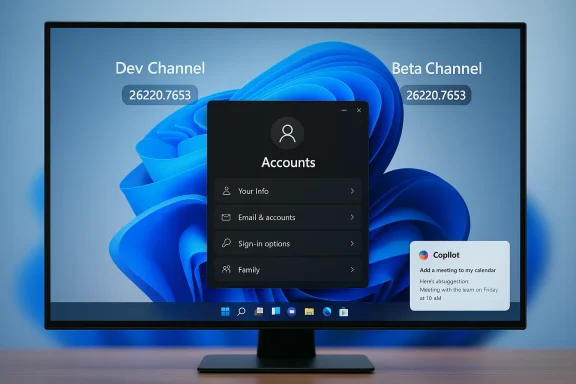
Microsoft quietly pushed the same January 16 Beta-channel package to the Dev Channel this week — a matched cumulative update identified as KB5074157 that surfaces as Windows 11 build 26220.7653 — leaving some Insiders asking why Dev got the Beta build several days late and what that timing means for testers and IT teams.
Background
The Windows Insider Program runs multiple preview streams (Canary, Dev, Beta, Release Preview) to let Microsoft test features at different stability levels. Historically, the Dev Channel is the incubator for long‑lead experimental work and will often diverge from Beta and Release Preview with higher build numbers and riskier features. Microsoft occasionally ships identical binary payloads to Dev and Beta by using enablement packages or matched cumulative updates; this is exactly what happened with KB5074157 (build 26220.7653) — a build first documented for Beta on January 16 and then released to Dev later in the month.This matching behavior has operational consequences: while Dev and Beta share the same build number, Insiders have a limited window to switch channels without requiring a clean install. Microsoft warns that once Dev moves ahead to a higher build number, the ability to transition back to Beta may be blocked by the update servicing topology. That procedural reality has become central to community advice and Microsoft’s public guidance.
What Microsoft shipped in KB5074157 (Build 26220.7653)
Highlights at a glance
- Account settings UI modernization — Dialogs surfaced in Settings > Accounts > Other users (including Account info and Change account type) were updated with the WinUI 3 look and feel, which improves visual consistency and ensures correct Light/Dark mode handling.
- Click to Do / Copilot prompt improvements — For Copilot+ devices, Copilot prompt suggestions in the Click to Do experience are now intended to load instantly; this particular rollout is not available yet in the European Economic Area (EEA).
- Desktop background: WebP support — You can now configure a .webp raster image as your Desktop background through Settings > Personalization > Desktop Background. This is a practical addition for users who prefer WebP for smaller file sizes and broader web compatibility.
- Fixes across the shell and apps — A raft of reliability and usability fixes were included, covering the Taskbar, Start menu, Notification Center, Quick Settings, Bluetooth reporting, Settings app crashes, logon/lock screen icon issues, and explorer.exe hangs caused by certain startup apps.
Known issues called out by Microsoft
Microsoft continues to list a set of active known issues with the release, including problems in the Xbox Full Screen Experience (FSE), intermittent Taskbar and system tray visibility problems, secondary monitor black screens for a small subset of configurations, and a Click to Do edge case where the Microsoft 365 Copilot prompt box fails to function unless the Copilot app is running. Those remain active while validation continues.Why the Dev release was “belated” — what we know and what we don’t
The community reaction hinged on the timing: Beta received this build on January 16, while Microsoft published a Dev-channel announcement a few days later, pointing to KB5074157 as the same binary. Reporting outlets noted the delay and speculated about causes, including the possibility that Microsoft had intended to move Dev onto a new servicing baseline (e.g., a 26H1 flight) and then decided to hold or align releases differently. Microsoft’s official Dev announcement does not explain the gap. That absence of an explicit rationale leaves the cause unverified; community observers and journalists flagged the timing as curious but without concrete, confirmable reasons from Microsoft.- Microsoft’s public message simply states the Dev release is the same as the January 16 Beta release and reiterates the channel-switch window warning, but offers no explanation for the timing.
- Independent reporting emphasized the delay and offered speculation; those hypotheses have not been confirmed by Microsoft and should be treated as conjecture.
Why this matters to Insiders and IT admins
For hobbyist Insiders and enthusiasts
- If you want earliest exposure to features and don’t mind instability, the Dev Channel remains the right fit; however, matched updates like KB5074157 mean you may briefly see parity with Beta before Dev diverges again. Keep in mind some fixes are targeted and may be gated by Microsoft server flags.
- The immediate practical impact of the recent release is feature availability and polish — UI consistency in Account dialogs, faster Copilot suggestions in Click to Do for supported hardware, and the small but welcome ability to set WebP images as backgrounds. These are usability improvements rather than radical functional changes.
For power users and testers who report issues
- With known issues still active, use a device you can afford to troubleshoot. Test the scenarios that matter to you (multi‑monitor setups, Xbox FSE titles, Bluetooth peripherals) and log reproducible bugs in Feedback Hub with detailed repro steps and any relevant logs. Microsoft still relies on community signals to prioritize fixes.
For IT admins and enterprises
- The cloud of greatest consequence is the channel‑switch warning: if your organization runs pilot devices in the Dev Channel but expects to revert to Beta (or move to Release Preview) later, you must be aware that channel transitions depend on build numbers. Once Dev advances beyond a Beta-serving build, the GUI path back may be blocked and reverting will require a clean install. Plan around that operational constraint.
- The new RemoveMicrosoftCopilotApp policy (introduced in related January Insider flights) is useful but limited: it performs a targeted one‑time uninstall under specific conditions and is not a comprehensive governance control for Copilot in managed environments. Combine it with app allow/deny lists, conditional access, and endpoint configuration for stronger control. (The presence of this policy and related admin controls has been discussed across recent Insider updates and community analysis.
How to get KB5074157 / build 26220.7653 (practical steps)
- Enroll the device in the Windows Insider Program through Settings > Windows Update > Windows Insider Program.
- Choose the Dev Channel (or Beta if you prefer); note the Dev↔Beta switching caveat while both channels share the same build.
- Optionally enable the toggle Get the latest updates as they are available to be more likely to see server‑gated features early. Without that toggle, features will still arrive gradually as Microsoft ramps them to everyone.
- Check Windows Update and install the cumulative package labeled KB5074157 or the corresponding Windows Insider build 26220.7653. If you prefer offline installation, community resources (including UUPDump scripts and third‑party aggregators) have mirrored the enablement package or created ISOs for convenience; those are community‑managed utilities and carry their own caveats.
- Back up data and create a system image before large channel moves or major preview installs.
- If the Insider settings show the Beta option greyed out, your current build may be higher than Beta’s highest shipped build and you will not be able to switch without a reinstall.
Deep dive: the features that matter (and why)
Account settings UI modernization — real value, low risk
Refreshing the account dialogs to use WinUI 3 is a subtle but meaningful modernization step. WinUI 3 brings a consistent visual system, improved theme handling, and better accessibility affordances. For users, this manifests as correct Light/Dark behavior and fewer visual glitches when switching system themes or using high‑contrast settings. This is a low‑risk improvement with immediate polish benefits, especially for devices used in mixed lighting or by users toggling appearance modes.Click to Do and Copilot prompt speed — UX mattering for productivity
Instant-loading Copilot prompt suggestions improve perceived responsiveness for Copilot-integrated workflows. Where Copilot is deeply integrated (Copilot+ PCs or systems with specialized NPUs), suggestion latency can materially affect adoption. Microsoft’s staged rollout and regional exclusions (EEA and China) reflect ongoing compliance and regulatory alignment concerns, which means not every device will experience the improvement immediately. Administrators should note the regional gating when assessing deployments.WebP desktop background — a convenience that reflects web realities
WebP has become a widely used image format on the web due to efficient compression and good quality. Adding native desktop background support for .webp files is the kind of small platform modernity that reduces friction for users who already rely on WebP images, and it signals Microsoft’s incremental attention to web-era formats. It’s a simple UI setting but one appreciated by users who manage many high-compression wallpapers.Risks, regressions, and the tradeoffs of Dev
The Dev Channel remains a testing ground. Matched releases like KB5074157 that also appeared in Beta briefly lower the day‑to‑day risk for some Insiders, but the core tradeoffs persist:- Regressions in core shell behaviors — Known issues affecting Start, Taskbar, and system tray are still present in some cohorts and can degrade productivity. Microsoft lists fixes but also preserves certain known issues while validation continues. Expect occasional workflow breaks.
- Staged rollouts create uneven experiences — Two identical devices running the same build may look or behave differently because server-side feature flags determine who sees a new capability. That inconsistency complicates repro and support.
- Channel switching constraints — The inability to move from a higher Dev build down to Beta without a clean install is not new, but the temporary window of parity makes timing critical. Organizations that treat Dev-flight devices as pilot testbeds must accept that a later Dev advance can strand a machine on a build path that’s incompatible with Beta/Release Preview without reinstall.
Practical recommendations
If you are a hobbyist or independent Insider
- Keep a dedicated test machine or virtual machine for Dev flights. Do not rely on Dev builds for mission‑critical daily work.
- Enable the toggle to get latest updates only if you want early, gated experiences; otherwise, leave it off to receive features more conservatively.
If you are a power tester or reporter
- Reproduce issues on multiple machines where possible, capture Feedback Hub logs, and include exact build numbers and timestamps in your reports. Use the Feedback Hub category most aligned with the component (e.g., Desktop Environment > Start).
If you manage enterprise pilots or internal IT
- Treat the Dev Channel as a lab environment. Keep Beta and Release Preview channels for predictable pilot and pre‑prod validation.
- Pilot any Copilot / AI interactions with privacy and compliance in mind; the regional gating (EEA) signals that legal/regulatory considerations matter for Copilot data flows.
- If you plan to move pilot devices between channels, schedule the migration window carefully and prepare for the possibility of a clean reinstall if builds diverge.
Community reaction and context
Community trackers and forums quickly mirrored Microsoft’s announcement and made ISOs and UUP packages available for those who prefer manual installs — a common pattern for Insider releases that accelerates hands‑on testing but also introduces risks when users rely on third‑party images. Journalists noted the delay between Beta’s January 16 release and the Dev blog post and used that to examine Microsoft’s channel strategy, but the vendor’s posts themselves refrained from commentary about the reason for timing differences. That left the record factual (the builds are the same) but without a public narrative explaining the schedule change.Final analysis: small update, meaningful signals
KB5074157 (Build 26220.7653) is, by design, a modest update: UI polish, targeted Copilot UX improvements, WebP background support, and the usual list of reliability fixes. On its face, it’s not transformational. But two broader operational signals are worth noting:- Microsoft’s continued use of matched builds and server‑side gating demonstrates an evolution in how features are delivered to Insiders: binary parity does not guarantee feature parity or timing parity. The feature rollout model reduces blast radius for experimental changes but increases the complexity of understanding who sees what when.
- The channel‑switch warning — and the practical reality that a Dev advance can block a GUI path back to Beta — increasingly matters to both individuals and organizations that use Dev for lightweight pilots. Microsoft’s one‑time windows of parity are convenient but ephemeral; treating them as operational deadlines is the prudent course.
Quick checklist (what to do right now)
- If you want Beta‑level stability, switch from Dev to Beta while Dev and Beta are on the same build; go to Settings > Windows Update > Windows Insider Program and choose Beta. Back up first.
- If you want early Copilot/Click to Do experiences, keep Dev with the “Get the latest updates as they are available” toggle enabled but accept the risk of staggered feature gating.
- For enterprise pilots, document which devices are on which channel, test the RemoveMicrosoftCopilotApp policy in a small group if you plan to use it, and maintain an imaging plan in case clean installs are required.
Windows Insider releases like KB5074157 are rarely dramatic on their own, but they matter because they reveal Microsoft’s delivery mechanics and the friction points that affect testers and admins. Build 26220.7653 smooths a few user experiences and closes a couple of low‑risk gaps — and it also serves as a timely reminder that in the Insider world, timing and channel policy can be as consequential as feature lists.
Source: Thurrott.com Dev Channel Belatedly Gets January 16th Beta Channel Build
