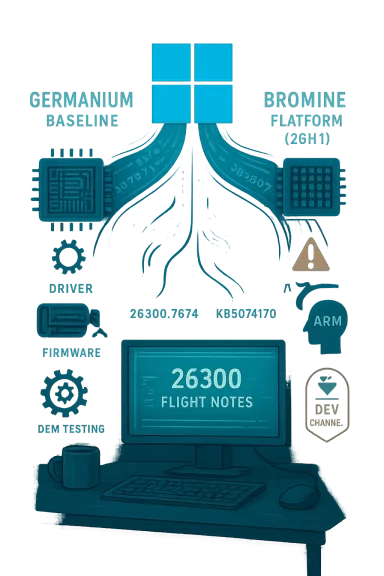
Today’s Dev-channel update moves the Windows 11 Insider preview forward: Microsoft has shipped Windows 11 Insider Preview Build 26300.7674 (KB5074170) to the Dev Channel, advancing the Dev stream into the 26300-series and closing the immediate window that allowed Insiders to migrate from Dev to Beta once this build is installed. This release is effectively a platform-number bump: Build 26300.7674 contains the same user-facing features and fixes formerly documented in Build 26220.7653, while introducing behind‑the‑scenes platform changes and a new servicing baseline tied to Windows 11, version 25H2 via an enablement package. For Insiders and IT pros, that mix raises practical questions about channel stability, switching windows, and testing priorities — and those are the topics I’ll unpack in depth below.
Microsoft’s Windows Insider program splits previewing work into multiple channels: Canary (very early), Dev (active development), Beta (more stable preview), and Release Preview (near-final). Over the past year Microsoft has been shipping many Dev-channel updates built on Windows 11, version 25H2, often using enablement packages that increment build numbers without changing the core OS image. In the latest change, Dev has “jumped ahead” to the 26300 series, and Build 26300.7674 is the first publicly announced release in that series.
This particular release is noteworthy for two practical reasons:
If you’re planning to test this build, make a backup, isolate the environment, and file thorough Feedback Hub reports for any new or regressing behavior. Microsoft’s engineering teams are watching the telemetry and feedback from these flights closely; the faster actionable reports arrive, the faster the fixes will follow.
Source: Microsoft - Windows Insiders Blog Announcing Windows 11 Insider Preview Build 26300.7674 (Dev Channel)
 Background / Overview
Microsoft’s Windows Insider program splits previewing work into multiple channels: Canary (very early), Dev (active development), Beta (more stable preview), and Release Preview (near-final). Over the past year Microsoft has been shipping many Dev-channel updates built on Windows 11, version 25H2, often using enablement packages that increment build numbers without changing the core OS image. In the latest change, Dev has “jumped ahead” to the 26300 series, and Build 26300.7674 is the first publicly announced release in that series.This particular release is noteworthy for two practical reasons:
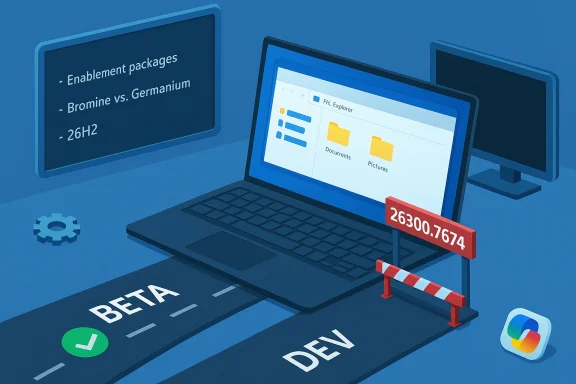
- It marks a channel-number transition: installing Build 26300.7674 closes the short-term opportunity for Dev Insiders to switch to Beta without extra steps.
- It is intentionally aligned with the 25H2 servicing model (enablement package), meaning Dev builds will continue to carry many of the same 25H2 features as Beta builds while Microsoft performs incremental platform changes in the higher build number stream.
What’s in Build 26300.7674 (at a glance)
The announcement emphasizes that Build 26300.7674 “contains the same features and improvements as Build 26220.7653.” That translates to a targeted set of fixes plus a handful of active known issues. Highlights called out by Microsoft include:- Fixes (being gradually rolled out to Insiders who have the “get the latest updates as soon as they’re available” toggle ON):
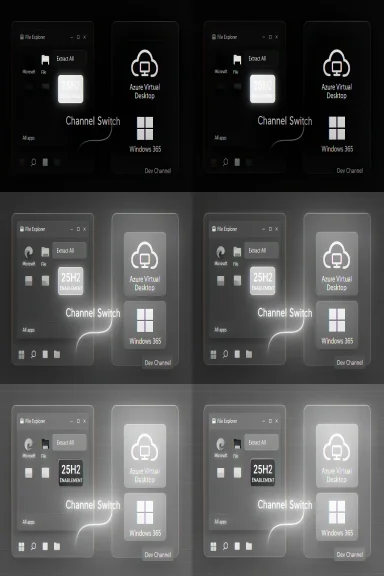
- File Explorer: Restored the “Extract All” command when browsing non‑ZIP archive folders.
- Start menu: Addressed an issue where hiding the mobile device side panel didn’t persist for some Insiders.
- Search: Replaced a broken Search process icon (X) with the expected magnifying-glass icon.
- Settings: Under‑the‑hood improvements to reduce slow loading on the Settings Home page.
- Display & graphics: Fixed a problem causing some secondary monitors to show black screens after recent updates.
- Other: Resolved an underlying issue that could cause sign-in failures in Azure Virtual Desktop and Windows 365; addressed a rare SYSTEM_SERVICE_EXCEPTION bug check seen in recent flights.
- Known issues called out explicitly:
- Start menu (Categories view): Clicking to show more apps in a category may not work.
- File Explorer: Some Insiders may see all open File Explorer windows/tabs jump unexpectedly to Desktop or Home.
- Xbox Full Screen Experience (FSE): Some apps that depend on fixed window sizes or additional windows may misbehave.
- Taskbar & system tray: Apps may fail to appear in the system tray for some users.
- Click to Do / Microsoft 365 Copilot: The Copilot prompt on selected images may not function unless the Microsoft 365 Copilot app is running.
Why this channel jump matters
1. The switching window is closing
Microsoft’s note is explicit: once Dev devices update to 26300.7674, those systems lose the immediate, simple option to switch from Dev to Beta. The practical implication for Insiders is straightforward: if you’re in Dev today and prefer Beta’s more conservative preview state, you must take action before the 26300 build installs.- Recommended last‑minute procedure (as described by Microsoft): when Build 26300.7674 is offered, pause updates in Settings > Windows Update, then change your Insider channel to Beta, and then un-pause updates. Pausing prevents the build from installing while you change your channel.
- If you install 26300.7674 and later decide you want Beta, switching back will likely require reinstallation or an alternate recovery path; the immediate “switch” window is closed by the build-number divergence.
2. Platform-level differences will cause divergent known issues
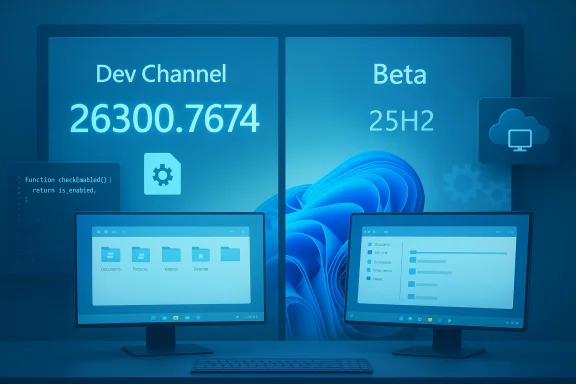
Microsoft plainly warns that as the Dev channel advances with behind‑the‑scenes platform changes, Dev builds will likely present different known issues than Beta builds — even if the outward feature set is currently the same. That’s an important distinction: the same user-visible function can be backed by different underlying binaries and servicing paths, which affects crash surface area, driver interactions, and virtualization or enterprise scenarios. For testers and IT professionals, that means:- Expect variability: regressions could appear in Dev that are not present in Beta (and vice versa).
- Sanity-check drivers and virtualization stacks carefully if you jump channels.
- Report issues with diagnostic data via Feedback Hub to help engineers prioritize fixes.
The enablement package and Windows 11, version 25H2 — what that means
Build 26300.7674 is being shipped “based on Windows 11, version 25H2 via an enablement package.” Put plainly:- An enablement package is a tiny update that flips a switch in an existing OS image to enable new features and increment the reported build number without performing a full feature-update reimage.
- Microsoft has used this approach in the Insider program to deliver feature-update-like changes while keeping installation size and time reduced for previewers and managed devices.
- In practice, that means Dev builds in the 26300 series are still built on the 25H2 image, but Microsoft is incrementing the build baseline with an enablement package for servicing and experimentation.
Deep dive: fixes, known issues, and real-world risk assessment
Notable fixes (and why they matter)
- Display & Graphics fix for secondary monitors: Black-screen behavior on secondary displays is one of those high-impact regressions that can disrupt developers, creators, and multi-monitor power users. The fact Microsoft called this out and pushed a fix is positive — but the initial regression itself is a reminder that multi-monitor and GPU stack changes remain an elevated risk in preview flights.
- Azure Virtual Desktop / Windows 365 sign-in reliability: Fixing unexpected sign-in failures in cloud-hosted desktop scenarios has real implications for enterprise Insiders who validate VDIs or Windows 365 provisioning. Authentication edge cases in virtualized or cloud-provided Windows images can be complex because they interact with identity, networking, and hypervisor layers.
- SYSTEM_SERVICE_EXCEPTION bug check remediation: Kernel-mode crashes are severe; addressing a recent pattern of that stop code reduces the chance of data loss or repeated reboots for Insiders.
Known issues that demand attention
- All File Explorer windows jumping to Desktop/Home: This is disruptive to productivity — imagine working with multiple Explorer windows and tabs and having them all jump away unexpectedly. Until a fix is out, power users should be cautious about using File Explorer extensively in mission-critical workflows on this build.
- Start Menu Categories view glitch: If you organize apps heavily, Categories view is a usability touchpoint. A broken “show more apps” action is an annoyance that could obscure workflow.
- System tray visibility issues: Missing tray icons can be confusing and impair background apps that rely on tray interactions (VPN clients, security agents, backup tools). For enterprise testers, this could affect how software behaves under update conditions and should be validated.
Practical risk rating (for different user types)
- Casual Insiders / hobbyists: Low-to-moderate risk. Most issues are annoying but usually recoverable with a reboot or workaround.
- Power users / developers who depend on multi-monitor or File Explorer workflows: Moderate risk. The File Explorer and display issues could materially impact workflows.
- IT pros / enterprise testers: Moderate-to-high risk. Edge cases with Azure Virtual Desktop, sign-in, and system tray visibility could interfere with validation and remote support; treat this build as a test artifact, not production-ready.
What Insiders should do now — step-by-step guidance
If you’re on the Dev Channel and want to avoid being moved into the 26300 stream (or if you want to control when/if you move):- Open Settings > Windows Update and pause updates before the new build begins installing.
- Go to Settings > Windows Update > Windows Insider Program and change your channel to Beta.
- Return to Windows Update and un‑pause updates. Your device should then receive Beta-targeted updates rather than the new Dev 26300 flight.
- If you already installed 26300.7674 and want to move to Beta, prepare for one of these approaches:
- Use a full reinstall to restore a Beta-based image (clean install or in-place reinstall of a Beta image).
- Use recovery options if you have a system image or restore point available. Note: direct channel rollback is not guaranteed.
- Back up important data (use cloud sync, external backup, or system image).
- Snapshot or export virtual machines before upgrading.
- For managed devices, verify group policy and update rings to avoid unintended installs.
- If you rely on specific drivers (GPU, display, VPN, security), check vendor support forums for compatibility notes.
Developer and enterprise implications
For software vendors, ISVs, and IT departments that validate apps against Insider builds, the 26300 jump signals a couple of operational changes:- Expect variant behavior: Dev builds may be the first to show regressions introduced by platform changes. That makes Dev a valuable place to find and report early issues, but not a safe space for broad compatibility certification.
- Prioritize test cases: Focus on display drivers, windowing models, Explorer APIs, and authentication flows (Azure AD/Windows Hello/VDI sign-in), because those subsystems are explicitly mentioned in the release notes.
- Communicate to end users: If you operate an Insider program or early-adopter cohort inside an organization, notify participants that Dev is moving ahead and that they should pause updates or switch channels if they want a more stable preview cadence.
The Controlled Feature Rollout trade-off
Microsoft’s Controlled Feature Rollout approach is intended to limit blast radius: new features are gradually exposed to subsets of Insiders, enabling telemetry-driven decisions before a wider roll. That’s good engineering hygiene — but the approach has trade-offs:- Pros:
- Helps catch high-impact issues before full release.
- Enables rapid iteration with a smaller user base.
- Reduces the chance of mass regressions in Beta or production channels.
- Cons:
- Creates fragmentation: two devices on the same channel may look different if one is included in a controlled rollout and the other is not.
- Troubleshooting is harder: when only some users see a bug, reproducing and triaging it becomes more complex.
- Messaging burden: Insiders need clear documentation (and sometimes can be confused when features appear or disappear).
What to watch next
- Microsoft’s follow-up fixes: The blog lists several “we’re working on” items. Track subsequent Dev-channel announcements for targeted fixes to File Explorer, Start categories, and system tray behavior.
- Expanded telemetry on platform changes: As Microsoft performs behind‑the‑scenes updates in the 26300 series, watch for notes on broader system behaviors — memory usage, process crashes, and driver interactions are common areas to change.
- Beta vs Dev divergence: Observe how quickly Beta receives features and whether Microsoft will continue to mirror some Dev releases to Beta for a period. The duration of overlap matters if you plan to move channels.
- Third-party validation: Driver vendors and major ISVs will typically publish compatibility notes; look for those updates before rolling any preview build into a larger test matrix.
Critical analysis — strengths, risks, and the long view
Strengths- Microsoft’s transparency is solid: the release notes clearly enumerate both fixes and known issues, and they explain the channel-switching mechanics in plain language.
- Fixes for high-impact areas like display black screens and VDI sign-in reliability indicate that engineering priorities align with real-world usage patterns (multi-monitor setups and cloud VDI are common in modern workplaces).
- The enablement-package model keeps installs fast and reduces infrastructure overhead while allowing feature gates to be toggled — a practical approach for rolling out yearly feature updates.
- Channel jump surprises: closing the Dev→Beta switching window with the installation of a build is necessary from an engineering standpoint, but it can catch users unprepared. Microsoft’s guidance to pause updates is helpful, but many Insiders rely on automatic updates and may miss the brief window.
- Regressions introduced by “behind-the-scenes” platform work: while user-visible features may be identical between 26220 and 26300, the underlying platform differences can produce hard-to-diagnose crashes or driver incompatibilities. That makes Dev builds a poor choice for mission-critical tasks.
- Controlled Feature Rollout opacity: while the mechanism is useful, limited visibility into whether a given device is included in a specific rollout complicates troubleshooting and reduces reproducibility of reported bugs.
- Third‑party coverage and independent testing results for Build 26300.7674 are limited immediately after release. Until additional community and vendor reports surface, some real-world impact assessments (for example, third‑party GPU driver compatibility or specific enterprise application behavior) will remain provisional.
- The KB number (KB5074170) is referenced in Microsoft’s announcement as the servicing label for the flight; in several past flights Microsoft has used KB identifiers as tracking labels before full Support documentation appears. If you rely on Support knowledge‑base references, expect that full KB articles may be published or updated slightly later than the blog post.
Final verdict — who should install, who should wait
- Install (if you are comfortable with preview risk):
- Hobbyists and enthusiasts who primarily experiment and can tolerate occasional regressions.
- Developers who need to validate app behavior against upcoming platform changes and who can provide diagnostic feedback.
- IT pros running isolated test environments or virtual machines specifically for Insider testing.
- Wait (if you need stability or mission-critical tooling):
- Production users and business desktops that need consistent, reliable behavior.
- Creators and power users who depend on multi-monitor stability or consistent File Explorer behavior.
- Anyone who is not prepared to troubleshoot or roll back changes (unless they have a recovery plan).
Closing thoughts
Build 26300.7674 is a pragmatic, incremental step in Microsoft’s Insider cadence: a build-number jump that preserves user-facing parity with recent 26220 releases while opening a new platform testing lane. For Insiders the message is clear — be mindful about channel selection and pausing updates if you don’t want to be moved into the new Dev stream. For developers and enterprise testers the build represents an opportunity to validate against early platform changes, but it’s also a reminder that the Dev channel is an environment for discovery and instability by design.If you’re planning to test this build, make a backup, isolate the environment, and file thorough Feedback Hub reports for any new or regressing behavior. Microsoft’s engineering teams are watching the telemetry and feedback from these flights closely; the faster actionable reports arrive, the faster the fixes will follow.
Source: Microsoft - Windows Insiders Blog Announcing Windows 11 Insider Preview Build 26300.7674 (Dev Channel)