

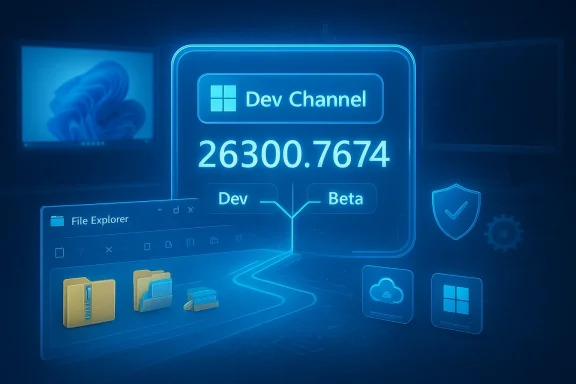
Microsoft has released Windows 11 Insider Preview Build 26300.7674 (delivered as KB5074170) to the Dev Channel, a maintenance-focused flight that restores several File Explorer behaviors while simultaneously advancing the Dev servicing baseline into the new 26300 series — a move that changes how Insiders can switch between Dev and Beta and signals a behind‑the‑scenes platform pivot.
Microsoft’s Windows Insider Program divides pre-release testing into multiple channels: Canary for the earliest experiments, Dev for active platform development, Beta for more broadly tested preview features, and Release Preview for near-final releases. Traditionally, Dev-channel flights can contain experimental or platform-level work that won’t necessarily map 1:1 to a specific Windows release. On January 27, 2026 Microsoft published the official notes for Build 26300.7674 (KB5074170), confirming the Dev Channel “jump” into the 26300 series and explicitly warning Insiders about the closing window to switch back to Beta after installation.
Why this matters: the update is largely a quality and servicing update rather than a feature rollout. Microsoft states that Build 26300.7674 contains the same user-facing fixes and improvements previously documented in Build 26220.7653, but the build also advances the servicing baseline (an enablement/servicing change tied to Windows 11, version 25H2). That outward experience may look familiar while the underlying platform binaries and servicing relationships are shifting — a dynamic with operational implications for Insiders, IT pros, OEMs, and driver vendors.
However, some rollout characteristics are inherently server-side and cannot be independently validated from the outside:
How you can help:
Strengths of the release:
This update is a reminder that small changelogs can hide consequential servicing decisions — and that disciplined testing, good backup practices, and clear reporting channels remain the best defenses against surprise regressions in a complex OS ecosystem.
Conclusion: KB5074170 is not a flashy feature drop — it’s a maintenance flight with a structural twist. If you appreciate reliability improvements and you’re prepared to test platform-level changes, this build is worth installing on test systems. If you need stability for daily work, pause, verify, and wait for the fixes to propagate to the Beta or Release Preview channels.
Source: Windows Report https://windowsreport.com/kb5074170-update-lands-in-windows-11-dev-channel-with-file-explorer-fixes/
 Background / Overview
Microsoft’s Windows Insider Program divides pre-release testing into multiple channels: Canary for the earliest experiments, Dev for active platform development, Beta for more broadly tested preview features, and Release Preview for near-final releases. Traditionally, Dev-channel flights can contain experimental or platform-level work that won’t necessarily map 1:1 to a specific Windows release. On January 27, 2026 Microsoft published the official notes for Build 26300.7674 (KB5074170), confirming the Dev Channel “jump” into the 26300 series and explicitly warning Insiders about the closing window to switch back to Beta after installation. Why this matters: the update is largely a quality and servicing update rather than a feature rollout. Microsoft states that Build 26300.7674 contains the same user-facing fixes and improvements previously documented in Build 26220.7653, but the build also advances the servicing baseline (an enablement/servicing change tied to Windows 11, version 25H2). That outward experience may look familiar while the underlying platform binaries and servicing relationships are shifting — a dynamic with operational implications for Insiders, IT pros, OEMs, and driver vendors.
What KB5074170 (Build 26300.7674) actually changes
Key fixes and user-facing corrections
This flight is explicit about focusing on fixes rather than new consumer-facing features. The Microsoft release notes list a short, practical set of corrections that many power users and testers will recognize as high-value reliability work:- File Explorer: Restored the “Extract All” option in the command bar when browsing non‑ZIP archive folders. This resolves a recent regression where extraction options could be absent depending on the archive type and folder view.
- Start menu: Fixed an issue where hiding the mobile device side panel’s “hide this pane” control didn’t consistently persist.
- Search: Corrected an icon issue where the Search process displayed an X instead of the expected magnifying glass.
- Settings: Under-the-hood changes aimed at reducing cases where Settings Home loaded painfully slowly.
- Display & graphics: Addressed a regression that could cause some secondary monitors to show black screens after recent updates.
- Enterprise/virtualization: Fixed a backend issue that could cause sign-in failures in Azure Virtual Desktop and Windows 365, and mitigated a rare SYSTEM_SERVICE_EXCEPTION bug check.
Known issues called out by Microsoft
Microsoft is transparent about active problems that remain or surfaced with the flight:- Start menu (Categories view): Clicking “show more apps” inside a category may not respond.
- File Explorer: An underlying issue can cause all open File Explorer windows/tabs to unexpectedly jump to Desktop or Home in some scenarios — an intrusive behavior for users who rely on multiple windows or tabbed workflows.
- Xbox Full‑Screen Experience (FSE): Some apps that expect fixed sizes or open additional windows may misbehave.
- Taskbar & system tray: Some apps may not appear in the system tray when they should.
- Click to Do / Copilot prompt: The Microsoft 365 Copilot prompt box for selected images may not work unless the Copilot app is running.
The platform pivot: Why the version bump matters
Dev → 26300 series: a servicing and baseline change
The technical significance of this flight goes beyond the bullet points. By moving Dev into the 26300 series and aligning the build with Windows 11, version 25H2 via an enablement package, Microsoft creates a separation of servicing baselines between Dev and Beta. Practically, that means:- Devices that install Build 26300.7674 are on a different servicing baseline than devices running the 26220-series Beta builds.
- Microsoft closes the simple one-click path for switching from Dev back to Beta after 26300 installs; Insiders who want to move back to Beta must pause updates and change channels before the build installs or take additional steps later.
Risks introduced by diverging baselines
- Driver and firmware compatibility: OEM drivers and low-level agents are often tuned to specific OS binaries. A servicing baseline bump can expose incompatibilities that weren’t visible on the previous build.
- Third-party agent behavior: Security, backup, and management agents that integrate deeply with the OS can show regressions after a platform-level change.
- Rollback complexity: Reverting to a previous baseline (or switching channels) becomes trickier after a baseline change; Insiders should pause updates and follow the documented channel-switch guidance if they prefer Beta’s stability.
What this means for File Explorer users and power workflows
File Explorer remains one of the most visible and frequently used components of Windows, and even small regressions can be productivity‑crippling. The “Extract All” fix is specific and immediately useful for users who regularly handle compressed folders, particularly non‑ZIP archives that previously suppressed extraction commands in the command bar. That restoration is welcome, but the known File Explorer jumping issue is notable and warrants caution.Practical implications
- If your workflows rely on multiple Explorer windows, tabs, or command-bar actions, be prepared for the potential that a window/tab may abruptly move to Desktop or Home during active sessions.
- Back up work and consider using versioned snapshots or application-level autosave (for editors and IDEs) when testing this build.
- Report reproducible cases to Feedback Hub with repro steps — Microsoft emphasizes Feedback Hub telemetry for Insider troubleshooting.
Recommended short checklist for users testing the build
- Pause Windows Update if you want to change channels and do so before the new build installs.
- Create a full system image or a restore point before upgrading to 26300.7674.
- If you rely on critical drivers (GPU, docking station, virtualization), validate them on test hardware first.
- Reproduce core workflows (file transfers, archive extraction, multiple Explorer windows, multi-monitor video playback).
- File Feedback Hub reports with full repro steps and attach diagnostics where possible.
Enterprise and virtualization considerations
The build includes fixes related to Azure Virtual Desktop and Windows 365 sign-in failures, and the mitigation of a rare SYSTEM_SERVICE_EXCEPTION bug check. These are tangible reliability wins for cloud-hosted desktop scenarios and managed environments. Still, the servicing baseline shift means enterprises should:- Validate management agents (Intune, SCCM clients, endpoint protection) against the new baseline on representative hardware.
- Coordinate with OEMs and ISVs for driver and agent updates — test rings will surface incompatibilities earlier.
- Review rollback and recovery procedures; the closed channel-switch window makes spontaneous reversion harder once 26300 installs.
Verifiability and what remains uncertain
Microsoft’s release notes are authoritative for what shipped in KB5074170; we validated the build number, release date (January 27, 2026), and the explicit channel-change guidance directly against the Windows Insider Blog. Independent journalism and site coverage (Pureinfotech, TheWinCentral) confirm the payload and the upgrade behavior.However, some rollout characteristics are inherently server-side and cannot be independently validated from the outside:
- Which specific subset of Insiders receives toggle‑gated fixes first (Controlled Feature Rollout) is assigned by Microsoft’s server-side entitlements and cannot be determined externally.
- The precise timing and regional ramp for any Copilot-related behaviors or server-entitled features are also governed server-side and may vary by account or device.
Community reaction, telemetry, and how to help Microsoft prioritize remaining fixes
Early community threads and the general Windows testing ecosystem have responded predictably: praise for the targeted fixes, plus careful warnings about the channel baseline shift. Forum summaries and aggregated notes from community reporting paint a pragmatic picture — this build is both helpful and operationally important.How you can help:
- Use Feedback Hub to submit detailed diagnostic reports when you hit a bug. Microsoft uses these reports to prioritize fixes in subsequent flights.
- Attach reproducible steps, event logs, and memory dumps when possible; the more precise the repro, the faster engineering can triage.
- If you’re an IT admin, coordinate with your vendor contacts to share traceable bug reports with OEMs or ISVs, especially for drivers and management agents.
Recommended stance: who should install, who should wait
- Install if:
- You are an active Windows Insider who expects to test platform-level changes and can tolerate occasional regressions.
- You have non-production test hardware and follow disciplined feedback/reporting practices.
- You need the specific fixes (e.g., Extract All restoration) and can live with known issues for the time being.
- Wait if:
- You depend on a stable desktop for production work (use Beta or Release Preview channels instead).
- You have critical third-party agents, drivers, or devices that haven’t been validated against the new servicing baseline.
- You are uncomfortable with the channel-switch complexity that follows the 26300 install.
Tactical steps to avoid losing the Beta switch window
Microsoft’s guidance is simple but important: if you’re in the Dev Channel and want to return to Beta before the Dev build installs, pause updates, switch the channel, then un‑pause updates. That sequence prevents the automatic installation of 26300.7674 and retains your Beta enrollment. If you let 26300 install, switching back to Beta becomes more involved. Follow the documented steps in Settings > Windows Update to pause and change channels.Final analysis: a conservative, pragmatic flight with asymmetric operational value
KB5074170 (Build 26300.7674) is a classic example of what modern OS servicing looks like: modest, targeted user fixes layered atop a service‑baseline change that carries outsized operational implications. The explicit File Explorer fixes are meaningful to day‑to‑day users, but the real story is the Dev Channel’s backend pivot into a new 26300 servicing family. That pivot will shape testing, driver validation, and channel mobility for the coming months.Strengths of the release:
- Restores concrete, high-visibility behaviors (e.g., Extract All).
- Fixes important regressions affecting multi-monitor setups and cloud‑hosted desktop sign-in.
- Transparent release notes and clear guidance to Insiders on channel switching.
- Diverging servicing baselines increase testing overhead and risk of driver/agent regressions.
- Known File Explorer behaviors (window/tab jumping) remain unresolved and may disrupt workflows.
- Server-side controlled rollouts mean feature availability will vary and cannot be externally predicted.
This update is a reminder that small changelogs can hide consequential servicing decisions — and that disciplined testing, good backup practices, and clear reporting channels remain the best defenses against surprise regressions in a complex OS ecosystem.
Conclusion: KB5074170 is not a flashy feature drop — it’s a maintenance flight with a structural twist. If you appreciate reliability improvements and you’re prepared to test platform-level changes, this build is worth installing on test systems. If you need stability for daily work, pause, verify, and wait for the fixes to propagate to the Beta or Release Preview channels.
Source: Windows Report https://windowsreport.com/kb5074170-update-lands-in-windows-11-dev-channel-with-file-explorer-fixes/
