

Microsoft shipped identical feature sets to both the Dev and Beta Windows Insider channels on February 9, 2026 — delivering native pan/tilt camera controls in Settings and a staged return of Emoji 16.0 as part of the Windows 11, version 25H2 preview, even though the Dev and Beta builds carry different build numbers.
Microsoft’s February 9, 2026 Insider previews represent a notable moment in the Windows release cadence: instead of diverging immediately, the Dev channel (Build 26300.7760, KB5077202) and the Beta channel (Build 26220.7755, KB5077201) were published with the same user-facing features and staged rollouts, while retaining distinct build identifiers.
That short-lived parity is explicit in Microsoft’s Insiders messaging: the updates are delivered atop the existing Windows 11, version 25H2 servicing baseline via enablement packages and use Controlled Feature Rollout (CFR) gating to decide which devices see specific UI changes immediately. Microsoft also warned Insiders that the Dev channel will soon diverge again as deeper platform-level work continues.
In practice this means two operational realities for Insiders and IT pros:
This centralization moves routine camera management out of vendor utilities and into a single OS interface, which matters for:
The result:
For Insiders, testers, and IT teams the guidance is pragmatic: test these features on isolated fleets, verify rendering and camera behavior in the real-world apps you rely on, and treat these additions as preview conveniences that still depend on broader ecosystem cooperation to realize their full promise. The window to switch channels — and the era of temporary channel parity — is closing as Dev prepares to take on deeper platform work; where you choose to test next will determine whether you are exposed to polish or plumbing.
Source: WinBuzzer Microsoft Brings Camera Controls and Emoji 16.0 to Windows 11 Insiders
 Background / Overview
Microsoft’s February 9, 2026 Insider previews represent a notable moment in the Windows release cadence: instead of diverging immediately, the Dev channel (Build 26300.7760, KB5077202) and the Beta channel (Build 26220.7755, KB5077201) were published with the same user-facing features and staged rollouts, while retaining distinct build identifiers. That short-lived parity is explicit in Microsoft’s Insiders messaging: the updates are delivered atop the existing Windows 11, version 25H2 servicing baseline via enablement packages and use Controlled Feature Rollout (CFR) gating to decide which devices see specific UI changes immediately. Microsoft also warned Insiders that the Dev channel will soon diverge again as deeper platform-level work continues.
In practice this means two operational realities for Insiders and IT pros:
- Installing the build does not guarantee immediate exposure to every advertised feature; server-side flags and enablement packages determine visibility.
- Dev remains the “platform lab” for plumbing and architectural changes, while Beta functions as the more conservative preview path — even when features are temporarily aligned.
What Microsoft shipped (high level)
Headline additions
- Native pan and tilt camera controls surfaced inside Settings (Settings > Devices & drivers > Cameras) for supported PTZ webcams, enabling OS-level repositioning without vendor utilities.
- Emoji 16.0 (curated subset): Microsoft began rolling a small, thoughtfully curated set of Emoji 16.0 glyphs into the emoji panel — one representative emoji from each major category (Face with Bags Under Eyes, Fingerprint, Root Vegetable, Leafless Tree, Harp, Shovel, Splatter). This is a staged rollout behind CFR.
- Quality and performance fixes: a package of visual and UX improvements covering autohide taskbar flicker, desktop icon flashing and responsiveness, and Windows Security credential pop-up behavior.
Channel parity: why it happened and why it matters
The operational model: enablement packages + CFR
Microsoft’s delivery model for these preview updates separates the heavy binary work from feature activation:- Cumulative updates include on-disk binaries (the heavy lift).
- Tiny enablement packages flip capabilities on top of that baseline.
- A server-side Controlled Feature Rollout (CFR) determines which devices actually see the newly enabled UI or behavior.
The temporary parity
Giving Dev and Beta the same feature set at the same time is unusual but strategic:- It signals confidence in 25H2 platform stability while Microsoft finishes architecture-level work in Dev.
- It creates a short migration window for Insiders who want to remain on the 25H2 trajectory (Beta) before the Dev channel advances to higher-numbered builds and platform-level divergence.
Pan and tilt camera controls: what’s actually new
What Microsoft added
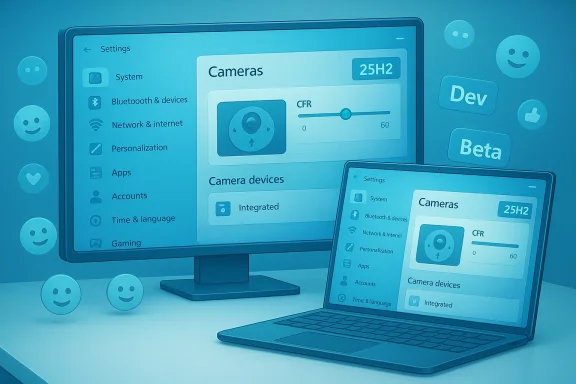
A new section in Settings → Devices & drivers → Cameras → Basic settings exposes pan and tilt controls for cameras that natively expose PTZ (pan/tilt/zoom) axes to Windows. The UI places camera positioning alongside other camera settings such as zoom, brightness, contrast, saturation and video rotation.This centralization moves routine camera management out of vendor utilities and into a single OS interface, which matters for:
- Standardization across apps and workflows.
- Reducing attack surface from third‑party vendor tools.
- Simplifying troubleshooting and IT support (one place to check camera behavior).
Hardware and driver realities
- The OS can only surface PTZ controls if the camera exposes them through standard interfaces (for example, UVC extensions or vendor drivers). Many enterprise PTZ devices and conference cameras already support PTZ over USB; most consumer webcams do not have mechanical pan/tilt hardware and rely on digital cropping instead.
- Where vendors expose media types, resolution, and frame-rate options via standard interfaces, Settings will also surface those controls; otherwise the OS cannot “invent” functionality.
Multi-app mode and exclusive access
One of the practical problems with camera access historically has been exclusive capture: some apps claim exclusive access to a camera, blocking others. Microsoft’s camera settings now surface a multi‑app mode that helps coordinate concurrent streams between multiple applications, easing workflows like recording while conferencing. This is an important developer- and IT-facing improvement even if it’s subtle for end users.What to test and expect
- If you use PTZ-capable hardware (Logitech BRIO-like, dedicated conference cameras, or enterprise PTZs), test the Settings controls and compare behavior against vendor utilities.
- Expect vendor driver updates: some vendors may need to ship driver or firmware updates for parity with the new OS controls.
- Treat this as preview-quality: test on non-production machines and file detailed Feedback Hub reports for device-specific issues.
Emoji 16.0: more than just pretty pictures
What Microsoft shipped (and how)
Microsoft began rolling a curated subset of Emoji 16.0 into the emoji panel for Insiders who have enabled the “get the latest updates as they are available” toggle. The published examples — Face with Bags Under Eyes, Fingerprint, Root Vegetable, Leafless Tree, Harp, Shovel, Splatter — represent one glyph from each major emoji category and are explicitly staged.Why adding emoji is technically complex
At first glance, adding a handful of emoji should be trivial. In Windows it is not. Supporting new Unicode emoji requires coordinated changes across multiple components:- The system emoji font (mapping codepoints to color glyphs).
- The emoji panel UI (the WIN + . picker).
- Multiple rendering pipelines inside Windows: modern frameworks use DirectWrite, whereas legacy Win32/GDI apps rely on older rendering stacks. Windows must test both to preserve decades of compatibility.
Cross-platform and vendor idiosyncrasies
Platform vendors make independent decisions about flag emoji and geopolitical glyphs; Microsoft historically omits some geographic flags from the system palette. That choice continues to create cross-platform inconsistency and user-facing surprises — particularly in messaging and collaboration where recipients may be on different platforms.A note on claims that need caution
A community claim that Face with Bags Under Eyes “received recognition at the 2024 World Emoji Awards” appears in some summaries but could not be confirmed from authoritative industry records during reporting. Treat such awards references as unverified until a primary source or award archive is cited. Where claims are unverifiable, Insiders should focus on observable behavior (rendering in apps and the emoji panel) rather than hearsay.Engineering and testing: Windows’ long tail of compatibility
Technical debt: two rendering pipelines
The emoji story illustrates a broader engineering theme in Windows: backwards compatibility drives complexity. Windows must support both modern text/layout pipelines and legacy APIs used by long-lived Win32 apps — some tracing back to Windows 95-era assumptions. That creates testing matrices that are orders of magnitude larger than those of platforms that can deprecate legacy paths more aggressively.The result:
- Feature work must be validated across modern DirectWrite paths and legacy GDI surfaces.
- Small changes in fonts, color glyph formats (e.g., COLRv1), or text shaping can produce regressions in unexpected places.
- Microsoft’s CFR approach reduces blast radius but increases the need for telemetry, targeted A/B tests, and incremental fixes.
Platform-level changes coming to Dev
Microsoft has signalled that Dev will soon diverge with behind‑the‑scenes platform changes — plumbing expected to underpin future releases (26H1/26H2 roadmap). Insiders who remain in Dev will be asked to test more fundamental modifications, which will increase their exposure to instability and driver problems. Those who prefer a steadier preview should switch to Beta while the window remains open.Privacy, telemetry, and Insider program trade-offs
Participation in the Windows Insider Program requires consenting to more extensive diagnostic telemetry than stable Windows servicing. Microsoft uses that telemetry to gate CFR rollouts and to evaluate regressions in real-world configurations. Key points:- Diagnostic data used for CFR and enablement checks can include device configuration, app usage patterns, and crash/error logs.
- Insiders should avoid running preview builds on production systems; telemetry and pre-release instability create operational risk.
Practical guidance — what testers, admins, and developers should do now
For Windows Insiders
- If you want early access, enable Settings > Windows Update > Windows Insider Program > Get the latest updates as they are available, but do so only on test hardware.
- If you use PTZ hardware, test Settings’ pan/tilt controls and compare against vendor utilities. File Feedback Hub reports with exact repro steps when behavior diverges.
- Test emoji rendering in the apps you care about (Office apps, browsers, chat clients) — expect heterogeneity during the staged rollout.
For IT administrators
- Inventory webcams and classify which expose PTZ over standard interfaces (UVC or documented drivers).
- Pilot KB5077201/KB5077202 on a small representative set to validate camera, conferencing, and accessibility workflows.
- Keep CFR toggles off for production fleets; use Release Preview or stable servicing for mission-critical endpoints.
For developers and ISVs
- Validate text rendering on both modern DirectWrite paths and legacy GDI surfaces if your app displays system emojis or relies on system fonts.
- Avoid assuming the emoji panel is the only source of glyphs: apps that ship their own emoji assets (or web fonts) will behave differently across platforms and versions.
Strengths, limitations, and risk assessment
Strengths
- User-centric polish: centralizing camera controls in Settings reduces friction for users and administrators.
- Operationally cautious rollout: enablement packages + CFR minimize blast radius and provide Microsoft fine-grained rollout control.
- Cultural parity: bringing Emoji 16.0 glyphs to Windows helps keep the platform visually current with competing OSes.
Limitations and risks
- Hardware dependency: camera features require vendors to expose PTZ via standard interfaces; many consumer webcams won’t benefit.
- Rendering fragmentation: dual rendering pipelines mean emoji will render inconsistently across apps during staged rollouts.
- Privacy and stability: Insider telemetry is necessary for CFR but increases the diagnostic surface; preview builds remain unsuitable for production systems.
Long-term risk: test surface explosion
As Microsoft continues to balance legacy Win32 compatibility and forward-looking platform modernization, the number of test permutations remains large. That means feature rollouts will continue to err on the side of caution, staged gating, and incrementalism — which is the right engineering trade-off for an OS with billions of legacy app dependencies.Conclusion
Microsoft’s February 9, 2026 Insider flights package two visible but carefully managed improvements — native PTZ pan/tilt controls in Settings and a curated reintroduction of Emoji 16.0 — inside the Windows 11, version 25H2 preview stream. The update is significant less for its technical novelty than for what it reveals about Microsoft’s delivery playbook: single binary baselines, enablement packages, and Controlled Feature Rollouts are the tools of choice for shipping incremental progress without destabilizing the broad Windows ecosystem.For Insiders, testers, and IT teams the guidance is pragmatic: test these features on isolated fleets, verify rendering and camera behavior in the real-world apps you rely on, and treat these additions as preview conveniences that still depend on broader ecosystem cooperation to realize their full promise. The window to switch channels — and the era of temporary channel parity — is closing as Dev prepares to take on deeper platform work; where you choose to test next will determine whether you are exposed to polish or plumbing.
Source: WinBuzzer Microsoft Brings Camera Controls and Emoji 16.0 to Windows 11 Insiders
