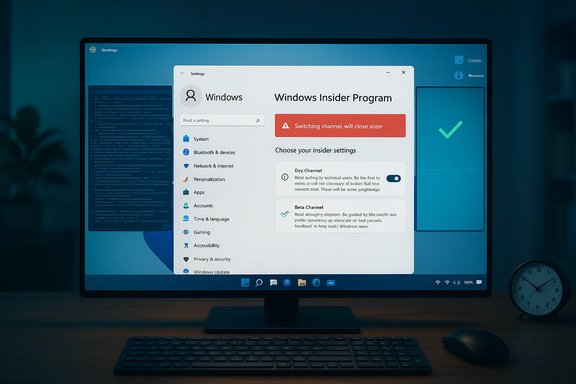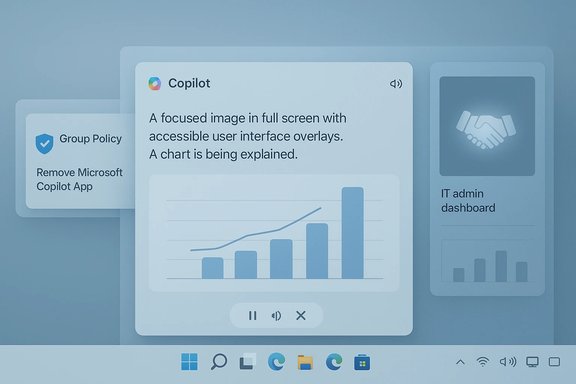
Microsoft’s first Insider preview of 2026 lands as a focused, practical update: Windows 11 Insider Preview Build 26220.7535 (delivered as KB5072046) expands Copilot’s role in accessibility, gives IT administrators a new uninstall policy for the consumer Copilot app, and opens an alternate developer path for Cross‑Device Resume — all while polishing a few UI edges and shipping a collection of fixes and known issues for testers to validate.
Background / Overview
Windows 11’s early‑2026 Insider cadence continues Microsoft’s enablement‑package strategy for the 25H2 servicing stream: identical binaries are distributed while feature visibility is controlled through server‑side gating and staged rollouts. That means installing Build 26220.7535 is necessary but not sufficient to see every new capability immediately — Microsoft flips feature flags on a per‑device basis.This preview centers on three practical themes:
- Accessibility: richer, interactive image descriptions in Narrator powered by Copilot.
- Enterprise governance: a targeted Group Policy to remove the consumer Microsoft Copilot app on managed devices.
- Developer flexibility: a new Windows Notification System (WNS) integration option for Cross‑Device Resume (XDR), lowering the friction for handoff scenarios from Android phones to Windows PCs.
What’s new in Build 26220.7535 (KB5072046)
Copilot‑powered image descriptions in Narrator
The most prominent user‑facing change is the expansion of Copilot‑powered image descriptions in Narrator beyond Copilot+ hardware. Insiders can now request an AI description of a focused image or the entire screen using keyboard shortcuts:- Press Narrator key + Ctrl + D to describe the focused image.
- Press Narrator key + Ctrl + S to describe the full screen.
Admins get Copilot removal controls
Responding to enterprise feedback, Microsoft added a new Group Policy named RemoveMicrosoftCopilotApp that lets administrators perform a one‑time uninstall of the consumer Microsoft Copilot app on managed devices when all of these conditions are met:- Microsoft 365 Copilot and the consumer Microsoft Copilot app are both installed on the device.
- The Microsoft Copilot app was not installed by the end user (meaning it was provisioned or pushed).
- The Microsoft Copilot app has not been launched by the user in the last 28 days.
Cross‑Device Resume gains a WNS integration option
Developers building Cross‑Device Resume (XDR) scenarios now have an additional integration route: using the Windows Notification System (WNS) to surface resume triggers. Previously the path relied heavily on Link to Windows / the Continuity SDK on Android; WNS provides a pragmatic alternative that leverages Windows’ existing notification and toast infrastructure, reducing onboarding friction for apps that already use WNS for actionable notifications. This change broadens developer choices for implementing handoff experiences from Android to Windows.Polish, fixes and staged rollouts
Alongside these headline items, the build ships several smaller updates and fixes:- Windows Spotlight icon refresh to better match Windows 11 design language.
- Multiple fixes across Start menu, File Explorer, Bluetooth, printing, and Settings.
- Known issues remain for some taskbar, Xbox full‑screen, and Settings interactions; Microsoft is staging these fixes gradually via feature flags.
Deep dive: Narrator + Copilot — accessibility, privacy, and quality
Why this matters for accessibility
AI‑generated image descriptions address a persistent accessibility gap: many websites, documents, and images lack meaningful alt text, and static alt text often fails to convey complex visual information such as charts, infographics, or annotated screenshots. Integrating Copilot into Narrator turns a single alt text string into an interactive conversation that can:- Explain visual structure (titles, axes, labels).
- Extract text via OCR.
- Answer follow‑up clarifications (counts, colors, relationships).
On‑device vs. cloud execution: performance and privacy trade‑offs
The experience differs depending on hardware:- Copilot+ PCs with qualifying NPUs can run descriptions on‑device for lower latency and reduced cloud exposure.
- Non‑Copilot+ devices will generally use cloud processing, subject to user confirmation before any image is shared.
Quality assurance and limitations
AI descriptions are probabilistic. They can dramatically improve accessibility in many contexts but are not a replacement for carefully authored alt text in scenarios that require precision (legal documents, medical images, or critical charts). The follow‑up model mitigates some risk by allowing clarification, but product teams and content authors should continue to provide author‑supplied alt text wherever accuracy matters most. Accessibility validators should test description accuracy across representative content types and across both Copilot+ and non‑Copilot+ hardware.Enterprise implications and recommended admin actions
What RemoveMicrosoftCopilotApp does — and what it doesn’t
The new Group Policy fills a practical gap: administrators who don’t want a consumer‑branded Copilot app present on managed endpoints can trigger a one‑time uninstall when the policy’s strict conditions are met. Important operational notes:- It is conditional and one‑time; it’s not a permanent block against future installations.
- The policy will not remove Copilot if users installed it themselves or if it has been launched within 28 days.
- For durable enforcement (for example, to prevent reinstallation through future provisioning), combine the policy with AppLocker/WDAC, Intune configuration profiles, or scripted removal automation.
Practical rollout checklist for IT
- Pilot the policy on a non‑production ring before broad deployment.
- Document how the policy behaves with Microsoft 365 Copilot installed; validate dependencies and license interactions.
- Combine RemoveMicrosoftCopilotApp with AppLocker or an Intune App Protection policy for durable enforcement.
- Test user reinstallation behavior: verify whether users can reinstall via the Microsoft Store or how tenant provisioning handles such events.
- Conduct privacy and legal reviews for any Copilot features that may process end users’ content (Narrator image descriptions, Copilot Vision flows).
Risks and mitigations
- Risk: The one‑time uninstall is tactical but not durable.
Mitigation: Use AppLocker/Intune for persistent blocking; document reinstallation pathways. - Risk: Cloud‑processed Narrator descriptions could expose sensitive imagery.
Mitigation: Restrict the feature in regulated environments until telemetry and retention policies are validated; require explicit user education and consent flows on managed devices. - Risk: Unexpected interactions with Microsoft 365 Copilot entitlements or licensing.
Mitigation: Verify tenant entitlement mapping in a controlled pilot and coordinate with licensing teams.
Guidance for developers: Cross‑Device Resume via WNS
What changes for app authors
Cross‑Device Resume (XDR) previously leaned on Link to Windows / the Continuity SDK on Android. The WNS path lets developers send resume notifications to Windows using the same notification channel they already use for toasts and actionable messages. Benefits include:- Lower implementation friction for apps already using WNS.
- Broader device coverage without integrating the full Continuity SDK.
- Easier onboarding for cross‑platform apps that prefer a notification‑centric handoff.
Developer checklist
- Validate resume token lifetimes and server‑side origin checks.
- Avoid embedding authentication tokens or private URLs inside resume payloads.
- Implement handshake verification on resume acceptance (prompt the user to reauthenticate where necessary).
- Test fallback behavior when the Continuity SDK is unavailable on a client device.
- Log and monitor suspicious resume attempts as part of the app’s telemetry/telemetry‑review process.
How to test Build 26220.7535 safely (recommended steps)
- Back up test devices and create system restore points before installing any Insider preview.
- Use non‑production pilot rings (developers, accessibility testers, IT admins) for early installs.
- Verify Narrator + Copilot on representative content sets: charts, screenshots, multi‑panel images, and scanned documents — compare on Copilot+ and non‑Copilot+ hardware.
- Pilot the RemoveMicrosoftCopilotApp policy on a small group of managed endpoints; verify the uninstall, reinstallation options, and behavior when the Copilot app was user‑installed.
- Test Cross‑Device Resume via both the Continuity SDK and the WNS path to compare tokens, latency, and fallback behavior.
- Validate peripherals: printers, Bluetooth headsets, and GPU‑accelerated apps for regressions listed in the build notes.
- File feedback via Feedback Hub and collect diagnostic traces for any reproducible issues.
Strengths, limitations, and what to watch next
Strengths
- The Narrator integration is a concrete accessibility improvement that brings interactive, AI‑driven descriptions into the screen‑reader workflow — a real usability gain for blind and low‑vision users.
- The RemoveMicrosoftCopilotApp policy answers a frequent enterprise ask: a safe, conditional way to remove consumer Copilot instances on managed devices.
- The WNS option for Cross‑Device Resume is pragmatic and likely to accelerate developer adoption by lowering integration barriers.
Limitations and open questions
- The Narrator descriptions rely on cloud processing for most devices; the preview does not publish exhaustive data‑retention or telemetry matrices, which matters for regulated environments and privacy teams. Treat retention claims as unverifiable in the preview stage until Microsoft releases detailed documentation.
- The uninstall policy is a one‑time, conditional hammer — not a permanent block. Organizations requiring durable prevention should layer additional controls.
- WNS‑based resume raises security imperatives around token lifetimes and origin verification; sloppy implementations could create spoofing or replay risks.
What to watch next
- Whether Microsoft publishes a detailed telemetry and retention policy for Copilot image descriptions and Copilot Vision workflows, including regional differences (notably the EEA exclusion).
- Developer uptake patterns: major apps choosing WNS vs. the Continuity SDK for XDR.
- Enterprise management additions that make Copilot controls more durable (for example, explicit MDM CSPs or Store provisioning controls).
Quick reference: key technical specifics (verified)
- Insider build: Windows 11 Insider Preview Build 26220.7535 (KB5072046).
- Narrator shortcuts: Narrator key + Ctrl + D (focused image), Narrator key + Ctrl + S (full screen).
- Admin policy: RemoveMicrosoftCopilotApp — conditional one‑time uninstall; visible under User Configuration → Administrative Templates → Windows AI.
- Developer option: Cross‑Device Resume via Windows Notification System (WNS) in addition to Continuity SDK/Link to Windows.
- Copilot+ hardware note: on‑device NPU gating remains a key differentiator; Copilot+ PCs are documented to require NPUs capable of high‑throughput inference (public guidance has referenced thresholds in the high TOPS range for advanced local features). Treat detailed performance claims as hardware‑dependent.
Final assessment and recommendation
Build 26220.7535 is a pragmatic, incremental preview that pushes Microsoft’s Copilot strategy into areas that matter: accessibility, enterprise manageability, and practical developer tooling. For accessibility advocates and testers, the Narrator + Copilot expansion is the most significant immediate gain — interactive image descriptions can materially reduce access barriers where alt text is absent or insufficient. For IT admins, the RemoveMicrosoftCopilotApp policy is useful as a controlled removal tool but should be combined with AppLocker or Intune controls for persistent enforcement. For developers, the WNS route for Cross‑Device Resume lowers integration friction but brings stronger security responsibilities around tokenization and origin verification.Treat this build as a testing and feedback vehicle: install on non‑production machines, validate the scenarios that matter to users and compliance teams, and provide targeted Feedback Hub reports for any regressions. Enterprises and privacy‑sensitive deployments should delay broad enablement of cloud‑processed Copilot features until Microsoft publishes detailed telemetry and retention documentation and until pilots confirm acceptable behavior in real environments.
Build 26220.7535 signals Microsoft’s continued, deliberate push to make Windows 11 smarter without ignoring the management and privacy realities of modern IT — but it also highlights the continuing need for cautious evaluation and layered controls as AI features migrate from experiment to everyday tooling.
Source: thewincentral.com Windows 11 26220.7535 Brings Copilot AI & Accessibility Upgrades - WinCentral