Windows 11 Insider Preview Build 28020.1685 Canary: Storage Cleanup and Voice Typing in Rename

  • Thread Author
Microsoft today pushed a small but noteworthy Canary-channel build to Insiders: Windows 11 Insider Preview Build 28020.1685 (KB 5079381), published March 6, 2026, with two narrowly focused user-facing changes—improved Storage cleanup reliability and the ability to use voice typing when renaming files in File Explorer—plus the usual Canary-channel caveats about limited documentation and staged rollouts. (blogs.windows.com)

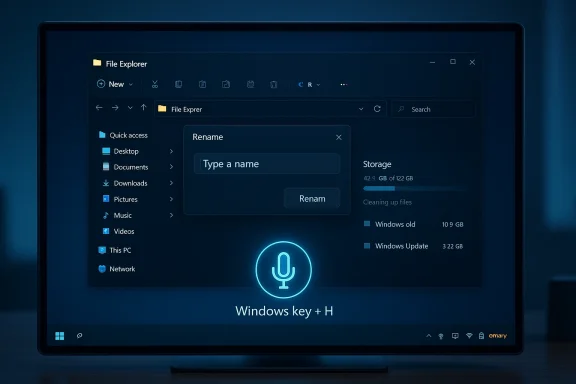
Dark Windows 11 screen showing File Explorer with a Rename dialog and a Windows key + H microphone hint.Background / Overview​

Windows Insider Canary-channel updates are the most experimental public previews Microsoft ships. They are intended to validate early feature work and platform plumbing, and they often arrive with minimal release notes. In early 2026 Microsoft also restructured the Canary Channel into two experimental paths (a continuing 28000-series feature preview stream and an optional 29500-series platform-development stream), so Canary today carries both very early feature experiments and low-level platform work in parallel depending on which path a device is opted into. This broader context matters because features that appear in Canary may be gated with rollout toggles and will not reach all Insiders at once.
The Build 28020.1685 blog post from the Windows Insider team is terse: it lists two change items and then reiterates the routine reminders about instability, Control Feature Rollout, localization in progress, and the need for a clean install to leave Canary. The build is identified in the blog as KB 5079381. (blogs.windows.com)
Below I break down what these changes mean in practice, verify the claims against Microsoft documentation and independent reporting, explain the technical and operational implications for testers and IT pros, and offer practical guidance for Insiders and administrators who may encounter this build.

What Microsoft says is new in Build 28020.1685​

Short list, focussed scope​

The official release notes (Windows Insider blog, March 6, 2026) name two changes that are being gradually rolled out with toggles on:
  • Storage: Improved reliability of removing Windows Update files / windows.old files via Settings > System > Storage. (blogs.windows.com)
  • File Explorer: You can now use voice typing (Windows key + H) when renaming files in File Explorer. (blogs.windows.com)
These items are small-scope quality-of-life improvements rather than major feature additions, and both address persistent, practical user scenarios: reclaiming disk space after upgrades and making file-renaming easier and more accessible.

How Microsoft is rolling this out​

Microsoft notes this is a staged Control Feature Rollout—meaning only a subset of Insiders will see the toggles at first while telemetry and feedback are monitored, and the experience can be changed or rolled back rapidly if issues appear. That staged approach is standard for Canary releases. The blog reiterates the standard admonitions that Canary builds can be unstable and that localization may be incomplete. (blogs.windows.com)

Verifying the claims: is voice typing in Explorer and improved Storage cleanup credible?​

Short answer: yes—both items align with existing Windows features and Microsoft documentation, and the Canary blog entry documents their availability for Insiders.
  • Voice typing is a built‑in Windows 11 capability activated by pressing Windows key + H. Microsoft’s voice typing documentation and support pages describe Windows key + H as the standard keyboard shortcut to open the voice typing UI, and the recent Insider notes show Microsoft extending that interface to additional contexts such as File Explorer rename fields. This builds on the system-wide voice-typing plumbing already documented by Microsoft.
  • Improved reliability for removing Windows Update / windows.old files via Settings > System > Storage is consistent with Microsoft’s Storage Sense and Cleanup Recommendations plumbing, which has long documented the ability to remove previous Windows installations and update leftovers from Settings > System > Storage > Temporary files. The Insider note calls out reliability improvements to that flow—plausible because Storage Sense and the Cleanup UI have historically been the mechanisms used to remove Windows.old and update artifacts.
Independent reporting about Canary-channel behavior and feature rollouts—particularly the split of the Canary Channel into parallel paths earlier in 2026—helps frame these additions as incremental, experimental changes rather than broad production changes. That context matters for how rapidly these changes will reach general users.
Note on KB verification: the Insider blog identifies this flight as KB 5079381. At the time of publication the blog is the canonical announcement for this preview build. If you require a standalone KB article or catalog download for KB 5079381, check Microsoft’s update catalog and Flight Hub listings for the latest package availability, as catalog entries can lag blog announcements for preview/Canary updates.

Deep dive: voice typing while renaming files in File Explorer​

What changed, practically​

Previously, voice typing (the Windows voice-to-text overlay invoked with Windows+H) worked in many text fields and apps across Windows—but not necessarily in Explorer’s inline rename field in all builds. With Build 28020.1685, Microsoft explicitly enables voice typing during File Explorer rename operations so you can press Windows+H while the filename is being edited and dictate the new filename. The official note lists this as a concrete improvement being rolled out to Insiders. (blogs.windows.com)

Why this matters​

  • Accessibility: Allowing dictation during file rename improves accessibility for users with motor impairments or those who prefer voice input for quick tasks. It reduces friction for many users who work hands-free or with assistive technologies. Microsoft’s voice typing is an on-device experience for supported languages, which can preserve privacy and provide lower latency than cloud dictation in many scenarios.
  • Workflow efficiency: Power users who batch-rename files or who frequently annotate files can benefit—dictation is often faster than manual typing for quick changes.
  • Compatibility surface: The rename textbox in Explorer is not a full rich-text editor—it's a specialized inline text control. Making voice typing work there required engineering attention to focus handling, keyboard/UI interception, and ensuring that the voice overlay does not break Explorer’s rename semantics (for example, preserving file extensions or preventing invalid filename characters).

Potential friction points and risks​

  • Invalid characters: Spoken punctuation that maps to invalid filename characters (for example, characters disallowed in file names) will need clear handling. Microsoft’s voice-typing UI already includes punctuation commands, but behavior when dictating into a rename field should be validated—Insiders should test how the system handles disallowed characters, automatic extension preservation, and multi-file rename scenarios.
  • Focus/UX race conditions: Explorer rename fields are short-lived UI states; voice typing must not cause focus to shift or the rename to cancel unexpectedly. The fact this is rolling out under Control Feature Rollout indicates Microsoft is monitoring such reliability signals closely.
  • Localization / speech models: Voice typing depends on language models; not all languages or locales may have parity in the early Canary rollouts. Microsoft’s documentation warns that localization may be incomplete during Canary previews. Testers using non-English locales should verify results. (blogs.windows.com)

Deep dive: improved reliability removing Windows Update files / windows.old via Settings​

What Microsoft is changing​

The blog lists an improvement to the reliability of removing Windows Update files and the Windows.old folder through the Settings > System > Storage cleanup flows. Microsoft historically exposes those cleanup paths via Storage Sense and the Temporary files / Cleanup recommendations UI; the Insider note implies this build addresses scenarios where the Settings UI or backend cleanup previously failed or produced inconsistent results. (blogs.windows.com)

Why this matters​

  • Disk capacity: Windows.old folders (left behind after major updates) and transient Windows Update caches can consume tens of gigabytes on some machines. Reliable cleanup restores free space for users on constrained SSDs.
  • Simpler UX: Many users resort to legacy Disk Cleanup or manual deletion with elevated privileges when Settings cleanup fails. Improving the Settings flow reduces reliance on older utilities and avoids risky manual deletions that can break recovery options.
  • Repair and upgrade scenarios: Admins often encounter cases where failed updates leave residual files. A reliable cleanup path helps both home users and IT pros reclaim space and stabilize devices after problematic updates.

Technical considerations and risks​

  • Timing and rollback: Windows.old exists to enable rollback to a previous OS version during a limited window. Aggressive or incorrect cleanup could remove rollback options prematurely. Microsoft must ensure cleanup respects rollback windows and user choices—Insiders should confirm that cleanup only removes previous installations after the expected grace periods or explicit user consent.
  • Encryption and special storage: On devices with BitLocker or custom volume drivers, cleanup operations need to avoid operations that can interfere with boot or recovery metadata. Administrators should test this flow on representative hardware, especially devices with encrypted system volumes.
  • Services and file locks: Update artifacts may be held open by services (for example Windows Update services or pending rollback components). Improved reliability probably addresses file locking and orchestrates a safe cleanup sequence, but complex third-party drivers or security products that intercept file I/O can still cause cleanup to fail. If cleanup fails, use system tools and logs (Event Viewer, SetupAPI logs) and file a Feedback Hub report.

Who should try this build — and who should wait​

Recommended testers​

  • Accessibility testers who rely on voice input should try the voice-typing rename flow and file any edge cases to Feedback Hub. The change is explicitly targeted to that scenario and needs broad-language validation. (blogs.windows.com)
  • Power users and storage-constrained device owners who have previously struggled to remove Windows.old through Settings and want to verify improved cleanup behavior. Test across multiple update scenarios (in-place upgrade, cumulative update, optional preview) and confirm rollback windows remain intact. (blogs.windows.com)
  • Windows Insiders who participate in staged rollouts and are comfortable with Canary instability and providing detailed feedback through Feedback Hub.

Who should avoid it​

  • Production systems and managed endpoints: Canary builds are experimental. Organizations should not run Canary flights on production endpoints, and any user who cannot tolerate instability should avoid enrolling devices in Canary. Microsoft reiterates that moving off Canary requires a clean install of Windows 11. (blogs.windows.com)
  • Environments with strict compliance or recovery requirements: Because cleaning Windows.old can impact rollback capability, avoid this build on systems where the ability to revert updates quickly is required for compliance or forensic reasons—test in a lab first.
  • Devices with unsupported hardware or third-party drivers known to cause Explorer instability (since File Explorer changes touch a sensitive UI path).

How to validate and report issues (practical steps)​

  • Before upgrading, create a full backup or a system image—especially if you rely on Windows.old for rollback.
  • If you have Disk Cleanup or third-party cleanup scripts in place, pause them before testing to isolate behavior.
  • Test the Storage cleanup flow:
  • Install an upgrade that creates a Windows.old folder (or use an existing Windows.old).
  • Go to Settings > System > Storage > Temporary files (or Cleanup recommendations) and attempt removal.
  • Record whether the Windows.old / Previous Windows Installation(s) option appears and whether removal completes without error.
  • Test voice typing during rename:
  • Create files with extensions you want to preserve (for example, "Report.docx") and initiate Rename (F2 or right-click).
  • Place cursor appropriately, press Windows + H, dictate a filename, and confirm how the system treats punctuation, file extensions, and illegal filename characters.
  • Try multiple locale/language settings if applicable.
  • If you see a problem, collect logs:
  • Use Feedback Hub (WIN + F) and include reproduction steps, screenshots, and performance traces where possible.
  • For Storage issues, collect Setup and Update logs (for example, setupapi, Windows Update logs).
  • If you need to revert from Canary and can't tolerate the build, plan for a clean Windows 11 reinstall—it’s required to move off Canary to a lower-channel build.

Operational impacts and policy considerations for IT admins​

  • Canary’s “one-way” migration: Microsoft requires a clean install to leave a channel that’s receiving builds with lower build numbers. This design prevents downgrades without a reinstall and should be considered by admins before allowing testers to enroll corporate hardware in Canary. (blogs.windows.com)
  • Telemetry and staged rollouts: Control Feature Rollout means the feature may appear for a subset of users. Admins who test should coordinate with Microsoft documentation and Feedback Hub results; don’t assume a build-wide behavior until rollouts are complete. (blogs.windows.com)
  • Validation matrix: If you manage imaging or deployment, add the following to your validation checklist:
  • Boot and resume tests after Storage cleanup (to ensure no boot artifacts were affected).
  • File server and network drive handling when using explorer rename with voice typing (particularly if files are on SMB shares or third-party file systems).
  • Interaction with antivirus and endpoint security products during cleanup; some third-party endpoint products may block or interfere with file deletions.
  • Group policy / endpoint management: Ensure test devices are not subject to group policies that prevent telemetry or automated feature rollouts; such policies can hide the behavior you aim to validate.

Strengths and likely benefits​

  • Targeted, practical improvements: Both changes address real, repeatable user pain points: freeing storage after upgrades, and making file renaming more accessible and efficient. Small wins like these improve day-to-day productivity. (blogs.windows.com)
  • Consistency with existing Windows features: Enabling voice typing in rename fields builds on an existing, well-documented system shortcut, reducing UI novelty and user training needs.
  • Staged rollout minimizes risk: Rolling changes out via Control Feature Rollout lets Microsoft observe real-world interaction patterns before wider deployment—a prudent approach for UI/UX changes that interact with many third-party shells and drivers. (blogs.windows.com)

Risks, limitations, and what to watch for​

  • Partial localization and model support: Voice models and the voice typing UI may not be fully localized at first; non-English users should verify behavior carefully. Microsoft explicitly warns of localization gaps in Canary previews. (blogs.windows.com)
  • Edge-case failures in cleanup: Despite reliability improvements, cleanup flows are complex—file locks, file system filters, encryption, and custom volume setups can still cause failures. Test across diverse system configurations.
  • No immediate catalog KB details sometimes: For some preview KBs, the blog post is the authoritative announcement while catalog/package metadata may appear later. If you require an MSU or offline package for controlled deployment, confirm catalog availability before relying on the KB number for scripted installs.
  • Potential for regressions in Explorer: Explorer remains a high-risk component; any change that expands input acceptance into new fields (like rename) can surface subtle focus or race-condition bugs. Expect follow-up Canary builds to tweak behavior based on feedback. (blogs.windows.com)

How this fits into the 2026 Windows 11 roadmap​

Build 28020.x builds are part of Microsoft’s 28000-series Canary stream (feature preview path for the 26H1 codebase), and Microsoft’s Canary split earlier in 2026 introduced the optional 29500-series path for platform-level experiments. Small fixes like those in 28020.1685 are consistent with Microsoft’s approach for incremental UX refinements before promoting changes into Beta and Dev channels for wider testing or general release. Expect the following:
  • Many small usability and reliability fixes to land first in Canary and, after telemetry and feedback, graduate to Dev/Beta.
  • Continued emphasis on input reliability (voice typing, IME behavior, text input improvements) and storage hygiene (Storage Sense enhancements), both of which were active areas of investment across 2025–2026 Insider flights.

Practical checklist for Insiders who want to test Build 28020.1685​

  • Backup: create a system image or full backup before installing.
  • Be prepared to submit Feedback Hub reports with repro steps and logs.
  • Test the following scenarios:
  • Rename files on local NTFS volumes using voice typing; observe punctuation, extension preservation, and behavior with illegal characters.
  • Rename files located on network shares and on OneDrive-synced folders to see if behavior differs.
  • Run Settings > System > Storage > Temporary files cleanup on machines with Windows.old and large update caches; verify free space reclaimed and attempt post-cleanup rollback where appropriate.
  • For IT testers: validate on a variety of hardware (consumer laptops, corporate notebooks, encrypted drives) and with common third-party endpoint security products enabled.
  • If you need to exit Canary later, plan time for a clean install and ensure you have recovery media and product licensing information.

Final assessment​

Build 28020.1685 is a small, focused Canary update: two practical improvements that target everyday friction points. Neither item is transformational, but both are useful and consistent with Microsoft’s recent focus on input reliability and storage management. Because these changes are rolling out under Control Feature Rollout, they should be safe to evaluate in a test environment, and they will likely reach more Insiders in coming weeks if telemetry is positive. For production and managed devices the standard advice applies: do not run Canary builds on systems where stability and rollback assurance are required.
If you try the build, validate both the rename/dictation behavior and the cleanup flow thoroughly and file detailed feedback—the Canary channel’s purpose is to collect that data so Microsoft can harden the experience before releasing it more broadly. (blogs.windows.com)

Conclusion: Build 28020.1685 is a pragmatic, narrowly scoped update that addresses two persistent usability issues. For Insiders who rely on accessibility features or who have struggled with Settings-based cleanup of Windows.old and update leftovers, this build is worth testing. For everyone else—particularly IT-managed endpoints—the appropriate course is to monitor Flight Hub and Microsoft’s release notes, test in a lab, and wait for the features to graduate through broader Insider rings before adopting them in production. (blogs.windows.com)

Source: Microsoft - Windows Insiders Blog Announcing Windows 11 Insider Preview Build 28020.1685 (Canary Channel)
 

Microsoft’s Canary-channel test this week delivered two small but telling adjustments to Windows 11: a behind‑the‑scenes reliability fix that improves how the OS removes update leftovers and the seemingly modest but immediately useful ability to use voice typing while renaming files in File Explorer. Both changes arrived as part of Windows 11 Insider Preview Build 28020.1685 (KB5079381), a low‑level Canary flight that underlines Microsoft’s ongoing pattern of nudging quality and accessibility improvements through staged Insider rollouts rather than large consumer‑facing feature pushes.

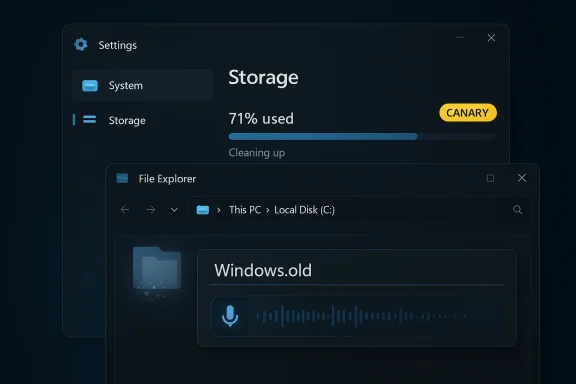
Dark Windows UI shows Storage at 71% and a File Explorer window with Windows.old.Background / Overview​

Windows Insiders have long accepted that Canary builds are experimental: short, surgical changes that let Microsoft validate engineering work on a small set of devices before any broader deployment. That philosophy is exactly what Build 28020.1685 demonstrates. The Windows Insider announcement lists two user‑visible items—improved reliability for removing Windows Update files and the ability to invoke voice typing (Windows key + H) when renaming files in File Explorer—while reminding testers that the release is a staged Control Feature Rollout and may not appear for every Insider immediately.
At the same time, a separate thread of Windows update news has been dominant on community boards since late 2025: a widely reported dark‑mode “white flash” in File Explorer that made the app briefly display a bright white panel when opening or navigating folders. That bug, introduced by certain preview/optional updates, became a conspicuous UX failure for dark‑mode users. Microsoft acknowledged the problem and several Insider builds across Dev, Beta, and Canary have carried fixes and incremental dark‑mode refinements intended to eliminate the flashes. The remediation work has stretched across multiple channels, demonstrating Microsoft’s layered approach to stabilizing visual regressions while preserving rollout control.

What Build 28020.1685 actually changes​

Improved storage cleanup reliability (KB5079381)​

Microsoft’s release notes for Build 28020.1685 call out an improvement to the reliability of removing Windows Update files and the Windows.old folder via Settings > System > Storage (Temporary files / Cleanup recommendations). In plain terms, the Settings cleanup flow that lets users delete old installation artifacts should be less likely to fail or report incomplete removals.
Why this matters:
  • Disk space: Windows.old and cached update payloads can occupy tens of gigabytes—especially on systems with frequent feature updates or machines with smaller SSDs.
  • User confidence: Cleanup failures leave users frustrated and can drive them to messy manual deletions that risk data loss.
  • Operational hygiene: For IT pros and imaging pipelines, reliable device cleanup reduces the risk of residual files causing unexpected behavior during provisioning or before handoff to end users.
The change is limited in scope—this is not a redesign of Storage Sense—but it targets a practical, high‑friction surface where users frequently report problems. The wording in Microsoft’s notes suggests a reliability improvement rather than a new feature, which is consistent with the Canary channel’s role in validating fixes at scale before moving them into higher channels.

Voice typing in File Explorer rename fields​

The other outwardly visible tweak is enabling the system voice typing overlay (Win + H) during inline file rename operations inside File Explorer. Historically Windows voice typing worked for many text fields across the OS, but inline rename boxes inside Explorer were sometimes a problematic target—these are ephemeral text controls with special semantics (e.g., preserving extensions, rejecting invalid filename characters). Build 28020.1685 explicitly extends voice‑to‑text support into that context.
Why this matters:
  • Accessibility: Users with motor impairments, or anyone who relies on speech input, can rename files without reaching for the keyboard.
  • Workflow speed: For some quick renaming tasks—think photos, screenshots, or notes—dictation can be faster than typing.
  • Consistency: Extending platform services like voice typing into more text targets strengthens the overall accessibility model of Windows.
The engineering work here is not trivial: Explorer rename fields have unique focus and lifecycle behavior, and voice input must avoid producing invalid characters or causing rename cancellation. The staged rollout suggests Microsoft is watching telemetry to ensure the feature doesn’t introduce regressions like focus loss or accidental inclusion of forbidden punctuation.

The File Explorer “flash” saga: what happened, and where we are now​

Timeline and symptoms​

Late in 2025, a set of previews and optional cumulative updates introduced a regression where File Explorer—when running in dark mode—would briefly show a bright white window panel when launching folders, opening tabs, or switching views. The effect was particularly jarring in low‑light conditions and prompted a flood of reports across community forums and news sites. Microsoft classified the problem as a known issue and began triage and fixes in Insider flights.
Key points of the problem:
  • The flash was visual only in most cases (no immediate data loss), but it was a noticeable UX regression that undermined dark mode’s purpose.
  • It happened in several contexts: opening Explorer, opening a new tab, navigating between panes, and toggling certain panels or details.
  • The issue surfaced across different servicing tracks because optional preview updates affect multiple versions (e.g., 24H2 and 25H2 servicing branches).

Microsoft’s response and the rollout of fixes​

Microsoft acknowledged the regression in official release notes and began delivering fixes across Insider channels. Dev‑channel builds explicitly noted fixes for white flashes and other dark‑mode inconsistencies in File Explorer. For example, recent Dev builds included lines such as “removed white flash when launching new File Explorer windows or tabs,” showing Microsoft’s intent to correct the UX and validate it through Insiders before wider deployment.
Independent reporting and coverage confirm the company’s remediation steps:
  • WindowsLatest and Windows Central documented Microsoft’s acknowledgment and the connection to preview updates, explaining the issue’s impact and the patches that followed.
  • Security and tech outlets (BleepingComputer, Digital Trends, PC Gamer) tracked the appearance of fixes in Insider flights and noted when the “flashbang” effect subsided in those builds—often marking the end of the most egregious behavior.
The practical takeaway: fixes have been delivered incrementally and validated first in Dev/Beta/Canary builds; end‑user cumulative updates and optional previews followed with corrections as the patches moved through Microsoft’s servicing pipeline.

Verifying claims and cross‑referencing the record​

Journalistic rigor requires confirming the most significant assertions with multiple independent sources. Here’s how the principal claims stack up:
  • Build 28020.1685 exists and is identified as KB5079381 in the Insider announcement. That is corroborated by Microsoft’s Windows Insider blog post for the Canary flight.
  • The two user‑visible items—improved removal reliability for update files/Windows.old and voice typing during rename—are named in Microsoft’s Canary announcement and visible in community summaries and local reporting on the flight. The user‑uploaded summary of the build likewise captures those points.
  • The File Explorer white‑flash regression was introduced by certain preview/optional updates and was publicly acknowledged by Microsoft; fixes were rolled through Insider channels with notes explicitly referencing removal of white flashes. Multiple outlets corroborated Microsoft’s admission and tracked subsequent build notes.
Where verification is weaker or evolving:
  • If you need a downloadable, standalone KB article or update catalog entry for KB5079381, remember preview/Canary releases are announced primarily on the Windows Insider blog and may not always appear as immediately discoverable, standalone KB catalog packages. Microsoft’s Update Catalog and Flight Hub can lag blog announcements for preview packages; treat the Insider blog as canonical for Canary‑channel release notes.

Technical analysis: what these changes reveal about Microsoft’s priorities​

Focus on operational reliability and accessibility​

Both items in Build 28020.1685 are practical rather than headline‑grabbing. That’s meaningful: Microsoft is iterating on how Windows behaves under everyday operations—freeing space reliably and smoothing up accessibility flows—rather than shipping a major new consumer feature.
  • Reliability fixes (Storage cleanup) reflect an operational priority: address edge conditions that disproportionately affect devices with limited storage or complex upgrade histories.
  • Accessibility extensions (voice typing in rename) show ongoing investment in platform services (on‑device speech, consistency across controls).
These choices align with a longer trend: after the era of aggressive feature pushes, Microsoft is increasingly treating Windows as a services platform where incremental quality improvements are as strategically important as new features.

Canary as a testing ground—and also a communication vector​

Canary builds like 28020.1685 act as both a technical proving ground and a messaging instrument: they let Microsoft test a fix in the wild and gather telemetry on small cohorts before scaling the change. That staged model reduces blast radius but raises an operational complexity for admins and power users trying to map which channel contains a given fix.
  • Pros of staged Canary testing:
  • Quick rollbacks when telemetry shows regressions.
  • Fine‑grained control over feature exposure.
  • Cons:
  • Fragmented documentation across blog posts and KB numbers.
  • Confusion among Insiders and admins about what has landed where.

Visual regressions and the difficulty of UI consistency​

The File Explorer flash story is a cautionary tale: a small change in dialog or rendering behavior can produce a visually jarring regression that affects user trust disproportionately to the technical severity of the bug.
  • Dark mode regressions can feel more severe than many functional bugs because they are directly perceptible and frequent.
  • Fixing such regressions often requires both low‑level rendering changes and careful UX validation across compositing, theming, high‑contrast modes, and accessibility tools.
Microsoft’s approach—acknowledge, triage, fix in-flight, and then validate broadly—was the right one here, but the incident also exposed the challenge of maintaining visual consistency across a sprawling platform with many therapeutic updates.

Practical guidance for Insiders, IT admins, and everyday users​

For Windows Insiders (Canary / Dev / Beta)​

  • If you’re on the Canary channel and see the new behaviors (storage cleanup or voice typing in rename), test them in real workflows and submit concrete Feedback Hub items if you notice failures—especially:
  • Cases where Storage cleanup reports success but files remain.
  • Rename sessions where voice typing inserts invalid filename characters or cancels the rename unexpectedly.
  • Remember Canary builds are experimental. Expect staged rollouts: not every Insider will get every toggle immediately. Track the Windows Insider blog posts for the canonical notes.

For IT administrators and pilots​

  • Treat Canary updates as a research environment—not a pilot or deployment channel.
  • Plan pilots using Release Preview or Beta channels after a build’s fixes stabilize in Dev/Canary.
  • Audit automation, imaging, and cleanup scripts that rely on Storage Sense or Settings cleanup flows. The improved reliability should reduce manual cleanup needs, but automation that depended on the previous inconsistent behaviors should be validated.
  • Monitor vendor advisories and device OEM channels for drivers/firmware that might interact with Explorer display behavior—visual regressions sometimes traced back to GPU driver interactions.

For everyday users (non‑Insiders)​

  • If you experience the File Explorer white flash and it’s disruptive, avoid installing optional preview updates until the fixes have fully propagated to your servicing channel; Microsoft has been rolling corrections through Insider and optional MTU flows.
  • If you need to reclaim space urgently and Settings cleanup fails, you can still use built‑in Disk Cleanup (cleanmgr) or a carefully executed manual deletion—but back up important data before removing Windows.old manually.

Potential risks and caveats​

  • Rollout ambiguity: Using KB numbers for Canary builds can create expectations of a traditional KB article and catalog entry; in practice, Canary notes live primarily in the Windows Insider blog. If you need enterprise patch artifacts for compliance or mass deployment, don’t expect Canary KBs to behave like standard cumulative updates.
  • Edge cases in voice typing: Dictation remains a best‑effort experience across languages. Expect inconsistent behavior for non‑English locales until full model parity and localization are rolled out—Insiders in non‑English locales should validate results carefully.
  • Visual regression recurrence: Visual fixes in Explorer have had to be iterated multiple times. Even after landing a fix in one Insider flight, regression risk remains when other rendering or theming changes land—so watching subsequent flight notes is critical.

What to watch next​

  • Watch the Windows Insider blog for any follow‑up KB or servicing announcements that promote these Canary fixes into Beta/Release Preview and then production servicing. The Insider blog entries are the canonical record for these flights.
  • Monitor the Windows Update catalog and Microsoft’s Flight Hub if you require downloadable artifacts for staged testing in enterprise environments—those may lag the blog posts for preview packages.
  • For the File Explorer dark‑mode flash, confirm removal in your target servicing channel before broad deployment. Microsoft has already listed removal of white flashes in multiple Dev‑channel announcements, but real‑world verification on diverse hardware remains important.

Conclusion​

Build 28020.1685 (KB5079381) is small in headline value but instructive: Microsoft continues to refine Windows through incremental, focused changes that prioritize operational reliability and accessibility. The update’s two items—more reliable removal of update artifacts and voice typing during file renaming—are exactly the kind of pragmatic improvements that improve daily user experience without fanfare. At the same time, the File Explorer dark‑mode flashing saga shows how a single visual regression can dominate user perception of quality and why Microsoft leans on staged Insider rollouts to validate fixes before broad distribution.
If you’re an Insider, test the changes, file precise Feedback Hub reports, and watch for follow‑on notes. If you manage machines, treat Canary as a preview lab and validate cleanup and UX behaviors in controlled pilots before mass deployment. And if you’re a regular user affected by the File Explorer flashes, hold off on installing optional preview updates until the corrections reach your servicing channel; the remediation work is underway, and Microsoft has already started rolling fixes through Insider builds.

Source: Neowin KB5079381: Microsoft improving how Windows 11 handles Update files with build 28020.1685
Source: Neowin Microsoft finally fixes File Explorer flashes in new Windows 11 builds
 

Microsoft rolled a small but meaningful Windows 11 Canary-channel flight this week — Windows 11 Insider Preview Build 28020.1685 (KB5079381) — that quietly delivers two user-facing improvements: voice typing inside File Explorer’s rename box and improved reliability when removing Windows Update artifacts (including Windows.old) through Settings > System > Storage.

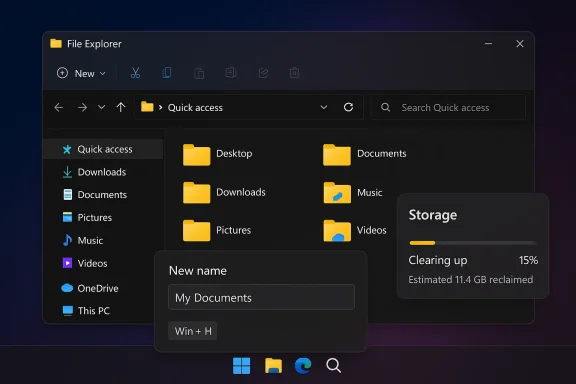
Dark Windows File Explorer window showing Quick Access, folders, and a storage cleanup widget.Background / Overview​

Canary remains Microsoft’s experimental testbed for Windows changes, intended for early validation rather than broad consumer release. Build 28020.1685 (KB5079381) was announced on March 6, 2026 and is being rolled out via a Control Feature Rollout — in other words, the changes are toggled and will appear for a subset of Insiders while telemetry and feedback are monitored. That staged approach reduces risk but also means not every Insider will see the features immediately.
Microsoft has recently split the Canary stream into parallel paths (the 28000-series for feature preview work and an optional 29500-series for deeper platform experiments). That context matters because the scope and permanence of changes in Canary can vary depending on which path a device is opted into. Expect incremental, reversible refinements rather than sweeping, permanent UI changes.

What shipped in KB5079381 (Build 28020.1685)​

  • Storage cleanup reliability: The Settings > System > Storage cleanup flow (Temporary files / Cleanup recommendations) should now be more reliable when removing Windows Update files and the Windows.old folder. This is framed as a targeted reliability improvement — not a full redesign of Storage Sense — but it addresses a persistent real-world pain point where cleanup attempts sometimes failed or left residual files behind.
  • Voice typing in File Explorer rename: You can now invoke voice typing (Win + H) while renaming files in File Explorer’s inline rename box. This extends the system-wide dictation overlay into a historical edge case: the ephemeral rename textbox that previously did not always accept the overlay reliably. Microsoft is rolling this out under feature toggles to watch for regressions.
Both items are deliberately incremental — pragmatic fixes that improve daily workflows rather than headline features. Independent coverage and community summaries corroborate the same two-item list in the Canary release notes. fileciteturn0file13turn0file3

Why these changes matter​

Storage cleanup: reclaiming space and reducing support friction​

Windows.old and cached update payloads can occupy tens of gigabytes on machines that receive frequent feature updates or run on smaller SSDs. When the Settings cleanup flow fails — due to locked files, filter drivers, or permission issues — users are left with full disks or are forced to perform manual, error-prone deletions. The reliability improvements in KB5079381 directly address that scenario, lowering the chance of failed cleanups and reducing help-desk tickets for imaging/upgrade pipelines.
Practical benefits:
  • Faster, more dependable space recovery after upgrades.
  • Fewer manual cleanup steps and less risk of accidental deletion.
  • Lower operational overhead for imaging and provisioning workflows.
Caveats remain: Storage cleanup flows interact with encryption, third-party drivers, OneDrive Files On-Demand, and file-locking behavior — so edge cases may still fail and require targeted troubleshooting. Microsoft’s Canary note is explicit that this is a reliability improvement rather than a complete rewrite.

Voice typing in File Explorer: a small change with accessibility implications​

Allowing voice dictation while renaming files might seem minor, but it has outsized value for accessibility and quick workflows. Users with motor impairments, those working hands-free, or anyone who prefers voice input can rename files without typing. From an engineering perspective this required attention to focus handling and filename rules (preserving file extensions, blocking illegal filename characters). Because the rename control is an ephemeral UI element, the staged rollout suggests Microsoft is watching for race conditions like focus loss or inadvertent inclusion of invalid characters. fileciteturn0file2turn0file8
Key UX considerations:
  • The Windows voice typing overlay uses the canonical shortcut Win + H; Microsoft’s move extends that overlay to the rename textbox context.
  • The rename flow must still enforce filename rules (no colon, slash, asterisk, etc.) and preserve file extensions, so dictation input needs sanitization or clear user feedback when illegal characters are spoken.
  • Localization and voice-model parity may lag: not all languages/locales may behave the same during early Canary rollouts.

Technical verification and cross-checks​

I verified the build number, date, and core change list against the Windows Insider blog post announcing the flight and cross-referenced community reporting that tracked the same changes. Multiple independent summaries and community posts confirm the two user-facing items for Build 28020.1685 and note the staged rollout behavior typical of Canary flights. If you need an offline install package or a traditional KB article in the Microsoft Update Catalog, be aware that preview/Canary announcements often appear first on the Insider blog and catalog entries can lag. fileciteturn0file3turn0file9
Where verification is strong:
  • The Windows Insider announcement explicitly lists both Storage cleanup reliability and voice typing in rename for the Canary release.
  • Independent outlets and Insiders corroborate the feature list and the Control Feature Rollout approach. fileciteturn0file6turn0file13
Where claims remain provisional:
  • Whether KB5079381 will immediately produce a downloadable MSU/package in the Update Catalog is uncertain; Microsoft’s blog is the canonical record for Canary previews and catalog availability can follow later. Treat any KB number for Canary builds as descriptive of the flight rather than a guarantee of a conventional cataloged package.

Deep dive: voice typing inside the rename box — what could go wrong​

Extending dictation into the rename control touches delicate UX boundaries:
  • Invalid-character handling: Spoken punctuation like “colon” or “slash” can map to characters that filenames cannot contain. Voice typing must either block these or translate spoken punctuation to safe equivalents; Insiders should test how the UI sanitizes or rejects invalid characters.
  • Extension preservation: Users expect file extensions to be preserved when renaming. Dictation should avoid overwriting an extension or accidentally inserting spaces before the extension (for example, "photo dot jpg" becoming "photo .jpg" or "photo.jpg" depending on how the overlay treats punctuation). Testers should pay attention to how the rename flow preserves file types.
  • Focus and lifecycle: The inline rename field is short-lived; the voice overlay has its own focus model. Race conditions where the rename cancels because focus is lost are a real risk. Microsoft’s staged rollout suggests they are monitoring telemetry for these exact failure modes.
  • Localization and speech models: Not all locales may have equal model parity or prompt handling. Early Canary rollouts frequently list partial localization and model support as a limitation.

Deep dive: Storage cleanup reliability — what exactly improved?​

The Settings cleanup flows (Temporary files / Cleanup recommendations) and Storage Sense are the in-OS mechanisms Microsoft exposes to delete Windows.old and residual update files. Build 28020.1685 is described as improving the reliability of those removal flows, which means:
  • Fewer false-success reports: the UI should more accurately reflect successful deletion.
  • Reduced failures due to locked or filtered files: fixes may target common race conditions or permission edge cases.
  • Better interaction with one-off components: such as encrypted volumes, third-party filter drivers, and OneDrive files-on-demand.
These improvements should materially help users on space-constrained drives and cut down the number of help-desk cases where users report cleanup failures. That said, edge cases will still exist: file locks, vendor drivers, and encrypted file systems are outside the scope of a single reliability patch and may still need manual intervention. fileciteturn0file16turn0file9

Risks, limitations, and what to watch for​

  • Canary instability: Do not run Canary builds on production hardware. Canary is experimental; build behavior can change quickly and may require a clean reinstall to exit the channel. Microsoft explicitly warns Insiders about instability and partial localization for Canary releases.
  • Rollout ambiguity: KB numbers used for Canary flights can cause confusion: they identify the flight but may not correspond to a typical, downloadable, cataloged patch immediately. Enterprise teams that expect standard KB/cumulative-update workflows should treat Canary KBs as informational and wait for Beta/Release-Preview/production updates for sanctioned deployment.
  • Potential regressions: Adding voice typing into a formerly unsupported target may surface subtle race conditions in focus handling, or expose edge-case bugs where the rename is canceled or invalid characters are inserted. Visual regressions (the File Explorer white-flash issue from late 2025) are a separate example of how minor rendering changes can produce widely visible UX problems; Microsoft fixed those across multiple Insider channels but the risk of reintroduction means testers should validate visual consistency across GPUs and drivers. fileciteturn0file12turn0file16
  • Enterprise compatibility: Storage cleanup reliability fixes should reduce manual cleanups, but any automation, imaging, or endpoint scripts that rely on previous behavior should be validated against the updated flow. Administrator protection controls seen in matched Dev/Beta flights also mean enterprises should keep an eye on new security policy toggles that can affect elevation models. fileciteturn0file11turn0file16

Practical guidance: how to test KB5079381 safely​

If you are an Insider or IT tester who wants to evaluate Build 28020.1685, follow this checklist:
  • Backup: create a full system image or restore point before installing the Canary build.
  • Isolate hardware: test on non-production, representative devices (consumer laptops, corporate notebooks, encrypted volumes).
  • Storage cleanup tests:
  • Populate a disk with a Windows.old folder and a large update cache; run Settings > System > Storage > Temporary files > Cleanup recommendations and record outcomes.
  • Confirm the reported freed space matches actual reclaimed space in disk management.
  • Test with OneDrive Files On-Demand enabled, and with third-party antivirus or filter drivers active.
  • Voice typing tests:
  • Open File Explorer, select a file, press F2 (or click rename), and press Win + H to invoke voice typing. Dictate filenames including punctuation, compound words, and file extensions.
  • Test invalid-character handling: say phrases that would map to forbidden characters and observe sanitization.
  • Test multiple locales and languages if your environment requires them.
  • Accessibility checks:
  • Evaluate how assistive technologies (Narrator, third-party screen readers) interact with the dictation overlay in the rename field.
  • Visual/UX checks: verify that File Explorer no longer exhibits white flashes in dark mode across typical GPU/driver combinations.
  • Feedback: file precise Feedback Hub reports (WIN + F) with repro steps and logs for any failure mode you encounter. Canary telemetry is only useful if Insiders provide detailed repros. fileciteturn0file16turn0file4

Recommendations for IT admins and power users​

  • For production fleets: do not apply Canary builds. Instead, watch Beta and Release Preview channels and Microsoft’s servicing pipeline for when these fixes graduate to supported cumulative updates. Validate the cleanup behavior on a small pilot group before mass deployment.
  • For imaging and automation owners: audit any scripts that interact with Storage Sense or Settings cleanup flows. The improved reliability should make automation more deterministic, but tests are necessary to avoid surprises caused by different cleanup semantics.
  • For accessibility teams: test the new voice-typing behavior with your assistive-technology stack and document any workflow changes, especially in environments that use non-English locales or specialized input hardware.
  • For privacy-conscious organizations: voice typing uses on-device models for supported languages in many cases, but always confirm data-flow and telemetry settings with your privacy and security teams before enabling microphone-based features broadly. Monitor permissions and app-level access for indepth auditing.

How this fits the 2026 Windows 11 roadmap​

KB5079381’s small, practical fixes align with a broader 2026 pattern: Microsoft is treating Windows as a platform for incremental quality and accessibility improvements as much as it is for headline feature releases. The Canary channel acts as a low-risk proving ground where targeted fixes — such as input reliability and storage hygiene — can be observed and refined before promotion to higher channels and eventual production servicing. Expect more of these surgical updates as Microsoft continues to balance platform stability with feature evolution.

Conclusion​

KB5079381 (Build 28020.1685) is a model of pragmatic engineering: two narrow but impactful changes that reduce friction in everyday Windows workflows. Improved Storage cleanup reliability addresses a long-standing, high-friction maintenance pain, while voice typing in File Explorer rename boxes extends an accessibility and productivity capability into a previously awkward UI surface. Both changes are being rolled out conservatively under Control Feature Rollout in Canary — which is exactly the right mechanism for validating behavior across diverse hardware, locales, and third-party integrations. Testers should validate cleanup outcomes, dictation behavior, and potential regressions; administrators should wait for these fixes to graduate to supported channels before deploying broadly. For Insiders, your detailed Feedback Hub reports will be the most effective mechanism to get these refinements hardened for everyone. fileciteturn0file0turn0file16

Source: Windows Report https://windowsreport.com/latest-wi...g-for-file-explorer-improves-storage-cleanup/
 

Back
Top