

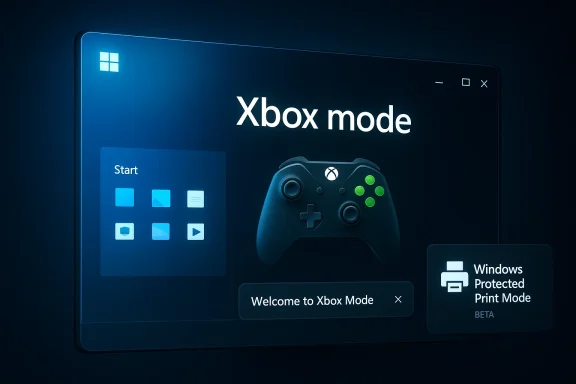
Microsoft is using this week’s Windows 11 Insider flights to push its gaming strategy a little closer to the center of the desktop, and the headline change is a rename that matters more than it first appears. Xbox full screen experience is now Xbox mode in both the Dev and Beta channels, paired with an improved first-run setup flow that should make the feature easier to discover and adopt. Alongside that branding shift, Microsoft is testing haptic feedback, faster startup-app launches, and a handful of fixes aimed at sign-in and printing stability. (blogs.windows.com)
Microsoft’s Windows Insider program has become the company’s preferred proving ground for ideas that sit somewhere between desktop computing and console-style gaming. The latest Dev and Beta builds, KB5083822 and KB5083825, continue that pattern by taking a feature that began life on handheld gaming devices and broadening its identity for the wider Windows 11 ecosystem. The new label, Xbox mode, is a subtle but meaningful step: it sounds less like a temporary preview and more like a platform-level experience that Microsoft expects people to recognize. (blogs.windows.com)
The timing is important. Microsoft previewed the move at GDC 2026, where it said Xbox mode would begin rolling out to Windows 11 in April, starting in select markets. That announcement framed the feature as part of a larger strategy to make the Xbox experience more consistent across screens, including handhelds, laptops, desktops, and tablets. In other words, this is not just a cosmetic rename; it is part of a broader unification effort for gaming on Windows.
The builds themselves also show Microsoft paying attention to the less glamorous parts of the Windows experience. Haptic feedback on supported devices, startup performance improvements, and fixes for sign-in and printing problems may sound modest compared with the gaming headline, but they reveal where Microsoft wants Windows 11 to feel more polished. That combination matters because it suggests the company is trying to make the operating system feel more responsive in both everyday and gaming contexts. (blogs.windows.com)
Just as importantly, the Dev and Beta channels remain a laboratory, not a guarantee. Microsoft explicitly reminds Insiders that features can change, disappear, or remain exclusive to preview builds, and that controlled feature rollout means not everyone receives the same experience at the same time. So while Xbox mode is now visible in the latest flights, its eventual form in a public release still has room to evolve. (blogs.windows.com)
Microsoft also says it has improved the first-run experience when users enter Xbox mode. That matters because onboarding is where many features either become sticky or quietly fade away. If Microsoft wants more people to switch between productivity and play fluidly, the transition into gaming mode needs to feel obvious, fast, and trustworthy. (blogs.windows.com)
There is also a strategic logic behind the change. Microsoft has spent the last year extending Xbox-branded gaming experiences onto more Windows hardware, especially handhelds, where a console-like interface offers obvious value. A generic “mode” label makes it easier to imagine that same experience moving between a handheld, a gaming laptop, or a living-room PC without constantly calling attention to the original preview name.
The rename may also reduce confusion. “Full screen experience” described how the interface behaved, but it did not necessarily tell users what it was for. “Xbox mode” is much more direct: if you know Xbox, you know the intent. That may be especially useful for mainstream users who do not follow Insider builds closely and simply want a recognizable gaming path inside Windows. Simple naming is not always superficial; sometimes it is product strategy. (blogs.windows.com)
This approach also mirrors the handheld trend that has reshaped Windows gaming in recent years. Microsoft first introduced the full-screen experience on the ROG Xbox Ally family and later expanded preview access to Windows 11 PCs. That progression suggests the company is using handheld UX as the design seed, then transplanting the best parts into broader PC scenarios.
The company’s GDC messaging makes this broader ambition explicit. Microsoft said Xbox mode would roll out to Windows 11 in April, beginning in select markets, and described it as a familiar full-screen, controller-optimized Xbox experience that still preserves Windows openness. That is the balancing act: opinionated enough to be useful, open enough to remain Windows.
For gamers, that could eventually mean faster access to libraries, a cleaner launcher-like environment, and fewer distractions before play. For Microsoft, it means more of the Windows ecosystem is now part of the Xbox brand story. That is important in a market where platform identity increasingly matters as much as raw hardware specs.
Haptics in desktop software are still unusual enough to attract attention. In consumer terms, they can make interactions feel more tactile and confident. In productivity terms, they can act as a form of confirmation, reinforcing a sense that the system understood an action and responded to it. That kind of feedback matters more than it gets credit for. (blogs.windows.com)
The settings path also matters. Users can adjust these effects under Bluetooth & devices > Mouse > Haptic signals, which means Microsoft is treating haptics as a configurable system capability rather than a hidden novelty. That makes the feature easier to discover, easier to control, and more likely to survive initial skepticism. (blogs.windows.com)
From a product-design standpoint, the move is smart because it experiments with feedback without forcing it on everyone. If the experience is subtle enough, it can improve perceived quality without becoming annoying. If it is too strong, users can dial it back. That flexibility is exactly what a Windows feature needs to avoid becoming a gimmick. (blogs.windows.com)
The fix list is short but practical. Microsoft addressed an issue where some apps could not sign in and reported an internal connection error despite a live internet connection, and it resolved a crash that had prevented some Insiders from printing on recent builds. Those are the kinds of problems that may not trend on social media, but they can severely erode trust when they affect routine workflows. (blogs.windows.com)
The sign-in fix is equally important from an enterprise perspective because authentication failures can be mistaken for network or credential issues. Even a transient bug that falsely reports a connection problem can create help desk noise, user frustration, and unnecessary troubleshooting. That makes reliability fixes disproportionately valuable compared with their small footprint in release notes. (blogs.windows.com)
Printing remains one of Windows’ most stubborn practical pain points, so a crash fix in that area is welcome even if it sounds mundane. Printers are still central to many offices, and a blocked print workflow can turn a minor bug into an operational interruption. In that sense, Microsoft’s fix list is more conservative than glamorous, but much of Windows quality is won in conservative releases. (blogs.windows.com)
Protected Print Mode is part of Microsoft’s broader effort to modernize printing security by reducing exposure to traditional printer driver complexity. While the latest Insider note does not re-explain the feature, the new icon suggests Microsoft wants users to understand, at a glance, which printers support the more secure path. That is useful because security features only matter if users can recognize and trust them. (blogs.windows.com)
It also shows Microsoft is continuing to integrate security messaging into the everyday UI. That approach has become more common across Windows, where the company increasingly tries to surface modern capabilities in context rather than as separate admin-only features. For printing, that could help accelerate the move toward more standardized, managed configurations. (blogs.windows.com)
That said, the success of such a cue depends on clarity. If users do not understand what the icon means, it will simply become another symbol in a crowded settings page. The challenge is less about adding the indicator and more about teaching it well enough that it actually changes behavior. A security feature hidden in plain sight is still hidden if nobody notices it. (blogs.windows.com)
This is a preview program doing what preview programs are supposed to do: test a feature’s usability, discoverability, and timing before the company decides whether it deserves a wider release. If the Xbox mode name sticks, that tells Microsoft the concept is maturing. If users ignore it, the company still has time to adjust before the feature reaches a broader audience. (blogs.windows.com)
For users who like testing new things, the builds are attractive because they blend visible innovation with everyday fixes. That mix makes it easier to evaluate how a feature feels in normal use rather than as a lab demo. And in Windows, normal use is where most feedback becomes valuable. (blogs.windows.com)
At the same time, Insiders should remember that features can be staged, altered, or withdrawn. Microsoft is very explicit that not every preview capability ships to retail, which means users should treat these builds as a pulse check on Microsoft’s direction, not as a promise of final product behavior. (blogs.windows.com)
For rival ecosystems, the implication is that Microsoft is reducing one of Windows’ historical weaknesses: friction. A console can be easier to understand because it does fewer things. Windows has always done more, but that also made it feel more complicated. Xbox mode is Microsoft’s attempt to let Windows borrow some of the emotional simplicity of a console without losing its desktop depth.
The company’s messaging also tries to avoid a false binary between “open PC” and “closed console.” Instead, Microsoft is betting it can offer a controller-first, full-screen gaming layer while leaving the underlying Windows environment intact. That could help it compete with both traditional PC launchers and more vertically integrated gaming platforms.
If successful, the strategy may make Xbox branding feel more ambient across Windows, not just attached to the Xbox app or console hardware. That would be a powerful competitive advantage because platform familiarity reduces friction, and friction is often what sends users elsewhere. Brand consistency is not a cosmetic detail in platform wars; it is part of the moat.
For enterprises, the story is less about gaming and more about system quality. Startup performance improvements, sign-in fixes, and printing stability all contribute to a lower support burden and a smoother employee experience. Even the haptic changes could matter indirectly if Microsoft continues to treat feedback, precision, and usability as part of a broader desktop quality push. (blogs.windows.com)
The Beta-only print icon is a good example of how Microsoft can surface enterprise-adjacent functionality without overwhelming casual users. It puts capability in context and lets organizations decide whether the feature is useful without forcing a dramatic policy explanation. That is a much easier sell than asking users to absorb a new admin concept with no visual signal at all. (blogs.windows.com)
Taken together, the builds suggest Microsoft is trying to serve both camps with the same operating system but different emphasis. Gamers get a more obvious Xbox story, while businesses get reliability and manageability improvements. The strategy is classic Microsoft: one platform, many audiences, and a lot of UI work to keep the balance intact. (blogs.windows.com)
Another concern is fragmentation. The more Microsoft splits features across Dev, Beta, toggle-on, and region-based rollouts, the harder it becomes to explain what is actually available right now. That is manageable for enthusiasts, but it can be frustrating for everyone else. Windows has long struggled with the balance between experimentation and clarity, and these builds do not eliminate that tension. (blogs.windows.com)
At the same time, Microsoft will almost certainly keep refining the surrounding quality-of-life work. Haptic feedback, startup performance, and fixes for sign-in and printing issues are the sort of changes that rarely headline a launch event but often determine whether users trust a build enough to keep using it. If those pieces land well, they may end up mattering as much as the branding shift. (blogs.windows.com)
Source: windowsreport.com https://www.windowsreport.com/kb5083825-beta-kb5083822-dev-bring-xbox-mode-for-windows-11-insiders/
 Overview
Microsoft’s Windows Insider program has become the company’s preferred proving ground for ideas that sit somewhere between desktop computing and console-style gaming. The latest Dev and Beta builds, KB5083822 and KB5083825, continue that pattern by taking a feature that began life on handheld gaming devices and broadening its identity for the wider Windows 11 ecosystem. The new label, Xbox mode, is a subtle but meaningful step: it sounds less like a temporary preview and more like a platform-level experience that Microsoft expects people to recognize. (blogs.windows.com)The timing is important. Microsoft previewed the move at GDC 2026, where it said Xbox mode would begin rolling out to Windows 11 in April, starting in select markets. That announcement framed the feature as part of a larger strategy to make the Xbox experience more consistent across screens, including handhelds, laptops, desktops, and tablets. In other words, this is not just a cosmetic rename; it is part of a broader unification effort for gaming on Windows.
The builds themselves also show Microsoft paying attention to the less glamorous parts of the Windows experience. Haptic feedback on supported devices, startup performance improvements, and fixes for sign-in and printing problems may sound modest compared with the gaming headline, but they reveal where Microsoft wants Windows 11 to feel more polished. That combination matters because it suggests the company is trying to make the operating system feel more responsive in both everyday and gaming contexts. (blogs.windows.com)
Just as importantly, the Dev and Beta channels remain a laboratory, not a guarantee. Microsoft explicitly reminds Insiders that features can change, disappear, or remain exclusive to preview builds, and that controlled feature rollout means not everyone receives the same experience at the same time. So while Xbox mode is now visible in the latest flights, its eventual form in a public release still has room to evolve. (blogs.windows.com)
What Changed in KB5083825 and KB5083822
The most visible change in these flights is the rebranding of Xbox full screen experience to Xbox mode. On paper, that may look like a naming cleanup. In practice, it signals a shift toward a simpler, broader, and more platform-friendly identity that can travel across device categories without sounding anchored to one form factor or a very specific UI state. (blogs.windows.com)Microsoft also says it has improved the first-run experience when users enter Xbox mode. That matters because onboarding is where many features either become sticky or quietly fade away. If Microsoft wants more people to switch between productivity and play fluidly, the transition into gaming mode needs to feel obvious, fast, and trustworthy. (blogs.windows.com)
Why the rename matters
The phrase Xbox mode is shorter, cleaner, and easier to communicate across surfaces, including marketing materials, the Xbox app, and support documentation. It also makes the feature sound less like a special-purpose shell and more like a standard operating state within Windows 11. That nuance may seem small, but Windows branding often lives or dies on these distinctions. (blogs.windows.com)There is also a strategic logic behind the change. Microsoft has spent the last year extending Xbox-branded gaming experiences onto more Windows hardware, especially handhelds, where a console-like interface offers obvious value. A generic “mode” label makes it easier to imagine that same experience moving between a handheld, a gaming laptop, or a living-room PC without constantly calling attention to the original preview name.
The rename may also reduce confusion. “Full screen experience” described how the interface behaved, but it did not necessarily tell users what it was for. “Xbox mode” is much more direct: if you know Xbox, you know the intent. That may be especially useful for mainstream users who do not follow Insider builds closely and simply want a recognizable gaming path inside Windows. Simple naming is not always superficial; sometimes it is product strategy. (blogs.windows.com)
Xbox Mode and Microsoft’s Gaming UI Strategy
The real story here is not just that Microsoft renamed a feature. It is that the company is pushing a more cohesive Xbox experience deeper into Windows 11, where gaming, handheld play, and desktop use increasingly overlap. Xbox mode is part of an effort to make Windows feel less like a general-purpose OS with gaming attached and more like a platform that can flex between work and play without a reboot of the user’s mental model.This approach also mirrors the handheld trend that has reshaped Windows gaming in recent years. Microsoft first introduced the full-screen experience on the ROG Xbox Ally family and later expanded preview access to Windows 11 PCs. That progression suggests the company is using handheld UX as the design seed, then transplanting the best parts into broader PC scenarios.
From handheld-first to Windows-wide
The expansion from handhelds to more device types is significant because it shows Microsoft learning from the console and the PC at the same time. Handhelds forced the company to solve for limited screen space, controller-first navigation, and quick context switching. Those are valuable design constraints for any gaming-focused Windows interface, even on traditional PCs.The company’s GDC messaging makes this broader ambition explicit. Microsoft said Xbox mode would roll out to Windows 11 in April, beginning in select markets, and described it as a familiar full-screen, controller-optimized Xbox experience that still preserves Windows openness. That is the balancing act: opinionated enough to be useful, open enough to remain Windows.
For gamers, that could eventually mean faster access to libraries, a cleaner launcher-like environment, and fewer distractions before play. For Microsoft, it means more of the Windows ecosystem is now part of the Xbox brand story. That is important in a market where platform identity increasingly matters as much as raw hardware specs.
- The feature now carries the Xbox mode label.
- Microsoft improved the first-run flow when entering the mode.
- The rollout remains preview-only in Insider builds.
- The feature is tied to a wider Windows gaming vision, not a single device class. (blogs.windows.com)
Haptics, Snapping, and Subtle Interface Feedback
The less flashy update in these builds is the addition of haptic feedback effects on compatible input devices. Microsoft says users can feel these effects while aligning objects in PowerPoint, snapping windows, resizing, or hovering over the Close button. That may sound minor, but it points to a broader goal: making Windows feel more physically expressive and less abstract. (blogs.windows.com)Haptics in desktop software are still unusual enough to attract attention. In consumer terms, they can make interactions feel more tactile and confident. In productivity terms, they can act as a form of confirmation, reinforcing a sense that the system understood an action and responded to it. That kind of feedback matters more than it gets credit for. (blogs.windows.com)
Where haptics fit in Windows
The key detail is that Microsoft is not limiting haptic feedback to gaming. It is applying it to core UI actions in Windows and even to PowerPoint object alignment. That broadens the appeal and suggests Microsoft sees the feature as part of the human-computer interaction layer, not just a perk for gamers. (blogs.windows.com)The settings path also matters. Users can adjust these effects under Bluetooth & devices > Mouse > Haptic signals, which means Microsoft is treating haptics as a configurable system capability rather than a hidden novelty. That makes the feature easier to discover, easier to control, and more likely to survive initial skepticism. (blogs.windows.com)
From a product-design standpoint, the move is smart because it experiments with feedback without forcing it on everyone. If the experience is subtle enough, it can improve perceived quality without becoming annoying. If it is too strong, users can dial it back. That flexibility is exactly what a Windows feature needs to avoid becoming a gimmick. (blogs.windows.com)
- Haptics appear in PowerPoint, snapping, resizing, and close-button hover states.
- The feature is limited to compatible input devices.
- Settings controls are already exposed in the mouse section.
- Microsoft is testing micro-feedback as part of the core Windows experience. (blogs.windows.com)
Startup Performance and Core Reliability Fixes
Not every Insider update needs a headline feature to be meaningful. Microsoft also says these builds improve the performance of launching startup apps after boot, particularly apps listed under Settings > Apps > Startup. For everyday users, that is one of the most tangible quality-of-life fixes in the entire flight because startup sluggishness is often felt immediately after sign-in. (blogs.windows.com)The fix list is short but practical. Microsoft addressed an issue where some apps could not sign in and reported an internal connection error despite a live internet connection, and it resolved a crash that had prevented some Insiders from printing on recent builds. Those are the kinds of problems that may not trend on social media, but they can severely erode trust when they affect routine workflows. (blogs.windows.com)
Why these fixes matter to enterprises
For business users, startup performance directly affects perceived logon time and system readiness. If a machine boots quickly but a user’s startup apps crawl afterward, the experience still feels slow. Microsoft’s work here suggests it is looking beyond pure benchmark talk and into the moments users actually notice. (blogs.windows.com)The sign-in fix is equally important from an enterprise perspective because authentication failures can be mistaken for network or credential issues. Even a transient bug that falsely reports a connection problem can create help desk noise, user frustration, and unnecessary troubleshooting. That makes reliability fixes disproportionately valuable compared with their small footprint in release notes. (blogs.windows.com)
Printing remains one of Windows’ most stubborn practical pain points, so a crash fix in that area is welcome even if it sounds mundane. Printers are still central to many offices, and a blocked print workflow can turn a minor bug into an operational interruption. In that sense, Microsoft’s fix list is more conservative than glamorous, but much of Windows quality is won in conservative releases. (blogs.windows.com)
Beta Channel Specifics: Windows Protected Print Mode
The Beta channel build includes one extra visual cue: a new icon showing where a printer supports Windows Protected Print Mode in print settings. That is a small addition, but it helps bring security and capability information into the user interface rather than burying it in documentation or administrative settings.Protected Print Mode is part of Microsoft’s broader effort to modernize printing security by reducing exposure to traditional printer driver complexity. While the latest Insider note does not re-explain the feature, the new icon suggests Microsoft wants users to understand, at a glance, which printers support the more secure path. That is useful because security features only matter if users can recognize and trust them. (blogs.windows.com)
A small icon with bigger implications
Visual indicators like this often play an underrated role in enterprise adoption. Administrators can deploy a policy, but end users still need some signal that a printer is different, safer, or more capable than the one they used yesterday. A well-placed icon can reduce uncertainty and make migration easier. (blogs.windows.com)It also shows Microsoft is continuing to integrate security messaging into the everyday UI. That approach has become more common across Windows, where the company increasingly tries to surface modern capabilities in context rather than as separate admin-only features. For printing, that could help accelerate the move toward more standardized, managed configurations. (blogs.windows.com)
That said, the success of such a cue depends on clarity. If users do not understand what the icon means, it will simply become another symbol in a crowded settings page. The challenge is less about adding the indicator and more about teaching it well enough that it actually changes behavior. A security feature hidden in plain sight is still hidden if nobody notices it. (blogs.windows.com)
- The icon appears only in the Beta channel build.
- It identifies printers supporting Windows Protected Print Mode.
- The goal is better visibility inside print settings.
- User comprehension will determine whether the cue actually helps. (blogs.windows.com)
What This Means for Windows Insiders
For Insiders, these builds are a reminder that channel differences still matter, even when Microsoft is shipping the same broad ideas across both tracks. The Dev build, 26300.8155, is tied to Windows 11 version 25H2, while Microsoft notes that features are rolled out gradually and may not hit every tester at once. The Beta build, 26220.8148, layers on the printer indicator and shares the same haptics, Xbox mode changes, and fixes. (blogs.windows.com)This is a preview program doing what preview programs are supposed to do: test a feature’s usability, discoverability, and timing before the company decides whether it deserves a wider release. If the Xbox mode name sticks, that tells Microsoft the concept is maturing. If users ignore it, the company still has time to adjust before the feature reaches a broader audience. (blogs.windows.com)
Dev versus Beta in practice
The Dev channel is often where Microsoft explores more aggressively, while Beta tends to be slightly safer and closer to a real-world release candidate. In this case, the overlap is notable because both channels receive the same Xbox mode rename and haptic additions, which implies Microsoft sees those changes as aligned enough to test broadly. The Beta-specific printer marker suggests a bit more polish on the stability and management side. (blogs.windows.com)For users who like testing new things, the builds are attractive because they blend visible innovation with everyday fixes. That mix makes it easier to evaluate how a feature feels in normal use rather than as a lab demo. And in Windows, normal use is where most feedback becomes valuable. (blogs.windows.com)
At the same time, Insiders should remember that features can be staged, altered, or withdrawn. Microsoft is very explicit that not every preview capability ships to retail, which means users should treat these builds as a pulse check on Microsoft’s direction, not as a promise of final product behavior. (blogs.windows.com)
Competitive Implications
The competitive angle here is bigger than a simple UI rename. Microsoft is positioning Windows more directly as a gaming platform that can borrow the simplicity of console UX without giving up the flexibility of PC software. That matters because competitors in gaming hardware, especially handheld device makers and console platforms, all benefit when the user experience feels coherent and easy to explain.For rival ecosystems, the implication is that Microsoft is reducing one of Windows’ historical weaknesses: friction. A console can be easier to understand because it does fewer things. Windows has always done more, but that also made it feel more complicated. Xbox mode is Microsoft’s attempt to let Windows borrow some of the emotional simplicity of a console without losing its desktop depth.
The handheld race
Handheld PC gaming has become one of the most interesting battlegrounds in the industry, and Microsoft clearly wants Windows to own more of that story. By extending Xbox mode beyond a single handheld and into broader Windows 11 form factors, Microsoft is trying to make the same interface language work across multiple hardware categories. That creates a stronger brand identity and could make Windows-based gaming devices more compelling to buyers.The company’s messaging also tries to avoid a false binary between “open PC” and “closed console.” Instead, Microsoft is betting it can offer a controller-first, full-screen gaming layer while leaving the underlying Windows environment intact. That could help it compete with both traditional PC launchers and more vertically integrated gaming platforms.
If successful, the strategy may make Xbox branding feel more ambient across Windows, not just attached to the Xbox app or console hardware. That would be a powerful competitive advantage because platform familiarity reduces friction, and friction is often what sends users elsewhere. Brand consistency is not a cosmetic detail in platform wars; it is part of the moat.
- Microsoft is pushing a more console-like Windows identity.
- The strategy helps Windows compete in the handheld PC space.
- Xbox branding becomes more important as a cross-device layer.
- Lower friction may matter as much as raw performance.
Consumer Impact vs. Enterprise Impact
For consumers, the obvious appeal is convenience. Xbox mode promises a cleaner way to get into games, and the haptic feedback adds a bit of polish to everyday interactions. If Microsoft gets the experience right, Windows 11 could feel more cohesive on mixed-use machines that double as work PCs and gaming rigs. (blogs.windows.com)For enterprises, the story is less about gaming and more about system quality. Startup performance improvements, sign-in fixes, and printing stability all contribute to a lower support burden and a smoother employee experience. Even the haptic changes could matter indirectly if Microsoft continues to treat feedback, precision, and usability as part of a broader desktop quality push. (blogs.windows.com)
Two audiences, one platform
The challenge for Microsoft is that consumer delight and enterprise predictability do not always align. Features that feel exciting on a gaming handheld can be irrelevant, or even distracting, in a managed office environment. That is why Microsoft’s dual-track testing is smart: it lets the company validate a feature in a consumer-style scenario while keeping the enterprise story grounded in reliability. (blogs.windows.com)The Beta-only print icon is a good example of how Microsoft can surface enterprise-adjacent functionality without overwhelming casual users. It puts capability in context and lets organizations decide whether the feature is useful without forcing a dramatic policy explanation. That is a much easier sell than asking users to absorb a new admin concept with no visual signal at all. (blogs.windows.com)
Taken together, the builds suggest Microsoft is trying to serve both camps with the same operating system but different emphasis. Gamers get a more obvious Xbox story, while businesses get reliability and manageability improvements. The strategy is classic Microsoft: one platform, many audiences, and a lot of UI work to keep the balance intact. (blogs.windows.com)
Strengths and Opportunities
Microsoft’s latest Insider flights have several strengths that could pay off if the company executes them consistently. The most important is that the changes feel connected rather than random: Xbox mode, haptics, startup performance, and fixes all speak to a smoother, more responsive Windows 11. That kind of coherence is valuable because it helps users feel that the platform is moving in a clear direction. (blogs.windows.com)- Xbox mode has a clearer, stronger identity than the old full-screen label.
- The improved first-run flow can boost feature adoption.
- Haptic feedback gives Windows a more tactile, premium feel.
- Startup-app performance improvements help everyday responsiveness.
- The sign-in and printing fixes improve practical reliability.
- The Beta printer icon can make security capabilities more visible.
- Microsoft is building a more unified gaming story across device types.
- The preview program allows Microsoft to refine the experience before broad release. (blogs.windows.com)
Risks and Concerns
The biggest risk is that Microsoft may keep changing the terminology faster than users can absorb it. A rename from full screen experience to Xbox mode makes sense internally, but frequent naming shifts can create documentation drift and user confusion if the final retail version changes again. That is especially true when features roll out gradually and not every Insider sees the same thing. (blogs.windows.com)- Feature naming could become inconsistent across blogs, apps, and settings.
- Gradual rollout may leave users with mismatched experiences.
- Haptics could feel unnecessary or distracting if implemented too aggressively.
- Xbox mode could remain niche if onboarding does not land well.
- Printer/security cues may be ignored if they are not explained clearly.
- Preview-only behavior may not reflect final product quality.
- Enterprise users may see gaming emphasis as irrelevant to their workflows. (blogs.windows.com)
Another concern is fragmentation. The more Microsoft splits features across Dev, Beta, toggle-on, and region-based rollouts, the harder it becomes to explain what is actually available right now. That is manageable for enthusiasts, but it can be frustrating for everyone else. Windows has long struggled with the balance between experimentation and clarity, and these builds do not eliminate that tension. (blogs.windows.com)
Looking Ahead
The next few weeks will tell us whether Xbox mode becomes a durable part of Microsoft’s Windows identity or remains a preview-era label that evolves again before release. Microsoft has already said the feature would roll out in April to select markets, so the practical test is how quickly it reaches users and whether the onboarding improvements make the experience feel more intuitive than the old naming ever did.At the same time, Microsoft will almost certainly keep refining the surrounding quality-of-life work. Haptic feedback, startup performance, and fixes for sign-in and printing issues are the sort of changes that rarely headline a launch event but often determine whether users trust a build enough to keep using it. If those pieces land well, they may end up mattering as much as the branding shift. (blogs.windows.com)
What to watch
- Whether Xbox mode reaches more Windows 11 form factors beyond the Insider channels.
- Whether Microsoft keeps the new naming or revises it again before retail release.
- How users respond to haptic feedback on supported mice and input devices.
- Whether startup-app performance improvements are noticeable in real-world use.
- Whether the printer icon for Protected Print Mode helps users make better choices.
- Whether the feature stays consumer-focused or expands into more managed environments. (blogs.windows.com)
Source: windowsreport.com https://www.windowsreport.com/kb5083825-beta-kb5083822-dev-bring-xbox-mode-for-windows-11-insiders/
