

Microsoft quietly surfaced the ability to rename a user account inside the modern Windows 11 Settings app in a recent Dev‑channel preview, and the move has reignited the same old question: is the Control Panel finally on life support — or will it lurk in Windows forever as an ossified but necessary relic? ([windowscentral.comcentral.com/microsoft/windows-11/the-windows-control-panel-is-one-step-closer-to-death-as-account-rename-option-makes-its-way-to-windows-11s-settings-app)
For more than a decade Microsoft has been slowly migrating configuration surfaces from the classic Control Panel into the modern Settings app, a process visible to anyone who has tracked Insider builds since Windows 8. The work has never bwith a firm deadline; instead, it’s an incremental, sometimes messy program of feature parity, UX rework, and compatibility testing.
That incremental approach reflects competing priorities. On one hand, Settings offers a more discoverable, touch‑friendly, and consistent experience for mainstream users. On the other hand, the Control Panel houses decades of legacy applets, plumbing, and administrative surfaces relied upon by enterprise to power users. Moving anything that touches user profiles, device management, Group Policy, drivers, or disk operations requires careful engineering to preserve behavior, APIs, and automation hooks.
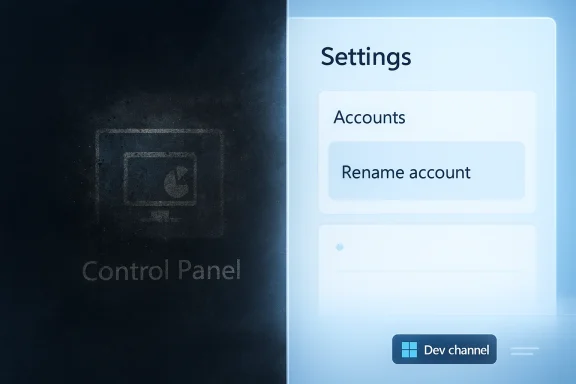
Visually, the change is simple: a dedicated path in Settings > Accounts that suggests Microsoft intends Settings to be the default destination for basic account management. That’s meaningful because most everyday PC users rarely, if ever, open the Control Panel; making common tasks discoverable in Settings reduces friction.
But there’s an important caveat: the control in this preview is present but not functional. Early screenshots and Insider reports show a placeholder or miswired interface — duplicate buttons that open the Change account type dialog rather than a rename dialog, or inert fields that don’t commit changes yet. In other words, this is a visible migration in progress, not a completed feature.
This dev‑first approach has advantages: it lets Microsoft gather telemetrics, confirm parity across millions of configurations, and spot regressions in scripted and enterprise environments before wider exposure. It also has a downside for observers: visible but non‑functional UI can create false hope or blur expectations about when a feature will actually ship.
First, Microsoft continues to treat Settings as the future front door for most consumer and light‑admin scenarios. Moving small but commonly used features improves the everyday UX and pushes users toward the modern shell. That aligns with the long arc that began in Windows 8 and continued through Windows 10 and 11.
Second, the company is balancing modernization against a calendar of higher‑priority reliability work. Public communsuggest Microsoft plans to prioritize quality, bug fixes, and performance improvements for Windows 11 in 2026, which means large, disruptive migration projects may receive less attention than platform stability and user trust initiatives. In short: the Settings app will keep growing, but perhaps not at warp speed.
On one hand, the visible addition of account rename to Settings in a Dev build is evidence of steady progress toward a single, modern UX. On the other hand, the non‑functional placeholder state and Microsoft’s stated focus on overall platform quality for 2026 argue that the pace of migration will remain gradual. Some commentators have suggesuld stall or deprioritize further; these claims are speculative and should be treated with caution unless Microsoft publishes an explicit roadmap.
Put simply: Microsoft will likely continue the slow, gated march away from the Control Panel, but a full removal across consumer and enterprise SKUs would require years of careful parity work and broad testing. It’s reasonable to say the Control Panel’s promised death is not imminent, but its practical role will shrink over successive releases.
Predictions that the Control Panel will vanish in the immediate future are premature. The technical debt, compatibility needs, and API obligations that underpin many Control Panel applets mean Microsoft must be deliberate; that deliberation looks slow to observers, but it’s also protective against large‑scale breakage. Expect gradual migration, continued coexistence, and many more "placeholder" sightings in Insider builds before definitive removal becomes realistic.
If you manage Windows devices, treat this change as a reminder: review any workflows that depend on Control Panel applets, prepare for incremental migrations, and don’t expect the old applets to disappear overnight. If you’re a power user or enthusiast, enjoy the occasional preview glimpses — and keep a backup plan ready for when a neat new Settings toggle lands but doesn’t yet behave like the old Control Panel.
In short: the Control Panel is shrinking, not dead. The account‑rename move is progress, but caution — and patience — remain the required companions on this slow march toward a single, modern Windows configuration experience.
Source: ekhbary.com Will the Control Panel Ever Die? Rare Feature Migration to Settings Spotted in Windows 11, But Don't Get Your Hopes Up for More.
 Background
For more than a decade Microsoft has been slowly migrating configuration surfaces from the classic Control Panel into the modern Settings app, a process visible to anyone who has tracked Insider builds since Windows 8. The work has never bwith a firm deadline; instead, it’s an incremental, sometimes messy program of feature parity, UX rework, and compatibility testing.That incremental approach reflects competing priorities. On one hand, Settings offers a more discoverable, touch‑friendly, and consistent experience for mainstream users. On the other hand, the Control Panel houses decades of legacy applets, plumbing, and administrative surfaces relied upon by enterprise to power users. Moving anything that touches user profiles, device management, Group Policy, drivers, or disk operations requires careful engineering to preserve behavior, APIs, and automation hooks.
What was spotted this week
Insiders running the Dev channel have noticed a new entry in Settings that surfaces an account‑rename control previously available only via the Control Panel’s User Accounts applet. The discovery was first flagged by an Insider watcher on X (formerly Twitter) and covered by Windows Central, which confirmed the sighting in Windows 11 Insider Preview build 26300.7877.Visually, the change is simple: a dedicated path in Settings > Accounts that suggests Microsoft intends Settings to be the default destination for basic account management. That’s meaningful because most everyday PC users rarely, if ever, open the Control Panel; making common tasks discoverable in Settings reduces friction.
But there’s an important caveat: the control in this preview is present but not functional. Early screenshots and Insider reports show a placeholder or miswired interface — duplicate buttons that open the Change account type dialog rather than a rename dialog, or inert fields that don’t commit changes yet. In other words, this is a visible migration in progress, not a completed feature.
Why a simple rename matters more than it looks
At first blush, changing the display name for a user account seems trivial. But the topic exposes several layers of complexity that explain why Microsoft has been cautious and slow in moving even small pieces of functionality out of the Control Panel.1. Display name vs. profile folder
Changing an account’s display name (the friendly name shown on the sign‑in screen and in various UI places) is not the same as renaming the underlying user profile folder at C:\Users\<username>. The display name is a superficial label; the profile folder is referenced in registry keys, installed application paths, per‑user services, and filesystem ACLs. Renaming the folder is risky and can break installed software and user data references. Microsoft’s guidance remainfile folders; create a new account and migrate data instead.2. Automation and scripting expectations
Many enterprise and power‑user scripts — installers, deployment tools, group policy objects, and administrative playbooks — still rely on Control Panel applets or on predictable runtime behaviors. When Microsoft rebuilds a control in Settings, it must ensure that the new UI exposes equivalent programmatic hooks (WMI/PowerShell cmdlets, ms‑settings URIs, COM entry points, or documented APIs) so automation remains reliable. Those integration points are often the last to be completed.3. Surface parity and edge cases
Some Control Panel applets are deep and nuanced: BitLocker management, disk partition tools, advanced sound properties, driver‑level settings, and legacy accessibility controls can contain dozens of options. Recreating those options in a modern XAML‑based Settings surface while keeping feature parity and preserving advanced configuration for admins is a suQA task. Microsoft has repeatedly prioritized consumer‑facing, frequently used settings first, pushing more arcane controls outward slowly.How Microsoft ships these changes: channels, flags, and cautious rollouts
Microsoft does not flip the “Control Panel off” switch overnight. Instead, Settings migrations typically appear in Canary or Dev channel builds, behind feature flags, and gated via Controlled Feature Rollouts (CFR). That means a UI element can show up in preview builds, be A/B tested in subsets of Insiders, and be refined over many flights — or be pulled entirely before general release. The account‑rename sighting comes from exactly that sort of iterative process.This dev‑first approach has advantages: it lets Microsoft gather telemetrics, confirm parity across millions of configurations, and spot regressions in scripted and enterprise environments before wider exposure. It also has a downside for observers: visible but non‑functional UI can create false hope or blur expectations about when a feature will actually ship.
The user and admin impact: real risks and real benefits
Migrating settings into Settings offers clear usability wins for most users. A single, discoverable surface reduces the "where did that control live?" problem and lowers the learning curve for non‑technical pand enterprises, however, the stakes are more complex.- Benefits:
- Improved discoverability and consistency for everyday tasks.
- A modern UX that plays nicely with touch, high‑DPI displays, and accessibility frameworks.
- Consolidated search and reduced cognitive load for users unfamiliar with the Control Panel.
- Risks:
- Broken automation or integration if programmatic hooks aren’t maintained or documented.
- Loss of advanced functionality unless the new Settings surface achieves full parity.
- Confusion when display name changes do not affect profile folder paths, leading to support incidents and helpdesk tickets.
What this particular migration tells us about Microsoft’s priorities
Two signals stand out from the account‑rename sighting.First, Microsoft continues to treat Settings as the future front door for most consumer and light‑admin scenarios. Moving small but commonly used features improves the everyday UX and pushes users toward the modern shell. That aligns with the long arc that began in Windows 8 and continued through Windows 10 and 11.
Second, the company is balancing modernization against a calendar of higher‑priority reliability work. Public communsuggest Microsoft plans to prioritize quality, bug fixes, and performance improvements for Windows 11 in 2026, which means large, disruptive migration projects may receive less attention than platform stability and user trust initiatives. In short: the Settings app will keep growing, but perhaps not at warp speed.
Where the Control Panel still matters
Even as Settings absorbs more territory, several Control Panel domains are unlikely to be fully transplanted anytime soon without significant effort.- Low‑level system and security tooling (BitLocker management, advanced recovery options)
- Device driver models and vendor‑specific control panels
- Legacy administrative applets that expose COM or Win32 interfaces consumed by third‑party software
- Deep registry‑tethered options that don’t map cleanly to the Settings data model
Practical guidance for users and IT teams
If you’re responsible for devices in an organization or if you support friends and family with Windows machines, here’s a practical checklist to manage expectations and reduce disruption as these migrations proceed.- Inventory common workflows that rely on Control Panel applets (user renames, sound options, advanced mouse settings, disk tools). Document the exact path and any automation used.
- Test preview builds in a lab before allowing Insiders or power users to run them on productionlaceholders and feature flags.
- Avoid renaming profile folders; if a display name change is needed, prefer changing the account display name and, if required, create new profiles and migrate data for a clean profile folder name.
- Update automation scripts to use documented ms‑settings URIs or PowerShell cmdlets where Microsoft provides them, and validate programmatic parity for each critical operation.
- Maintain a fallback plan that uses legacy Control Panel applets or netplwiz for administrative tasks until Microsoft documents full parity.
Timeline and predictions — with caution
The internet’s natural temptation is to draw timelines: "Control Panel dead by 2026!" or "It will survive another decade." Those confident predictions are almost always wrong.On one hand, the visible addition of account rename to Settings in a Dev build is evidence of steady progress toward a single, modern UX. On the other hand, the non‑functional placeholder state and Microsoft’s stated focus on overall platform quality for 2026 argue that the pace of migration will remain gradual. Some commentators have suggesuld stall or deprioritize further; these claims are speculative and should be treated with caution unless Microsoft publishes an explicit roadmap.
Put simply: Microsoft will likely continue the slow, gated march away from the Control Panel, but a full removal across consumer and enterprise SKUs would require years of careful parity work and broad testing. It’s reasonable to say the Control Panel’s promised death is not imminent, but its practical role will shrink over successive releases.
Strengths and weaknesses of Microsoft’s current approach
Strengths
- Incremental delivery minimizes catastrophic regressions and gives the company time to measure telemetry across millions of devices.
- Feature flagging enables controlled rollouts and rapid rollback if a migration causes problems.
- Prioritizing common settings gives the majority of users an immediate benefit where they need it most.
Weaknesses
- Perceived slowness breeds frustration among enthusiasts and IT pros who expect a clearer roadmap and faster parity.
- Inconsistent UX when Settings, Control Panel, and legacy dialogs coexist — jarring transitions hurt perceived polish.
- Automation risk: until every migrated control exposes equivalent programmatic interfaces, enterprise automation remains fragile.
What we should watch for next
- Official documentation updates from Microsoft that explicitly list which Control Panel applets have been ported and the recommended programmatic replacements.
- Insider release notes that move features from "present but nonfunctional" to "fully wired" status in Settings.
- Updates to enterprise management tooling (Intune, Group Policy documentation) clarifying whether tings are supported for policy control.
- Community and telemetry signals showing whether a migration reduces helpdesk incidents (a positive signal) or increases broken automation reports (a red flag).
Final analysis: don’t get your hopes up — but don’t be fatalistic, either
The presence of an account‑rename control in Settings is real and notable; it is evidence that Microsoft continues the long journey to unify Windows’ configuration UX. But the control’s inert state in build 26300.7877 is a reminder that visibility does not equal readiness. For mainstream users this is an eventual improvement in discoverability. For enterprises and power users it’s an at more validation work must be done before the Control Panel can be safely retired.Predictions that the Control Panel will vanish in the immediate future are premature. The technical debt, compatibility needs, and API obligations that underpin many Control Panel applets mean Microsoft must be deliberate; that deliberation looks slow to observers, but it’s also protective against large‑scale breakage. Expect gradual migration, continued coexistence, and many more "placeholder" sightings in Insider builds before definitive removal becomes realistic.
If you manage Windows devices, treat this change as a reminder: review any workflows that depend on Control Panel applets, prepare for incremental migrations, and don’t expect the old applets to disappear overnight. If you’re a power user or enthusiast, enjoy the occasional preview glimpses — and keep a backup plan ready for when a neat new Settings toggle lands but doesn’t yet behave like the old Control Panel.
In short: the Control Panel is shrinking, not dead. The account‑rename move is progress, but caution — and patience — remain the required companions on this slow march toward a single, modern Windows configuration experience.
Source: ekhbary.com Will the Control Panel Ever Die? Rare Feature Migration to Settings Spotted in Windows 11, But Don't Get Your Hopes Up for More.
