

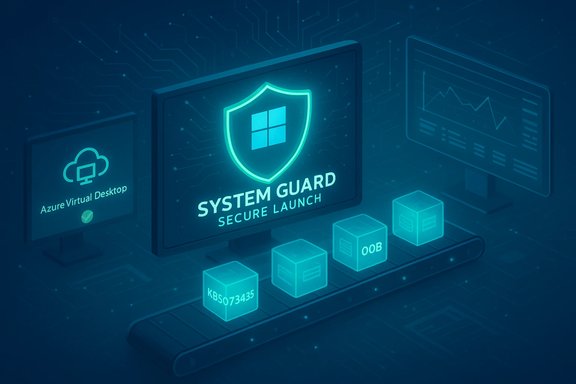
Microsoft has acknowledged that its January 2026 Windows 11 cumulative updates introduced multiple regressions — notably a shutdown/hibernation failure tied to System Guard Secure Launch and authentication breaks for Azure Virtual Desktop (AVD) and Windows 365 — and within days shipped targeted out‑of‑band updates to correct at least those two high‑impact problems.
The January 2026 Patch Tuesday wave shipped on January 13, 2026 as combined servicing‑stack + latest cumulative updates across supported Windows 11 servicing channels. The main packages in question are:
Source: Windows Latest https://www.windowslatest.com/2026/...e-issues-releases-fix-for-at-least-problems/]
 Background
The January 2026 Patch Tuesday wave shipped on January 13, 2026 as combined servicing‑stack + latest cumulative updates across supported Windows 11 servicing channels. The main packages in question are:- KB5073455 — Windows 11, version 23H2 (OS build series 22631.x).
- KB5074109 — Windows 11, versions 24H2 and 25H2 (OS build series 26100/26200.x).
What happened: the confirmed regressions
Shutdown and hibernation regression (KB5073455 / Secure Launch)
Shortly after the January 13 rollout, Microsoguration‑dependent issue for 23H2: systems with System Guard Secure Launch enabled may restart when a user selects Shut down or Hibernate, instead of powering off or entering hibernation. Microsoft’s official advisory recorded the symptom and provided an interim manual workaround to force a shutdown: run an elevated Command Prompt and executeshutdown /s /t 0. Microsoft also said there wasernation at the time of the advisory. This problem is not a universal consumer outage — it is heavily configuration‑dependent and primarily manifests in Enterprise and IoT SKUs where Secure Launch is commonly enforced. Nevertheless, for fleets and managed devices that require deterministic power‑state behavior (imaging, overnight maintenance, scheduled jobs, power‑sensitive deployments), the regression is operationally significant.Remote Desktop / AVD authentication regression (KB5074109 family)
A separate but concurrent regression affected the Windows App / Remote tication flow: after installing the January rollup, some clients saw immediate authentication failures when connecting to Azure Virtual Desktop or Windows 365 Cloud PCs (error reports such as “An authentication error has occurred (Code: 0x80080005)” were widely reproduced by community testers). Microsoft acknowledged the regression in its KB notes and released mitigations including a Known Issue Rollback (KIR) for managed fleets and recommended using alternative connection paths (web client / classic RDP client) as temporary workarounds.Microsoft’s response: rapid fixes and mitigations
Microsoft’s response followed a two‑track approach: immediate mitigations for administratod (OOB) servicing release to permanently fix the reported behaviors.- For the AVD authentication regression, Microsoft published KIR artifacts and Group Policy guidance that allow enterprise administrators to push a rollback attitude to the affected component without uninstalling the full LCU. This is the recommended surgical mitigation for managed fleets.
- For the Secure Launch shutdown/hibernate regression and the Remote Desktop sign‑in failures affecting 23H2, Microsoft released KB5077797 (out‑of‑band, January 17, 2026) for Windows 11 version 23H2. The KB page confirms that the OOB update resolves both Remote Desktop sign‑in failures and the Secure Launch restart‑on‑shutdown issue.
- For 24H2 and 25H2 platforms affected by the AVD credential problem, Microsoft published analogous out‑of‑band packages (for example, KB5077744) that include the KIR mitigation and the targeted fixes for Remote Desktop authentication flows. Those packages also instruct enterprise IT to deploy KIR Group Policy artifacts if necessary.
Technical anatomy: why these regressions matter
Secure Launch and servicing orchestration
System Guard Secure Launch is a virtualization‑rooted early boot protection that strengthens the chain of trust before the OS kernel is initialized. Secure Launch changes boot semantics and can alter the way offline servicing commits preserve the user’s final power intent across the update flow (download → staging → offline commit → final action). If the update’s offline commit logic or timing misinterprets intent, the system may choose a safe fallback (restart) rather than perform the requested shutdown or hibernate, which is what happened in this case. The intersection of firmware, virtualization‑based security, and the update orchestration is a fragile surface, and the January updates exposed that fragility in some hardware/firmware/agent combinations.Remote Desktop credential flows
Remote Desktop connection flows, especially when they rely on single sign‑on (SSO) with Entra ID / Azure Active Directory, involve redential prompt handling and token exchanges. A regression that affects the credential prompt or handshake can fail a connection instantly, before a session is established. The January package introduced a client‑side change that broke that handshake on some Windows App/Remote Desktop client combinations, producing immediatrs for AVD and Cloud PC users. This is a high‑impact failure for remote‑work and hybrid organizations that rely on AVD at scale.What administrators and power users should do now
The immediate goals are to identify exposure, apply mitigations or fixes, and prevent similar surprises in later rollouts.Quick detection checklist (inventory and exposure)
- Confirm which KB packages are installed across your estate: use tools or commands such as Settings → Windows Update installation history, or on the device run:
winget list/DISM /online /get-packages | findstr 5073455(or the KB number you’re checking). - Identify devices with Secure Launch enabled (this is commonly enforced in Enterprise/IoT images). Use your hardware inventory, Intune, or OEM telemetry to mark those devices.
- For Remote Desktop exposure, identify users and devices relying on the Windows App client for AVD/Cloud PC access and check for failed connection logs or metrics.
Immediate mitigations
- If you encounter the shutdown restart regression and need a guaranteed shutdown, run:
shutdown /s /t 0(elevated). Save work before shutting down because hibernation remains unreliable until a fix is applied. This is a one‑shot workaround and not suitable as a long‑term operational plan. - If AVD connections fail, deploy the KIR Group Policy artifact Microsoft published for managed devices or advise users to use the Web client or the p client as temporary workarounds until the OOB fixes are applied. Do not broadly uninstall security updates unless absolutely necessary — KIR exists precisely to avoid that blunt instrument.
Apply the OOB updates and validate
- For Windows 11 23H2: apply KB5077797 (OS Build 22631.6494). Microsoft’s KB states it resolves both the Remote Desktop sign‑in failures and thwn/hibernate regression. Validate after installation with representative devices and confirm the servicing stack update (SSU) presence.
- For Windows 11 24H2 / 25H2: apply the corresponding OOB packages (for example, **K5H2) which include the Remote Desktop fixes; follow Microsoft’s KIR guidance if that is the chosen mitigation path. Test in a pilot ring and confirm normal power and RDP behavior before broad deployment.
Analysis: strengths, weaknesses, and riskicrosoft did well
- Rapid acknowledgment and targeting. Microsoft publicly documented the regressions within hours and provided targeted mitigations (KIR) for administrators, reducing the pressure to perform destructive uninstalls. This is the right pattern for enterprise servicing incidents.
- **Surgical OOB releaB packages (for 23H2 and for 24H2/25H2) demonstrate the ability to ship precise corrective LCU+SSU packages quickly rather than waiting for the next Patch Tuesday cycle. That reduces exposure time for affected customers.
- Communication of scope. By naming the condition (Secure Launch enabled, affected client builds, AVD client pathways) Microsoft gave admins the necessary signals to triage and prioritize remediation. The specificity helped avoid overbroad panic and unnecessary uninstalls.
Where this episode reveals systemic fragility
- Complexity of combined SSU+LCU packaging. Combining SSU and LCU simplifies distribution but complicates uninstallability and rollback for administrators. Whestandard uninstallation paths may fail or be inappropriate. That adds friction to recovery in edge cases, especially where KIR or OOB packages are not yet available.
- Testing gaps across firmware and security configurations. Virtualization‑based protections lithe increasing diversity of preboot firmware interactions make exhaustive preflight testing near‑impossible. But the trade‑off is that updates intended to improve security can surface hard‑to‑predict operational regressions. Enterprise teams must therefore validate in representative rings that include firmware‑hardened devices.
- Operational cost for managed fleets. Even a narrowly scoped regression can generate disproportionate helpdesk load and automation breakage in organizations that rely on deterministic shutdown behavior or remote desktop access at scale. Those downstream costs often exceed the immet of the fix.
Residual risks and cautionary notes
- While the OOB packages fix the two high‑profile regressions Microsoft confirmed, observers should still treat collateral regressions (installation errors, GPU/driver anomalies, app‑specific oddities) with caution. Community reports in the weeks after the January rollouts flagged issues such as intermittent black screens on certain NVIDIA systems and servicing errors (e.g., 0x800f0922 / 0x80070306) during installs. Administrators should continue to monitor telemetry and vendor advisories.
- Any recommendation to disable Secure Launch or core protections as a permanent workaround should be resisted; disabling the very protections that improve firmware trust would undercut the security posture these updates aim to preserve. Prefer targeted software KIRs or validated OOB packages over configuration downgrades.
Practical rollout and validation playbook (recommended)
- Inventory and triage
- Map which devices have KB5073455 / KB5074109 installed and which have Secure Launch enabled. Use Intune/MDM or configuration management tools to tag affected endpoints.
- Pilot ring validation
- Deploy KB5077797 / KB5077744 to a small, representative pilot ring that includes devices with Secure Launch and those that use AVD/Cloud PC heavily. Validate shutdown, hibernation, and AVD connection flows across OEMs.
- User communications and helpdesk scripts
- Prepare short scripts for helpdesk: how to force shutdown (
shutdown /s /t 0), how to switch to Web or classic RDP clients, and how to detect KIR application state. Communicate the narrowing of scope to end users (e.g., consumer Home/Pro devices are less likely to be affected). - Staged organization‑wide deployment
- After pilot validation, roll out the OOB packages in waves. Continue to monitor Update Compliance and endpoint logs for installation and functional anomalies. Confirm SSU presence on target devices as part of precheck.
- Post‑deployment validation and rollback plan
- Maintain a clear rollback and remediation plan (KIR removal, targeted uninstalls using DISM when safe, vendor escalation) and ensure you have full backup and recovery options for critical systems. Avoid blanket uninstalls where KIRs exist.
Broader lessons for Windows patch management
- Treat monthly baselines as operational events, not background noise. Large security rollups that touch preboot trust, firmware hooks, or deep platform components deserve deliberate piloting and telemetry validation.
- Preserve representative test beds that include enterprise‑hardening features (Secure Launch, TPM configurations, OEM firmware versions) so you can surface configuration‑dependent regressions early.
- Leverage Microsoft’s mitigation tooling (KIR) before resorting to full uninstalls; KIR is designed to be the least disruptive fix for configuration‑dependent regressions.
- Maintain rapid communication channels between security, endpoint, and helpdesk teams when a servicing incident occurs; the human cost of confusion is a major operational risk.
Conclusion
Microsoft’s January 2026 Windows 11 rollup delivered important security and quality fixes, but it also surfaced two vendor‑confirmed regressions with tangible operational impact: a Secure Launch–dependent restart‑on‑shutdown behavior and Remote Desktop credential‑prompt failures that incapacitated some AVD/Cloud PC sessions. Microsoft responded promptly with targeted KIR mitigations and out‑of‑band cumulative updates (for example, KB5077797 for 23H2 and matching OOB packages for 24H2/25H2) to address the most disruptive issues. Administrators should prioritize inventory, pilot the published OOB packages, apply KIR when appropriate, and retain conservative rollout practices for future baselines. The episode underscores the trade‑offs between advancing platform security and maintaining predictable operational semantics — a tension that requires disciplined testing, clear communication, and surgical remediation tools in modern patch management.Source: Windows Latest https://www.windowslatest.com/2026/...e-issues-releases-fix-for-at-least-problems/]
