

Microsofft’s January patch cycle for Windows produced an unexpectedly disruptive outcome: updates released on January 13, 2026 introduced at least two distinct regressions that left some Windows 11 systems unable to shut down or hibernate and caused Remote Desktop/Cloud PC sign‑in failures, prompting Microsoft to issue emergency, out‑of‑band fixes on January 17, 2026 — while a third problem affecting classic Outlook POP profiles remains under investigation.
The regular January Patch Tuesday rollup landed on January 13, 2026 as a set of cumulative updates targeted at multiple Windows servicing branches. The main client :
 Background / Overview
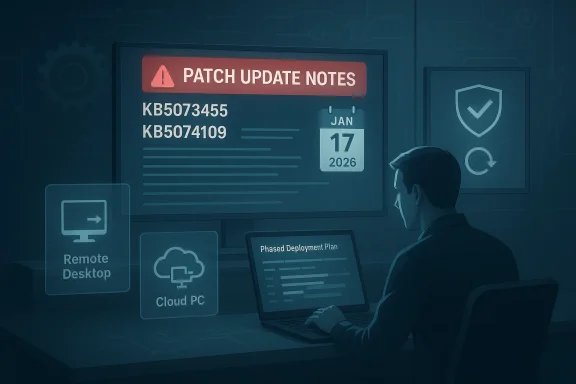
The regular January Patch Tuesday rollup landed on January 13, 2026 as a set of cumulative updates targeted at multiple Windows servicing branches. The main client :- Windows 11, version 23H2 — shipped as KB5073455 on January 13, 2026.
- Windows 11, versions 24H2 and 25H2 — the January cumulative for these branches was delivered as KB5074109.
What went wrong — the technical symptoms explained
Shutdown / hibernate regression (Windows 11 23H2 + Secure Launch)
The most jarring symptom: on affected devices running Windows 11, version 23H2wn or attempting Hibernate sometimes produced a short black screen, then the machine returned to the sign‑in screen instead of powering off or entering S4 hibernation. The condition was explicitly tied to systems where System Guard Secure Launch* (a virtualization‑based, early‑boot hardening feature) is enabled. Microsoft’s KB for the January 13 23H2 package documents the behavior and the company later listed the corrected code in the January 17 OOB for that branch. Why this is meaningful: Secure Launch runs at a very early stage of platform initializassumptions around how the OS and firmware coordinate during shutdown and boot. Modern cumulative updates perform multi‑phase servicing — staging updates while the OS is running and committing during shutdown/boot — and the interplay between a hardened pre‑OS environment and the servicing stack apparently resulted in a power‑intent* mismatch: the servicing process defaulted to restart to guarantee the servicing commit rather than honoring the user’s explicit shutdown or hibernate request. That safe fallback (restart) preserves update integrity but breaks deterministic power behavior for administrators and end users.Remote Desktop and Cloud PC sign‑in failures (24H2 / 25H2 and other branches)
Separately, users reported immediate authentication failures when connecting via Remote Desktop clients — notably the modern Windows Remote Desktop App,(AVD), and Windows 365 Cloud PC flows. Sessions would fail at the credential prompt with instant errors; the session could not be established even though back‑end services were available. Microsoft traced this to a regression that affected credential prompt handling inside the Windows App and other client paths after the January update. The symptom affected multiple servicing lines, not only Windows 11 25H2/24H2 but also Windows 10 ESU and certain Windows Server builds. Microsoft’s OOB releases on January 17 included fixes that restore these authentication flows.Outlook Classic (POP) instability — unresolved
Microsoft has also documented that Outlook Classic (the “classic” desktop Outlook used with POP profiles) may hang or fail to exit after installing the January 13 cumulative update (KB5074109). The Outlook team lists this as an emerging issue under investigation and has not yet posted a final fix; the ing the support topic for updates. This affects users who still use classic POP email profiles — a smaller slice of the overall user base but important to customers relying on legacy mail setups.Timeline of events (concise)
- January 13, 2026 — Microsoft releases January Patch Tuesday cumulative updates including KB5073455 (Windows 11 23H2) and KB5074109 (Windows 11 24H2/25H2).
- January 13–16, 2026 — community reports reveal restart-on-shutdown behavior on Secure Launch devices and Remote Desktop credential failures across multiple branches. Microsoft logs these as known issues in Release Health.
- January 17, 2026 — Microsoft issues out‑of‑band updates (e.g., KB5077797 for 23H2 and KB5077744 for 24H2/25H2) to remediate the Remote Desktop sign‑in failure and the Secure Launch shutdown regression; these packages include servicing‑stack updates (SSUs) and cumulative fixes. Outlook POP hangs remain under investigation.
Who was affected — scope and risk profile
- The shutdown/hibernate regression was narrowly scoped: mainly Windows 11, version 23H2 devices with System Guard Secure Launch enabled — a configuration more common in Enterprise, Education, IoT, and managed images than in consumer Home/Pro devices. That narrow scope explains why many consumers did not see the problem but some corporate fleets and kiosks did.
- The Remote Desktop credential failures had a broader footprint — reaching Windows 11 24H2/25H2 clients, some Windows 10 ESU branches, and server builds. Because remote-access and Cloud PC services underpin hybrid work, the risk to business continuity was significant while the issue persisted.
- Outlook Classic POP problems impact users still on legacy POP profiles; this is lower in absolute numbers but high in impact for those affected (mail hangs, unexpected behavior).
What Microsoft released and how to obtain the fixes
Mid out‑of‑band packages on January 17, 2026. The primary remedial KBs administrators should know:- KB5077797 — Out‑of‑band update for Windows 11, version 23H2 (addresses Secure Launch restart‑on‑shutdown and Remote Desktop sign‑in..
- KB5077744 — Out‑of‑band update for Windows 11, versions 24H2 and 25H2 (addresses Remote Desktop authentication failures and bundles January fixes). (Windows 11 recent update causes shutdown and login problems
