Windows 11 January 2026 Patch Tuesday: NPU Battery Fix and Secure Boot Rollout

  • Thread Author
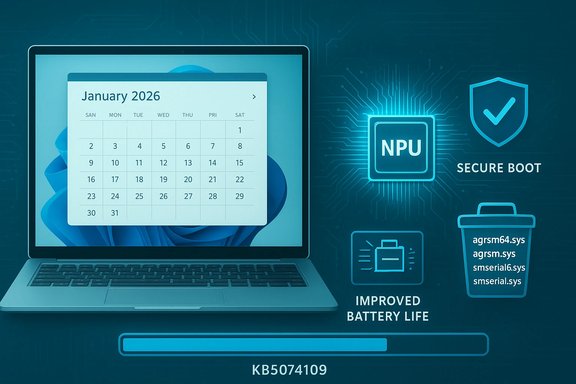
Microsoft’s January Patch Tuesday for Windows 11 landed with more than the usual batch of security fixes: the cumulative update (KB5074109) published on January 13, 2026, bundles a servicing‑stack update and a set of quality changes that include compatibility shifts, a targeted fix for battery drain on NPU‑equipped devices, the staged rollout of replacement Secure Boot certificates, and the removal of several legacy modem drivers — all of which carry practical implications for consumers, gamers, and enterprise administrators alike.

A laptop shows a January 2026 calendar with icons for secure boot, improved battery life, and system files.Background / Overview​

Windows’ first major rollup of 2026 arrives as a combined Servicing Stack Update (SSU) + Latest Cumulative Update (LCU) for supported Windows 11 branches. The package advances affected systems to OS Builds 26200.7623 (25H2) and 26100.7623 (24H2). Microsoft classifies KB5074109 primarily as a security update, but it explicitly includes a series of non‑security quality fixes and compatibility changes that operators should treat as operationally significant. This release is notable because:
  • It begins a phased, telemetry‑driven delivery of updated Secure Boot certificates to eligible devices to avert certificate expirations later in the year.
  • It fixes an NPU power‑state bug that left Neural Processing Units partially powered while the host was idle, causing measurable battery drain on certain Copilot‑era and AI‑accelerated PCs.
  • It removes a handful of legacy modem drivers from the in‑box image, which will break very old modem hardware reliant on those files.
  • It contains the month’s security rollup that several outlets report as addressing more than one hundred CVEs (reports vary on the exact count).
For quick reference, Microsoft’s KB entry and the update catalog are the authoritative places to verify build numbers, the exact file manifests, and installation packaging.

What’s in KB5074109 — Key technical changes​

Compatibility: legacy modem drivers removed​

  • The update explicitly removes these legacy drivers from the OS image: agrsm64.sys, agrsm.sys, smserl64.sys, smserial.sys.
  • Impact: hardware that depends on these exact drivers will stop functioning after the update unless the device manufacturer supplies a modern driver. For the vast majority of users this will be a non‑event; organizations with specialized legacy telephony hardware must inventory endpoints before broad deployment.

Power & Battery: NPU idle‑power fix​

  • Problem: certain devices with onboard Neural Processing Units (NPUs) were observed to keep the NPU powered while the host appeared idle; this increased background power draw and reduced unplugged battery life.
  • Fix: KB5074109 corrects NPU power‑state transitions so NPUs enter low‑power modes correctly when the system is idle.
  • Evidence: the change is documented in Microsoft’s release notes and summarized by independent outlets that tested or collated the patch highlights.

Secure Boot: phased certificate deployment​

  • Microsoft warns that many Secure Boot certificates in widespread use begin to expire in mid‑2026.
  • KB5074109 introduces a mechanism that ships a subset of device‑targeting data with quality updates. Devices that demonstrate stable update telemetry will be eligible to receive replacement Secure Boot certificates in a staged manner to avoid broad failure modes.
  • Why this matters: Secure Boot operates at firmware level. Certificate changes have potential to affect low‑level boot behavior on machines with unusual firmware or vendor‑specific chains; staged rollout and telemetry gating are intended to reduce risk, but administrators should factor the certificate rotation into firmware/boot testing plans.

Networking and developer scenarios​

  • The update addresses a mirrored networking failure in Windows Subsystem for Linux (WSL) that could break access to corporate resources over VPN when mirrored networking previously failed.
  • It also resolves RemoteApp connection failures observed in some Azure Virtual Desktop (AVD) environments following earlier updates.
  • These fixes matter for hybrid work setups and developer environments that rely on WSL networking behavior.

Core component update: WinSqlite3.dll​

  • Microsoft updated WinSqlite3.dll to avoid false‑positive detections by security software. This is a targeted component refresh and should not be conflated with third‑party sqlite3.dll shipped in application directories.

Security corrections and CVE counts​

  • Independent reports place the January 2026 security rollup at roughly 112–114 CVEs patched, including at least one actively exploited vulnerability affecting Desktop Window Manager (DWM). Published CVE totals vary slightly by analyst; the exact list and severities are published in Microsoft’s Security Update Guide. Administrators should treat the security portion of the update as high priority while staging the non‑security operational changes.

Real‑world telemetry, regressions, and community reports​

Shortly after rollout, community telemetry and forum threads began reporting two classes of issues:
  • Installation and servicing failures returning Windows Update error codes such as 0x800f0922, 0x80070306, or other servicing‑stack/component store errors. These typically indicate missing SSU sequencing, WinSxS/component store corruption, or insufficient EFI/System partition space for servicing actions.
  • Intermittent display black screens or brief freezes reported disproportionately on machines running certain NVIDIA GPU drivers; affected users describe momentary blackouts where the system recovers after a few seconds. Community troubleshooting points to driver/firmware interaction as the most likely vector.
Important caveats:
  • Community reports are early signals — reproducibility varies by hardware, driver version, OEM firmware, and third‑party agents. Microsoft’s KB does not list these regressions as known issues at the time of publication, and Microsoft’s official guidance centers on the documented fixes and rollout mechanics. Treat the community reports as plausible but not authoritative until vendor telemetry corroborates the patterns.

Deployment guidance — consumers and IT pros​

Whether you’re a single PC owner, a systems administrator, or managing a mixed fleet, KB5074109 changes the calculus for January updates. Follow these practical steps.

For consumers and enthusiasts​

  • Check your Windows 11 version and build: run winver to confirm whether your device matches the affected SKU (24H2 or 25H2).
  • Back up critical data before applying cumulative updates — a general best practice for any OS servicing event.
  • Update graphics drivers before or immediately after installing the patch (vendor packages from NVIDIA/AMD/Intel may resolve display‑related regressions).
  • If you rely on ancient modem hardware, verify that the device manufacturer provides modern drivers or avoid installing the update on that machine until you have a plan.

For IT administrators and power users​

  • Pilot, pilot, pilot: deploy KB5074109 to a narrow pilot ring that represents the diversity of hardware and firmware in your environment.
  • Account for the combined SSU+LCU packaging: the SSU portion persists after installation and may make rollback or partial uninstalls more complex; test your image sequencing and offline servicing plans carefully.
  • Inventory for legacy modem dependencies: create an inventory query for devices referencing the removed drivers and coordinate vendor support or hardware replacement timelines.
  • Evaluate Secure Boot certificate readiness: review firmware inventory and test UEFI/Secure Boot boot paths in lab conditions; the certificate rollout is telemetry‑gated, but testing prevents surprise failures.
  • Prepare mitigations for known post‑install symptoms:
  • If you encounter update error codes like 0x800f0922 or 0x80070306, run the usual servicing remediation steps: reset the Windows Update components, run DISM /Online /Cleanup‑Image /RestoreHealth, run sfc /scannow, and verify EFI/System partition space. If problems persist, consider staging a repair‑upgrade (in‑place upgrade) as an enterprise remediation path.
  • For display issues, test with clean driver installs (DDU + vendor driver) and watch vendor advisories for emergency driver/firmware updates.

Known issues, community workarounds, and risk assessment​

Known and emerging problems​

  • Installation errors and servicing rollbacks: community threads and support channels show these symptoms across a subset of devices. The root causes are heterogeneous (component store corruption, SSU sequencing, partition sizing) — remediation often follows standard servicing repair guidance.
  • GPU/display blank screens: multiple forum posts point to transient black screens post‑install on machines with NVIDIA GPUs. The correlation is strong in some threads, but vendor confirmation is still limited; driver or firmware updates are the most likely path to remediation.

Workarounds​

  • Retry and repair: if the update fails, users often succeed after performing an SSU reinstall and repair actions (DISM/SFC), or by retrying the update after clearing the SoftwareDistribution cache.
  • Driver rollbacks/clean installs: for GPU black screen scenarios, perform a clean driver uninstall and reinstall recommended vendor drivers; if necessary, roll back to a previously stable driver branch while monitoring vendor updates.
  • Hold or stage in enterprise: if your fleet includes critical systems or legacy hardware, hold the update in WSUS/Intune for a controlled rollout until pilot results are satisfactory.

Risk assessment — what to watch for​

  • The Secure Boot certificate rollout is a long‑lead operational change: poorly tested firmware or vendor chains could expose boot failures in edge cases. That said, Microsoft intentionally gates delivery with telemetry to reduce scope. Still, conservative enterprises should plan validation windows for systems that must boot in unattended or air‑gapped scenarios.
  • Removing in‑box drivers is a permanent compatibility change: unlike a transient quality fix, driver removal means the OS will no longer ship with those components. If you support legacy telephony hardware, this is the highest immediate compatibility risk.

Cross‑verification and how we validated these claims​

  • The release details, build numbers, and the list of functional changes (NPU power fix, modem driver removal, Secure Boot certificate staging, WSL/AVD fixes, WinSqlite3.dll update) are documented in Microsoft’s official KB for January 13, 2026 (KB5074109). That is the authoritative source for exact file manifests and packaging notes.
  • Independent coverage from Windows Central, Thurrott, NotebookCheck, and PureInfotech confirms the same high‑level items (NPU battery fix, modem driver removal, Secure Boot certificate handling) and provides additional context about security counts and operational impacts. These outlets also reported on the security CVE counts and real‑world reactions.
  • Early community telemetry and forum captures (Windows Forum, ElevenForum, Reddit, and other community aggregators) surfaced installation error codes and intermittent NVIDIA‑related black screens. These community sources confirm that real‑world variability exists and that mitigating actions (SSU reinstallation, DISM/SFC, driver rollback) are commonly used. Treat these community reports as early indicators to inform pilot testing, not as definitive evidence of wide‑spread regressions.
Caveat: different outlets reported slightly different counts for the number of CVEs (112 vs. 114). This variance typically arises from counting methodology (grouped CVEs, affected product scope, and whether related fixes are bundled across Windows Server releases). Where precise CVE accounting matters, consult Microsoft’s Security Update Guide for authoritative counts and CVE identifiers.

Recommended rollout checklist (concise)​

  • Inventory endpoints for legacy modem driver dependencies.
  • Build a pilot ring representing GPU vendors, firmware vendors, and NPU‑equipped devices.
  • Pre‑stage vendor GPU drivers and firmware updates where available.
  • Verify EFI/System partition sizing and run servicing health checks on images.
  • Apply update to pilot ring; monitor Windows Update logs, Event Viewer, and DPC/driver telemetry.
  • If install errors occur, run DISM /RestoreHealth and SFC, reinstall the SSU, and retry; escalate to in‑place repair if corruption persists.
  • Coordinate communications with users and support teams; prepare rollback and helpdesk scripts for common symptoms (display hangs, update failures).

The bottom line: pragmatic caution, prioritized security​

KB5074109 delivers a necessary security rollup while also introducing operational changes that deserve attention. The update fixes tangible quality issues — notably the NPU power drain — and it takes a proactive approach toward the looming Secure Boot certificate expirations. At the same time, the permanent removal of legacy modem drivers and early community reports of installation and display anomalies demand a measured rollout.
For home users who do not rely on old modem hardware and who keep drivers reasonably current, the path is straightforward: update, monitor, and keep vendor drivers current. For administrators and environments with diverse device fleets, the prudent course is to pilot the update, verify firmware and driver compatibility (especially for GPUs and any NPU‑accelerated platforms), and prepare standard servicing recovery procedures.
KB5074109 is a reminder that modern Windows servicing blends security urgency with operational complexity: install and prioritize the security fixes, but test first and deploy deliberately to avoid avoidable downtime.

Conclusion
January’s Windows 11 update (KB5074109) is both consequential and actionable: it patches a broad set of vulnerabilities while introducing compatibility‑level changes that affect some classes of hardware and deployment models. The update resolves practical problems — such as NPU power behavior and WSL mirrored networking — but the combination of SSU packaging, Secure Boot certificate rollout, and driver removals raises the importance of staged deployment. Prioritize security, pilot widely, and ensure vendor drivers and firmware are current before you push the update across critical systems.
Source: Sportskeeda Tech https://tech.sportskeeda.com/gaming...pdate-brings-compatibility-changes-bug-fixes/
 

Microsoft shipped the January 2026 Patch Tuesday updates on January 13–14, and the result is a month dominated by fixes and risk‑mitigation rather than new consumer features: Windows 11 received the cumulative update KB5074109 (builds 26200.7623 and 26100.7623) that addresses battery, stability and Secure Boot certificate issues for consumer and business devices, while Windows Server administrators must account for new, server‑specific baseline releases — notably KB5073379 for Windows Server 2025 and KB5073450 for Windows Server, version 23H2 — which introduce changes that require testing before broad deployment in production environments.

Futuristic cybersecurity scene with a glowing shield labeled SECURITY and a laptop featuring an NPU.Background​

The January 2026 updates mark Microsoft’s first Patch Tuesday of the year and follow the company’s continued pattern of quarterly baseline updates and monthly hotpatches for enterprise customers who opt in. These January baseline updates include the customary security hardening and several targeted quality fixes. Microsoft’s release notes for the month confirm the rollout dates (January 13, 2026) and the new build numbers for affected SKUs.
What makes this month notable for both consumers and IT professionals is not a single headline feature but a collection of protective and compatibility changes that may have outsized operational impact: a fix for an NPU‑related battery drain on devices with Neural Processing Units, a phased rollout mechanism for refreshed Secure Boot certificates, the removal of decades‑old modem drivers, and changes to Windows Deployment Services’ hands‑free behavior. Server customers also need to pay attention to Hotpatch baseline behavior and servicing‑stack interactions that were specifically called out in the server KB articles.

What Microsoft released: the essentials​

Windows 11 — KB5074109 (consumer and enterprise clients on 24H2/25H2)​

  • Release date: January 13, 2026.
  • Affected builds: OS Build 26200.7623 (25H2) and 26100.7623 (24H2).
  • Focus: security fixes, quality improvements, and several targeted bug fixes — no new consumer features.
  • Notable fixes:
  • NPU battery issue: addresses a problem where certain Neural Processing Units remained powered while the system was idle, causing unexpected battery drain on laptops with NPUs.
  • Secure Boot certificate handling: implements a phased mechanism that identifies devices eligible to receive refreshed Secure Boot certificates to minimize risk during the wider certificate rollout tied to certificate expirations in mid‑2026.
  • Networking and app stability tweaks: fixes to RemoteApp failures in Azure Virtual Desktop contexts and various application‑crash scenarios related to text input in apps like Outlook and Chrome.
  • Driver removal: continued removal of legacy Agere soft‑modem drivers from supported builds.

Windows Server — KB5073379 and KB5073450 (enterprise/server baselines)​

  • Release date: January 13, 2026.
  • KB5073379: Windows Server 2025 baseline (OS Build 26100.32230).
  • KB5073450: Windows Server, version 23H2 baseline (OS Build 25398.2092).
  • Focus: security patches and fixes carried forward from previous preview releases plus server‑specific behavioral changes and compatibility notes.
  • Notable server items:
  • Modem driver removal (same driver families as Windows 11 baseline): agrsm64.sys, agrsm.sys, smserl64.sys, smserial.sys are being removed; servers or appliances depending on those drivers will lose functionality after the update.
  • WDS hands‑free deployment hardening: Windows Deployment Services will stop supporting hands‑free deployment by default — an explicit behavior change intended to harden unattended deployment workflows.
  • Hotpatch servicing notes: fixes to scenarios where devices that installed a prior out‑of‑band update stopped receiving hotpatch updates; installing the January baseline resolves that state so hotpatching resumes.
  • WinSqlite3.dll update: core Windows library changes to mitigate false positives from security tools.

Why this matters now: security, certificates and device uptime​

January’s releases are security‑centric. Microsoft’s cumulative change log and accompanying security documentation confirm that this Patch Tuesday addresses a broad set of vulnerabilities across Windows and other Microsoft products in addition to the quality fixes described above. Several practical consequences make immediate attention necessary:
  • Secure Boot certificate expiry: Microsoft flags a looming expiry window for Secure Boot certificates beginning in June 2026. The January updates initiate a controlled rollout of replacement certificates; devices will be considered for automatic certificate delivery only after they have shown “sufficient successful update signals.” This is a phased approach designed to reduce the chance of widespread boot failures but also shifts responsibility to admins and users to ensure devices are healthy and can receive the certificate updates when eligible.
  • Driver removals may break legacy hardware: removing legacy soft‑modem drivers is a long‑expected housekeeping step, but it is disruptive if any fleet devices — especially specialized industrial or remote‑access devices — still rely on those drivers. The removal is permanent in the updated builds; the only practical mitigation is to retain a pre‑update backup image or to secure updated drivers from device vendors (if available).
  • Hotpatch resume and servicing states: customers using hotpatching for Windows Server 2025 should install the January baseline if they had installed certain out‑of‑band updates that blocked subsequent hotpatch rollouts. The January baseline returns these machines to a normal hotpatch servicing state.

Detailed look: consumer fixes in KB5074109​

NPU‑related battery drain — what changed​

Laptops and tablets with integrated Neural Processing Units are increasingly common. Microsoft’s notes identify an issue where the NPU subsystem could remain powered while the machine was idle, increasing power draw and shortening battery life. The January cumulative update corrects the NPU power state behavior so that NPUs enter low‑power modes correctly when idle.
  • Practical impact: users who noticed sudden battery‑life regressions on NPU‑equipped systems should see measurable improvement after installing KB5074109.
  • Risk profile: low — the fix addresses a misbehaving power state; no backwards‑incompatible change to hardware interfaces is being introduced.

Secure Boot certificates — phased eligibility and risk mitigation​

Instead of broadcasting certificate updates to every device immediately, Microsoft has implemented eligibility gating. The update evaluates telemetry for update success before delivering the new certificates to a device.
  • Practical impact: this reduces the likelihood of mass boot failures caused by untested certificate replacements, but it means administrators need to verify device update health proactively if they want early rollout.
  • Risk profile: medium — phased rollout reduces one class of risk (mass breakage) but creates potential confusion for teams that expect immediate, universal certificate replacement; devices that appear non‑eligible will remain on the old certificates and may require targeted remediation later.

Application crashes and input issues​

The update contains fixes for several cases where entering text could cause applications (Outlook, Teams, browsers, Office apps) to crash. This is a symptomatic class of bugs often caused by input stack or IME interactions.
  • Practical impact: fewer unexpected app terminations and improved productivity for users affected by these crashes.
  • Risk profile: low — these are classic quality fixes and generally safe; still, production deployments should follow usual testing practices if the environment has known third‑party IMEs, antivirus or input‑hooking utilities.

Detailed look: server‑side changes and enterprise impact​

KB identifier split for Server 2025 and new baseline logic​

Starting January 2026, Windows Server 2025 receives its own KB identifiers and build numbering separate from Windows 11 versions 24H2/25H2. This nomenclature change is meant to clarify update targeting for administrators managing mixed client/server estates.
  • Practical impact: update inventory and management tools that rely on KB mappings should be validated to ensure reporting remains accurate.
  • Risk profile: low but administrative — no change to update mechanics, but potential to confuse reporting and automation scripts.

Modem driver removal — compatibility and mitigation​

Several legacy modem drivers are being removed from supported builds. While uncommon in modern server rooms, some specialized appliances and remote‑access hardware still use their functionality.
  • Practical impact: systems still using those drivers will lose modem connectivity after the update.
  • Mitigation steps:
  • Audit server and appliance inventories for any dependency on agrsm64.sys, agrsm.sys, smserl64.sys, or smserial.sys.
  • For devices that need the drivers, either preserve pre‑update images for rollback or work with the device vendor to obtain supported drivers or alternative connectivity solutions.
  • Block the January baseline on those machines until a remediation path is implemented.

Windows Deployment Services (WDS) hands‑free hardening​

Default behavior for WDS will stop supporting hands‑free deployment. This hardening closes a potential unattended deployment vector that could be abused.
  • Practical impact: automated hands‑free OS provisioning flows that previously relied on permissive WDS settings may fail.
  • Recommended actions:
  • Update deployment playbooks to account for stricter WDS defaults.
  • Review documentation and vendor guidance for supported hands‑free configuration options if that functionality is still required.
  • Risk profile: medium — changes in deployment defaults can disrupt imaging and provisioning pipelines if not pre‑tested.

Hotpatch servicing and out‑of‑band update states​

Some Windows Server 2025 devices that installed a previous out‑of‑band update stopped receiving hotpatches. KB5073379 restores normal hotpatch behavior.
  • Practical impact: install the January baseline on affected servers to re‑enable hotpatch flows and avoid missing future hotpatches.
  • Risk profile: operational — delayed hotpatching increases exposure until remediation is applied; remediation itself is standard.

Security summary: scope of the January 2026 fixes​

January’s updates package a wide set of security fixes across Microsoft’s product stack. The aggregated item counts and vulnerability counts reported with the release indicate:
  • The month addresses well over a hundred CVEs across Windows, Office, SQL Server, and cloud components.
  • The cumulative Windows 11 baseline and server baselines together carry fixes for critical elevation‑of‑privilege and information‑disclosure vulnerabilities.
  • A small number of vulnerabilities were flagged as zero‑day or publicly disclosed prior to the update cycle; Microsoft’s advisory language indicates active exploit detection for specific issues.
Administrators and security teams should prioritize updates that address actively exploited vulnerabilities, and ensure that remediation is applied in a controlled manner: test in staging, stage deployment by risk tier, and maintain rollback/imaging plans.

Recommended deployment strategy for home users and IT teams​

For consumers and small offices (non‑managed PCs)​

  • Install KB5074109 via Windows Update on devices that are current and unaffected by specialized legacy hardware.
  • If you have an NPU‑equipped laptop and observed battery regression, install the update immediately and measure battery before/after to verify the benefit.
  • If you rely on old modem hardware (rare), do not apply the update until you confirm compatibility with your device vendor.

For enterprise IT and server admins​

  • Review inventory for the specific driver names being removed and for WDS hands‑free usage.
  • Validate hotpatch and baseline states in your test environment:
  • Confirm that devices that previously installed out‑of‑band updates resume hotpatching after installing the January baseline.
  • Test the Secure Boot certificate phased rollout behavior on a pilot set of devices by ensuring those systems have healthy update telemetry and can accept the certificate when eligible.
  • Stage updates in waves (pilot → broad test → production) and monitor for unexpected device or app failures.
  • Retain a rollback image or snapshot for critical systems, particularly for any device that may depend on the removed modem drivers.
  • Update documentation and automation scripts to reflect new KB identifiers for Windows Server 2025.

Risk analysis: what could go wrong and how to mitigate it​

Risk: boot failures from certificate updates​

  • Why: certificate changes have, historically, been sensitive operations affecting pre‑boot validation.
  • Mitigation: the phased eligibility mechanism reduces systemic risk; still, test certificate handling on representative hardware and maintain BIOS/UEFI/firmware update readiness. Keep a recovery media and documented steps for Secure Boot recovery.

Risk: service disruption because of driver removal​

  • Why: removal of old modem drivers may disable essential connectivity for some niche devices.
  • Mitigation: perform an inventory search for the affected driver filenames; coordinate with vendors or postpone updates for affected systems.

Risk: deployment pipeline breakage after WDS changes​

  • Why: stricter hands‑free defaults may interrupt automated provisioning.
  • Mitigation: validate and update imaging processes; ensure administrators have console access to complete any necessary interaction during an initial set of deployments.

Risk: false positives and third‑party security tool interactions​

  • Why: WinSqlite3.dll and other core component updates can trip security scanners that rely on signatures or heuristics.
  • Mitigation: coordinate with security vendors and whitelist updated system components after verification; test in pre‑production.

Troubleshooting and rollback guidance​

  • If an update causes functional loss (such as missing modem support), use system restore or a previously imaged snapshot to return to the pre‑update state.
  • For servers using hotpatching that stop receiving updates, apply the January baseline to reestablish the servicing state.
  • For devices that fail to boot after a certificate update, follow Microsoft’s documented Secure Boot recovery steps (disable Secure Boot temporarily to recover and then re‑enable after remediation) and coordinate with hardware vendors for firmware updates.
  • If performance regressions appear after the NPU fix (unlikely but possible on specific hardware combinations), collect kernel‑mode and power tracing logs and open a support case with the device OEM and Microsoft if needed.

What to watch next​

  • The Secure Boot certificate expiry window beginning in June 2026 is a hard deadline administrators must plan for now. Devices lingering on old certificates could face blocked boot paths if the system environment changes or firmware enforces stricter checks.
  • Watch vendor driver and firmware advisories over the next months — UEFI/firmware updates from OEMs may be required to fully support refreshed certificates and new update behaviors.
  • Monitor hotpatch calendars and Windows Server hotpatch notes if using Server 2025 Datacenter Azure Edition; the baseline/hotpatch cadence impacts restart windows and maintenance scheduling.

Final assessment​

January 2026’s updates are, in the aggregate, conservative and defensive: they prioritize security, system integrity and long‑term stability over new features. For consumers, KB5074109 brings welcome fixes — particularly the NPU battery improvement — and should be applied broadly, subject to the usual caution for specialized hardware. For enterprises, the server baselines (KB5073379, KB5073450) introduce meaningful operational changes that require immediate inventory checks and staged testing before large‑scale rollout.
The most consequential elements are not flashy: the phased Secure Boot certificate rollout and the permanent removal of legacy modem drivers are the kinds of changes that can create operational pain if overlooked. These updates underscore a simple truth for 2026: proactive inventory, disciplined testing, and coordination between IT teams and hardware vendors remain the best defenses against hidden update‑time surprises.
Caveat: some third‑party reports and early community anecdotes about the rollout are still emerging. While the core technical claims in Microsoft’s official release notes are verified, any vendor‑specific interactions (firmware edge cases, unique imaging environments) should be treated as potentially divergent and validated in a controlled lab before broad deployment.

Source: Windows Latest https://www.windowslatest.com/2026/...r-kb5073379-kb5073450-ships-for-enterprises/]
 

Back
Top