

Microsoft’s recent patching troubles have forced a rare — and uncomfortable — alignment between mainstream outlets, technical forums, and end users: critical Windows 11 updates delivered through the usual Patch Tuesday channel introduced a cluster of regressions that left some machines either temporarily unable to access their system drive (C , unable to shut down or hibernate properly, or in a small number of cases unable to boot at all. The immediate facts are straightforward: Microsoft acknowledged regressions tied to January 2026 cumulative updates and shipped out‑of‑band (OOB) emergency fixes within days, while community reporting and vendor telemetry show the problem space is nuanced, configuration-dependent, and in several respects still under investigation.
Windows servicing in recent years has favored large, cumulative monthly rollups that bundle security hardenings, quality improvements, and multiple component updates into single packages. That model simplifies patching for many customers, but it also concentrates risk: a single faulty change can touch multiple subsystems. January’s Patch Tuesday release (delivered around January 13, 2026 and tracked by several KB IDs in Microsoft’s release notes) produced several high‑impact regressions. Microsoft publicly confirmed specific issues, documented workarounds and diagnostics, and issued out‑of‑band cumulative updates on January 17 to mitigate the most severe effects. Independent reporting and technical community threads reproduced or documented the symptoms and remediation steps.
Two headline problems dominated coverage and support traffic:
The Windows ecosystem is complex — and that complexity is the core of this story. Microsoft, OEMs and the broader driver and firmware community must work together to reduce regression risks and speed RCAs. Administrators and power users must respond with disciplined testing, staged rollout and robust recovery planning. Taken together, those steps will blunt the operational damage of future missteps while preserving the security and functionality benefits that regular servicing provides.
Conclusion: treat this episode as a reminder, not a verdict. Microsoft corrected the worst effects quickly, but the recurrence of high‑impact regressions in major cumulative updates demands improved testing, clearer communication, and stronger enterprise safeguards. If you manage Windows clients, inventory Secure Launch and relevant drivers, stage your rollouts, keep backups, and apply the published OOB fixes when they match your environment — those pragmatic actions are the most effective way to avoid being one of the small but unlucky machines that made headlines.
Source: How-To Geek Some Windows PCs can't see their C: drive, but it's not Microsoft's fault
Source: Trusted Reviews Microsoft confirms huge Windows 11 bug
, unable to shut down or hibernate properly, or in a small number of cases unable to boot at all. The immediate facts are straightforward: Microsoft acknowledged regressions tied to January 2026 cumulative updates and shipped out‑of‑band (OOB) emergency fixes within days, while community reporting and vendor telemetry show the problem space is nuanced, configuration-dependent, and in several respects still under investigation.
 Background / Overview
Windows servicing in recent years has favored large, cumulative monthly rollups that bundle security hardenings, quality improvements, and multiple component updates into single packages. That model simplifies patching for many customers, but it also concentrates risk: a single faulty change can touch multiple subsystems. January’s Patch Tuesday release (delivered around January 13, 2026 and tracked by several KB IDs in Microsoft’s release notes) produced several high‑impact regressions. Microsoft publicly confirmed specific issues, documented workarounds and diagnostics, and issued out‑of‑band cumulative updates on January 17 to mitigate the most severe effects. Independent reporting and technical community threads reproduced or documented the symptoms and remediation steps.Two headline problems dominated coverage and support traffic:
- A shutdown/hibernate regression that caused affected Windows 11 devices (notably ones configured with System Guard Secure Launch / VSM) to restart instead of powering off or reliably entering hibernate.
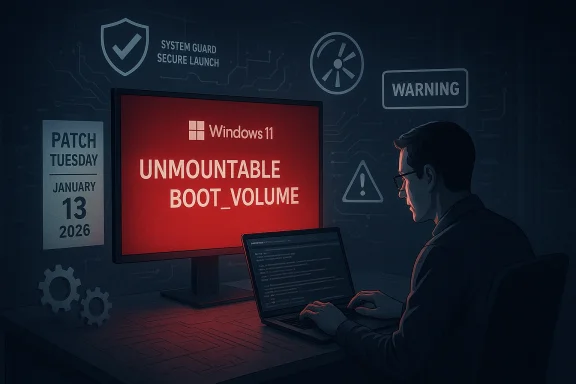
- More alarming to some users, a small subset of systems showed boot failures or “C:\ is not accessible” errors after installing a February/January cumulative update variant, leaving users facing UNMOUNTABLE_BOOT_VOLUME stop codes or drive-access denial. Community threads captured many such reports and early remediation attempts.
What actually happened: symptoms and timeline
The timeline, in brief
- January 13, 2026 — Microsoft ships the January cumulative updates (tracked internally and by the community under several KB numbers, including as part of KB5074109 / KB5073455 family for different branches). This is the regular Patch Tuesday delivery.
- Within days — multiple field reports surface: shutdowns failing (systems restarting), Remote Desktop sign‑ins failing, and isolated reports of boot failures and C: drive inaccessibility. Administrators and hobbyists begin triage and share workarounds.
- January 17, 2026 — Microsoft issues out‑of‑band cumulative updates (OOBs such as KB5077797, KB5077744 for affected servicing branches) to address the most severe regressions while investigations continue.
Core symptoms documented by users and IT teams
- Devices configured with System Guard Secure Launch or VSM: shutdown/hibernate commands could result in immediate restart instead of powering off, producing large help-desk volumes and battery-drain incidents in mobile fleets.
- Remote Desktop sign‑in and authentication failures on some branches, disrupting remote administration and Cloud PC/AVD connectivity for affected systems.
- A small number of machines reported a more severe failure after update where the system displayed UNMOUNTABLE_BOOT_VOLUME or “C:\ is not accessible — Access denied,” preventing normal boot or file access and requiring manual recovery operations. These cases appear to be limited and configuration-specific, but they are high-impact for those affected.
Why this is not a simple “Microsoft broke things” story
It’s tempting to treat these failures as monolithic and attribute them solely to a single vendor action. In reality, three interlocking realities make the problem more complicated:- Windows must run on an enormous variety of hardware, firmware and third‑party drivers. Interactions between a cumulative servicing change and a particular third‑party driver or vendor firmware can surface in field behaviours that never appeared in lab testing.
- Some regressions are configuration-dependent. The shutdown regression is strongly correlated with systems that have System Guard Secure Launch and Virtual Secure Mode enabled; the C: drive access and UNMOUNTABLE_BOOT_VOLUME cases show patterns pointing at specific OEM drivers or storage-controller interactions in several reports. This makes reproduction and root‑cause isolation harder.
- Updates include changes not only to the kernel but to supporting components, recovery images (WinRE), and XAML-backed UI packages; when multiple components change simultaneously, the combinatorial surface area for bugs increases. Microsoft has previously had to issue Safe OS dynamic updates and targeted WinRE refreshes to repair update-induced regressions.
How to tell whether your PC is at risk
Not every machine will experience problems. Here’s how to triage quickly and safely:- Check Windows Update history and KB numbers. If your device applied the January 13, 2026 cumulative updates or the follow-on updates, note which KB(s) were installed. Microsoft’s advisories and the community have pointed to KB5074109 / KB5073455 and the OOB KB5077744 / KB5077797 family in correspondence with affected devices.
- If you see immediate symptoms — restart instead of shutdown, UNMOUNTABLE_BOOT_VOLUME, or “C:\ is not accessible” errors — detach the device from critical tasks and do not force repeated reboots. Collect error screens and event logs (Event Viewer: System and Application channels) before applying fixes. Community threads show that early log collection made diagnosis easier for some technicians.
- For managed fleets: check whether devices are configured with System Guard Secure Launch / VSM. Those configuration flags are strongly associated with the shutdown/hibernate regression. If you run an enterprise management stack, inventory the Secure Launch/VSM enablement and prioritize those devices for the OOB updates or interim workarounds.
- If you use OEM devices (notably some laptop models that community threads flagged), review OEM bulletins and driver update advisories in parallel with Microsoft guidance: some problems can be caused or worsened by OEM storage drivers and firmware interaction.
Workarounds and fixes (what to do now)
Microsoft offered both immediate workarounds and OOB updates; community responders documented technical mitigations that can help until a permanent servicing fix is widely validated.- Primary action: Apply Microsoft’s out‑of‑band updates where available. Microsoft shipped targeted OOB packages on January 17, 2026 (for example KB5077797 / KB5077744 depending on branch) addressing the most urgent regressions; these updates are the first corrective step for most affected scenarios. Validate applicability for your servicing branch before applying.
- If shutdown/hibernate behaves as a restart: Microsoft published command‑line workarounds and admin guidance to force a better shutdown path while waiting for OOB packages. These are interim and aimed at reducing operational pain. Where possible, apply the OOB patch rather than rely on temporary command-line fixes.
- For boot failures or C: access denial:
- Avoid making destructive recovery attempts immediately. Collect logs, boot to WinRE (if WinRE is functional), and if possible create or mount a recovery image for forensic capture.
- If WinRE is broken (USB keyboard/mouse unresponsive is a previously reported failure), use alternate recovery media (bootable USB with Windows installation or third‑party recovery tools) and avoid blind repartitioning. Microsoft has in the past shipped WinRE image refresh updates where recovery was affected; check whether a Safe OS dynamic update is available for your build.
- Where the system presents an UNMOUNTABLE_BOOT_VOLUME stop code, standard recovery steps (chkdsk /f, rebuild BCD with bootrec) remain appropriate, but do so with backups and after capturing logs — some community posts showed users who recovered but lost data when troubleshooting steps were rushed.
Technical analysis: probable mechanisms and risk vectors
From the available public information, forum reproductions, and Microsoft’s support advisories, a pattern emerges that suggests the regressions are not random but instead driven by interaction effects:- Secure Boot / Secure Launch / VSM interactions: The shutdown regression correlates with System Guard Secure Launch. These features change low-level platform state and interact with kernel and power-management paths, so a servicing change that modifies timing or state transitions can change whether shutdown flows complete as intended.
- Recovery environment fragility: WinRE is a separate “Safe OS” image. Microsoft has previously had to refresh WinRE images via Safe OS dynamic updates after updates changed recovery dependencies, and the October 2025 WinRE regression requiring KB5070773 is a clear example of how updates can render recovery non-interactive. When WinRE is damaged or incompatible, even otherwise low-risk fixes become high-stakes.
- Storage stack and OEM drivers: The “C:\ not accessible / UNMOUNTABLE_BOOT_VOLUME” reports point toward a subset of devices where storage-driver/firmware interactions produced file-system access failures after update. These are the hardest to attribute cleanly without vendor forensic data: driver version skew, firmware-level behavior, or even rare NAND controller states can all be contributors. This is why Microsoft and SSD vendors (in earlier episodes) have collaborated on forensic test matrices to reproduce field reports, with mixed success at scale.
Strengths in Microsoft’s response — and the lingering weaknesses
What Microsoft did well:- Rapid acknowledgment and remedial action. Within days Microsoft published advisories, documented workarounds and shipped out‑of‑band fixes for the highest‑impact issues — the correct triage posture for an ecosystem vendor responsible for billions of devices.
- Targeted mitigations. By releasing OOB packages targeted to specific branches and scenarios (and by documenting key diagnostic indicators such as Secure Launch dependency), Microsoft reduced the blast radius relative to an undifferentiated emergency push.
- Testing gaps and perceptual erosion. Repeated reliance on emergency out‑of‑band fixes — especially when they arrive months apart for different regressions — chips away at administrator trust and increases operational overhead. The cadence of complex cumulative updates without equivalent assurances of broader field testing is a systemic risk for enterprises.
- Opaque root cause progression. For high‑impact incidents (boot failures, data access denial), the public record often lacks the detailed RCA that enterprises and OEMs need to make policy decisions. Faster, clearer RCA publication — even with redacted telemetry — would help restore confidence.
- Edge-case data risk. While most victims report recoverable states, any update that produces a UNMOUNTABLE_BOOT_VOLUME scenario creates non-trivial data‑integrity risk. Administrators must assume a non‑zero chance of data recovery costs when rolling updates.
Practical guidance for IT teams and power users
- For enterprise administrators:
- Audit your fleets for System Guard Secure Launch / VSM enablement and prioritize those systems for OOB patch validation and deployment.
- Use staged rollouts: deploy patches to a representative canary group before broad distribution. Validate shutdown/hibernate, WinRE, Remote Desktop, and boot behaviors as part of your pre-rollout checks.
- Keep offline, tested recovery tools and fresh backups for mission‑critical devices. When possible, snapshot or image devices before mass updates in high‑value environments.
- For home and power users:
- If you’re experiencing symptoms, apply Microsoft’s OOB fixes first (verify the correct KB for your Windows build) and collect logs if possible before attempting advanced recovery.
- If you’re not yet affected and run a single personal machine, consider a brief delay (a few days) before letting the January/February rollups install automatically — that gives vendors and Microsoft time to push targeted fixes for widely reported regressions without leaving you exposed for long.
- In all cases, preserve event logs and screenshots: they’re invaluable when vendors ask for telemetry and reproduction steps. Community threads show logs often separated a recoverable case from a lost‑data case.
Broader implications: what this means for Windows servicing and the ecosystem
- Vendors and enterprises will likely push for better pre-release testing coverage across OEM drivers and popular hardware stacks. The complexity of shipping large cumulative packages argues for richer canary pipelines or longer staged rollouts in mixed hardware environments.
- Administrators are likely to tighten change-control policies and to re-evaluate automatic update schedules for critical systems. The trade-off between immediacy of security patches and the risk of service regressions is not new, but these incidents sharpen the calculus.
- For end users, a growing perception problem — “Windows updates cause breakage” — requires clearer vendor communication and faster, more visible RCAs when data‑impacting regressions occur. Transparency is mission‑critical to preserve trust.
Final assessment and recommendations
Microsoft’s emergency response in January 2026 — issuing out‑of‑band patches and publishing workarounds — was the right short‑term move to stop immediate operational harm. Still, the incident underscores a repeatable set of engineering and operational challenges:- large cumulative updates mean large testing responsibility;
- configuration-specific regressions (Secure Launch, OEM drivers, WinRE) are inherently difficult to eliminate entirely; and
- even limited, isolated boot or file-access regressions have outsized business risk.
- Inventory and identify high‑risk configuration flags (System Guard Secure Launch / VSM, specialized storage drivers, OEM platforms).
- Stage updates to canary groups and validate shutdown/hibernate, WinRE, RDP and boot flows before broad rollout.
- Maintain recent backups and verified recovery media; assume a non-zero chance that a single update could require manual recovery on a small fraction of devices.
- Apply Microsoft’s published OOB fixes and OEM driver updates promptly where they address known symptoms.
The Windows ecosystem is complex — and that complexity is the core of this story. Microsoft, OEMs and the broader driver and firmware community must work together to reduce regression risks and speed RCAs. Administrators and power users must respond with disciplined testing, staged rollout and robust recovery planning. Taken together, those steps will blunt the operational damage of future missteps while preserving the security and functionality benefits that regular servicing provides.
Conclusion: treat this episode as a reminder, not a verdict. Microsoft corrected the worst effects quickly, but the recurrence of high‑impact regressions in major cumulative updates demands improved testing, clearer communication, and stronger enterprise safeguards. If you manage Windows clients, inventory Secure Launch and relevant drivers, stage your rollouts, keep backups, and apply the published OOB fixes when they match your environment — those pragmatic actions are the most effective way to avoid being one of the small but unlucky machines that made headlines.
Source: How-To Geek Some Windows PCs can't see their C: drive, but it's not Microsoft's fault
Source: Trusted Reviews Microsoft confirms huge Windows 11 bug
