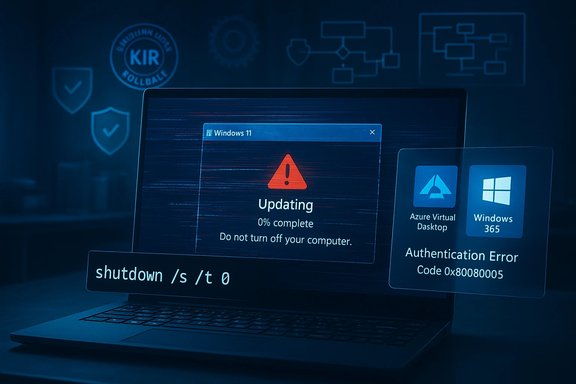
Microsoft has warned that a January security rollup can leave some Windows 11 machines unable to shut down or hibernate, while other recent updates are producing client-side regressions that break Azure Virtual Desktop and remote‑session authentication—an unsettling start to Patch Tuesday for users and administrators who rely on deterministic power and remote access behavior.
Windows servicing has been unusually eventful in the past year: long-standing UX inconsistencies such as the “Update and shut down” mismatch were only recently patched after years of community reporting, and Microsoft’s staged rollout model (Insider → Preview → Patch Tuesday) has repeatedly been put to the test by regressions that surface quickly once an update reaches broad telemetry. The new January update cycle continues that pattern: while it delivers security patches and functional fixes, it also introduced regressions that affect device shutdown semantics and cloud‑desktop authentication.
This article summarizes the three stories at hand—Microsoft’s shutdown/hibernation warning, LiveDeskCal’s desktop calendar updates, and BetaNews’s weekly app roundup—then analyzes their technical realities, operational risks, and practical mitigations for everyday Windows users and IT teams.
For everyday users and IT teams the rule is simple and urgent: treat January’s updates as necessary but not riskless. Validate in pilots, implement KIR where needed, and keep clear user communication channels open. Meanwhile, small third‑party productivity vendors like LiveDeskCal are filling real usability gaps—lightweight, privacy‑first widgets that reduce context switching—while curation sites like BetaNews continue to surface useful apps. The broader lesson across these stories is consistent: reliability and predictability matter just as much as new features and security. When updates break expectations—be it a shutdown that becomes a restart or a cloud desktop that won’t authenticate—the business impact is immediate and measurable.
Source: Forbes https://www.forbes.com/sites/zakdof....com/series/best-windows-apps-this-week-191/]
 Background
Windows servicing has been unusually eventful in the past year: long-standing UX inconsistencies such as the “Update and shut down” mismatch were only recently patched after years of community reporting, and Microsoft’s staged rollout model (Insider → Preview → Patch Tuesday) has repeatedly been put to the test by regressions that surface quickly once an update reaches broad telemetry. The new January update cycle continues that pattern: while it delivers security patches and functional fixes, it also introduced regressions that affect device shutdown semantics and cloud‑desktop authentication.This article summarizes the three stories at hand—Microsoft’s shutdown/hibernation warning, LiveDeskCal’s desktop calendar updates, and BetaNews’s weekly app roundup—then analyzes their technical realities, operational risks, and practical mitigations for everyday Windows users and IT teams.
The Windows shutdown and remote desktop warnings: what happened
The immediate symptoms
Following the January 13, 2026 security rollup, Microsoft documented that some devices running Windows 11 version 23H2 with Secure Launch enabled may fail to shut down or enter hibernation; instead the device restarts. Microsoft’s guidance to affected users was blunt and practical: save your work and use the explicit command-line shutdown (shutdown /s /t 0) to power off until a remediation ships. There is no workaround for hibernation at the time of Microsoft’s advisory. At the same time, enterprise customers reported that the cumulative update identified as KB5074109 produced authentication failures when using the Windows App client to connect to Azure Virtual Desktop (AVD) and Windows 365 Cloud PCs. Microsoft acknowledged a client‑side regression, provided a Known Issue Rollback (KIR) mitigation for managed fleets, and pointed administrators to alternate clients (the Remote Desktop classic client or web client) while engineers prepare a permanent fix.What’s affected and why it matters
- Shutdown/Hibernation: A restart when a user expects a shutdown is more than a nuisance. It can drain batteries on laptops, break overnight maintenance expectations, and create confusion about whether updates completed successfully. The issue ties into Secure Launch, a virtualization‑based security control that protects against firmware attacks; where security primitives change boot and runtime behavior, even small servicing changes can flip power semantics.
- AVD/Cloud PC authentication: When cloud‑desktop connections fail at the credential prompt, remote workers are immediately blocked. Because this is a client-side regression, backend cloud services were not the root cause—uninstalling the offending update or deploying KIR restores connectivity for most affected endpoints. For organizations that depend on AVD/Cloud PCs as primary desktops, the regression is high‑impact and visible within hours of an update’s release.
Technical anatomy: why servicing updates can cause these failures
Multi‑phase servicing and power intent
Windows cumulative updates are complex, multi-stage operations: files are downloaded and staged while the OS runs, offline servicing passes occur during shutdown/boot when locked files can be replaced, and final commits may require one or more reboots. The system must carry the user’s final power intent (restart vs. shutdown vs. hibernate) across these phases. If that “intent flag” is lost or misinterpreted—because of a race condition, a driver interaction, or a virtualization-layer policy enabled by Secure Launch—the machine can boot back to the sign‑in screen instead of powering off. The practical result is the behavior Microsoft documented.Secure Launch and virtualization-based security interactions
Secure Launch inserts a virtualization boundary earlier in the boot process to validate platform integrity. Interactions between this virtualization boundary and offline servicing sequences are delicate: certain servicing steps may assume a conventional hardware/firmware state that Secure Launch modifies. When servicing logic was changed in KB updates, on a subset of hardware configurations that use Secure Launch the final power decision could be inadvertently transformed into a restart. The narrow scope (devices with Secure Launch) explains why the issue is not universal but still serious for those environments that require Secure Launch for compliance.Client-side authentication regressions
AVD authentication failures after KB5074109 appear to be caused by changes in the client-side handshake or credential prompt flow. Because the symptom manifests before a remote session is established, it suggests the update altered how credentials or tokens are handled at the OS client layer. Microsoft’s publication of a KIR demonstrates that the vendor identified a surface small enough to isolate and temporally disable while leaving the remainder of the security fix in place—an operationally preferable alternative to an outright rollback of the full cumulative update.What Microsoft, admins and users are doing now
Microsoft’s response
- Documented the shutdown/hibernation symptom for affected Windows 11 23H2 Enterprise and IoT SKUs and recommended the explicit shutdown command as a temporary workaround; Microsoft plans a fix in a future update.
- Published KB5074109 with Known Issues and KIR guidance to mitigate the AVD/Cloud PC regression; Microsoft also advised fallback connection options (classic Remote Desktop client or web client) while the fix is prepared.
Practical guidance for administrators (short term)
- Inventory and identify devices with Secure Launch enabled. Prioritize laptops and machines used in maintenance windows where deterministic shutdown behavior matters.
- For mission‑critical AVD/Cloud PC users, roll out the Known Issue Rollback (KIR) policy to affected OUs or pause KB5074109 deployment until pilot testing completes.
- For mixed fleets, stage KB5074109 in rings: pilot → broad → production. Use telemetry to measure both positive security impacts and any regressions in authentication or power behavior.
- Communicate with end users: instruct them to save work frequently and, for affected devices, use shutdown /s /t 0 to power off. Provide fallback connection guidance for AVD users (Web client or classic RDC).
Practical guidance for consumers and power users
- If you depend on hibernation (for example to save battery state while traveling), avoid installing the January rollup on affected SKUs until Microsoft ships a fix or an updated servicing stack is available.
- Use the explicit shutdown command when you need to ensure your device powers off: open Command Prompt and run shutdown /s /t 0.
- For AVD connectivity issues after January patching, try the Windows AVD web client or the classic Remote Desktop client as an immediate workaround. If your employer manages your device, contact IT for KIR or remedial policy deployment.
LiveDeskCal expands cloud sync and CRM integrations — why desktop widgets still matter
What’s new
LiveDeskCal announced Lite and Pro tiers in addition to a Free offline option. The company’s pitch focuses on an always‑on‑top desktop calendar widget for Windows 10 and Windows 11 that reduces context switching and surfaces scheduling without requiring a browser tab. Key feature distinctions are:- Free: local offline calendar and alarms, no account required.
- Lite ($4.95 one‑time): two‑way sync with Google Calendar and Outlook Online/Office 365 plus background auto‑refresh.
- Pro ($9.95 one‑time): CRM calendar integration (Act!, GoldMine, monday.com and others) and expanded syncing for team workflows.
Why this matters for Windows users
- Reduced context switching: Keeping an always‑visible calendar on the desktop is a simple productivity enhancement: glanceable events reduce the friction of switching to a browser or app.
- Low-cost specialized options: One‑time purchase pricing (rather than subscription) will appeal to users who resist SaaS lock-in and favor predictable, lifetime software ownership.
- CRM integrations: For sales and support workflows that depend on CRM appointment data, surface integration in a small widget can improve responsiveness—provided the integrations respect security and authentication boundaries.
BetaNews's "Best Windows apps this week": practical picks and deployment cautions
BetaNews’s weekly roundups continue to be a good source of new or updated apps that are relevant to both power users and administrators. Recent highlights include native clients, creative tools, and utilities that solve real tasks:- Examples called out over recent weeks include Tubecast Pro (native YouTube client), Polarr Photo Editor, and the new Google Drive native client for Arm devices. BetaNews also flags firmware/UEFI updates such as Surface Pro UEFI releases and advises staging those updates carefully.
- Confirm the publisher and Store SKU—similar app names and clone publishers can trick users.
- Test DRM‑sensitive apps (media players) for account entitlements and offline behavior before widespread deployment.
- Stage firmware and UEFI changes in a lab: firmware updates are a higher‑risk change that can affect boot behavior and management tools.
Critical analysis: strengths, gaps and risk vectors
What Microsoft did well
- Rapid acknowledgement and mitigation: Microsoft documented the shutdown symptom and published Known Issues and KIR for the AVD regression quickly—an appropriate blend of transparency and operational workarounds for enterprises. The KIR approach preserves the security baseline while isolating the regressors for affected flows.
- Staged validation model: The Insider/Preview → Patch Tuesday pipeline allows engineering telemetry to validate fixes across diverse hardware before broad enforcement—important given the ecosystem’s fragmentation. That process worked in prior cases, notably the repair of the “Update and shut down” orchestration bug that had lingered for years.
What remains risky
- Edge‑case regressions with high impact: Even when confined to a subset of machines (Secure Launch devices or particular client builds), regressions can hit critical workflows—laptops in the field draining batteries overnight or employees unable to access workplace Cloud PCs. Those “small cohort, big impact” failures are the hardest to defend against in open hardware ecosystems.
- Communications friction: Rapidly changing guidance across KBs, Release Health, and community threads can create confusion. Administrators need clear one‑page guidance (what is affected, how to detect, how to mitigate) from Microsoft; partial or delayed notes raise the chance of incorrect remediations (for example, unnecessary mass rollbacks).
- User trust erosion: Repeated incidents—faulty optional updates, mislabeled upgrade channels, or broken shutdown semantics—erode confidence. Users who no longer trust update behavior are likelier to delay or avoid updates, which in turn increases exposure to real security threats. The paradox is clear: update friction can reduce update compliance.
Cross‑validation and independent confirmation
Key claims in this cycle are corroborated by multiple independent sources. Forbes reported the shutdown/hibernation warning and the Remote Desktop credential prompts, Microsoft’s KB pages list the known issues and KB numbers, and community testing threads and trusted outlets (Windows Central, TechRadar) documented the AVD regression and the fix model. Where a claim is only community‑sourced and not yet confirmed by Microsoft, it is flagged as anecdotal until MSRC or the KB publishes an engineering postmortem.Recommended operational checklist
For administrators and power users who want a practical, action‑oriented plan, follow these steps.- Detect
- Inventory devices with Secure Launch enabled and identify laptops and maintenance‑window hosts.
- Use your endpoint management tooling to detect installations of KB5074109 and KB5073455.
- Protect
- If AVD/Cloud PC access is business-critical, deploy Microsoft’s KIR for affected OUs or delay KB5074109 in high‑risk rings.
- Communicate the explicit shutdown command (shutdown /s /t 0) and instruct users to avoid relying on hibernation on affected devices.
- Pilot and Validate
- Stage the January rollups in a representative pilot group that includes laptops, Secure Launch machines, and AVD users.
- Monitor login flows, remote desktop authentication, battery drain, and shutdown/hibernate behavior for at least 72 hours post-install.
- Remediate
- For AVD failures: deploy KIR or uninstall the KB in urgent cases; use the web client or classic RD client until the permanent fix arrives.
- For shutdown regressions: use the forced shutdown command and await Microsoft’s remediation in a follow‑up update.
- Post‑mortem and policy
- Record the incident, root‑cause hypotheses, and the remediation path; update your update‑management playbook to include KIR deployment and rapid rollback procedures.
- Reassess risk posture for “security features that change power semantics” and decide if Secure Launch is required on all endpoints or if selective deployment is preferable.
Final assessment: the tradeoff between security and stability
Windows update cycles are an exercise in tradeoffs. Cumulative updates bundle important security fixes—often closing zero‑days and high‑risk attack surface—but they also change complex orchestration flows that touch boot, drivers, and virtualization layers. Microsoft’s KIR mechanism and staged previews are sensible engineering controls that let administrators retain security while temporarily disabling a narrowly scoped behavioral change. However, the recurrence of high‑impact edge-case regressions shows that managing complexity in a heterogeneous PC ecosystem remains a hard problem.For everyday users and IT teams the rule is simple and urgent: treat January’s updates as necessary but not riskless. Validate in pilots, implement KIR where needed, and keep clear user communication channels open. Meanwhile, small third‑party productivity vendors like LiveDeskCal are filling real usability gaps—lightweight, privacy‑first widgets that reduce context switching—while curation sites like BetaNews continue to surface useful apps. The broader lesson across these stories is consistent: reliability and predictability matter just as much as new features and security. When updates break expectations—be it a shutdown that becomes a restart or a cloud desktop that won’t authenticate—the business impact is immediate and measurable.
Quick reference: what to do now
- If you run Windows 11 23H2 with Secure Launch: avoid relying on hibernation after the January update; use shutdown /s /t 0 to power off and save work frequently.
- If your workforce uses AVD/Windows 365 and experienced login failures after January 13: deploy Microsoft’s KIR or revert the package in critical rings; use the AVD web client or classic RDC as an interim.
- For productivity: consider lightweight desktop widgets such as LiveDeskCal for always‑visible scheduling; validate sync and CRM integrations in a sandbox before granting access to corporate data.
- Before installing new apps flagged in roundups: check publisher metadata, test functionality in a lab, and stage firmware updates carefully.
Source: Forbes https://www.forbes.com/sites/zakdof....com/series/best-windows-apps-this-week-191/]